What it is
Sol is an open source application launcher and command palette for macOS, written in TypeScript and distributed under the MIT license. It runs natively on the desktop and is built with React Native, which is also the toolchain required to compile it from source. The project is hosted on GitHub, where it has accumulated roughly 3,100 stars and 180 forks, and it is tagged with topics such as launcher, command-palette, cmd-k, spotlight, alfred, and raycast — placing it squarely in the macOS productivity ecosystem alongside those well-known launchers.
The concrete problem Sol addresses is the friction of reaching apps, files, and small utilities on a Mac. Instead of switching context to a browser tab, a terminal, or a separate menu bar app, a user summons a single palette and performs the action there. The README frames the design goal as ease of use and speed with minimal configuration: the launcher is meant to work out of the box rather than requiring an elaborate setup of scripts and extensions before it becomes useful. It bundles a broad set of everyday actions — from app search and custom shortcuts to clipboard history, a window manager, and a notes scratchpad — so that routine tasks stay inside one interface.
Key capabilities
- App search plus custom shortcuts and custom links for launching anything quickly.
- Window manager, emoji picker, clipboard manager, and notes scratchpad built in.
- Calendar integration that shows upcoming appointments in the menu bar.
- Custom AppleScript commands and a script runner for user-defined automation.
- Developer helpers: generate NanoID, UUID, and lorem ipsum, and format and paste JSON.
- Quick math evaluation, Google Translate, and Google Meet launch from the palette.
- System utilities: process killer, OS theme switch, Wi-Fi password retrieval, IP address display, and media key forwarding to Spotify or Apple Music.
- Browser bookmark import, symbolic link support, and a menu bar blackening option.
Who uses it and how
- Mac users who want a keyboard-driven launcher without paying for a commercial alternative.
- Developers who need fast access to UUID, NanoID, JSON formatting, and script execution.
- People who keep calendar and clipboard workflows in the menu bar rather than separate apps.
- Users migrating from Spotlight, Alfred, or Raycast who want an open source option in the same category.
- Anyone who wants to extend the launcher with AppleScript and custom links instead of a plugin marketplace.
Getting started
Install with Homebrew using brew install --cask sol, or download the latest release manually from the repository. Building from source requires a macOS React Native setup with Mise, Xcode, and Cocoapods, after which the app runs with bun macos.
When to use it — and when not to
Sol is a reasonable choice for macOS users who want launcher functionality under an MIT license and prefer minimal configuration over a large extension ecosystem. It is macOS-only, so it offers nothing on other platforms, and the repository shows a young project with a small number of open issues and no listed contributors beyond the maintainer. Anyone building from source must operate a full React Native macOS toolchain, including Mise, Xcode, and Cocoapods, which is a heavier requirement than installing a signed binary.
project readme (upstream, from github) — read inline
Sol
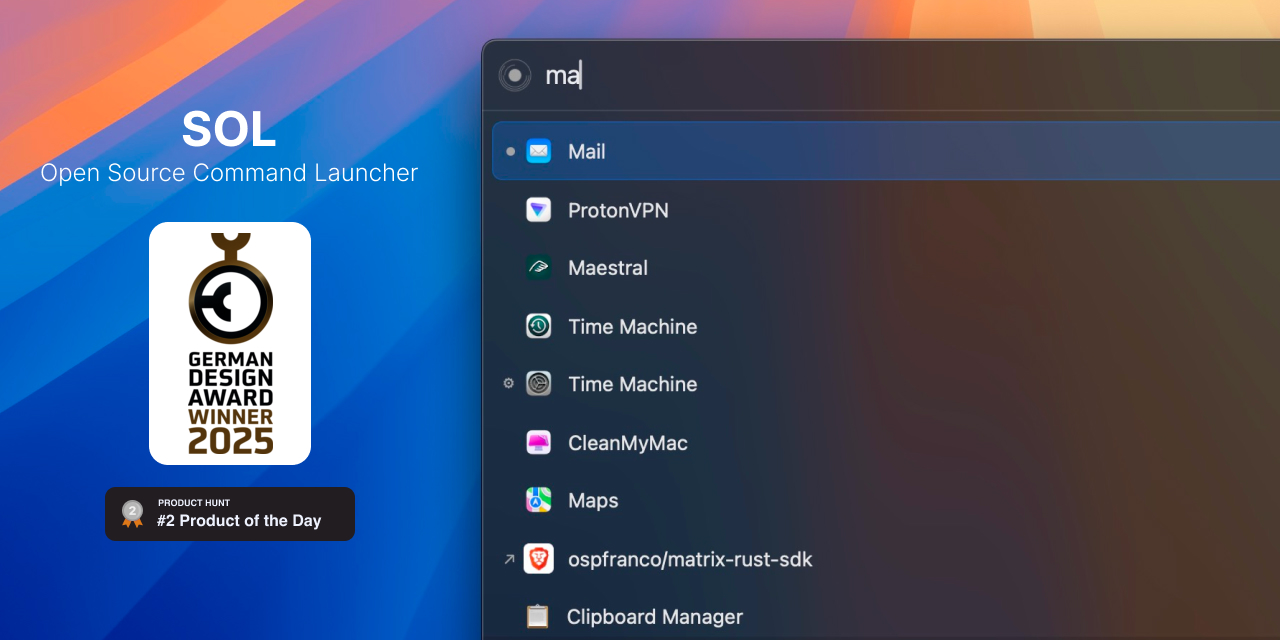

Sol is an open source app launcher, focused on ease of use and speed. It has minimal configuration and runs natively.
Visit official site
Download
Install via brew
brew install --cask sol
Or manually download the latest release.
Discord
Join the Discord
https://discord.gg/W9XmqCQCKP
Features
- App search
- Custom shortcuts
- Google translate
- Calendar
- Show upcoming appointement in Menu Bar
- Custom AppleScript commands
- Custom links
- Imports browser bookmarks
- Window Manager
- Emoji picker
- Clipboard manager
- Notes Scratchpad
- Retrieve Wi-Fi password
- Show IP address
- Start a google meet
- Switch OS theme
- Process killer
- Generate NanoID
- Generate UUID
- Generate lorem ipsum
- Format and paste JSON
- Forward media keys to Spotify/Apple Music
- Blacken Menu Bar
- Quickly evaluate math operations
- Script Runner
- Symbolic Link Support
Contributing
You need to set up your machine for macOS development with React Native. Basically you need to install:
Follow any of the online tutorials to set up your machine for iOS/MacOS React Native development.
Once you have everything installed run the following commands
mise plugin add cocoapods
# To enable hooks
mise settings experimental=true
# Will install all bun, ruby and run the installation of dependencies
mise install

# You can then run the app with
bun macos
License
MIT License