Modern, privacy-friendly, and cookie-free web analytics.
Getting started »
Screenshots • Features • Office Hours
Motivation
There are a lot of web analytics tools. Unfortunately, most of them come with the following caveats:
- They require handing all of your visitors' info to a third-party company
- They use cookies to track visitors across sessions, so you need to have those annoying cookie notices
- They collect so much personal data that even the NSA is jealous
- They are closed source and/or expensive, often with limited data portability
- They are hard to use
Shynet has none of these caveats. You host it yourself, so the data is yours. It works without cookies, so you don't need any intrusive cookie notices. It collects just enough data to be useful, but not enough to be creepy. It's open source and intended to be self-hosted. And you may even find the interface easy to use.
Shynet is a portmanteau of "Skynet" and "shy." The idea is that it gives you loads of useful information (Skynet) while also respecting your visitors' privacy (shy).
Screenshots
Note: These screenshots have been edited to hide sensitive data. The "real" Shynet has a lot more pages and information available, but hopefully this gives you an idea of the general look and feel of the tool.
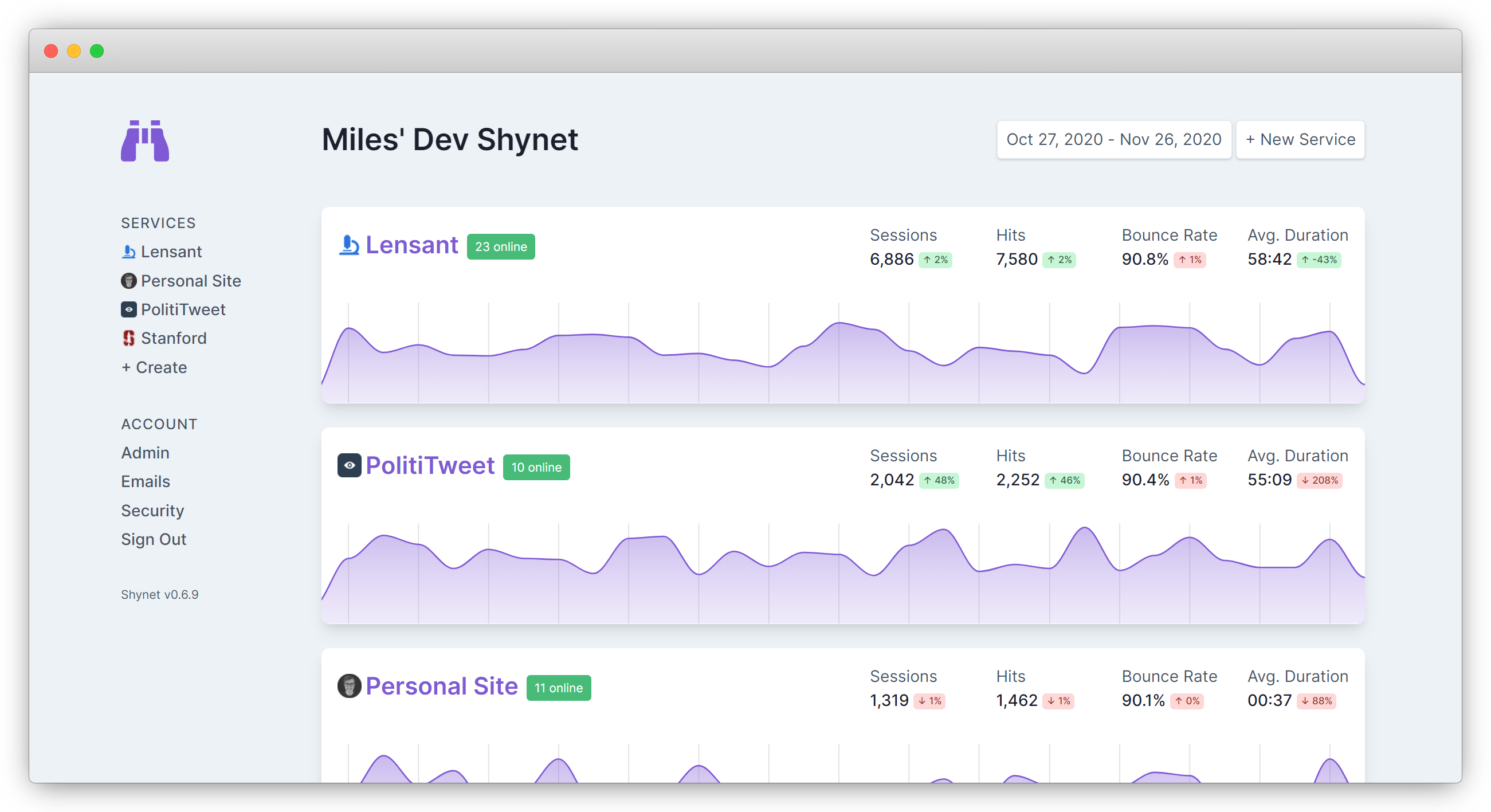 Shynet's homepage, where you can see all of your services at a glance.
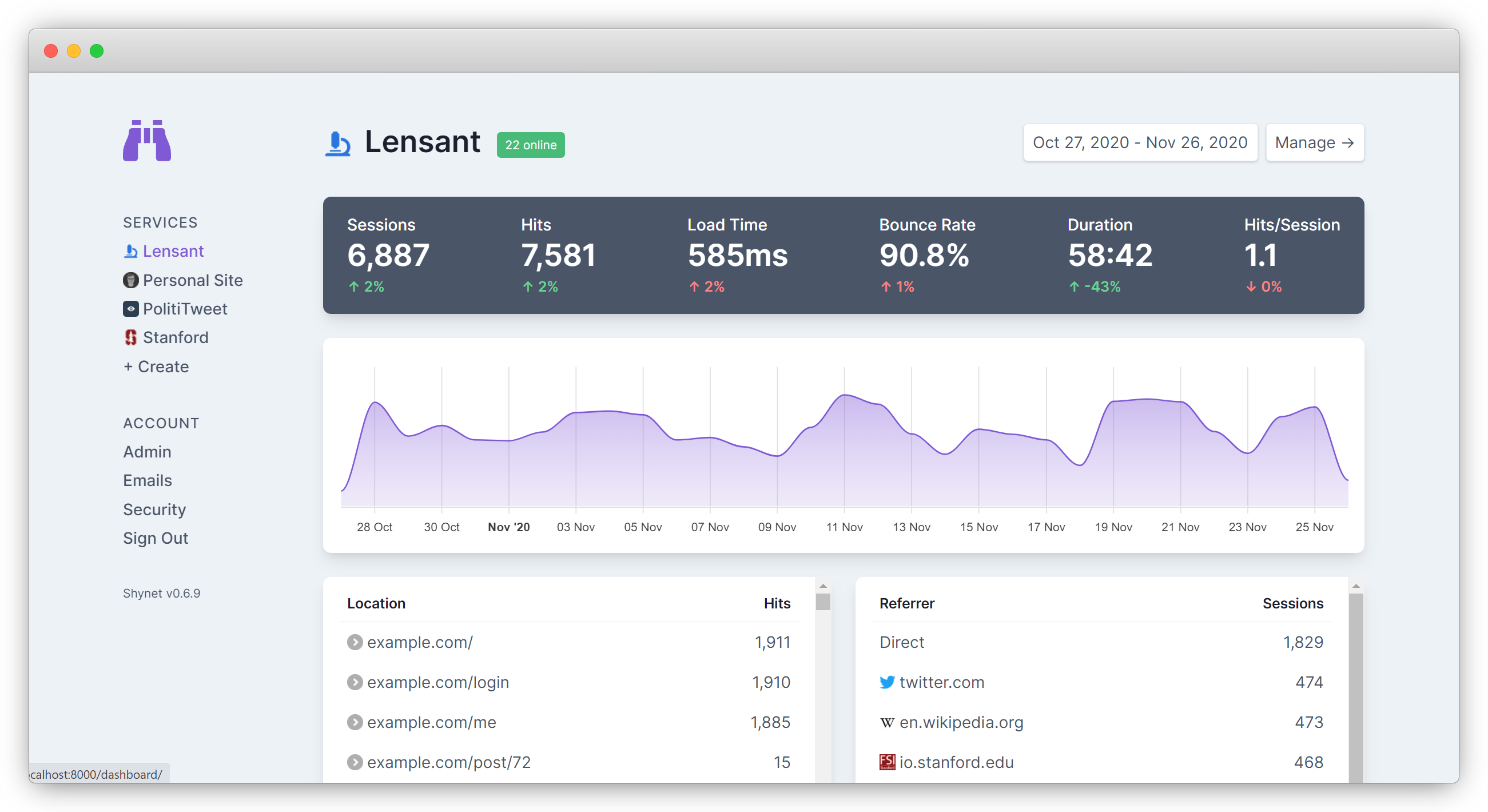 A real service page, where you can see higher-level details about a site.
Not shown: management view, session view, full service view. (You'll need to install Shynet for yourself to see those!)
Shynet is built using a17t, an atomic design library. Customization and extension is simple; learn more about a17t.
Features
Architecture
- Runs on a single machine — Because it's so small, Shynet can easily run as a single docker container on a single small VPS
- ...or across a giant Kubernetes cluster — For higher traffic installations, Shynet can be deployed with as many parallelized ingress nodes as needed, with Redis caching and separate backend workers for database IO
- Built using Django — Shynet is built using Django, so deploying, updating, and migrating can be done without headaches
- Multiple users and sites — A single Shynet instance can support multiple users, each tracking multiple different sites
Tracking
- JavaScript not required — It will fallback to using a 1x1 transparent tracking pixel if JavaScript isn't available
- Lightweight — The tracking script weighs less than a kilobyte (and doesn't look like your typical tracking script)
- Generally not blocked — Because you host Shynet yourself, it tends not to be on ad block lists
- Primary-key integration — You can easily associate visitors in Shynet with their user accounts on your site (if that's something you want)
Metrics
Here's the information Shynet can give you about your visitors:
- Hits — how many pages on your site were opened/viewed
- Sessions — how many times your site was visited (essentially a collection of hits)
- Page load time — how long the pages on your site look to load
- Bounce rate — the percentage of visitors who left after just one page
- Duration — how long visitors stayed on the site
- Referrers — the links visitors followed to get to your site
- Locations — the relative popularity of all the pages on your site
- Operating system — your visitors' OS (from user agent)
- Browser — your visitors' browser (from user agent)
- Geographic location & network — general location of your visitors (from IP)
- Device type — whether your visitors are using a desktop, tablet, or phone (from user agent)
Workflow
- Collaboration built-in — Administrators can easily share services with other users, as well
- Accounts (or not) — Shynet has a fully featured account management workflow (powered by Django Allauth)
Recommendations
Shynet isn't for everyone. It's great for personal projects and small to medium size websites, but hasn't been tested with ultra-high traffic sites. It also requires a fair amount of technical know-how to deploy and maintain, so if you need a one-click solution, you're best served with other tools.
Concepts
Shynet is pretty simple, but there are a few key terms you need to know in order to use it effectively:
Services are the properties on the web you'd like to track. These generally correspond to websites or single top-level domains. Shynet generates one tracking embed per service.
Hits are a single page-load on one of your services.
Sessions are a collection of hits (or just one) that are made by the same browser in a short period of time.
Installation
You can find instructions on getting started and usage in the Usage Guide. Out of the box, we support deploying via a simple Docker container, docker-compose, Heroku, or Kubernetes (see kubernetes).
FAQ
Does Shynet respond to Do Not Track (DNT) signals? Yes. While there isn't any standardized way to handle DNT requests, Shynet allows you to specify whether you want to collect any data from users with DNT enabled on a per-service basis. (By default, Shynet will not collect any data from users who specify DNT.)
Is this GDPR compliant? It depends on how you use it. If you're worried about GDPR, you should talk to a lawyer about your particular data collection practices. I'm not a lawyer. (And this isn't legal advice.)
Troubleshooting
Having trouble with Shynet? Check out the troubleshooting guide, or create an issue if you think you found a bug in Shynet itself (or have a feature suggestion).
Roadmap
To see the upcoming planned features, check out the repository's roadmap project. Upcoming features include data aggregation through rollups, anomaly detection, detailed data exports, two-factor authentication, and a data deletion tool.
In the Wild
These sites use Shynet to monitor usage without violating visitors' privacy: PolitiTweet, Miles' personal site, a17t, Lensant, WhoAreMyRepresentatives.org, and more. (Want to add your site to this list? Send a PR.)
Contributing
Are you interested in contributing to Shynet? Just send a pull request! Maybe once the project matures there will be more detailed contribution guidelines, but for now just send the code this way and we'll make sure it meets our standards together. Just know that by contributing, you agree to share all of your contributions under the same license as the project (see LICENSE). And always be sure to follow the Code of Conduct.
License
Shynet is made available under the Apache License, version 2.0.
Shynet was created by Miles McCain (@MilesMcCain) at the Recurse Center using a17t.