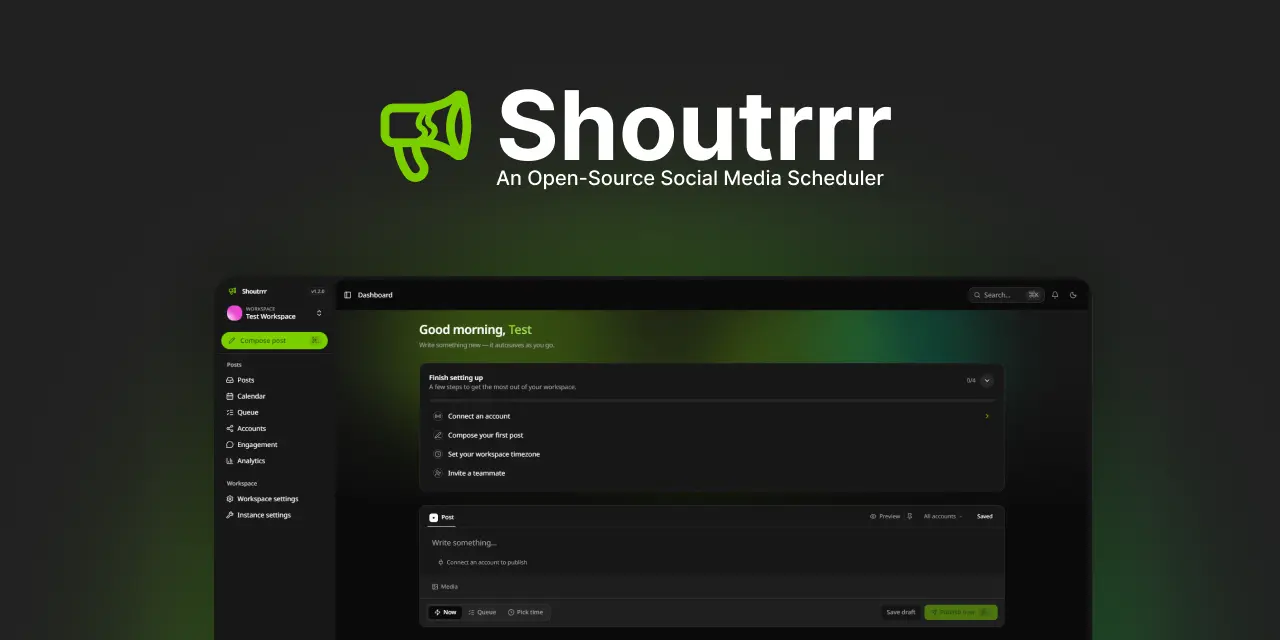
Shoutrrr
An open-source, self-hostable alternative to Buffer, Typefully & Hootsuite.
Write once, publish everywhere. Schedule posts to X, Bluesky, LinkedIn, Facebook, Instagram, Threads, and Discord from one calendar — on your own server, with your own data.









What is Shoutrrr?
Shoutrrr is a social media scheduling tool you run yourself. Connect your accounts, draft a post once, and send it to every network at the same time — or queue it to go out on a recurring schedule. No monthly seat fees, no third party holding your tokens or your data.
It's built for individuals and teams: invite collaborators into a shared workspace, keep clients or brands separated, and see how your posts perform — all from a single, fast interface.
Why Shoutrrr?
- You own everything — your posts, your audience tokens, your analytics. Self-hosted on your infrastructure.
- One post, every platform — compose once and publish to multiple accounts, tweaking the text per network when you want.
- Plan ahead — a posting queue with recurring time slots and a month calendar, so your feed stays consistent without you babysitting it.
- Made for teams — workspaces, roles, and email invites keep clients and collaborators tidy.
- No vendor lock-in — open source under the Apache 2.0 license, runs anywhere Docker does.
Supported platforms
| Platform | Connect with | Publishing | Threads | Analytics |
|---|---|---|---|---|
| X (Twitter) | OAuth 2.0 | ✅ (Free: ≤280 chars / 2m20 video; Premium tiers: ≤25,000 chars / up to 4h video, up to 4 media) | ✅ | likes, reposts, replies, impressions |
| Bluesky | ATProto OAuth or app passwords | ✅ (≤300 graphemes, up to 4 images or 1 video) | ✅ | likes, reposts, replies |
| OAuth 2.0 (OIDC) | ✅ (≤3000 chars, up to 9 images or 1 video) | — (single post) | not available for personal accounts | |
| Facebook (Pages) | OAuth 2.0 (Facebook Login) | ✅ (≤63,206 chars, up to 10 images or 1 video) | — (single post) | likes, comments, shares, impressions |
| OAuth 2.0 (Facebook Login) | ✅ (media required, ≤2,200 chars, up to 10 images or 1 video/Reel) | — (single post) | likes, comments, shares, views | |
| Threads | OAuth 2.0 | ✅ (≤500 chars, up to 10 images or 1 video) | ✅ | likes, replies, reposts, views |
| Discord | Channel webhook URL | ✅ (≤2000 chars, up to 10 files ≤10 MiB) | ✅ | reactions |
Features
- 📝 Composer — draft with media and alt text, see live per-account text and video limits (including detected X subscription limits), and automatically split long posts into threads where the platform supports it.
- 🚀 Multi-account publishing — fan one post out to many accounts at once, with optional per-platform overrides. Each target publishes independently and retries on failure.
- 🗓️ Queue & calendar — set recurring posting slots (in your workspace's timezone), drop drafts into the queue, and review everything on a month calendar. Publish instantly whenever you like.
- 📊 Analytics — follower and post-count trends per account, plus per-post engagement (likes, reposts, replies, impressions) where the provider API supports it.
- 🔗 Connected accounts — link accounts via OAuth (X, LinkedIn) or app password (Bluesky), group them into reusable sets, and get nudged when one needs reconnecting. Tokens are stored encrypted and refreshed automatically; a successful authenticated X tier refresh also restores a stale attention state.
- 👥 Workspaces & team — multiple workspaces with role-based memberships, email invitations, and ownership transfer. Every bit of data is scoped to its workspace.
- 🔔 Notifications — in-app alerts when a post publishes or fails, or when an account needs attention.
- 🔐 Secure by default — email/password with verification, two-factor (TOTP), passkeys (WebAuthn), and optional social login (Google, X, LinkedIn).
Self-hosting
The recommended way to host Shoutrrr is the prebuilt Docker image:
docker pull ghcr.io/coollabsio/shoutrrr:latest
The image runs the web app, queue worker, and scheduler in one container — ideal for a single box. It defaults to SQLite with no external services, and you can switch to Postgres/Redis later if you need to scale out.
Quick start with docker run
Create a production env file:
cat > .env.prod <<'EOF'
APP_URL=http://localhost:8080
APP_KEY=base64:PASTE_GENERATED_KEY_HERE
EOF
Generate an APP_KEY and paste it into .env.prod:
docker run --rm --entrypoint php ghcr.io/coollabsio/shoutrrr:latest /var/www/html/artisan key:generate --show
Start Shoutrrr with persistent volumes:
docker volume create shoutrrr-storage
docker volume create shoutrrr-sqlite

docker run -d \
  --name shoutrrr \
  --env-file .env.prod \
  -p 8080:8080 \
  -v shoutrrr-storage:/var/www/html/storage \
  -v shoutrrr-sqlite:/var/www/html/database/sqlite \
  ghcr.io/coollabsio/shoutrrr:latest
Shoutrrr runs its startup tasks automatically, including database migrations. Open http://localhost:8080, register the first account, and you're in. The image defaults to production mode, SQLite, database-backed cache/queue/session storage, one in-container queue worker, one scheduler, and SSR disabled.
The image accepts videos up to Shoutrrr's 1 GiB application ceiling by default. Local-disk uploads stream the request body straight to storage and the app bounds how many bytes it writes, so memory and disk usage stay flat no matter the video size. If you place it behind a reverse proxy, set that proxy's request-body limit to at least 1.1 GiB too, and keep PHP_POST_MAX_SIZE above the ceiling so a legitimate large upload isn't rejected up front. For large or production deployments, configure S3-compatible object storage (FILESYSTEM_DISK=s3): uploads then go directly to storage and never pass through the app at all.
For a real public deployment, set APP_URL to your HTTPS domain and set SESSION_SECURE_COOKIE=true. To test a specific release candidate, replace latest with a version tag such as 1.0.0-rc.2 in the commands above.
To reset all local test data:
docker rm -f shoutrrr
docker volume rm shoutrrr-storage shoutrrr-sqlite
Docker Compose
If you prefer Compose, use the bundled production file. It pulls the prebuilt image from GHCR (ghcr.io/coollabsio/shoutrrr:latest):
git clone https://github.com/coollabsio/shoutrrr.git
cd shoutrrr
cp .env.example.prod .env

# Set APP_KEY and APP_URL in .env before starting.
docker compose -f docker-compose.production.yaml run --rm app php artisan key:generate --show

docker compose -f docker-compose.production.yaml up -d
Shoutrrr runs its startup tasks automatically, including database migrations. docker-compose.development.yaml builds the image locally from source instead.
Set INERTIA_SSR_ENABLED=true for server-side rendering. To run the worker/scheduler as separate services in the cloud, set QUEUE_WORKER_ENABLED=false / SCHEDULER_ENABLED=false and override the container command (e.g. php artisan queue:work).
Deploy with Coolify
Coolify deploys Shoutrrr straight from this repo using the bundled Compose file — it handles the domain, HTTPS, and persistent volumes for you.
An official Shoutrrr app is coming to the Coolify app directory soon for one-click deploys. Until then, use the manual from-source method below.
In Coolify, click + New → Resource and pick Public Repository (or Private, via the GitHub App). Enter
https://github.com/coollabsio/shoutrrr.Set the Build Pack to Docker Compose and the Docker Compose file to
docker-compose.production.yaml.Under the
appservice, add a Domain pointing at port 8080. Coolify provisions the TLS certificate automatically.Add these Environment Variables:
Variable Value APP_KEYa Laravel key — generate one with php artisan key:generate --showAPP_URLyour domain, e.g. https://social.example.com(must match the domain above)APP_ENVproductionAPP_DEBUGfalseAdd your
X_*,LINKEDIN_*,FACEBOOK_*,THREADS_*, and optionalGOOGLE_*credentials here too (see Connecting your accounts).Click Deploy.
The Compose file declares named volumes for storage and the SQLite database, so your data and uploads survive redeploys. To run against managed Postgres/Redis instead, point the DB_* / REDIS_* env vars at them and switch DB_CONNECTION, CACHE_STORE, and QUEUE_CONNECTION accordingly.
Security headers & Content-Security-Policy
Outside local, Shoutrrr sends a strict, nonce-based Content-Security-Policy along with X-Frame-Options, X-Content-Type-Options, Referrer-Policy, and (in production) Strict-Transport-Security. This is deliberate hardening — but if you customise the frontend or front the app with an unusual proxy/CDN, it's the first place to look when something renders wrong.
If the UI loads unstyled or a feature is broken, open your browser's dev console and check for CSP violations. Common causes and fixes (all in app/Http/Middleware/SecurityHeaders.php):
- Assets served from a different origin than
APP_URL(e.g. a CDN host) are blocked bydefault-src 'self'. Serve built assets from the app origin, or add the host toscript-src/style-src/img-src. - Third-party embeds or analytics scripts are blocked —
script-srconly trusts the app's own nonced scripts ('strict-dynamic'). Add the source explicitly if you need it. - Images/avatars from arbitrary hosts are allowed (
img-srcpermitshttps:); tighten this if you prefer.
The CSP is intentionally not sent in local (APP_ENV=local) because it is incompatible with the Vite dev server's hot-reload. To verify the production policy locally, run a build and serve with a non-local env (bun run build && APP_ENV=production php artisan serve). Note that Strict-Transport-Security requires the app to be served over HTTPS.
Connecting your accounts
Bluesky connects two ways, and neither needs you to register a developer app:
- OAuth (recommended) — users sign in on Bluesky and authorize Shoutrrr without handing over a password. It's zero-config: Shoutrrr publishes an ATProto OAuth client-metadata document at
${APP_URL}/oauth/bluesky/client-metadata.json(with keys at${APP_URL}/oauth/bluesky/jwks.json), and Bluesky's authorization server fetches those to identify your instance. The signing key is generated once and stored encrypted — there's nothing to add to.env. The one requirement:APP_URLmust be a public HTTPS URL, because Bluesky has to reach those two documents over the internet. (Inlocaldev, Shoutrrr falls back to a loopback client so OAuth still works onlocalhost.) - App password — users paste a Bluesky app password. No setup, and it works anywhere — including private or LAN deployments Bluesky can't reach for OAuth.
X, LinkedIn, and the Meta platforms (Facebook, Instagram, Threads) publish through your own developer app, so you'll register one with each provider and add the credentials to .env. The redirect URIs must match what you register (they default to ${APP_URL}/...):
# X — https://developer.x.com
X_CLIENT_ID=
X_CLIENT_SECRET=
X_REDIRECT_URI="${APP_URL}/accounts/callback/x"

# LinkedIn — https://www.linkedin.com/developers
LINKEDIN_CLIENT_ID=
LINKEDIN_CLIENT_SECRET=
LINKEDIN_REDIRECT_URI="${APP_URL}/accounts/callback/linkedin"

# Facebook + Instagram — one Meta app (https://developers.facebook.com).
# Instagram accounts are discovered via their linked Facebook Pages, so both
# platforms share these credentials. Publishing to non-test accounts requires
# Meta App Review + Business Verification.
FACEBOOK_CLIENT_ID=
FACEBOOK_CLIENT_SECRET=
FACEBOOK_REDIRECT_URI="${APP_URL}/accounts/callback/meta"

# Threads — a separate Meta app (https://developers.facebook.com).
THREADS_CLIENT_ID=
THREADS_CLIENT_SECRET=
THREADS_REDIRECT_URI="${APP_URL}/accounts/callback/threads"
Optionally, let people sign in with a social account instead of a password:
SOCIALITE_ENABLED=true
SOCIALITE_PROVIDERS=google            # comma-separated: google,x,linkedin
GOOGLE_CLIENT_ID=
GOOGLE_CLIENT_SECRET=
GOOGLE_REDIRECT_URI="${APP_URL}/auth/google/callback"
Heads up: publishing, scheduling, engagement polling, and analytics capture rely on a running queue worker and scheduler. The provided Docker setups start both for you. Metrics and engagement are enabled by default and can be disabled with
METRICS_ENABLED=false/ENGAGEMENT_ENABLED=false(seeconfig/metrics.phpandconfig/engagement.php). X accounts read the authenticated account's subscription type when connected or when Refresh tier is used in Connected Accounts; Free accounts use a 280-character / 140-second-video limit, while Basic, Premium, and Premium+ accounts use 25,000 characters and can upload videos up to four hours. When a post targets more than one X account, the composer enforces the strictest selected account limit.
Development
Shoutrrr is a Laravel 13 (PHP 8.5) app with a React 19 + TypeScript frontend on Inertia v3, Tailwind v4, and shadcn/ui. It runs on Laravel Octane (FrankenPHP), with typed routes generated by Wayfinder.
composer setup   # install deps, copy .env, generate app + Passport keys, bun install, build assets
composer dev     # serve + queue + scheduler + logs + Vite, all at once
Uses Bun for the frontend (
bun install,bun run …) — not npm/pnpm.
To test SMTP locally during development, run Mailpit:
docker run --rm --name mail --pull always -p 1025:1025 -p 8025:8025 axllent/mailpit:latest
Then set these mail values in your .env file:
MAIL_MAILER=smtp
MAIL_HOST=127.0.0.1
MAIL_PORT=1025
MAIL_USERNAME=null
MAIL_PASSWORD=null
MAIL_SCHEME=null
MAIL_FROM_ADDRESS="hello@shoutrrr.local"
MAIL_FROM_NAME="${APP_NAME}"
How publishing works
A post is composed once, then split into one target per connected account. The scheduler dispatches due posts every minute; a queued PublishPostTarget job then publishes each target independently, with retries, idempotency, and a per-attempt audit trail. Scheduled jobs refresh OAuth tokens before they expire, fetch replies, and check for due metrics captures every 15 minutes. Metrics refresh cadence is controlled in config/metrics.php.
API & MCP tokens
The REST API and MCP integration authenticate with bearer tokens minted by Laravel Passport, which signs and verifies every token with an RSA keypair. You don't need to provision these keys — the first time a workspace issues an API key, Shoutrrr generates the pair automatically (ApiKeyManager::ensureEncryptionKeysExist() runs passport:keys) and stores it in storage/oauth-private.key / oauth-public.key. The bundled Docker setups persist storage on a named volume, so the keys survive redeploys.
If you'd rather provision them explicitly — for example to share one keypair across multiple app instances behind a load balancer — do either of the following before issuing keys:
- Run
php artisan passport:keysonce and keepstoragepersistent, or - Set the
PASSPORT_PRIVATE_KEYandPASSPORT_PUBLIC_KEYenv vars to the key contents (the auto-generation step is skipped when both are present).
To turn auto-generation off entirely, set PASSPORT_AUTO_GENERATE_KEYS=false. Issuing an API key without keys present then fails loudly instead of writing new ones — useful when the keypair is managed externally and Shoutrrr must never mint its own.
Tooling
| Concern | Tool | Command |
|---|---|---|
| Tests | Pest | composer test |
| PHP style | Pint | composer lint |
| PHP static analysis | Larastan (level 7) | composer types:check |
| PHP refactoring | Rector | composer refactor:check / composer refactor |
| JS lint / format | oxlint / oxfmt | bun run lint:check / bun run format:check |
Run the full local gate (lint, format, type-check, refactor check, Pest suite) with composer ci:check.
Core maintainers



See all the people who have contributed in the contributors list.
Star history
License
Open-source software licensed under the Apache 2.0 license.