An open source digital image forensic toolset
Introduction
"Forensic Image Analysis is the application of image science and domain expertise to interpret the content of an image and/or the image itself in legal matters. Major subdisciplines of Forensic Image Analysis with law enforcement applications include: Photogrammetry, Photographic Comparison, Content Analysis, and Image Authentication." (Scientific Working Group on Imaging Technologies)
Sherloq is a personal research project about implementing a fully integrated environment for digital image forensics. It is not meant as an automatic tool that decide if an image is forged or not (that tool probably will never exist...), but as a companion in experimenting with various algorithms found in the latest research papers and workshops.
While many commercial solutions have high retail prices and often reserved to law enforcement and government agencies only, this toolset aims to be a both an extensible framework and a starting point for anyone interested in making experiments in this particular application of digital signal processing.
I strongly believe that security-by-obscurity is the wrong way to offer any kind of forensic service (i.e. "Using this proprietary software I guarantee you that this photo is pristine... and you have to trust me!"). Following the open-source philosophy, everyone should be able to try various techniques on their own, gain knowledge and share it to the community... even better if they contribute with code improvements! :)
History
The first version was written in 2015 using C++11 to build a command line utility with many options, but soon it turned to be too cumbersome and not much interactive. That version could be compiled with CMake after installing OpenCV, Boost and AlgLib libraries. This first proof of concept offered about 80% of planned features (see below for the full list).
While also including novel algorithms, the 2017 version mainly added a Qt-based multi-window GUI to provide a better user experience. Multiple analyses could be shown on screen and a fast zoom/scroll viewer was implemented for easier image navigation. That project could be compiled with Qt Creator with Qt 5 and OpenCV 3 and covered about 70% of planned features.
Fast-forward to 2020 when I decided to port everything in Python (PySide2 + Matplotlib + OpenCV) for easier development and deployment. While this iteration is just begun and I have yet to port all the previous code on the new platform, I think this will be the final "form" of the project (as long as someone does not volunteer up to develop a nice web application!).
I'm happy to share my code and get in contact with anyone interested to improve or test it, but please keep in mind that this repository is not intended for distributing a final product, my aim is just to publicly track development of an unpretentious educational tool, so expect bugs, unpolished code and missing features! ;)
Features
This list contains the functions that the toolkit will (hopefully) provide once beta stage is reached (NOTE: functions displayed in italics inside the program are not yet implemented!).
Interface
- Modern Qt-based GUI with multiple tool window management
- Support for many formats (JPEG, PNG, TIFF, BMP, WebP, PGM, PFM, GIF)
- Highly responsive image viewer with real-time pan and zoom
- Many state-of-the-art algorithms to try out interactively
- Export both visual and textual results of the analysis
- Extensive online help with explanations and tutorials
Tools
General
- Original Image: display the unaltered reference image for visual inspection
- File Digest: retrieve physical file information, crypto and perceptual hashes
- Hex Editor: open an external hexadecimal editor to show and edit raw bytes
- Similar Search: browse online search services to find visually similar images
Metadata
- Header Structure: dump the file header structure and display an interactive view
- EXIF Full Dump: scan through file metadata and gather all available information
- Thumbnail Analysis: extract optional embedded thumbnail and compare with original
- Geolocation Data: retrieve optional geolocation data and show it on a world map
Inspection
- Enhancing Magnifier: magnifying glass with enhancements for better identifying forgeries
- Channel Histogram: display single color channels or RGB composite interactive histogram
- Global Adjustments: apply standard image adjustments (brightness, hue, saturation, ...)
- Reference Comparison: open a synchronized double view for comparison with another picture
Detail
- Luminance Gradient: analyze horizontal/vertical brightness variations across the image
- Echo Edge Filter: use derivative filters to reveal artificial out-of-focus regions
- Wavelet Threshold: reconstruct image with different wavelet coefficient thresholds
- Frequency Split: split image luminance into high and low frequency components
Colors
- RGB/HSV Plots: display interactive 2D and 3D plots of RGB and HSV pixel values
- Space Conversion: convert RGB channels into HSV/YCbCr/Lab/Luv/CMYK/Gray spaces
- PCA Projection: use color PCA to project pixel onto most salient components
- Pixel Statistics: compute minimum/maximum/average RGB values for every pixel
Noise
- Noise Separation: estimate and extract different kind of image noise components
- Min/Max Deviation: highlight pixels deviating from block-based min/max statistics
- Bit Planes Values: show individual bit planes to find inconsistent noise patterns
- Wavelet Blocking: shows averaged noise levels in an image to find noise inconsistencies
- PRNU Identification: exploit sensor pattern noise introduced by different cameras
JPEG
- Quality Estimation: extract quantization tables and estimate last saved JPEG quality
- Error Level Analysis: show pixel-level difference against fixed compression levels
- Multiple Compression: use a machine learning model to detect multiple compression
- JPEG Ghost Maps: highlight traces of different compression levels in difference images
Tampering
- Contrast Enhancement: analyze color distribution to detect contrast enhancements
- Copy-Move Forgery: use invariant feature descriptors for cloned area detection
- Composite Splicing: exploit DCT statistics for automatic splicing zone detection
- Image Resampling: estimate 2D pixel interpolation for detecting resampling traces
Various
- Median Filtering: detect processing traces left by nonlinear median filtering
- Illuminant Map: estimate scene local light direction on estimated 3D surfaces
- Dead/Hot Pixels: detect and fix dead/hot pixels caused by sensor imperfections
- Stereogram Decoder: decode 3D images concealed in crossed-eye autostereograms
Screenshots
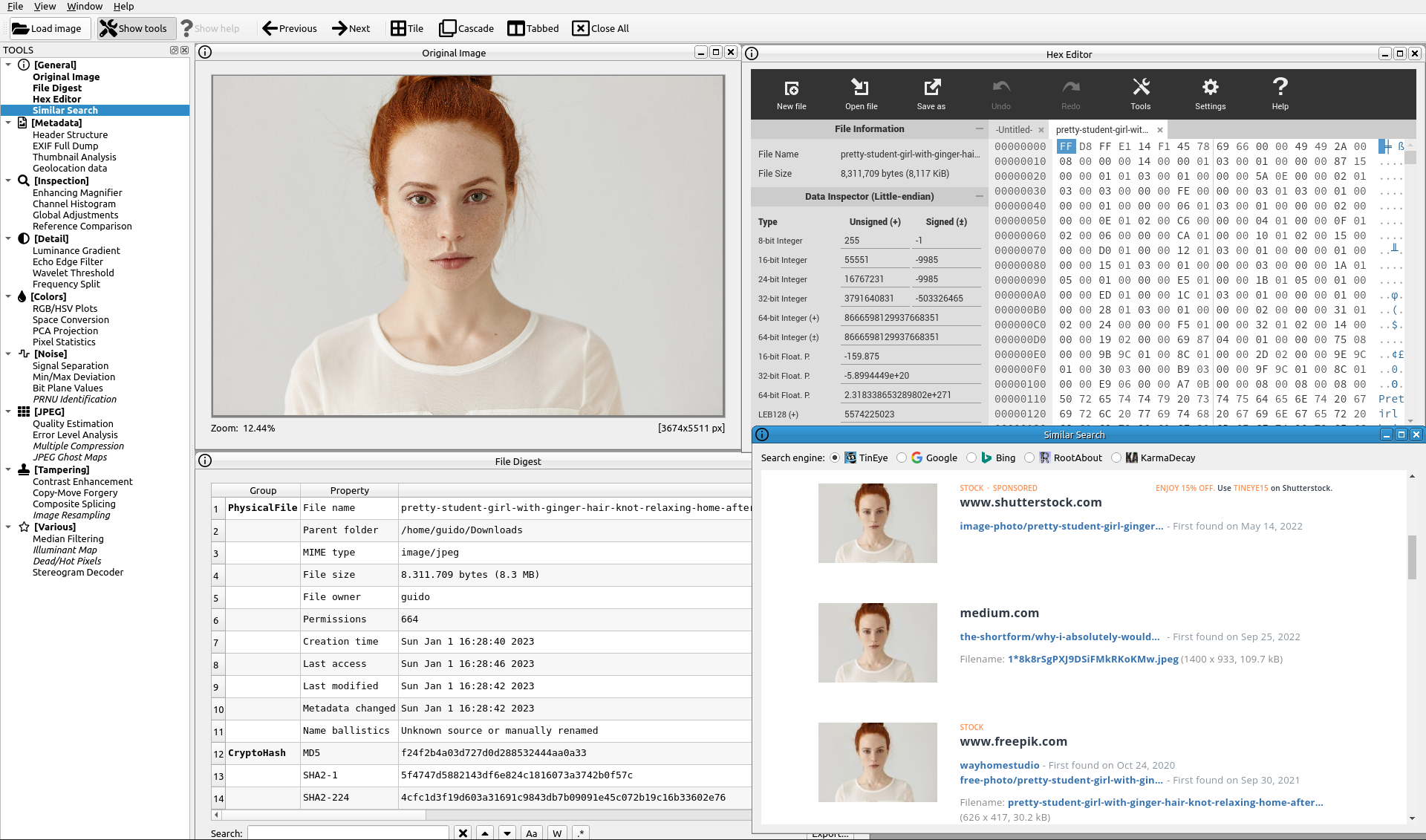
General: Original Image, Hex Editor, File Digest, Similar Search
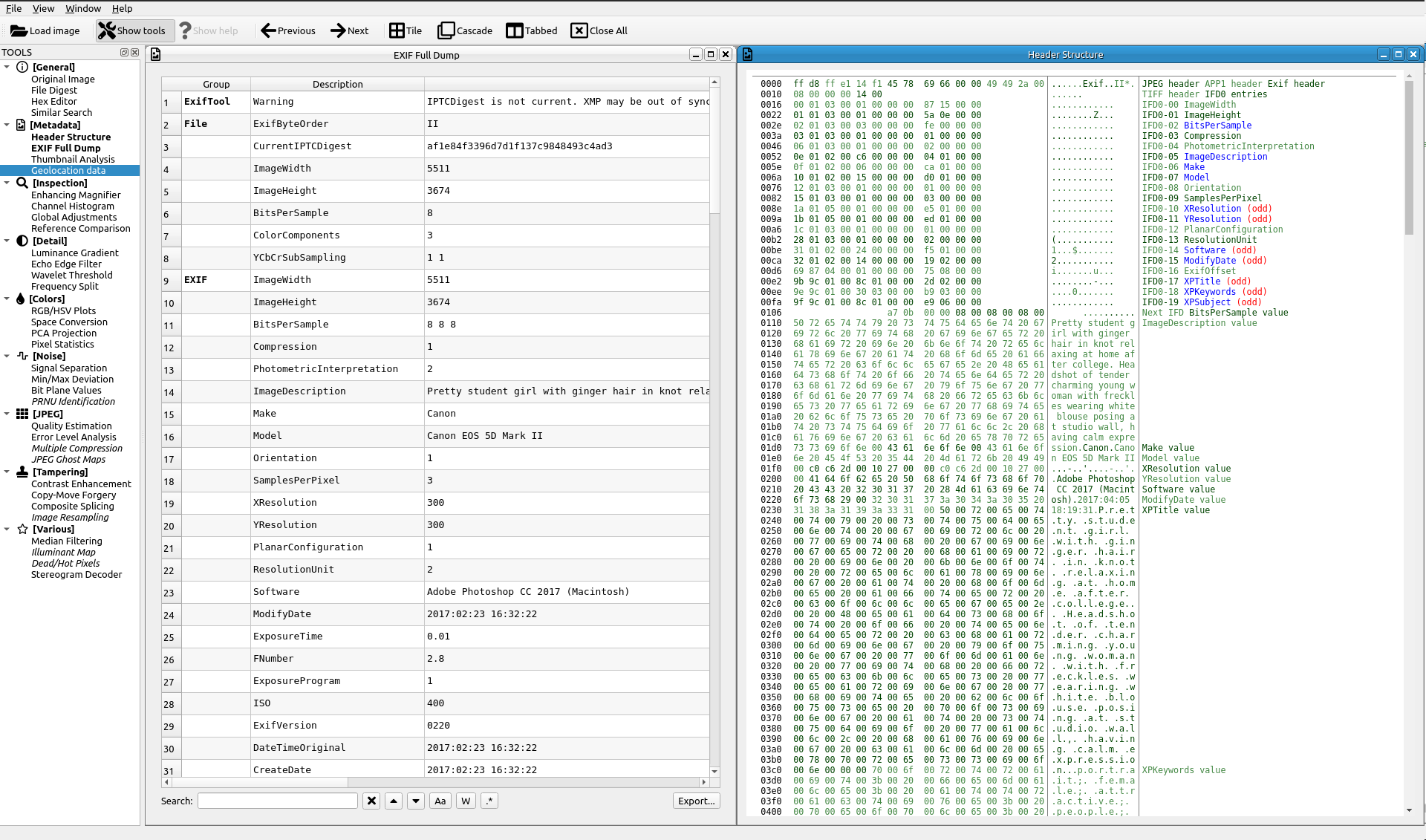
Metadata: EXIF Full Dump, Header Structure
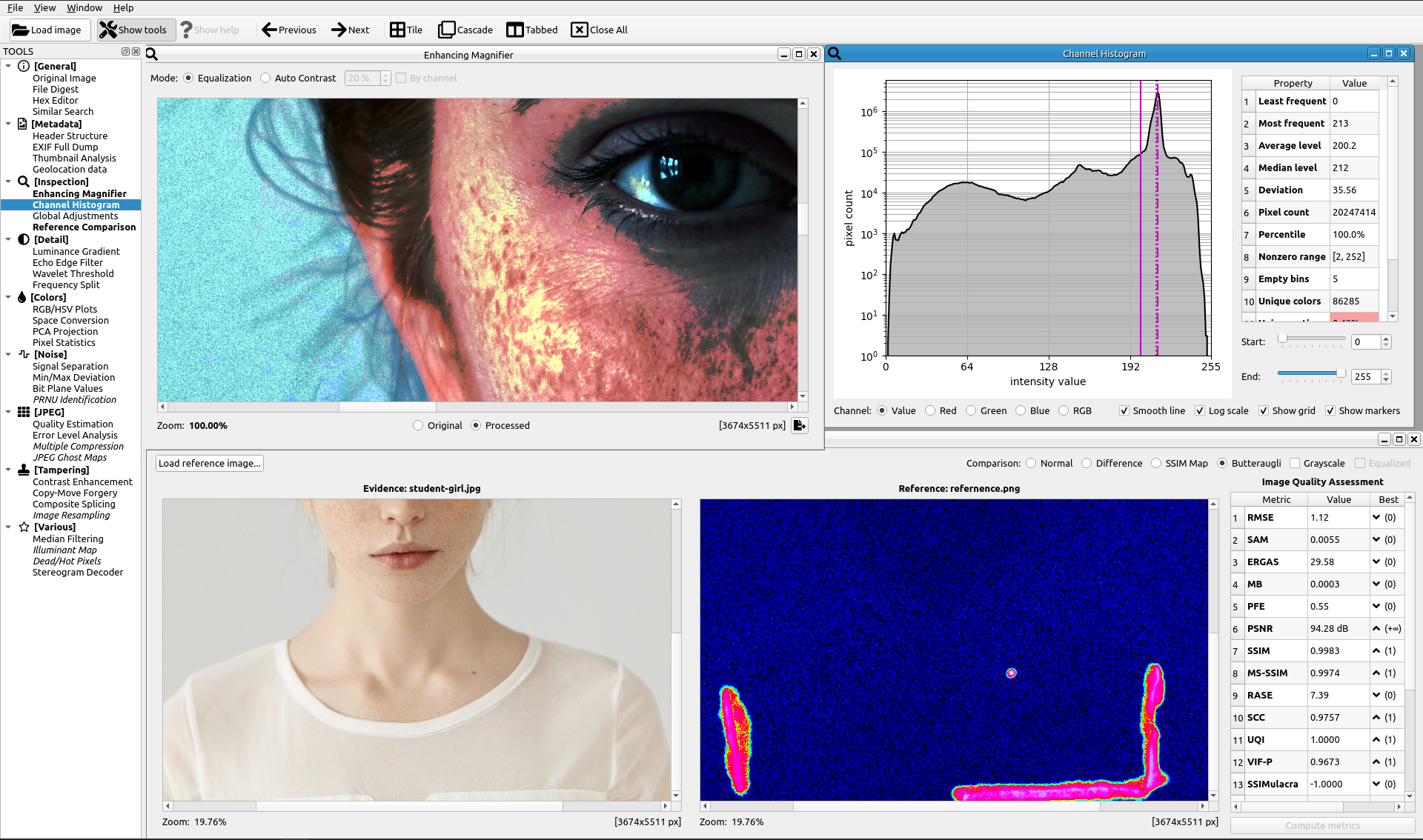
Inspection: Enhancing Magnifier, Channel Histogram, Reference Comparison
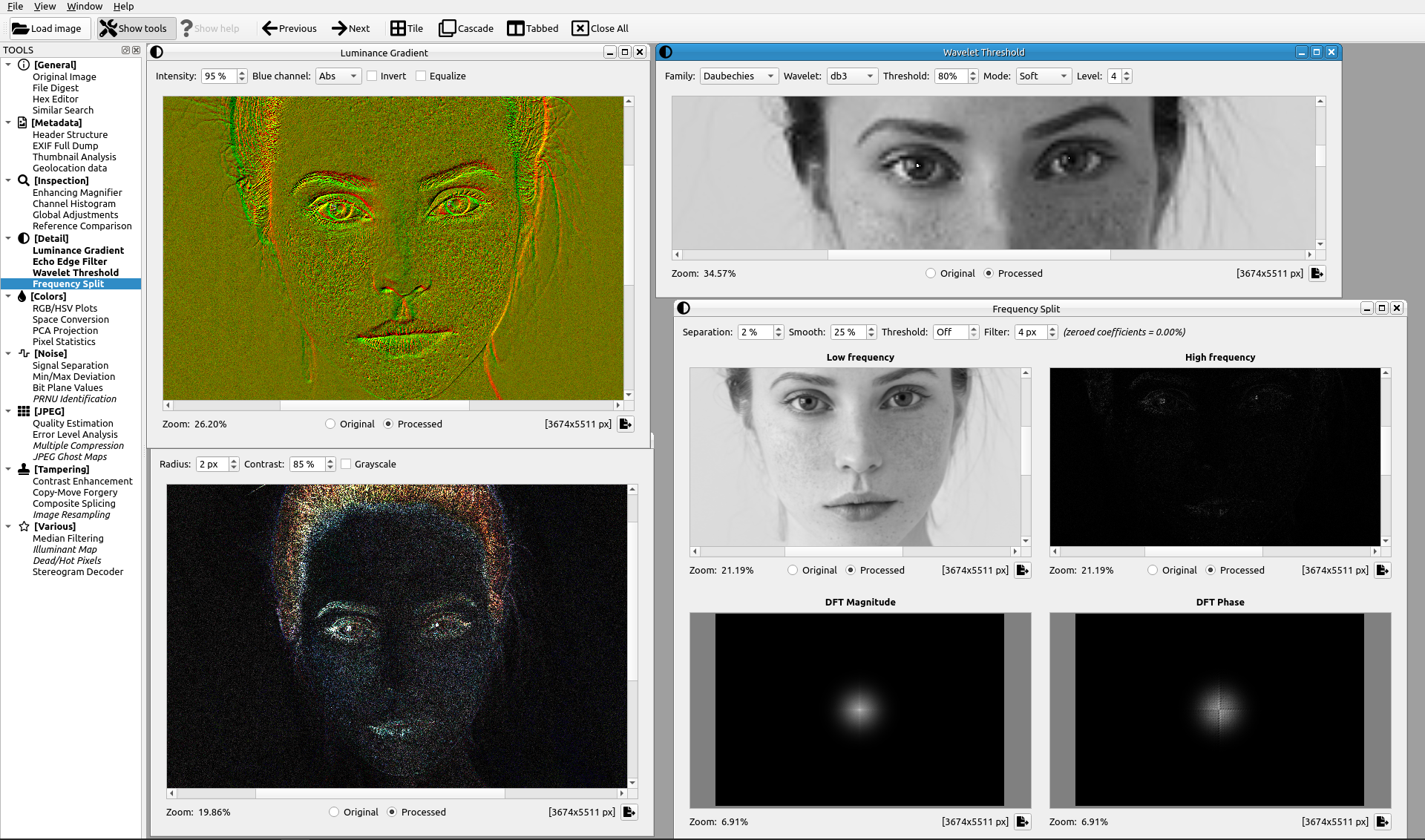
Detail: Luminance Gradient, Echo Edge Filter, Wavelet Threshold, Frequency Split
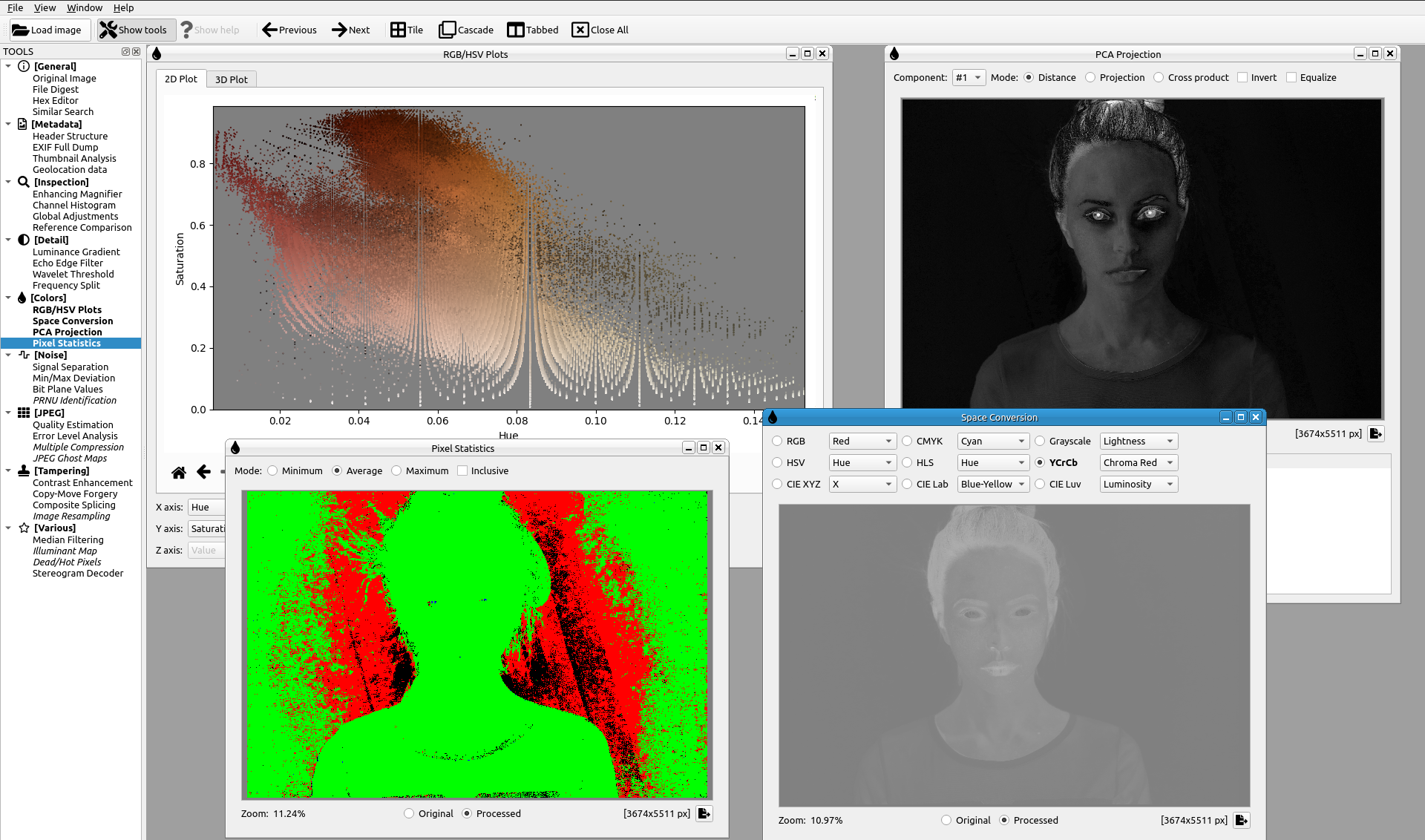
Colors: RGB/HSV Plots, Space Conversion, PCA Projection, Pixel Statistics
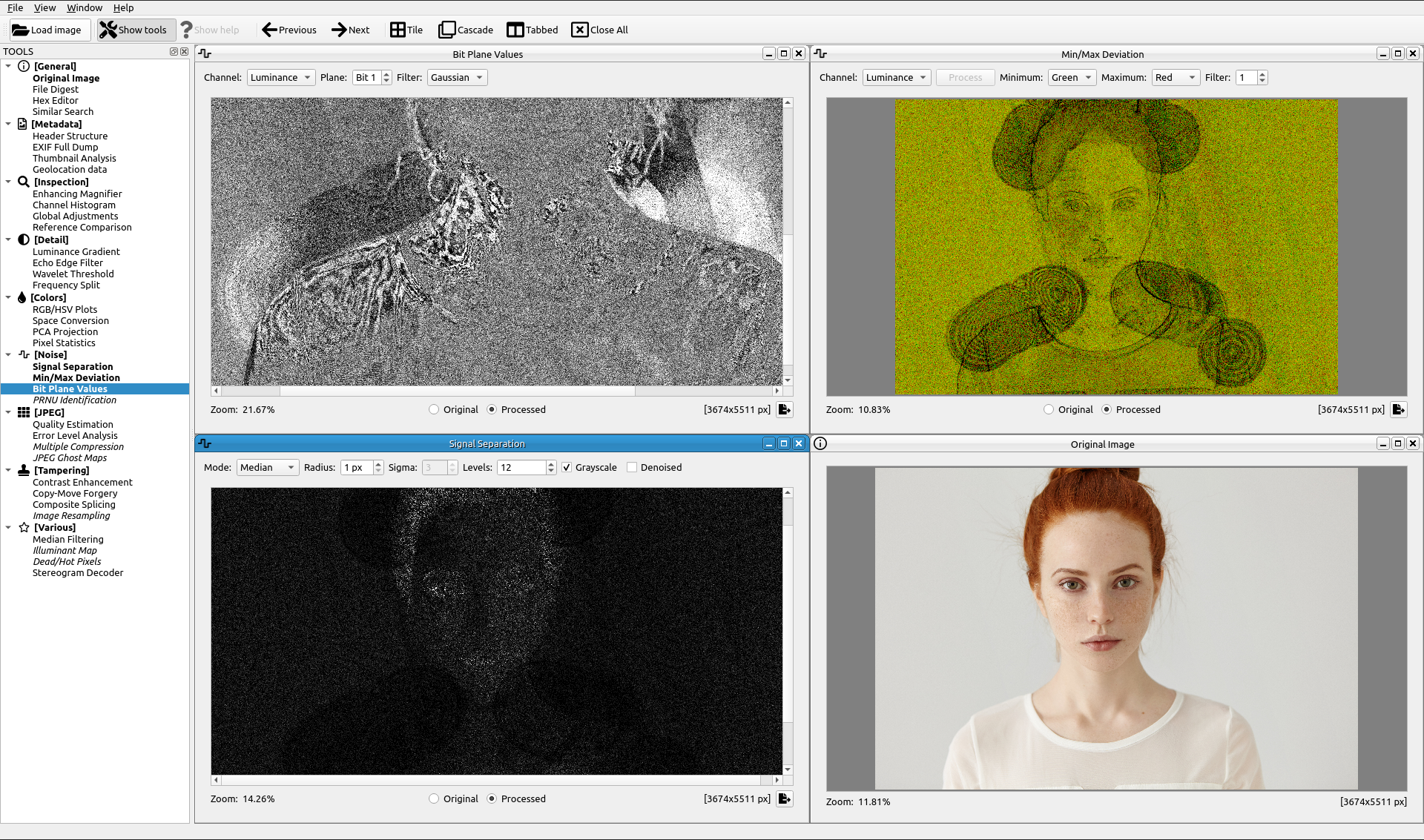
Noise: Signal Separation, Min/Max Deviation, Bit Plane Values
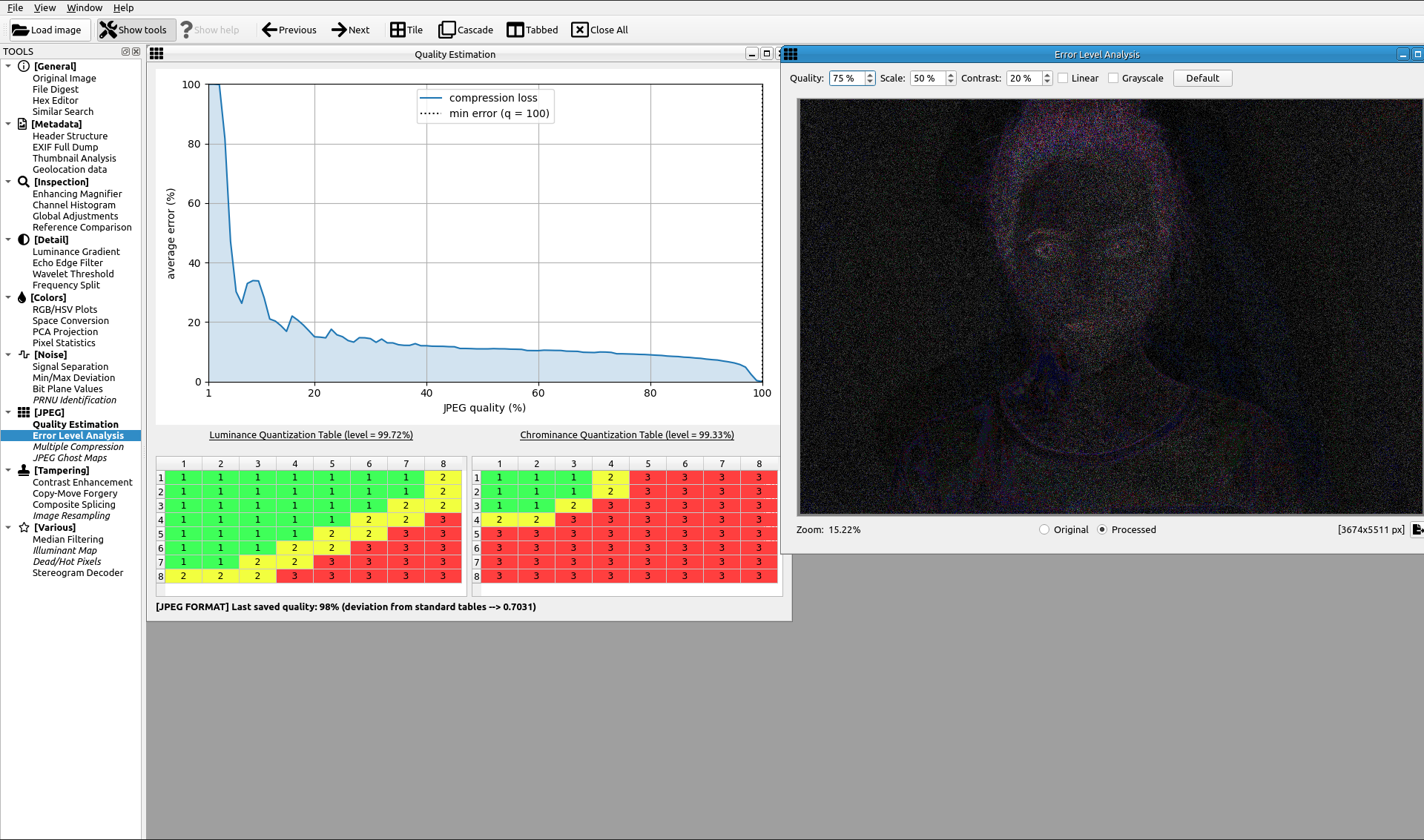
JPEG: Quality Estimation, Error Level Analysis
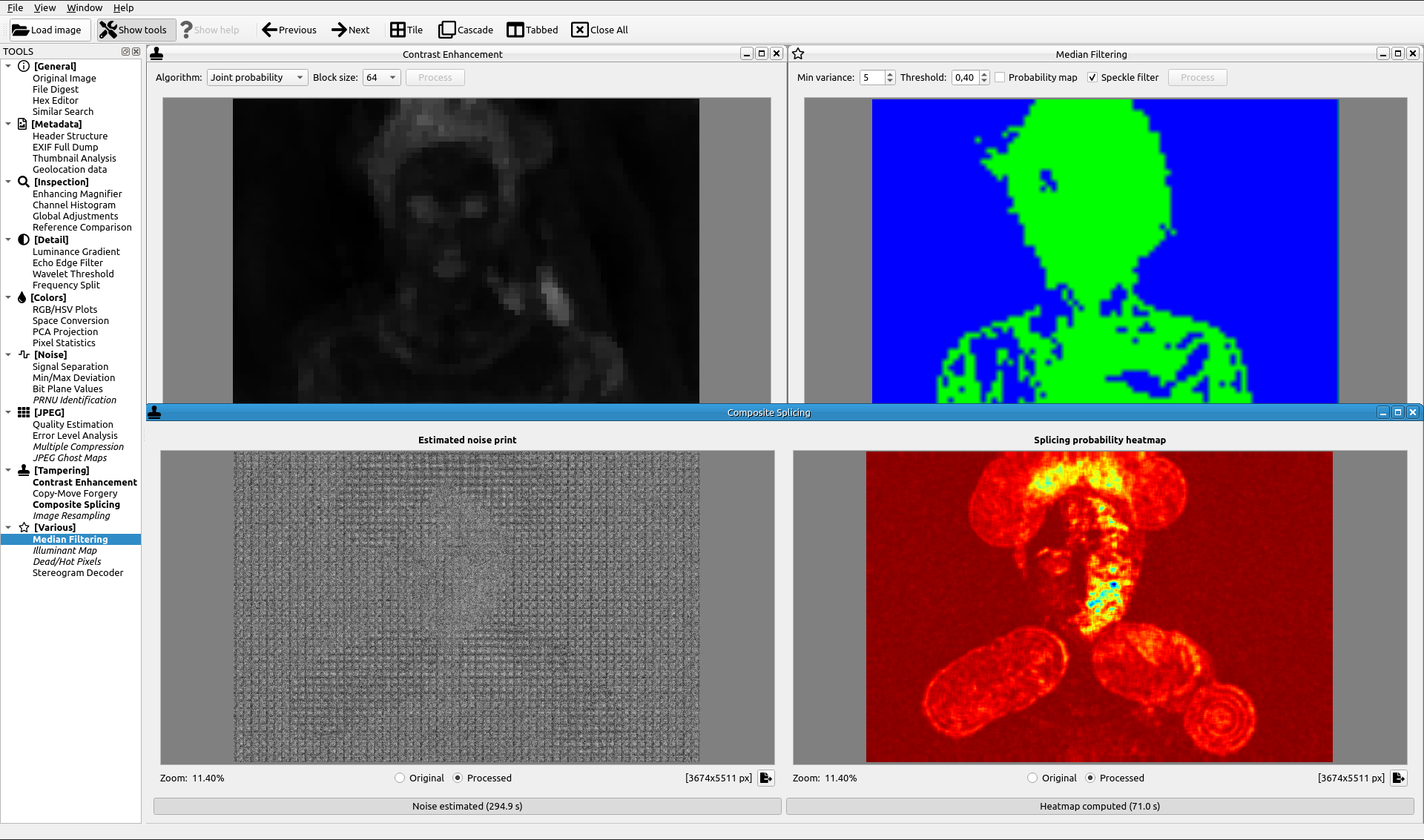
Tampering: Contrast Enhancement, Copy/Move Forgery, Composite Splicing, Median Filtering
Installation
[1/4] Download source code
Clone the current repository into a local folder and change current directory to it.
[2/4] Create virtual environment
Sherloq uses Python 3.11. The recommended setup uses uv because it provides the same workflow on Linux, macOS and Windows, can install Python when needed, and keeps the project environment in the local .venv folder.
Install uv following the official installation guide, then create the environment from the Sherloq root folder:
$ uv venv --python 3.11
The repository also includes a .python-version file, so future uv commands use Python 3.11 by default.
[3/4] Install dependencies
$ uv pip install -r gui/requirements.txt
Some experimental AI-backed tools need additional packages. Install them only if you plan to use those tools:
$ uv pip install -r gui/requirements_ai_solutions.txt
[4/4] Launch program
Sherloq can be launched from the repository root. The application package resolves icons, models and bundled tools through centralized project paths.
Linux/macOS
$ source .venv/bin/activate
$ python -m gui.sherloq_app
Windows PowerShell
> .venv\Scripts\Activate.ps1
> python -m gui.sherloq_app
You can also use the repository-root compatibility launcher:
$ python sherloq.py
NOTE for Linux users: if this error is displayed:
qt.qpa.plugin: From 6.5.0, xcb-cursor0 or libxcb-cursor0 is needed to load the Qt xcb platform plugin.
qt.qpa.plugin: Could not load the Qt platform plugin "xcb" in "" even though it was found.
This application failed to start because no Qt platform plugin could be initialized. Reinstalling the application may fix this problem.
Run this command from the terminal: sudo apt install -y libxcb-cursor-dev
Project Structure
The Python Qt application now lives in the importable gui/sherloq_app package:
main.py: Qt application entry point and main window.core/: shared image-processing helpers such as JPEG utilities and file loading.ui/: reusable Qt widgets, viewers, tables and the tool tree.tools/: analysis widgets grouped by toolbox category (general,metadata,inspection,detail,colors,noise,jpeg,tampering,various).paths.py: centralized access to icons, models and bundled native helpers so code no longer depends on launching fromgui.
Large bundled assets and third-party research components remain under gui/icons, gui/models, gui/noiseprint, gui/pyexiftool, gui/butteraugli, gui/ssimulacra and optional gui/TruFor_main.
See docs/project-structure.md for a contributor-oriented map.
Updates
When a new version is released, update the local working copy with Git or by downloading the latest source, then refresh the environment from the Sherloq root folder:
$ uv pip install --upgrade -r gui/requirements.txt
If you installed the optional AI dependencies, refresh them too:
$ uv pip install --upgrade -r gui/requirements_ai_solutions.txt
Recommended Resources for Getting Started
- Paper with practical examples and thoughtful analysis for techniques that have since been implemented in Sherloq: "A Picture's Worth: Digital Image Analysis and Forensics" (Neal Krawetz) [paper]
- Thesis with practical examples and thoughtful analysis for using the "JPEG Ghosts", "Image Resampling" and "Noise Wavelet Blocking" tools implemented in Sherloq. This work also offers insights towards the use and reliability of AI driven approaches in Digital Image Forensics. (UHstudent) [paper]
References for Algorithms Implemented in Sherloq
- Image Resampling: "Exposing Digital Forgeries by Detecting Traces of Re-sampling" (Alin C. Popescu and Hany Farid) [paper]
- JPEG Ghosts: "Exposing Digital Forgeries from JPEG Ghosts" (H. Farid) [paper]
- Noise Wavelet Blocking: "Using noise inconsistencies for blind image forensics" (Babak Mahdian and Stanislav Saic) [paper]