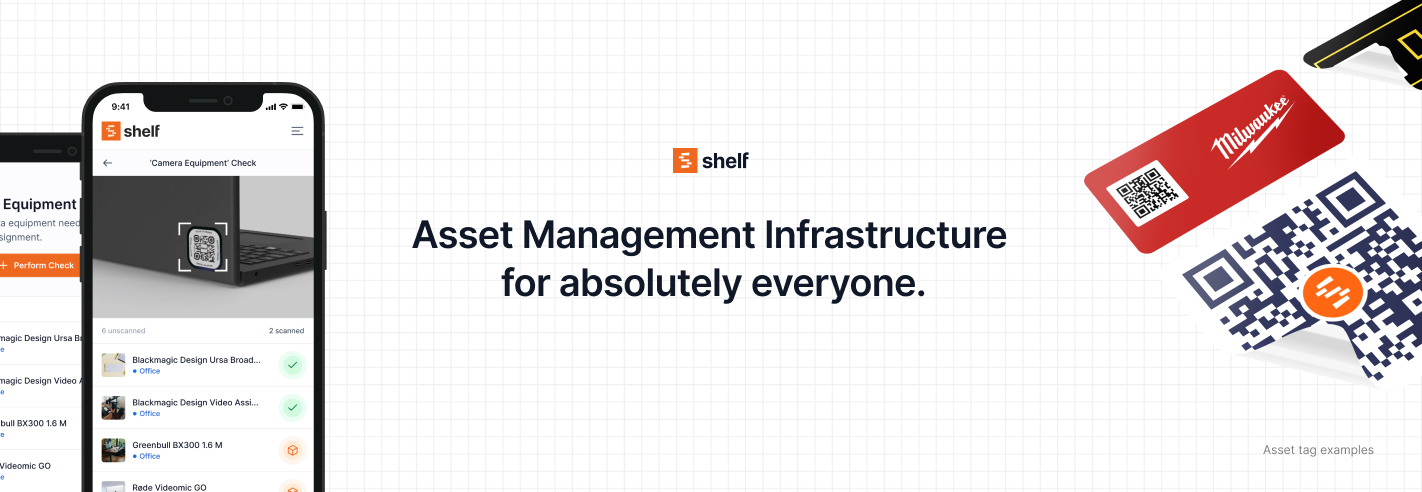
Open-source asset management infrastructure for everyone.




Website · Documentation · Discord · Twitter
Shelf is a platform for tracking physical assets — equipment, devices, tools, vehicles, props, inventory. It's built for teams that need to know what they have, where it is, and who's using it. Organizations use Shelf to manage thousands of assets across locations with role-based access for their teams.
Features
- QR asset tags — Generate and print QR codes. Scan with any phone to view, check out, or report an asset.
- Bookings and reservations — Schedule equipment, prevent double-bookings, set checkout/return dates with calendar integration.
- Custody tracking — Assign assets to team members. Know who has what at all times.
- Location management — Hierarchical locations (buildings, floors, rooms, shelves). GPS tagging support.
- Team roles — Owner, Admin, Base, and Self Service roles with granular permissions.
- Custom fields — Add any metadata to assets: purchase date, warranty info, serial numbers, condition.
- Categories and tags — Organize assets into categories. Tag for flexible cross-cutting grouping.
- Kits — Bundle assets into kits (e.g., laptop + charger + dock) and manage them as a unit.
- Search and filtering — Full-text search with advanced filters. Saved filter presets.
- CSV import/export — Bulk import assets from spreadsheets. Export for reporting.
- Asset reminders — Schedule alerts for maintenance, calibration, warranty expiry.
- Audit trail — Notes and activity logs on every asset.
- Multi-workspace — Manage separate inventories for different organizations or departments.
- Scanner — Built-in QR/barcode scanner with bulk actions: assign custody, update location, add to bookings.
Tech Stack
| Layer | Technology |
|---|---|
| Framework | React Router 7 (React 19) |
| Language | TypeScript 5 |
| Database | PostgreSQL via Supabase |
| ORM | Prisma 6 |
| Styling | Tailwind CSS 3 |
| Components | Radix UI primitives |
| Auth | Supabase Auth (email, SSO) |
| Job queue | pg-boss |
| Payments | Stripe |
| Nodemailer (SMTP) | |
| Build | Vite 7, Turborepo |
| Testing | Vitest, Playwright |
Getting Started
Prerequisites
Setup
# Clone the repository
git clone https://github.com/Shelf-nu/shelf.nu.git
cd shelf.nu

# Install dependencies
pnpm install

# Copy environment template
cp .env.example .env
Edit .env with your Supabase credentials and other configuration. See the Supabase setup guide for step-by-step instructions.
# Generate Prisma client and run migrations
pnpm webapp:setup

# Start development server
pnpm webapp:dev
The app runs at https://localhost:3000 (the dev server uses HTTPS with local certificates by default).
For detailed setup instructions including SSL certificates and troubleshooting, see the local development guide.
Project Structure
shelf.nu/
├── apps/
│   ├── webapp/          # Main application (React Router + Hono)
│   │   ├── app/
│   │   │   ├── routes/      # File-based routing
│   │   │   ├── modules/     # Business logic (booking, asset, kit, etc.)
│   │   │   ├── components/  # React components
│   │   │   └── utils/       # Shared utilities
│   │   └── public/          # Static assets
│   └── docs/            # Documentation site (VitePress)
├── packages/
│   └── database/        # Prisma schema, migrations, client
└── tooling/
    └── typescript/      # Shared TypeScript config
The monorepo is managed with pnpm workspaces and Turborepo. The @shelf/database package owns all database concerns — schema, migrations, and Prisma client generation.
Commands
| Command | Description |
|---|---|
pnpm webapp:dev |
Start development server |
pnpm webapp:build |
Production build |
pnpm webapp:test |
Run tests (Vitest) |
pnpm webapp:validate |
Lint + typecheck + test |
pnpm webapp:doctor |
React health scan (react-doctor) |
pnpm companion:doctor |
React Native health scan (react-doctor) |
pnpm webapp:setup |
Generate Prisma client + run migrations |
pnpm db:prepare-migration |
Create a new database migration |
pnpm db:deploy-migration |
Apply pending migrations |
pnpm db:reset |
Reset database (destructive) |
pnpm docs:dev |
Start documentation site |
pnpm typecheck |
TypeScript type checking |
pnpm lint |
ESLint |
Deployment
Fly.io
Shelf deploys to Fly.io with GitHub Actions for CI/CD. Pushes to dev trigger staging deploys and pushes to main trigger production deploys; in both cases we run lint, typecheck, test, Docker build, and deploy.
See the deployment guide for full setup instructions.
Docker
Community-maintained Docker support is available for self-hosting. Requires an external Supabase instance.
See the Docker guide.
Documentation
| Guide | Description |
|---|---|
| Local Development | Full local setup with SSL, monorepo overview |
| Supabase Setup | Database, auth, storage configuration |
| Deployment | Fly.io + GitHub Actions CI/CD |
| Docker | Self-hosted Docker setup |
| App Configuration | shelf.config.ts options |
| Error Handling | Error patterns and conventions |
| Accessibility | WCAG 2.1 AA compliance |
| Contributing | How to contribute |
For developer onboarding and codebase conventions, see CLAUDE.md.
Contributing
We welcome contributions. Check the contribution guidelines and look for issues labeled "Open for contributions".
The project uses conventional commits, enforced by commitlint. Pre-commit hooks run ESLint, Prettier, and TypeScript checking via Lefthook.
Join the Discord if you have questions or want to discuss your contribution.
License
Shelf.nu is licensed under AGPL-3.0.