Quickstart · Examples · Models · Cloud · Docs



Tell it the task. It opens a browser and gets it done.
Scout is an open-source agent that uses a real browser to finish a task for you. Describe what you need in plain words. Scout reads the page, clicks, types and scrolls until the job is done, then hands back the answer. If it cannot finish, it tells you what is missing and returns what it found.
Scout runs best on Outcrawl's cloud. One line gives it a browser that sites treat like anyone at home, with captcha solving and a replay of every run. It also runs on your own machine.

A recorded run on Outcrawl's cloud, 13 October 2026, shown at 6x speed with nothing cut.
Start in three steps
1. Install Scout. You need Node 22 or later. On the cloud there is no browser to install.
npm i @outcrawl/scout
2. Add your keys. An Outcrawl key for the browser (get one free at outcrawl.ai: 1,000 credits every month, no card needed) and a key for your model. Scout works with any AI model service that speaks the standard chat completions API, including a model running on your own computer:
export OUTCRAWL_API_KEY=your-outcrawl-key
export SCOUT_BASE_URL=https://your-endpoint/v1
export SCOUT_API_KEY=your-model-key
export SCOUT_HANDS_MODEL=your-model-id
3. Give it a task. Save this as task.ts and run npx tsx task.ts:
import { Scout } from '@outcrawl/scout';

const scout = new Scout({
  browser: 'outcrawl',
  models: {
    hands: {
      model: process.env.SCOUT_HANDS_MODEL!,
      baseURL: process.env.SCOUT_BASE_URL!,
      apiKey: process.env.SCOUT_API_KEY!,
    },
  },
});

const result = await scout.run('Find the top three stories on Hacker News right now');
console.log(result.data);
console.log(result.replayUrl); // watch the whole run, step by step
Scout opens a browser on Outcrawl's cloud, works through the page, and prints the answer with a link to the replay.
Rather use a browser on your own machine? Install one with npm i playwright-core && npx playwright install chromium, then change the one line to browser: { launch: {} }. Add headless: false inside launch to watch it work. Replays come with the cloud, so replayUrl stays empty on your own browser.
[!TIP] Not writing the code yourself? Give this page to your coding agent and ask it to set Scout up and run your task.
What you can ask it to do
Tasks you would do in a browser yourself, written the way you would ask a colleague. Each of these is a working example you can run:
- Research. "Go to Hacker News and report the three stories with the most comments: title, link and comment count."
research.ts - Fill in a form. "Order a pizza on this form, then tell me exactly what the shop received."
form-fill.ts - Compare. "Find these two books and compare their price and stock, then tell me which is cheaper."
compare.ts - Sign in. "Sign in with these details and read the welcome message."
login.ts - On the cloud. The research task on Outcrawl's cloud, with a link to watch the replay.
outcrawl.ts
Want the answer in a fixed shape, such as a list of names and prices? Pass a JSON Schema with the task and the answer comes back in exactly that shape.
Bring your own models
Scout has no built-in model and no default. You choose a model for each job, on any service that speaks the chat completions API: a hosted provider, a gateway, or a server on your own machine. Each job can use a different model and a different key.
| Job | Needed | What it does |
|---|---|---|
hands |
Yes | Reads the page and takes each step: click, type, scroll, read. It runs on every step, so a fast model pays off here. |
brain |
No | Plans the run and decides each step. Helps long tasks that cross many pages. |
eyes |
No | Looks at a screenshot when the page has to be seen. Needs a model that accepts images. |
extract |
No | Reads a page into your answer or your schema. Without it, hands does this. |
models: {
  hands: { model: 'your-fast-model', baseURL: urlA, apiKey: keyA },
  brain: { model: 'your-strong-model', baseURL: urlB, apiKey: keyB },
  eyes: { model: 'your-vision-model', baseURL: urlA, apiKey: keyA },
  extract: { model: 'your-local-model', baseURL: localUrl, apiKey: '' },
}
If a service refuses Scout's request for a structured reply, the run's error says which job it was and what to change: set structuredOutput on that job to 'json_object' or 'strict'.
The best way to run it: Outcrawl's cloud
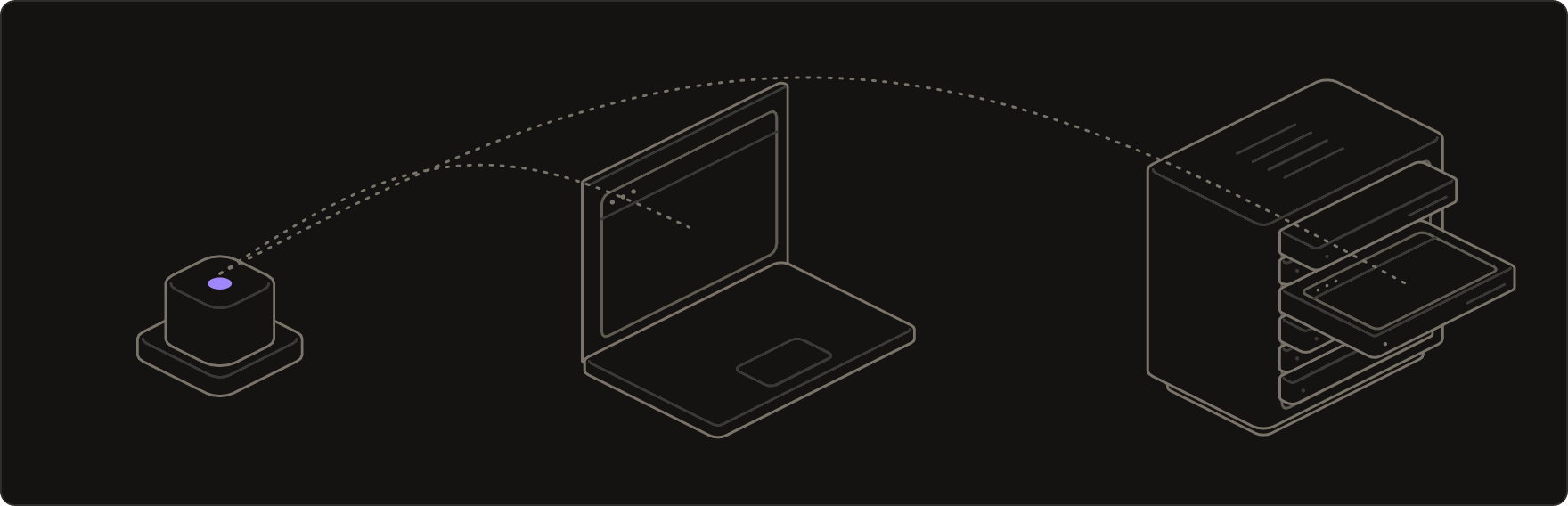
Many sites stop a browser that runs from a data center or behaves like a script, and a task that stops halfway is no answer at all. On Outcrawl's cloud, Scout gets a browser built to get through:
- Residential connections. Traffic leaves through ordinary home connections, so sites load the way they do for anyone at home.
- Captcha solving. Challenges are answered inside the browser, and the run carries on.
- Natural input. The browser plans every pointer move, scroll and keystroke itself, so Scout sends it plain actions.
- Recordings. Runs are recorded by default, and
result.replayUrlopens a step-by-step replay. - Nothing to install. No browser to download, update or keep running on your machine.
Measured: runs on Outcrawl's cloud reached 92.5% of pages on Browser Use's 80-site benchmark, scored with their own code; the next best reached 81.4%. Three full runs, 7 October 2026. Method and every run.
A cloud run is billed as an ordinary Outcrawl browser session, and your model calls still go to your own services. Every account gets 1,000 free credits a month, no card needed. Get a key at outcrawl.ai.
Other browsers
Scout drives any Chrome or Chromium, so moving between them is one line; your models and your task stay the same.
// On Outcrawl's cloud (recommended)
browser: 'outcrawl'

// On your machine, started for you
browser: { launch: {} }

// A browser you already run, over CDP
browser: { cdpUrl: 'http://127.0.0.1:9222' }
What you get back
Every run returns a result, even one that falls short:
status:completed,partial,capped(a limit you set was reached) orfailed;data: the answer, in your schema's shape when you passed one;error: on a partial or failed run, what is still missing;steps: every action taken, with its timing and whether it worked;costUsd: the run's model spend, when it is known;replayUrl: on Outcrawl's cloud, a link to watch the run.
Limit a run with caps: { steps, duration, budget }. Reaching a limit is a normal ending, with everything found so far. The full API is in the package reference.
Inside this repository
| Package | What it is |
|---|---|
packages/scout |
The front door: new Scout({ browser, models }).run(task). |
packages/runtime |
The agent loop: look at the page, pick an action, act, check, repeat. |
packages/model |
The model side of the loop: prompts, the job split, structured replies, provider-neutral clients. |
packages/scout-core |
Shared types and helpers. |
packages/scout-cdp |
Drives a real browser over the DevTools protocol: navigation, clicks, typing, scrolling, tabs, snapshots. |
packages/agenthands |
Pointer and keyboard input planning for local browsers (MIT, its own licence). |
To work on Scout itself:
bun install
cd packages/runtime && bun test ./test
Contributing
Pull requests are welcome: bug reports, fixes and new examples alike. Sign off each commit (git commit -s, the Developer Certificate of Origin).
This repository is an automatic mirror. Every change lands first in the repository Outcrawl runs in production, ships with its tests, and then arrives here in a sync commit, so a merged pull request comes back to you as part of the next sync. CONTRIBUTING.md has the details.
Licence
Apache-2.0, see LICENSE. packages/agenthands keeps its MIT licence. Copyright 2026 Aeonmind LLC.

Scout is made by Outcrawl, web infrastructure for AI agents.