rowboat is a free, open source orchestration & scheduling project written in TypeScript and released under Apache-2.0. It has 17,871 GitHub stars, 1,776 forks and 167 open issues, and was last pushed 20 hours ago. On this registry it ranks #11 of 64 tracked projects in Orchestration & Scheduling, with 5 head-to-head comparisons available. It gained 304 stars over the last 3 tracked days.

What is rowboat?

Rowboat is an open-source desktop AI coworker, licensed Apache-2.0 and written in TypeScript, that maintains a memory of your work as a local Markdown knowledge graph and provides built-in surfaces — email, notes, browser, code mode, meeting notes — for acting on that memory.

What it is

Rowboat is a desktop application for Mac, Windows and Linux that sits in the Infrastructure & Operations / Orchestration & Scheduling category. It indexes email, meetings, Slack and assistant conversations into an Obsidian-style backlinked knowledge graph, then uses that graph to get work done on the machine where it runs. Alongside the graph it ships work surfaces for collaborating with AI: an email client, notes, a browser, code mode, a meeting note-taker, and separate workspaces for different projects. Models are bring-your-own — local via Ollama or LM Studio, or hosted providers with your own API key.

The concrete problem it addresses is cold-start context. Most AI tools reconstruct context on demand by searching transcripts or documents, so every session begins from nothing and relationships between pieces of work stay implicit. Rowboat keeps long-lived knowledge instead: context accumulates over time, relationships are explicit and inspectable, notes remain editable by the user rather than hidden inside a model, and everything lives on your machine as plain Markdown. It replaces per-tool, per-session context rebuilding with a vault that persists and compounds.

Key capabilities

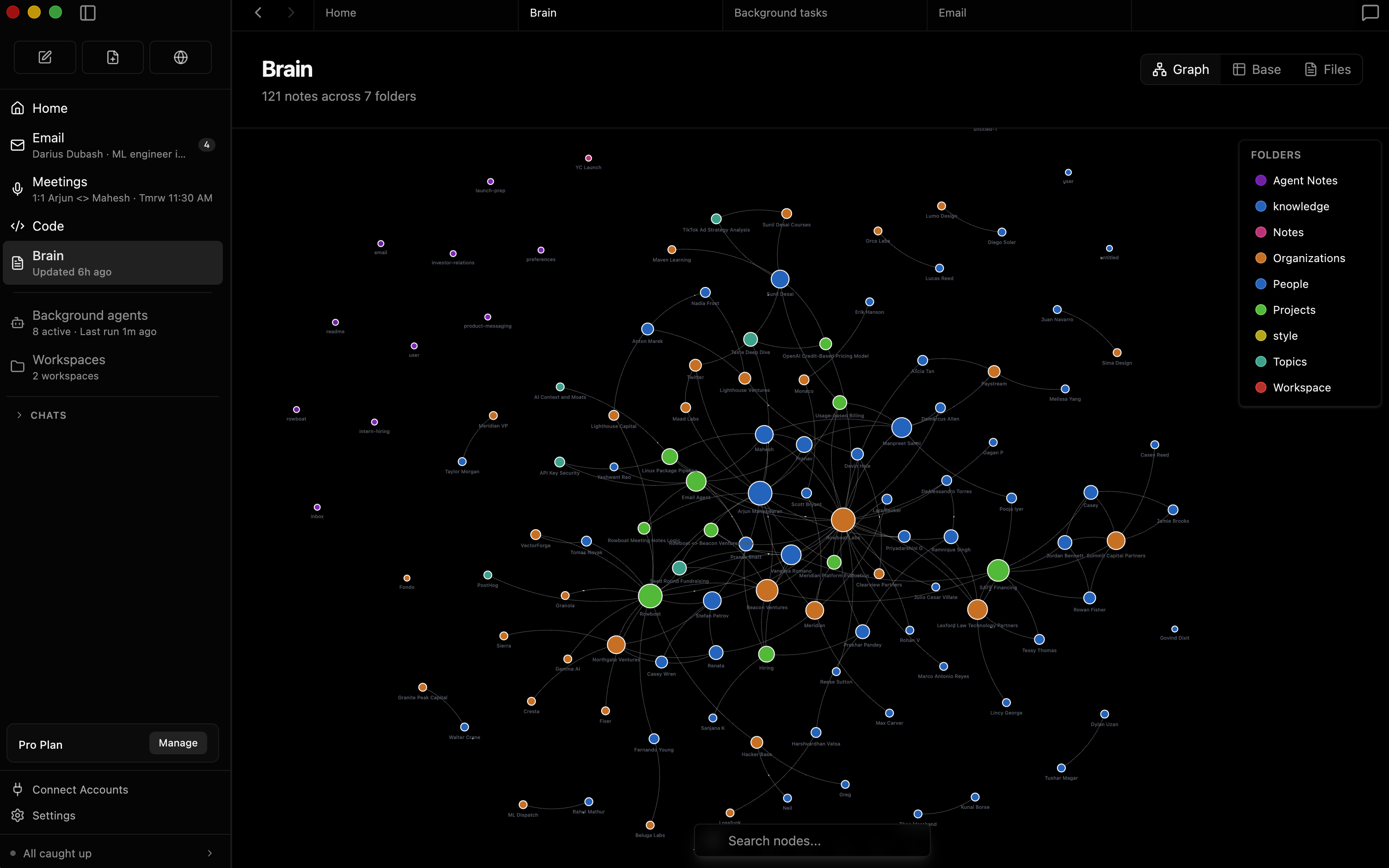
  • Brain: indexes email, meetings, Slack and assistant conversations into a backlinked knowledge graph stored as plain Markdown on the local machine.
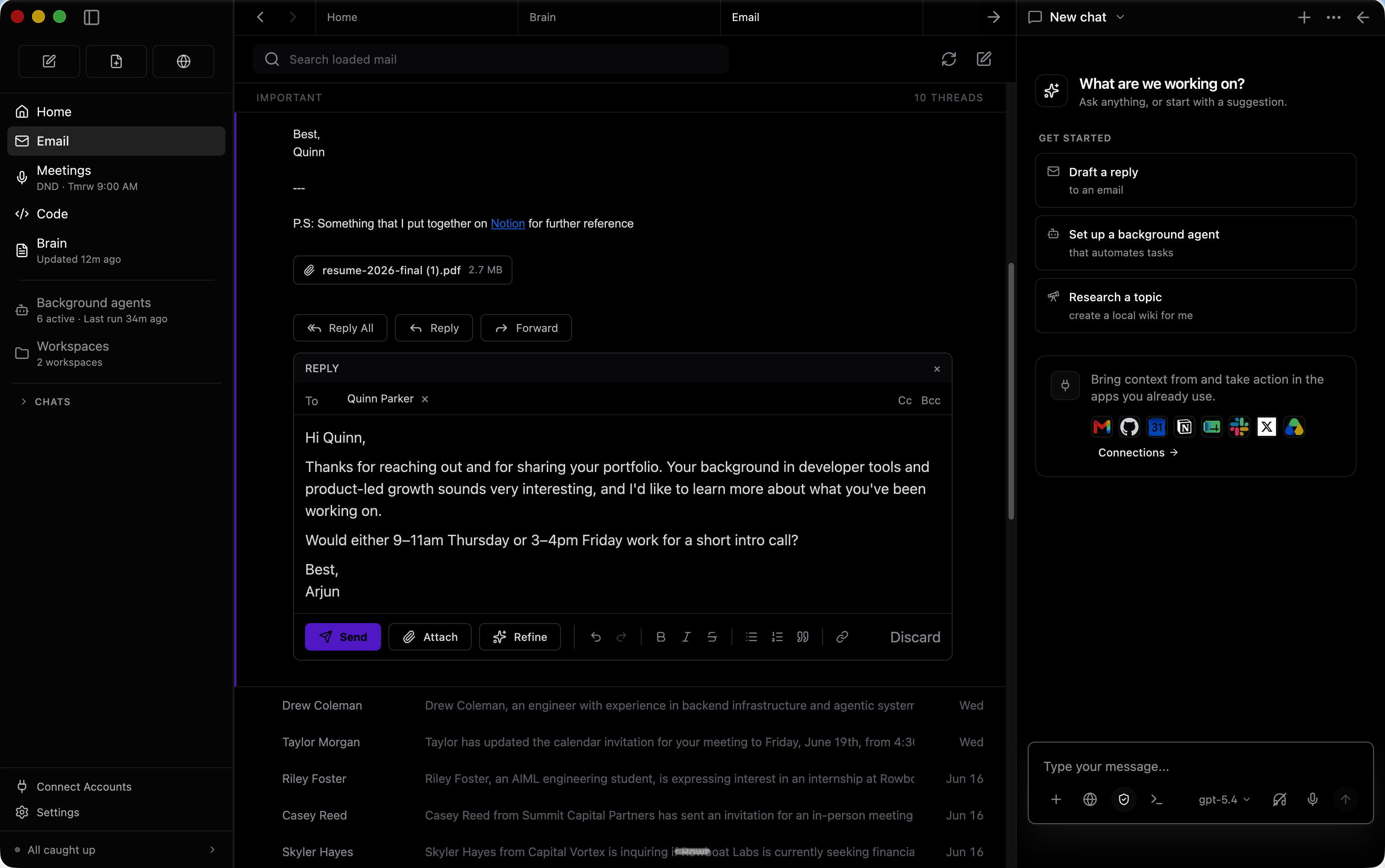
  • Built-in email client: sorts mail into important and everything else, and automatically drafts responses for important email using accumulated work context.
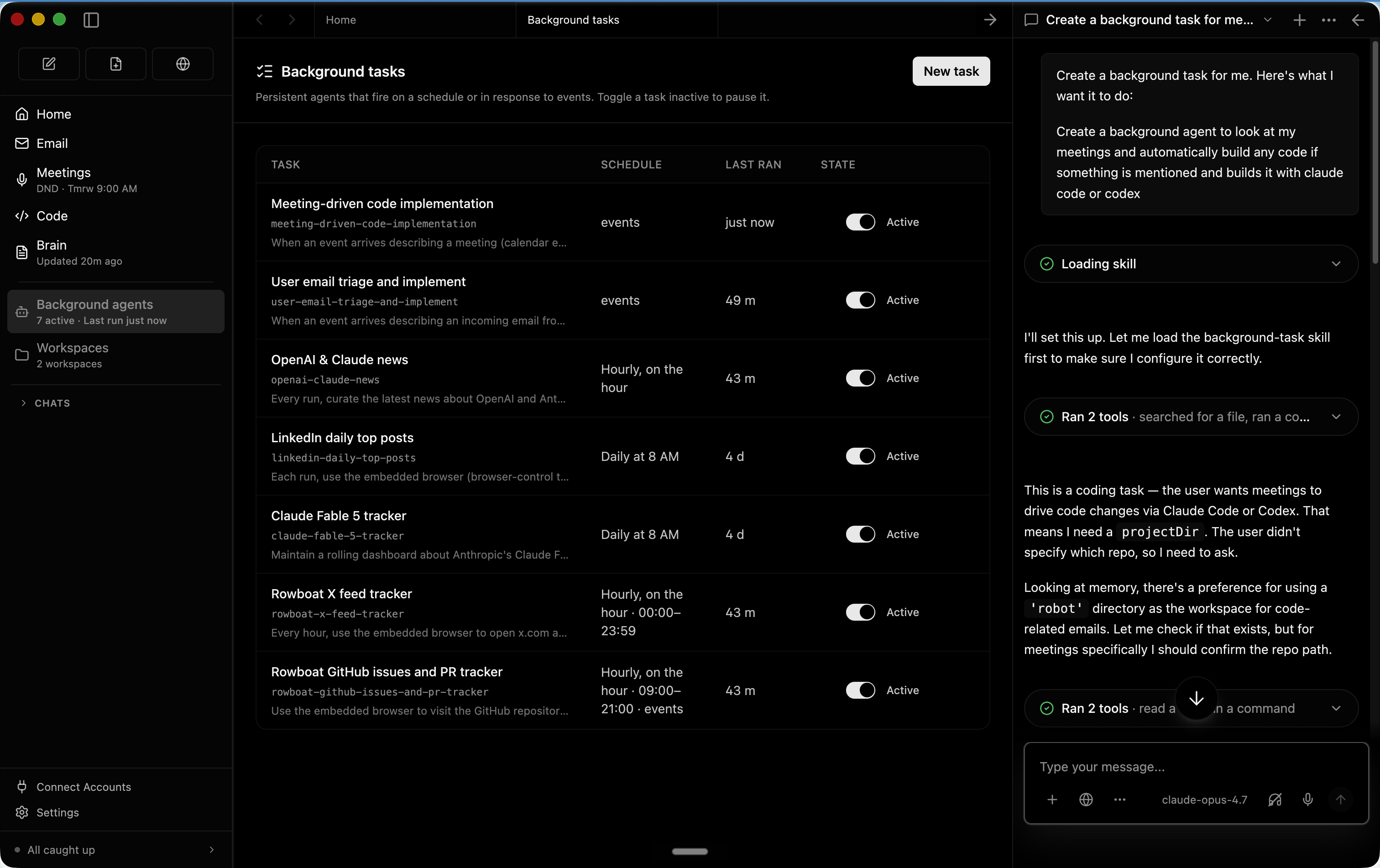
  • Background agents: run on events such as a new email or on a schedule such as every day at 8am, with access to tools, web search, the browser, and code written through Claude Code or Codex.
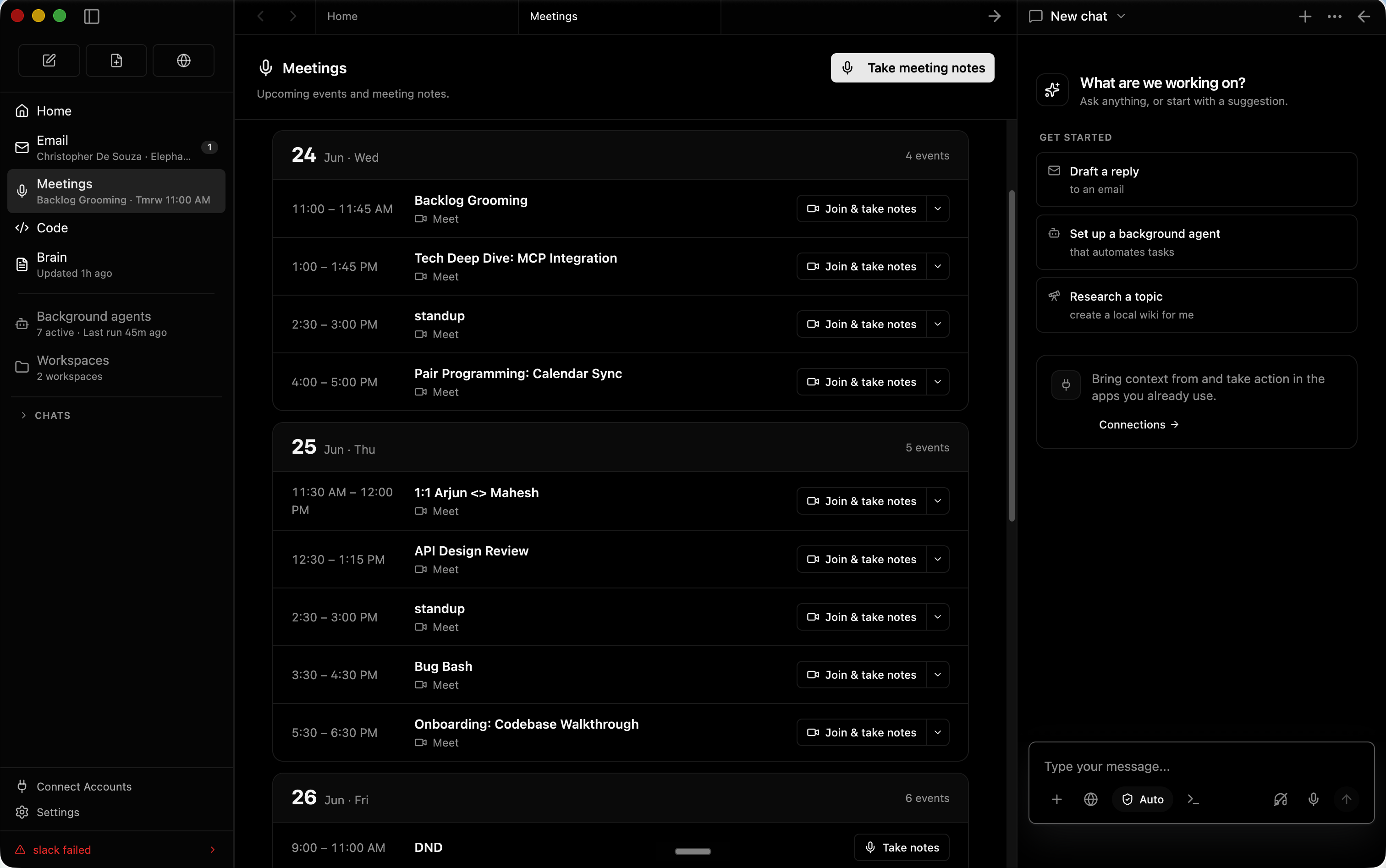
  • Meeting notes: a local note-taker taps mic and speaker, produces a live transcript, summarizes into a Markdown file, and updates the knowledge graph.
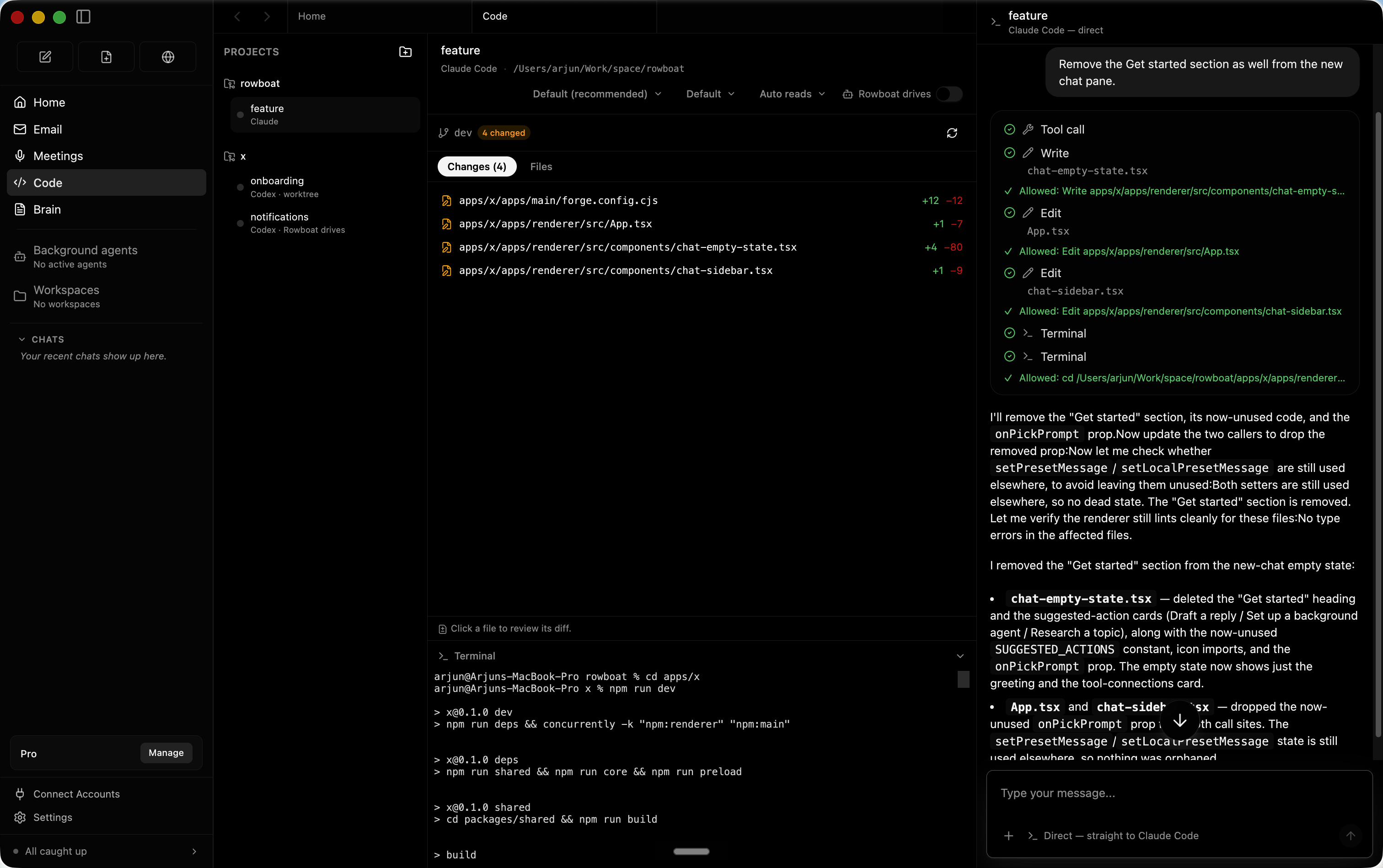
  • Code mode: spins up parallel coding agents using Claude Code or Codex and drives them with the relevant work context.
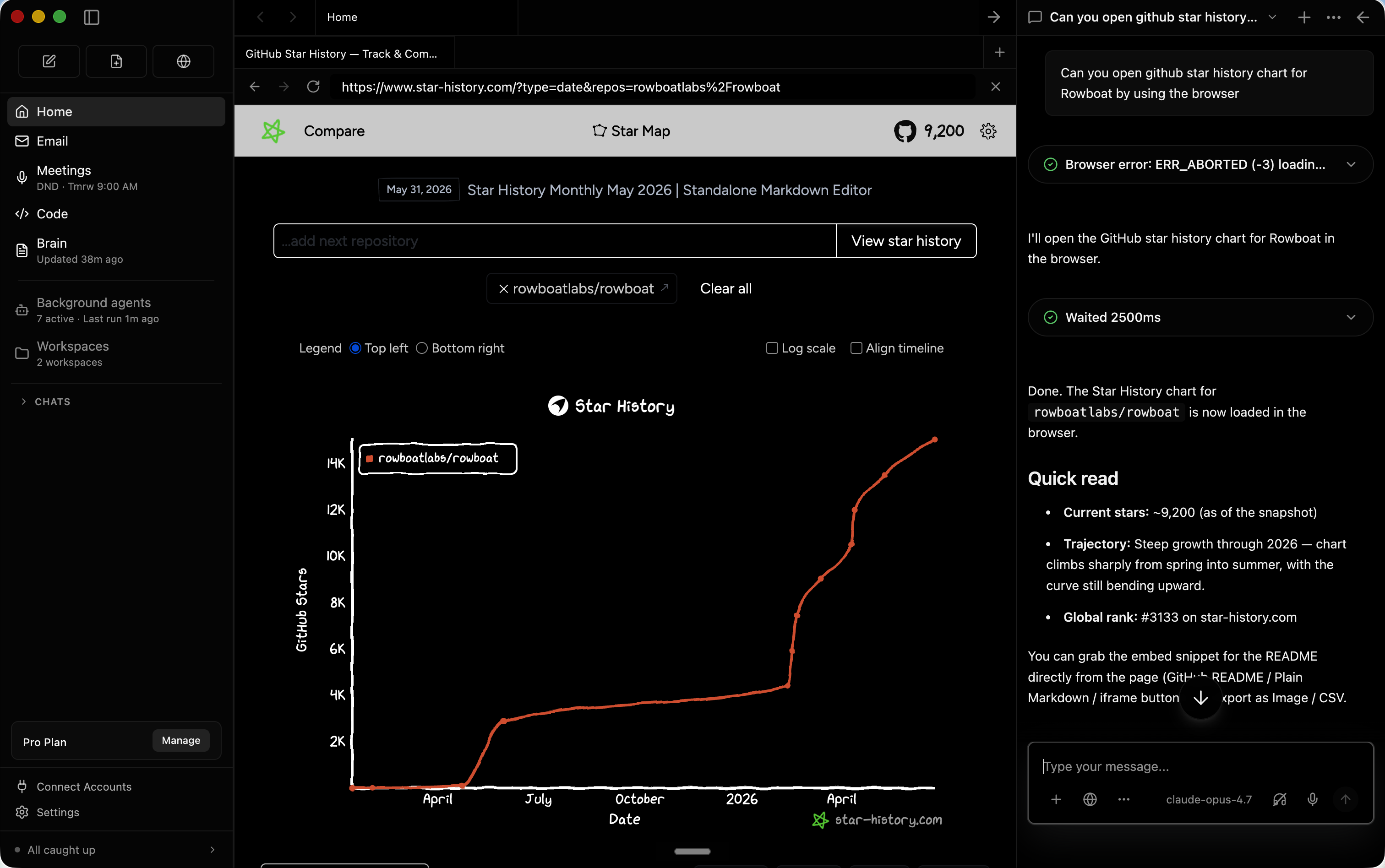
  • Isolated browser: a built-in browser kept separate from the main browser, so you log in only to the accounts the assistant may access.
  • Extensibility through MCP: connect any MCP server or Composio tools, for example Parallel Search MCP, which exposes web_search and web_fetch without an account or API key under rate limits, added through Settings → MCP Servers.

Who uses it and how

  • Individuals on Mac, Windows or Linux who install the desktop build and keep their knowledge vault locally.
  • Knowledge workers with heavy email and meeting load who connect Gmail, Calendar and Drive by following the Google setup guide.
  • Developers who run parallel coding agents through code mode with Claude Code or Codex.
  • Privacy-conscious users who keep data in a local Markdown vault and run local models through Ollama or LM Studio.
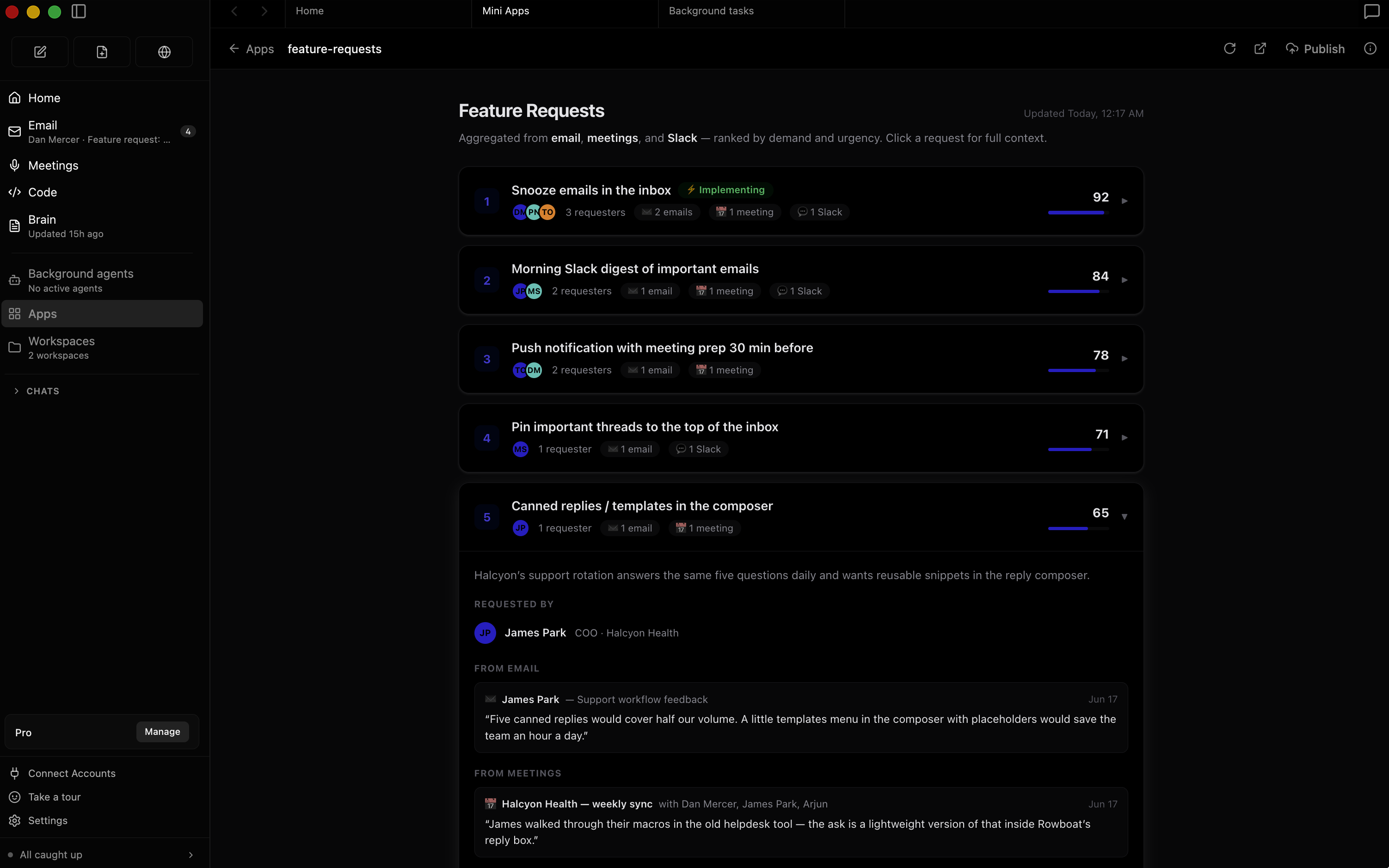
  • Users building custom work surfaces inside Rowboat that reuse existing tools and integrations and can be shared with other people.

Getting started

Download the latest build for Mac, Windows or Linux from https://www.rowboatlabs.com/downloads, or take any release file from https://github.com/rowboatlabs/rowboat/releases/latest. Optional keys go in ~/.rowboat/config/deepgram.json for voice input, elevenlabs.json for voice output, exa-search.json for Exa research search, and composio.json for Composio tools, all in the format { "apiKey": " " }.

How it compares

The registry provides no list of paid products that Rowboat replaces, so it is best understood as an orchestration layer rather than a substitute for the tools it names. It does not replace Claude Code or Codex — it drives them — and it sits above whichever model runtime you choose, whether Ollama or LM Studio locally or a hosted provider by API key, under the Apache-2.0 licence.

When to use it — and when not to

A user must operate a desktop install with its own configuration surface: a local Markdown vault, either a local model runtime or hosted provider credentials, Google OAuth consent for Gmail, Calendar and Drive, and optional keys for Deepgram, ElevenLabs, Exa and Composio. It is a poor fit for teams that need a hosted, multi-user cloud service, or for environments where work data may not live on an individual's machine. The provided README excerpt also ends mid-sentence in the Parallel Search MCP setup, and no server or hosted deployment path is documented, so organisation-wide rollout and audit expectations are unclear.

project readme (upstream, from github) — read inline

Rowboat

A desktop AI coworker with a memory of your work and built-in surfaces to act on it.

rowboatlabs/rowboat | Trendshift

Website Discord Twitter Y Combinator

简体中文 · 日本語 · 한국어 · Español · Français · Português

Rowboat indexes your work into a living knowledge graph and uses that to get work done on your machine. It includes work surfaces for collaborating with AI: email client, notes, browser, code mode, meeting note taker, and workspaces for different projects.

Download latest for Mac/Windows/Linux: Download
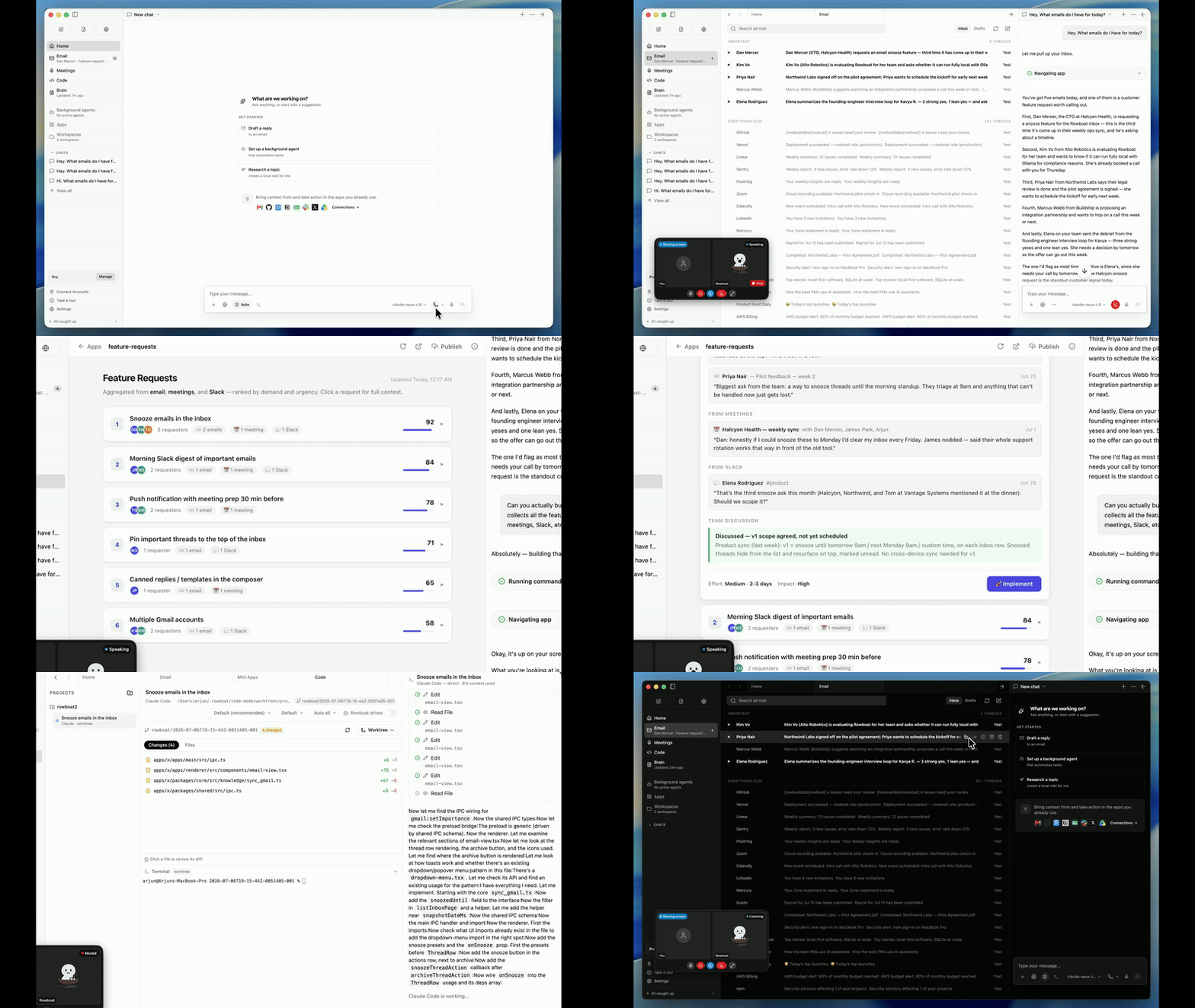
Demo - apps to code · Demo - knowledge graph

⭐ If you find Rowboat useful, please star the repo. It helps more people find it.


Overview

Brain

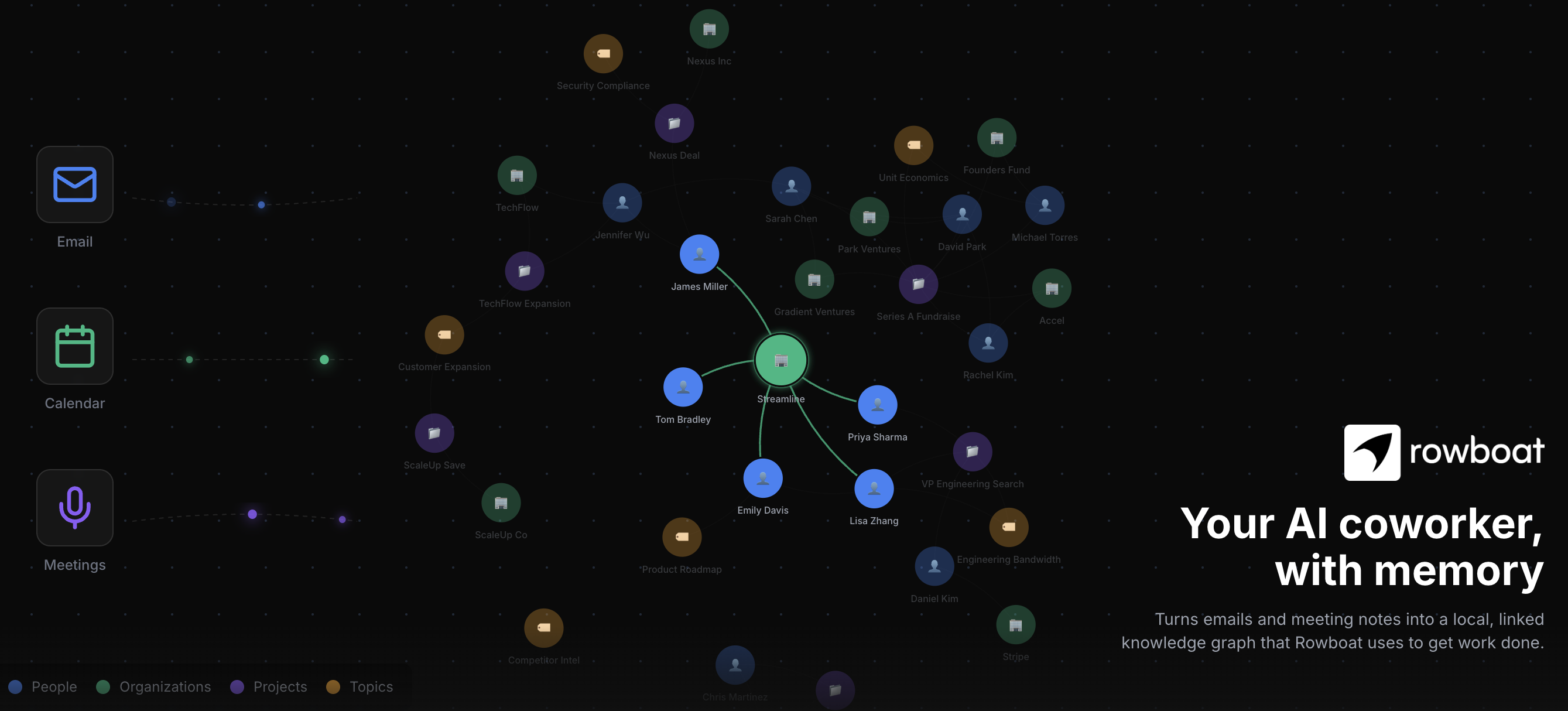
Rowboat indexes email, meetings, slack and assistant conversations into a living Obsidian-style backlinked knowledge graph.

Email

The built-in email client sorts emails into important and everything else. Rowboat automatically drafts responses for important email using all the work context.

Background agents

You can set up background agents that run on events like new email or on schedule like every day at 8am. They can connect to tools, search the web, use the browser and write code using Claude Code or Codex.

Built-in Browser

Rowboat includes a browser that lets you and assistant collaborate on web tasks. Because it's isolated from your main browser, you can log in only to the accounts that want the assistant to access.

Meeting Notes

A local meeting note-taker that taps into mic & speaker, produces live transcript and summarizes the meeting in a markdown file and updates the knowledge graph.

Code Mode

Code mode lets you spin up parallel coding agents with Claude Code or Codex, and have Rowboat drive them with all the work context where needed.

Apps

You can build your own work surfaces inside Rowboat — they get access to all the tools and integrations, and you can share them with other people.

Integrations

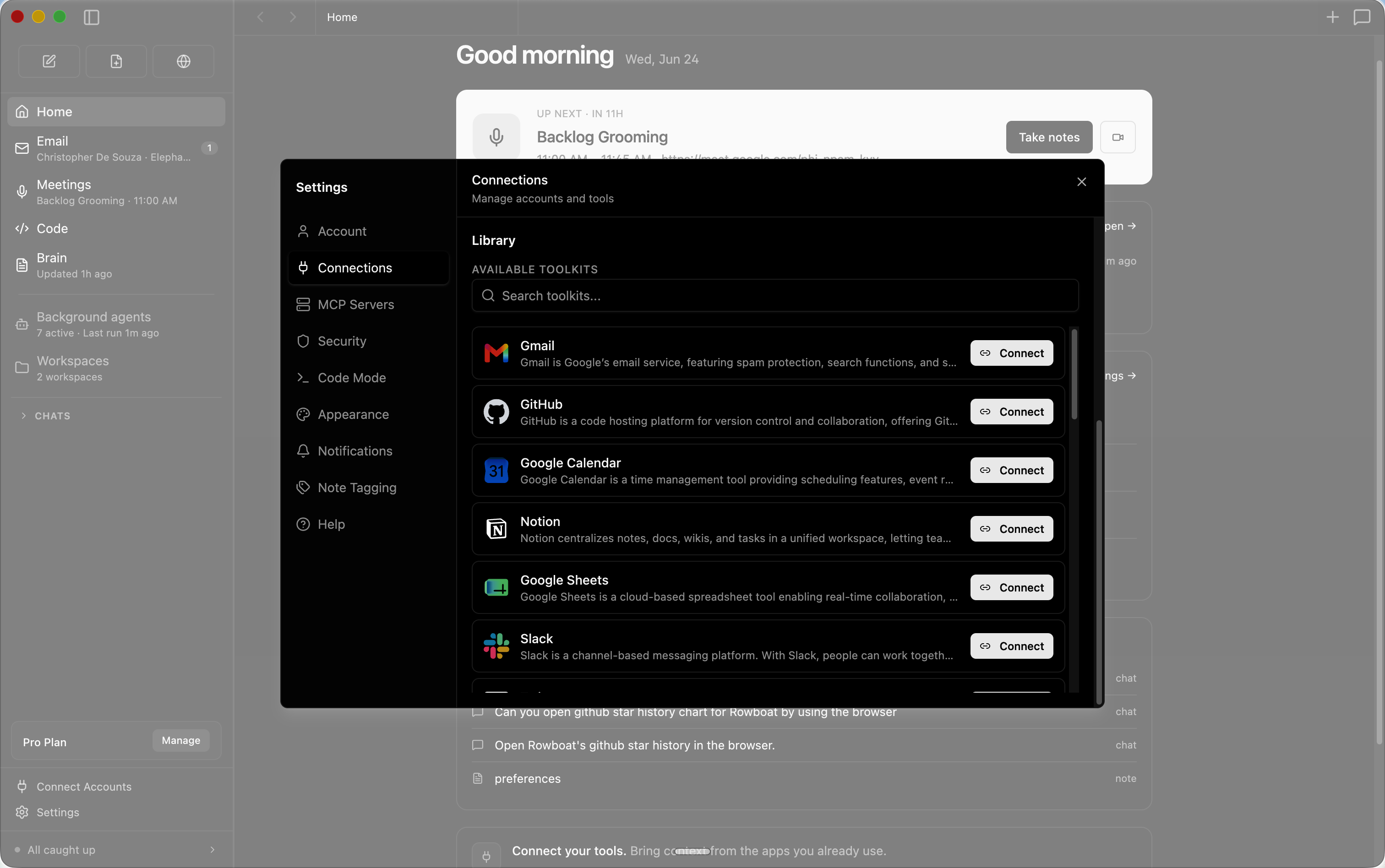
Includes one-click integrations to most popular products.

Installation

Download latest for Mac/Windows/Linux: Download

All release files: https://github.com/rowboatlabs/rowboat/releases/latest

Google setup

To connect Google services (Gmail, Calendar, and Drive), follow Google setup.

Voice input

To enable voice input and voice notes (optional), add a Deepgram API key in ~/.rowboat/config/deepgram.json

Voice output

To enable voice output (optional), add an ElevenLabs API key in ~/.rowboat/config/elevenlabs.json

Web search

To use Exa research search (optional), add the Exa API key in ~/.rowboat/config/exa-search.json

External tools

To enable external tools (optional), you can add any MCP server or use Composio tools by adding an API key in ~/.rowboat/config/composio.json

All API key files use the same format:

{
  "apiKey": "<key>"
}

How it’s different

Most AI tools reconstruct context on demand by searching transcripts or documents.

Rowboat maintains long-lived knowledge instead:

  • context accumulates over time
  • relationships are explicit and inspectable
  • notes are editable by you, not hidden inside a model
  • everything lives on your machine as plain Markdown

The result is memory that compounds, rather than retrieval that starts cold every time.

Bring your own model

Rowboat works with the model setup you prefer:

  • Local models via Ollama or LM Studio
  • Hosted models (bring your own API key/provider)
  • Swap models anytime — your data stays in your local Markdown vault

Extend Rowboat with tools (MCP)

Rowboat can connect to external tools and services via Model Context Protocol (MCP). That means you can plug in (for example) search, databases, CRMs, support tools, and automations - or your own internal tools.

Examples: Exa (web search), Twitter/X, ElevenLabs (voice), Slack, Linear/Jira, GitHub, and more.

Example: Parallel web search

Parallel Search MCP provides web_search and web_fetch for public web search and page extraction without a Parallel account or API key. Free access is rate limited.

Open Settings → MCP Servers, add the parallel entry to your existing mcpServers object, and click Save. Keep any other server entries. If no servers are configured, use:

{
  "mcpServers": {
    "parallel": {
      "url": "https://search.parallel.ai/mcp"
    }
  }
}

This connects through Rowboat's existing Streamable HTTP client. Ask Rowboat to list the tools on the parallel server, then try: "Use Parallel to find the official MCP documentation."

Once configured, Rowboat can invoke these tools during its work, subject to your MCP tool permissions. Queries, requested URLs, and any supplied objectives or context are sent to Parallel. This setup leaves Exa and other configured providers unchanged. To remove it, delete the parallel entry in Settings → MCP Servers and save.

Local-first by design

  • All data is stored locally as plain Markdown
  • No proprietary formats or hosted lock-in
  • You can inspect, edit, back up, or delete everything at any time

Discord · Twitter

Frequently asked questions

Is rowboat free to use?

rowboat is open source under the Apache-2.0 licence. There is no licence fee and no seat count — you can self-host it or, where the project offers one, pay a vendor for a managed version instead.

What does rowboat do?

Open-source AI coworker, with memory

What is rowboat written in?

rowboat is primarily written in TypeScript. Its source is publicly available at https://github.com/rowboatlabs/rowboat, and it has 17,871 GitHub stars.