Rezi


Rezi is a TypeScript framework for building terminal applications on Node.js and Bun. It provides structured layout, focus and input handling, routing, widgets, and testing tools, with rendering handled by Zireael, a terminal engine written in C.
Links: Website · Docs · Quickstart · Widgets · Benchmarks
Status
Rezi is in beta. The core API — the app model, layout, input routing, theming, and the widget surface — is stable enough to build on, and the public API of @rezi-ui/core is recorded and diffed in CI. Breaking changes still happen before 1.0, but they are deliberate, batched, and documented in the changelog with migration notes.
Individual widgets carry explicit stability tiers (stable, beta, experimental), so the guarantees that apply to what you use are spelled out rather than implied.
What Rezi Is For
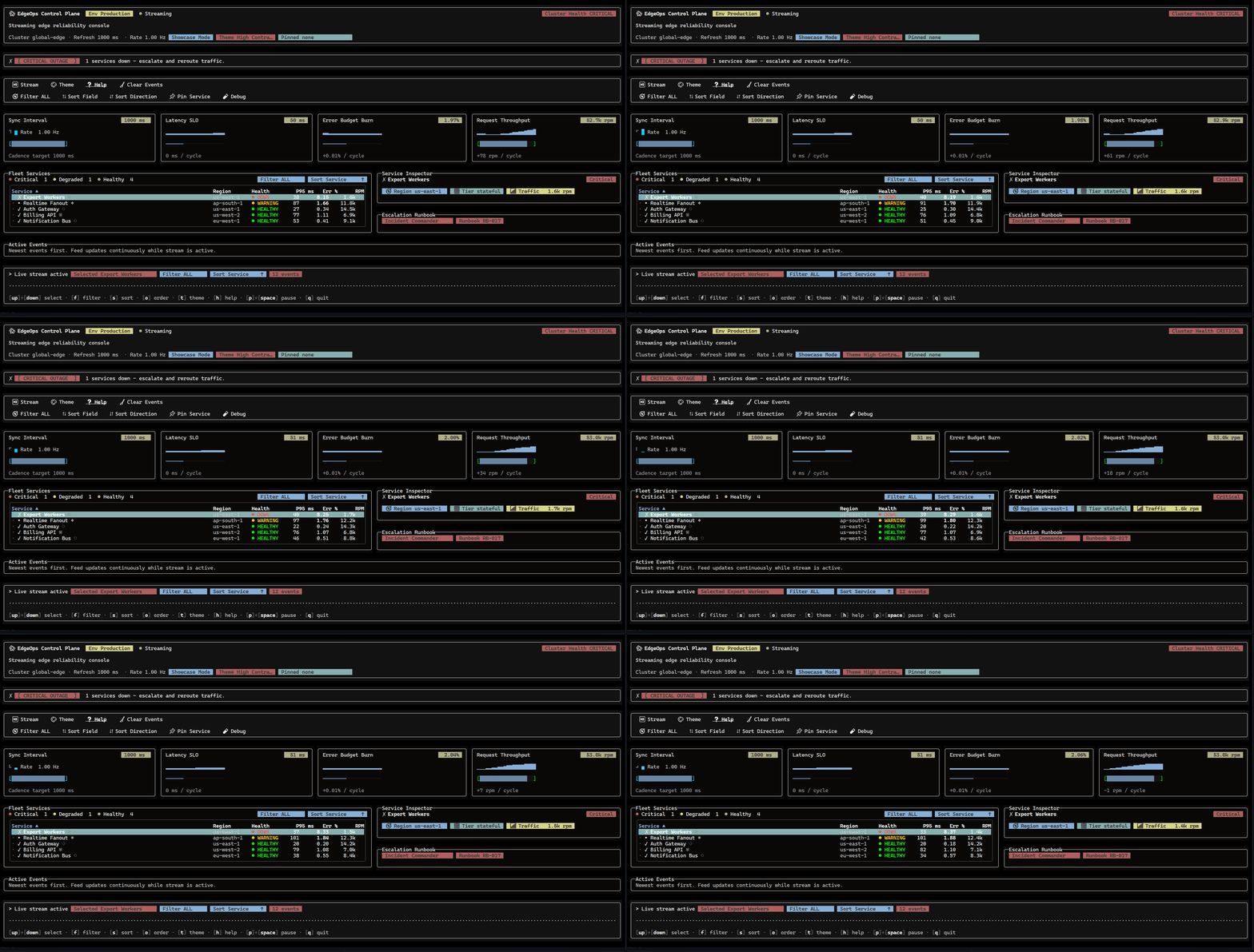
Dashboards, control planes, internal tools, log viewers, agent consoles, and developer workflows that need more than line-oriented output: multi-panel layouts, routed screens, focusable controls, forms, tables, overlays, and predictable behavior under keyboard and mouse input.
Apps choose their presentation: full-screen on the alternate buffer, or inline screen mode — a bounded region on the primary screen with terminal scrollback preserved above it and the final frame left in scrollback on exit (the presentation style of agent CLIs, progress UIs, and REPLs). See the Screen Modes guide.
Why Rezi
- A structured app model instead of a rendering loop you assemble yourself
- A declarative widget API that does not require React
- Native framebuffer diffing and terminal output through a fuzz-tested C engine
- First-party widgets for forms, tables, trees, overlays, charts, file pickers, and command palettes
- Full-screen and inline screen modes from the same widget API (
screen: { mode: "inline", inlineRows: 9 }) - Reproducible rendering and input contracts, so application behavior is testable
Example
import { ui } from "@rezi-ui/core";
import { createNodeApp } from "@rezi-ui/node";

type State = { count: number };

const app = createNodeApp<State>({ initialState: { count: 0 } });

app.view((state) =>
  ui.page({
    p: 1,
    gap: 1,
    header: ui.header({ title: "Counter" }),
    body: ui.panel("Count", [
      ui.row({ gap: 1, items: "center" }, [
        ui.text(String(state.count), { variant: "heading" }),
        ui.spacer({ flex: 1 }),
        ui.button({
          id: "inc",
          label: "+1",
          intent: "primary",
          onPress: () => app.update((s) => ({ count: s.count + 1 })),
        }),
      ]),
    ]),
  }),
);

app.keys({ q: () => app.stop() });
await app.run();
Quick Start
npm create rezi my-app
cd my-app
npm run start
With Bun:
bun create rezi my-app
cd my-app
bun run start
Or add Rezi to an existing project:
npm install @rezi-ui/core @rezi-ui/node
Three templates are available:
minimal— single-screen starter for focused utilitiescli-tool— routed multi-screen starter for product-style terminal toolsstarship— large command-console showcase with routing, charts, canvas, forms, and overlays
Start with minimal or cli-tool. Use starship (npm create rezi my-console -- --template starship) when you want the full surface area in one app.
Requirements
- Node.js 18+ or Bun 1.3+
- Linux, macOS, or Windows
@rezi-ui/native ships prebuilt binaries for Linux x64/arm64 (glibc), macOS x64/arm64, and Windows x64/arm64, so npm install never compiles C. Alpine/musl is not yet supported. Terminal capabilities — color depth, mouse, bracketed paste, synchronized output — are probed at startup, and output adapts to what the terminal reports.
How It Works
Your application builds a widget tree in TypeScript. @rezi-ui/core lays it out and serializes the result into a compact binary drawlist. The Zireael engine validates the drawlist, diffs it against the previous frame, and writes the minimal terminal update; in the other direction it parses keyboard, mouse, paste, and resize input into event batches that core routes through focus and keybindings. The protocol at this boundary is versioned and documented.
The API stays in TypeScript; the hot path stays in C; both sides are tested in isolation. See Architecture.
Packages
| Package | Purpose |
|---|---|
@rezi-ui/core |
Widget API, layout, routing, focus, forms, themes, test renderer |
@rezi-ui/node |
Node/Bun backend: terminal I/O, scheduling, native engine integration |
@rezi-ui/native |
N-API binding to the Zireael engine, with prebuilt binaries |
@rezi-ui/jsx |
Optional JSX runtime over the core API |
@rezi-ui/testkit |
Assertions, snapshot helpers, and deterministic fuzz utilities |
create-rezi |
Project scaffolding CLI |
All publishable packages share one version and release together.
Versioning
Rezi follows semantic versioning, applied through stability tiers during the beta line:
stablewidgets and the core app, layout, and routing APIs do not change documented behavior without a changelog callout and a migration notebetawidgets are tested for their core invariants; contract details may still evolveexperimentalwidgets may change at any time
The full tier assignment per widget is in Widget Stability.
Testing
Applications are testable without a terminal: @rezi-ui/core includes a deterministic test renderer, and @rezi-ui/testkit adds assertions, frame snapshots, and seeded fuzz helpers on top of node:test. The framework holds itself to the same bar — behavior-contract tests, golden-frame tests, fuzzed parsers on both sides of the native boundary, and a Linux/macOS/Windows × Node 18/20/22 × Bun CI matrix. See the testing guide.
Performance
Rezi is designed to stay fast on structured terminal workloads. Benchmark methodology, caveats, and committed result snapshots are documented in BENCHMARKS.md and on the benchmarks page.
Documentation
Contributing
Bug reports and pull requests are welcome. Start with CONTRIBUTING.md; the short version:
npm ci
npm run build
npm test
For reporting security issues, see SECURITY.md.