 Refined GitHub
Browser extension that simplifies the GitHub interface and adds useful features
We use GitHub a lot and notice many annoyances we'd like to fix. So here be dragons.
Our hope is that GitHub will notice and implement some of these much-needed improvements. So if you like any of these improvements, please open a discussion on GitHub feedback or contact GitHub support about doing it.
GitHub Enterprise is also supported: How to enable it.
The GITHUB and REFINED GITHUB trademarks are owned by GitHub, Inc. and used under license.
Install

 and other Chromium browsers

 including Firefox Android

 on Mac, iOS and iPadOS
 If you love Refined GitHub, consider sponsoring or hiring the maintainer @fregante
|
@fregante’s open source work is supported by the community.
|


Highlights 🔥


Repositories
- 🔥 Adds stars, CI, fork and private status to the repository header.
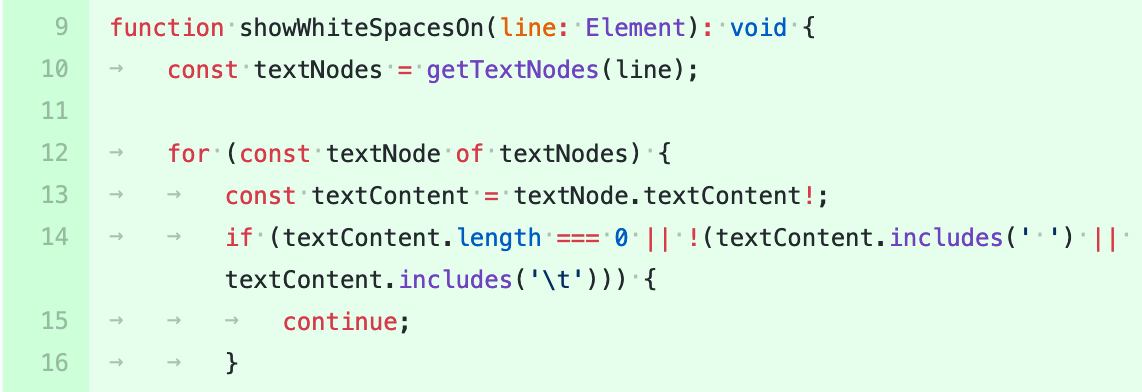
- Adds a link to swap branches in the branch compare view.
- Displays the age of the repository in the sidebar.
- In your forked repos, shows number of your open PRs to the original repo.
- Makes some buttons on repository lists more compact to make room for other features.
- Automatically disables projects and wikis when creating a repository.
- Makes sidebars sticky in repositories, issues, and PRs, if they fit the viewport.
- Adds a link to visit the user’s github.io website from its repo.
- In the workflows sidebar, shows an indicator that a workflow can be triggered manually, and its next scheduled time if relevant.
- Simplifies the deletion of repositories. Adds "Delete fork" button on 0-star repos. Enables shift alt clicks to delete repos in 2 clicks.
- Adds a button to delete the current branch on the branch page.
- Lets you open a PR in one click on the branch page.
- Helps you find forks on archived repos.
- Adds the profile picture to the header of public repositories.
- Shows a small avatar next to the username in issue/PR lists and mentions.
- 🔥 Adds a link back to the PR that ran the workflow.
- Makes the tabs more compact on mobile so more of them can be seen (depends on
extensible-navfeature). - When navigating a repo's file on a specific tag, it adds a link to see the release/tag itself.
- Lets you cancel or delete workflow runs faster from the workflow list.
- Unwraps the "Re-run jobs" dropdown into individual buttons and adds a keyboard shortcut to re-run failed jobs: r f.
- Collapses repository tabs if rarely used (Insights, Security) or when empty (Projects, Wiki, Actions). It also adds counters to Projects and Wiki.


File management
- Adds a button to download entire folders, via https://download-directory.github.io.
- Adds a button to edit files from the repo file list.
- Enables the File Finder keyboard shortcut (t) on entire repository.
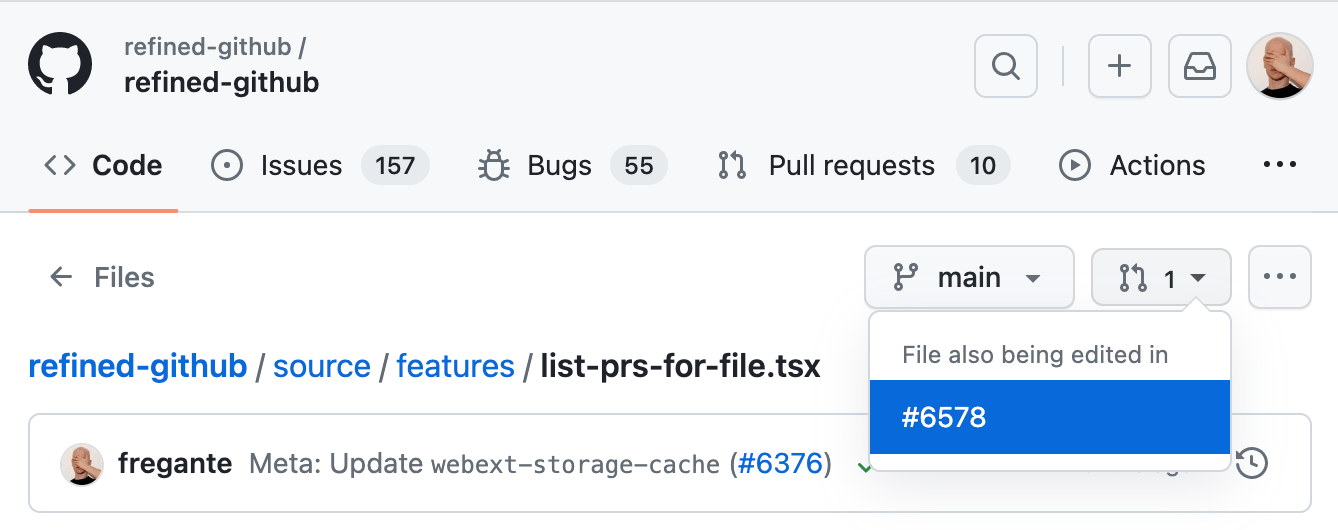
- Shows the associated PRs on branches for forked repositories.
- Adds a link to preview HTML files.
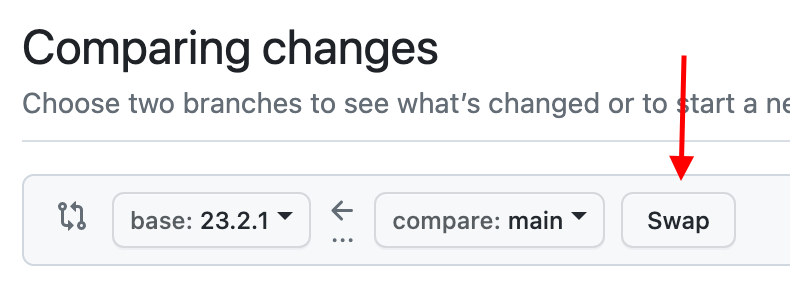
- Highlights the most-recently-modified items in file lists.
- Lets you see the previous version of a file in one click.



Code
- Linkifies issue/PR references and URLs in code.
- Enhances the y hotkey to also copy the permalink.
- Alerts you if the current file is altered by an open PR.
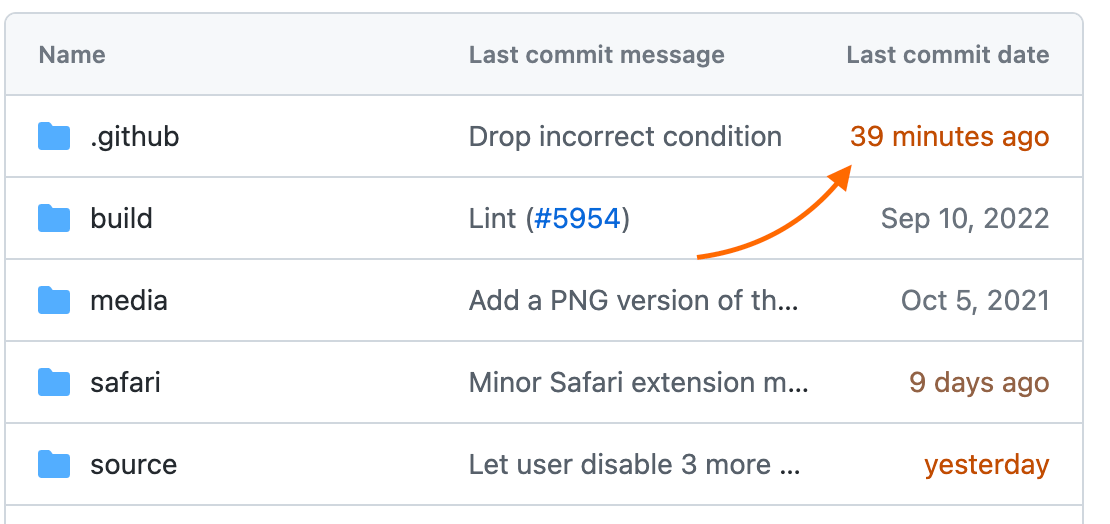
- Reduces tabs’ size to 4 spaces instead of 8 where GitHub doesn't follow the user’s preferences.
- Adds a keyboard shortcut to deselect the current line: esc.
- On branch commit lists, shows the PR that touches the current branch.



Writing comments
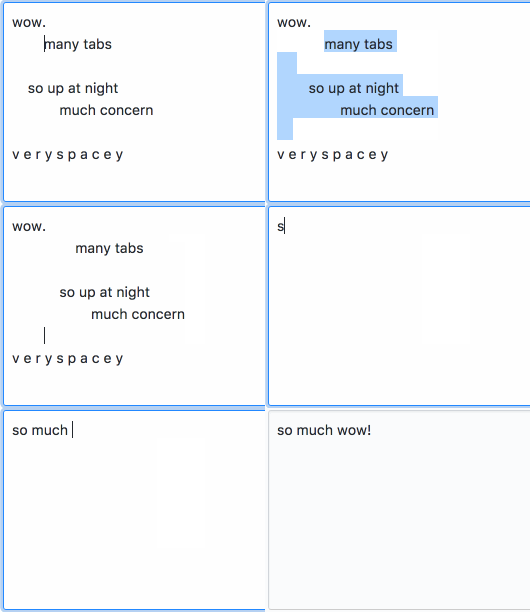
- 🔥 Enables tab and shift tab for indentation in comment fields.
- Adds a button in the text editor to insert collapsible content (via
<details>). - 🔥 Auto-resizes comment fields to fit their content and no longer show scroll bars.
- Lets you edit any comment with one click instead of having to open a dropdown.
- Wraps selected text when pressing one of Markdown symbols instead of replacing it:
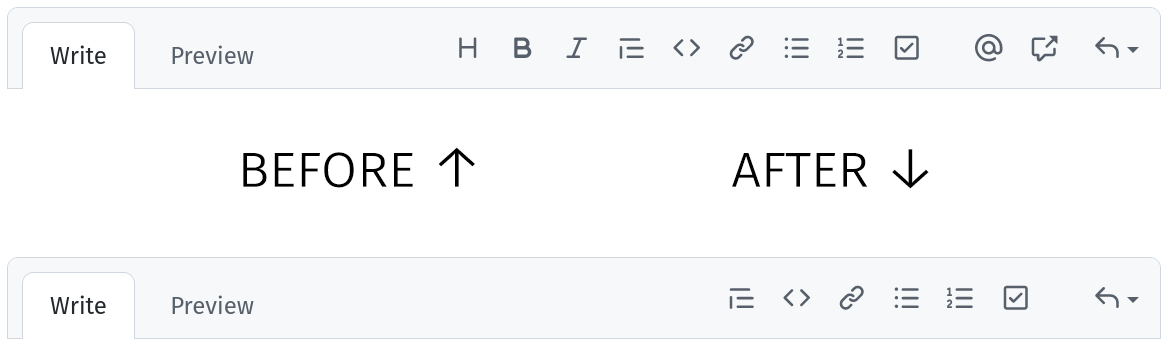
[`'"*~_ - Hides unnecessary comment field tooltips and toolbar items (each one has a keyboard shortcut.)
- Adds a button to
@mentiona user in issues and PRs. - Adds a button in the text editor to quickly insert a simplified HTML table.
- Notifies the user of unfinished comments in hidden tabs.
- Adds a button to delete review comments in one click when editing them.
- Disables the enter-to-submit shortcut in some commit/PR/issue title fields to avoid accidental submissions. Use ctrl enter instead.
- Warns against self-reference links, helping you avoid mistakes.




Reading comments
- 🔥 Adds reaction avatars showing who reacted to a comment.
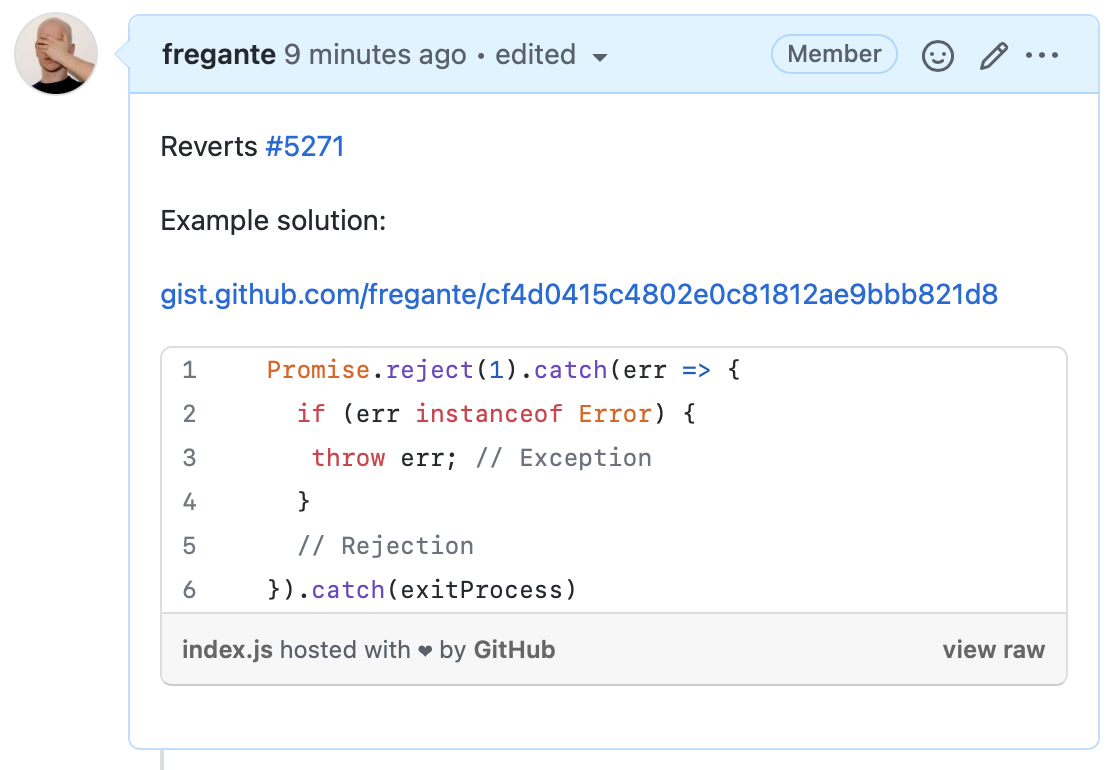
- Embeds short gists when linked in comments on their own lines.
- Adds links to browse the repository and linked files at the time of each comment.
- Adds the real name of users by their usernames.
- Shortens URLs and repo URLs to readable references like "_user/repo/.file@
d71718d". - 🔥 Previews hidden comments inline.
- Hides reaction comments ("+1", "👍", …) (except the maintainers’) but they can still be shown.
- Limits the height of tall code blocks and quotes.
- Simplifies the UI to hide comments.
- Makes the "comment" icon in issue lists link to the latest comment of the issue.
- On long conversations where GitHub hides comments under a "N hidden items. Load more...", alt-clicking it will load up to 200 comments at once instead of 60.
- Adds shortcuts to issues, PRs conversations, and PR file lists: j focuses the comment/file below; k focuses the comment/file above; x marks the file as viewed/unviewed.
- Informs you that there are hidden comments or files when pressing CmdF or CtrlF.



Conversations
- Lets you open all visible issues/PRs at once.
- Makes the issue/PR list’s filters toolbar sticky.
- Highlights issues/PRs opened by you or the current repo’s collaborators.
- In issue/PR lists, aligns the labels to the left, below each title.
- 🔥 Changes the default sort order of issues/PRs to
Recently updated. - Adds filters for PRs in your repos and commented on by you in the global PR search.
- 🔥 Hides empty sections (or just their "empty" label) in the issue/PR sidebar.
- Hides
Projectsfilter in issue/PR lists if it is empty. - Adds a shortcut to toggle all similar items (minimized comments, deferred diffs, etc) at once: alt click on each button or checkbox.
- Lets you toggle between open/closed/merged filters in searches.
- Adds a "Bugs" tab to repos, if there are any open issues with the "bug" label (depends on
extensible-navfeature). - Replaces the "opened" time with the "updated" time on pinned issues.
- Marks pinned issues in the issues list so duplicate rows are immediately recognizable.
- Changes the layout of pinned issues from side-by-side to a standard list.
- Adds one-click buttons to remove labels in issues/PRs.
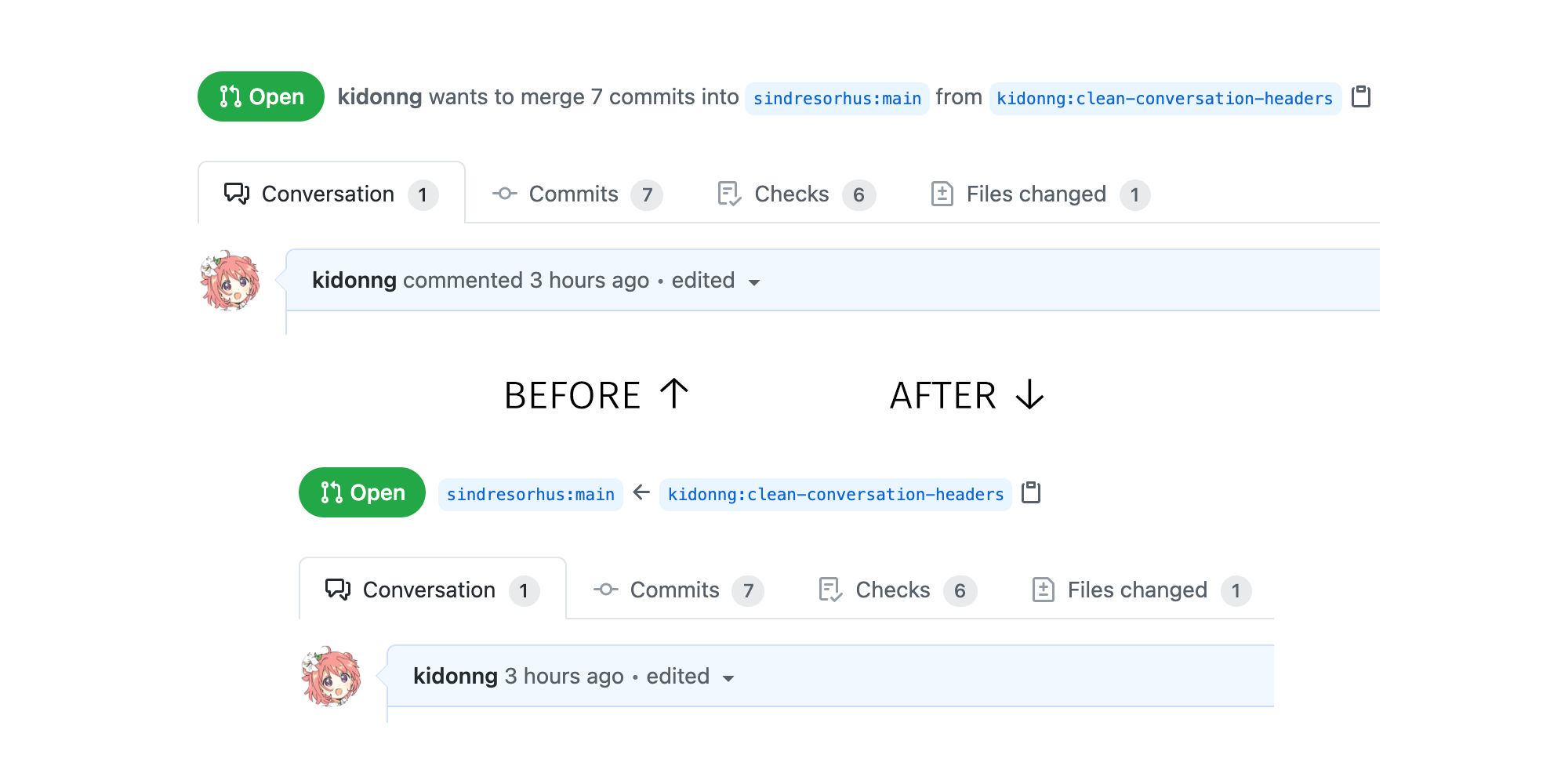
- Removes duplicate information in the header of PRs ("User wants to merge X commits from Y into Z")
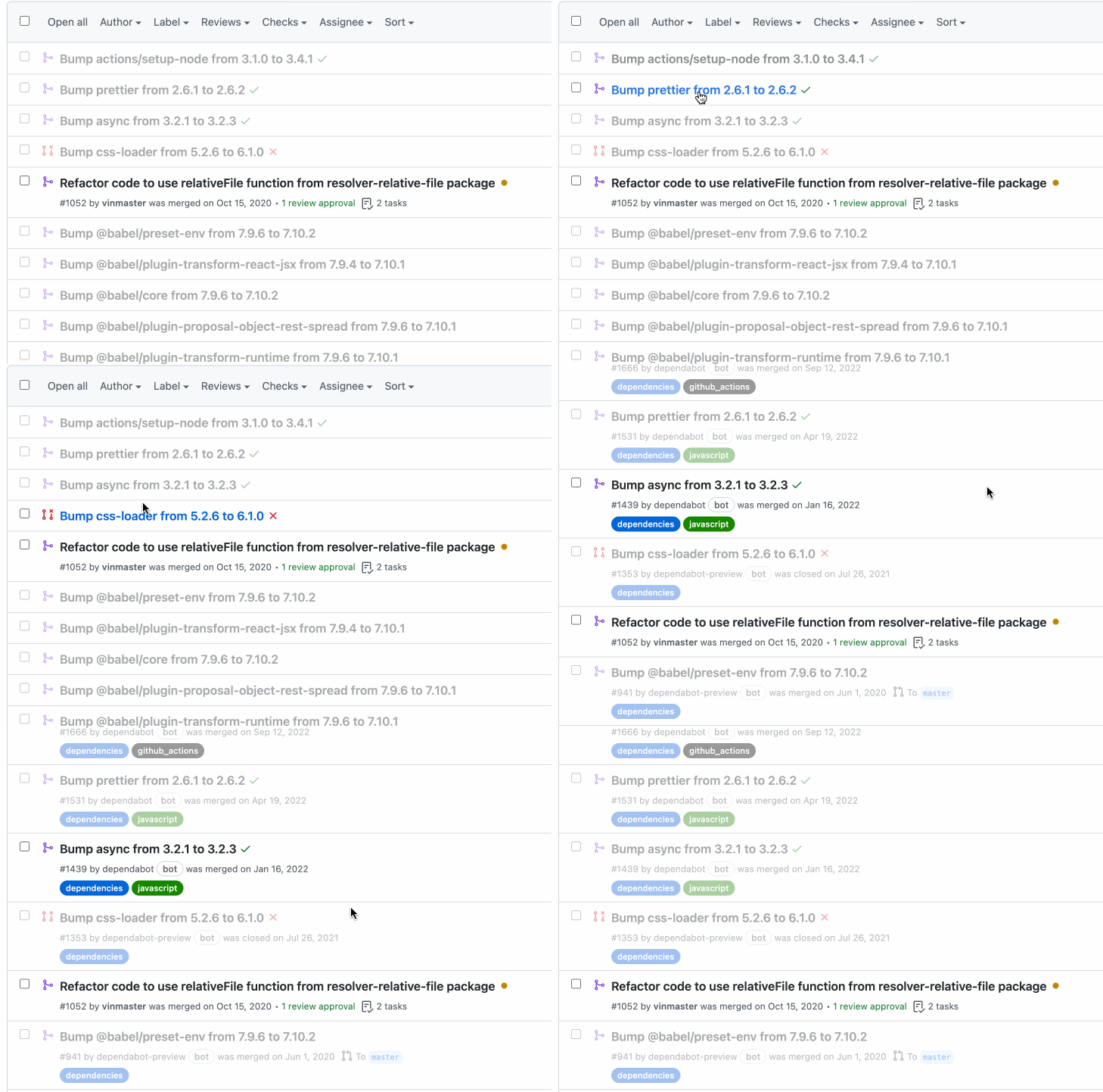
- Dims commits and PRs by bots to reduce noise.
- Adds a shortcut to cancel editing a PR title: esc.
- Hides the update time of issues/PRs in lists when it matches the open/closed/merged time.
- Links the "Contributor", "Member" and "Collaborator" labels on comments and PRs to the author’s commits on the repo.
- Adds a link to jump to the latest close event of a issue/PR.
- Lets you "close issue as unplanned" in one click instead of three.
- Show a label on locked issues and PRs.
- Enables toggling hidden comments and resolved/outdated review threads by clicking on their header bar.





Viewing pull requests
- Adds a link to the non-PR commit when visiting a PR commit.
- Adds Checks and Draft PR dropdown filters in PR lists.
- Automatically shows all checks without scrolling when expanding the checks panel.
- Shows color-coded review counts in PR lists.
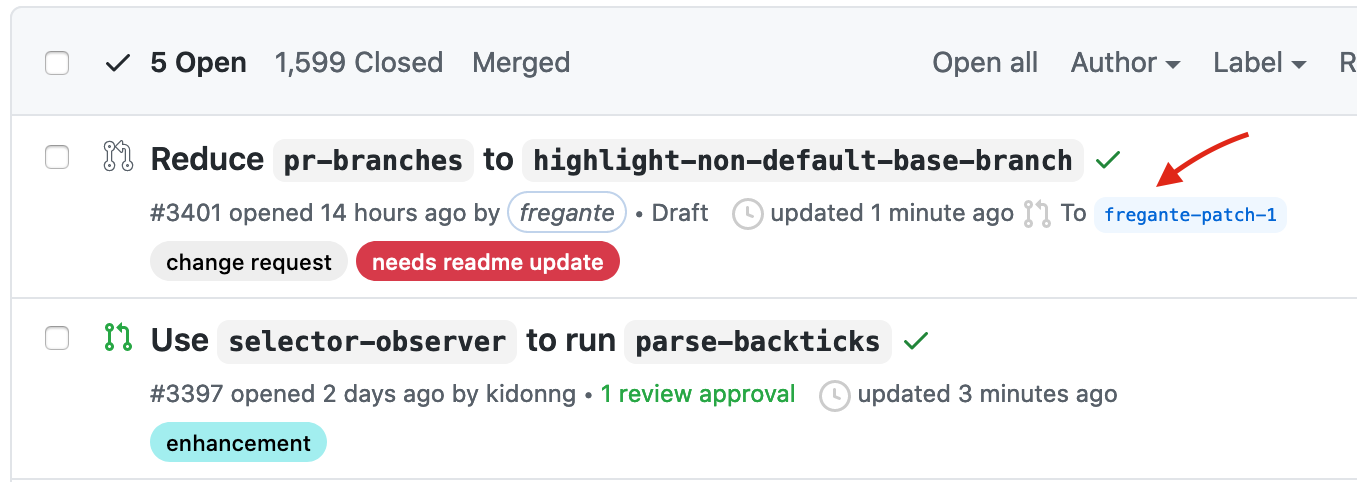
- Shows the base branch in PR lists if it’s not the default branch.
- Hides inactive or failed deployments in PRs.
- Adds duplicate commit navigation buttons at the bottom of the
Commitstab page. - Shows which PRs have conflicts in PR lists.
- Adds diff stats on PR commits.
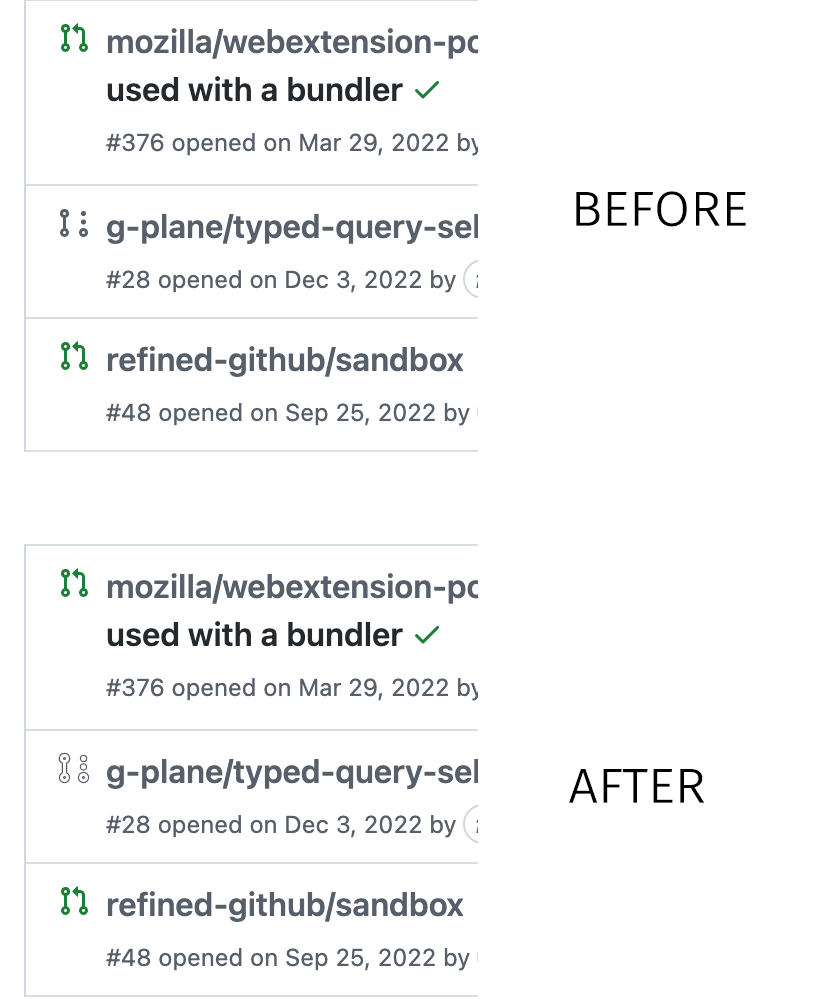
- Adds a line-through to the deleted branches in PRs.
- Mark/unmark multiple files as “Viewed” in the PR Files tab. Click on the first checkbox you want to mark/unmark and then
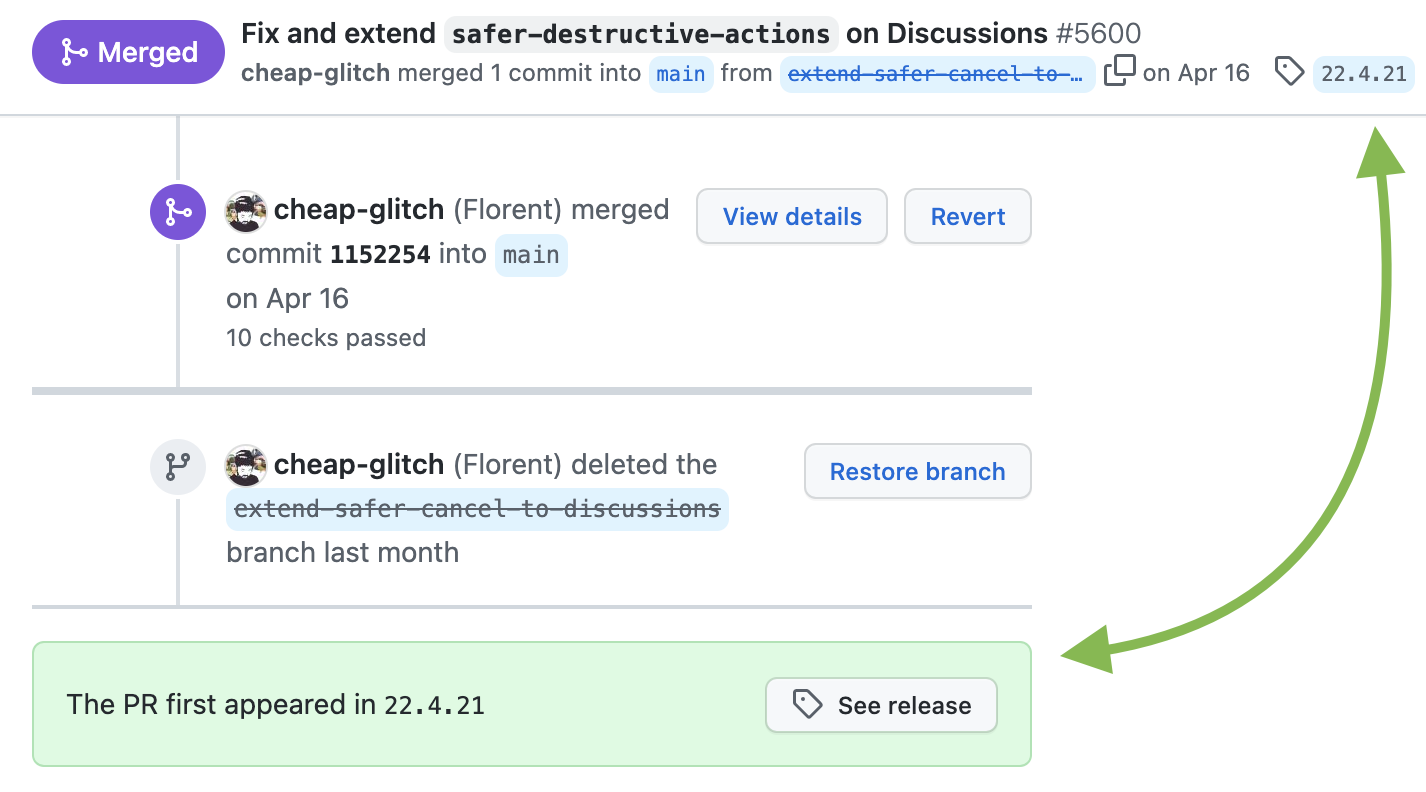
shift-click another one; all the files between the two checkboxes will be marked/unmarked as “Viewed”. - 🔥 Shows the first Git tag a merged PR was included in or suggests creating a release if not yet released.
- Jumps to first non-viewed file in a PR when clicking on the progress bar.
- Adds a link to open the latest deployment to the PR header.
- Always uses unified diffs on files where split diffs aren’t useful.
- Makes it easier to distinguish draft PR in lists.
- Prioritizes failing and pending checks in the merge checks list, and untruncates long check names.
- Makes the PR tabs smaller so they fit in the screen without scrolling.
- Linkifies the PR review state labels ("Draft", "Changes requested", etc) in PR lists to filter by that state.






Editing pull requests
- 🔥 Uses the PR’s title as the default squash commit title and updates the PR’s title to match the commit title, if changed.
- Adds an "Update branch | Rebase" button to every PR. GitHub has the same feature, but it must be manually configured for each repo.
- Simplifies the PR review form: Approve or reject reviews faster with one-click review-type buttons.
- Adds keyboard shortcuts to cycle through PR tabs: g ← and g →, or g 1, g 2, g 3, and g 4.
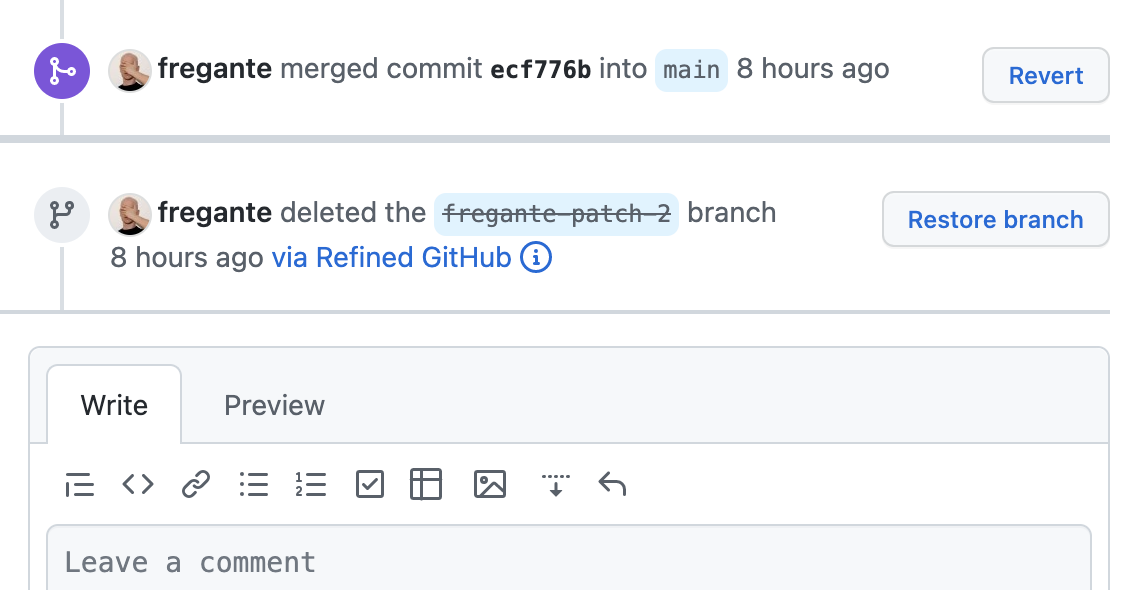
- Automatically deletes the branch right after merging a PR, if possible. Common branch names known to be long-lived are excluded (
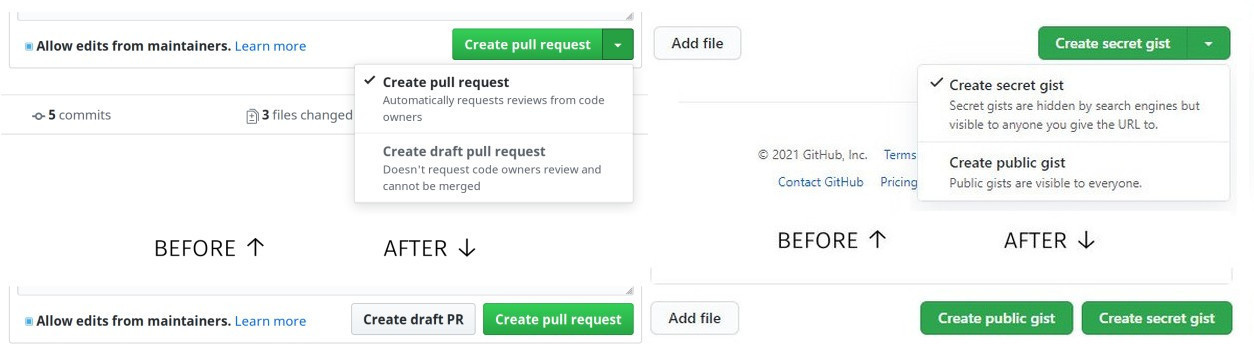
develop,release/*, etc) - Lets you create draft PRs and public gists in one click.
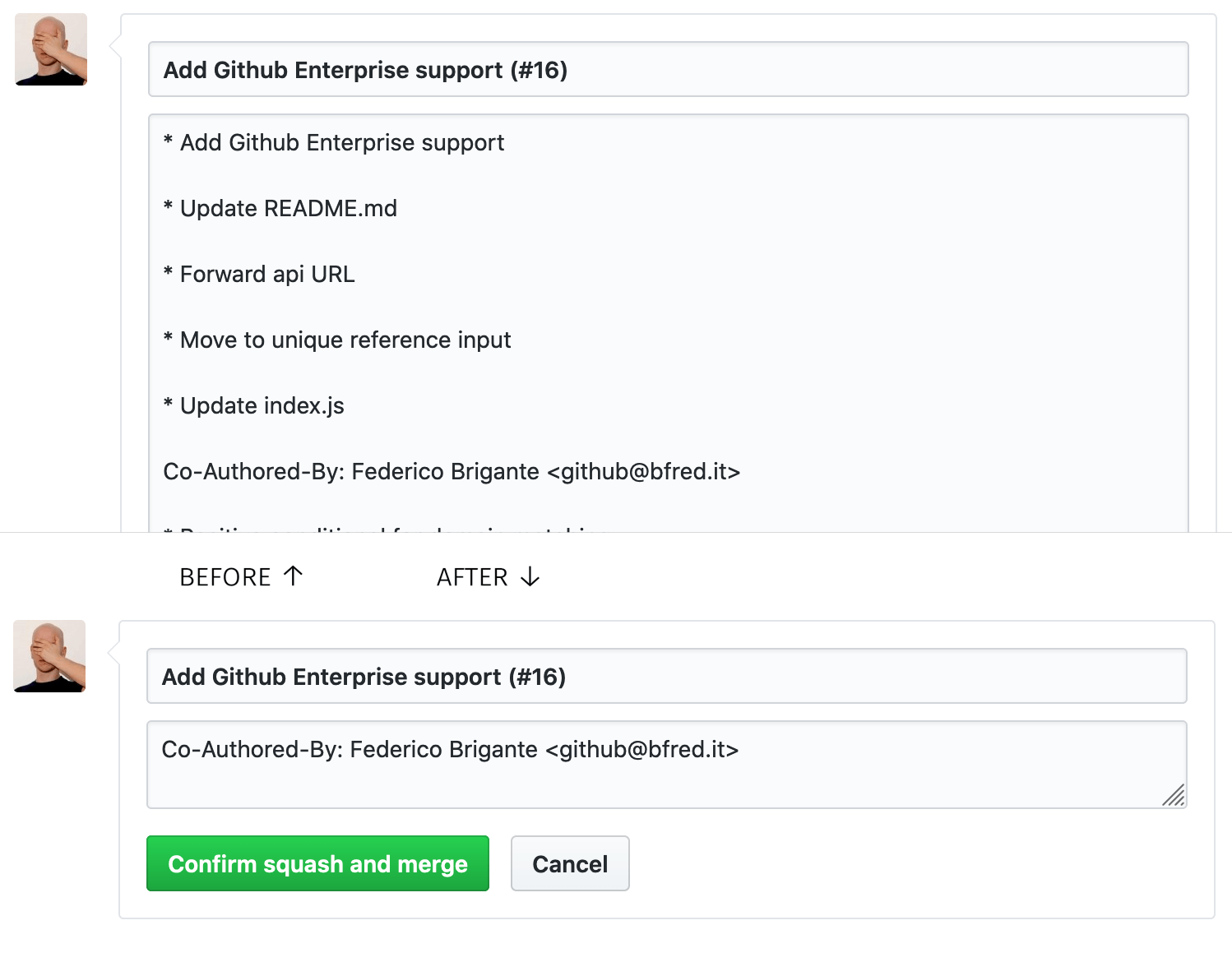
- Clears the PR merge commit message of clutter, leaving only deduplicated co-authors.
- Adds quick-review buttons to the PR sidebar, automatically focuses the review textarea, and adds a keyboard shortcut to open the review popup: v.
- Uses the first commit for a new PR’s title and description.
- Turns the "Resolve conflicts" dropdown into two plain buttons.




Commits
- Adds links to
.patchand.difffiles in commits. - Adds links to view the raw version, the blame, and the history of files in PRs and commits.
- Adds "Hide whitespace" button to Compare pages and a keyboard shortcut to PRs and Compare pages: d w.
- Widens the
Expand diffbutton to be clickable across the screen. - Hides diff signs since diffs are color coded already.
- Suggests limiting commit and PR titles to 72 characters.
- Displays the corresponding tags next to commits.
- Marks merge commits in commit lists.
- When exploring blames,
Alt-clicking the “Reblame” buttons will extract the associated PR’s commits first, instead of treating the commit as a single change. - Indicates with an icon whether files in commits and PRs are being added or removed.
- Enables toggling file diffs by clicking on their header bar.
- Preserves current branch and path when viewing all commits by an author.
- Enables toggling commit messages by clicking on the commit box.
- Linkifies the "X files changed" text on compare pages to allow jumping to the diff.
- Shows conventional commit types as labels before the commit message.


Tags and releases
- Adds a download count next to release assets.
- Adds a
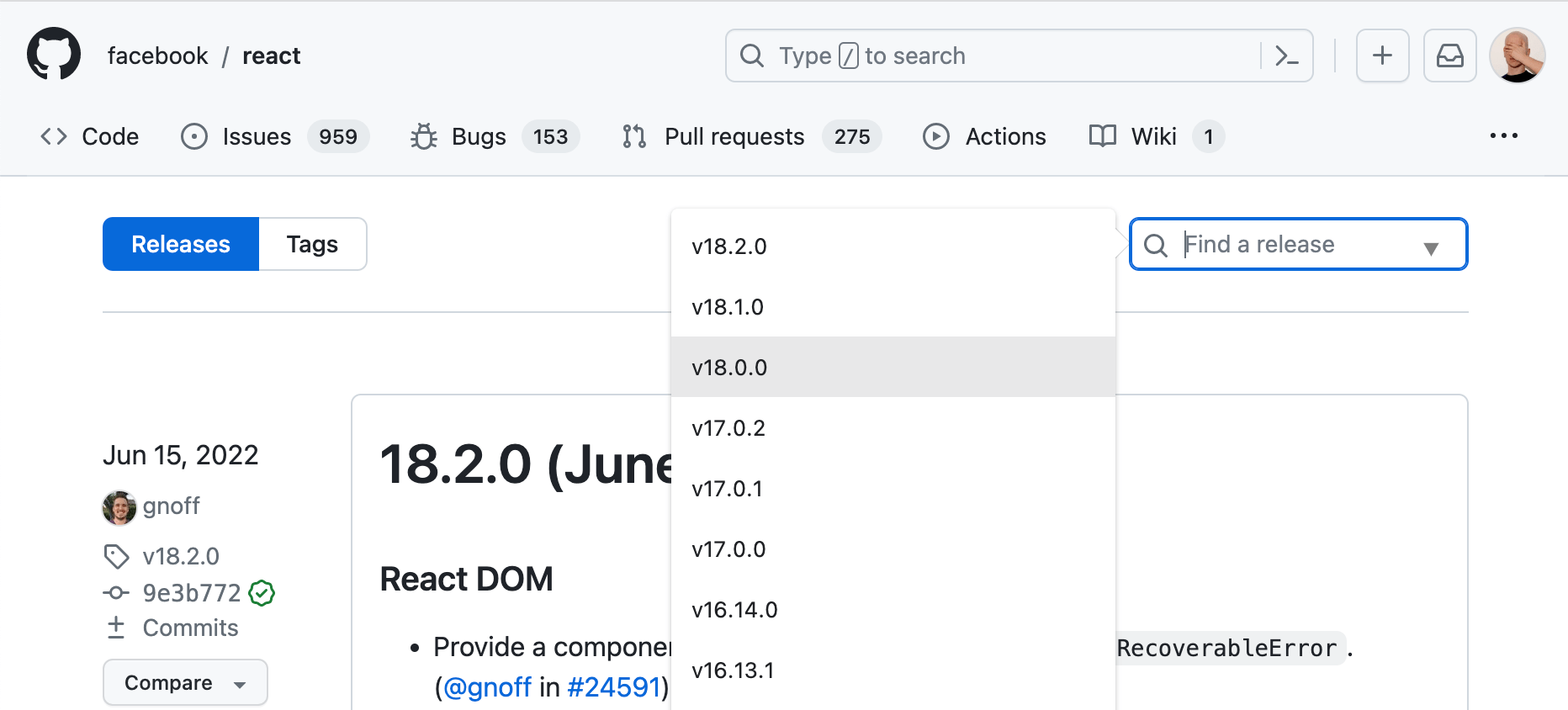
Releasestab and a keyboard shortcut: g r (depends onextensible-navfeature). - Adds a tags dropdown/search on release pages.
- Adds a keyboard shortcut to create a new release while on the Releases page: c.
- 🔥 Adds a link to changes since last tag/release for each tag/release.
- Adds a button to convert a release to draft.
- Adds a confirmation dialog when publishing a release, preventing accidental submissions.
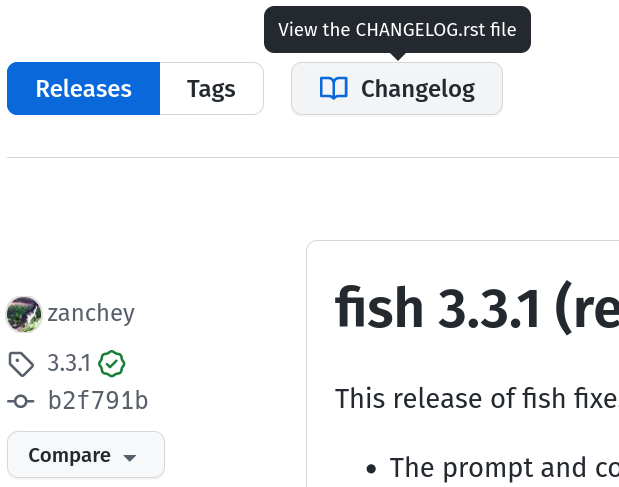
- Adds a button to view the changelog file from the releases page.




Profiles
- On profiles, it shows whether the user follows you.
- Marks private organizations on your own profile.
- Adds a keyboard shortcut to visit your own profile: g m.
- Adds a link to the user’s most starred repositories.
- Filters out forks and archived repos from profiles by default, leaving only the sources. (but they can still be shown.)
- Linkifies the user location in their hovercard and profile page.
- Adds a link to the issues and pulls on the user profile repository tab and global search.



Notifications
- Adds a button to the notification page to open all your unread notifications at once.
- 🔥 Adds a button to the global header to open your unread notifications from any page.
- Adds a shortcut to select all visible notifications: a.
- Stops redirecting to notification inbox from notification bar actions while holding Alt.
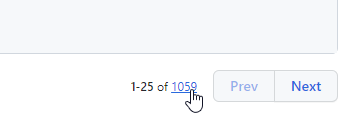
- Adds a link to the last page of notifications.
- Points PR notifications to the Conversation tabs instead of the commits page, which may be a 404.
- Make the notifications action bar sticky.
- Makes the notifications list more compact when grouped by repo.
- Cleans up the Notifications page header, especially on mobile.


Global
- 🔥 Adds possible related pages and alternatives on 404 pages.
- Adds a keyboard shortcut to open selection in new tab when navigating via j and k: shift o.
- Automatically closes dropdown menus when they’re no longer visible.
- GitHub renders
`text in backticks`in some places but not others; this features fills in where forgotten. - Lets you see how others are using the current Action in the Marketplace.
- Shows all of Refined GitHub’s new keyboard shortcuts in the help modal (? hotkey).
- Dims the site footer so it's less prominent.
- Adds dark mode to the global 404 page.
- Uses a monospace font in commit message, description, release body, and other fields that benefit from it.


Netiquette
- Adds unobtrusive netiquette reminders (old closed issues, highly-active issues, draft PRs, …).
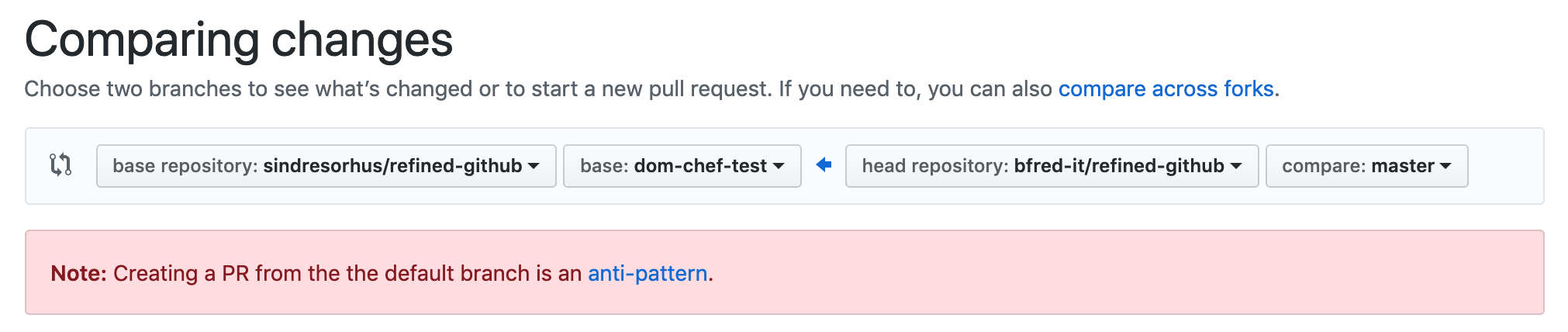
- Warns you when creating a PR from the default branch, as it’s an anti-pattern.
- Warns you when unchecking
Allow edits from maintainers, as it’s maintainer-hostile.

Fixes for GitHub shortcomings
- Applies various CSS fixes to GitHub's interface.
- Removes the file hover effect in the repo file browser.
- Removes unnecessary or redundant information from the repository sidebar.
- Linkifies branch references in "Quick PR" pages.
- Points the "View file" on PRs to the branch instead of the commit, so the Edit/Delete buttons will be enabled on the "View file" page.
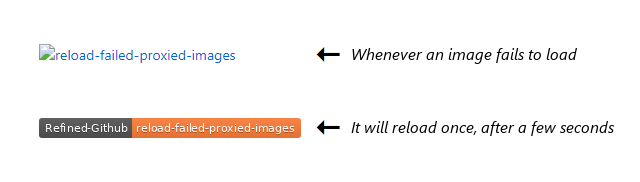
- Retries downloading images that failed downloading due to GitHub limited proxying.
- Suggests fixing links that are wrongly shortened by GitHub.
- Avoids creating duplicate PRs when mistakenly clicking "Create pull request" more than once.
- While writing/editing comments, open the preview links in new tab instead of navigating away from the page.
- Redirect to repo issue list when the search doesn‘t include
is:pr. - Drops redundant "readme-ov-file" parameter from repo URLs.
- Closes checks list when clicking outside of modal.
- Linkifies the line numbers where GitHub forgot to add links.
- Scrolls the file tree to the current file.
- Disable modals that reduce user-experience instead of enhancing it.
- Keeps links from opening in new tabs when they shouldn't. "Open in new tab" must be the user's choice, not the default behavior.
- Makes certain text clickable, like issue references in the issue title and discussion sidebar.
- Adds a 'New Milestone' button to the milestone page.
- Highlights private repositories in the repository list with a distinct color.
- Reduces the default tab indent width from 8 to 4 characters in code views where GitHub doesn't follow the user's preferences.
- Makes the file header sticky when scrolling through code diffs.
- Makes the first column of CSV/TSV file previews sticky while scrolling horizontally.
- Improves the usability of the comment reactions popup by making it smaller.
- Stacks the old and new titles in title change timeline events for better readability.
- Fixes cmd enter to submit comments on closed PRs, which is broken.
- Lets you open pseudo-links in a new tab with ctrl click or middle click.




Previously part of Refined GitHub
GitHub took inspiration from Refined GitHub and natively implemented dozens of its features, 🎉 so they've been removed from this extension. You can also see all the past features of Refined GitHub in a single list.
Customization
Most features can be disabled if they are JavaScript-based and you can override our CSS with your own in the extension options.
We're happy to receive suggestions and contributions, but be aware this is a highly opinionated project. There's a high bar for adding features. Users will always disagree with something. That being said, we're open to discussing things.