Reconmap is an open source, Apache-2.0 licensed vulnerability assessment and penetration testing platform that manages the entire engagement lifecycle — reconnaissance, execution and reporting — for penetration testers, InfoSec teams and managed security service providers.
What it is
Reconmap is a collaboration-first security operations platform written in JavaScript, published under the Apache-2.0 licence, and aimed at professionals who run security assessments rather than at developers who build them. The project describes itself as a pentesting management, automation and reporting platform, and it covers the full engagement lifecycle: planning an assessment, executing the security commands it requires, capturing what those commands return, tracking the vulnerabilities they surface, and producing the client-facing report at the end. The codebase is split into a backend (apps/api), a dashboard frontend (apps/dashboard) and command-line tooling (cli), with user, admin and developer manuals held in a separate documentation repository.
The concrete problem it solves is the fragmentation that surrounds penetration testing work in practice. Command output is normally pasted between terminals, note files, spreadsheets and word processors, and the vulnerability record is reconstructed by hand at reporting time. Reconmap replaces that loose toolchain with a single platform where security commands can be run immediately or scheduled, where their output is captured and stored automatically alongside the vulnerabilities identified, and where reports are generated in Word, Markdown and HTML formats. It also exposes Model Context Protocol (MCP) support so that the platform can be integrated with AI assistants and large language models, and it offers AI-assisted summaries of assessment material. The stated effect is a shorter path from initial reconnaissance to final reporting, with results that stay organised without a loss of quality.
Key capabilities
- Execute security commands instantly or schedule them for later execution.
- Capture and store command output automatically while tracking identified vulnerabilities against it.
- Generate professional reports in Word, Markdown and HTML formats.
- Model Context Protocol (MCP) support for integration with AI assistants and large language models.
- AI-assisted summaries of assessment material.
- A dashboard frontend (
apps/dashboard) and a backend API (apps/api) for shared, multi-user engagement management.
- Command-line tools under
cli for scripted or terminal-driven workflows.
Who uses it and how
- Penetration testing teams and InfoSec teams use it to plan, execute and report assessments from one place instead of assembling results across separate tools.
- Managed security service providers (MSSPs) use it to run client engagements, with a hosted offering available so customer-facing work does not compete with platform maintenance.
- Bug bounty hunters and DevSecOps groups are represented in the project's topic tags, indicating use where findings need to be tracked and reported rather than simply collected.
- Teams evaluating the platform can connect to a live demo server, with connection details published on the project site, before committing to a local deployment.
- Collaborating teams benefit from the shared engagement model, where commands, output and vulnerabilities live in the same system rather than in individual operators' notes.
Getting started
The documented local route is Docker with Docker Compose: run docker compose up -d, then open http://localhost:5500 in a browser. A live demo instance and a hosted SaaS option at netfoe.com are also offered for evaluation and for teams that prefer not to run the stack themselves.
How it compares
No paid products or comparable tools are named in the facts provided for this entry, so no direct contrast on licence, self-hosting, data ownership or cost model can be made. On the evidence available, Reconmap stands alone in this registry.
When to use it — and when not to
A self-hoster must run the container stack through Docker and Docker Compose, and the README does not spell out the supporting services such a deployment implies — the required database, output storage and mail configuration are not documented there, so operational scope has to be established from the manuals before committing. Teams without Docker or Compose experience, or those wanting a purely managed product with no infrastructure of their own, should look at the hosted offering instead of the local route. The README is thin in places — capability detail is closed with "And much more", and its documentation pointer is incomplete — so the project site and the separate documentation repository are the real source of onboarding information.
project readme (upstream, from github) — read inline
Reconmap

Pentesting Management, Automation and Reporting Platform
Reconmap is an open source vulnerability assessment and penetration testing platform designed to support security professionals throughout the entire engagement lifecycle. It enables penetration testers and InfoSec teams to efficiently plan, execute, and report on security assessments.
By streamlining workflows and promoting collaboration, Reconmap helps reduce the time from initial reconnaissance to final reporting — delivering faster, more organised results without compromising quality.
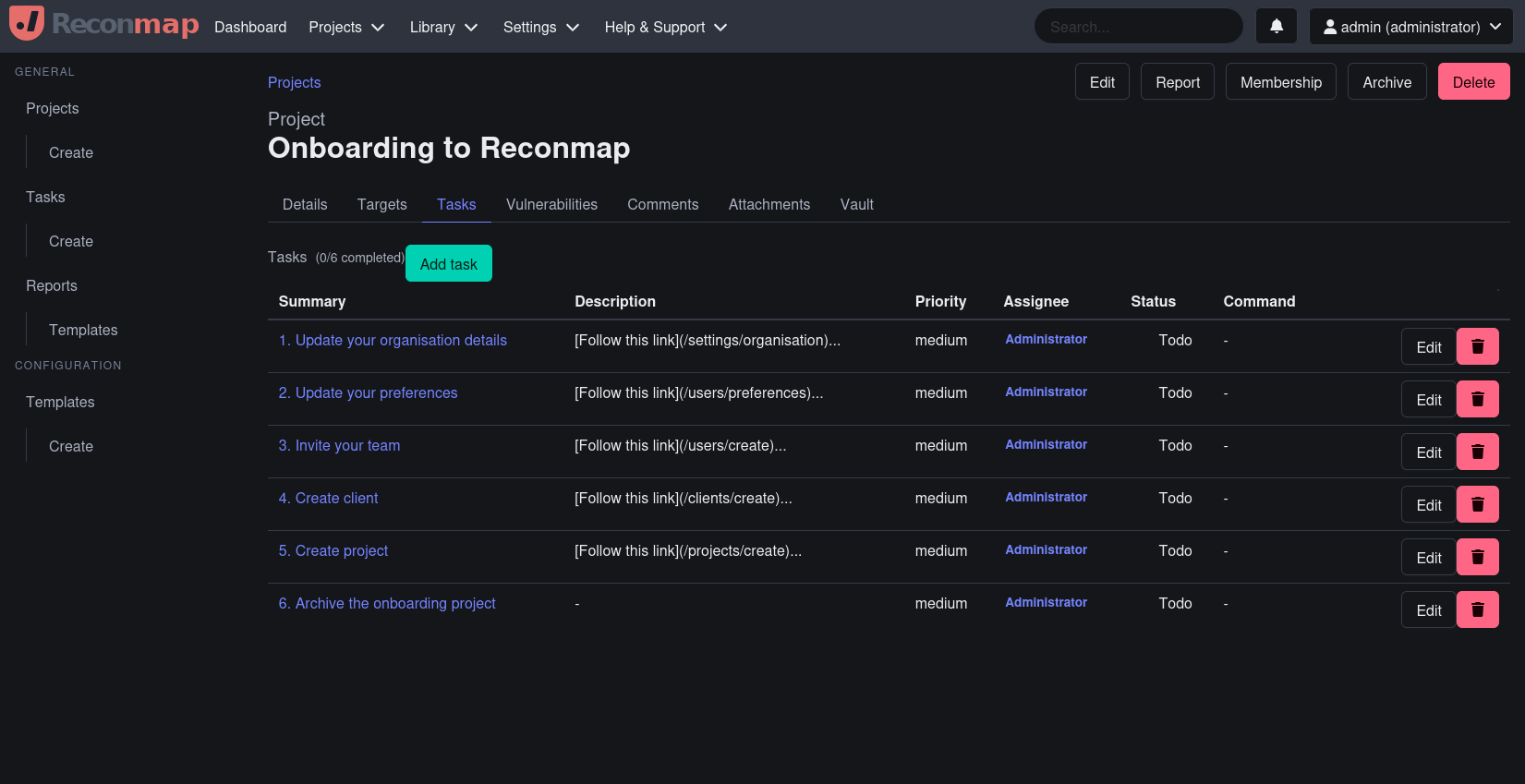
Capabilities
- Execute security commands instantly or schedule them for later
- Automatically capture and store command outputs while tracking identified vulnerabilities
- Generate professional reports in formats like Word, Markdown and HTML.
- Model Context Protocol (MCP) support to integrate Reconmap seamlessly with AI assistants and LLMs.
- And much more to streamline your security assessments!
Try it
Demo instance
Details on how to connect to the live demo server can be found here.
Hosted (SaaS)
Allow our developers and architects to host Reconmap for you via our hosted offering https://www.netfoe.com, so that you can focus on delivering value to your customers.
Run it locally
Runtime requirements
How to run it locally with Docker compose
- First you need to start your docker containers:
docker compose up -d
- After this, open your browser at http://localhost:5500
Documentation
Go to to find the user, admin and developer manuals.
How to Contribute
We welcome contributions from the community! Here are some ways you can get involved:
- ★ Star this project on GitHub ★ to show your support and help others discover it.
- Review the documentation and submit improvements via a pull request to the documentation repository.
- Share your ideas or suggest new features on the discussion board.
- Contribute to the codebase by improving the backend, frontend, or CLI tools.
- Report security vulnerabilities or other issues to help us maintain a secure and reliable platform.
Before contributing, please read our Contributing Guidelines to ensure a smooth collaboration process. Thank you for helping make Reconmap better!
How to report bugs
If you have bugs to report please use the issues tab on Github to submit the details.
Sponsors and supporters

