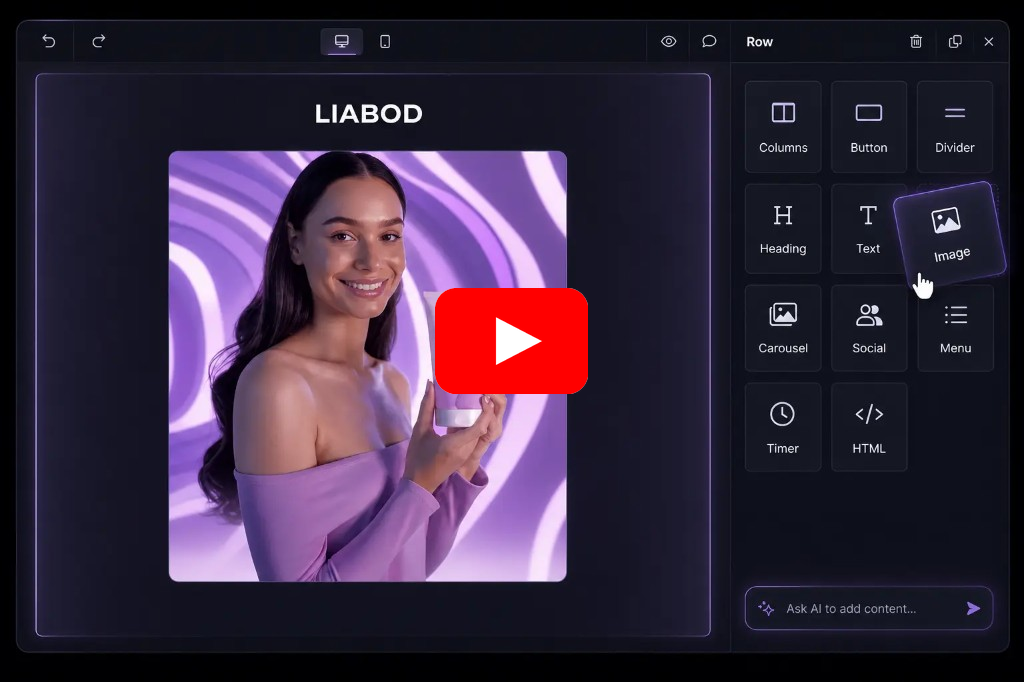
react-email-editor is a free, open source ai interaction & interfaces project written in TypeScript and released under MIT. It has 5,223 GitHub stars, 801 forks and 245 open issues, and was last pushed 27 hours ago. On this registry it ranks #48 of 76 tracked projects in AI Interaction & Interfaces, with 5 head-to-head comparisons available. It gained 1 stars over the last 3 tracked days.

What is react-email-editor?

react-email-editor is the official React component for embedding Unlayer's drag-and-drop email editor inside a React application, and it is aimed at developers who need template creation and responsive HTML export inside their own product without building and maintaining a full visual editor from scratch.

What it is

react-email-editor is a TypeScript package published to npm, licensed under MIT, that wraps Unlayer's drag-and-drop email editor in a single React component. It is filed in this registry under AI & Machine Learning / AI Interaction & Interfaces, and its topic list covers ai-email-builder, ai-email-editor, ai-email-generator, ai-email-template-editor, ai-email-assistant, ai-tools, builder, drag-and-drop, email and email-builder. The repository holds 5,223 stars, 801 forks and 245 open issues, with the last push in September 2026. The homepage points at unlayer.com, and the README describes the component as production-ready and embeddable with a single component.

The concrete problem it solves is the cost of writing a visual email builder. Rather than implementing block placement, design persistence and HTML rendering in-house, an application renders the EmailEditor component, hands it a design through loadDesign, receives the design JSON back through saveDesign, and produces the rendered markup through exportHtml. The design JSON is the round-trip format, and the HTML is the deliverable that gets sent. In other words, the component replaces an entire in-app editor subsystem with a wrapper around a hosted editor.

Key capabilities

  • Renders the editor as a JSX component imported from the package root as EmailEditor, together with the EditorRef and EmailEditorProps types.
  • Exposes the underlying editor instance at emailEditorRef.current.editor, where all Unlayer methods are available.
  • Provides loadDesign(Object data) to place a stored design JSON into the editor, saveDesign(Function callback) to read the design JSON back, and exportHtml(Function callback) to return both the design JSON and the rendered HTML in one callback.
  • Accepts properties including editorId for the container div, minHeight with a default of 500px, onLoad when the editor instance is created, and onReady when the editor is ready for a template to be loaded.
  • Ships version 2.0 as a modernization release: React >= 16.8 and Node >= 18 are required, published code is ES2019, and editors are destroyed on unmount to fix a long-standing leak.
  • Blocks deep imports such as react-email-editor/dist/... through the new exports map, requiring imports from the package root only.
  • Includes the 'use client' directive in the published bundle, so the Next.js App Router can import it directly from a Client Component without a next/dynamic workaround.

Who uses it and how

  • Product teams adding email template creation to an existing React application, wiring the editor into their own save and render pipeline through the design JSON.
  • Next.js App Router projects, which import the component directly from a Client Component because the editor renders into the DOM and is therefore client-only.
  • Teams upgrading from 1.x, where the component API is unchanged and most applications upgrade without code changes, at the cost of the new React and Node floors.
  • Applications that support legacy browsers through an old toolchain unable to parse ES2019, which must stay on 1.x or transpile node_modules.
  • Evaluators working from the live demo at react-email-editor-demo.netlify.app or the reference implementation under demo/src/example/index.tsx.

Getting started

Install the package with npm install react-email-editor --save, then render the EmailEditor component in JSX and hold its reference in emailEditorRef. The repository's README also links a video overview and a live demo with source.

How it compares

The provided facts name no comparable tools and no list of paid products this project replaces, so react-email-editor stands alone in this registry on that axis.

When to use it — and when not to

Adopt it when a React application needs an embeddable visual email builder and the team accepts a dependency on Unlayer's editor loading in the browser. Do not adopt it for a non-React stack, or for applications pinned to toolchains that cannot parse ES2019 and cannot transpile dependencies. Honest limits: the component depends on an external hosted editor rather than operating standalone, the published documentation defers method and property detail to the Unlayer Docs, and the project carries 245 open issues alongside the September 2026 last push.

project readme (upstream, from github) — read inline

React Email Editor

Official React component for embedding Unlayer’s drag-and-drop email editor in your app.

npm version stars license downloads CI status test coverage


Introduction

Add a production-ready, drag-and-drop email builder to your React app with a single component. react-email-editor lets developers embed Unlayer, load and save designs, listen to editor events, customize configuration, and export responsive HTML.

Use it when you need email template creation inside your app without building and maintaining a full visual editor from scratch.

Video Overview
React Email Editor
Watch video overview: https://youtu.be/qp9t74G4VyM

Live Demo

Check out the live demo here: https://react-email-editor-demo.netlify.app/ (Source Code)

Installation

The easiest way to use React Email Editor is to install it from NPM and include it in your own React build process.

npm install react-email-editor --save

Upgrading from 1.x

Version 2.0 is a modernization release — the component API is unchanged, and most apps can upgrade without code changes. Requirements and packaging did change:

  • React >= 16.8 and Node >= 18 are now required. (React 15–16.7 never worked with the hooks-based component in 1.7.x; 2.0 just enforces this at install time.)
  • Import only from the package root. Deep imports like react-email-editor/dist/... are blocked by the new exports map.
  • The published code is ES2019. If you support legacy browsers through an old toolchain that can't parse ES2019, stay on 1.x or transpile node_modules.
  • Editors are now destroyed on unmount (a long-standing leak fix).

See the CHANGELOG for the full list.

Usage

Require the EmailEditor component and render it with JSX:

import React, { useRef } from 'react';
import { createRoot } from 'react-dom/client';

import EmailEditor, { EditorRef, EmailEditorProps } from 'react-email-editor';

const App = (props) => {
  const emailEditorRef = useRef<EditorRef>(null);

  const exportHtml = () => {
    const unlayer = emailEditorRef.current?.editor;

    unlayer?.exportHtml((data) => {
      const { design, html } = data;
      console.log('exportHtml', html);
    });
  };

  const onReady: EmailEditorProps['onReady'] = (unlayer) => {
    // editor is ready
    // you can load your template here;
    // the design json can be obtained by calling
    // unlayer.loadDesign(callback) or unlayer.exportHtml(callback)
    // const templateJson = { DESIGN JSON GOES HERE };
    // unlayer.loadDesign(templateJson);
  };

  return (
    <div>
      <div>
        <button onClick={exportHtml}>Export HTML</button>
      </div>

      <EmailEditor ref={emailEditorRef} onReady={onReady} />
    </div>
  );
};

createRoot(document.getElementById('app')!).render(<App />);

See the example source for a reference implementation.

Next.js / React Server Components

The editor renders into the DOM, so the component is client-only. The published bundle includes the 'use client' directive, so with the Next.js App Router you can import it directly from any Client Component — no next/dynamic workaround required.

Methods

All unlayer methods are available in the editor instance (emailEditorRef.current.editor). See the Unlayer Docs for more information, or log the object in the console to explore it. Here are the most used ones:

method params description
loadDesign Object data Takes the design JSON and loads it in the editor
saveDesign Function callback Returns the design JSON in a callback function
exportHtml Function callback Returns the design HTML and JSON in a callback function

Properties

  • editorId {String} HTML div id of the container where the editor will be embedded (optional)
  • minHeight {String} minimum height to initialize the editor with (default 500px)
  • onLoad {Function} called when the editor instance is created
  • onReady {Function} called when the editor has finished loading
  • options {Object} options passed to the Unlayer editor instance (default {})
  • style {Object} style object for the editor container (default {})

Support

The email editor output is tested using the most popular email clients.

Gmail logo Apple Mail Outlook logo Yahoo! Mail logo
Gmail ✔ Apple Mail ✔ Outlook ✔ Yahoo! Mail ✔

AI Assistant

Add AI-powered content creation to your embedded email editor.

Unlayer’s AI Assistant helps users generate, rewrite, translate, and improve email content directly inside the editor. Developers can enable AI features through the editor configuration, giving users a faster way to create polished emails without leaving your app.

Custom Tools

Custom tools can help you add your own content blocks to the editor. Every application is different and needs different tools to reach it's full potential. Learn More

Custom Tools

Localization

You can submit new language translations by creating a PR on this GitHub repo: https://github.com/unlayer/translations. Translations managed by PhraseApp

License

Copyright (c) 2026 Unlayer. MIT Licensed.

Frequently asked questions

Is react-email-editor free to use?

react-email-editor is open source under the MIT licence. There is no licence fee and no seat count — you can self-host it or, where the project offers one, pay a vendor for a managed version instead.

What does react-email-editor do?

Drag-n-Drop Email Editor Component for React.js

What is react-email-editor written in?

react-email-editor is primarily written in TypeScript. Its source is publicly available at https://github.com/unlayer/react-email-editor, and it has 5,223 GitHub stars.