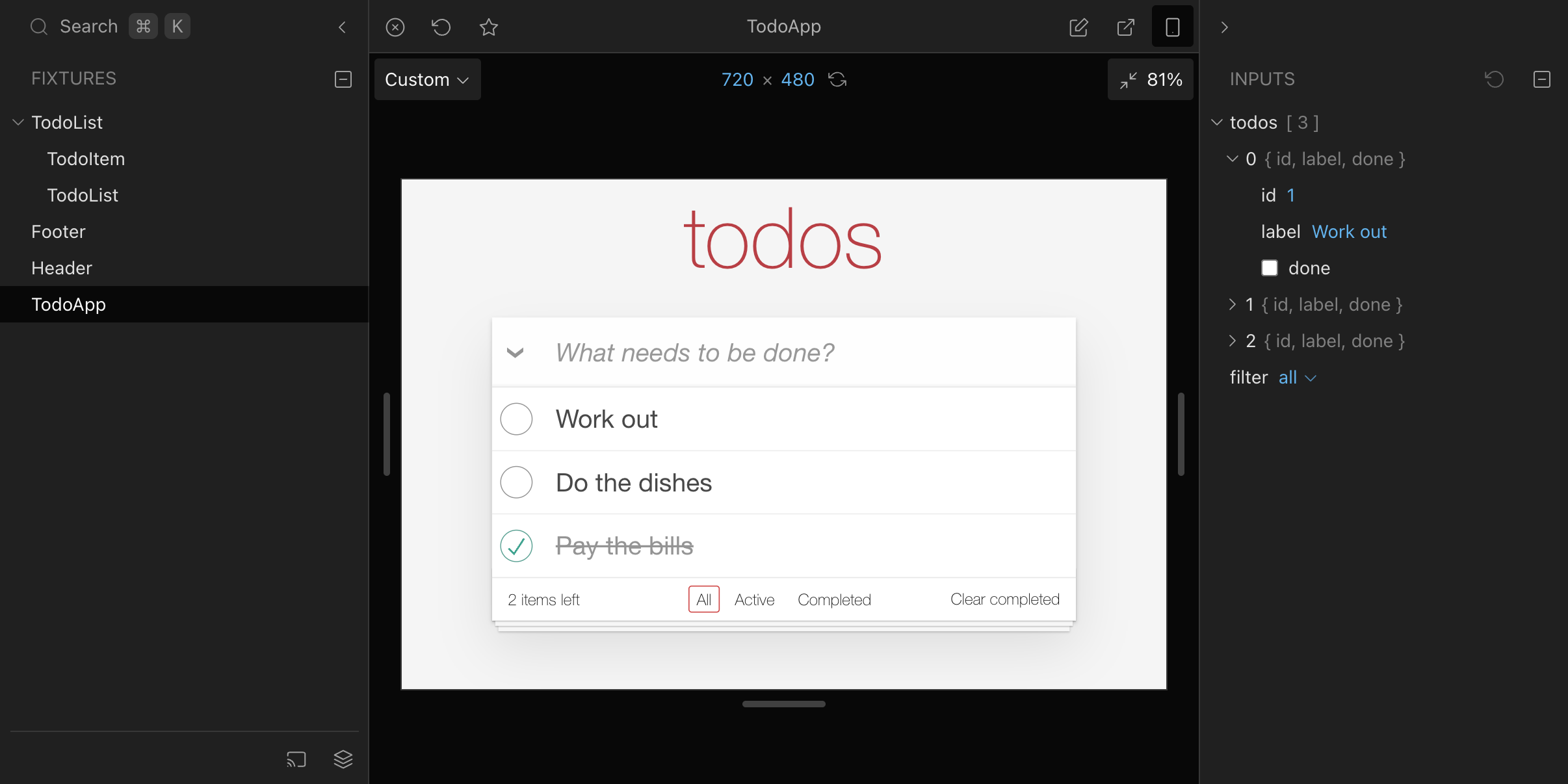
React Cosmos is a sandbox for developing and testing UI components in isolation, built for React developers who want to build, render and verify individual components without launching the full application around them.
What it is
React Cosmos is an open-source developer tool for the React ecosystem, written in TypeScript and released under the MIT licence. It provides a sandbox in which components are rendered on their own, separate from the application shell, routing tables and data-fetching layers that normally surround them. Work happens against components as isolated units rather than against pages, which makes it possible to reach and exercise UI states directly instead of clicking through an application to arrive at them.
The concrete problem it addresses is the cost of iterating on components through a running product. Instead of standing up the whole app, navigating to the right screen and reproducing the right conditions, a developer points the sandbox at a component and works on that component alone. The project ships documentation, a set of Getting Started guides and a documented Next.js integration for React Server Components, so the sandbox is expected to fit into existing React and Next.js setups rather than to replace them.
Key capabilities
- Isolated component sandbox for rendering UI components outside the host application.
- Documented Next.js integration, explicitly covering React Server Components.
- Multiple Getting Started guides on the project site for different setups.
- Full documentation at reactcosmos.org/docs, covering the complete feature set.
- Public live demo at reactcosmos.org/demo/ for evaluating behaviour before installing.
- TypeScript codebase, matching the type expectations of modern React projects.
- Catalogueed under the components, devtools, react, sandbox, testing and ui topics on GitHub.
Who uses it and how
- React developers working on individual components who need a render target that does not require the surrounding app.
- Teams building component libraries and design systems, where each component is the unit of work rather than each page.
- Next.js projects that use React Server Components and need a sandbox path compatible with that model.
- Developers verifying UI states during development, given the project's placement under both the testing and devtools topics.
- Contributors and integrators who follow the Getting Started guides and then work from the full documentation site.
Getting started
The README does not carry an install command of its own; it directs readers to choose one of the Getting Started guides at reactcosmos.org/docs/getting-started, with a separate Next.js integration guide for React Server Components. Full documentation lives at reactcosmos.org/docs, and a hosted live demo is available at reactcosmos.org/demo/.
How it compares
No comparable or competing tools are named in the registry entry for this project, and no list of paid products it replaces is provided. On the facts available, React Cosmos stands alone in this registry.
When to use it — and when not to
Choose it when the work is React component development and the goal is to iterate on components without running the whole application, particularly in a TypeScript or Next.js codebase with React Server Components. The README excerpt is intentionally thin and defers almost everything to the external documentation site, so anyone who needs install steps, configuration details or API reference from the repository alone will have to leave it; the repository's own text covers community channels, the Code of Conduct and contributing, not usage. Support runs through the React Cosmos Discord and GitHub Discussions rather than a paid tier, and projects outside React should look elsewhere.