Ratel
See what your AI agent gets wrong, and what to change. On your own infrastructure.



Introduction
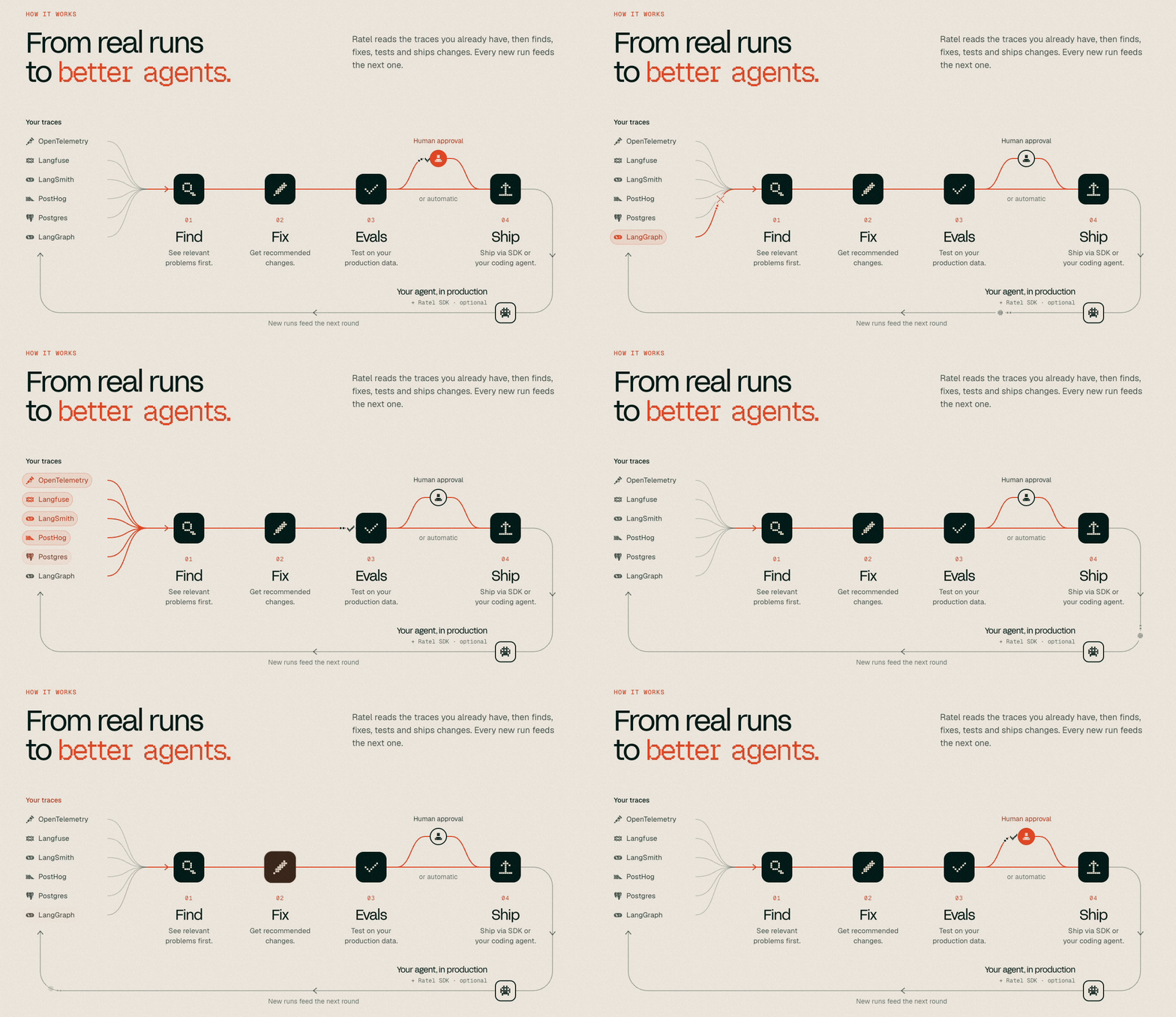
Ratel is a self-hosted platform for AI agents. Your agent sends it traces and its catalog of tools and skills. Ratel reads that traffic and shows you what the agent gets wrong, what people ask it for, and which changes would make it find and finish more.
It is for anyone building or running an agent who wants to see how it behaves and keep that data on their own machines. It runs as one application and one Postgres database, and it needs nothing else:
- Console: the pages you read and act on. See What is in the console.
- Ingest and catalog APIs: OTLP traces and logs, SDK events, catalog pull, skills and intent graph sync, authenticated with per-project API keys.
- Background jobs: a durable queue in Postgres, drained every minute inside the application. There is no separate worker or scheduler to run.
- Readings: what Ratel works out from the traffic, as jobs over a ledger of your agent's turns: Agent health signals, workflows and self-corrections, topics, intent clusters and the intent graph, the tool explorer, and match quality.
Model keys are optional. With no key, Ratel makes no outbound model call. The readings that need a model report themselves skipped, workflows keep their tool-order names, and topics are named from their own asks.
Quick Start
You need Docker with Compose 2.24 or later, network access to pull images and packages, about 5 GB of free disk in the Docker VM (the app and Postgres images take under 1 GB, the optional demo image 1.2 GB more, plus your data) and 4 GB of RAM for Docker (8 GB is comfortable). The first build takes about 5 minutes.
On your machine
git clone https://github.com/ratel-ai/ratel.git
cd ratel
docker compose up -d --build --wait
Open http://localhost:3000. No configuration is needed.
If port 3000 or 5432 is taken, set RATEL_PORT and RATEL_DB_PORT in .env (copy .env.example) and set BASE_URL to the address you open, such as http://localhost:3950. The console's snippets and the demo's links use BASE_URL.
If docker compose up --wait fails, read docker compose logs db web worker. A full Docker disk shows up only in the db log (No space left on device). On a small machine the worker can report unhealthy for the first minutes after a restart, while it catches up on queued jobs; it usually settles by itself.
First steps
- In the console, open Settings > API keys and create a key. It is shown once.
- Send a first trace. The same page shows a TypeScript and a curl snippet with your endpoint; the curl one posts a single span to the traces endpoint and answers
202. SetRATEL_API_KEYto the key. - To let an agent query Ratel, connect it over MCP:
POST /api/mcpwithAuthorization: Bearer. The console's Integrations page has copy-paste setup for Claude Code, Claude Desktop, Cursor and VS Code, for exampleclaude mcp add --transport http ratel /api/mcp --header "Authorization: Bearer $RATEL_API_KEY". Details are in apps/web/lib/mcp/README.md.
Experimental features
Tasks and Ship, testing a fix before it ships, session replay and the improvement-loop MCP tools are off by default. Add RATEL_EXPERIMENTAL_FEATURES=1 to .env and run docker compose up -d --build --wait to turn them on; remove the line (or set 0) and run it again to turn them off. With them on, Tasks becomes a page of its own in the rail and replaces the Tasks tab under Agent health, and the MCP server lists 9 more tools (40 without).
Explore with demo data (optional)
docker compose --profile demo run --rm demo
A fresh install seeds this sample project, Site Copilot, by itself the first time the console opens with no project: 30 days of agent activity, marked as sample data, seeded once per organization (deleting it does not bring it back). Some pages fill in over the next couple of minutes. This command replaces it with a fresh copy, or restores it after a delete.
On a server
The console has no login. Anyone who reaches it is an admin. Ratel binds to
127.0.0.1only: keep it behind your own proxy with authentication and TLS.
git clone https://github.com/ratel-ai/ratel.git
cd ratel
cp .env.example .env
Set these in .env before the first start. Generate each secret with openssl rand -hex 32:
RATEL_ORG_NAME=Acme
BASE_URL=https://ratel.example.com
POSTGRES_PASSWORD=<generated>
TRACE_SIGNALS_HASH_SALT=<generated>
Then start it with docker compose up -d --build --wait. Point your proxy at 127.0.0.1:3000, and configure it so that:
/v1,/v2,/api/v1,/api/v2and/api/mcppass through without your login, because the SDKs and MCP clients authenticate with API keys (bearer project keys)./api/healthcan pass too, for your monitor.- Everything else requires your login. That includes
/api/cron/drain, which only matters if you setRATEL_CRON=external; it takesCRON_SECRETas a bearer, so give your scheduler that route and nothing else. - It preserves
Hostor setsX-Forwarded-Host, otherwise console actions fail.
Model keys are optional, and every field is explained in .env.example.
TLS. Terminate it at the proxy and keep BASE_URL on the https:// address, since the console's snippets are built from it.
Backups. All state is in the Postgres volume (ratel_pgdata). Dump it with docker compose exec -T db pg_dump -U ratel ratel > ratel.sql, and restore into an empty database with docker compose exec -T db psql -U ratel ratel < ratel.sql. Keep .env too: a lost TRACE_SIGNALS_HASH_SALT splits old hashes from new.
Upgrades. Check out a tag or a commit rather than following a moving branch, then run docker compose up -d --build --wait. Migrations run on boot and only add to the schema, so a rollback means restoring the dump you took before the upgrade and checking out the earlier version.
Everyday commands
docker compose up -d --build --wait    # start, or update after a git pull; migrations run on boot
docker compose down                    # stop, keeping your data
docker compose logs -f web worker      # follow the logs
docker compose down --volumes          # stop and DELETE ALL DATA
Two containers run the app from the same image: web serves the console and the API and only queues background work, and worker runs it (analysis, sweeps, model calls), so a slow job never holds up a request. To run everything in one container instead, start the image without APP_ROLE.
POSTGRES_PASSWORD is read only when the database is first created. Changing it later means deleting the data with the last command.
What is in the console
An organization holds projects, and each project is one agent's view:
| Page | What it shows |
|---|---|
| Overview | The project at a glance: activity over the last 7 or 30 days, and what needs attention. |
| Agent health | What your agent gets wrong. Summary lists the issues, Tasks follows what people tried to do down to each session, and Self-corrections lists the times the agent retried, switched tools, gave up or apologized. The Summary also prints as a report. |
| Traces | Every run step by step, with spans, operations and logs, and two traces side by side. |
| Catalog | Every tool and skill your agent can use, and how each one is found. Test a search ranks a prompt against the live catalog, with what-if edits. |
| Intents | What people ask for. All intents lists the topics, Flows shows what people want next, ask after ask, and Map lays the intents out. |
| Improvements | Fixes is the one list of changes that would make your agent find and finish more. Quality measures how well searches find the right tool, with misses, description rewrites and experiments. Adaptive ranking puts the tool your agent needs first, using what people asked before. |
| Settings | Projects general settings, API keys, SDK events under Developer, and a danger zone. |
Repo layout
apps/
└── web/                       # @ratel/platform: the console and APIs
packages/
├── brand/                     # @ratel/brand: palette, fonts and logo assets
├── design-system/             # @ratel/design-system: semantic tokens and UI primitives
└── sdk/                       # Ratel SDK documentation; the SDK code will move here later
src/                           # Ratel SDK: core (Rust), sdk, adapters, rankers, telemetry
scripts/                       # Repository checks and release tooling
docs/
├── adr/                       # Architecture decision records
└── assets/                    # Images and other static assets
ee/                            # Manifest for the Enterprise modules
The application's own layout and commands are in apps/web/README.md, and the layers of its core in apps/web/lib/README.md.
Development
Ratel Platform
Prerequisites: Node 24+ and pnpm 10.28+, with Docker for the platform's Postgres.
Ratel SDK
Prerequisites: The Rust workspace and the SDKs' native addons need Rust stable (pinned via rust-toolchain.toml). The Python SDK also needs Python 3.11 and uv.
Contributing
- CONTRIBUTING.md
- AGENTS.md: for coding agents working in this repo
- SECURITY.md: how to report a vulnerability, and which versions get fixes
License
The ratel-ai-core engine is licensed under Apache-2.0, an explicit patent grant for the engine others embed. Everything else (the platform application, SDKs, telemetry helpers, examples) is MIT. See ADR-0009 for the rationale.