🏠 Overview
💬 RasaGPT is the first headless LLM chatbot platform built on top of Rasa and Langchain. It is boilerplate and a reference implementation of Rasa and Telegram utilizing an LLM library like Langchain for indexing, retrieval and context injection.
- 📚 Resources: https://rasagpt.dev
- 🧑💻 Github: https://github.com/paulpierre/RasaGPT
- 🧙 Author: @paulpierre
💬 What is Rasa?
In their own words:
💬 Rasa is an open source (Python) machine learning framework to automate text- and voice-based conversations: NLU, dialogue management, connect to Slack, Facebook, and more - Create chatbots and voice assistants
In my words:
Rasa is a very popular (dare I say de facto?) and easy-enough to use chatbot framework with built in NLU ML pipelines that are obsolete and a conceptual starting point for a reimagined chatbot framework in a world of LLMs.
💁♀️ Why RasaGPT?
RasaGPT works out of the box. A lot of the implementing headaches were sorted out so you don’t have to, including:
- Creating your own proprietary bot end-point using FastAPI, document upload and “training” 'pipeline included
- How to integrate Langchain/LlamaIndex and Rasa
- Library conflicts with LLM libraries and passing metadata
- Dockerized support on MacOS for running Rasa
- Reverse proxy with chatbots via ngrok
- Implementing pgvector with your own custom schema instead of using Langchain’s highly opinionated PGVector class
- Adding multi-tenancy (Rasa doesn't natively support this), sessions and metadata between Rasa and your own backend / application
The backstory is familiar. A friend came to me with a problem. I scoured Google and Github for a decent reference implementation of LLM’s integrated with Rasa but came up empty-handed. I figured this to be a great opportunity to satiate my curiosity and 2 days later I had a proof of concept, and a week later this is what I came up with.
⚠️ Caveat emptor: This is far from production code and rife with prompt injection and general security vulnerabilities. I just hope someone finds this useful 😊
✨ Quick start
Getting started is easy, just make sure you meet the dependencies below.
⚠️⚠️⚠️ ** ATTENTION NON-MACOS USERS: ** If you are using Linux or Windows, you will need to change the image name from
khalosa/rasa-aarch64:3.5.2torasa/rasa:latestin docker-compose.yml on line #64 and in the actions Dockerfile on line #1 here
# Get the code
git clone https://github.com/paulpierre/RasaGPT.git
cd RasaGPT

## Setup the .env file
cp .env-example .env

# Edit your .env file and add all the necessary credentials
make install

# Type "make" to see more options
make
🔥 Features
Full Application and API
- LLM “learns” on an arbitrary corpus of data using Langchain
- Upload documents and “train” all via FastAPI
- Document versioning and automatic “re-training” implemented on upload
- Customize your own async end-points and database models via FastAPI and SQLModel
- Bot determines whether human handoff is necessary
- Bot generates tags based on user questions and response automatically
- Full API documentation via Swagger and Redoc included
- PGAdmin included so you can browser your database
- Ngrok end-points are automatically generated for you on startup so your bot can always be accessed via
https://t.me/yourbotname - Embedding similarity search built into Postgres via pgvector and Postgres functions
- Dummy data included for you to test and experiment
- Unlimited use cases from help desk, customer support, quiz, e-learning, dungeon and dragons, and more
Rasa integration
- Built on top of Rasa, the open source gold-standard for chat platforms
- Supports MacOS M1/M2 via Docker (canonical Rasa image lacks MacOS arch. support)
- Supports Telegram, easily integrate Slack, Whatsapp, Line, SMS, etc.
- Setup complex dialog pipelines using NLU models form Huggingface like BERT or libraries/frameworks like Keras, Tensorflow with OpenAI GPT as fallback
Flexibility
- Extend agentic, memory, etc. capabilities with Langchain
- Schema supports multi-tenancy, sessions, data storage
- Customize agent personalities
- Saves all of chat history and creating embeddings from all interactions future-proofing your retrieval strategy
- Automatically generate embeddings from knowledge base corpus and client feedback
🧑💻 Installing
Requirements
- Python 3.9
- Docker & Docker compose (Docker desktop MacOS)
- Open AI API key
- Telegram bot credentials
- Ngrok auth token
- Make (MacOS/Windows)
- SQLModel
Setup
git clone https://github.com/paulpierre/RasaGPT.git
cd RasaGPT
cp .env-example .env

# Edit your .env file and all the credentials
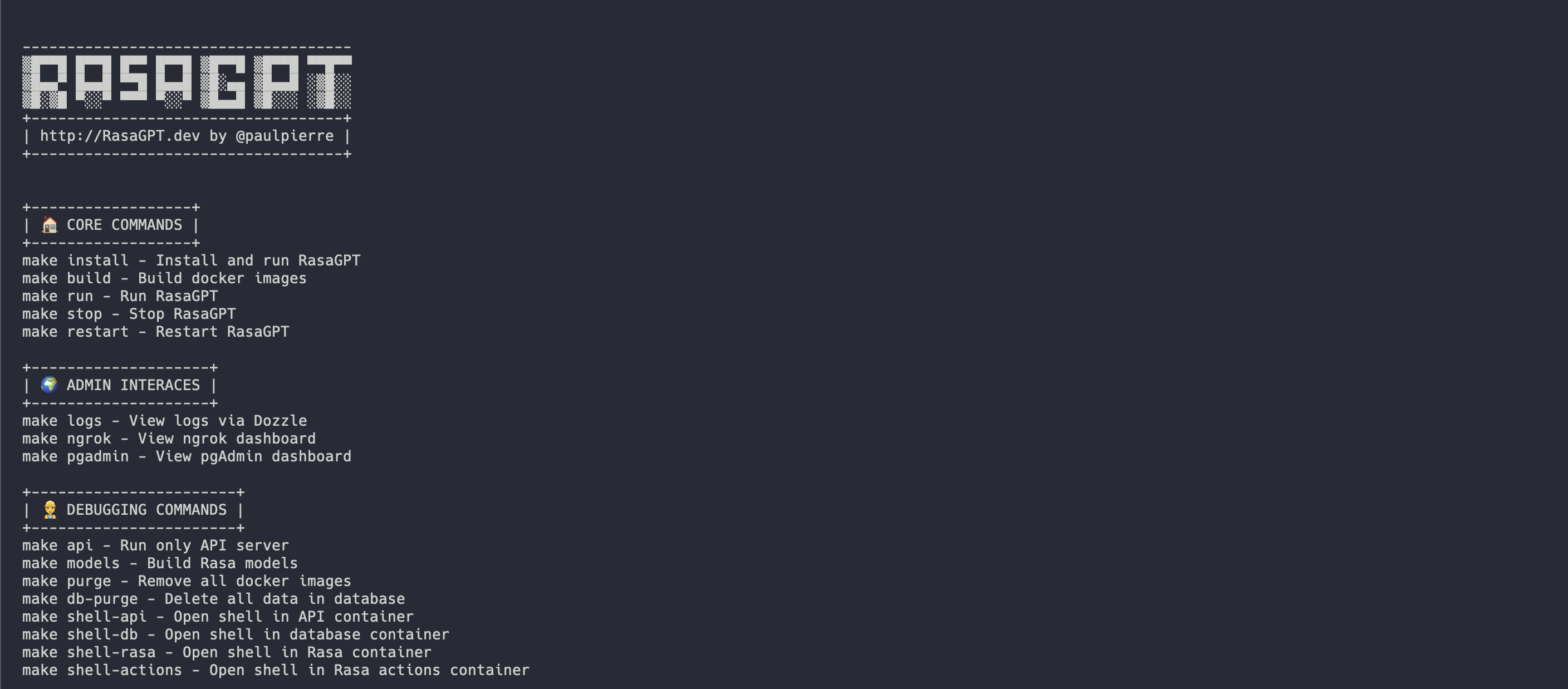
At any point feel free to just type in make and it will display the list of options, mostly useful for debugging:
Docker-compose
The easiest way to get started is using the Makefile in the root directory. It will install and run all the services for RasaGPT in the correct order.
make install

# This will automatically install and run RasaGPT
# After installation, to run again you can simply run

make run
Local Python Environment
This is useful if you wish to focus on developing on top of the API, a separate Makefile was made for this. This will create a local virtual environment for you.
# Assuming you are already in the RasaGPT directory
cd app/api
make install

# This will automatically install and run RasaGPT
# After installation, to run again you can simply run

make run
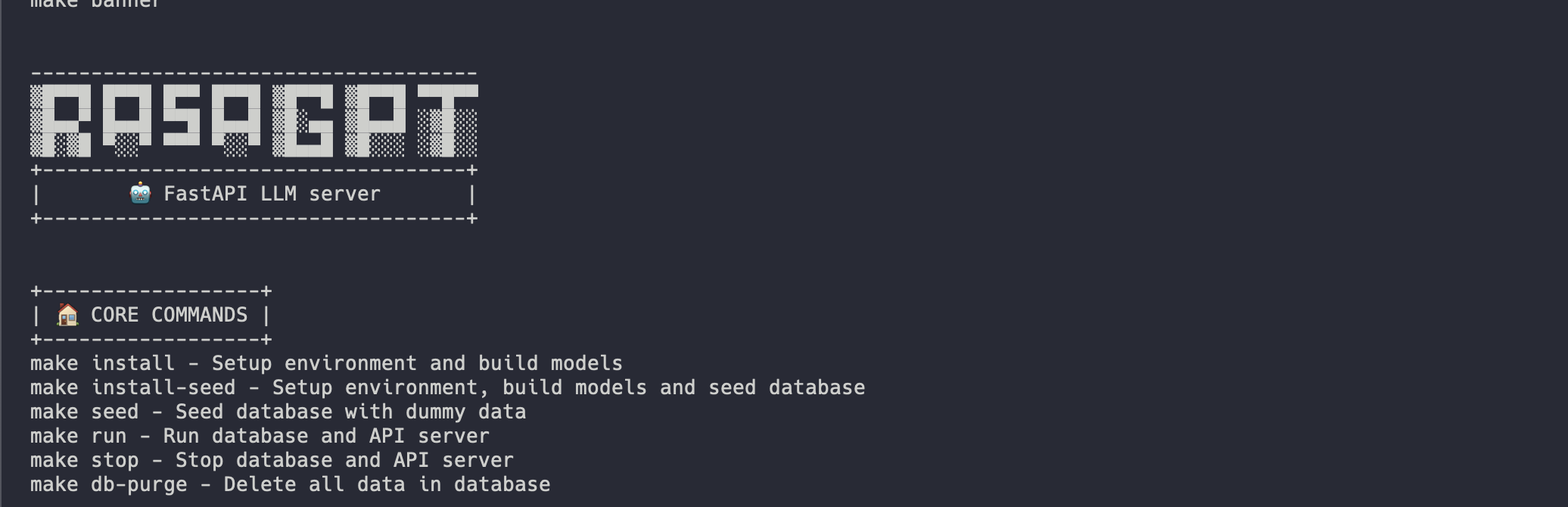
Similarly, enter make to see a full list of commands
Installation process
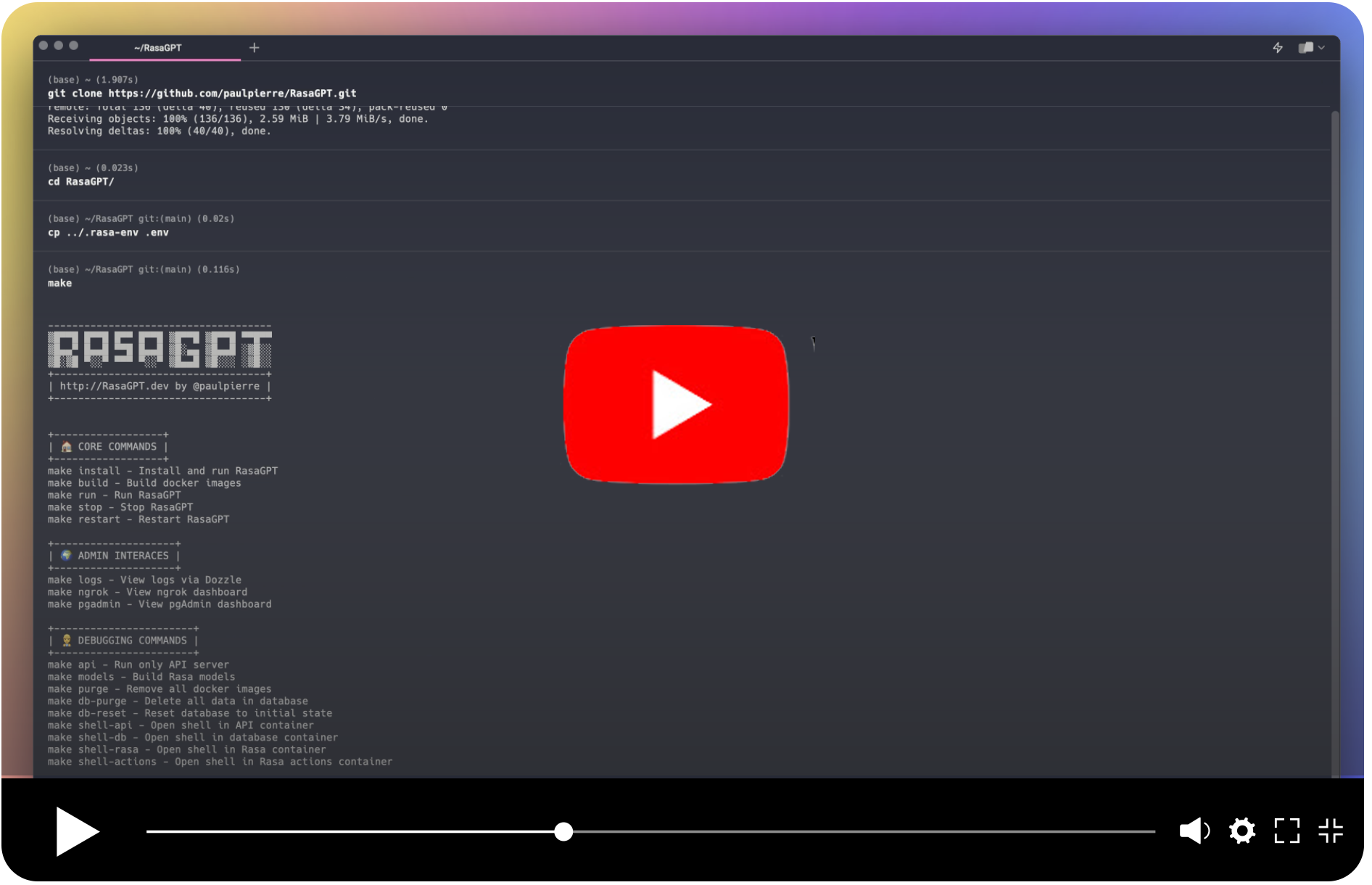
Installation should be automated should look like this:
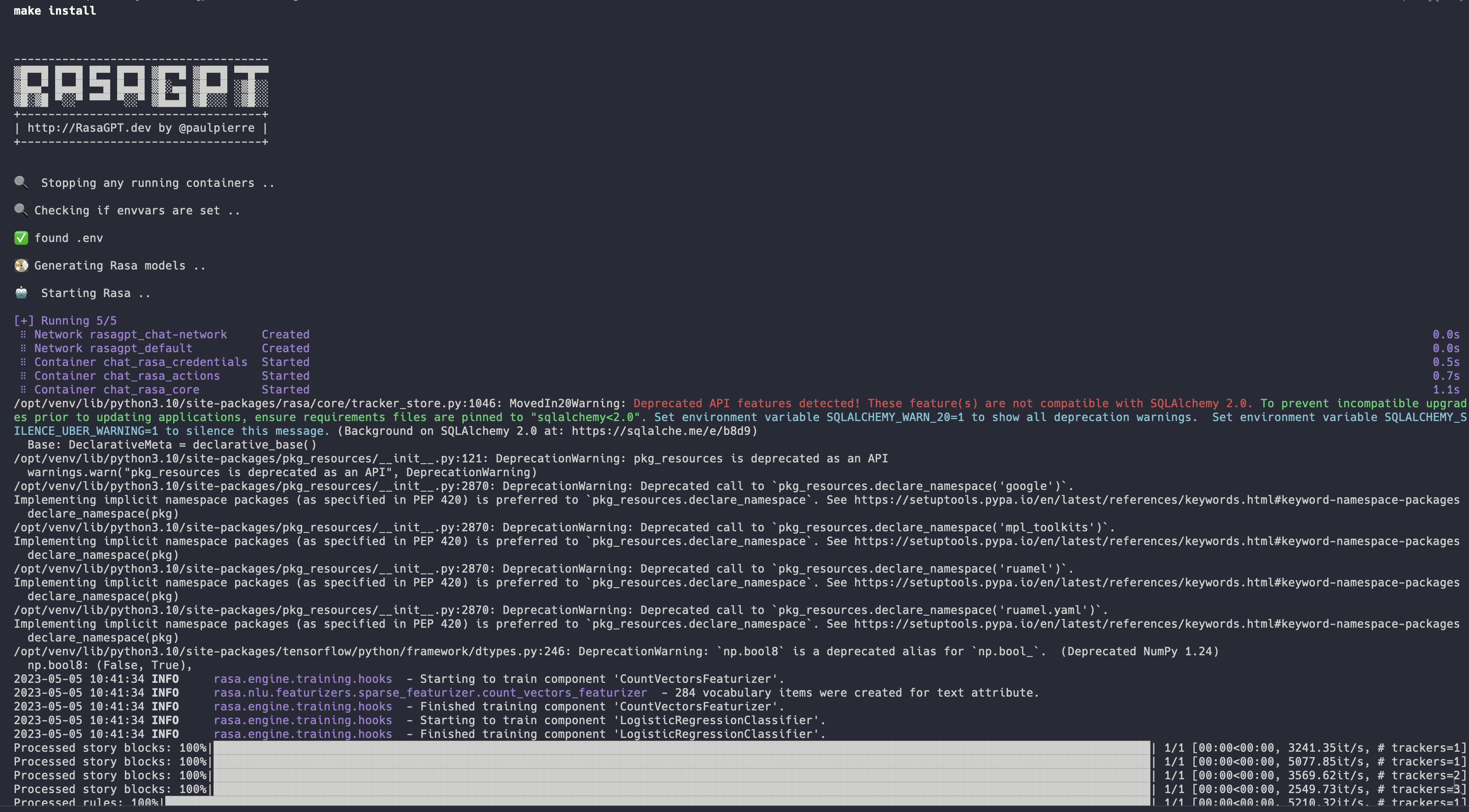
👉 Full installation log: https://app.warp.dev/block/vflua6Eue29EPk8EVvW8Kd
The installation process for Docker takes the following steps at a high level
- Check to make sure you have
.envavailable - Database is initialized with
pgvector - Database models create the database schema
- Trains the Rasa model so it is ready to run
- Sets up ngrok with Rasa so Telegram has a webhook back to your API server
- Sets up the Rasa actions server so Rasa can talk to the RasaGPT API
- Database is populated with dummy data via
seed.py
☑️ Next steps
💬 Start chatting
You can start chatting with your bot by visiting 👉 https://t.me/yourbotsname

👀 View logs
You can view all of the log by visiting 👉 https://localhost:9999/ which will displaying real-time logs of all the docker containers

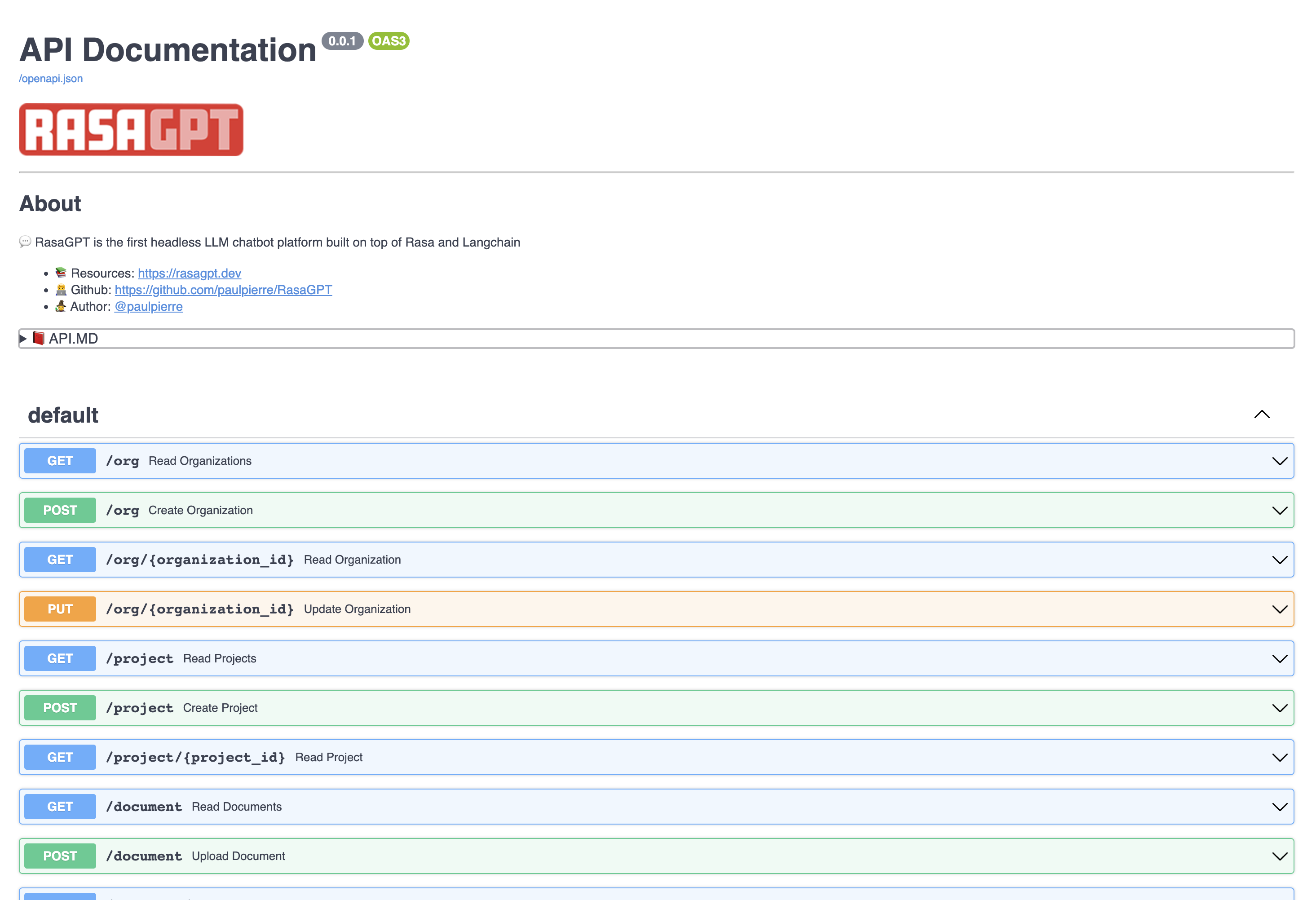
📖 API documentation
View the API endpoint docs by visiting 👉 https://localhost:8888/docs
In this page you can create and update entities, as well as upload documents to the knowledge base.
✏️ Examples
The bot is just a proof-of-concept and has not been optimized for retrieval. It currently uses 1000 character length chunking for indexing and basic euclidean distance for retrieval and quality is hit or miss.
You can view example hits and misses with the bot in the RESULTS.MD file. Overall I estimate index optimization and LLM configuration changes can increase output quality by more than 70%.
👉 Click to see the Q&A results of the demo data in RESULTS.MD
💻 API Architecture and Usage
The REST API is straight forward, please visit the documentation 👉 http://localhost:8888/docs
The entities below have basic CRUD operations and return JSON
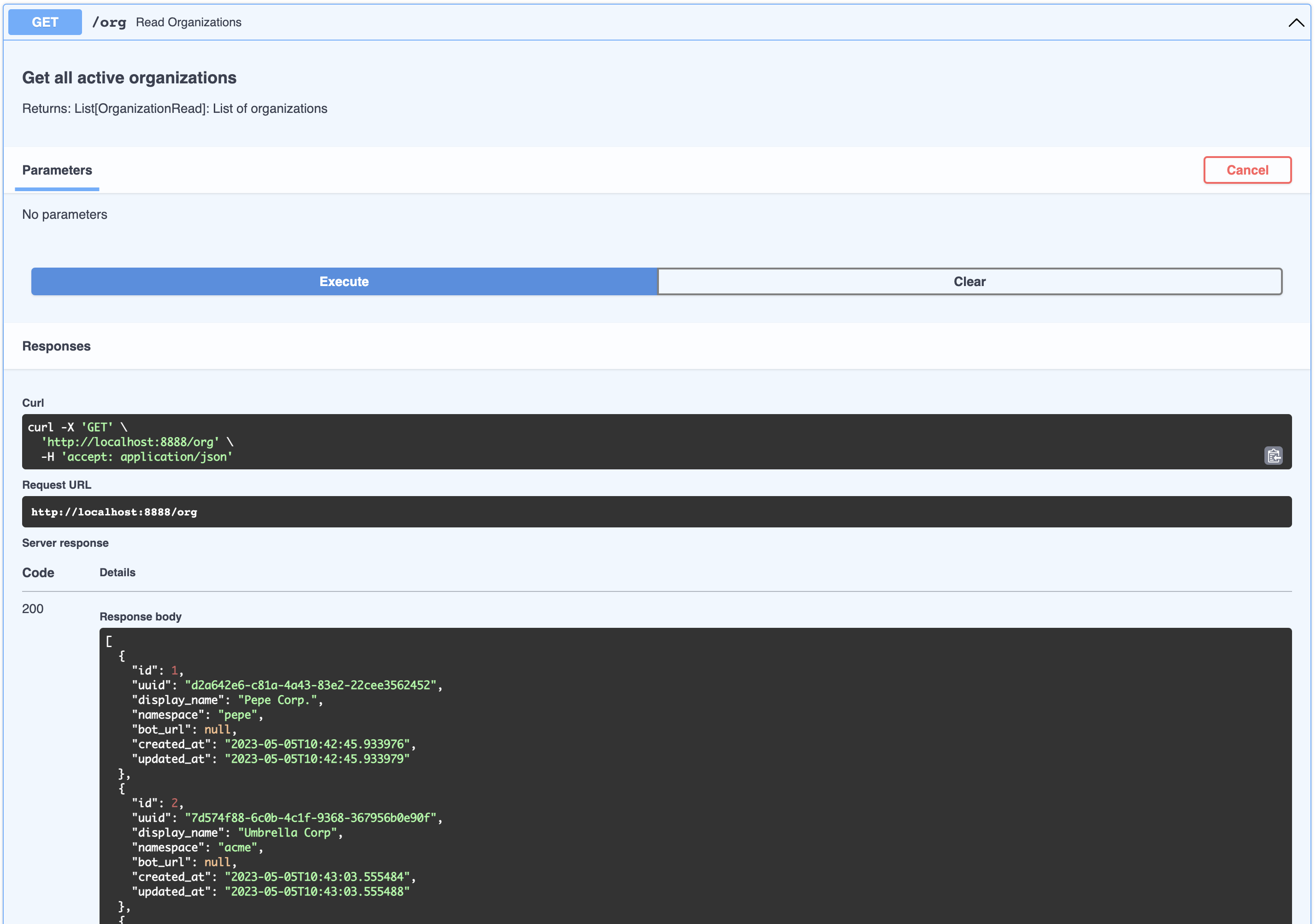
Organization
This can be thought of as a company that is your client in a SaaS / multi-tenant world. By default a list of dummy organizations have been provided
[
  {
    "id": 1,
    "uuid": "d2a642e6-c81a-4a43-83e2-22cee3562452",
    "display_name": "Pepe Corp.",
    "namespace": "pepe",
    "bot_url": null,
    "created_at": "2023-05-05T10:42:45.933976",
    "updated_at": "2023-05-05T10:42:45.933979"
  },
  {
    "id": 2,
    "uuid": "7d574f88-6c0b-4c1f-9368-367956b0e90f",
    "display_name": "Umbrella Corp",
    "namespace": "acme",
    "bot_url": null,
    "created_at": "2023-05-05T10:43:03.555484",
    "updated_at": "2023-05-05T10:43:03.555488"
  },
  {
    "id": 3,
    "uuid": "65105a15-2ef0-4898-ac7a-8eafee0b283d",
    "display_name": "Cyberdine Systems",
    "namespace": "cyberdine",
    "bot_url": null,
    "created_at": "2023-05-05T10:43:04.175424",
    "updated_at": "2023-05-05T10:43:04.175428"
  },
  {
    "id": 4,
    "uuid": "b7fb966d-7845-4581-a537-818da62645b5",
    "display_name": "Bluth Companies",
    "namespace": "bluth",
    "bot_url": null,
    "created_at": "2023-05-05T10:43:04.697801",
    "updated_at": "2023-05-05T10:43:04.697804"
  },
  {
    "id": 5,
    "uuid": "9283d017-b24b-4ecd-bf35-808b45e258cf",
    "display_name": "Evil Corp",
    "namespace": "evil",
    "bot_url": null,
    "created_at": "2023-05-05T10:43:05.102546",
    "updated_at": "2023-05-05T10:43:05.102549"
  }
]
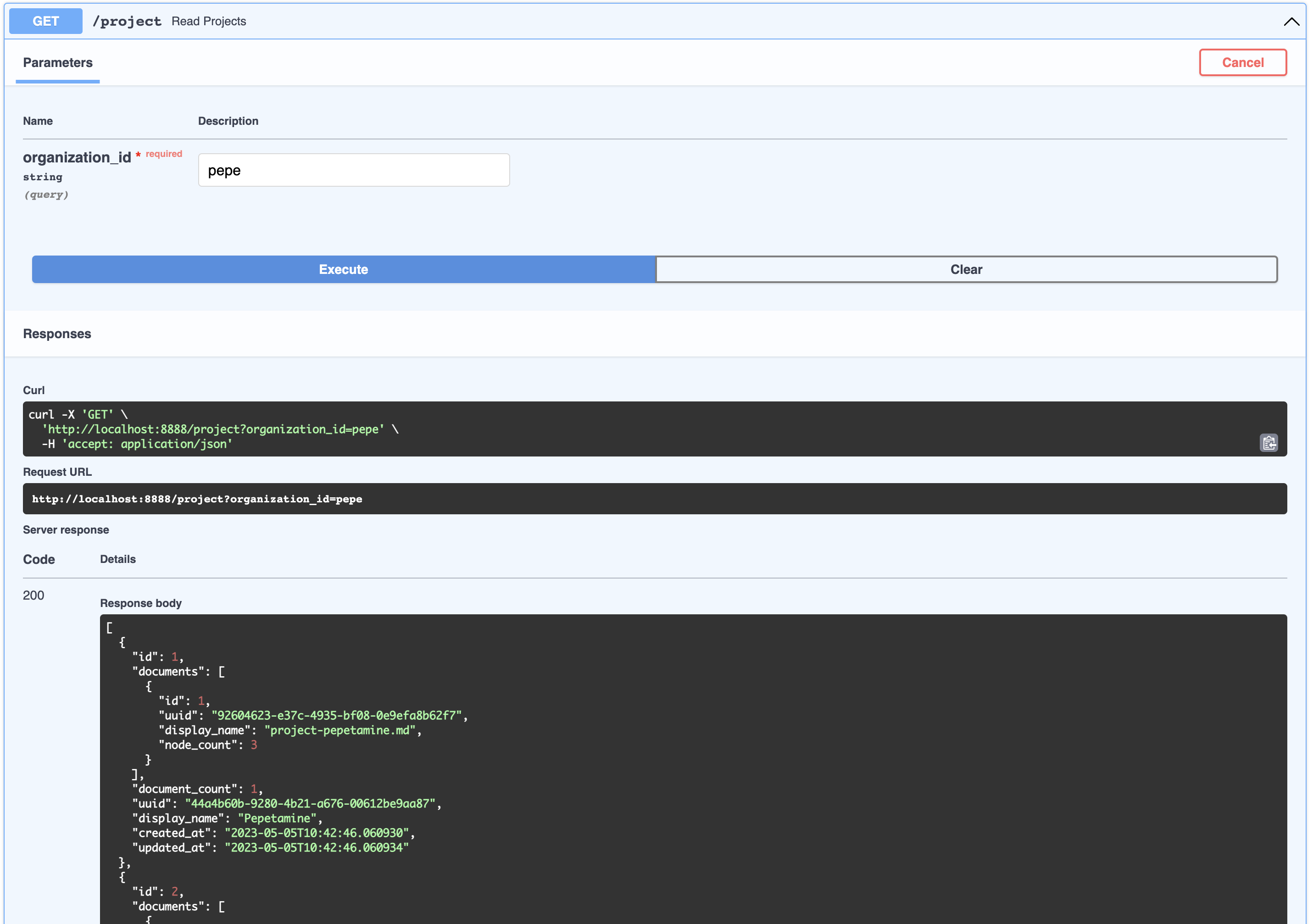
Project
This can be thought of as a product that belongs to a company. You can view the list of projects that belong to an organizations like so:
[
  {
    "id": 1,
    "documents": [
      {
        "id": 1,
        "uuid": "92604623-e37c-4935-bf08-0e9efa8b62f7",
        "display_name": "project-pepetamine.md",
        "node_count": 3
      }
    ],
    "document_count": 1,
    "uuid": "44a4b60b-9280-4b21-a676-00612be9aa87",
    "display_name": "Pepetamine",
    "created_at": "2023-05-05T10:42:46.060930",
    "updated_at": "2023-05-05T10:42:46.060934"
  },
  {
    "id": 2,
    "documents": [
      {
        "id": 2,
        "uuid": "b408595a-3426-4011-9b9b-8e260b244f74",
        "display_name": "project-frogonil.md",
        "node_count": 3
      }
    ],
    "document_count": 1,
    "uuid": "5ba6b812-de37-451d-83a3-8ccccadabd69",
    "display_name": "Frogonil",
    "created_at": "2023-05-05T10:42:48.043936",
    "updated_at": "2023-05-05T10:42:48.043940"
  },
  {
    "id": 3,
    "documents": [
      {
        "id": 3,
        "uuid": "b99d373a-3317-4699-a89e-90897ba00db6",
        "display_name": "project-kekzal.md",
        "node_count": 3
      }
    ],
    "document_count": 1,
    "uuid": "1be4360c-f06e-4494-bf20-e7c73a56f003",
    "display_name": "Kekzal",
    "created_at": "2023-05-05T10:42:49.092675",
    "updated_at": "2023-05-05T10:42:49.092678"
  },
  {
    "id": 4,
    "documents": [
      {
        "id": 4,
        "uuid": "94da307b-5993-4ddd-a852-3d8c12f95f3f",
        "display_name": "project-memetrex.md",
        "node_count": 3
      }
    ],
    "document_count": 1,
    "uuid": "1fd7e772-365c-451b-a7eb-4d529b0927f0",
    "display_name": "Memetrex",
    "created_at": "2023-05-05T10:42:50.184817",
    "updated_at": "2023-05-05T10:42:50.184821"
  },
  {
    "id": 5,
    "documents": [
      {
        "id": 5,
        "uuid": "6deff180-3e3e-4b09-ae5a-6502d031914a",
        "display_name": "project-pepetrak.md",
        "node_count": 4
      }
    ],
    "document_count": 1,
    "uuid": "a389eb58-b504-48b4-9bc3-d3c93d2fbeaa",
    "display_name": "PepeTrak",
    "created_at": "2023-05-05T10:42:51.293352",
    "updated_at": "2023-05-05T10:42:51.293355"
  },
  {
    "id": 6,
    "documents": [
      {
        "id": 6,
        "uuid": "2e3c2155-cafa-4c6b-b7cc-02bb5156715b",
        "display_name": "project-memegen.md",
        "node_count": 5
      }
    ],
    "document_count": 1,
    "uuid": "cec4154f-5d73-41a5-a764-eaf62fc3db2c",
    "display_name": "MemeGen",
    "created_at": "2023-05-05T10:42:52.562037",
    "updated_at": "2023-05-05T10:42:52.562040"
  },
  {
    "id": 7,
    "documents": [
      {
        "id": 7,
        "uuid": "baabcb6f-e14c-4d59-a019-ce29973b9f5c",
        "display_name": "project-neurokek.md",
        "node_count": 5
      }
    ],
    "document_count": 1,
    "uuid": "4a1a0542-e314-4ae7-9961-720c2d092f04",
    "display_name": "Neuro-kek",
    "created_at": "2023-05-05T10:42:53.689537",
    "updated_at": "2023-05-05T10:42:53.689539"
  },
  {
    "id": 8,
    "documents": [
      {
        "id": 8,
        "uuid": "5be007ec-5c89-4bc4-8bfd-448a3659c03c",
        "display_name": "org-about_the_company.md",
        "node_count": 5
      },
      {
        "id": 9,
        "uuid": "c2b3fb39-18c0-4f3e-9c21-749b86942cba",
        "display_name": "org-board_of_directors.md",
        "node_count": 3
      },
      {
        "id": 10,
        "uuid": "41aa81a9-13a9-4527-a439-c2ac0215593f",
        "display_name": "org-company_story.md",
        "node_count": 4
      },
      {
        "id": 11,
        "uuid": "91c59eb8-8c05-4f1f-b09d-fcd9b44b5a20",
        "display_name": "org-corporate_philosophy.md",
        "node_count": 4
      },
      {
        "id": 12,
        "uuid": "631fc3a9-7f5f-4415-8283-78ff582be483",
        "display_name": "org-customer_support.md",
        "node_count": 3
      },
      {
        "id": 13,
        "uuid": "d4c3d3db-6f24-433e-b2aa-52a70a0af976",
        "display_name": "org-earnings_fy2023.md",
        "node_count": 5
      },
      {
        "id": 14,
        "uuid": "08dd478b-414b-46c4-95c0-4d96e2089e90",
        "display_name": "org-management_team.md",
        "node_count": 3
      }
    ],
    "document_count": 7,
    "uuid": "1d2849b4-2715-4dcf-aa68-090a221942ba",
    "display_name": "Pepe Corp. (company)",
    "created_at": "2023-05-05T10:42:55.258902",
    "updated_at": "2023-05-05T10:42:55.258904"
  }
]
Document
This can be thought of as an artifact related to a product, like an FAQ page or a PDF with financial statement earnings. You can view all the Documents associated with an Organization’s Project like so:

{
  "id": 1,
  "uuid": "44a4b60b-9280-4b21-a676-00612be9aa87",
  "organization": {
    "id": 1,
    "uuid": "d2a642e6-c81a-4a43-83e2-22cee3562452",
    "display_name": "Pepe Corp.",
    "bot_url": null,
    "status": 2,
    "created_at": "2023-05-05T10:42:45.933976",
    "updated_at": "2023-05-05T10:42:45.933979",
    "namespace": "pepe"
  },
  "document_count": 1,
  "documents": [
    {
      "id": 1,
      "uuid": "92604623-e37c-4935-bf08-0e9efa8b62f7",
      "organization_id": 1,
      "project_id": 1,
      "display_name": "project-pepetamine.md",
      "url": "",
      "data": "# Pepetamine\n\nProduct Name: Pepetamine\n\nPurpose: Increases cognitive focus just like the Limitless movie\n\n**How to Use**\n\nPepetamine is available in the form of rare Pepe-coated tablets. The recommended dosage is one tablet per day, taken orally with a glass of water, preferably while browsing your favorite meme forum for maximum cognitive enhancement. For optimal results, take Pepetamine 30 minutes before engaging in mentally demanding tasks, such as decoding ancient Pepe hieroglyphics or creating your next viral meme masterpiece.\n\n**Side Effects**\n\nSome potential side effects of Pepetamine may include:\n\n1. Uncontrollable laughter and a sudden appreciation for dank memes\n2. An inexplicable desire to collect rare Pepes\n3. Enhanced meme creation skills, potentially leading to internet fame\n4. Temporary green skin pigmentation, resembling the legendary Pepe himself\n5. Spontaneously speaking in \"feels good man\" language\n\nWhile most side effects are generally harmless, consult your memologist if side effects persist or become bothersome.\n\n**Precautions**\n\nBefore taking Pepetamine, please consider the following precautions:\n\n1. Do not use Pepetamine if you have a known allergy to rare Pepes or dank memes.\n2. Pepetamine may not be suitable for individuals with a history of humor deficiency or meme intolerance.\n3. Exercise caution when driving or operating heavy machinery, as Pepetamine may cause sudden fits of laughter or intense meme ideation.\n\n**Interactions**\n\nPepetamine may interact with other substances, including:\n\n1. Normie supplements: Combining Pepetamine with normie supplements may result in meme conflicts and a decreased sense of humor.\n2. Caffeine: The combination of Pepetamine and caffeine may cause an overload of energy, resulting in hyperactive meme creation and potential internet overload.\n\nConsult your memologist if you are taking any other medications or substances to ensure compatibility with Pepetamine.\n\n**Overdose**\n\nIn case of an overdose, symptoms may include:\n\n1. Uncontrollable meme creation\n2. Delusions of grandeur as the ultimate meme lord\n3. Time warps into the world of Pepe\n\nIf you suspect an overdose, contact your local meme emergency service or visit the nearest meme treatment facility. Remember, the key to enjoying Pepetamine is to use it responsibly, and always keep in mind the wise words of our legendary Pepe: \"Feels good man.\"",
      "hash": "fdee6da2b5441080dd78e7850d3d2e1403bae71b9e0526b9dcae4c0782d95a78",
      "version": 1,
      "status": 2,
      "created_at": "2023-05-05T10:42:46.755428",
      "updated_at": "2023-05-05T10:42:46.755431"
    }
  ],
  "display_name": "Pepetamine",
  "created_at": "2023-05-05T10:42:46.060930",
  "updated_at": "2023-05-05T10:42:46.060934"
}
Node
Although this is not exposed in the API, a node is a chunk of a document which embeddings get generated for. Nodes are used for retrieval search as well as context injection. A node belongs to a document.
User
A user represents the person talking to a bot. Users do not necessarily belong to an org or product, but this relationship is captured in ChatSession below.
ChatSession
Not exposed via API, but this represent a question and answer between the User and a bot. Each of these objects can be flexibly identified by a session_id which gets automatically generated. Chat Sessions contain rich metadata that can be used for training and optimization. ChatSessions via the /chat endpoint ARE in fact associated with organization (for multi-tenant security purposes)
📚 How it works
Rasa
- Rasa handles integration with the communication channel, in this case Telegram.
- It specifically handles submitting the target webhook user feedback should go through. In our case it is our FastAPI server via
/webhooks/{channel}/webhook
- It specifically handles submitting the target webhook user feedback should go through. In our case it is our FastAPI server via
- Rasa has two components, the core Rasa app and an Rasa actions server that runs separately
- Rasa must be configured (done already) via a few yaml files:
- config.yml - contains NLU pipeline and policy configuration. What matters is setting the
FallbackClassifierthreshold - credentials.yml - contains the path to our webhook and Telegram credentials. This will get updated by the helper service
rasa-credentialsvia app/rasa-credentials/main.py - domain.yml - This contains the chat entrypoint logic configuration like intent and the action to take against the intent. Here we add the
action_gpt_fallbackaction which will trigger our actions server - endpoints.yml - This is where we set our custom action end-point for Rasa to trigger our fallback
- nlu.yml - this is where we set our intent
out_of_scope - rules.yml - we set a rule for this intent that it should trigger the action
action_gpt_fallback - actions.py - this is where we define and express our action via the
ActionGPTFallbackclass. The methodnamereturns the action we defined for our intent above
- config.yml - contains NLU pipeline and policy configuration. What matters is setting the
- Rasa's NLU models must be trained which can be done via CLI with
rasa train. This is done automatically for you when you runmake install - Rasa's core must be ran via
rasa runafter training - Rasa's action server must be ran separately with
rasa run actions
Telegram
- Rasa automatically updates the Telegram Bot API with your callback webhook from credentials.yml.
- By default this is static. Since we are running on our local machine, we leverage Ngrok to generate a publically accessible URL and reverse tunnel into our docker container
rasa-credentialsservice takes care of this process for you. Ngrok runs as a service, once it is readyrasa-credentialscalls the local ngrok API to retrieve the tunnel URL and updates thecredentials.ymlfile and restarts Rasa for you- The webhook Telegram will send messages to will be our FastAPI server. Why this instead of Rasa? Because we want flexibility to capture metadata which Rasa makes a PITA and centralizing to the API server is ideal
- The FastAPI server forwards this to the Rasa webhook
- Rasa will then determine what action to take based on the user intent. Since the intents have been nerfed for this demo, it will go to the fallback action running in
actions.py - The custom action will capture the metadata and forward the response from FastAPI to the user
PGVector
pgvector is a plugin for Postgres and automatically installed enabling your to store and calculate vector data types. We have our own implementation because the Langchain PGVector class is not flexible to adapt to our schema and we want flexibility.
- By default in postgres, any files in the container's path
/docker-entry-initdb.dget run if the database has not been initialized. In the postgres Dockerfile we copycreate_db.shwhich creates the db and user for our database - In the
modelscommand in the Makefile, we run the models.py in the API container which creates the tables from the models. - The
enable_vectormethod enables the pgvector extension in the database
Langchain
- The training data gets loaded in the database
- The data is indexed if the index doesn't exist and stored in a file named
index.json - LlamaIndex uses a basic
GPTSimpleVectorIndexto find the relevant data and injects it into a prompt. - Guard rails via prompts are used to keep the conversation focused
Bot flow
- The user will chat in Telegram and the message will be filtered for existing intents
- If it detects there is no intent match but instead matches the
out_of_scope, based on rules.yml it will trigger theaction_gpt_fallbackaction - The
ActionGPTFallbackfunction will then call the FastAPI API server - the API using LlamaIndex will find the relevant indexed content and inject it into a prompt to send to OpenAI for inference
- The prompt contains conversational guardrails including:
- Requests data be returned in JSON
- Create categorical tags based on what the user's question
- Return a boolean if the conversation should be escalated to a human (if there is no context match)
📝 TODO
- Write tests 😅
- Implement LlamaIndex optimizations
- Implement chat history
- Implement Query Routers Abstractions to understand which search strategy to use (one-shot vs few-shot)
- Explore other indexing methods like Tree indexes, Keyword indexes
- Add chat history for immediate recall and context setting
- Add a secondary adversarial agent (Dual pattern model) with the following potential functionalities:
- Determine if the question has been answered and if not, re-optimize search strategy
- Ensure prompt injection is not occurring
- Increase baseline similarity search by exploring:
- Regularly generate “fake” document embeddings based on historical queries and link to actual documents via HyDE pattern
- Regularly generate “fake” user queries based on documents and link to actual document so user input search and “fake” queries can match better
🔍 Troubleshooting
In general, check your docker container logs by simply going to 👉 http://localhost:9999/
Ngrok issues
Always check that your webhooks with ngrok and Telegram match. Simply do this by
curl -sS "https://api.telegram.org/bot<your-bot-secret-token>/getWebhookInfo" | json_pp
.. should return this:
{
    "ok": true,
    "result": {
        "url": "https://b280-04-115-40-112.ngrok-free.app/webhooks/telegram/webhook",
        "has_custom_certificate": false,
        "pending_update_count": 0,
        "max_connections": 40,
        "ip_address": "1.2.3.4"
    }
}
.. which should match the URL in your credentials.yml file or visit the Ngrok admin UI 👉 http://localhost:4040/status
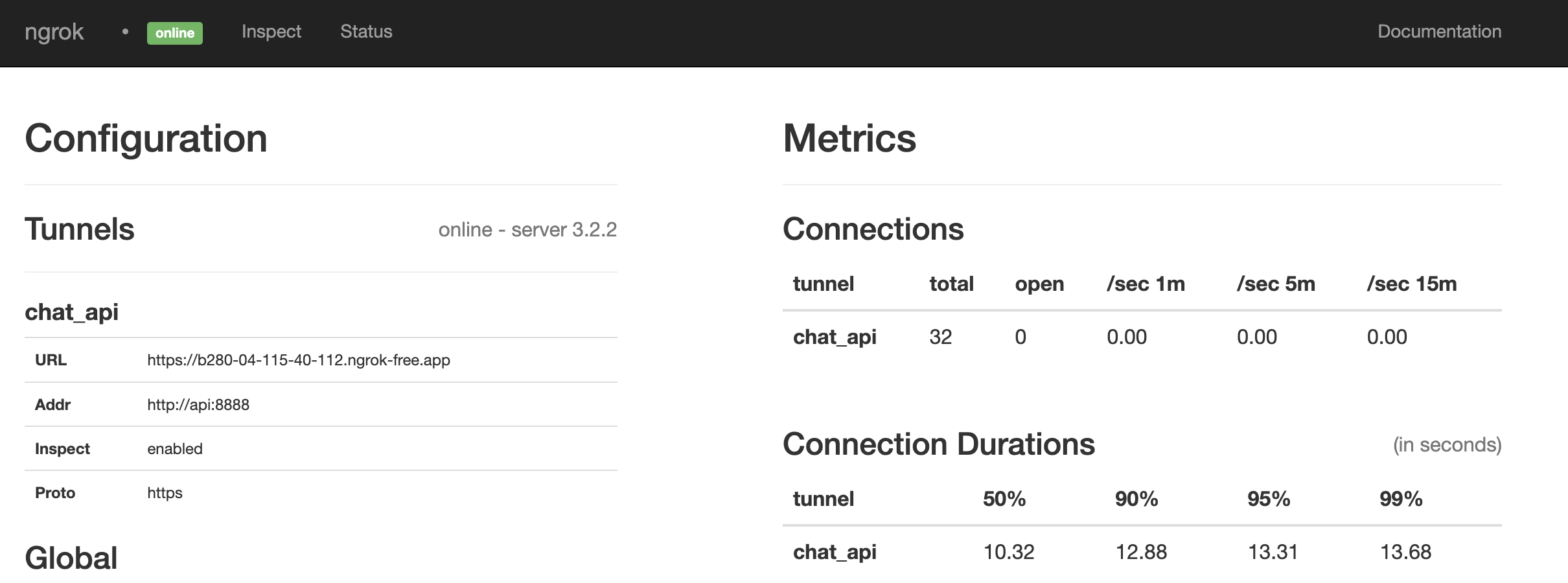
Looks like it is a match. If not, restart everything by running:
make restart
💪 Contributing / Issues
- Pull requests welcome
- Please submit issues via Github, I will do my best to resolve them
- If you want to get in touch, feel free to hmu on twitter via
@paulpierre`

Congratulations, all your base are belong to us! kthxbye
🌟 Star History
📜 Open source license
Copyright (c) 2023 Paul Pierre. Permission is hereby granted, free of charge, to any person obtaining a copy of this software and associated documentation files (the “Software”), to deal in the Software without restriction, including without limitation the rights to use, copy, modify, merge, publish, distribute, sublicense, and/or sell copies of the Software, and to permit persons to whom the Software is furnished to do so, subject to the following conditions: The above copyright notice and this permission notice shall be included in all copies or substantial portions of the Software. THE SOFTWARE IS PROVIDED “AS IS”, WITHOUT WARRANTY OF ANY KIND, EXPRESS OR IMPLIED, INCLUDING BUT NOT LIMITED TO THE WARRANTIES OF MERCHANTABILITY, FITNESS FOR A PARTICULAR PURPOSE AND NON-INFRINGEMENT. IN NO EVENT SHALL THE AUTHORS OR COPYRIGHT HOLDERS BE LIABLE FOR ANY CLAIM, DAMAGES OR OTHER LIABILITY, WHETHER IN AN ACTION OF CONTRACT, TORT OR OTHERWISE, ARISING FROM, OUT OF OR IN CONNECTION WITH THE SOFTWARE OR THE USE OR OTHER DEALINGS IN THE SOFTWARE.