Raneto is a free, open, Markdown-powered knowledge base for Node.js, built for people and teams who want a self-hosted wiki whose pages are plain files rather than rows in a database.
What it is
Raneto is a Node.js application that serves a knowledge base or wiki from a directory of Markdown files. Its README describes the project as "a free, open, simple Markdown-powered knowledge base for Node.js", and lists file-based content as its first top feature. The whole site is generated from .md files, with the content directory configurable through CONTENT_DIR and defaulting to content/pages.
It lives in the Node.js ecosystem and is distributed as a self-hosted web application rather than a hosted service. The concrete thing it replaces is a wiki or knowledge base whose pages are stored in a database and edited through that database: with Raneto the pages are .md files on disk, so the knowledge base can be versioned, copied, and inspected as ordinary text. Configuration sits in config/config.js, and environment variables take the highest priority and override those values.
Key capabilities
- File-based content: every page is a Markdown
.md file under CONTENT_DIR, default content/pages.
- Search over both file names and file contents.
- In-browser Markdown editor, enabled with
ALLOW_EDITING.
- Login system for edit protection, enabled with
AUTHENTICATION and configured through ADMIN_USERNAME and ADMIN_PASSWORD.
- Environment-variable configuration overriding
config/config.js: SESSION_SECRET (minimum 32 characters, generated with openssl rand -base64 32), BASE_URL, SITE_TITLE, LOCALE, GOOGLE_ANALYTICS_ID.
- Server control through
ADDRESS (default 127.0.0.1) and PORT (default 8080), with HOST retained as deprecated.
- MIT-licensed, with a continuous integration workflow at
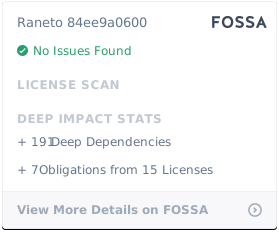
.github/workflows/nodejs.ci.yml and a FOSSA license report.
Who uses it and how
- Self-hosted documentation sites, tagged
self-hosted and wiki, run as a Node.js process behind whatever address the operator sets in ADDRESS.
- Public documentation deployments that set
BASE_URL to a domain such as https://docs.example.com and SITE_TITLE to the name shown in the browser and header.
- Teams that want content reviewed as files: the
editor, writing, and markdown topics point to authoring workflows where pages are written and edited as Markdown.
- Installations serving more than one language:
LOCALE selects UI translation codes such as en and fr.
- Projects that want usage measurement without a separate analytics stack, by setting a Google Analytics 4 measurement ID such as
G-XXXXXXXXXX in GOOGLE_ANALYTICS_ID.
Getting started
The README documents setup through config/config.js and the environment variables listed above rather than through an install command. Full instructions and a live demo are linked from https://docs.raneto.com/, with the project home page at https://raneto.com.
How it compares
No comparable projects or paid products are named in the facts supplied for this page.
When to use it — and when not to
Pick Raneto when the knowledge base should be a directory of Markdown files and the operator is comfortable running a Node.js process, setting SESSION_SECRET, BASE_URL, and ADDRESS, and — because authentication and editing are opt-in — explicitly enabling AUTHENTICATION and ALLOW_EDITING if the site needs them. Avoid it if a turnkey hosted wiki is required, or if the deployment must expose editing: the defaults bind to 127.0.0.1 on port 8080 with authentication off, so exposure is an explicit decision. Worth noting before committing: the README excerpt covers configuration well but says little about installation, deployment, or upgrades, and the project carries 91 open issues against 2,902 stars and 438 forks.