potpie is a free, open source ai development platforms project written in Python and released under Apache-2.0. It has 5,725 GitHub stars, 675 forks and 109 open issues, and was last pushed 44 minutes ago. On this registry it ranks #79 of 116 tracked projects in AI Development Platforms, with 5 head-to-head comparisons available.

What is potpie?

Potpie is an open-source, Apache-2.0 licensed Python tool that turns a codebase and its software development lifecycle into a living context graph for AI coding agents, and it is built for developers and engineering teams whose agents need project-specific context to answer questions, plan changes, debug failures, and write code.

What it is

Potpie indexes a repository's code, structure, decisions, source history, team knowledge, and engineering workflows into a context graph, then serves that graph to AI agents running inside the coding harnesses developers already use. It is distributed on PyPI as the potpie package and installs a CLI, a local daemon, and a browser-based graph explorer, so the ecosystem it lives in is Python developer tooling alongside AI agent frameworks and retrieval-augmented generation stacks. The project describes itself as a context graph for an AI-native SDLC, and its topics place it among agents, AI agent frameworks, knowledge graphs, and generative AI developer tools.

The concrete problem it solves is context loss between an agent and a real project. Generic agents do not know a team's conventions, past decisions, review history, or issue tracker, and the usual workaround is repeatedly pasting context into prompts or running a separate manual ingest step. Potpie replaces that manual ingestion: once sources are registered, the configured agent ingests or updates project context when the task requires it, and commands such as potpie resolve "what should I know before working in this repository?" pull the material an agent should read before starting work.

Key capabilities

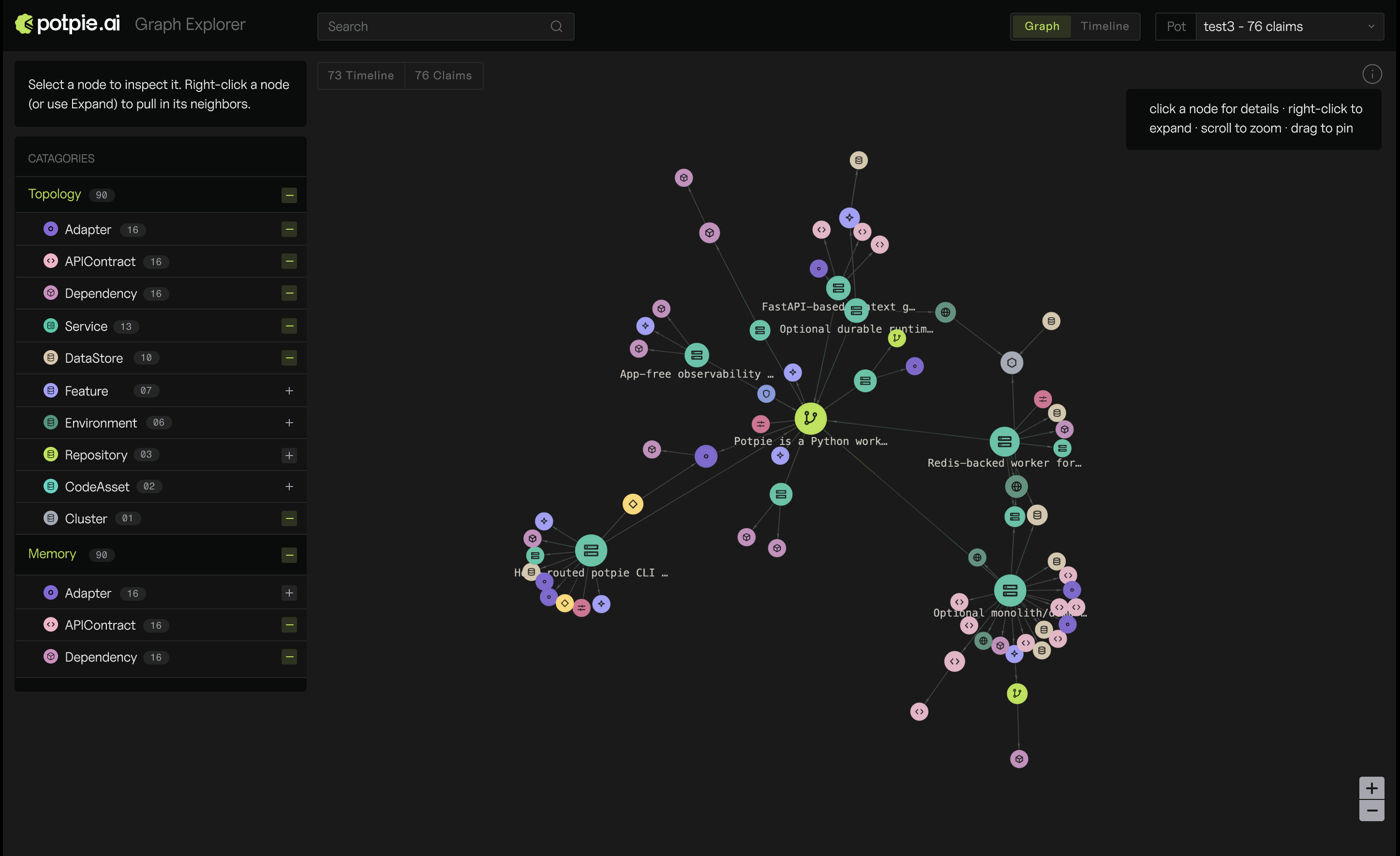
  • Builds a living context graph from code, structure, decisions, source history, team knowledge, and engineering workflows, viewable in a local graph explorer opened with potpie ui.
  • Runs a first-time wizard, potpie setup, that provisions local config, storage, the daemon, a default pot, and agent skills, and lets the user choose integrations and the coding harness to configure.
  • Serves pre-task context through potpie resolve "" and targeted lookups through potpie search "" for a specific file, workflow, bug, decision, or convention.
  • Persists durable project learnings with potpie record --type --summary "", for example a decision to prefer the Potpie CLI for graph work.
  • Exposes lower-level graph operations through potpie graph for reads, quality checks, proposals, and commits.
  • Installs or refreshes agent guidance with potpie skills install --agent , keeping skill definitions aligned with the active harness.
  • Reports readiness and health with potpie status for daemon, graph, and skill checks on the active pot, potpie doctor for daemon, backend capability, and skill drift diagnostics, and potpie auth status --verify for integration credential checks.

Who uses it and how

  • Teams already working inside a supported coding harness. Potpie is integrated into the selected harness, and the workflow is to open that harness and ask it to use Potpie for a given repository.
  • Repositories registered as sources. potpie source add repo . registers the current repository for the resolved pot, after which the agent ingests or updates context on demand instead of on a manual schedule.
  • Engineers juggling several projects. Pots act as workspaces, listed with potpie pot list and selected with potpie pot use, with potpie status reporting context readiness for whichever pot is active.
  • Teams that want agent context drawn from their issue tracker and review history. The GitHub integration indexes repositories, pull requests, issues, reviews, and source history, while the Linear integration indexes teams, issues, and projects.
  • Individuals or teams that need account-backed and managed features, which are reachable after potpie login rather than from the local-only path.

Getting started

Install the CLI from PyPI with uv tool install potpie, which the README recommends because it avoids globally mutating Python packages, or with python3 -m pip install --user potpie. Then run potpie setup to provision local configuration, storage, the daemon, a default pot, and agent skills; the exhaustive command list lives at docs.potpie.ai.

How it compares

No paid products that this project replaces are listed in the facts, and no comparable tools are named either, so Potpie stands alone in this registry. Its GitHub and Linear integrations and its support for harnesses such as OpenAI Codex and Claude are the reference points available rather than a competitive set.

When to use it — and when not to

A self-hoster runs a local daemon with its own config and storage, and must keep integrations authenticated and agent skills in sync, which potpie status, potpie doctor, and potpie auth status --verify exist to police; teams that want a fully hosted, zero-install experience, or that do not use coding agents at all, should not pick it. The project is Apache-2.0 licensed and actively pushed, but it carries 109 open issues and an integrations table that the provided README excerpt cuts off mid-entry, so integration breadth should be verified before committing to it.

project readme (upstream, from github) — read inline

Potpie AI logo

Docs Tests PyPI Discord Apache 2.0

Potpie turns your codebase and software development lifecycle into a living context graph for AI agents. It indexes code, structure, decisions, source history, team knowledge and engineering workflows, so agents can answer questions, plan changes, debug failures, and write code with project-specific context.
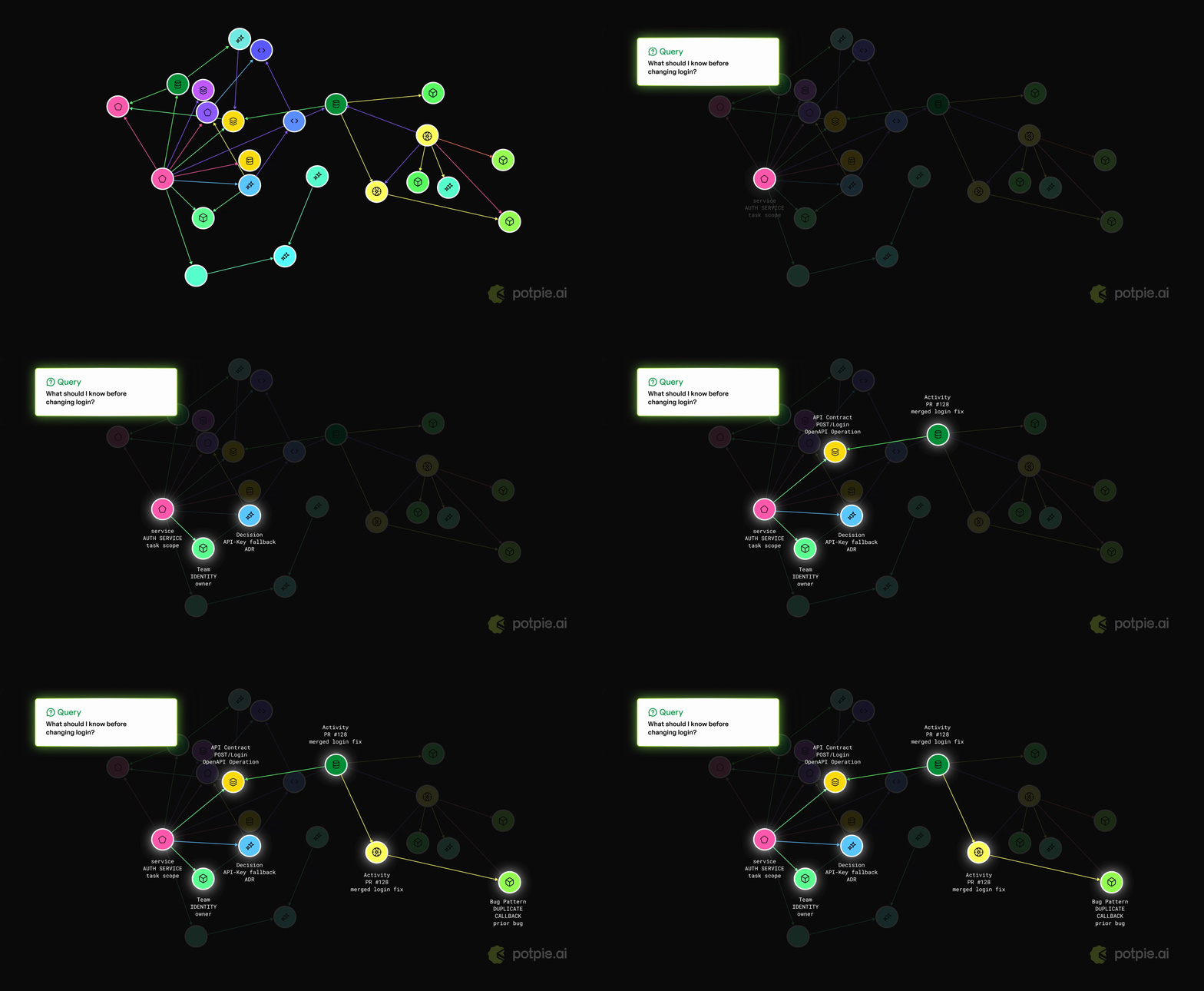
Potpie context graph demo

Install and setup Potpie

Step 1: install the CLI through PyPI with uv or pip:

uv tool install potpie

or:

python3 -m pip install --user potpie

[!NOTE] uv tool install potpie is recommended for CLI installs because global mutation of Python packages is generally not recommended.

Step 2: Run the Potpie setup wizard

potpie setup

The setup wizard provisions local config, storage, the daemon, a default pot, and agent skills. It also lets you choose integrations and the coding harness Potpie should configure.
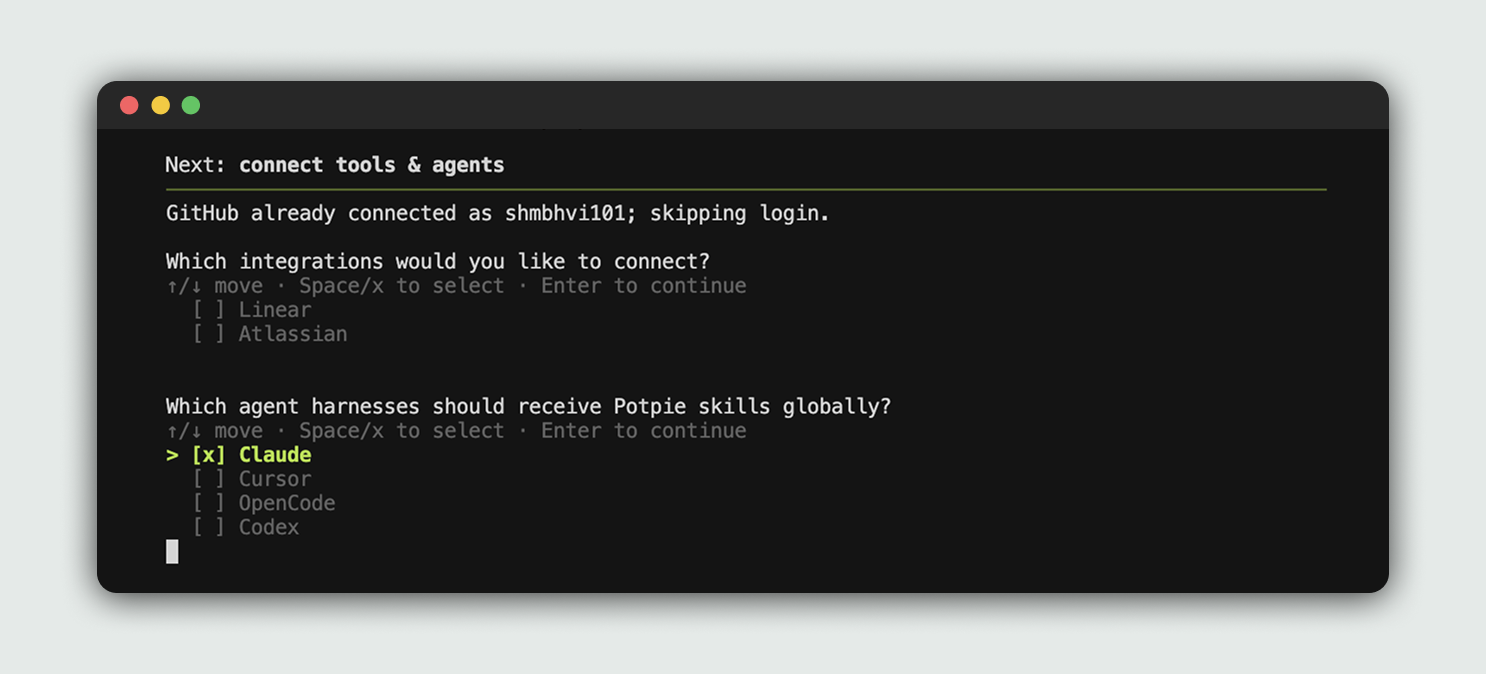
Potpie setup wizard

Step 3: Open your configured harness

Potpie is already integrated into your selected harness. You can start using Potpie with the repo of your choice.

Open your previously selected harness and ask it to use Potpie for the repo. Potpie in OpenAI Codex
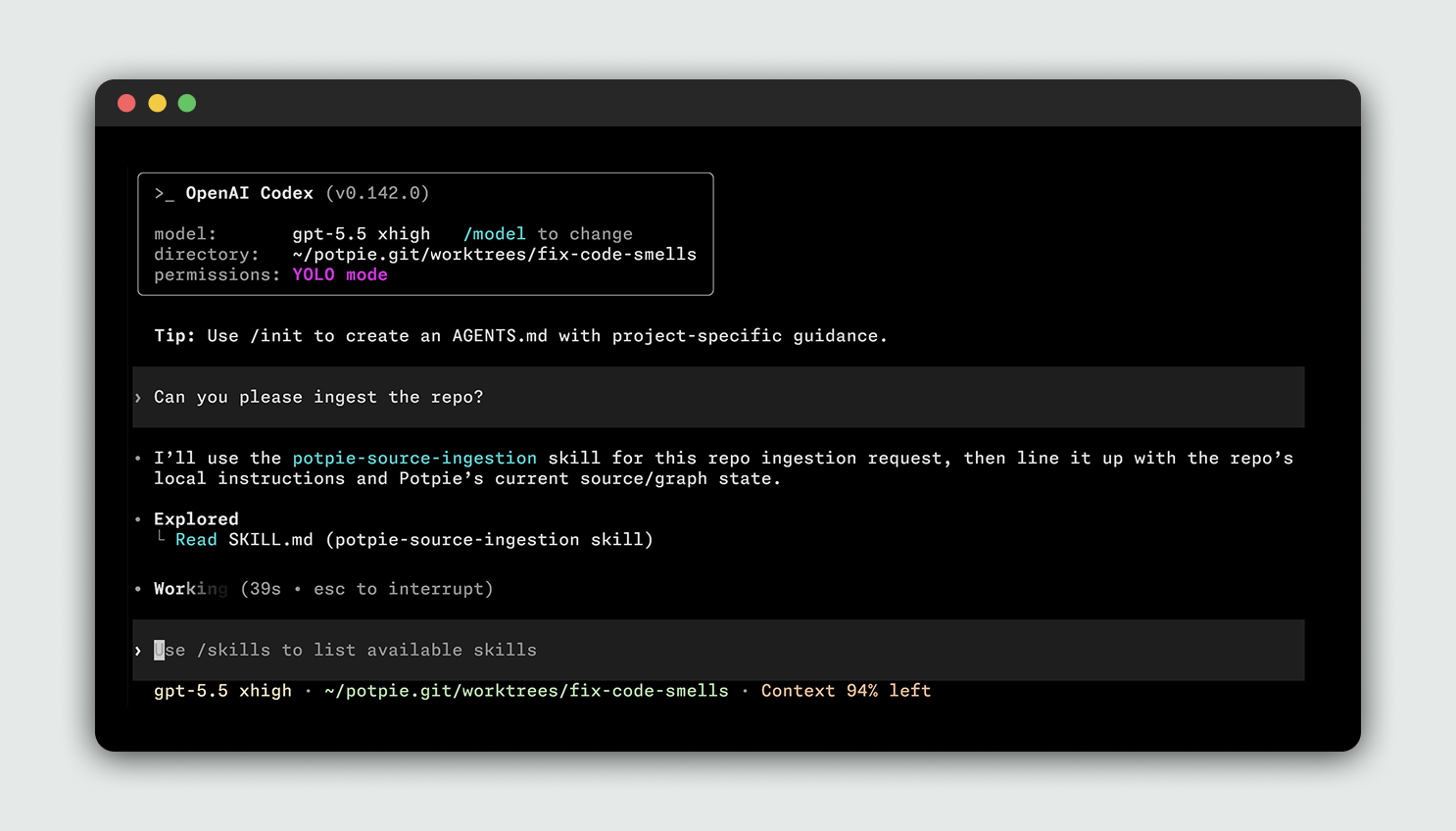
[!NOTE] You don't need to run a separate manual ingest command. The CLI registers sources and the configured agent can ingest or update project context when the task requires it.

You can view your context graph in the web UI:

potpie ui

This will open a graph explorer in your browser. Potpie web UI
Basic CLI user checklist

The main CLI commands are:

Command Purpose
potpie setup Run first-time local setup for config, daemon, default pot, and agent skills.
potpie login Sign in to Potpie for account-backed and managed features.
potpie github login / potpie linear login Connect source integrations you want agents to use.
potpie status Show context readiness for the active pot, including daemon, graph, and skill checks.
potpie auth status Show configured integration auth status.
potpie auth status --verify Verify integration credentials with lightweight API checks.
potpie doctor Run local diagnostics for daemon, backend capabilities, and skill drift.
potpie source add repo . Register the current repo as a source for the resolved pot.
potpie pot list / potpie pot use List pots and choose the active workspace.
potpie resolve "" Pull the context an agent should read before doing a task.
potpie search "" Look up a specific file, workflow, bug, decision, or convention.
potpie record --type --summary "<summary>" Write a durable project learning.
potpie graph ... Use lower-level graph reads, quality checks, proposals, and commits.
potpie ui Open the local graph explorer served by the daemon.
potpie skills install --agent Install or refresh Potpie guidance for an agent harness.

Examples:

potpie setup --repo . --agent claude
potpie github login
potpie auth status
potpie status
potpie source add repo .
potpie resolve "what should I know before working in this repository?"
potpie search "authentication flow"
potpie record --type decision --summary "Prefer the Potpie CLI for graph work"

You can find an exhaustive list with more examples in our docs.

Integrations and Coding Harnesses

Potpie supports a variety of integrations and coding harnesses, with more coming. If your team needs a new integration or harness, please raise a ticket.

Integrations

Tool Description
GitHub Index repositories, pull requests, issues, reviews and source history.
Linear Index teams, issues, projects and documents.
Jira Index projects, issues, status and changelog context.
Confluence Index spaces, pages, runbooks and decisions.

Coding harnesses

Tool Description
Claude Code Install Potpie instructions and skills for Claude Code.
OpenAI Codex Install Potpie instructions and skills for OpenAI Codex.
Cursor Install Potpie instructions and skills for Cursor.
OpenCode Install Potpie skills for OpenCode.

Architecture

Potpie's current architecture is CLI-first. CLI is designed to be used by both humans and agents. Read the deeper architecture notes in docs/context-graph/architecture.md.

License

This project is licensed under the Apache 2.0 License. See LICENSE.

Community & Support

  • GitHub Issues: bugs and repository-scoped requests
  • Discord: community discussion and support
  • Docs: setup, product guides, and integration details

New contributions are always welcome. Read the Contributing Guide to set up your environment, understand the workflow, and open a pull request.

Contributors

Frequently asked questions

Is potpie free to use?

potpie is open source under the Apache-2.0 licence. There is no licence fee and no seat count — you can self-host it or, where the project offers one, pay a vendor for a managed version instead.

What does potpie do?

Context Graph for AI Native SDLC

What is potpie written in?

potpie is primarily written in Python. Its source is publicly available at https://github.com/potpie-ai/potpie, and it has 5,725 GitHub stars.