Plug-N-Meet is an MIT-licensed, self-hosted web conferencing system written in Go that runs on LiveKit's WebRTC infrastructure and is meant for teams, developers, and organizations that want to embed video meetings with an AI meeting agent into their own websites, applications, or systems.
What it is
Plug-N-Meet is a web conferencing platform split into three core components. plugNmeet-server is the backend, written in Go, and handles all API and business logic. It is paired with plugNmeet-client, the main frontend built with React and Redux, and plugNmeet-recorder, a dedicated Go application that manages MP4 recordings and RTMP broadcasting. It sits in the WebRTC ecosystem and is built on the high-performance WebRTC infrastructure of LiveKit, with the project's topic list also pointing to Pion, WebRTC meetings, and AI agents.
The concrete problem it solves is ownership of the meeting stack. Rather than sending users out to a hosted third-party conferencing service, Plug-N-Meet lets a site or application host the meeting experience itself and integrate it into an existing website, application, or system. It provides the meeting server, the browser client, and the recording/broadcast worker as separate, self-hosted pieces, so the video conferencing layer becomes part of the operator's own software rather than an external dependency.
Key capabilities
- Adaptive streaming through Simulcast and Dynacast, with support for the
H264, VP8, VP9, and AV1 codecs to keep calls stable on weak networks.
- Collaboration tooling that includes HD audio and video, screen sharing, virtual backgrounds, a collaborative whiteboard with office file support for PDF, DOCX, and PPTX, a shared notepad, polls, and breakout rooms.
- WebRTC-based encryption by default, with optional End-to-End Encryption (E2EE) applied to all media and data channels.
- An AI Meeting Agent that produces live spoken translations, real-time transcription, and automated summaries with action items, reachable through the Artifacts API.
- A SIP gateway for telephone dial-in, letting participants join the audio of a meeting from a standard phone number without internet access.
- Recording and broadcasting through reliable MP4 recording, RTMP/RTMPS output to services such as YouTube, and RTMP/WHIP ingress for production tools such as OBS.
- Integration and customization surfaces that include an API plus official PHP and JavaScript SDKs, ready-to-use plugins for WordPress, Moodle, and Joomla, LTI support for compatible LMS platforms, and the ability to change UI, features, branding, and URLs without modifying core code.
Who uses it and how
- Operators of WordPress, Moodle, or Joomla sites install the corresponding plugin or component to add meetings without building a conferencing frontend.
- Schools and training providers connect it to any compatible LMS through LTI, so courses can launch sessions from inside the learning platform.
- Developers embedding conferencing into an existing product use the API with the PHP or JavaScript SDK, and can customize branding and URLs without forking the core code.
- Mobile and desktop teams follow the hybrid integration model, combining a native media layer with the full plugNmeet web client UI for iOS, Android, Flutter, React Native, or desktop.
- Broadcasters and event producers use RTMP/WHIP ingress with tools such as OBS, push RTMP/RTMPS output to YouTube, and record sessions to MP4 via plugNmeet-recorder; audiences with only a phone can join audio through the SIP gateway.
Getting started
The README points to a simple installation script that deploys all necessary components in minutes, documented in the installation guide at https://www.plugnmeet.org/docs/installation. A public demo is available at https://demo.plugnmeet.com/.
How it compares
Among the tools named in the project's own materials, LiveKit is the closest relative: LiveKit supplies the underlying WebRTC media server, while Plug-N-Meet builds on it and adds the meeting UI, recording and broadcasting worker, AI meeting agent, SIP dial-in, and ready-made CMS and LMS plugins. The README does not list specific paid conferencing products that Plug-N-Meet is positioned to replace, so no direct licence, hosting, or cost comparison to named commercial services is available from these facts.
When to use it — and when not
Choose it when the meeting experience has to live inside your own infrastructure and the team can operate several moving parts: plugNmeet-server, plugNmeet-client, plugNmeet-recorder, and a LiveKit deployment beneath them. Anyone who wants a zero-operations hosted service, or who lacks the capacity to run and update that stack, should not pick this project. The README excerpt is also thin on supporting infrastructure such as database, storage, and mail configuration, and the repository shows a modest 534 stars with 11 open issues, so operators should expect to read the full documentation and source before committing.
project readme (upstream, from github) — read inline
Plug-N-Meet - A Scalable, Customizable, Open-Source Web Conferencing System
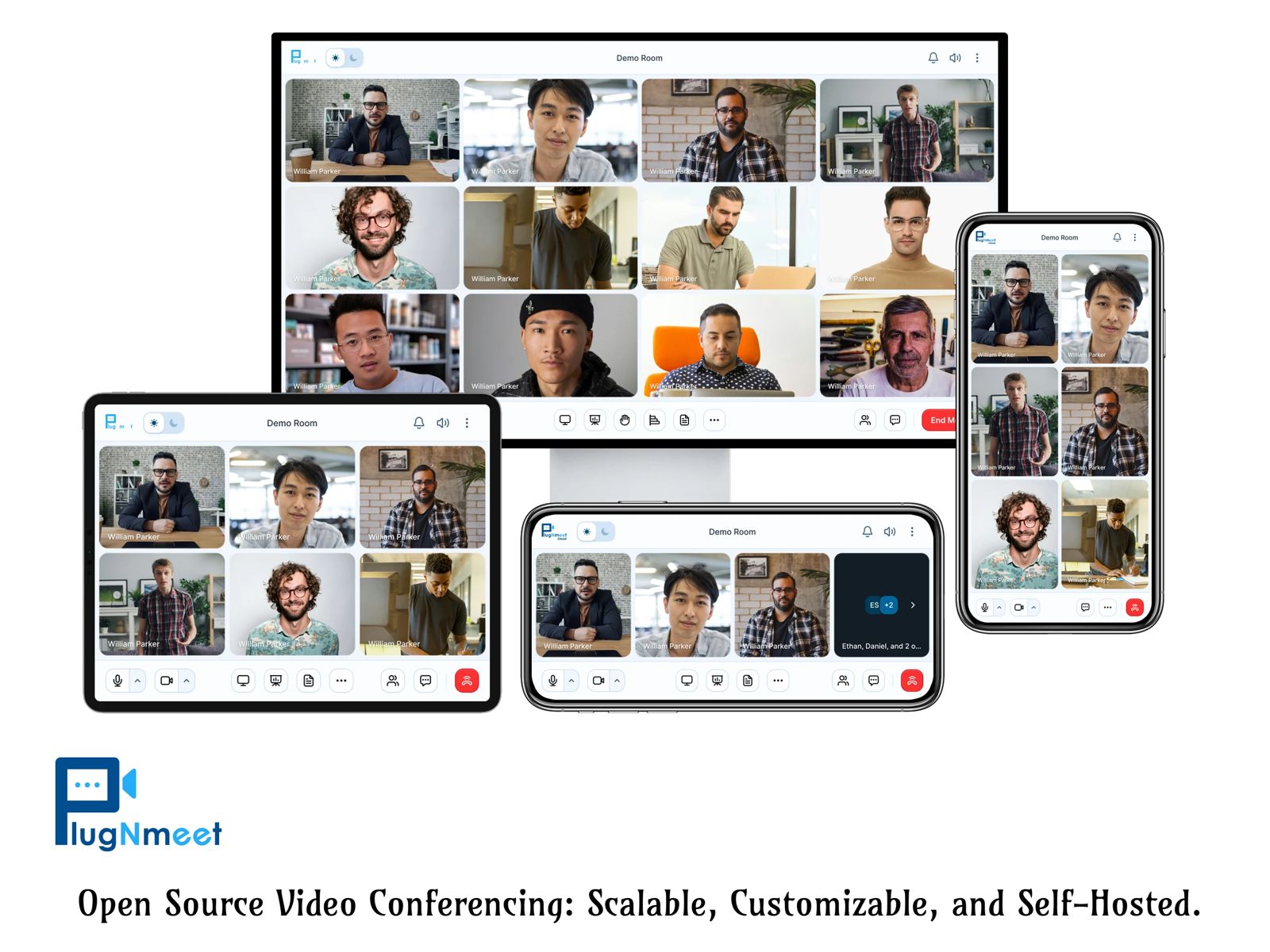
Plug-N-Meet is a powerful, open-source web conferencing solution built on the high-performance WebRTC infrastructure of LiveKit. Designed for scalability and easy customization, Plug-N-Meet allows you to seamlessly integrate a feature-rich, self-hosted, and AI-powered video conferencing experience into any existing website, application, or system.
Have questions or ideas? Join our developer community on Discord to connect with the team and discuss your suggestions.
Key Features
- High-Performance & Scalable: Built with Go and leveraging the power of LiveKit, ensuring a robust and lightweight system.
- Adaptive Streaming: Simulcast and Dynacast support ensures stable calls even on poor networks by intelligently managing video quality and bandwidth. Supported codecs include
H264, VP8, VP9, and AV1.
- Rich Collaboration Tools: Engage users with HD audio/video, screen sharing, virtual backgrounds, a collaborative whiteboard with office file support (PDF, DOCX, PPTX), shared notepad, polls, and breakout rooms.
- Secure & Private Communication: Features WebRTC-based encryption by default, with optional End-to-End Encryption (E2EE) for all media and data channels, ensuring conversations remain confidential.
- AI-Powered Meeting Intelligence: Turn meetings into actionable intelligence. The AI agent provides live spoken translations, real-time transcription, and automated summaries with action items, all accessible via the Artifacts API.
- Telephone Dial-In (SIP Gateway): Allow participants to join the audio of your meeting by dialing a standard phone number—no internet required.
- Flexible Integration: Easily integrate with any website or system using our straightforward API and SDKs for PHP and JavaScript. Ready-to-use plugins are available for WordPress, Moodle, and Joomla.
- Deep Customization: Easily customize the UI, features, branding, and URLs to match your application's look and feel without modifying core code.
- Advanced Broadcasting & Recording: Includes reliable MP4 recording, RTMP/RTMPS broadcasting to services like YouTube, and RTMP/WHIP ingress for professional production tools like OBS.
- Cross-Device Compatibility: Works on all modern browsers, including Chrome, Firefox, and Safari for iOS, with no downloads required.
- Native Mobile App Integration: Build a custom video conferencing app for iOS, Android, Flutter, React Native, or desktop using the hybrid integration model — combine a native media layer with the full plugNmeet web client UI.
And many more!
Core Components
- plugNmeet-server: The primary backend server written in Go, handling all API and business logic.
- plugNmeet-client: The main frontend interface built with React and Redux.
- plugNmeet-recorder: A dedicated Go application for managing MP4 recordings and RTMP broadcasting.
Demo
https://demo.plugnmeet.com/landing.html
Installation
We've created a simple installation script to deploy all necessary components in minutes.
View the Complete Installation Guide: https://www.plugnmeet.org/docs/installation
SDKs & Tools
Official SDKs
Ready-to-Use Plugins & Integrations
Docker Images
Full server API documentation is available in the API Docs.
Manual installation
Requirements:
- A properly configured LiveKit instance.
- Redis for caching and messaging.
- MariaDB or MySQL for data storage.
- (Optional)
libreoffice & mupdf-tools for office file support in the whiteboard.
Create a config.yaml from the config_sample.yaml and modify it with your environment details.
Using docker
docker run --rm -p 8080:8080 \
    -v $PWD/config.yaml:/config.yaml \
    mynaparrot/plugnmeet-server \
    --config /config.yaml \
You can also follow docker-compose_sample.yaml file.
Development
Please follow this article for details.
Contributing
We welcome your suggestions for improving plugNmeet!
Let's chat on Discord to discuss your suggestions and/or PRs.