Plane is an open-source project management platform for teams that need to track issues, run cycles, and manage product roadmaps without handing their data to a proprietary SaaS vendor, and it is aimed at engineering, product, and operations teams that would otherwise pay for Jira, Linear, ClickUp, or Asana.
What it is
Plane is a project management platform written primarily in TypeScript and released under the AGPL-3.0 licence. It lives in the same ecosystem as issue trackers and product-management suites: the repository topics include boards, bug-tracker, issue-tracker, kanban, gantt, and product-management. The backend stack is built with Django and Node.js, the frontend with React Router, and the documented data store is PostgreSQL. Deployments are packaged for Docker and Kubernetes, so the application can run inside infrastructure a team already controls.
The concrete problem it solves is tool ownership. Teams on Jira, Linear, ClickUp, or Asana rent their planning surface, their issue history, and their documents from a vendor, which caps how far they can customise the product, where the data may live, and what happens when pricing or terms change. Plane is the specific replacement for that arrangement: the same core objects teams expect from those products — work items, sprints, boards, views, and docs — running on servers the organisation chooses, with the source available for inspection and modification.
Key capabilities
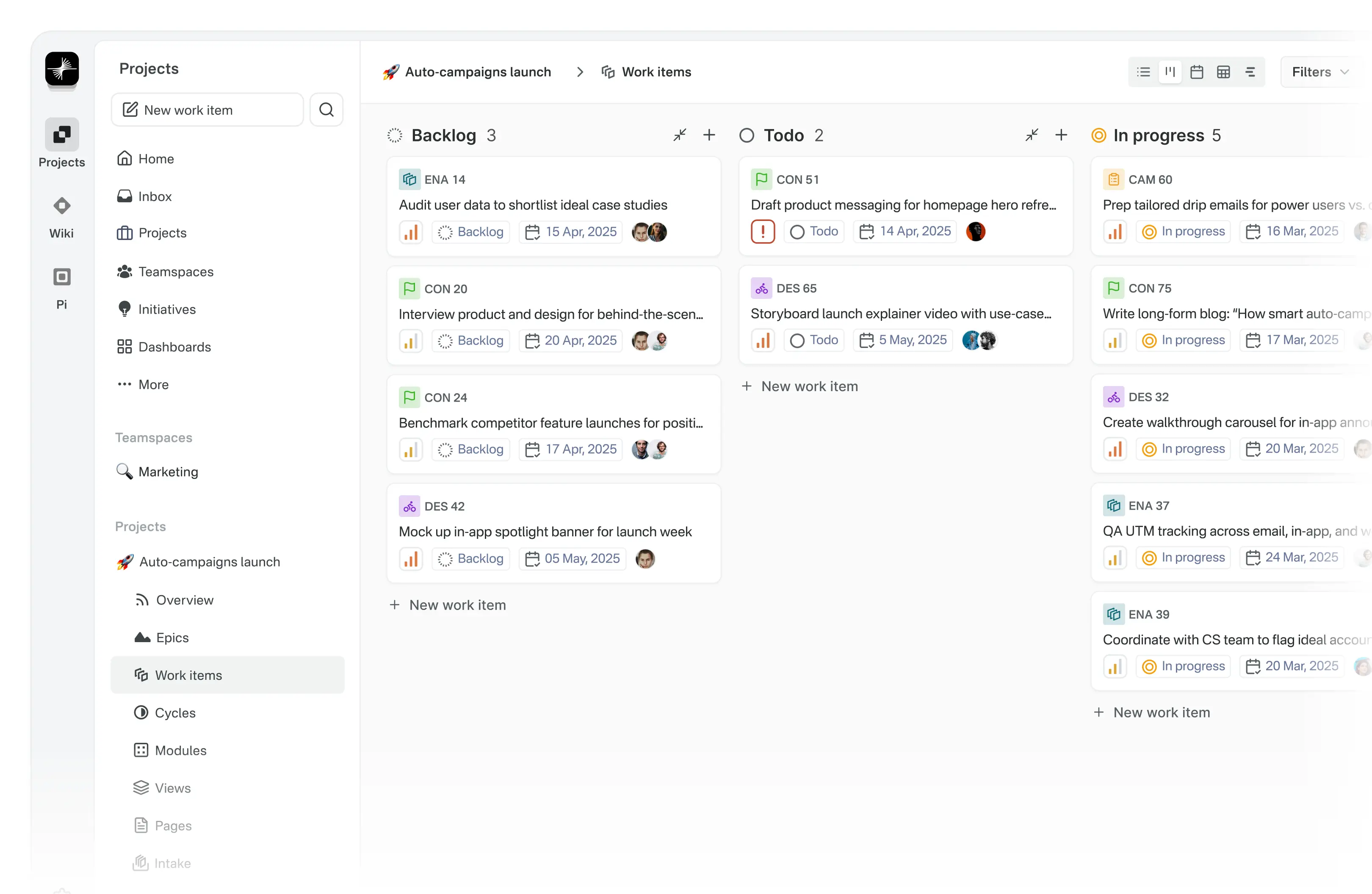
- Work Items with a rich text editor that supports file uploads, sub-properties, and references to related issues.
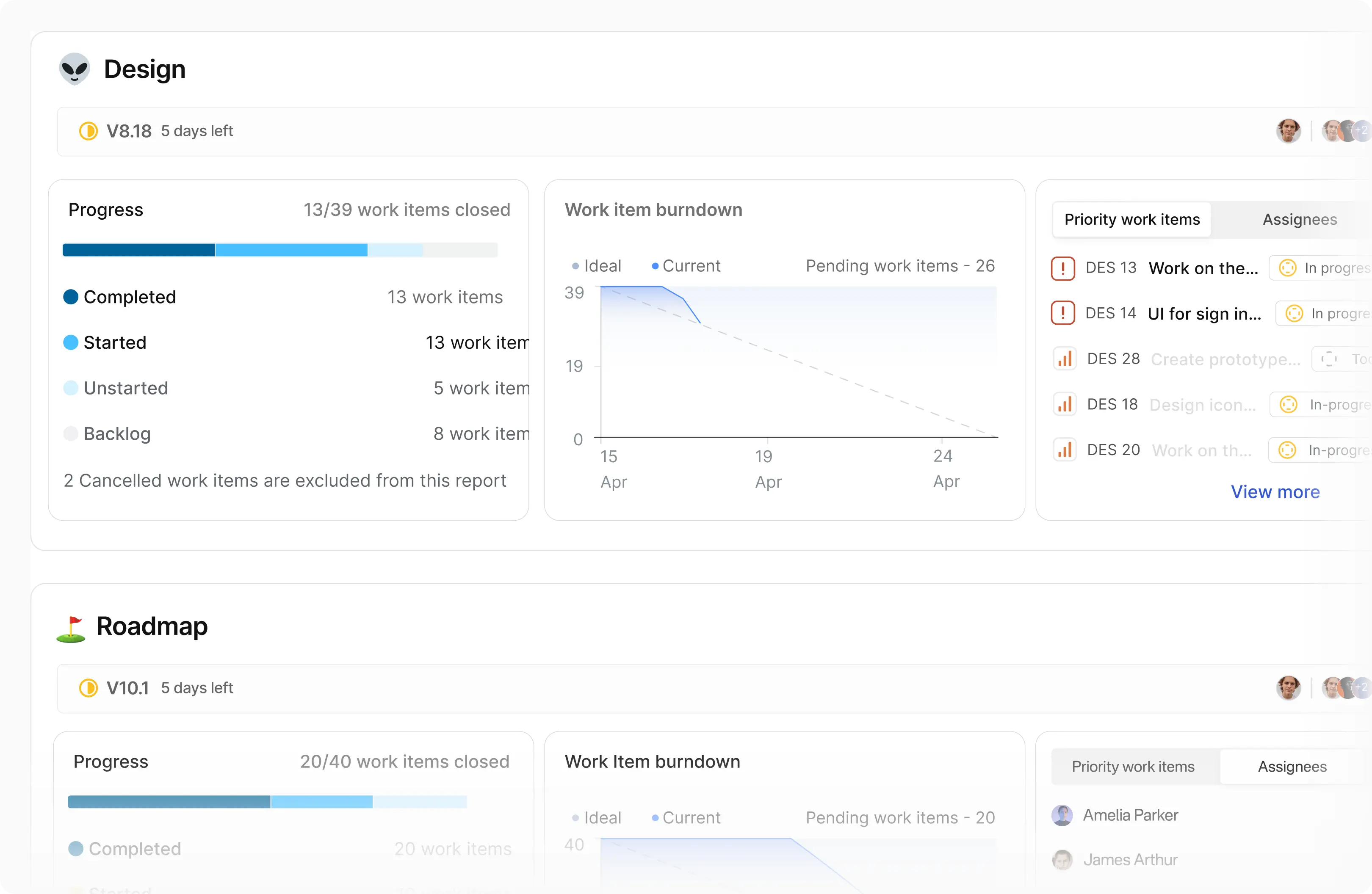
- Cycles for sprint tracking, including burn-down charts and progress reporting.
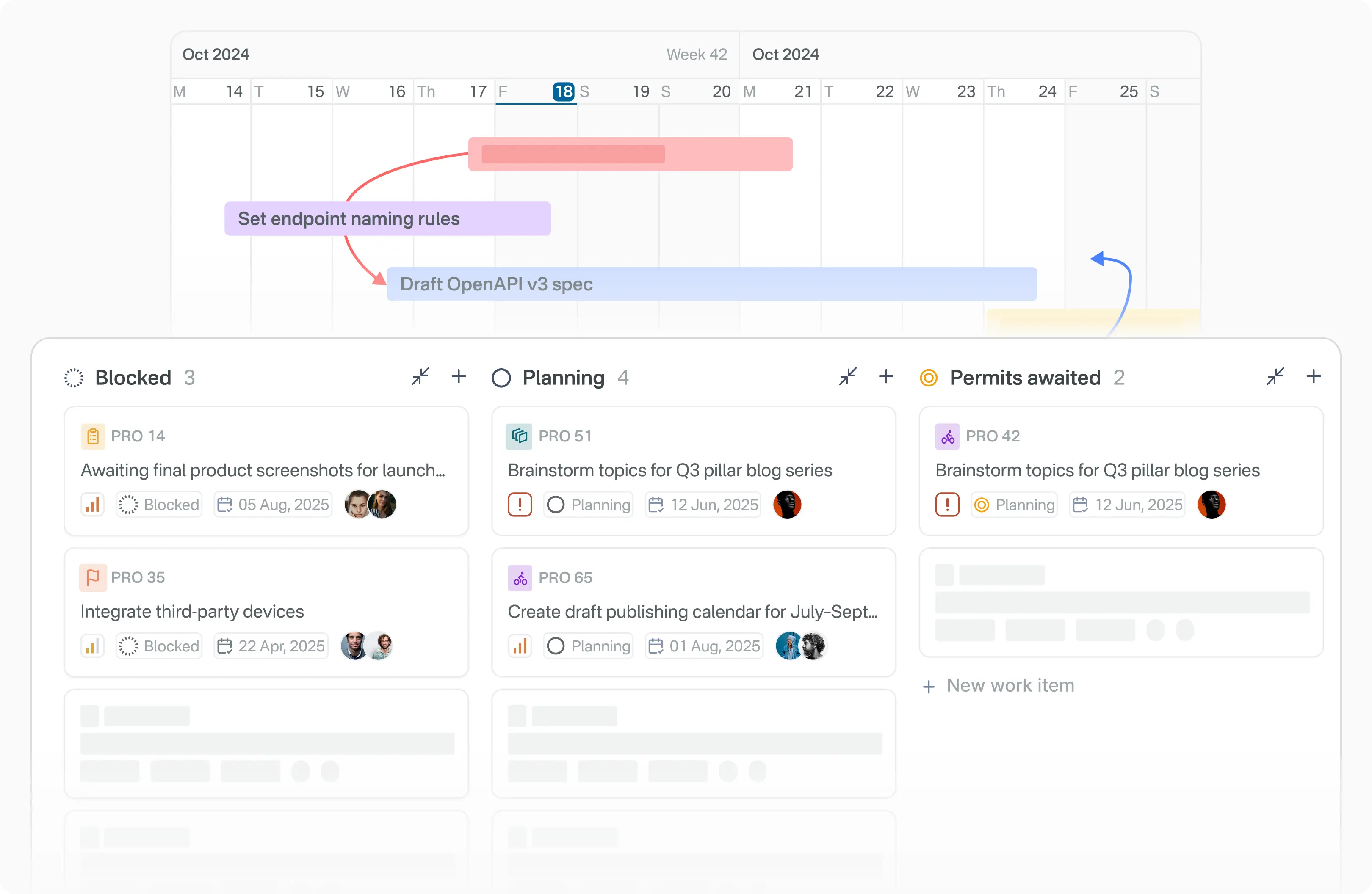
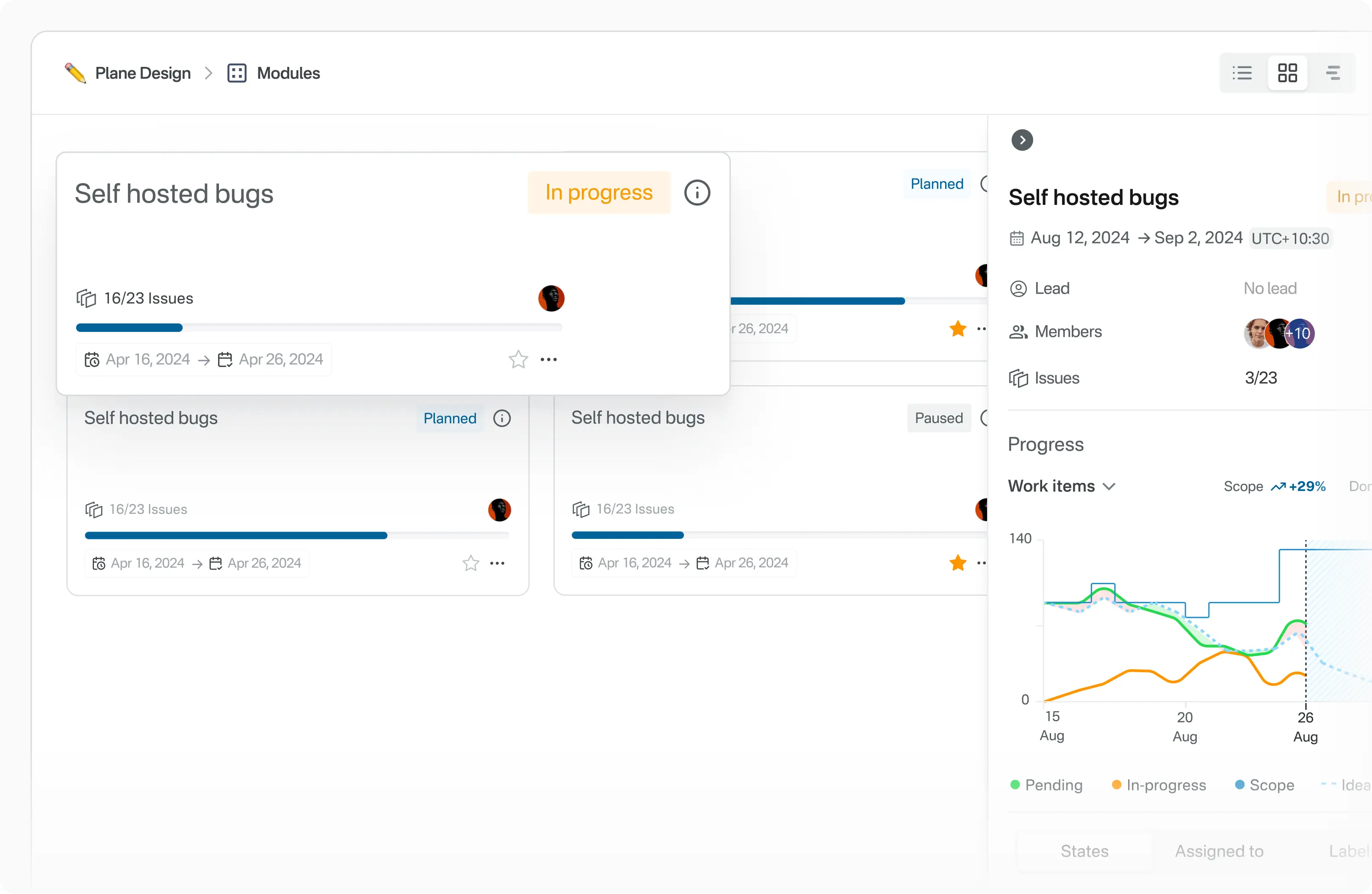
- Modules that break larger projects into smaller, manageable units.
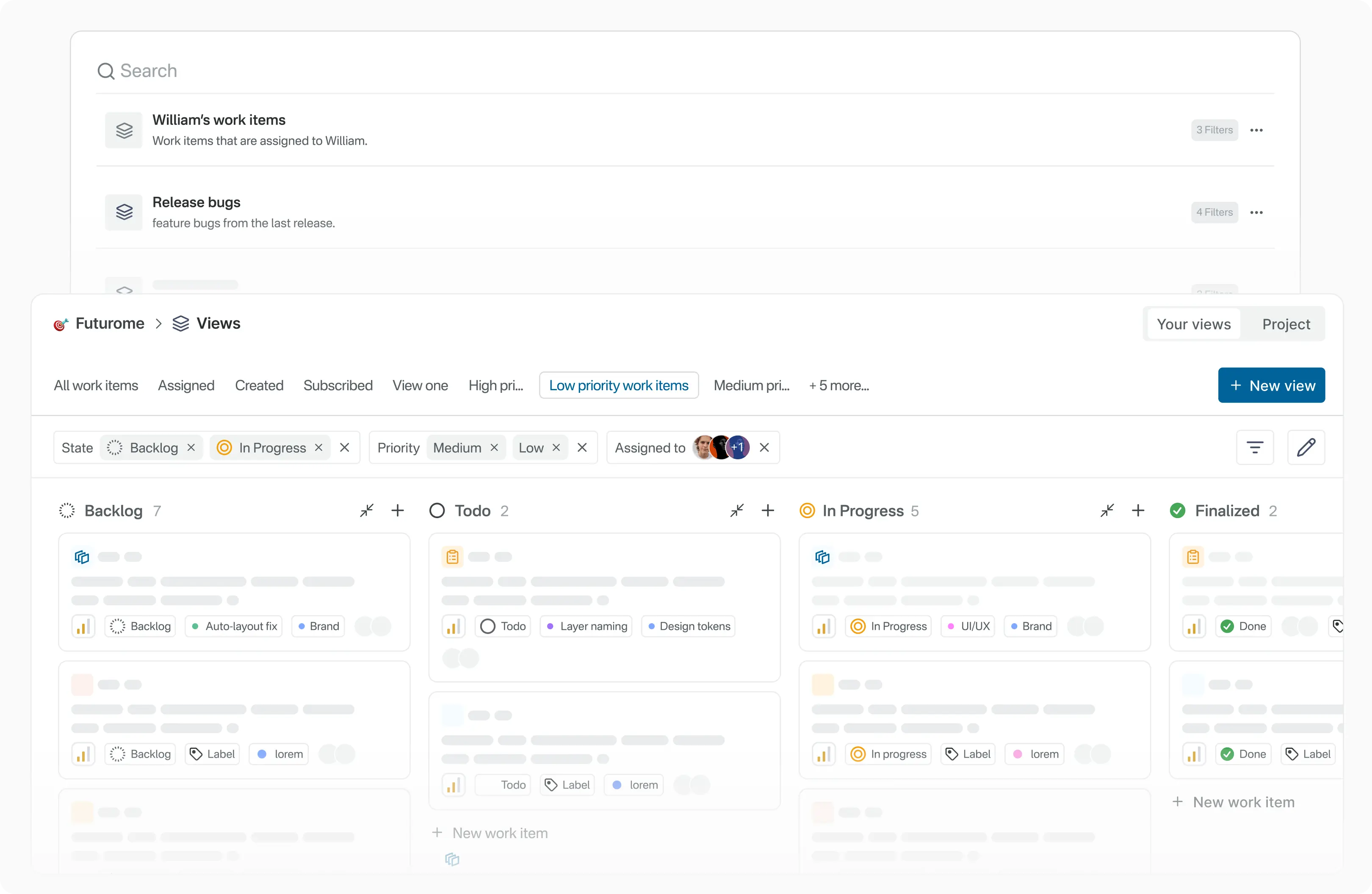
- Views with custom filters that can be saved and shared across a team.
- Pages for notes and documents, with a rich text editor, images, hyperlinks, and the ability to convert notes into actionable items.
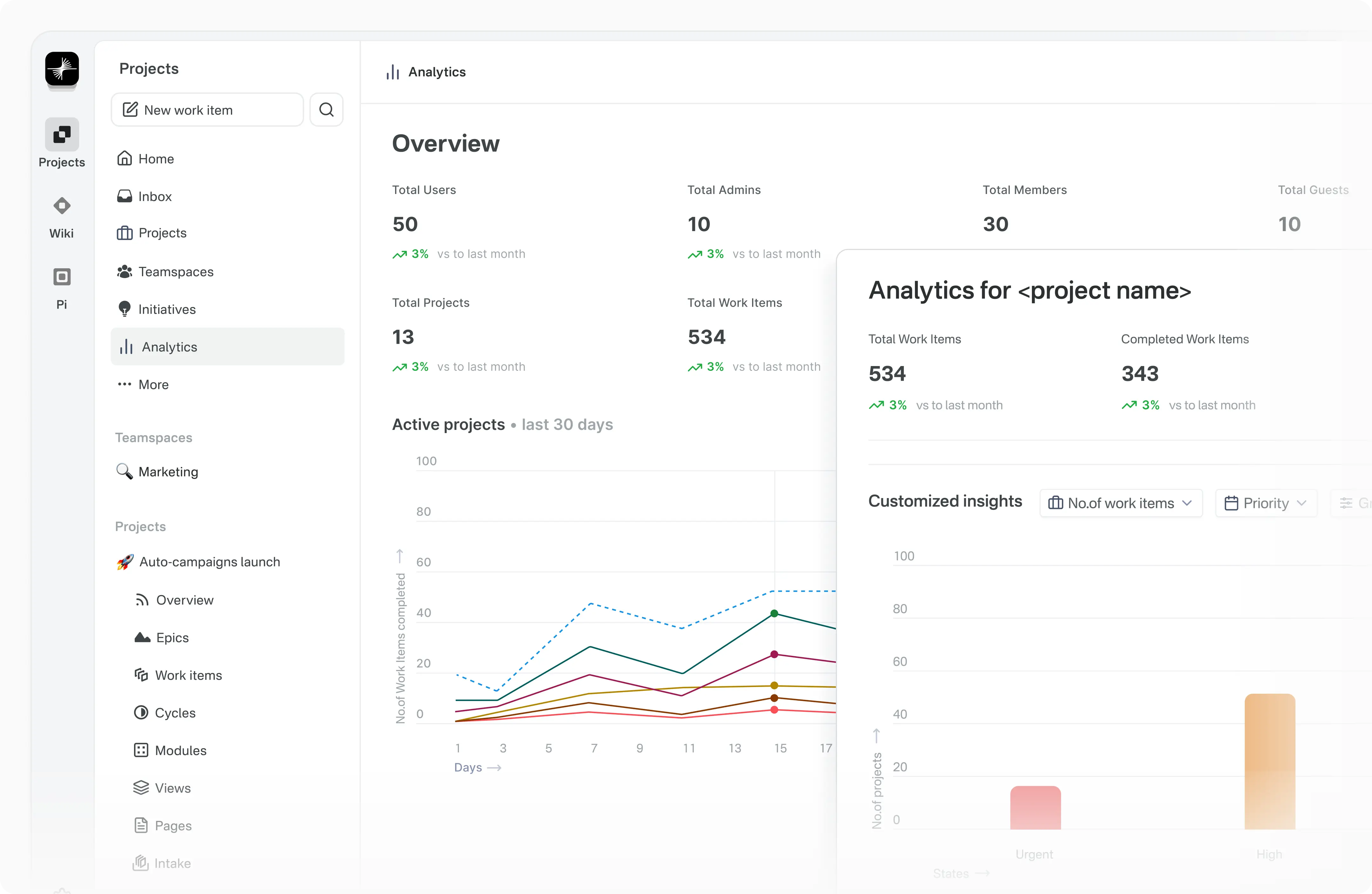
- Analytics that report on Plane data across projects and surface trends and blockers.
- Instance administration through God mode, where instance admins configure settings for the whole deployment.
Who uses it and how
- Engineering teams replacing an issue tracker, using boards and kanban topics to mirror existing Jira or Linear workflows.
- Product managers running roadmap and cycle planning, using Modules and Cycles rather than spreadsheets.
- Teams with data-residency or procurement constraints that rule out a hosted-only SaaS tool, deploying via Docker Compose or Kubernetes.
- Small groups getting started without infrastructure work, using a free Plane Cloud account before deciding whether to self-host.
- Contributors working on the platform itself, following
CONTRIBUTING.md for local development and discussing changes in GitHub Discussions.
Getting started
Sign up for a free account on Plane Cloud at app.plane.so, or self-host using the Docker Compose or Kubernetes methods documented at developers.plane.so under self-hosting.
How it compares
Jira, Linear, ClickUp, and Asana are proprietary, vendor-hosted products sold on subscription, whereas Plane is AGPL-3.0 and can be run on infrastructure the team owns. That shifts data ownership to the operator and removes per-seat licensing from the cost model, at the price of running the service yourself. The trade is control and licence freedom against the operational work and managed conveniences a vendor would otherwise absorb.
When to use it — and when not to
Self-hosting means operating the Django and Node.js services plus a PostgreSQL database, keeping them patched, and maintaining either a Docker Compose host or a Kubernetes cluster; teams without that capacity should use Plane Cloud or stay on a managed product. The repository shows 1,103 open issues and the README delegates setup detail to external documentation rather than carrying full instructions in-repo, so expect to read the developer docs closely. Organisations that cannot accept AGPL-3.0 copyleft obligations, or that need vendor-backed uptime guarantees, should not pick this.
project readme (upstream, from github) — read inline

Modern project management for all teams
Website •
Forum •
X •
Documentation
  />
</a>
Meet Plane, an open-source project management tool to track issues, run sprints cycles, and manage product roadmaps without the chaos of managing the tool itself. 🧘♀️
Plane is evolving every day. Your suggestions, ideas, and reported bugs help us immensely. Do not hesitate to join in the conversation on Forum or raise a GitHub issue. We read everything and respond to most.
🚀 Installation
Getting started with Plane is simple. Choose the setup that works best for you:
Plane Cloud
Sign up for a free account on Plane Cloud—it's the fastest way to get up and running without worrying about infrastructure.
Self-host Plane
Prefer full control over your data and infrastructure? Install and run Plane on your own servers. Follow our detailed deployment guides to get started.
Instance admins can configure instance settings with God mode.
🌟 Features
Work Items
Efficiently create and manage tasks with a robust rich text editor that supports file uploads. Enhance organization and tracking by adding sub-properties and referencing related issues.
Cycles
Maintain your team’s momentum with Cycles. Track progress effortlessly using burn-down charts and other insightful tools.
Modules
Simplify complex projects by dividing them into smaller, manageable modules.
Views
Customize your workflow by creating filters to display only the most relevant issues. Save and share these views with ease.
Pages
Capture and organize ideas using Plane Pages, complete with AI capabilities and a rich text editor. Format text, insert images, add hyperlinks, or convert your notes into actionable items.
Analytics
Access real-time insights across all your Plane data. Visualize trends, remove blockers, and keep your projects moving forward.
🛠️ Local development
See CONTRIBUTING
⚙️ Built with



📸 Screenshots
  />
</a>
  />
</a>
  />
</a>
  />
</a>
  />
</a>
📝 Documentation
Explore Plane's product documentation and developer documentation to learn about features, setup, and usage.
❤️ Community
Join the Plane community on GitHub Discussions and our Forum. We follow a Code of conduct in all our community channels.
Feel free to ask questions, report bugs, participate in discussions, share ideas, request features, or showcase your projects. We’d love to hear from you!
🛡️ Security
If you discover a security vulnerability in Plane, please report it responsibly instead of opening a public issue. We take all legitimate reports seriously and will investigate them promptly. See Security policy for more info.
To disclose any security issues, please email us at security@plane.so.
🤝 Contributing
There are many ways you can contribute to Plane:
Please read CONTRIBUTING.md for details on the process for submitting pull requests to us.
Repo activity
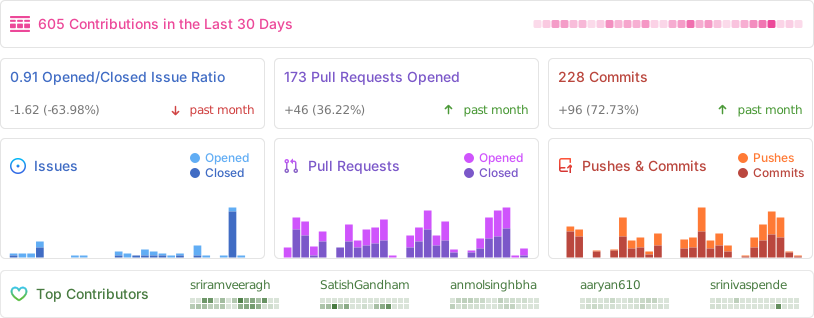
We couldn't have done this without you.

License
This project is licensed under the GNU Affero General Public License v3.0.


