plandex is a free, open source frameworks & platforms project written in Go and released under MIT. It has 15,687 GitHub stars, 1,178 forks and 66 open issues, and was last pushed 12 months ago. On this registry it ranks #30 of 90 tracked projects in Frameworks & Platforms, with 5 head-to-head comparisons available.

What is plandex?

Plandex is an open-source, terminal-based AI coding agent for developers who need to plan and execute large coding tasks spanning dozens of files in real-world projects.

What it is

Plandex is a command-line AI development tool written in Go and released under the MIT license. It runs in the terminal, where it plans and executes multi-step coding tasks, and it lets you combine models from Anthropic, OpenAI, Google, and open source providers within a single workflow. The project lives in the developer-tools ecosystem alongside other AI coding assistants, and it is installed as a zero-dependency CLI with a one-line install script, with a Dockerized server mode for local self-hosting and optional cloud hosting.

The concrete problem it addresses is that AI coding tools tend to break down once a repository grows large or a change becomes complex. Plandex handles up to 2M tokens of context directly with its default model pack, at roughly 100k tokens per file, and can index directories of 20M tokens or more using tree-sitter project maps. Alongside that scale, it solves the mess problem: AI-generated changes are held in a cumulative diff review sandbox, kept separate from your project files until you accept them, with controlled command execution so changes can be rolled back and debugged.

Key capabilities

  • Handles tasks touching dozens of files with a 2M token effective context window, loading only what each step needs, and indexes directories of 20M tokens or more with tree-sitter project maps.
  • Provides a cumulative diff review sandbox that isolates AI-generated changes from project files until they are ready, with controlled command execution for rollback and debugging.
  • Generates project maps and validates syntax with tree-sitter across more than 30 supported languages.
  • Uses context caching for OpenAI, Anthropic, and Google models to reduce cost and latency.
  • Offers configurable autonomy, ranging from full auto mode to fine-grained control, plus automated debugging of terminal commands such as builds, linters, tests, deployments, and scripts, with browser application debugging when Chrome is installed.
  • Includes a project-aware chat mode for exploring ideas and learning a codebase, a REPL mode with fuzzy auto-complete for commands and file loading, and a scripting-friendly CLI interface for piping data into context.
  • Supplies version control for every update to the plan, including branches for exploring multiple paths or comparing different models, plus Git integration with commit message generation and optional automatic commits.

Who uses it and how

  • Developers working on large projects or complex changes who have found other tools struggle once a repository passes a certain size.
  • Engineers who want full autonomy — loading files, planning, implementing, executing commands, and automatically debugging — while retaining step-by-step review when a task demands it.
  • Teams that mix models from Anthropic, OpenAI, Google, and open source providers, using curated model packs to trade off capability, cost, and speed or to compare models on branches.
  • Practitioners who review work in a chat mode first, then move to implementation with validated file edits that check syntax and logic with fallback layers.
  • Self-hosters running the Dockerized server locally, and users on Windows working through the WSL shell, which is the only supported Windows environment.

Getting started

Install with curl -sL https://plandex.ai/install.sh | bash, then run plandex in any project; Dockerized local mode and cloud-hosting options are also available.

How it compares

No paid products this project replaces are listed in the available facts, so Plandex stands alone in this registry.

When to use it — and when not

A self-hoster must operate the Dockerized server locally rather than relying solely on the CLI, and Windows users must work inside WSL because Plandex does not run correctly in the native Windows shell. It is a poor fit for developers who want an editor-embedded assistant rather than a terminal workflow, or for those unwilling to review diffs in a sandbox before applying them. The project does carry 66 open issues, and its full documentation, examples, and workflow detail live on the website and docs rather than in the README excerpt provided here.

project readme (upstream, from github) — read inline


30-Second Install · Website · Docs · Examples · Local Self-Hosted Mode



Discord GitHub Repo stars Twitter Follow

PRs Welcome Release Release


plandex-ai%2Fplandex | Trendshift


An AI coding agent designed for large tasks and real world projects.
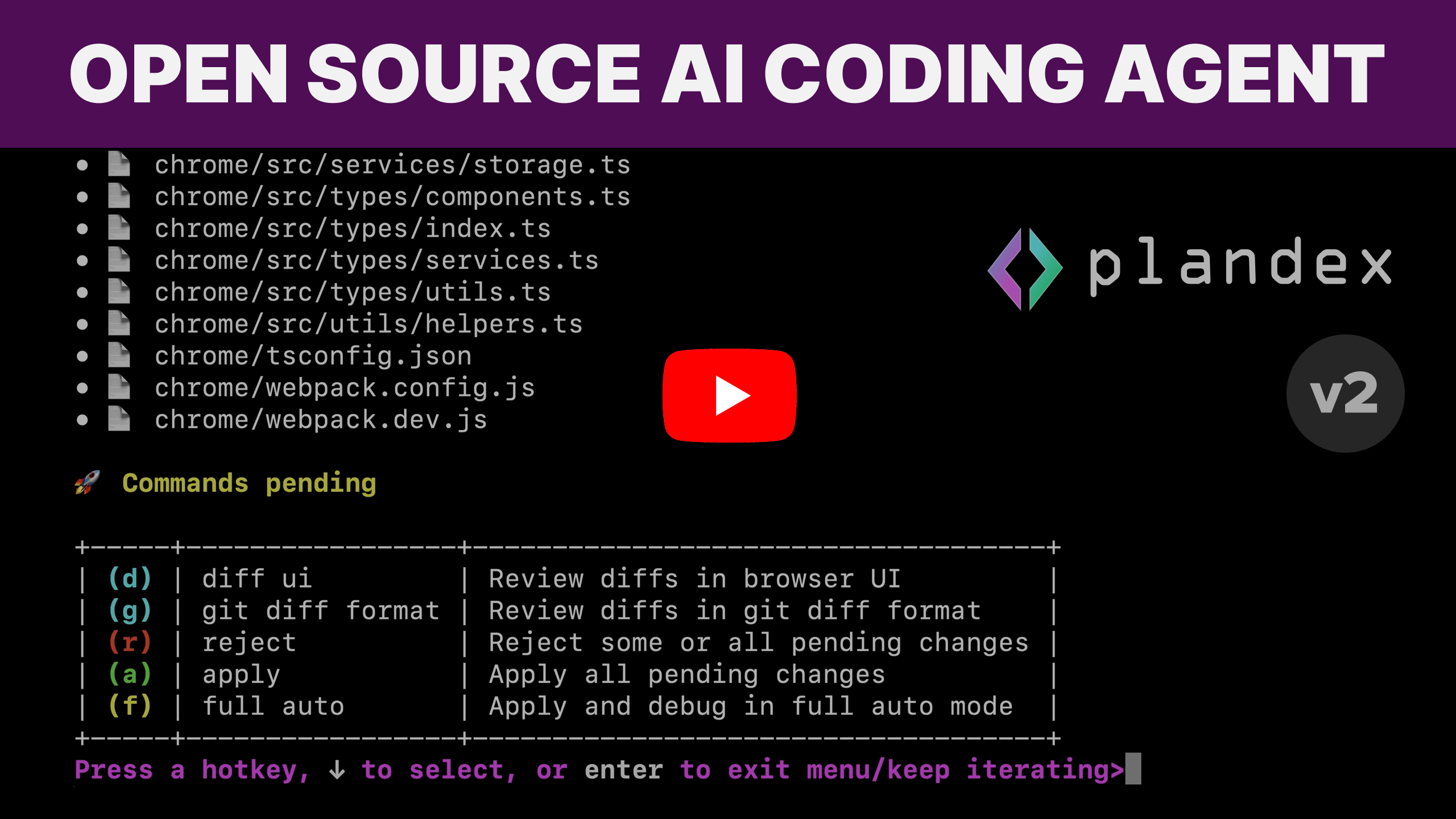


💻  Plandex is a terminal-based AI development tool that can plan and execute large coding tasks that span many steps and touch dozens of files. It can handle up to 2M tokens of context directly (~100k per file), and can index directories with 20M tokens or more using tree-sitter project maps.

🔬  A cumulative diff review sandbox keeps AI-generated changes separate from your project files until they are ready to go. Command execution is controlled so you can easily roll back and debug. Plandex helps you get the most out of AI without leaving behind a mess in your project.

🧠  Combine the best models from Anthropic, OpenAI, Google, and open source providers to build entire features and apps with a robust terminal-based workflow.

🚀  Plandex is capable of full autonomy—it can load relevant files, plan and implement changes, execute commands, and automatically debug—but it's also highly flexible and configurable, giving developers fine-grained control and a step-by-step review process when needed.

💪  Plandex is designed to be resilient to large projects and files. If you've found that others tools struggle once your project gets past a certain size or the changes are too complex, give Plandex a shot.

Smart context management that works in big projects

  • 🐘 2M token effective context window with default model pack. Plandex loads only what's needed for each step.

  • 🗄️ Reliable in large projects and files. Easily generate, review, revise, and apply changes spanning dozens of files.

  • 🗺️ Fast project map generation and syntax validation with tree-sitter. Supports 30+ languages.

  • 💰 Context caching is used across the board for OpenAI, Anthropic, and Google models, reducing costs and latency.

Tight control or full autonomy—it's up to you

  • 🚦 Configurable autonomy: go from full auto mode to fine-grained control depending on the task.

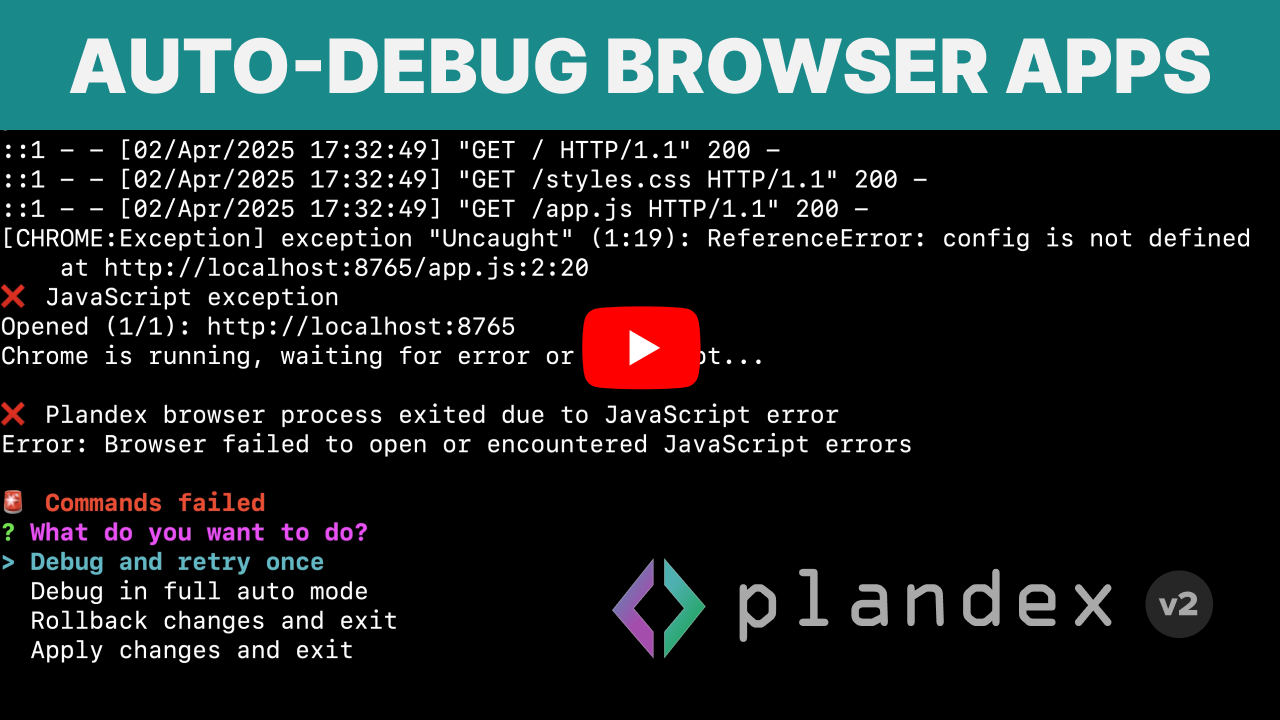
  • 🐞 Automated debugging of terminal commands (like builds, linters, tests, deployments, and scripts). If you have Chrome installed, you can also automatically debug browser applications.

Tools that help you get production-ready results

  • 💬 A project-aware chat mode that helps you flesh out ideas before moving to implementation. Also great for asking questions and learning about a codebase.

  • 🧠 Easily try + combine models from multiple providers. Curated model packs offer different tradeoffs of capability, cost, and speed, as well as open source and provider-specific packs.

  • 🛡️ Reliable file edits that prioritize correctness. While most edits are quick and cheap, Plandex validates both syntax and logic as needed, with multiple fallback layers when there are problems.

  • 🔀 Full-fledged version control for every update to the plan, including branches for exploring multiple paths or comparing different models.

  • 📂 Git integration with commit message generation and optional automatic commits.

Dev-friendly, easy to install

  • 🧑‍💻 REPL mode with fuzzy auto-complete for commands and file loading. Just run plandex in any project to get started.

  • 🛠️ CLI interface for scripting or piping data into context.

  • 📦 One-line, zero dependency CLI install. Dockerized local mode for easily self-hosting the server. Cloud-hosting options for extra reliability and convenience.

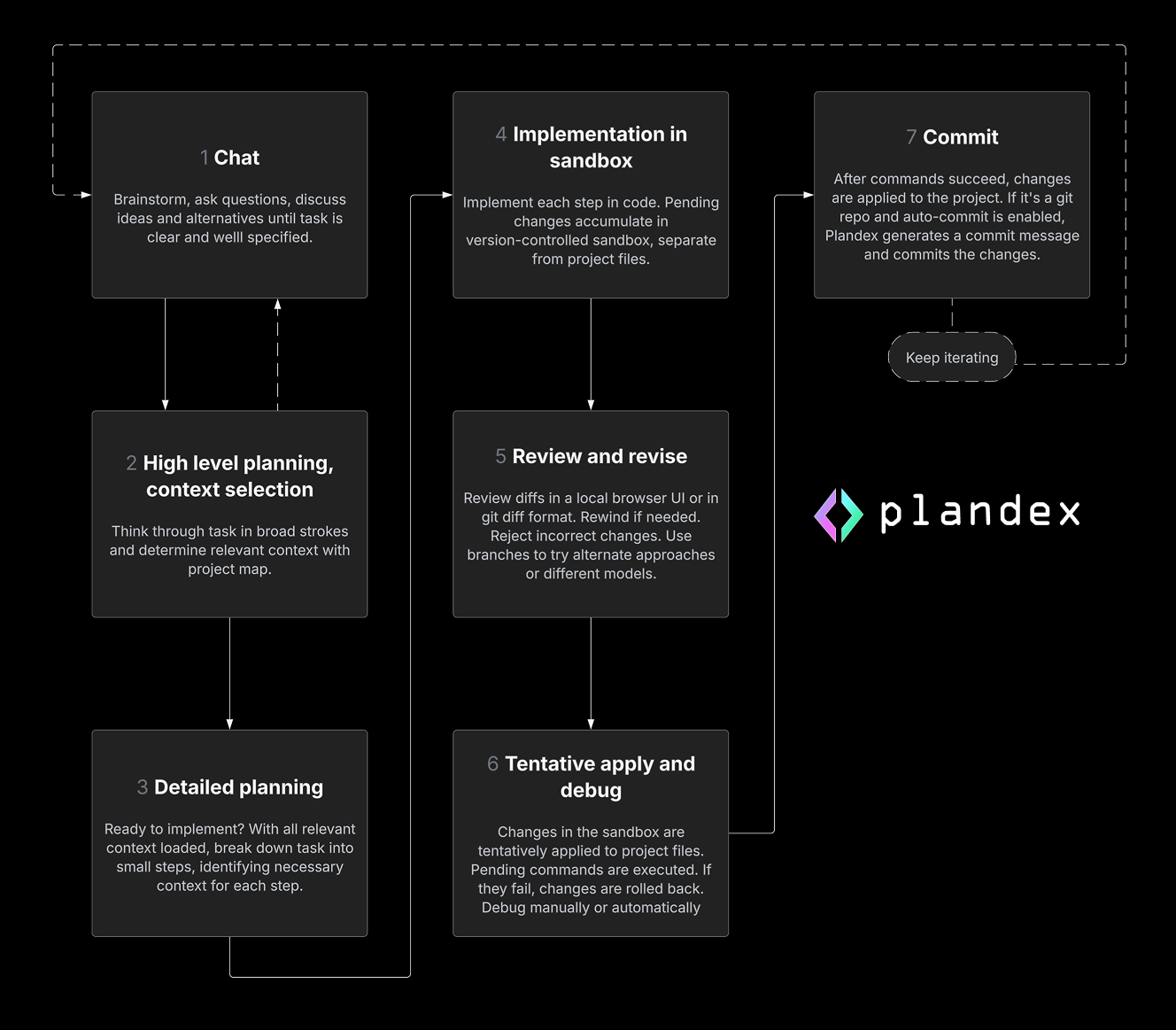
Workflow  🔄
Examples  🎥


Install  📥

curl -sL https://plandex.ai/install.sh | bash

Note: Windows is supported via WSL. Plandex only works correctly on Windows in the WSL shell. It doesn't work in the Windows CMD prompt or PowerShell.

More installation options.

Hosting  ⚖️

Option Description
Plandex Cloud Winding down as of 10/3/2025 and no longer accepting new users. Learn more.
Self-hosted/Local Mode • Run Plandex locally with Docker or host on your own server.
• Use your own OpenRouter.ai key (or other model provider accounts and API keys).
• Follow the local-mode quickstart to get started.

Provider keys  🔑

export OPENROUTER_API_KEY=... # if using OpenRouter.ai

Claude Pro/Max subscription  🖇️

If you have a Claude Pro or Max subscription, Plandex can use it when calling Anthropic models. You'll be asked if you want to connect a subscription the first time you run Plandex.


Get started  🚀

First, cd into a project directory where you want to get something done or chat about the project. Make a new directory first with mkdir your-project-dir if you're starting on a new project.

cd your-project-dir

For a new project, you might also want to initialize a git repo. Plandex doesn't require that your project is in a git repo, but it does integrate well with git if you use it.

git init

Now start the Plandex REPL in your project:

plandex

or for short:

pdx

Docs  🛠️

👉  Full documentation.


Discussion and discord  💬

Please feel free to give your feedback, ask questions, report a bug, or just hang out:

Follow and subscribe


Contributors  👥

⭐️  Please star, fork, explore, and contribute to Plandex. There's a lot of work to do and so much that can be improved.

Here's an overview on setting up a development environment.

Frequently asked questions

Is plandex free to use?

plandex is open source under the MIT licence. There is no licence fee and no seat count — you can self-host it or, where the project offers one, pay a vendor for a managed version instead.

What does plandex do?

Open source AI coding agent. Designed for large projects and real world tasks.

What is plandex written in?

plandex is primarily written in Go. Its source is publicly available at https://github.com/plandex-ai/plandex, and it has 15,687 GitHub stars.