PlaceHolderView is an Apache-2.0 Java library for Android that supplies five ready-made list and stack views — RecyclerView-based lists, infinite scrolling lists, expandable parent-child lists and swipeable card stacks — with binding classes generated from annotations at build time, aimed at Android developers who would rather annotate a view than hand-write adapter boilerplate.
What it is
PlaceHolderView is an Android view library written in Java and released under Apache-2.0. It ships five view types: PlaceHolderView, built on top of RecyclerView and abstracting most of its boilerplate behind annotation APIs; InfinitePlaceHolderView, which adds load-more handling when the user reaches the bottom of the list; ExpandablePlaceHolderView, which creates an ExpandableListView with a parent-child relation; SwipePlaceHolderView, a ground-up, non-RecyclerView implementation for card stacks; and SwipeDirectionalView, built on SwipePlaceHolderView, which adds swipe-direction and touch callbacks. Two versions exist: the 1.x branch binds through Java reflection, while the 2.x branch compiles annotations during the build to generate the binding classes.
The problem it solves is the boilerplate that surrounds list and stack UI on Android. Instead of writing adapters, view holders and scroll handling by hand, a developer annotates and lets the generated bind classes do the work. It lives in the Android ecosystem, depends on RecyclerView while letting the project override the version it pulls in, and for the expandable case reproduces the parent-child behaviour associated with ExpandableListView. Moving to 2.x also takes reflection off the runtime path, because annotation processing shifts binding generation into the build.
Key capabilities
- Five view classes cover the main patterns:
PlaceHolderView, InfinitePlaceHolderView, ExpandablePlaceHolderView, SwipePlaceHolderView and SwipeDirectionalView.
- An annotation processor generates the binding classes at build time, which is the substantive difference between the 2.x branch and the reflection-based 1.x branch.
InfinitePlaceHolderView handles load-more when the user has scrolled to the bottom of the list.ExpandablePlaceHolderView builds an ExpandableListView-style parent-child list on top of PlaceHolderView.SwipePlaceHolderView is written from the ground up rather than on RecyclerView and supports Tinder-like card stacks, while SwipeDirectionalView adds swipe-direction and touch-event callbacks.- Published Gradle artifacts are
com.mindorks.android:placeholderview:1.0.3 with com.mindorks.android:placeholderview-compiler:1.0.3, plus the legacy com.mindorks:placeholderview:0.7.3; ProGuard users add -keepattributes *Annotation*.
Who uses it and how
- Android developers building swipeable card interfaces, which the README demonstrates with Tinder-style card stacks.
- Apps with scrolling feeds that need load-more at the bottom, served by
InfinitePlaceHolderView.
- Screens that need expandable parent-child sections, served by
ExpandablePlaceHolderView.
- Kotlin codebases, which use
kapt for the compiler artifact in place of annotationProcessor, and teams migrating from the 1.x reflection branch to 2.x, for which a migration document is provided.
Getting started
Add the Gradle dependency com.mindorks.android:placeholderview:1.0.3 together with the annotation processor com.mindorks.android:placeholderview-compiler:1.0.3, wired through annotationProcessor in Java or kapt in Kotlin. Extended usage, Kotlin and migration instructions live in the documentation at janishar.com/PlaceHolderView.
How it compares
The facts name no competing library, so PlaceHolderView stands alone in this registry rather than being contrasted with a paid alternative. The nearest points of reference in the material are Android's own RecyclerView and ExpandableListView, which the library wraps and abstracts rather than replaces.
When to use it — and when not to
Adopting it means adopting annotation processing, so a project must configure annotationProcessor or kapt, pin a RecyclerView support-library version (the library defaults to 25.4.1 and the README shows com.android.support:recyclerview-v7 overrides), and add the -keepattributes *Annotation* ProGuard rule. Projects that cannot take a dependency on the legacy com.android.support artifacts, or that will not run an annotation processor at build time, should look elsewhere. The README excerpt is thin and defers to an external documentation site, and the repository carries 70 open issues, both worth reviewing before committing.
project readme (upstream, from github) — read inline

PlaceHolderView An advance view for lists and stacks


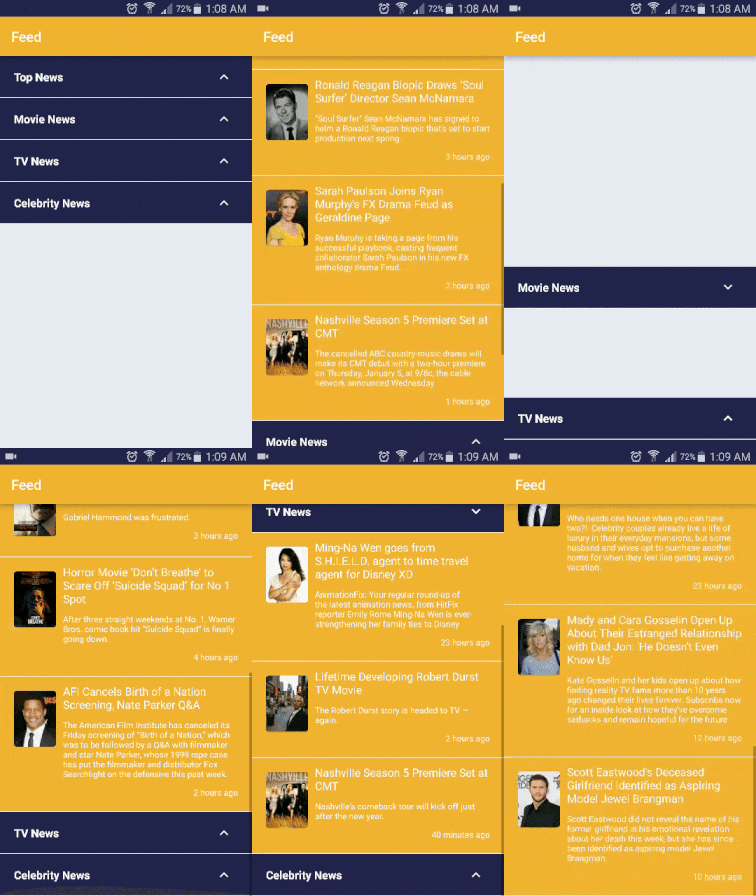
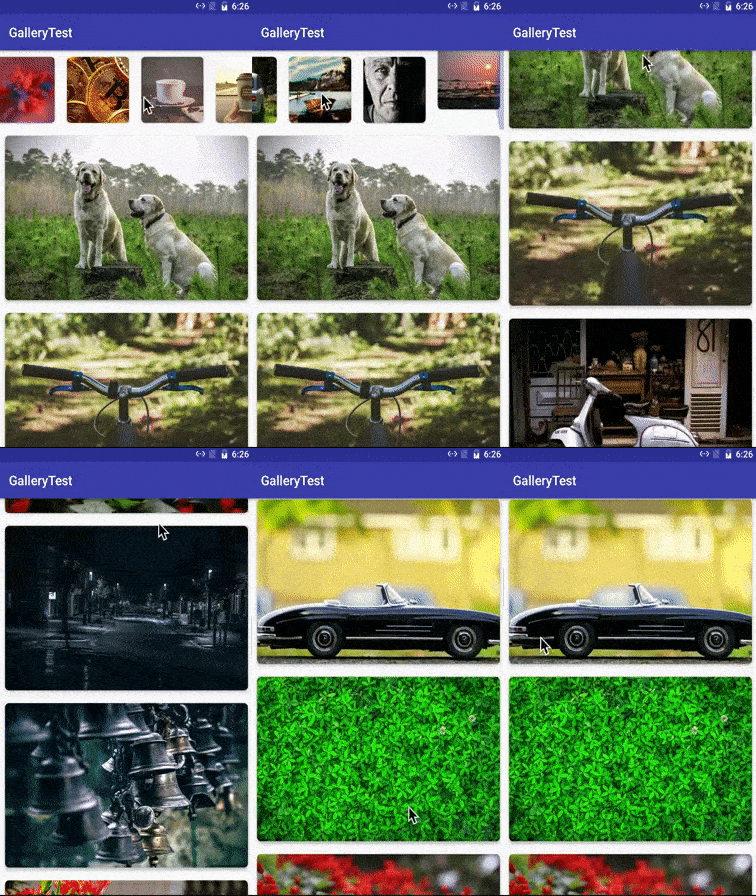
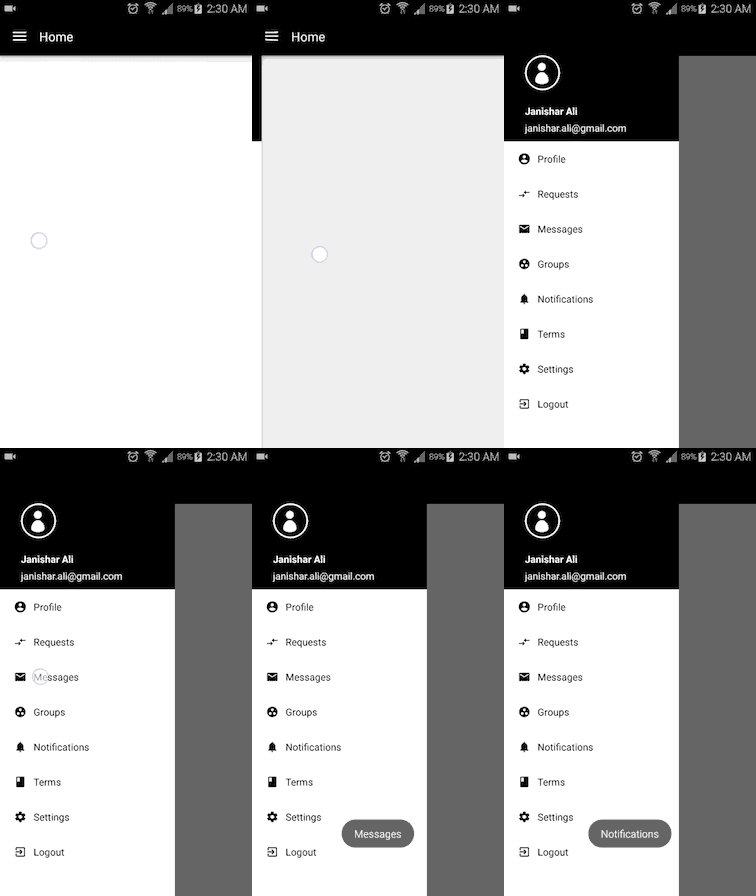
Some Implementations



Documentation
You can find the PlaceHolderView documentation here which has extended usage instructions and other useful information.

About PlaceHolderView
Some of the views in PlaceHolderView library is build on top of RecyclerView and rest are written in its own.
About The Author
You can connect with me here:
All the annotations are processed during build time to generate the binding classes
There are two versions available for use.
- Old version (branch 1.x): Uses Java reflection
- New version (branch 2.x): Uses Annotation Processing.
This library provides 5 different type of views
PlaceHolderView
It is build on top of RecyclerView and abstracts most of the boiler plate. It provides APIs through annotations.
InfinitePlaceHolderView
It is build on PlaceHolderView and adds the functionality of handling load more views when the user has scrolled to the bottom of the list.
ExpandablePlaceHolderView
It is build on PlaceHolderView and creates ExpandableListView with parent-child relation.
SwipePlaceHolderView
It is not build on RecyclerView. Its a ground up implementation. We can create a variety of card stack views using this class. It provides APIs that could easily build Tinder like cards.
SwipeDirectionalView
It is build on top of SwipePlaceHolderView. It provides callbacks for swipe directions and touch events.
How to use newer version (2.x branch) with annotation processing
Gradle dependency:
Java
dependencies {
    ...
    compile 'com.mindorks.android:placeholderview:1.0.3'
    annotationProcessor 'com.mindorks.android:placeholderview-compiler:1.0.3'

    // RecyclerView dependency is added to override the
    // default 25.4.1 RecyclerView dependency used by placeholderview.
    // If you are using the support libraries other than 25.x in the project
    compile 'com.android.support:recyclerview-v7:<current-version>' // example: 27.1.0
}
Kotlin
dependencies {
    ...
    // RecyclerView dependency is added to override the
    // default 25.4.1 RecyclerView dependency stated by placeholderview
    // since we are using the 27.+ support libraries in the project
    implementation 'com.android.support:recyclerview-v7:27.1.0'
    implementation 'com.mindorks.android:placeholderview:1.0.3'
    kapt 'com.mindorks.android:placeholderview-compiler:1.0.3'
}
For use with Kotlin refer to Kotlin docs.
Migration:
It is super easy to migrate to 2.x branch library version.
How to Use older version (1.x branch)
If you want to use older version of PlaceHoldeView that used reflection, then you can use below dependecies.
Gradle dependency:
dependencies {
    compile 'com.mindorks:placeholderview:0.7.3'
}
Dependency: It depends on the RecyclerView
Add below lines in your app's build.gradle if recyclerview above v7:25 is being used
    // NOTE: change the version of recyclerview same as the your project's support library version
    com.android.support:recyclerview-v7:25.+
Proguard Note:
If you are using proguard, then add this rule in proguard-project.txt
  -keepattributes *Annotation*
  -keepclassmembers class ** {
    @com.mindorks.placeholderview.annotations.** <methods>;
  }
If this library helps you in anyway, show your love :heart: by putting a :star: on this project :v:
TO-DOs
License
   Copyright (C) 2023 Janishar Ali Anwar

   Licensed under the Apache License, Version 2.0 (the "License");
   you may not use this file except in compliance with the License.
   You may obtain a copy of the License at

        http://www.apache.org/licenses/LICENSE-2.0

   Unless required by applicable law or agreed to in writing, software
   distributed under the License is distributed on an "AS IS" BASIS,
   WITHOUT WARRANTIES OR CONDITIONS OF ANY KIND, either express or implied.
   See the License for the specific language governing permissions and
   limitations under the License