pglite is a free, open source databases project written in TypeScript and released under Apache-2.0. It has 16,039 GitHub stars, 444 forks and 166 open issues, and was last pushed 22 days ago. On this registry it ranks #46 of 143 tracked projects in Databases, with 5 head-to-head comparisons available.

What is pglite?

PGlite is a WASM build of Postgres from Electric, packaged as a TypeScript client library, that runs a real Postgres database inside the browser, Node.js, Bun or Deno with no other dependencies installed.

What it is

PGlite is a WASM build of PostgreSQL packaged into a TypeScript client library, published to npm as @electric-sql/pglite and documented at pglite.dev. It lives in the JavaScript and TypeScript ecosystem and targets four runtimes directly: the browser, Node.js, Bun and Deno. The whole build is roughly 3mb gzipped. A database can be created as an ephemeral in-memory instance or persisted either to the file system on Node, Bun and Deno, or to indexedDB in the browser. The project is Apache-2.0 licensed, and its stated purpose is building reactive, realtime, local-first applications directly on Postgres.

The concrete problem it solves is the cost of getting a genuine Postgres engine into a JavaScript process. PostgreSQL normally uses a process-forking model: every client connection forks a new process to service it. Programs compiled with Emscripten, the C to WebAssembly compiler, cannot fork and operate strictly in a single-process mode, so PostgreSQL cannot be compiled to WASM for conventional operation. PGlite works around this by building on PostgreSQL's "single user mode", originally intended for command-line use during bootstrapping and recovery, and adding an input/output pathway that lets PostgreSQL compiled to WASM be driven from a JavaScript environment. It replaces earlier "Postgres in the browser" projects that carried a Linux virtual machine: PGlite is simply Postgres in WASM.

Key capabilities

  • Runs Postgres in browser, Node.js, Bun and Deno from one package, @electric-sql/pglite.
  • Supports ephemeral in-memory operation via new PGlite(), with no persistence layer required.
  • Persists to the file system on Node/Bun/Deno with a path such as new PGlite("./path/to/pgdata"), or to indexedDB in the browser with a prefixed URL such as new PGlite("idb://my-pgdata").
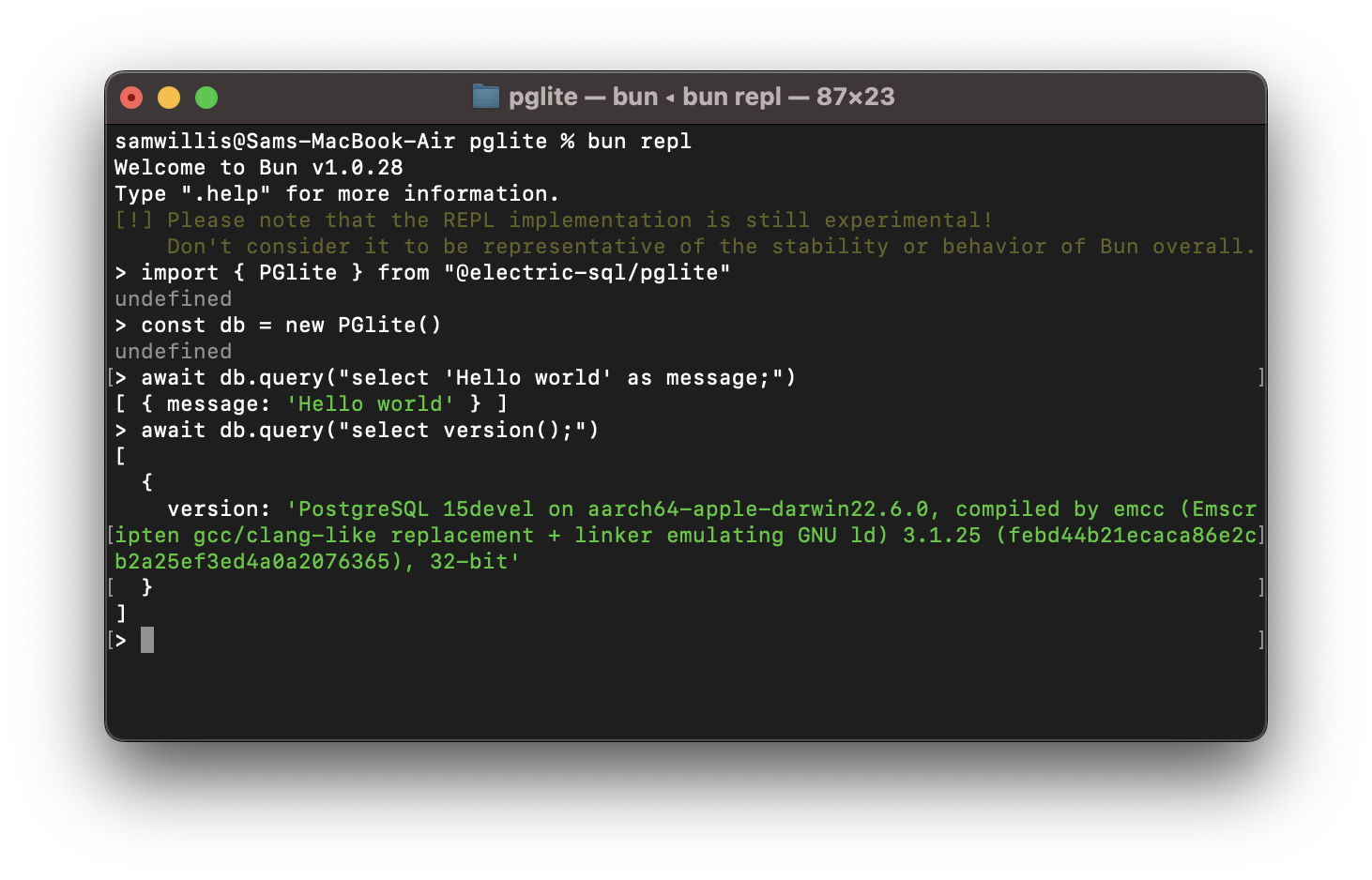
  • Queries run through the client API: await db.query("select 'Hello world' as message;") returns { rows: [ { message: "Hello world" } ] }.
  • Supports many Postgres extensions, including pgvector and PostGIS.
  • Installs through usual package managers or loads from a CDN such as https://cdn.jsdelivr.net/npm/@electric-sql/pglite/dist/index.js.
  • Ships realtime, reactive bindings for local-first application patterns, per the project description.

Who uses it and how

  • Front-end and local-first developers who want a real Postgres engine inside a browser application, persisting data to indexedDB rather than calling a remote server.
  • Node.js, Bun and Deno developers embedding a database into a single application process, persisting to a directory on disk without provisioning a Postgres server.
  • Teams that need vector or geospatial queries in-process, using pgvector or PostGIS, instead of running those extensions in separate infrastructure.
  • Contributors and maintainers building the project itself: the WASM module is built with Docker, and the TypeScript packages require Node v20 or above and pnpm, driven by pnpm build:all or pnpm wasm:build.
  • Developers who do not want to compile the WASM module from scratch, who download the interim build files generated on GitHub after each merged pull request.

Getting started

Install the package with npm install @electric-sql/pglite, bun install @electric-sql/pglite, or deno add npm:@electric-sql/pglite, then import PGlite and call new PGlite() for an in-memory database. The same library is importable from the jsDelivr CDN as https://cdn.jsdelivr.net/npm/@electric-sql/pglite/dist/index.js for browser use.

How it compares

No list of paid products that PGlite replaces is provided in the facts, and no similar tools are named by name, so there is no licence or cost comparison to draw here. The one contrast the project itself states is architectural: unlike previous "Postgres in the browser" projects, PGlite does not use a Linux virtual machine. On that basis, and given that no comparable tool is named, it stands alone in this registry.

When to use it — and when not to

PGlite is single user and single connection, which rules it out as a drop-in replacement for a multi-client Postgres server handling concurrent connections. Builders compiling the WASM module from source take on Docker, Node v20 or above and pnpm as prerequisites, and the repository documents no hosted database option, so persistence and backup remain the embedder's responsibility. It fits embedded, local-first and in-process workloads well, and poorly fits anything needing concurrent sessions or a shared network database.

project readme (upstream, from github) — read inline

PGlite logo

PGlite - the WASM build of Postgres from Electric.
Build reactive, realtime, local-first apps directly on Postgres.


License - Apache 2.0 Status - Alpha Chat - Discord

PGlite - Postgres in WASM

PGlite

PGlite is a WASM Postgres build packaged into a TypeScript client library that enables you to run Postgres in the browser, Node.js, Bun and Deno, with no need to install any other dependencies. It is only 3mb gzipped and has support for many Postgres extensions, including pgvector and PostGIS.

import { PGlite } from "@electric-sql/pglite";

const db = new PGlite();
await db.query("select 'Hello world' as message;");
// -> { rows: [ { message: "Hello world" } ] }

It can be used as an ephemeral in-memory database, or with persistence either to the file system (Node/Bun/Deno) or indexedDB (Browser).

Unlike previous "Postgres in the browser" projects, PGlite does not use a Linux virtual machine - it is simply Postgres in WASM.

For full documentation and user guides see pglite.dev.

Browser

It can be installed and imported using your usual package manager:

import { PGlite } from "@electric-sql/pglite";

or using a CDN such as JSDeliver:

import { PGlite } from "https://cdn.jsdelivr.net/npm/@electric-sql/pglite/dist/index.js";

Then for an in-memory Postgres:

const db = new PGlite()
await db.query("select 'Hello world' as message;")
// -> { rows: [ { message: "Hello world" } ] }

or to persist the database to indexedDB:

const db = new PGlite("idb://my-pgdata");

Node/Bun/Deno

Install into your project:

NodeJS

npm install @electric-sql/pglite

Bun

bun install @electric-sql/pglite

Deno

deno add npm:@electric-sql/pglite

To use the in-memory Postgres:

import { PGlite } from "@electric-sql/pglite";

const db = new PGlite();
await db.query("select 'Hello world' as message;");
// -> { rows: [ { message: "Hello world" } ] }

or to persist to the filesystem:

const db = new PGlite("./path/to/pgdata");

How it works

PostgreSQL typically operates using a process forking model; whenever a client initiates a connection, a new process is forked to manage that connection. However, programs compiled with Emscripten - a C to WebAssembly (WASM) compiler - cannot fork new processes, and operates strictly in a single-process mode. As a result, PostgreSQL cannot be directly compiled to WASM for conventional operation.

Fortunately, PostgreSQL includes a "single user mode" primarily intended for command-line usage during bootstrapping and recovery procedures. Building upon this capability, PGlite introduces an input/output pathway that facilitates interaction with PostgreSQL when it is compiled to WASM within a JavaScript environment.

Limitations

  • PGlite is single user/connection.

How to build PGlite and contribute

The build process of PGlite is split into two parts:

  1. Building the Postgres WASM module.
  2. Building the PGlite client library and other TypeScript packages.

Docker is required to build the WASM module, along with Node (v20 or above) and pnpm for package management and building the TypeScript packages.

To start checkout the repository and install dependencies:

git clone --recurse-submodules https://github.com/electric-sql/pglite
cd pglite
pnpm install

To build everything, we have the convenient pnpm build:all command in the root of the repository. This command will:

  1. Use Docker to build the Postgres WASM module. The artifacts produced by this step are then copied to /packages/pglite/release.
  2. Build the PGlite client library and other TypeScript packages.

To only build the Postgres WASM module (i.e. point 1 above), run

pnpm wasm:build

If you don't want to build the WASM module and assorted WASM binaries from scratch, they are generated automatically on Github after each successful PR merge. You can download the latest binaries by going to the last successfully merged PR and clicking the link after the comment Interim build files:. Extract the files and place them under packages/pglite/release in your local repo copy.

To build all TypeScript packages (i.e. point 2 of the above), run:

pnpm ts:build

This will build all packages in the correct order based on their dependency relationships. You can now develop any individual package using the build and test scripts, as well as the stylecheck and typecheck scripts to ensure style and type validity.

Or alternatively to build a single package, move into the package directory and run:

cd packages/pglite
pnpm build

When ready to open a PR, run the following command at the root of the repository:

pnpm changeset

And follow the instructions to create an appropriate changeset. Please ensure any contributions that touch code are accompanied by a changeset.

Acknowledgments

PGlite builds on the work of Stas Kelvich of Neon in this Postgres fork.

Sponsors

Big shoutout to everybody supporting us!

Blacksmith

License

PGlite is dual-licensed under the terms of the Apache License 2.0 and the PostgreSQL License, you can choose which you prefer.

Changes to the Postgres source are licensed under the PostgreSQL License.

Frequently asked questions

Is pglite free to use?

pglite is open source under the Apache-2.0 licence. There is no licence fee and no seat count — you can self-host it or, where the project offers one, pay a vendor for a managed version instead.

What does pglite do?

Embeddable Postgres with real-time, reactive bindings.

What is pglite written in?

pglite is primarily written in TypeScript. Its source is publicly available at https://github.com/electric-sql/pglite, and it has 16,039 GitHub stars.