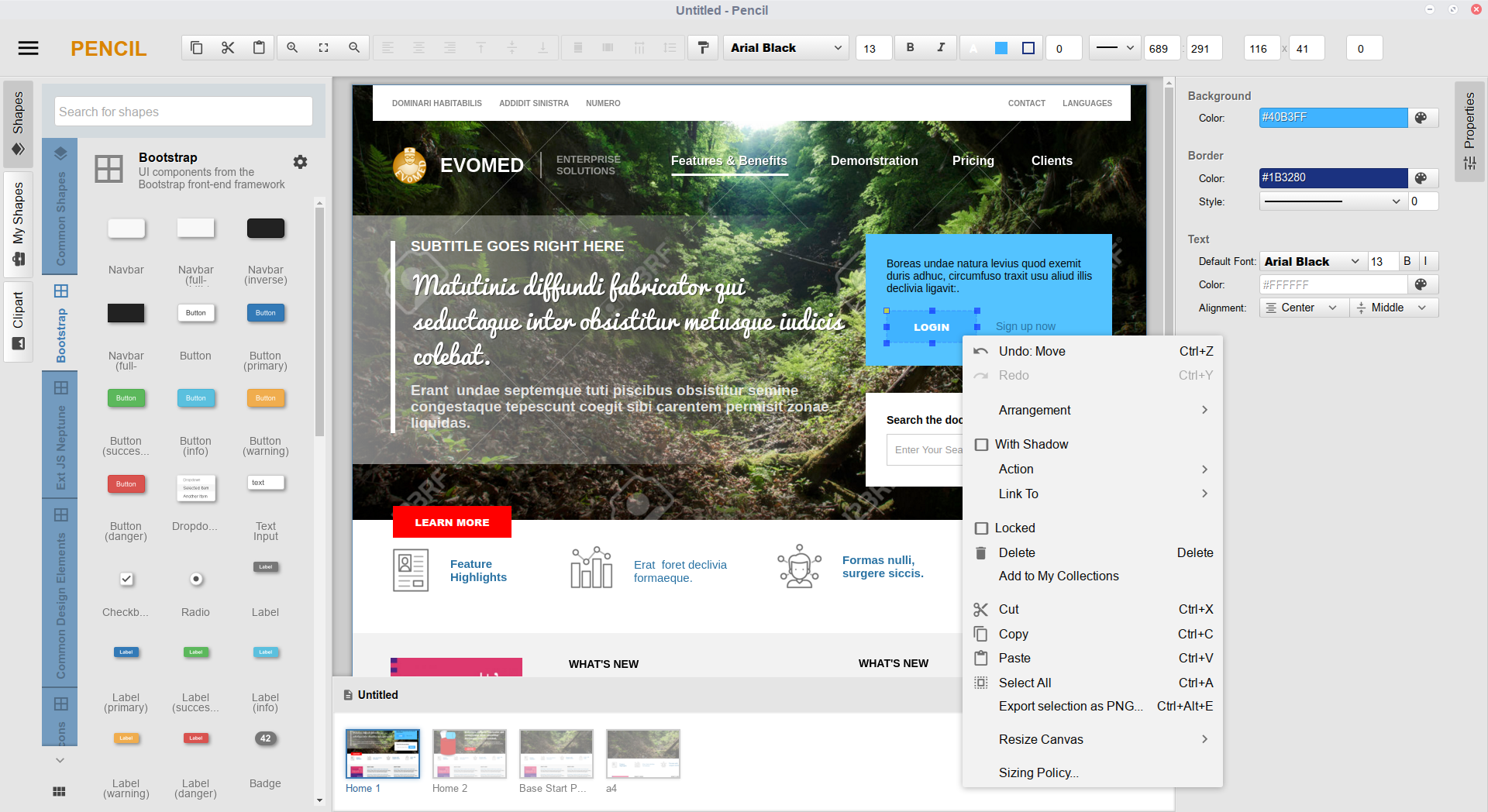
Pencil is a free and open-source diagramming and GUI prototyping tool, licensed under GPL-2.0, that lets designers and developers sketch wireframes, mockups, and diagrams on the desktop without a commercial licence.
What it is
Pencil is a desktop application for drawing diagrams and prototyping graphical user interfaces, published under the GPL-2.0 licence and developed in JavaScript. It belongs to the Miscellaneous / Design & Prototyping category of this registry, and its home page is hosted at pencil.evolus.vn. The current line of work, Pencil V3, is a rewrite of the application that runs on Electron rather than the older Mozilla XULRunner runtime. Topics attached to the project include drawing, sketching, wireframe, mockup, ui-design, prototyping, electron, nodejs, and javascript.
The concrete problem Pencil addresses is the performance and scalability ceiling of its earlier versions. Pencil V3 was started to fix major performance and scalability issues, and the rewrite introduces a zip-based file format that supports large documents and better embedding of external bitmaps and other resources. A new page management mechanism dramatically reduces memory usage for large documents, and document pages can now be structured into a tree-like model. Custom fonts can be embedded into Pencil .epz documents, and printing and PDF export are being improved for all platforms with many options. The move to a Node.js-based environment also addresses the fact that Mozilla XULRunner is outdated.
Key capabilities
- Runs on Electron instead of Mozilla XULRunner, giving a Node.js-based runtime that is easier for developers to work with.
- Uses a zip-based document format with the .epz extension, supporting large documents and embedding of external bitmaps and resources.
- Reduces memory usage for large documents through a new page management mechanism.
- Structures document pages into a tree-like model.
- Embeds custom fonts directly into Pencil .epz documents.
- Improves printing and PDF export across platforms with many options.
- Introduces a new UI approach alongside the rewritten runtime.
Who uses it and how
- Designers and developers use it for wireframes, mockups, sketches, UI design, and general diagramming, which are the activities named in the project topics.
- It runs as a desktop application on OS X 64-bit 10.9 and later, Windows 7 and later, and Linux distributions including Ubuntu 12.04 and later, Fedora 21 and later, and Debian 8 and later.
- Arch Linux users install the pencil package from the Arch User Repository.
- Gentoo users install the media-gfx/evoluspencil package.
- Teams handling large documents benefit from the tree-structured page model and the page management mechanism that lowers memory usage.
Getting started
The README setup path is to clone the repository, check out the development branch with git checkout development, run npm install, and start the application with npm start using the prebuilt version of Electron, which requires nodejs 5 or later and npm for package management. Prebuilt distribution packages are also listed for Arch Linux and Gentoo.
How it compares
No list of paid products that Pencil replaces is provided in the facts, and no comparable tools are named alongside it. Pencil therefore stands alone in this registry, described only on its own terms.
When to use it — and when not to
Pencil V3 is under heavy development, with GA builds expected in June, so anyone needing a stable production release should weigh that timing before adopting it. Self-hosters do not face a database, storage, or SMTP requirement here, because Pencil is a desktop application rather than a server product, but they do need nodejs 5 or later and npm to build it from source. Users on operating systems older than OS X 10.9 or Windows 7 are not supported, and the project carries 533 open issues, which suggests a level of maintenance work still in flight.