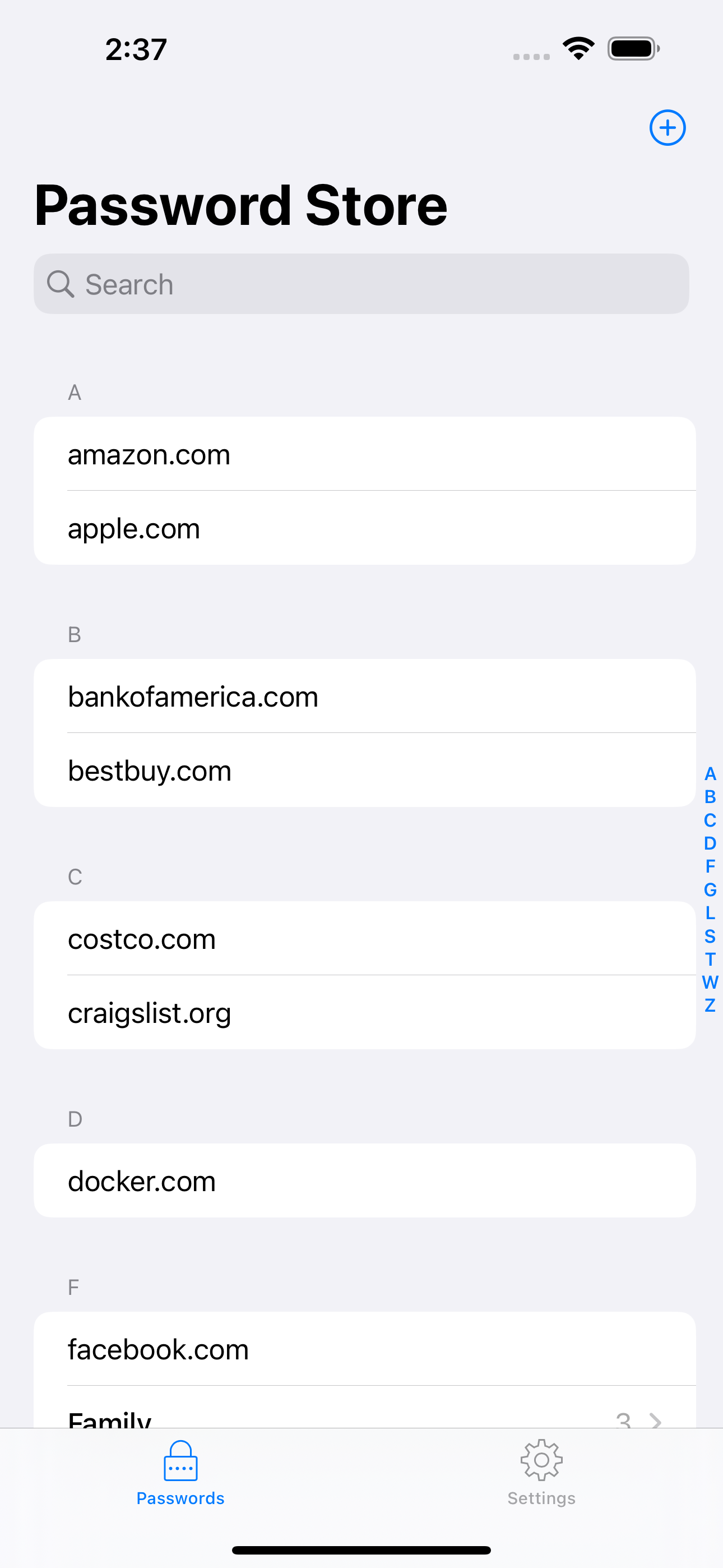
Pass for iOS is an open-source iOS client for ZX2C4's Pass command line password manager, built for people who already keep credentials in a GPG-encrypted, Git-versioned password store and want to view, copy, or edit them from an iPhone or iPad.
What it is
Pass for iOS is a Swift application that acts as the mobile front end to the Password Store command line tool. It lives in the Pass ecosystem, where entries are encrypted with GPG and versioned with Git, and it reads and writes that same store rather than inventing a parallel one. The project is published under the MIT licence, targets both iPhone and iPad, and is distributed on the App Store under the name "Pass - Password Store".
The concrete problem it solves is reach. The pass command line application is terminal-bound, which means a password store is only as accessible as the machine it sits on. Pass for iOS removes that limit: it decrypts entries with PGP keys on the device, edits them in place, and pushes changes back through the user's own Git repository, so the command line tool and the phone continue to see one shared store. It replaces terminal access to pass as the only way to consult a password, and adds AutoFill so those credentials can be used in Safari, Chrome, and apps that support the onepassword-app-extension.
Key capabilities
- Compatible with the Password Store command line tool, reading and writing the same store layout.
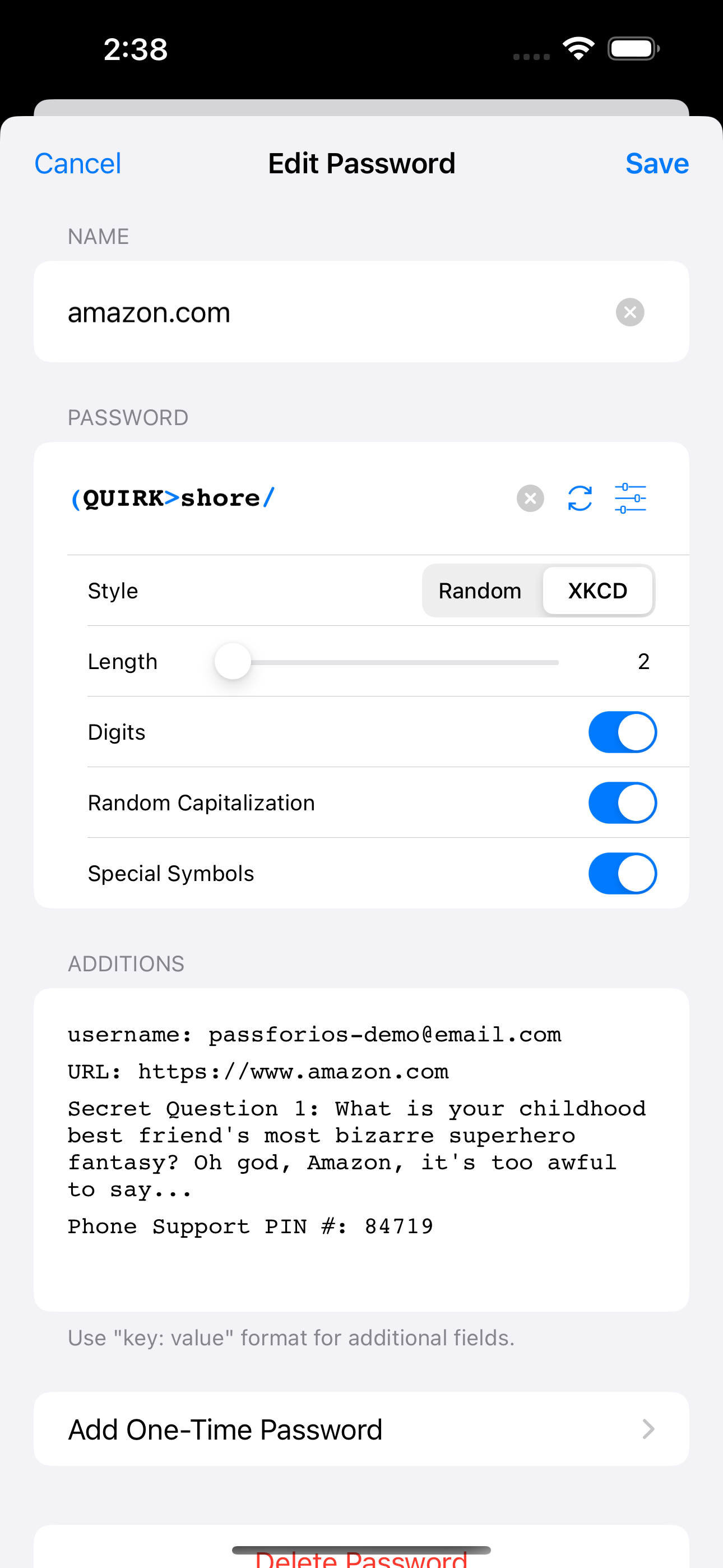
- View, copy, add, and edit password entries from the device.
- Encrypt and decrypt password entries using PGP keys.
- Synchronise with the user's own password Git repository.
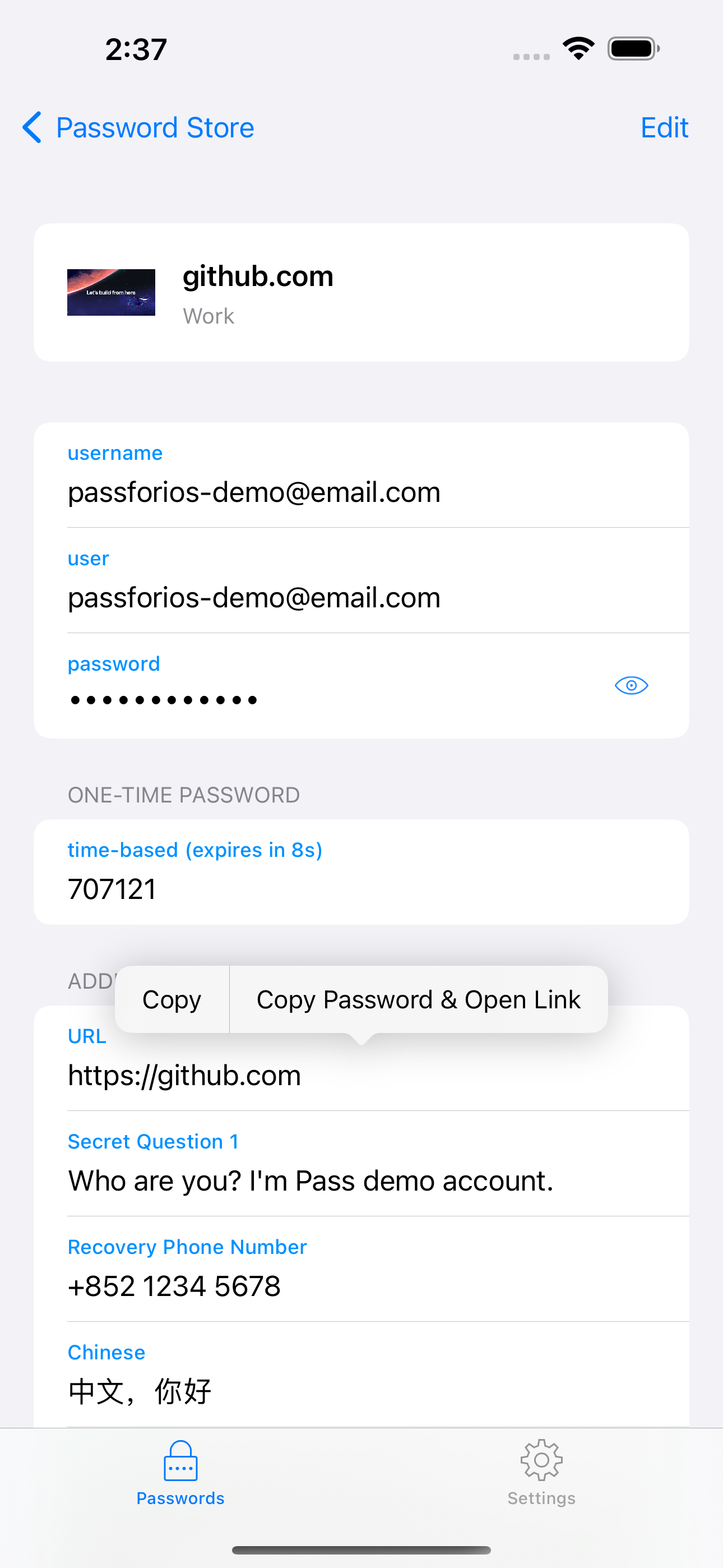
- Support for one-time password tokens, giving two-factor authentication codes alongside stored credentials.
- AutoFill in Safari and Chrome, plus applications that support
onepassword-app-extension.
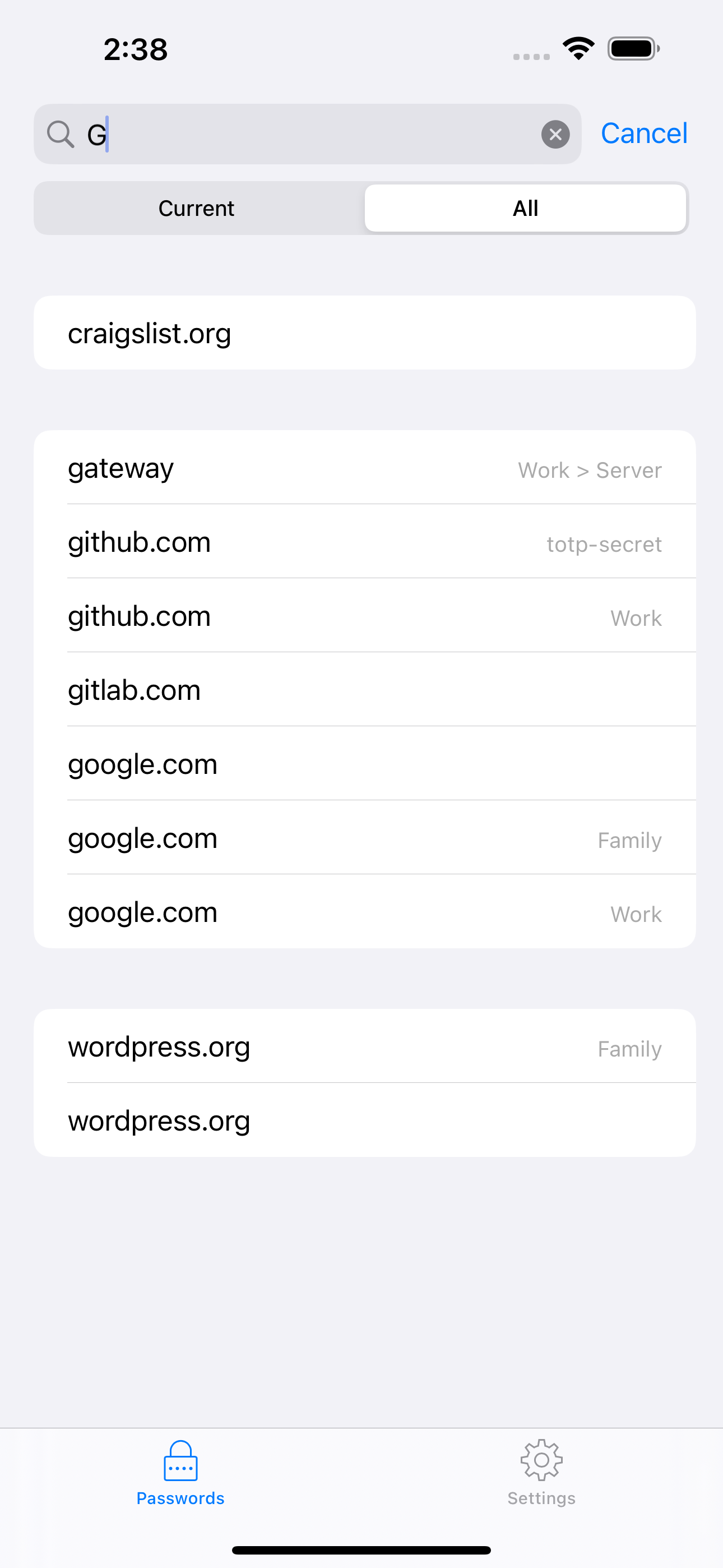
- YubiKey support, and a user interface with search, long press to copy, and copy and open link.
Who uses it and how
- Individuals who already run the Pass command line application and want the same store available on an iPhone or iPad without exporting it elsewhere.
- Users whose store is kept in a Git repository they control, since synchronisation works against that repository rather than a vendor service.
- People who need two-factor codes and credentials in one place and use the one-time password token support instead of a separate authenticator.
- Beta testers who opt into pre-release builds through TestFlight before changes reach the App Store release.
- Teams and users with YubiKey hardware who want the key involved in the iOS workflow rather than only on the desktop.
Getting started
Install it from the App Store under the name "Pass - Password Store", after setting up a password store with the Pass command line tool. To build it yourself, run brew install go, then ./scripts/gopenpgp_build.sh to build GopenPGP, open pass.xcodeproj in Xcode, and build and run.
How it compares
The facts name no commercial products that this project replaces, so no licence, hosting, or cost comparison is available here. Pass for iOS fits inside the Pass ecosystem as the iOS counterpart to ZX2C4's Pass command line application, and the source material names no other comparable client. On that basis it stands alone in this registry.
When to use it — and when not to
Choose it if a Pass store already exists and the goal is mobile access to it, since GPG keys, a Git repository, and the command line tool are prerequisites the user must already operate. It is a poor fit for anyone who wants a password manager that hosts, syncs, and encrypts on the user's behalf, because this app deliberately delegates all of that to the user's own store and repository. Note also that it is iOS-only, that the README is brief and points to the wiki for setup detail, that the project carries 176 open issues, and that building from source requires a Go toolchain alongside Xcode.