PageSpy is a self-hostable remote debugging platform, written in TypeScript by HuolalaTech under the MIT licence, for developers who need to inspect console output and runtime behaviour in Web pages, Mini Programs, React Native apps, and HarmonyOS applications running where a local debugger cannot be attached.
What it is
PageSpy is a tool for debugging projects on platforms such as Web, React Native, Mini Programs, and HarmonyOS apps. It works by wrapping native APIs: when those methods run, it filters and transforms their arguments, serializes them in a standard format, and sends them to the debugging client, which renders the data in an interface similar to a local devtools console. The project lives in the TypeScript and npm ecosystem — the server is published as @huolala-tech/page-spy-api and each supported platform has its own SDK package — and it is maintained in the open by HuolalaTech, with 5,633 stars and 353 forks recorded for the repository.
The problem it solves is the one the README states directly: PageSpy shines in any scenario where local console debugging is not possible. A developer cannot attach a desktop devtools panel to a customer's phone, to a WeChat or Alipay Mini Program runtime, or to a HarmonyOS application. PageSpy replaces that unreachable local console session with a remote one: instrumented platform APIs report what they received to a server the team controls, and the developer reads the result back through a browser dashboard that reproduces the console they are used to.
Key capabilities
- Wraps native platform APIs, filtering and transforming their arguments before serializing them in a standard format and forwarding them to the debugging client.
- Renders the collected data in a client interface modelled on the local devtools console.
- Publishes platform SDKs on npm:
@huolala-tech/page-spy-browser, @huolala-tech/page-spy-wechat, @huolala-tech/page-spy-alipay, @huolala-tech/page-spy-uniapp, @huolala-tech/page-spy-taro, and @huolala/page-spy-harmony.
- Targets Web, React Native, Mini Programs, and HarmonyOS apps from a single platform.
- Ships the server component as
@huolala-tech/page-spy-api, alongside a companion server repository tracked with its own Go module version.
- Documents three deployment routes: Node, Docker, and Baota.
- Provides documentation in English, Chinese, and Japanese.
Who uses it and how
- Teams debugging Mini Programs on WeChat and Alipay, plus UniApp and Taro cross-platform builds, where the runtime exposes no attachable devtools.
- HarmonyOS and React Native developers who need console-level visibility into builds running on remote or physical devices.
- QA and support engineers reporting against a shared, console-like dashboard instead of reproducing an issue locally.
- Organisations that self-host the API service on their own infrastructure through Node, Docker, or Baota rather than depending on an external service.
Getting started
Deployment is documented for Node, Docker, and Baota, with the server distributed on npm as @huolala-tech/page-spy-api; the matching guides are published at pagespy.org under the deploy-with-node, deploy-with-docker, and deploy-with-baota paths.
How it compares
The facts for this entry name no comparable or paid products, so no feature-by-feature comparison is possible here. PageSpy stands alone in this registry as a self-hostable remote debugging platform covering Web, Mini Programs, React Native, and HarmonyOS targets.
When to use it — and when not to
Adopting PageSpy means operating the API service, since the documented paths are Node, Docker, and Baota and no hosted or managed option appears in the facts; someone on the team owns that deployment. It is a poor fit for teams debugging ordinary desktop web applications locally, where the built-in devtools console already covers the case, or for platforms outside the set PageSpy targets. The README material available here is also thin — it explains the API-wrapping and serialization approach but truncates the list of use cases — so anyone evaluating it should read the upstream documentation first.
project readme (upstream, from github) — read inline

PageSpy











English | 中文 | 日本語
Intro
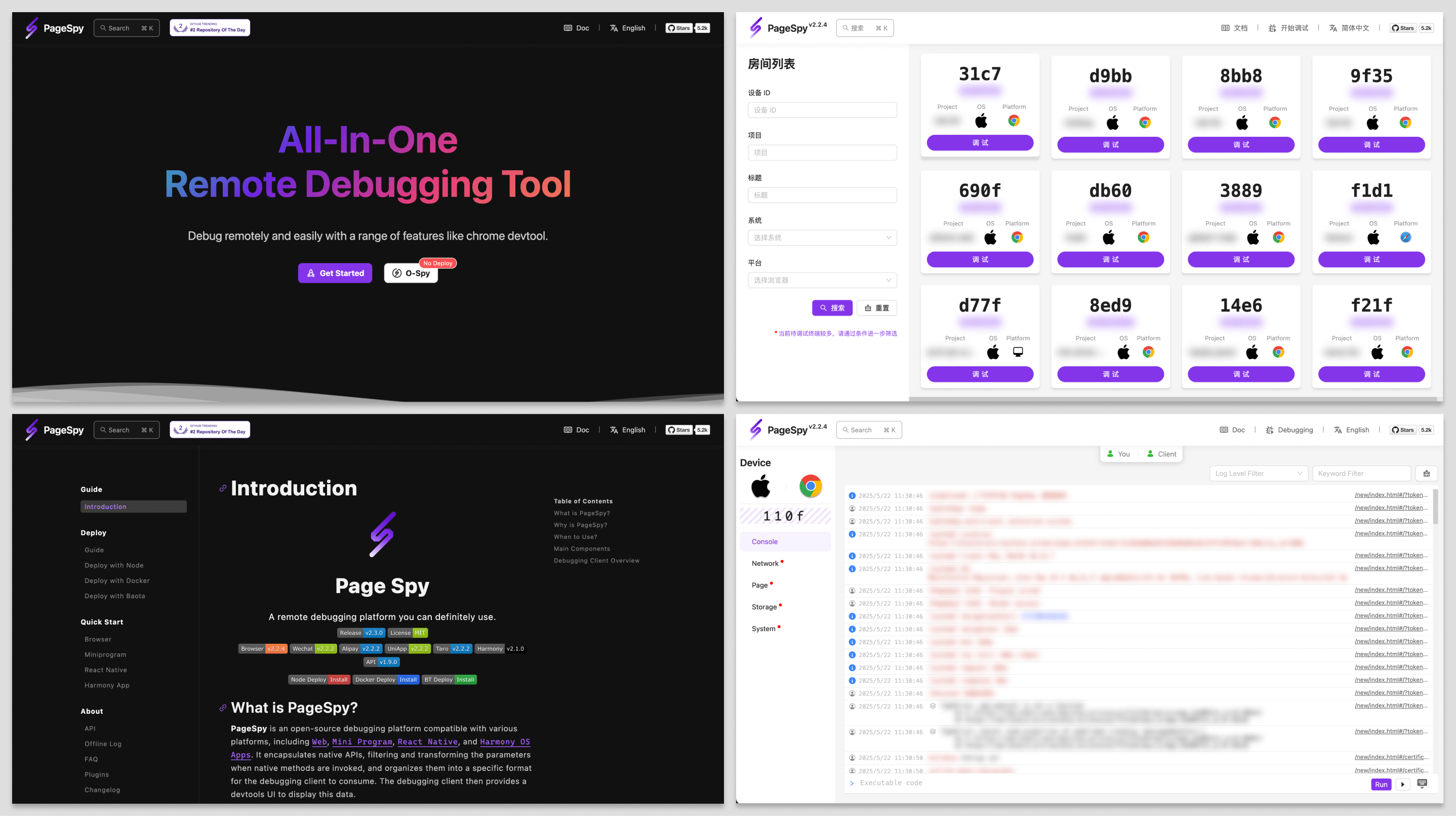
PageSpy is a tool for debugging projects on platforms such as Web, React Native, Mini Programs, and HarmonyOS apps.
It wraps native APIs: when those methods run, it filters and transforms the arguments, serializes them in a standard format, and sends them to the debugging client. The client renders the data in an interface similar to your local devtools console.
Why PageSpy?
A picture is worth a thousand words.
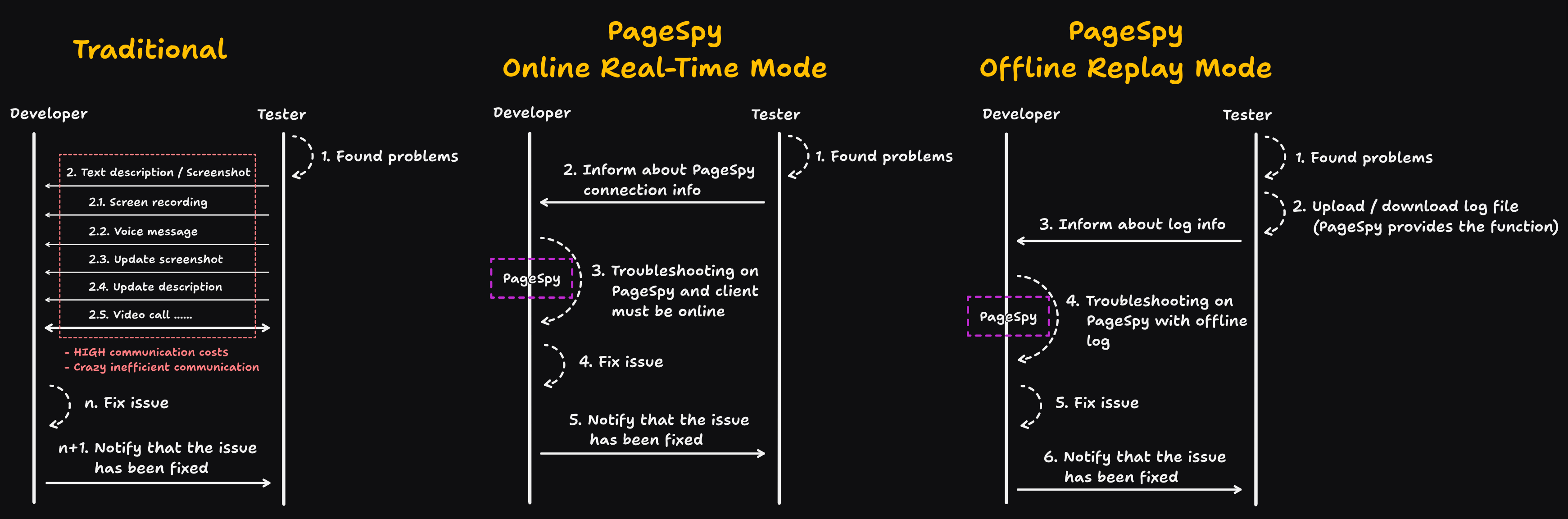
When to use
PageSpy shines in any scenario where local console debugging is not possible! Let's explore some use cases:
Local Debugging of H5 and Webview Applications: Mobile screens are small, traditional debugging panels are awkward to use, render poorly, and often truncate logs.
Remote Work and Cross-Region Collaboration: Email, phone, and video calls are slow; error details get lost, which leads to misunderstandings and wrong conclusions.
Troubleshooting White Screen Issues on User Terminals: Dashboards and log pipelines need strong business and stack knowledge, so pinpointing the issue on a user's device is slow.
PageSpy is built for teams in situations like these.
How to use
To keep your data under your control and make self-hosting straightforward, we ship ready-made deployment options. Pick whichever fits your environment.
Option 1: Deploy with Node.js
Video tutorial:

yarn global add @huolala-tech/page-spy-api@latest

# if you use npm

npm install -g @huolala-tech/page-spy-api@latest
After installation, run page-spy-api in the terminal to start the service. When it is up, open http://localhost:6752 in your browser. After local testing, deploy the same setup to your server.
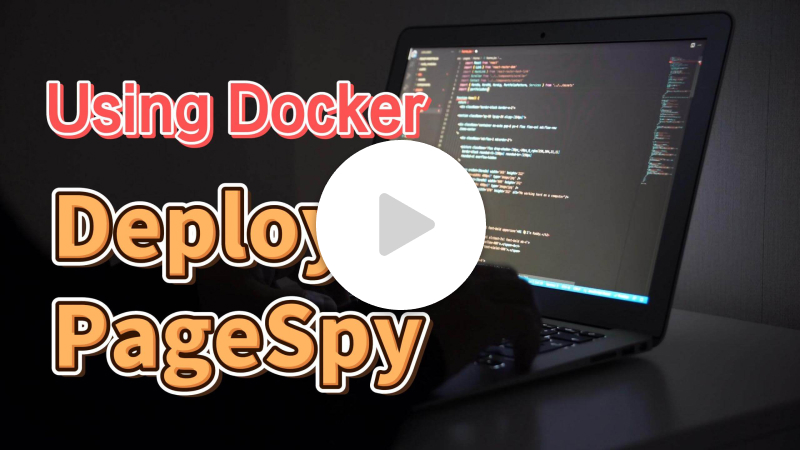
Option 2: Deploy with Docker
Video tutorial:
docker run -d --restart=always -v ./log:/app/log -v ./data:/app/data -p 6752:6752 --name="pageSpy" ghcr.io/huolalatech/page-spy-web:latest
When the container is running, open http://localhost:6752 in your browser. After local testing, deploy the same setup to your server.
Contributing
See Contributing.
FAQ
See the FAQ.