
OpenOutreach — open-source AI agent for B2B lead generation
Describe your product. Define your target market. The AI finds the people who fit, tells you why each one does, and emails them.
Self-hosted CLI. One install, one onboarding, one command.



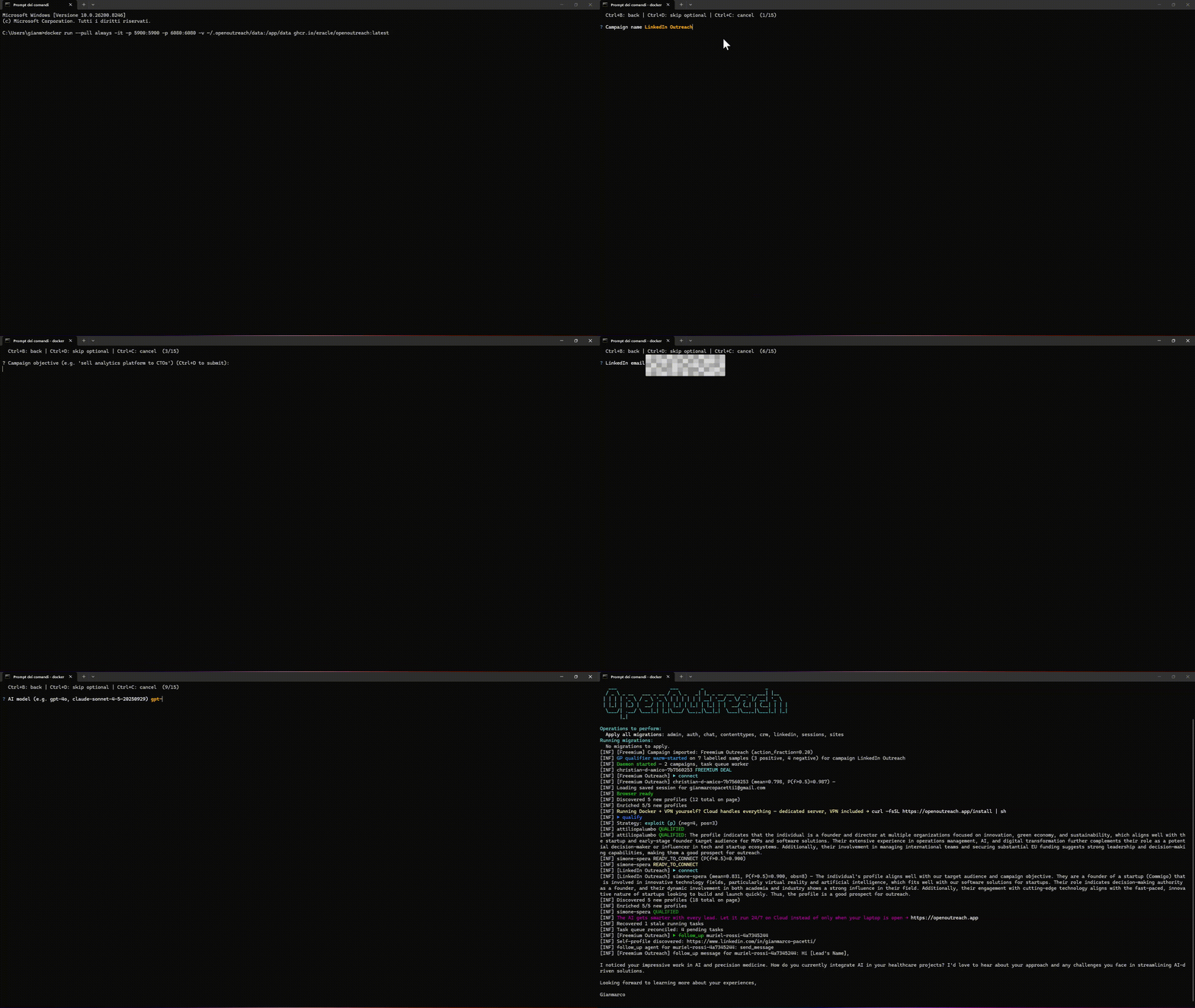
Demo
🚀 What is OpenOutreach?
OpenOutreach is a self-hosted, open-source lead finder that qualifies for you — and then writes the email. You describe your product and your target market; it discovers matching people from a licensed data provider, judges each one against the ICP it learned from your description, hands you the ones that fit with the reason each was chosen written out, and opens the conversation from your own mailbox.
Two things make that different from what you may have used before:
- Unlike a cold-email sequencer, you don't bring a list. There is nothing to upload. The input is a sentence about your product.
- Unlike a lead database, the output is not rows. It is a verdict per person, in plain language you can read and disagree with — and correcting the description is how you correct the verdicts.
It has zero platform-ToS surface: browserless, no social-network account, no scraping. There is no account to get banned, because there is no account.
⚡ Quick Start
uv tool install openoutreach
openoutreach
That is the whole thing. A bare openoutreach onboards you if it has to, finds leads that fit,
buys a verified work address for each, and emails them from your mailbox — narrating what it did as
it goes. One install, one wizard, one command.
Prefer to say it out loud, or to set the size of the first run?
openoutreach run 5 # find five leads carrying an address, then send — at most 5 credits
The verbs:
openoutreach                  # onboard if needed, then find and send
openoutreach run 5            # ...with an explicit goal
openoutreach init             # onboard only — one flow, every answer, nothing spent
openoutreach init --product-docs product.md --target target.md   # ...the two long fields from files
openoutreach find 10          # ten more qualified leads → CSV on stdout — free, cannot spend
openoutreach find 10 emails   # ...carrying a work email (one credit each)
openoutreach find 0           # no work — print what you already have
openoutreach send             # mail what is already stored
openoutreach send 5           # ...until five conversations are open
openoutreach status           # what is configured, blocked and counted
Everything lives in ~/.openoutreach, so stopping and starting loses nothing: the number you ask
for is more than you already have, so running it again continues where it left off. No browser,
no daemon manager, no container.
🤖 Use it from Claude Code
This repo ships a Claude Code plugin, so you can pull leads without leaving your agent session:
/plugin marketplace add eracle/OpenOutreach
/plugin install openoutreach@openoutreach
The skill (skills/find-leads/SKILL.md) teaches Claude when to run find, which flags cost credits
and which cannot, how to read the CSV on stdout, and what each error: means. It never buys
an address you did not ask for, never sends without being asked, and never accepts the legal notice
for you. Prefer skills to plugins? Copy skills/find-leads/ into ~/.claude/skills/ instead.
Not on Claude Code? The skill is a markdown file describing the CLI's own contract — nothing
Claude-specific is required to use openoutreach itself. Codex, Cursor, or any other agent can call
the same openoutreach find / send / run / status commands directly; point your agent's
instructions file at skills/find-leads/SKILL.md and it reads the same rules.
🧩 Three packages, one product
OpenOutreach is an orchestrator. The finding and the sending are two standalone programs, and this package installs both and hosts them in one process, one database and one onboarding:
| Package | What it is | Standalone |
|---|---|---|
| OpenOutFind | discovery, qualification, enrichment, the CRM | uvx --from openoutfind outfind find 10 |
| OpenOutSend | the outreach agent, the mailbox, the send guards | uvx --from openoutsend outsend send |
| OpenOutreach (this) | one install, one wizard, one command over both | — |
The wizard is here because the children do not have one. Both are agent-first: they read their
configuration from OPENOUTFIND_* / OUTSEND_* on every run and remember none of it, which is
right for a program a script or an agent drives and wrong for a person. So this is where the
questions are asked, where the answers are kept, and where they are handed to each child in its own
variables.
Neither child is diminished by the bundle. Each keeps its own console script, its own settings module and its own test suite, and the contract between them is a public one:
outfind find 50 --json | outsend      # anybody's producer, anybody's receiver
outsend send                          # a separate invocation, on the mailbox's clock
openoutreach run is that same pipe, in one process — the JSON Lines still cross the boundary, they
just cross it in a buffer. There is no privileged in-memory hand-off, because a second, untested path
between the same two programs would make the public one a lie.
Which shape is for you: if you are an agent, a script, or a power user with your own sender, take the two CLIs and the pipe. If you want to see whether this works, take the one command.
📤 What You Get Out
The finder's deliverable is a file, and it is shaped for the tools you already send with:
openoutreach find 10 emails > leads.csv
It runs until it has ten more leads carrying an address, prints every lead you have as CSV, and exits — so the file you just wrote is always the current truth. Exit 0 means it got what you asked for; anything short still prints its rows and says why it stopped.
email, first_name, last_name, company, title, website, linkedin_url, reason, lead_id, qualified_at
Those column names are the importers', not ours. Instantly and Smartlead both require
email/first_name/last_name and recognise company/title/website/linkedin_url as standard
fields, so an exported file imports without column mapping. Anything else — including reason —
arrives as a custom variable you can merge into a template.
reasonis the point. Everybody exports rows; almost nobody exports why this lead.- There is no score column, on purpose. The model's confidence is a spend gate for the paid lookup, not a quality signal. The fit verdict is the LLM's, and it is already in the file as a sentence.
- A lead with no email still exports. If you have no email-finder credits, you still get the qualified person, their employer and the reason.
- A rejected lead never exports. Both rejections are excluded, always.
If you send with your own tool: turn on its import dedupe. It is opt-in on Smartlead and undocumented on Instantly, so a lead you export twice can otherwise be contacted twice.
📋 What You Need
| # | What | Example |
|---|---|---|
| 1 | An LLM API key | OpenAI, Anthropic, or any OpenAI-compatible endpoint |
| 2 | An email-finder API key (BetterContact) | Free account: 40 credits, no card. Powers both discovery (Lead Finder, billed nothing) and enrichment (one credit per verified work email) |
| 3 | A product description + target market | "We sell cloud cost optimization for DevOps teams at mid-market SaaS companies" |
| 4 | A mailbox to send from | Its address and an app password — not your login password. Google Workspace works out of the box; any other provider names its SMTP/IMAP host and port |
Onboarding asks for all four in one pass and asks only once — the answers are kept in
~/.openoutreach, and every later run exports them into the variables the children read. A question
whose variable is already exported is not asked at all, so an operator or a unit file that sets
OPENOUTFIND_* / OUTSEND_* never has to repeat it into a prompt; that is what makes a headless
install possible. With no TTY and something still unanswered, setup stops naming the variables
that would have answered it rather than blocking on a question nobody is there to hear.
The two long fields are read from files, not flags — a markdown paragraph shell-quoted onto a command line corrupts quietly:
openoutreach init --product-docs product.md --target target.md
The LLM key is verified at the prompt, and the mailbox by a real SMTP login before setup finishes: a wrong key is an answer you can retype, not a traceback halfway through a run.
The BetterContact link above is an affiliate link — signing up through it supports OpenOutreach, at no markup to you.
Why choose OpenOutreach?
- 🧠 You don't need a list — describe your product; it finds candidates from licensed data
- 📝 A stated reason per lead — read exactly why the agent picked someone, and fix the description when it is wrong
- 🔍 Nothing decides in the dark — the ICP, the verdicts and the whole pipeline are on your machine and open to read
- 🛡️ Zero platform-ToS surface — browserless, no social-network account, no scraping — nothing to get banned
- 💸 Pay only for what resolves — searching is free; a paid lookup is rationed and billed on a verified hit
- 📤 Or export where you already work — CSV in the shape the sequencer importers expect
- ⚡ One-command setup —
uv tool install openoutreach && openoutreach
Every comparable tool that qualifies leads for you is paid SaaS. This one is GPLv3, runs on your machine, and you bring your own provider keys.
💸 How OpenOutreach Stays Free
Affiliate links, and that is now the whole of it. The one paid third-party service the tool relies on — the lead-data provider — is surfaced during onboarding through an affiliate link. Sign up through it and the project may earn a commission, at no markup to you. Sign up any other way if you prefer. See the Legal Notice (§4).
📖 How It Works
Discover → qualify → gate → resolve → write → send.
- You provide a product description and a campaign objective
- An LLM turns that into opening search keywords and pages matching firmographic profiles from a licensed discovery source (BetterContact Lead Finder) — no emails yet, billed nothing
- Discovery walks the keyword index by counting, adding one word at a time and spending its next query where the accepted-lead counts say the best ones came from
- An LLM qualifies each candidate against your ICP and writes down why. A Gaussian Process over profile embeddings learns from those verdicts and picks who to qualify next
- A confidence gate rations the one paid step — a work address is resolved for the best-fit leads only, one credit per verified hit
- The outreach agent writes each opener from the same product description, and the send guards (sending window, daily cap, pacing) decide when it actually leaves your mailbox
Steps 1–5 are OpenOutFind's and step 6 is OpenOutSend's; each repo documents its own internals. Searching the licensed source is free, so the system can afford to look at a lot and spend paid lookups only on the best fits. (The learning loop is an active experiment — it is not yet shown to beat picking at random, and no claim is made that it does.)
📂 Project Structure
This repo is the orchestrator and holds no pipeline of its own — that is the point of it:
├── openoutreach/
│   ├── __main__.py     # the `openoutreach` console script: find · send · status · run
│   ├── settings.py     # one Django registry hosting both children's apps, on one database
│   ├── config/         # the one model: the answers you gave, and the variables they export as
│   └── wizard.py       # one onboarding — ask once, keep it, hand it to both children
├── tests/              # the registry, the wizard's row and export, the CLI's own decisions
├── manage.py           # checkout shim over openoutreach/__main__.py
├── pyproject.toml      # package metadata, pinned children, console script
├── local.yml           # Docker Compose — the server deploy only
└── Makefile            # Shortcuts (setup, run, find, test)
⚙️ Local Installation (Development)
git clone https://github.com/eracle/OpenOutreach.git
cd OpenOutreach
make setup              # install -e ".[dev]" + migrate both children's apps
make run                # onboard, find, send
make test
Working on the pipeline itself? It is not here — clone
OpenOutFind or
OpenOutSend, and point this project at your checkout with
uv pip install -e ../OpenOutFind.
Running it on a server instead? A Docker image is published to GitHub Container Registry for exactly that — see the Docker Guide.
💬 Channel
Join for support and discussions: Telegram Channel
🗓️ Book a Free 15-Minute Call
Got a specific use case, feature request, or questions about setup?
Book a free 15-minute call — I'd love to hear your needs and improve the tool based on real feedback.

❤️ Support OpenOutreach
This project is built in spare time to provide powerful, free open-source growth tools. Your sponsorship funds faster updates and keeps it free for everyone.

| Tier | Monthly | Benefits |
|---|---|---|
| ☕ Supporter | $5 | Huge thanks + name in README supporters list |
| 🚀 Booster | $25 | All above + priority feature requests + early access to new campaigns |
| 🦸 Hero | $100 | All above + personal 1-on-1 support + influence roadmap |
| 💎 Legend | $500+ | All above + custom feature development + shoutout in releases |
⚖️ License
GNU GPLv3 — see LICENCE.md
📜 Legal Notice
By using this software you accept the Legal Notice. It covers the third-party services you connect (data provider, email-finder), your responsibilities as data controller under data-protection law, your duties as the sender of the mail this tool writes, automatic newsletter subscription for non-opt-in jurisdictions, the central contacts store, and liability disclaimers.
Use at your own risk — no liability assumed.
Made with ❤️