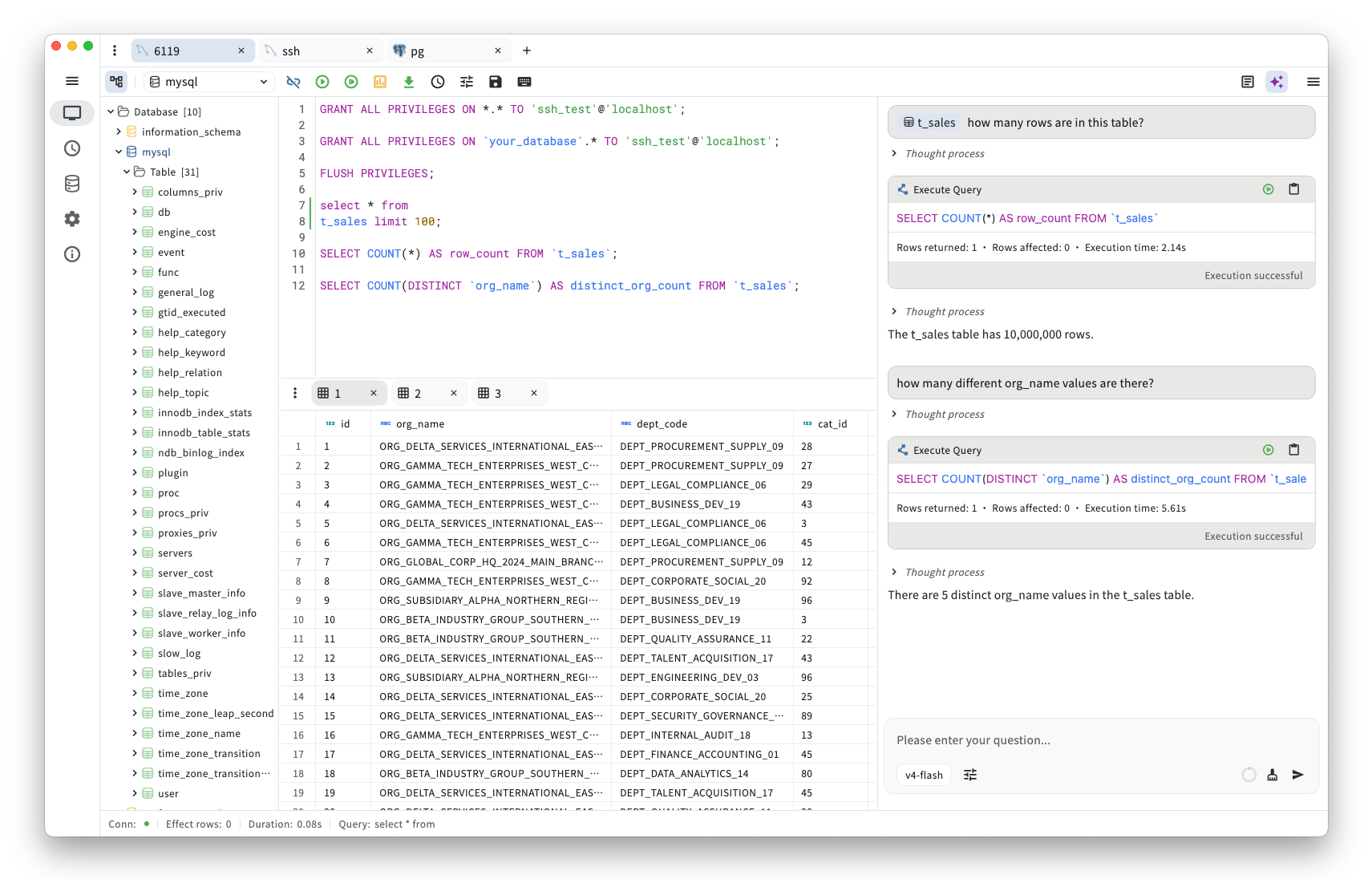
openhare is a free, open source databases project written in Dart and released under Apache-2.0. It has 810 GitHub stars, 52 forks and 14 open issues, and was last pushed yesterday. On this registry it ranks #80 of 81 tracked projects in Databases, with 5 head-to-head comparisons available.

What is openhare?

What it is

openhare is an AI-powered, cross-platform desktop SQL client built with Flutter. It lives in the Infrastructure & Operations / Databases category, uses Dart, and is licensed under Apache License 2.0. The project is designed for everyday development, data analysis, and DBA management workflows, and it provides a native desktop UI without a WebView or bundled browser engine.

The concrete problem it solves is the need for one local desktop tool that can query and manage several database engines while helping users write, optimize, and understand SQL. Users can connect to MySQL, PostgreSQL, SQL Server, SQLite, DuckDB, Oracle, MongoDB, and Redis through Go drivers invoked from the Flutter client with Dart FFI. High-risk statements are flagged and require confirmation before execution.

Key capabilities

  • Connects to MySQL, PostgreSQL, SQL Server, SQLite, DuckDB, Oracle, MongoDB, and Redis through Go database drivers invoked from the Flutter client with Dart FFI.
  • Provides AI-powered assistance for writing, optimizing, and understanding SQL inside the desktop client.
  • Flags high-risk statements and requires user confirmation before execution, adding a safety step for destructive operations.
  • Runs natively on Windows, macOS, and Linux without a WebView or bundled browser engine, using a Flutter desktop UI.
  • Stores application data with ObjectBox and uses Riverpod and GoRouter for state management and routing.

Who uses it and how

  • Developers use openhare as a local SQL client for everyday database work across MySQL, PostgreSQL, SQL Server, SQLite, DuckDB, Oracle, MongoDB, and Redis.
  • Data analysts can query data sources and use AI assistance to write, optimize, or understand SQL statements during analysis tasks.
  • Database administrators can run queries and review high-risk statements before execution as part of DBA management workflows.
  • Users on Windows, macOS, or Linux can install a native desktop application and work across operating systems without a browser-based client.

Getting started

The README points users to download, install, and run the desktop application, and it links to a GitHub Discussion titled "How to Install and Update the Application." The project homepage is https://sjjian.github.io/openhare/, and the source repository is https://github.com/sjjian/openhare.

When to use it — and when not to

Use openhare when a local, open-source desktop SQL client must cover several database engines in one Flutter application. It is suitable when AI-assisted SQL work and confirmation for high-risk statements fit a local desktop workflow. The README does not list a hosted option, SMTP configuration, or database server installation, and MongoDB syntax is intended to be mongosh-compatible, but actual support is defined by the external gomongo driver.

project readme (upstream, from github) — read inline

openhare is an AI-powered, cross-platform desktop SQL client with multi-database support, built for everyday development, data analysis, and DBA management workflows.


GitHub Repo stars License GitHub all releases GitHub release (latest by date) macOS Windows Linux

English | 简体中文

Support

  1. How to Install and Update the Application

Key Features

  • Lightweight & Native: Download, install, and run in seconds — no WebView or bundled browser engine. Built with Flutter for a native desktop UI and a lean memory footprint.
  • AI-Powered Assistance: Write, optimize, and understand SQL with built-in AI — high-risk statements are flagged and require your confirmation before execution.
  • Multi-Database Support: Connect to MySQL, PostgreSQL, SQL Server, SQLite, DuckDB, Oracle, MongoDB, Redis, and more.
  • Cross-Platform: Native experience on Windows, macOS, and Linux.
  • Fully Open Source: Licensed under the Apache License 2.0 — transparent and community-driven.

Database

Database drivers are implemented in pkg/db_driver/go_impl and invoked from the Flutter client through Dart FFI.

Icon Database Go driver
MySQL go-sql-driver/mysql
PostgreSQL jackc/pgx
SQL Server microsoft/go-mssqldb
SQLite mattn/go-sqlite3
DuckDB duckdb/duckdb-go
Oracle sijms/go-ora
MongoDB bytebase/gomongo, mongodb/mongo-go-driver
Redis redis/go-redis

Note: MongoDB syntax is intended to be mongosh-compatible; for what is actually supported, refer to gomongo.

Framework

  1. Application: Flutter
  2. State Management: Riverpod, GoRouter
  3. UI: SQL Editor, HugeIcons, Window Manager
  4. Storage: ObjectBox

Star History

Star History Chart

Frequently asked questions

Is openhare free to use?

openhare is open source under the Apache-2.0 licence. There is no licence fee and no seat count — you can self-host it or, where the project offers one, pay a vendor for a managed version instead.

What does openhare do?

AI-powered desktop SQL client. Cross-platform. Built with Flutter.

What is openhare written in?

openhare is primarily written in Dart. Its source is publicly available at https://github.com/sjjian/openhare, and it has 810 GitHub stars.