OpenConstructionERP
A leading open-source workspace for construction project management
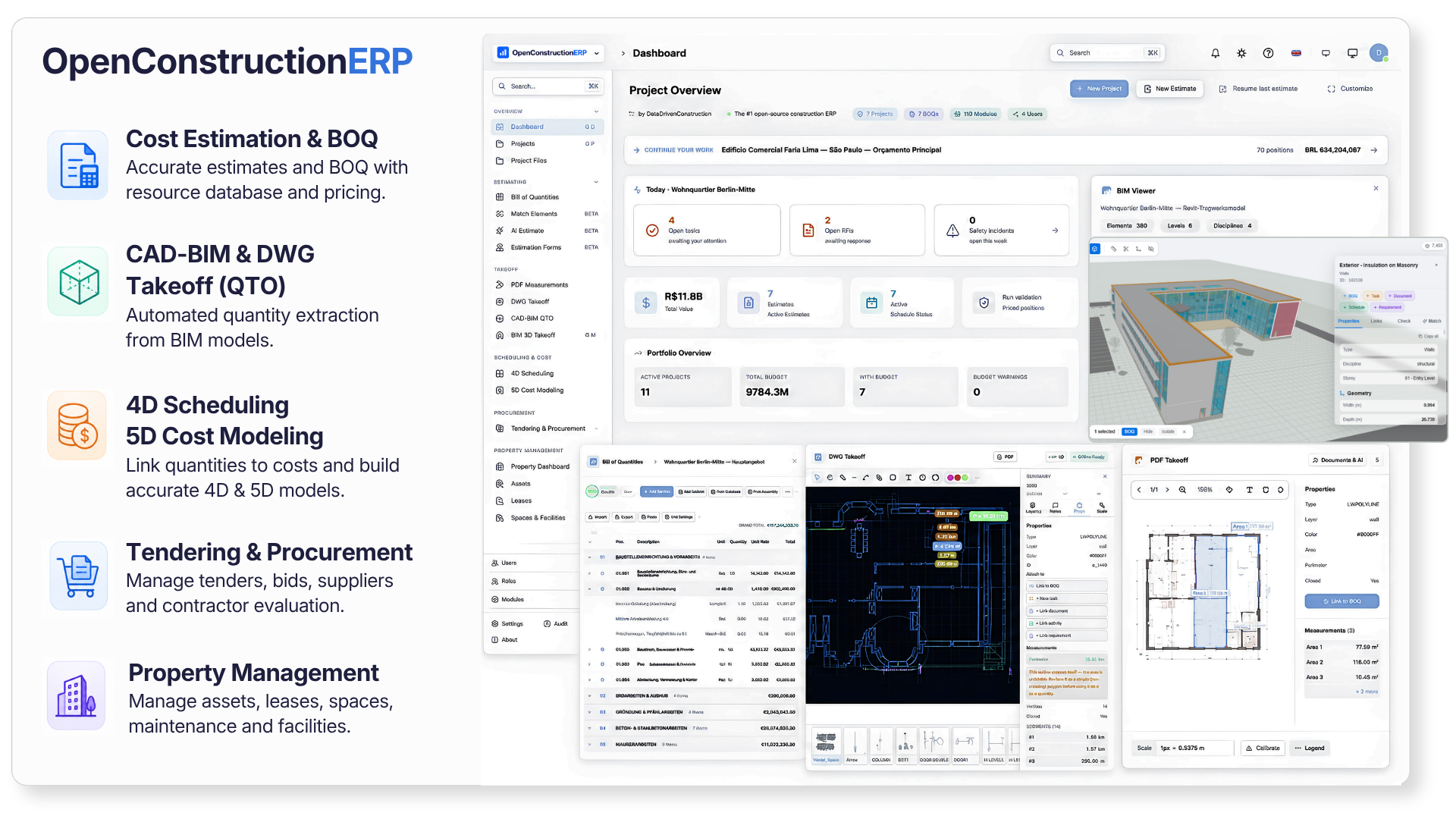
Professional BOQ, CAD and BIM takeoff, 4D scheduling, 5D cost model, and tendering - all in one self-hosted platform.
Like WordPress for construction companies - pick modules from the marketplace, drop in your own, or replace ours with custom-built ones. Same plug-and-play model, but for BOQ, scheduling, cost control, BIM, and tendering.
A platform companies build any construction app on. Use OpenConstructionERP as the base to assemble the exact software a project needs and to build your own modules on top, from estimating and BIM to scheduling and site delivery. One open, powerful foundation for anything you run in construction.
▶ Watch the 12-min walkthrough · Demo · Documentation · Build on it · Discussions · Report Bug








▶ 1-minute teaser (your browser can't inline this - click for full 12-min walkthrough)
 1-minute teaser above · for the full 12-minute walkthrough → watch on YouTube · onboarding → BoQ → BIM → DWG → PDF → AI → dashboard
Download the free desktop app
No Python, no Docker, nothing to set up. Pick your system and run it.


Not sure which file? openconstructionerp.com/download picks the right one for you automatically. Prefer the terminal? pip install openconstructionerp or Docker, see Quick Start below.
| 120K+ cost items |
44 languages |
47 countries |
6 CAD formats |
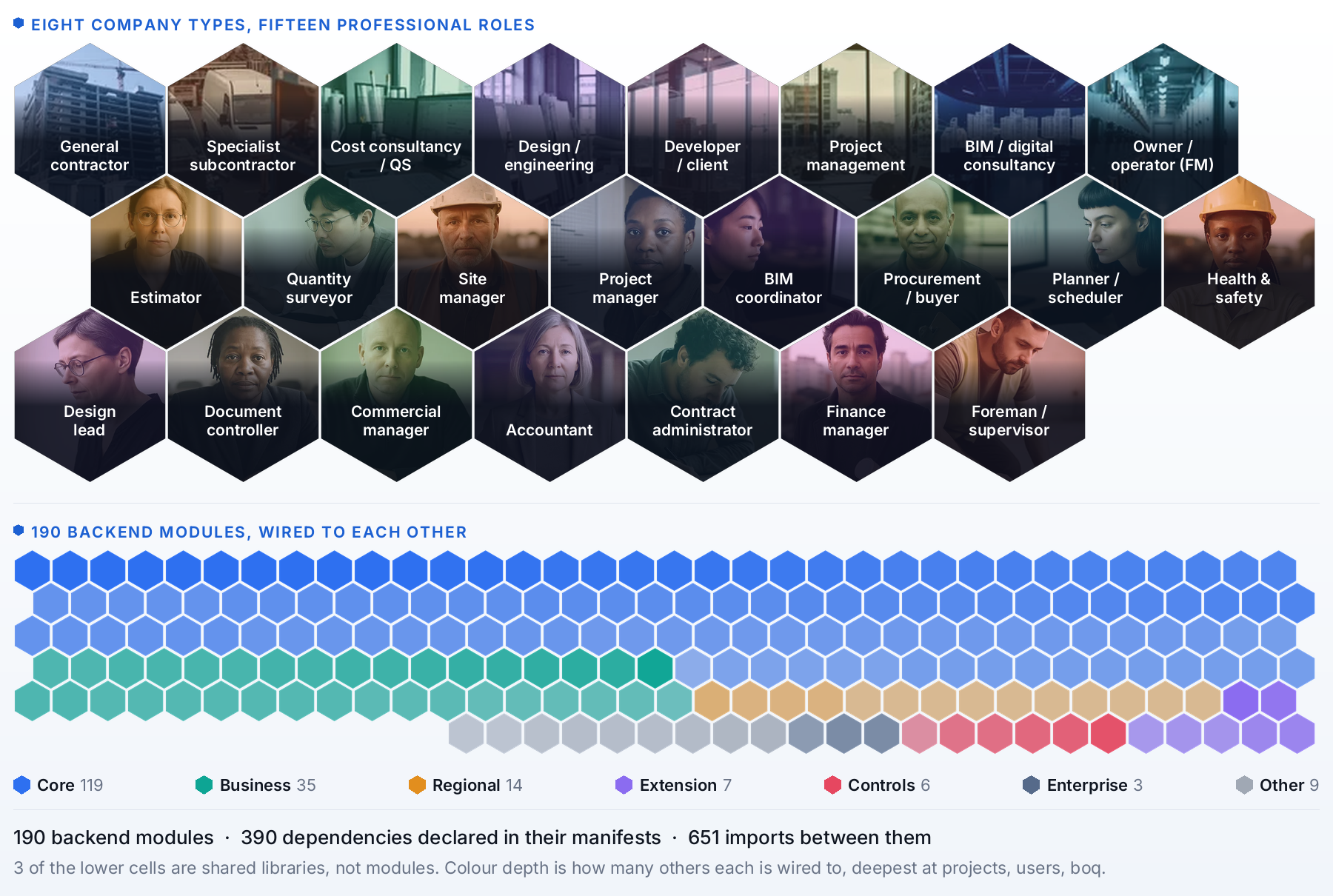
195 modules |
293 guided cases |
Table of Contents
|
|
|
|
|
|
|
|
|
 Project Lifecycle
 Field & Quality
 Setup & Standards
 Technical
 Community
 Legal & Privacy
Ready to try it? See the Getting Started guide for three ways to install (desktop app, pip, Docker) with prerequisites and step-by-step instructions, or jump straight to the Quick Start section below.
Why OpenConstructionERP?
Construction cost estimation software is expensive, closed-source, and locked to specific regions. OpenConstructionERP changes that.
| What you get | How it works |
|---|---|
| Free forever | AGPL-3.0 license. No subscriptions, no per-seat fees, no vendor lock-in. |
| Your data, your server | Self-hosted. Everything runs on your machine - nothing leaves your network. |
| 44 languages | Full UI translation: English, German, French, Spanish, Portuguese, Russian, Chinese, Arabic, Hindi, Japanese, Korean, and 33 more. |
| 30+ regional standards | DIN 276, NRM 1/2, CSI MasterFormat, GAEB, ГЭСН, DPGF, GB/T 50500, CPWD, ÖNORM, Birim Fiyat, Sekisan, SINAPI, and more. |
| AI-powered | Connect any LLM provider (Anthropic, OpenAI, Gemini, Mistral, Groq, DeepSeek) for smart estimation. |
| 120,000+ cost items | Nine cost bases - global CWICR (repriced across 30 markets) plus eight national bases (China, Turkey, Brazil, Spain, Italy, Greece, Vietnam, Indonesia). |
The whole platform in your language
The entire UI ships in 44 languages, including full right-to-left support for Arabic, Urdu, Persian and Hebrew. Switch language from any screen and every label, message and report follows.
🇬🇧 English · 🇩🇪 Deutsch · 🇫🇷 Français · 🇪🇸 Español · 🇲🇽 Español (MX) · 🇨🇱 Español (CL) · 🇨🇴 Español (CO) · 🇵🇹 Português · 🇧🇷 Português (BR) · 🇷🇺 Русский · 🇨🇳 简体中文 · 🇸🇦 العربية · 🇮🇳 हिन्दी · 🇹🇷 Türkçe · 🇮🇹 Italiano · 🇳🇱 Nederlands · 🇵🇱 Polski · 🇨🇿 Čeština · 🇯🇵 日本語 · 🇰🇷 한국어 · 🇸🇪 Svenska · 🇳🇴 Norsk · 🇩🇰 Dansk · 🇫🇮 Suomi · 🇧🇬 Български · 🇭🇷 Hrvatski · 🇭🇺 Magyar · 🇮🇩 Bahasa Indonesia · 🇷🇴 Română · 🇹🇭 ไทย · 🇻🇳 Tiếng Việt · 🇺🇦 Українська · 🇬🇷 Ελληνικά · 🇰🇬 Кыргызча · 🇰🇿 Қазақша · 🇧🇩 বাংলা · 🇪🇪 Eesti · 🇵🇭 Filipino · 🇵🇰 اردو · 🇮🇷 فارسی · 🇮🇱 עברית · 🇺🇿 Oʻzbekcha · 🇲🇳 Монгол
How It Compares
| Capability | OpenConstructionERP | Enterprise BIM |
CAD Takeoff |
Legacy Estimating |
PDF Markup |
|---|---|---|---|---|---|
| License | AGPL-3.0 (free) | Proprietary | Proprietary | Proprietary | Proprietary |
| Self-hosted / offline | ✔ | ✖ | ✖ | ⚠ partial | ✖ |
| Price | Free forever | ~€500/mo | ~€300/mo | ~€200/mo | ~€30/mo |
| AI estimation | ✔ 20 LLM providers | ✖ | ✖ | ✖ | ✖ |
| UI languages | 44 | 5 | 3 | 2 | 8 |
| Regional standards | 30+ | 4 | 3 | 2 | - |
| BOQ editor | ✔ | ✔ | ✔ | ✔ | ✖ |
| CAD/BIM takeoff | ✔ RVT IFC DWG DGN | ✔ | ✔ | ✖ | PDF only |
| 4D/5D planning | ✔ | ✔ | ✖ | ✖ | ✖ |
| Cost database included | ✔ 120K+ rates | ✖ extra | ✖ extra | ✖ extra | ✖ |
| Resource catalog | ✔ 7K+ priced | ✖ extra | ✖ | ✖ | ✖ |
| Validation engine | ✔ 158 rules | ⚠ limited | ✖ | ✖ | ✖ |
| REST API | ✔ full | ⚠ limited | ✖ | ✖ | ✖ |
| Real-time collab | ✔ soft locks | ✔ | ✖ | ✖ | ✖ |
| Open data export | ✔ GAEB · XLSX · JSON | ⚠ limited | ⚠ limited | ⚠ limited | PDF only |
| IDS / COBie requirements | ✔ import + export | ✖ | ✖ | ✖ | ✖ |
| Property dev lifecycle | ✔ Lead → SPA → Handover | ✖ | ✖ | ✖ | ✖ |
| 3D globe / geo-anchor | ✔ Cesium 3D Tiles | ⚠ map only | ✖ | ✖ | ✖ |
Comparison reflects typical category capabilities based on publicly available information as of Q1 2026. Pricing is approximate (per-seat, list price) and varies by vendor and region. OpenConstructionERP is an independent open-source project and is not affiliated with any commercial vendor in the categories above.
See It In Action
Each block below is a short GIF cut from the full walkthrough above - same order as the video, so you can jump to whichever workflow matters most. Prefer one continuous video? ▶ Watch the 12-minute walkthrough on YouTube.
 1 · Role-Based Onboarding Sign in as Admin / Estimator / Manager - the wizard pre-selects the right 17 of 195 modules for your role 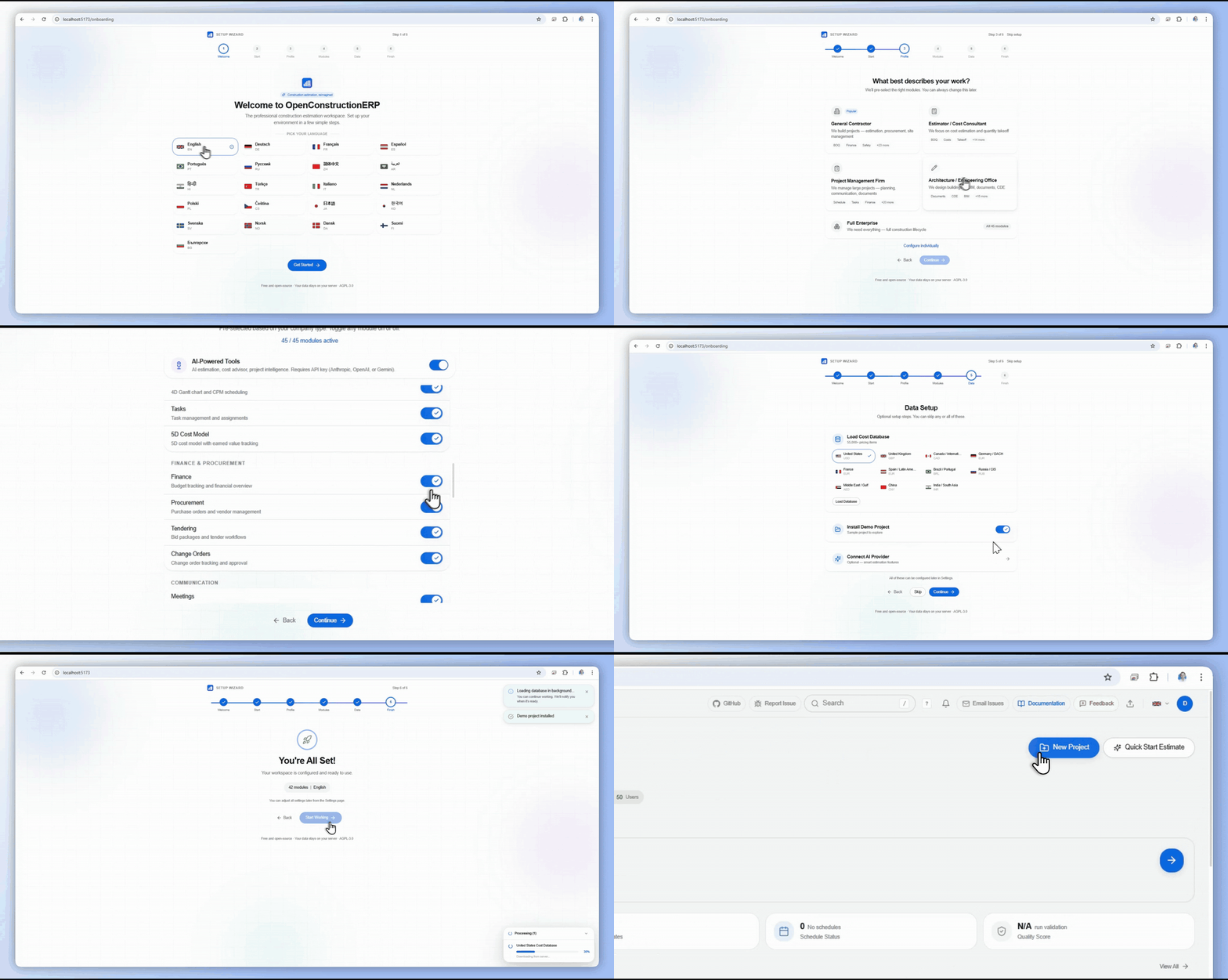
|
 2 · New Project, Any Region Pick currency, classification standard, regional factor - live map & weather come along for free 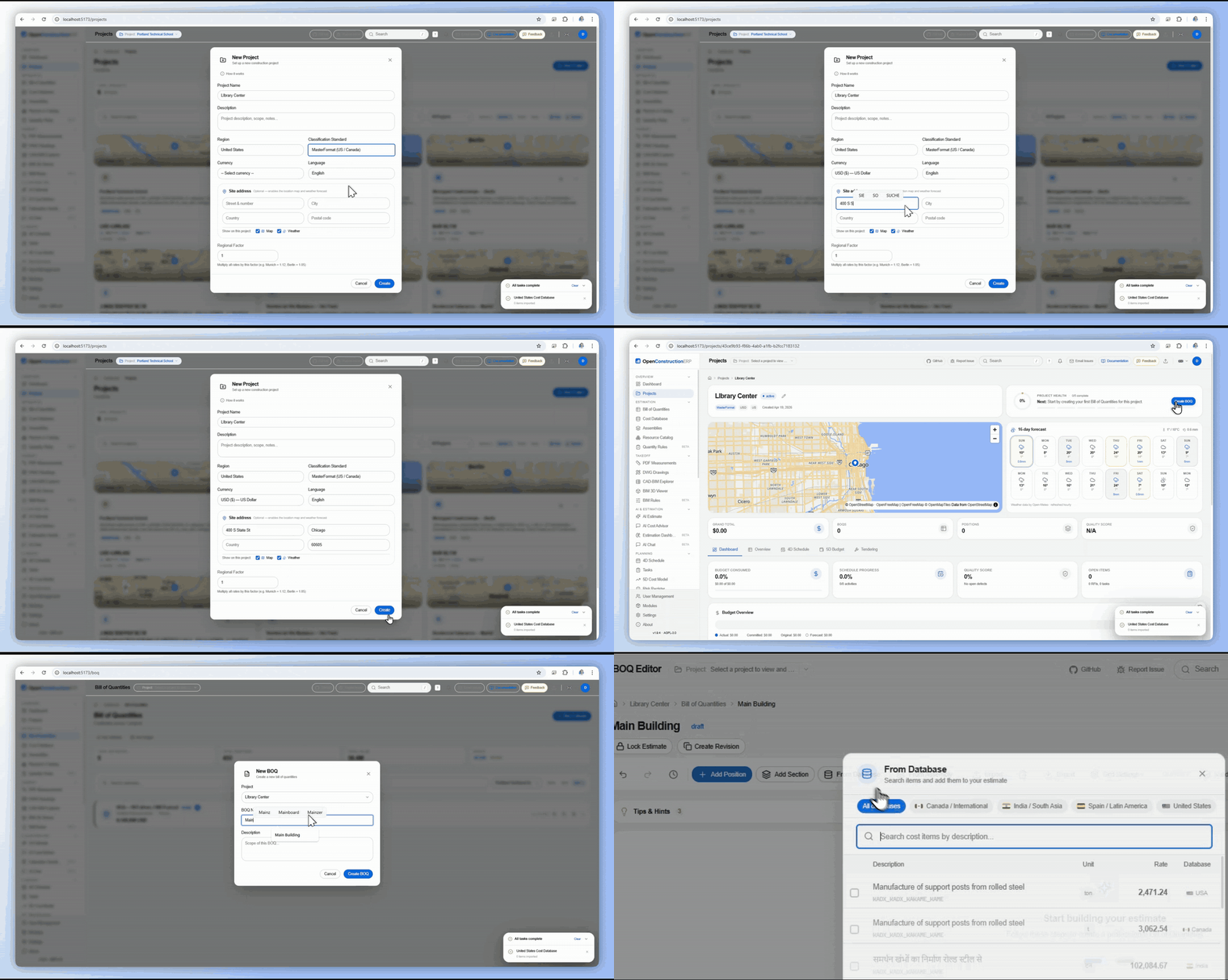
|
 3 · Build the Bill of Quantities Keyboard-first editor, 120K+ priced items, AI cost finder & Smart AI - quality score updates live 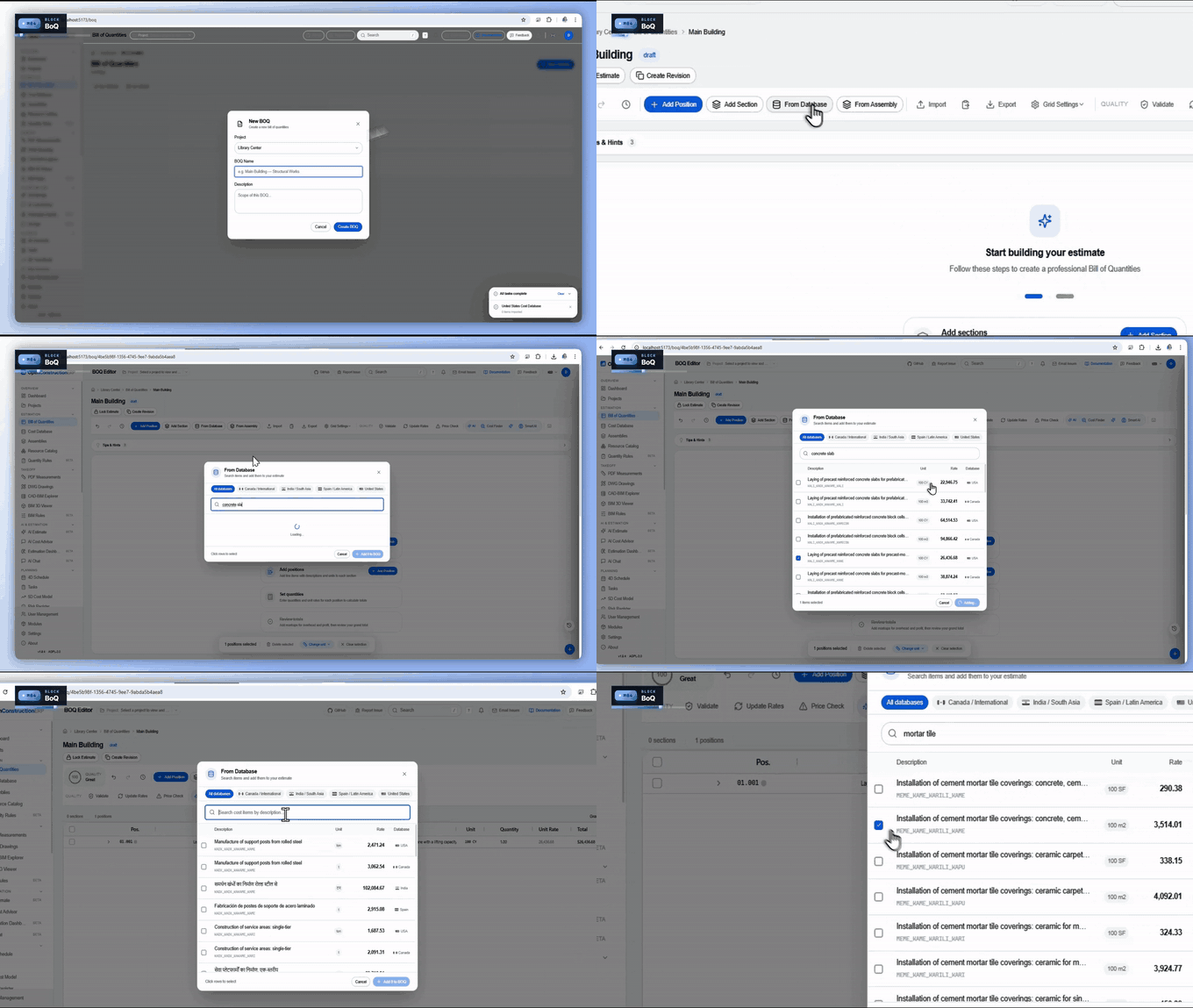
|
 4 · BIM → BOQ Bulk Link Link 100 BIM walls → one BOQ line with aggregated area / volume / length - no IfcOpenShell 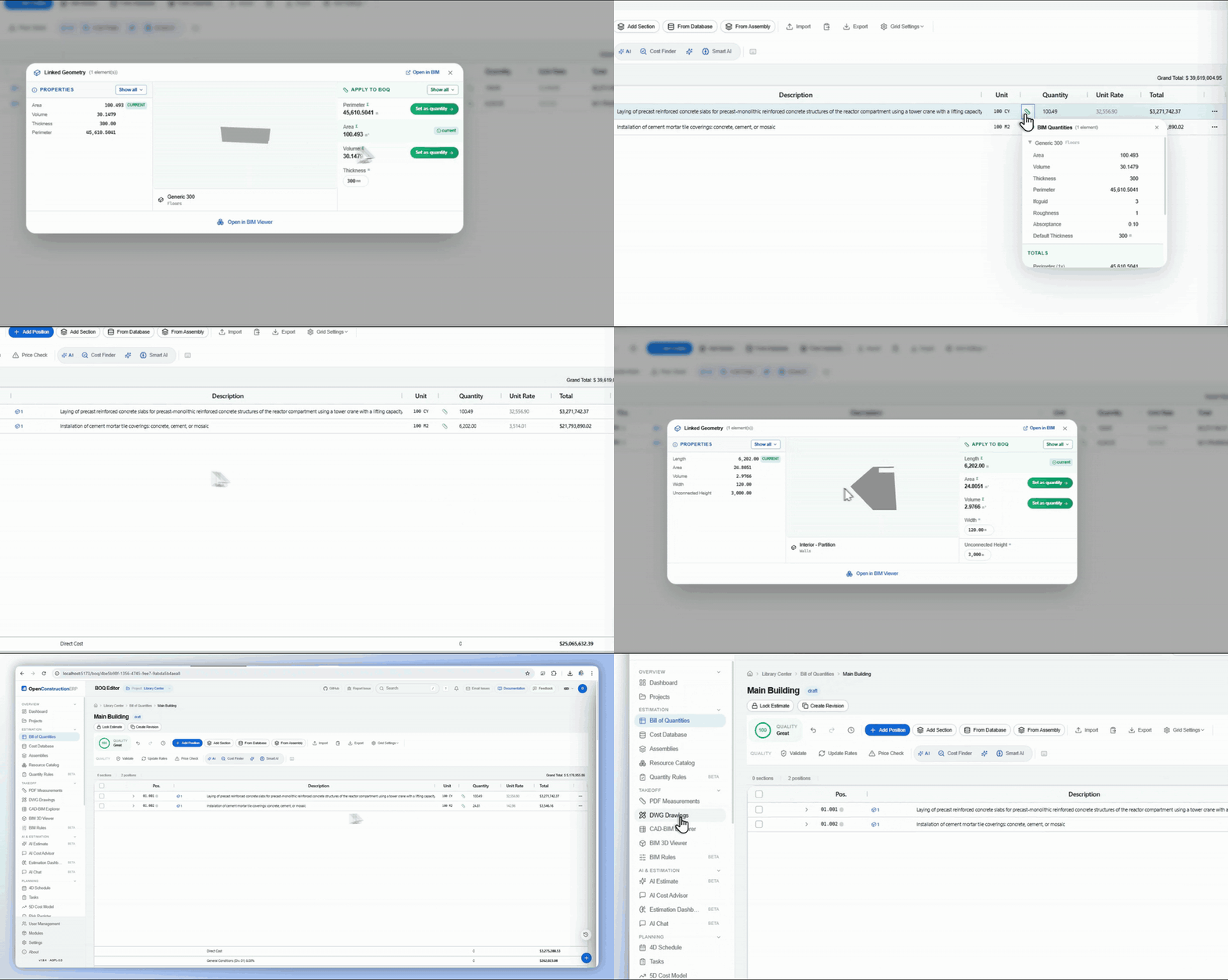
|
 5 · DWG Drawings & Layers 636 wall entities across 10 DWG layers - every one linkable to the BOQ, measured in place 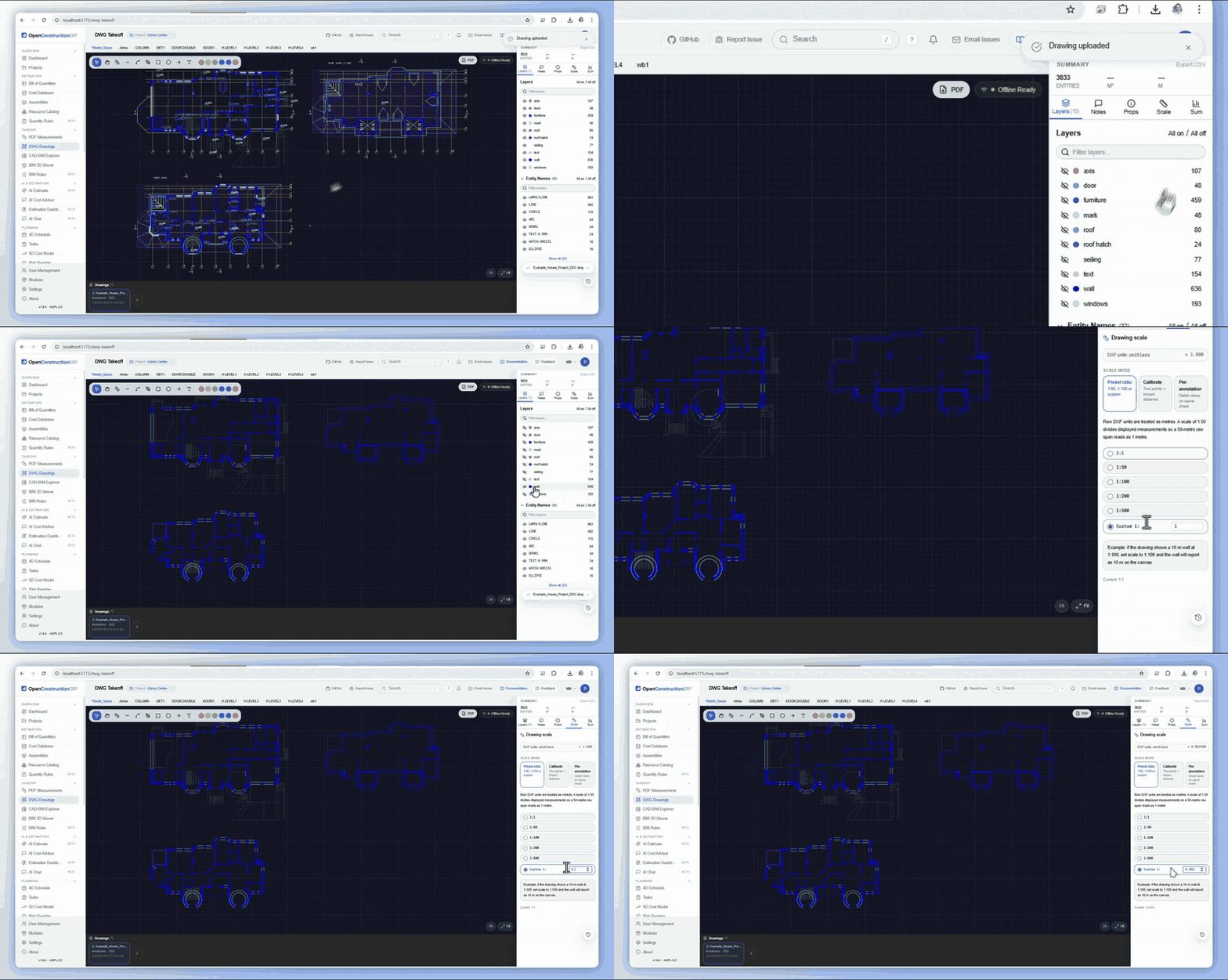
|
 6 · PDF Takeoff Drop a floorplan, measure distance / area / count, push the numbers straight into the BOQ 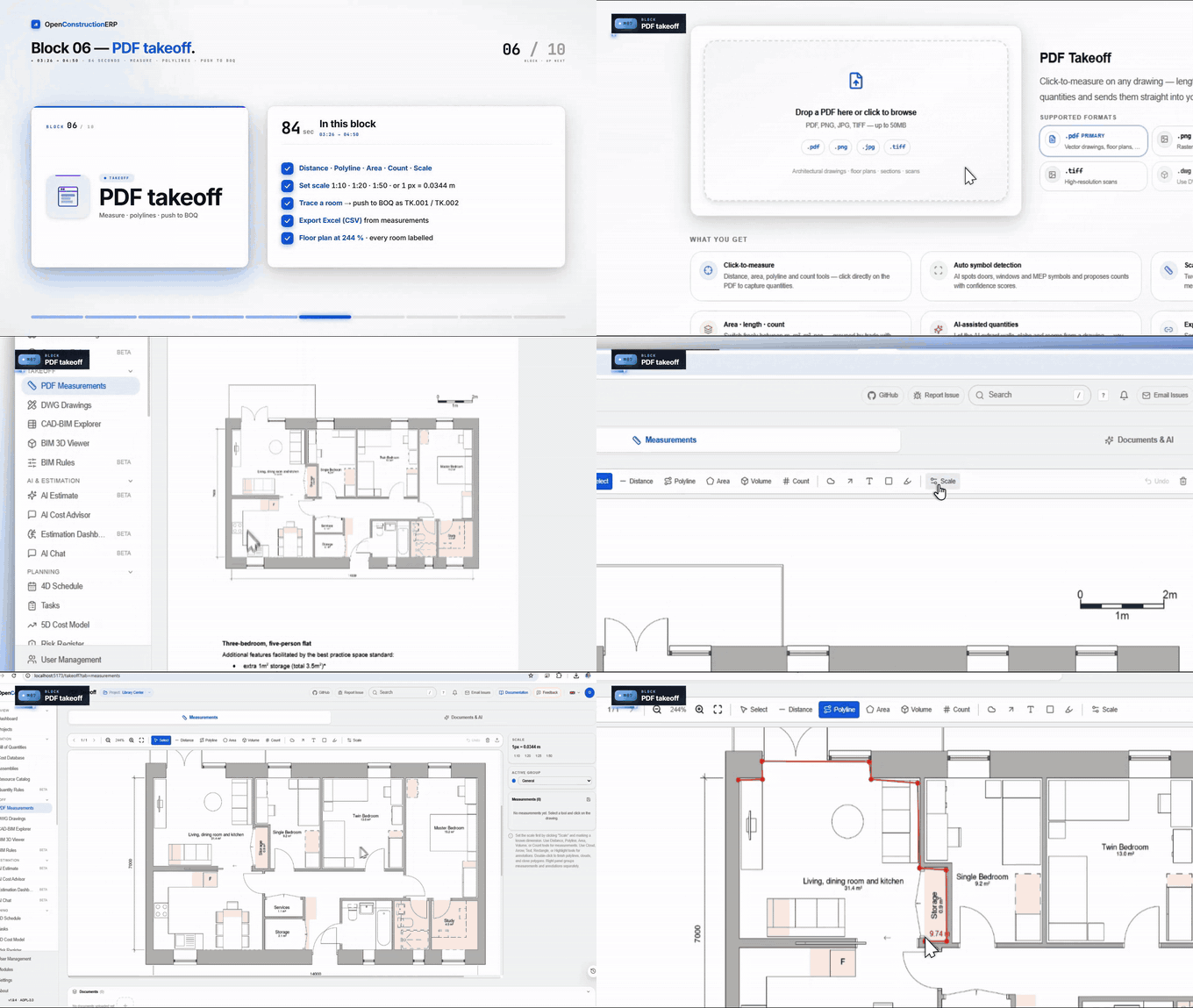
|
 7 · Complete Estimate - $6.26M Real BIM project → 215 positions, 88 sections, CWICR-priced, quality score 99 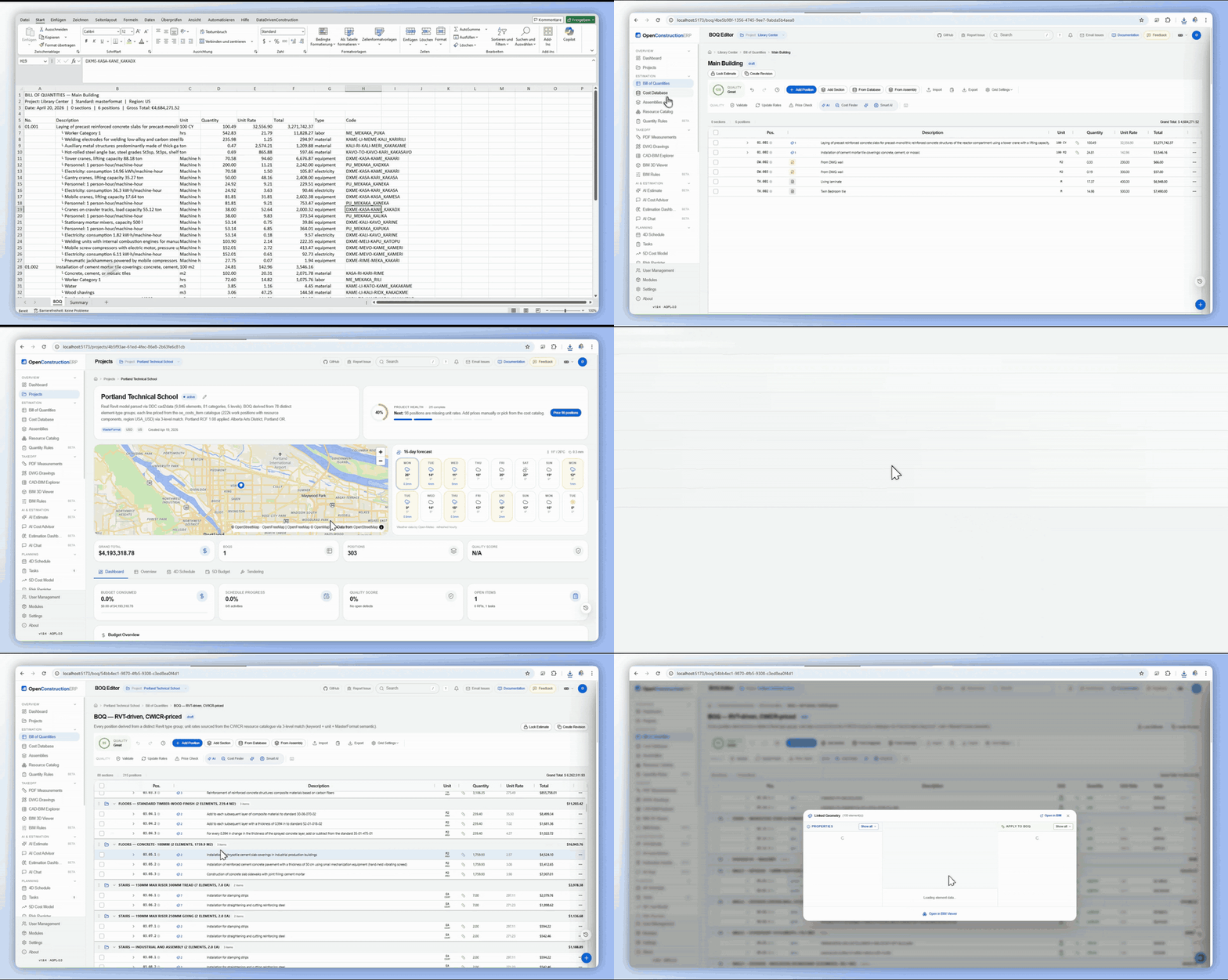
|
 8 · Every Module - BIM-Linked Tasks Issues tied to exact model elements, tracked on a Kanban board alongside schedule, docs & requirements 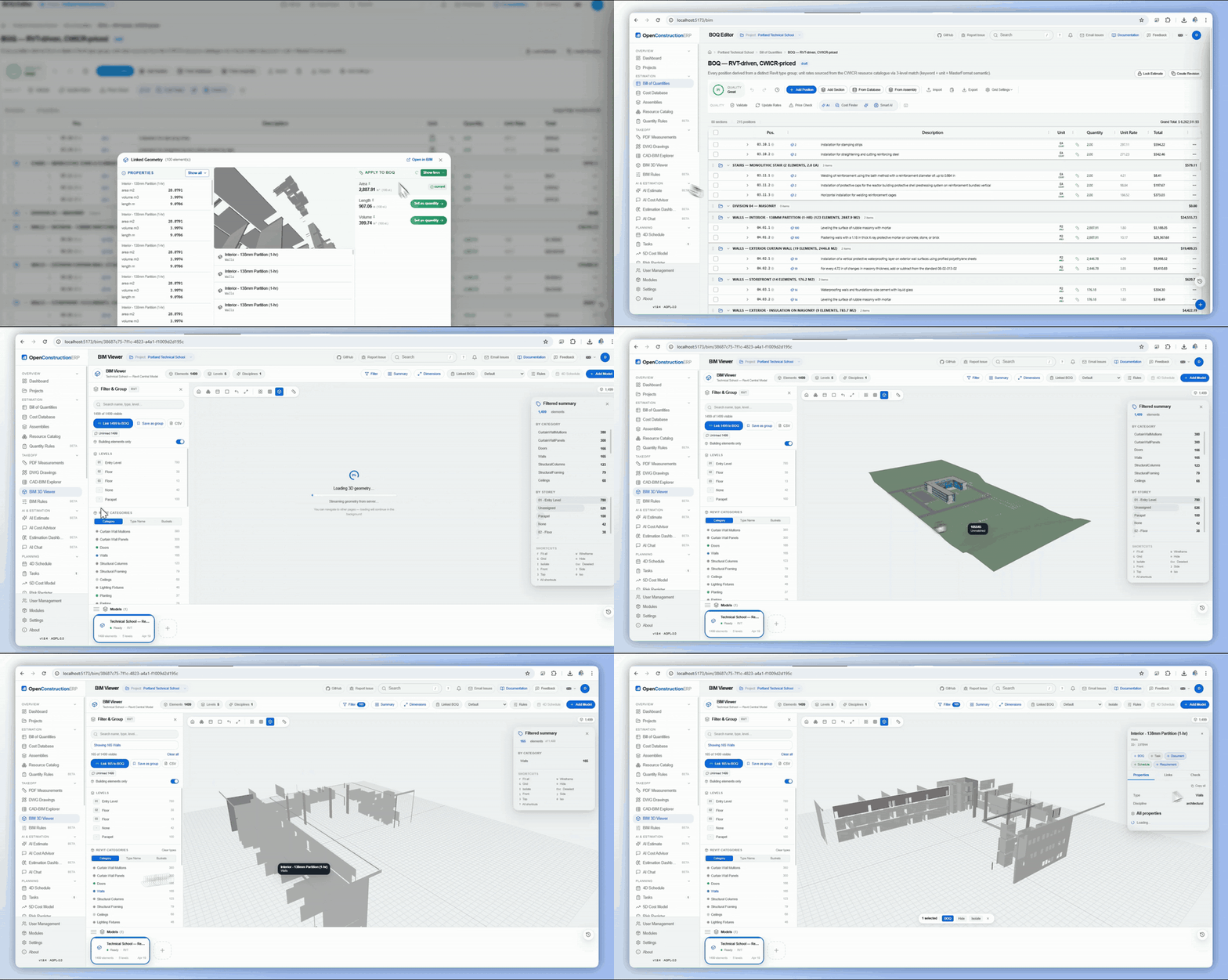
|
 9 · Data Explorer - Pivot → BOQ CAD-BIM Explorer pivot becomes 10 BOQ positions in one click - charts, data bars & drill-down included 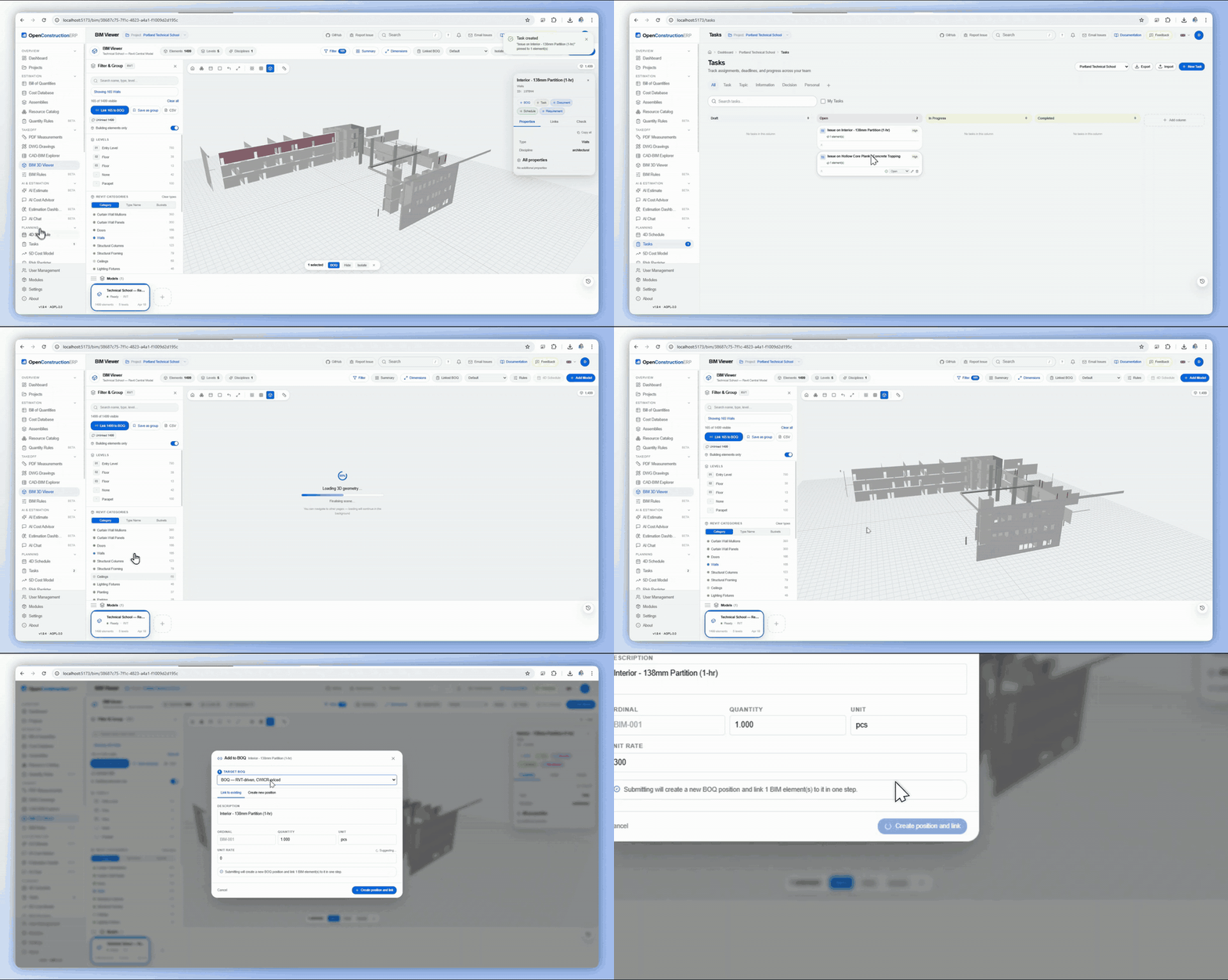
|
 10 · AI Estimate from a Photo Upload a construction photo → GPT-4o + YOLO return a scoped BOQ in seconds, confidence-scored 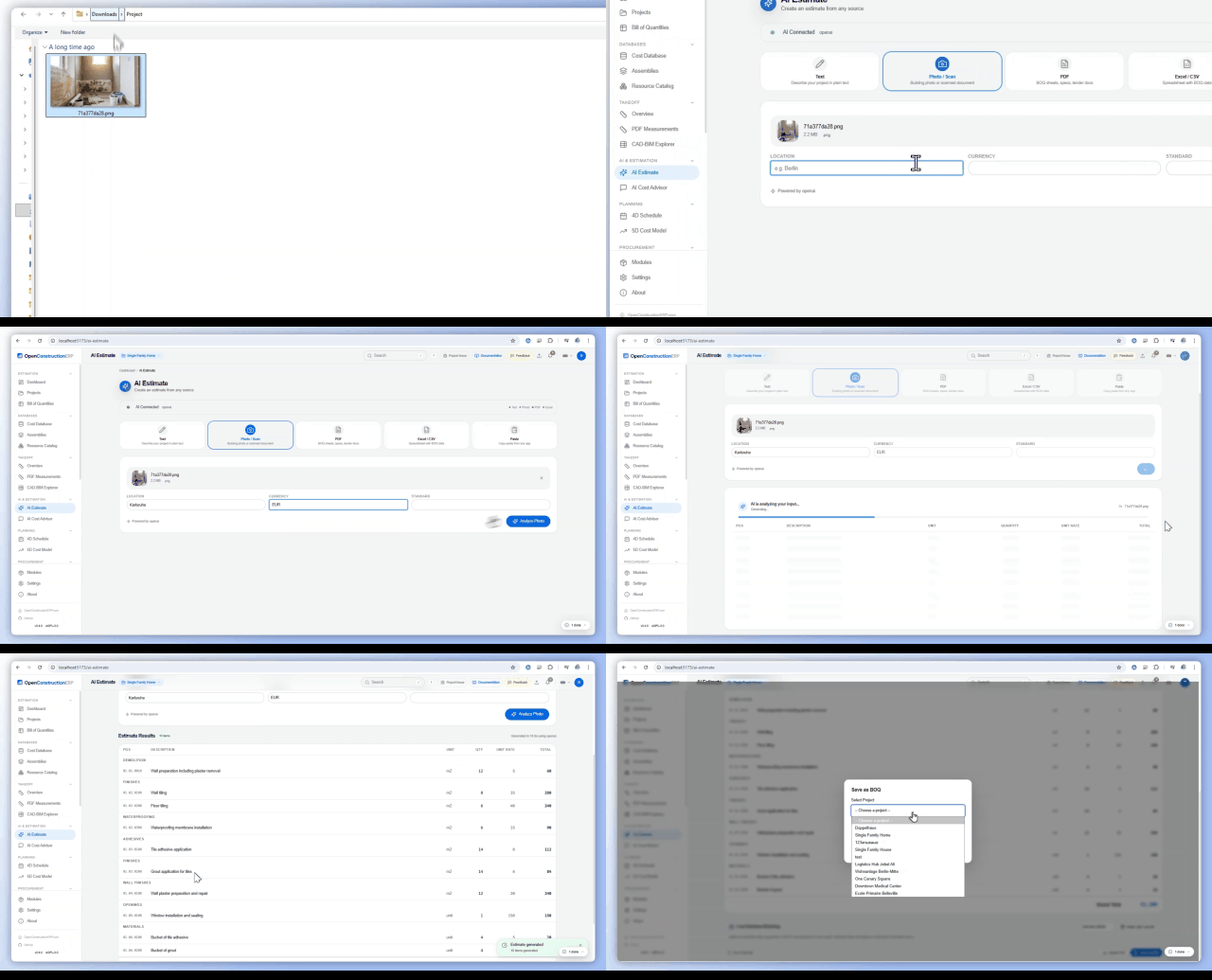
|
|
11 · Global Portfolio Dashboard 7 projects, 4 continents, $28.3M in active estimates - one workspace, one map 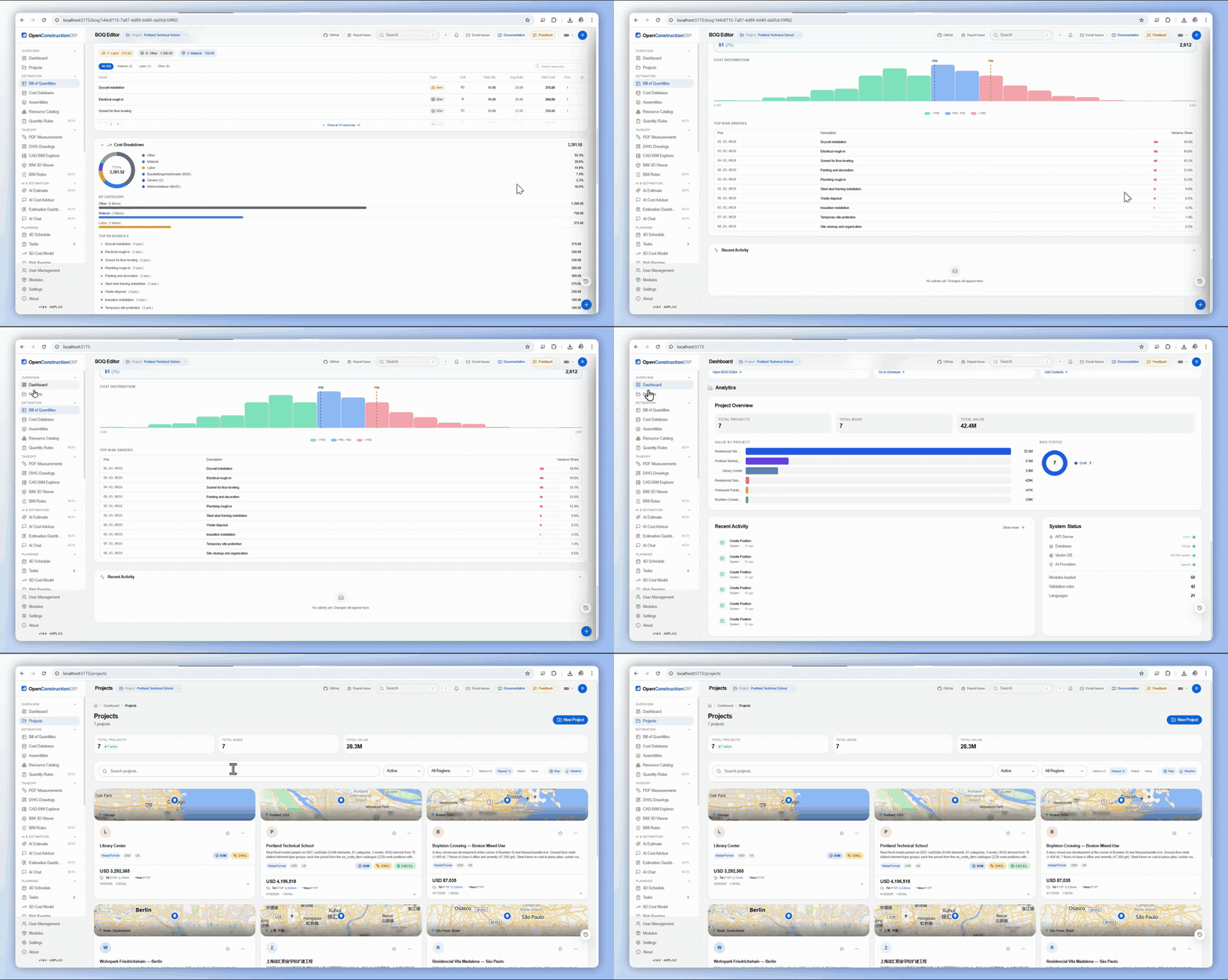
|
 Bonus · Instant Search Find any of 120K+ cost items across 9 cost bases by keyword, unit or classification 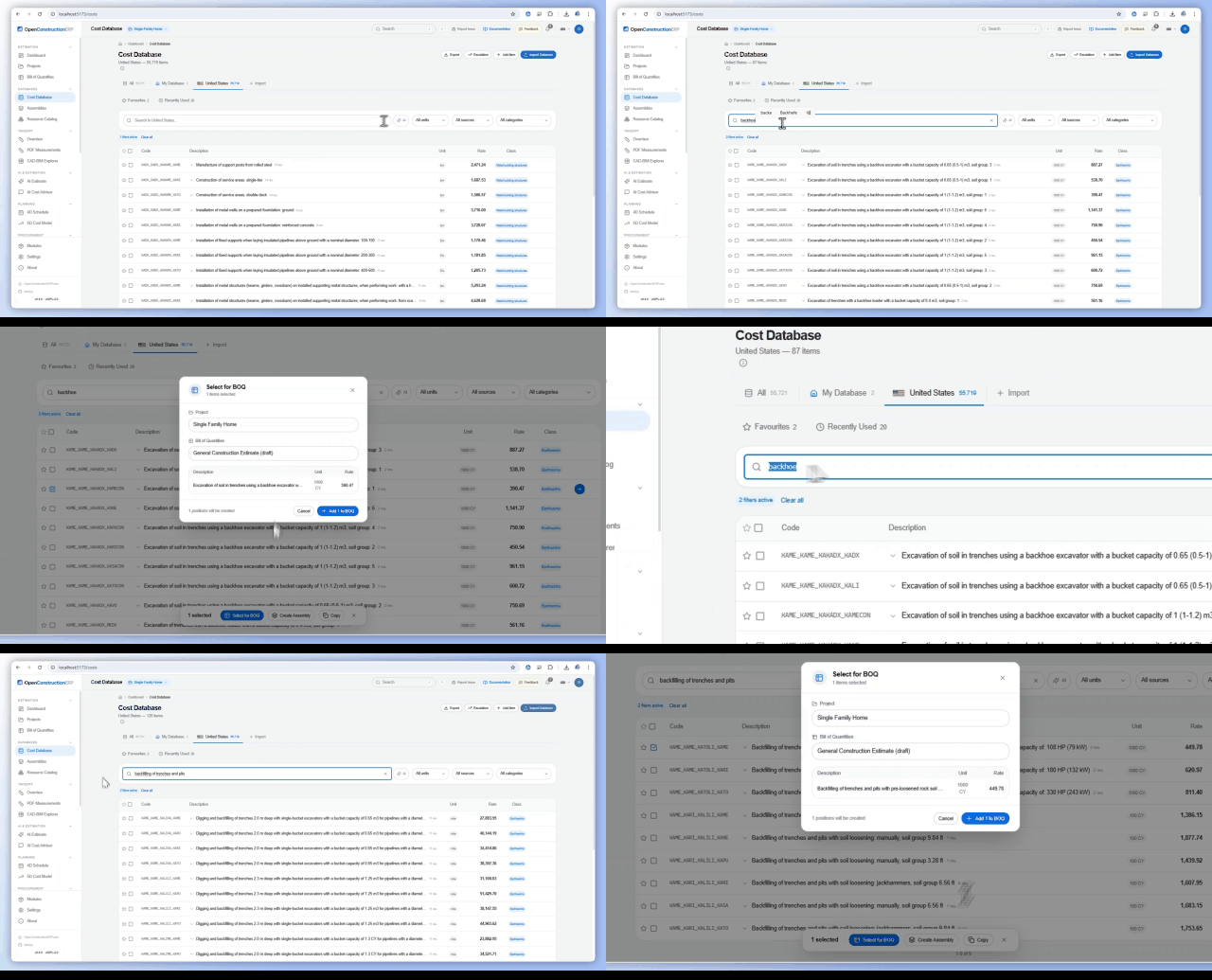
|
A Look Inside
A quick tour of the main workspaces. Every screen is the real application running the seven-country demo that ships with a fresh install.
|
Portfolio Dashboard Every project on one live map, with multi-currency totals that are grouped by currency, never blended. 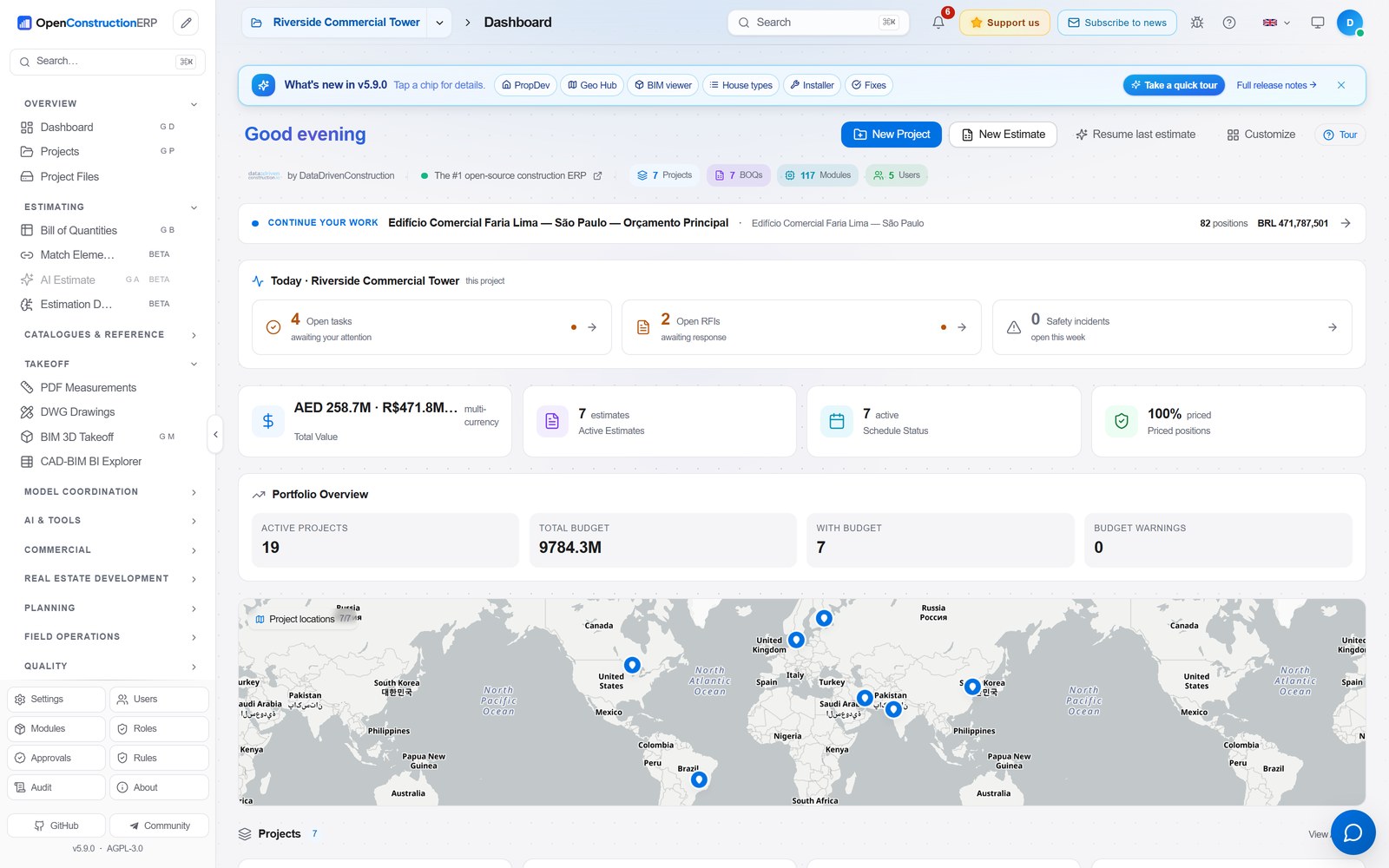
|
Projects Localized projects worldwide. Each card carries its site map, BIM / DWG / PDF badges and live value. 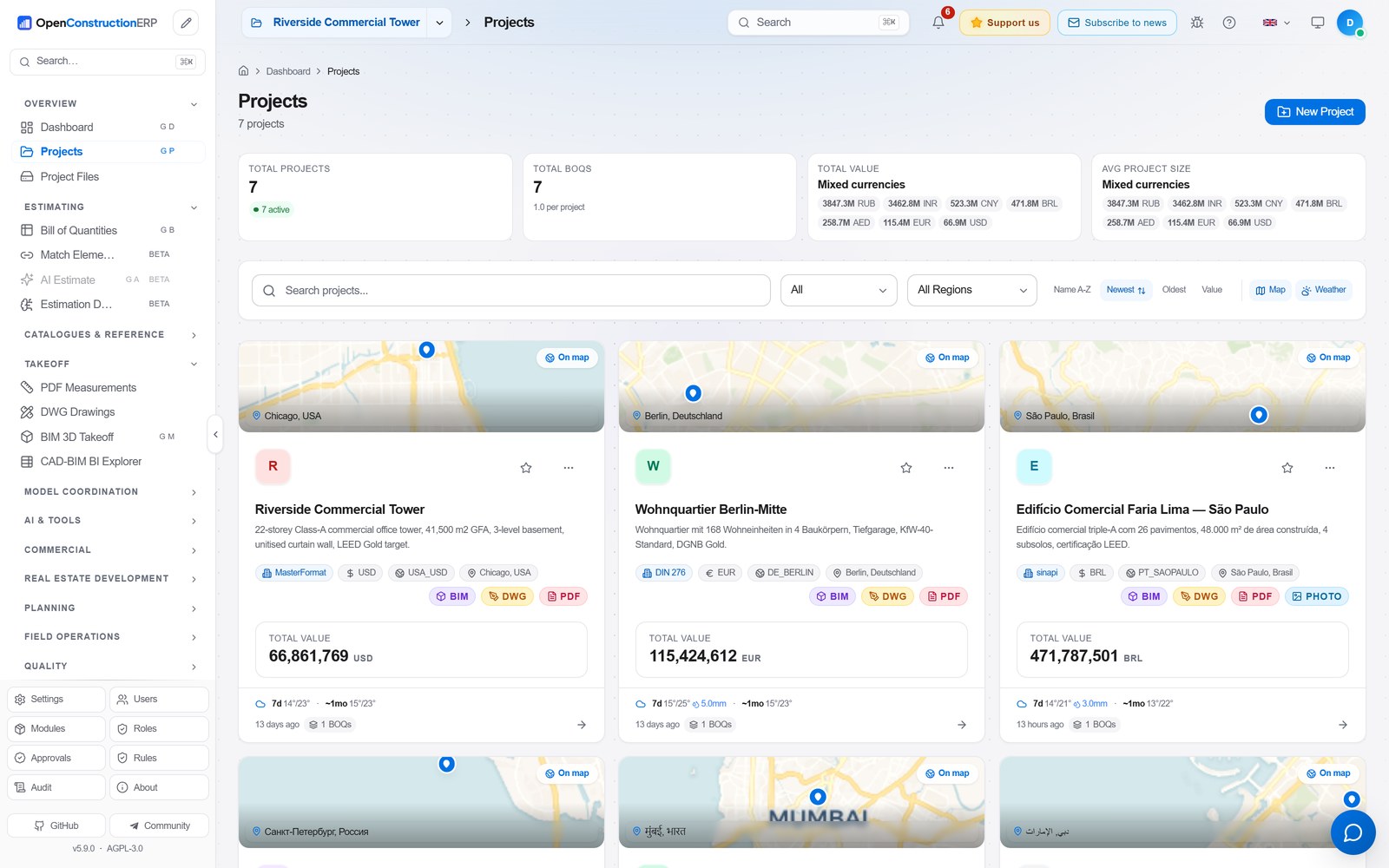
|
|
BOQ Editor Keyboard-first bill of quantities with sections, assemblies, a live quality score and grand total. 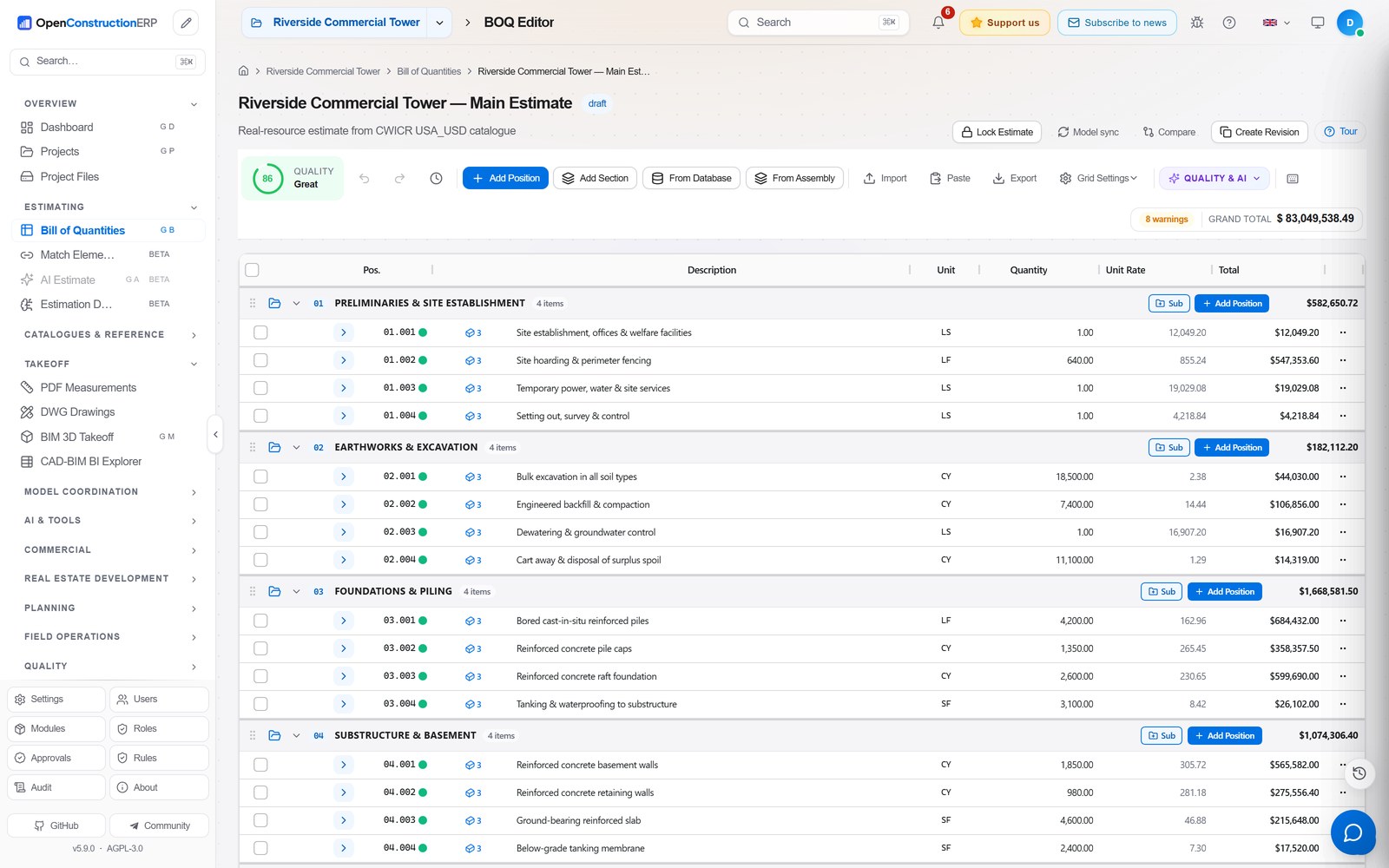
|
Cost Database 120,000+ priced items across 9 cost bases, bilingual, searchable by code, unit or class. 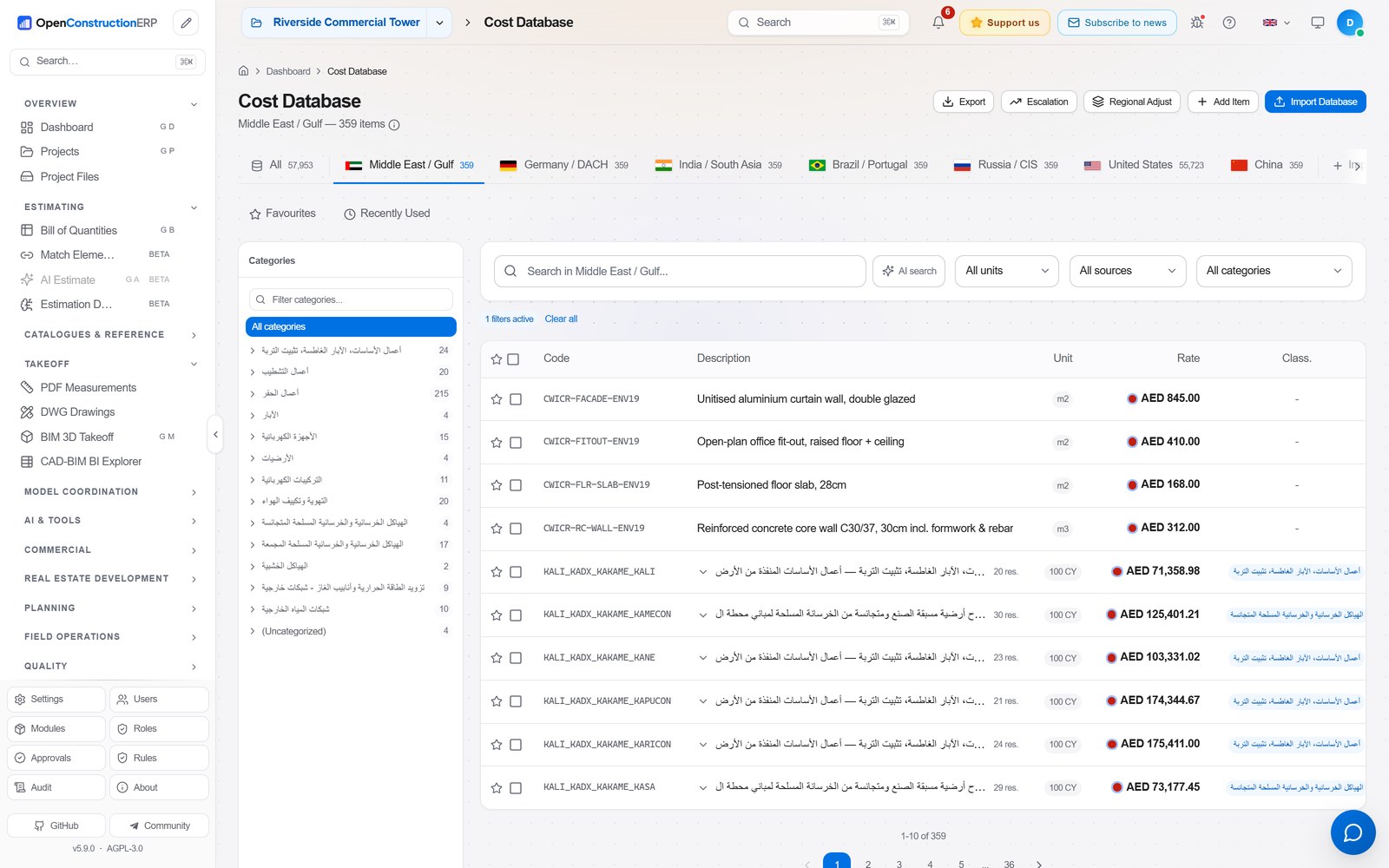
|
|
3D BIM Viewer Federated models in the browser with a category and storey breakdown. Converted through DDC, no IfcOpenShell. 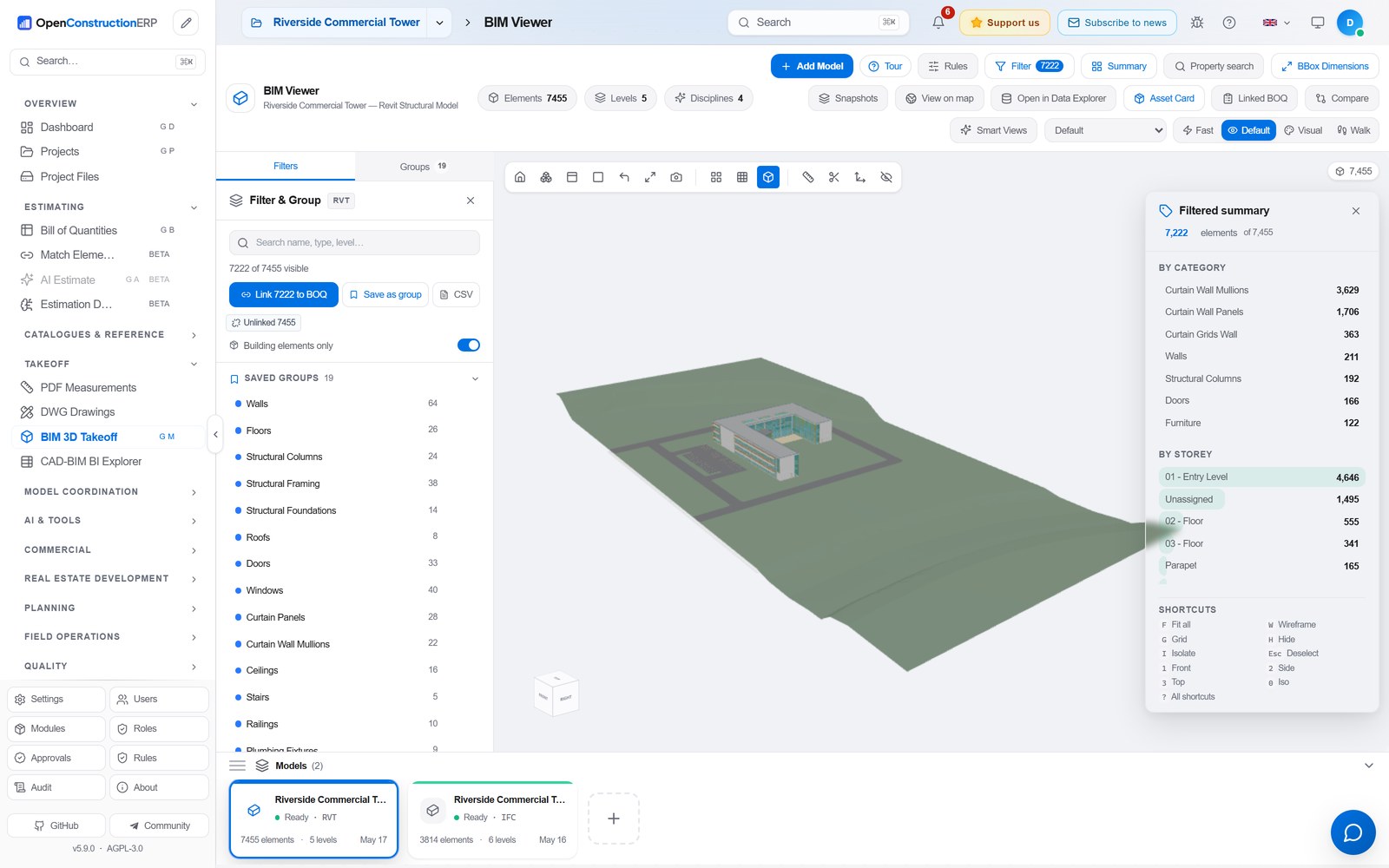
|
Clash Detection Geometric coordination across federated models, with a clash matrix and BCF export. 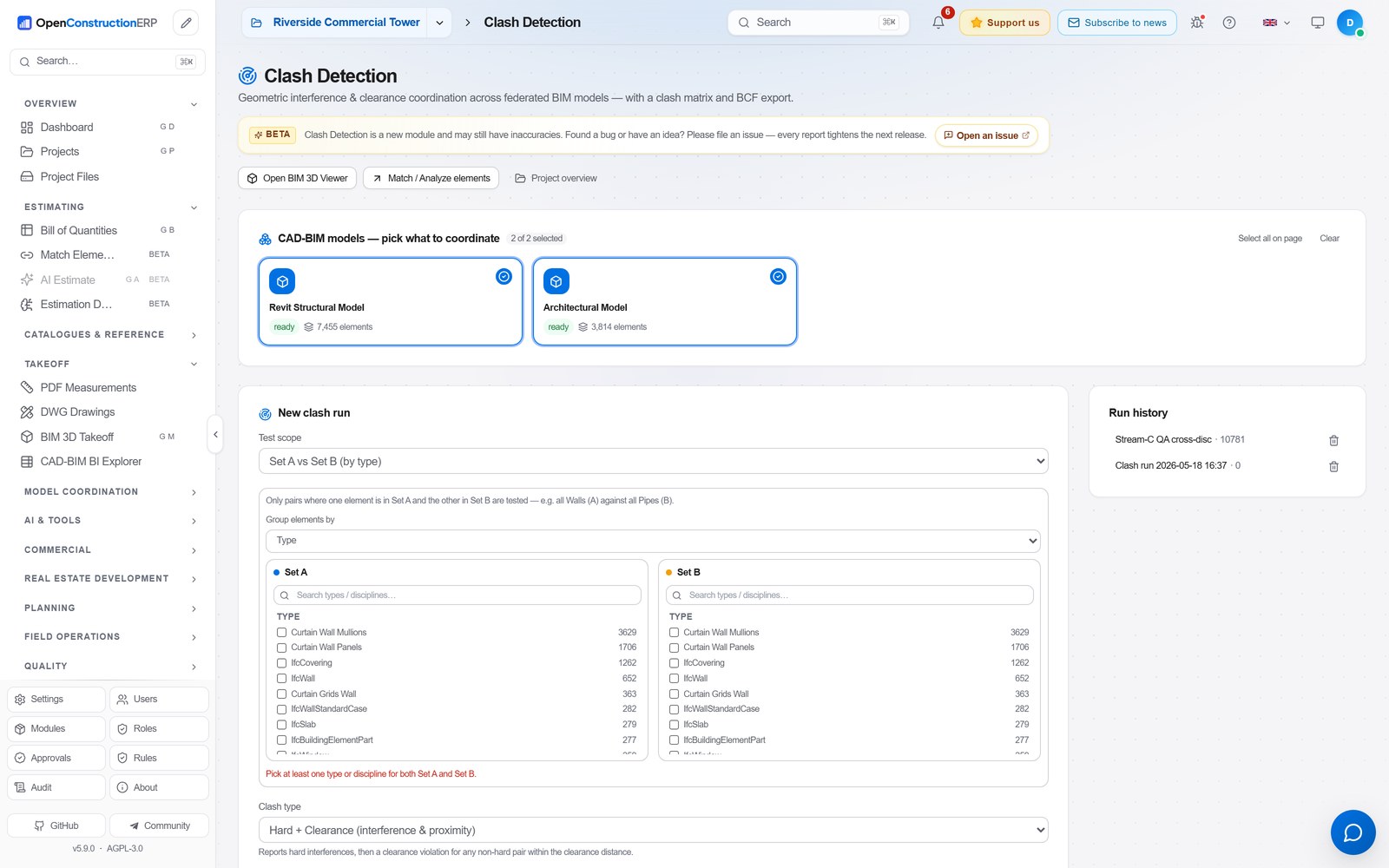
|
|
PDF Takeoff Drop a drawing, let AI extract the quantities, then push them straight into the BOQ. 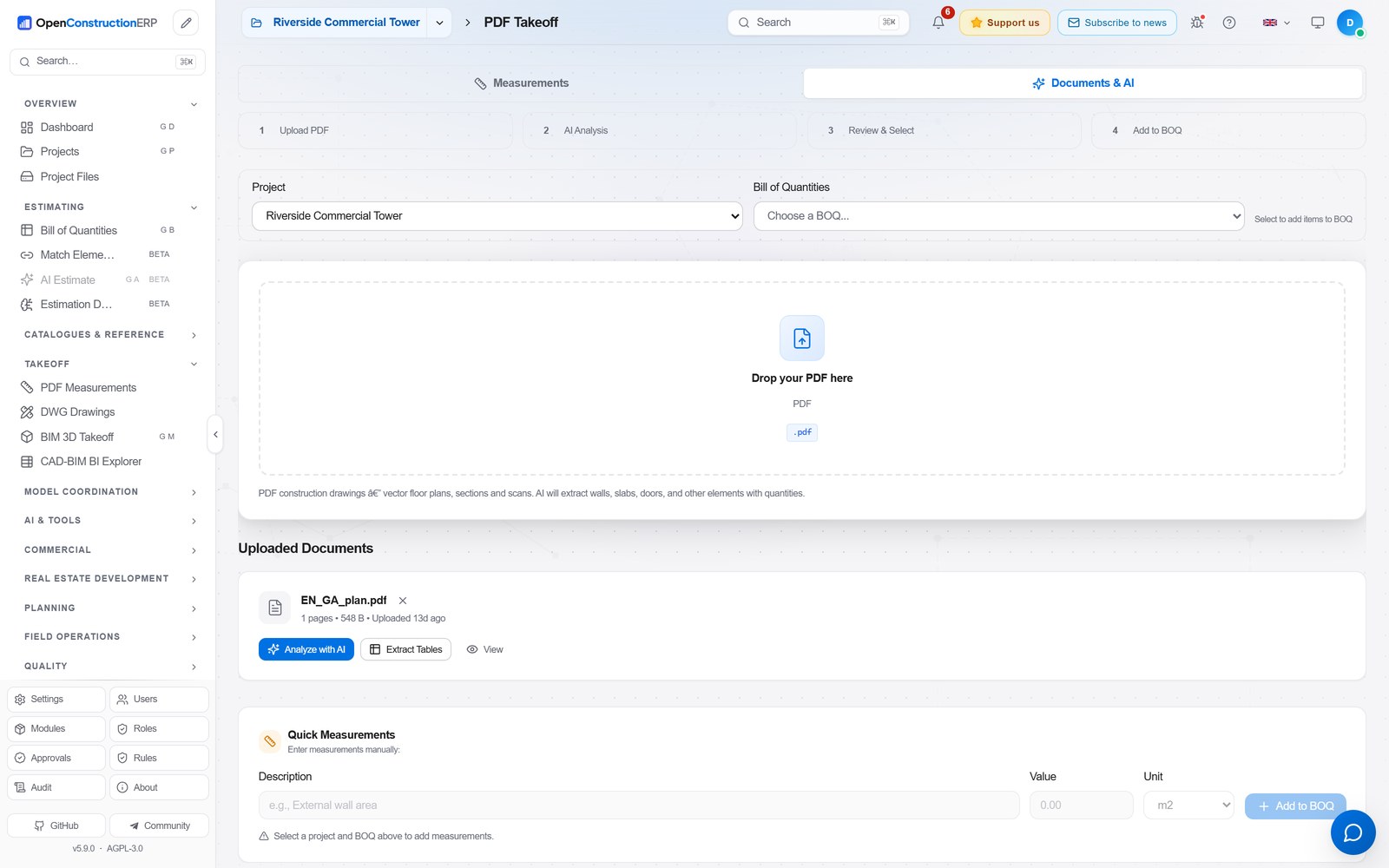
|
AI Estimate Turn text, a photo, a PDF or a spreadsheet into a scoped BOQ in seconds, with confidence scores. 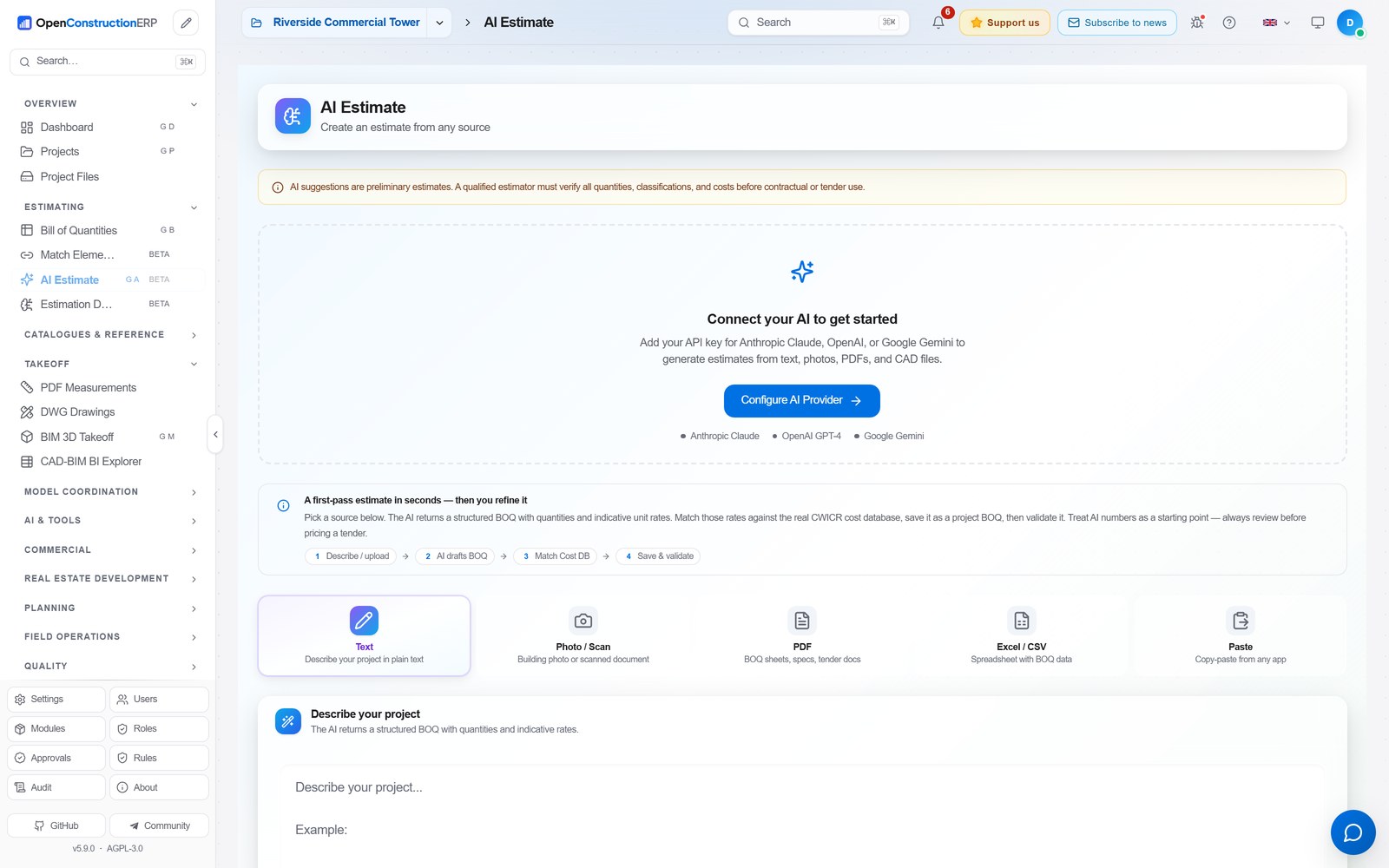
|
|
Validation Built-in DIN 276, NRM and MasterFormat rules score every BOQ with a traffic-light report. 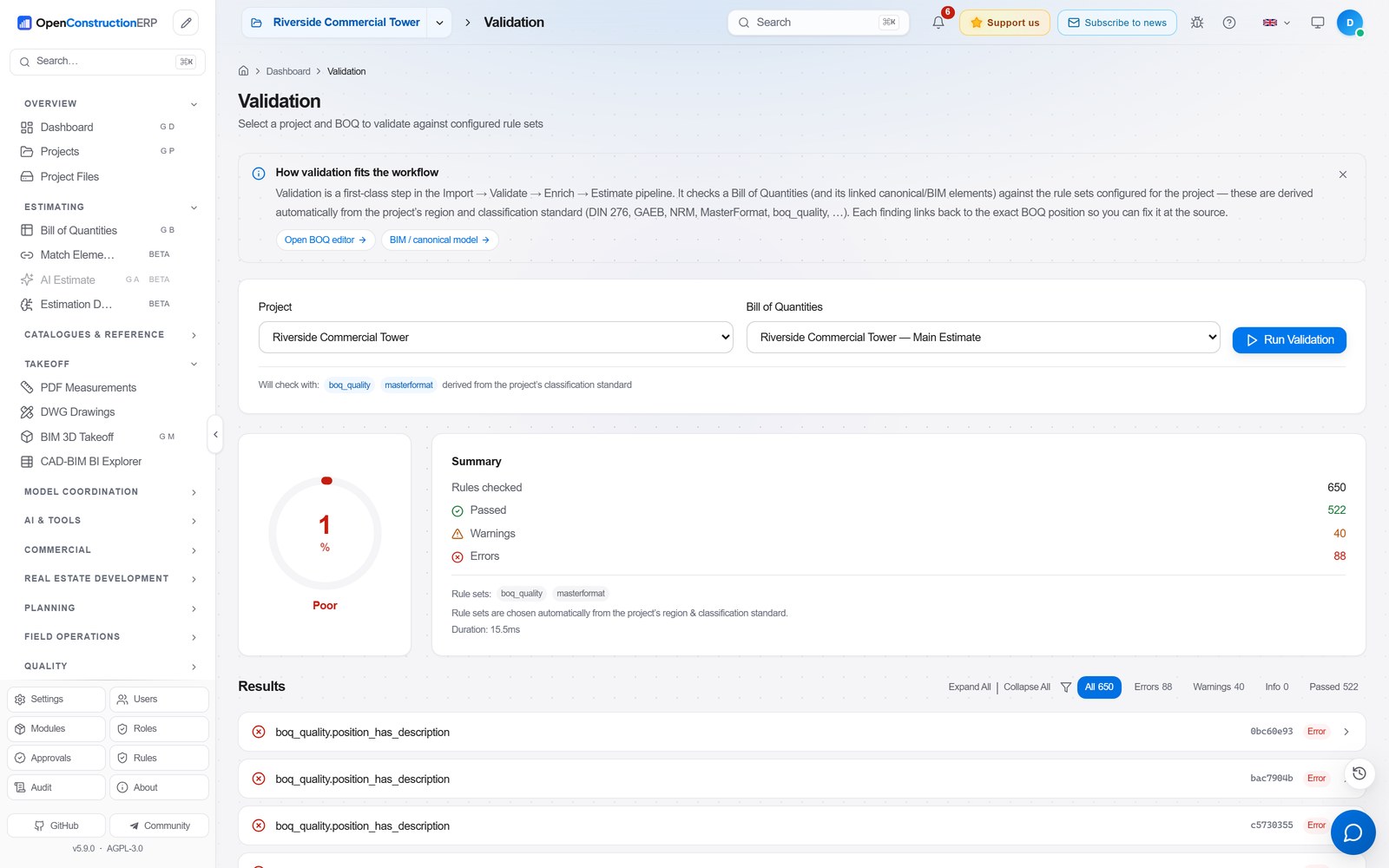
|
Cross-Project Analytics Portfolio KPIs grouped by currency: budget, actuals and variance, project by project. 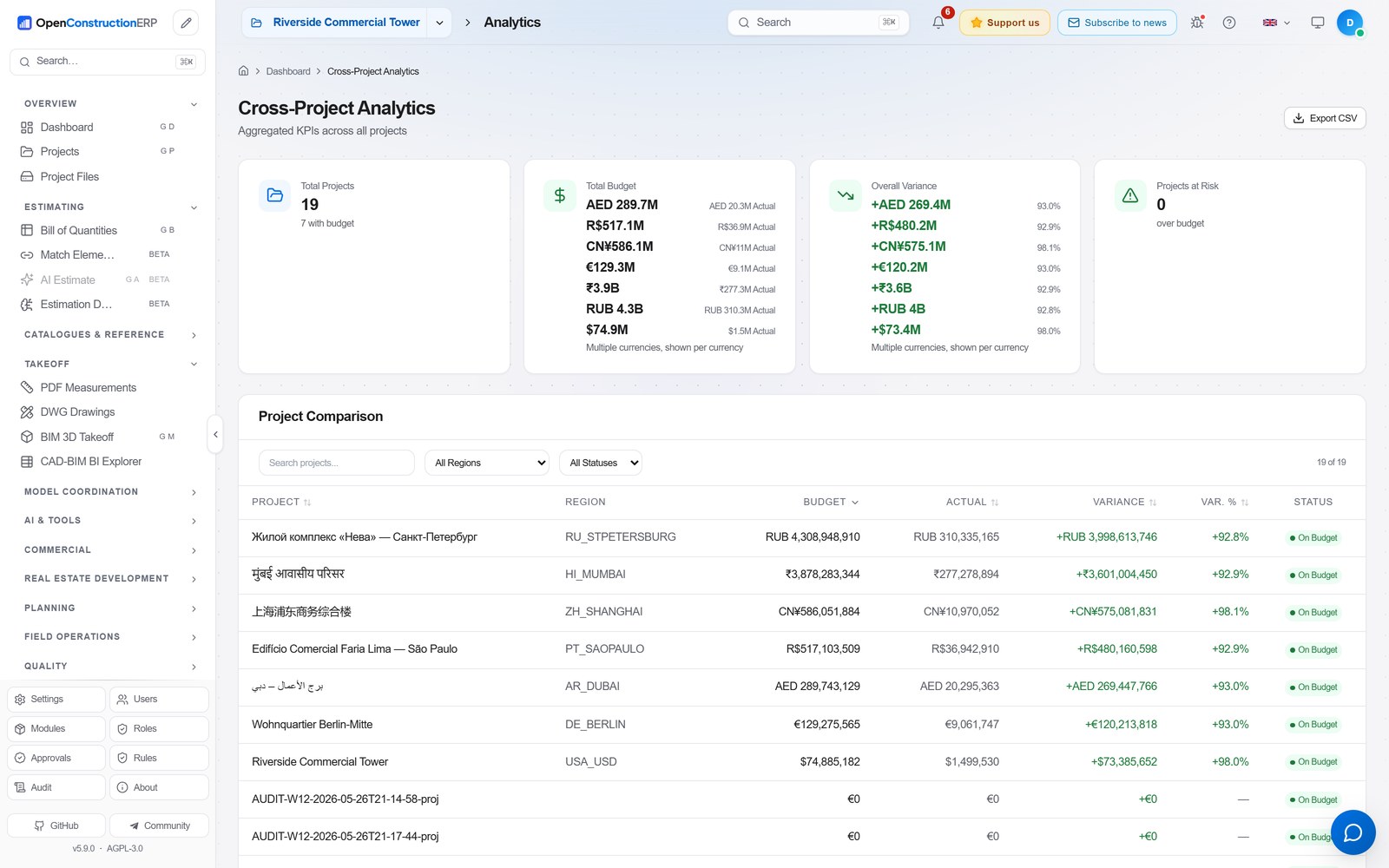
|
|
Finance & Earned Value Budgets, invoices, payments and earned value tracked against the estimate. 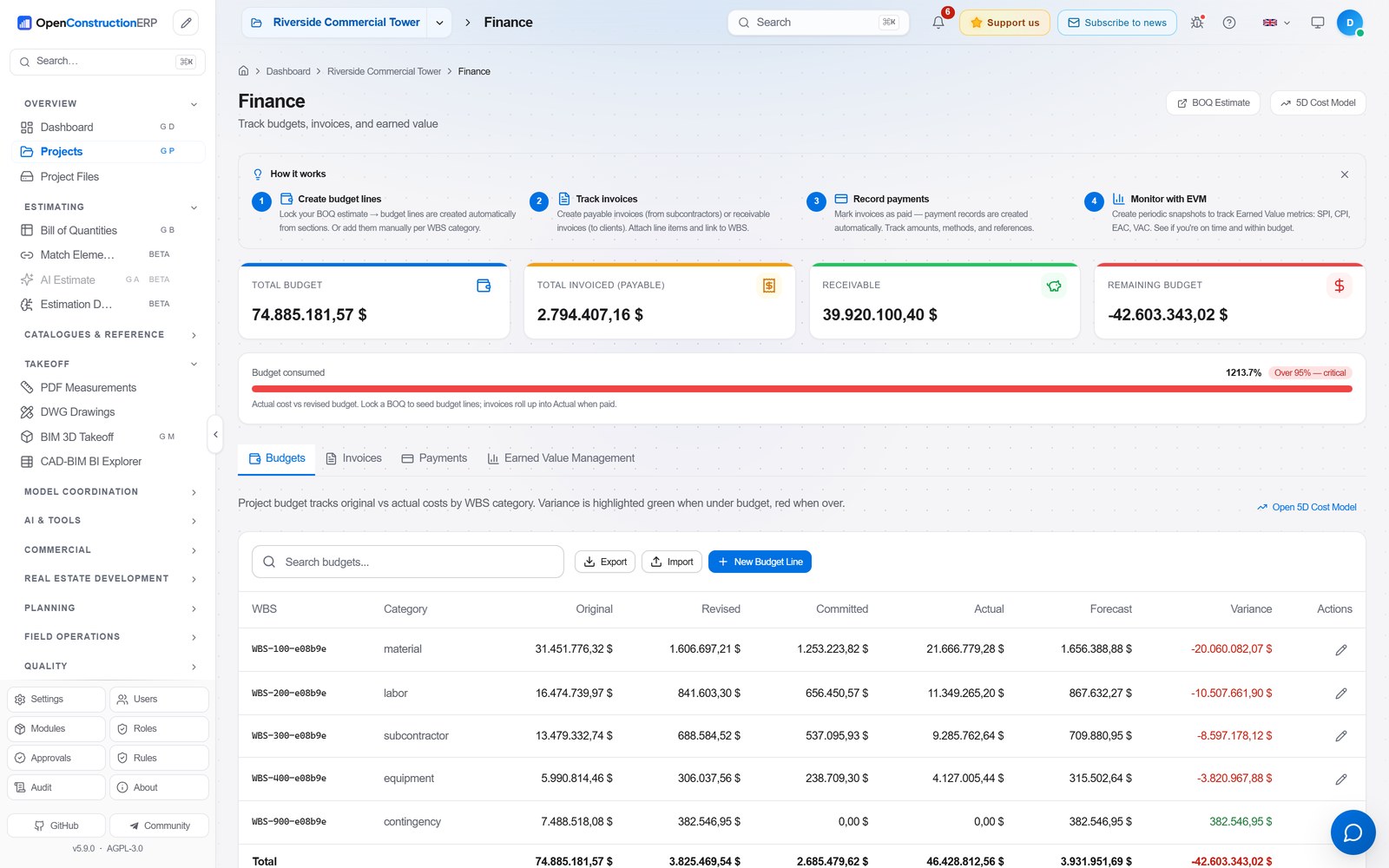
|
|
Key Features
Bill of Quantities (BOQ) Management
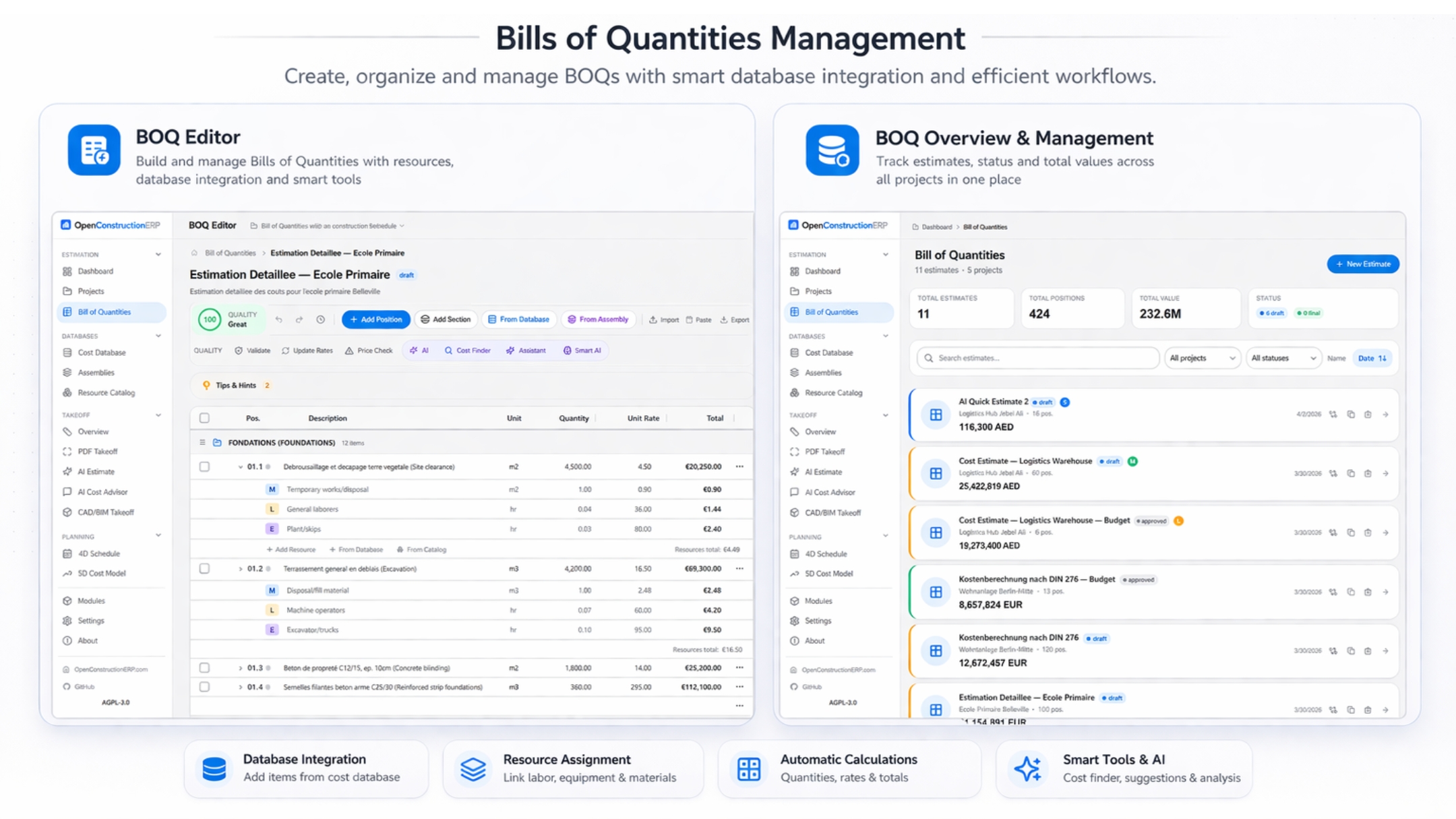
Build professional cost estimates with a powerful BOQ editor. The full lifecycle - from first sketch to final tender submission:

- Hierarchical BOQ structure - Sections, positions, sub-positions with drag-and-drop reordering
- Inline editing - Click any cell to edit. Tab between fields. Undo/redo with Ctrl+Z
- Resources & assemblies - Link labor, materials, equipment to each position. Build reusable cost recipes
- Markups - Overhead, profit, VAT, contingency - configure per project or use regional defaults
- Automatic calculations - Quantity × unit rate = total. Section subtotals. Grand total with markups
- Validation - 158 built-in rules check for missing quantities, zero prices, duplicate items, and compliance with DIN 276, NRM, MasterFormat
- Export - Download as Excel, CSV, PDF report, or GAEB XML (X83)
 Cost Databases & Resource Catalog
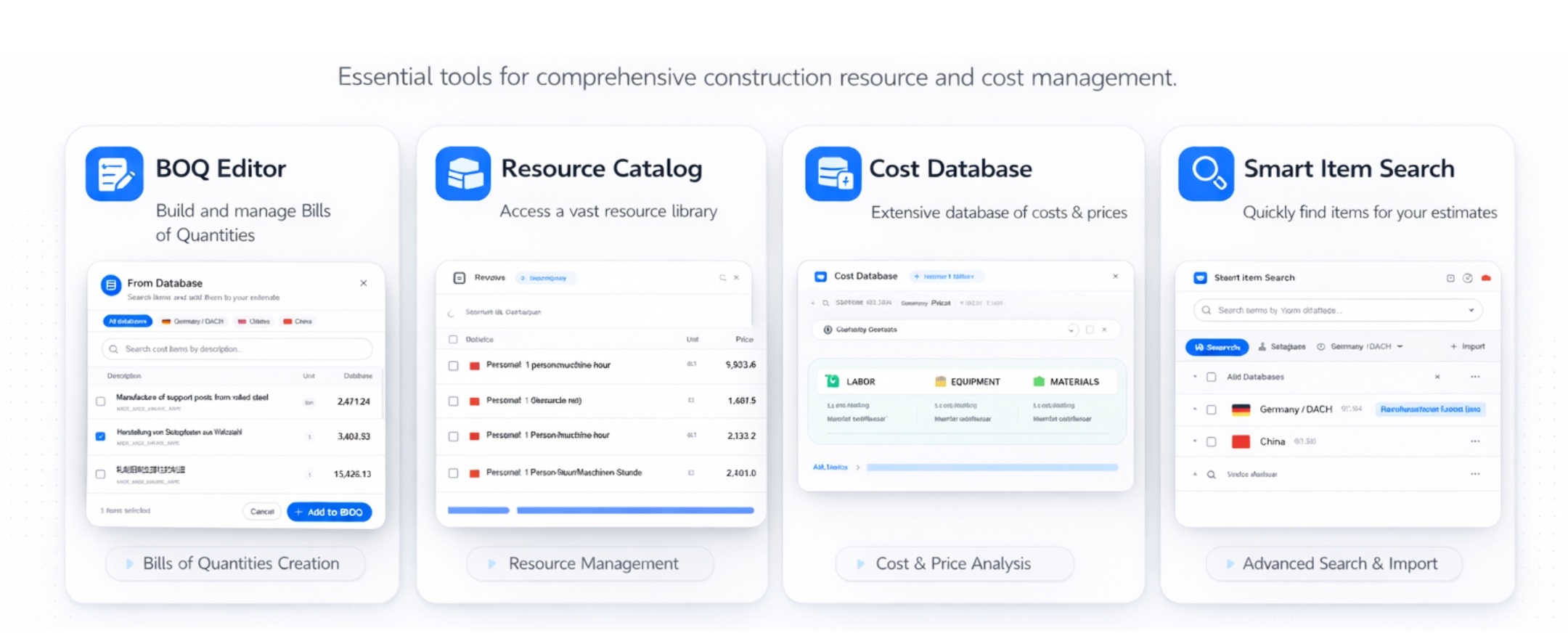
Access the world's construction pricing data:
- Cost bases - 120,000+ cost items across 9 bases: the global CWICR database (55,000+ items covering all major construction trades, repriced across 30 regional markets) plus 8 national bases built on each country's own norm system (China, Turkey, Brazil, Spain, Italy, Greece, Vietnam, Indonesia)
- Smart search - Find items by description, code, or classification. AI-powered semantic search matches meaning, not just keywords ("concrete wall" finds "reinforced partition C30/37")
- Resource catalog - 7,000+ materials, equipment, labor rates, and operators. Build custom assemblies from catalog items
- Regional pricing - Automatic price adjustment based on project location. Compare rates across regions
- Import your data - Upload your own cost database from Excel, CSV, or connect via API
CAD/BIM Takeoff & AI Estimation
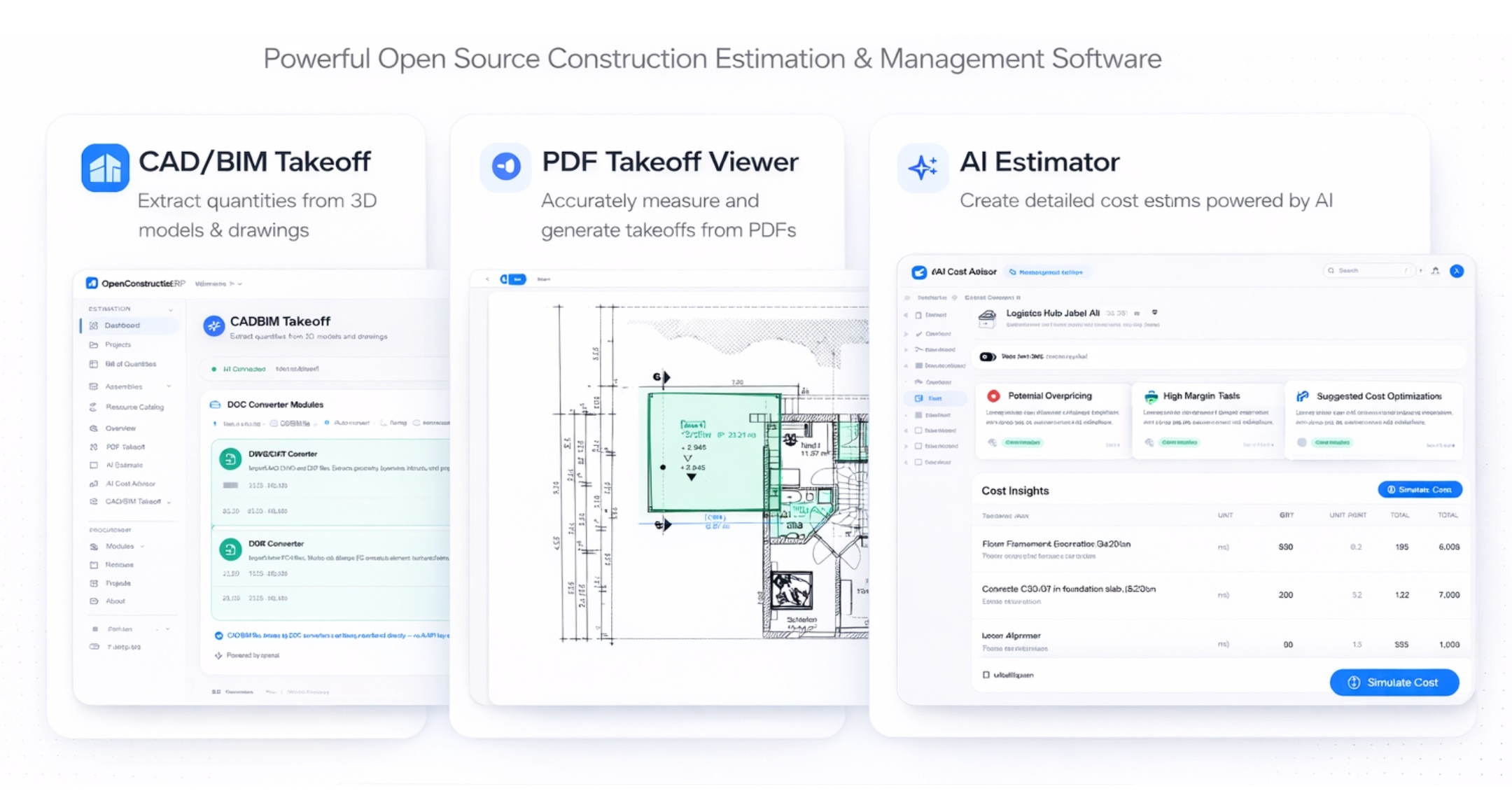
Extract quantities from any source - drawings, models, text, or photos:

- CAD/BIM takeoff - Upload RVT, IFC, DWG, or DGN files. DDC converters extract elements with volumes, areas, and lengths automatically
- Interactive QTO - Choose how to group extracted data: by Category, Type, Level, Family. Format-specific presets for RVT and IFC
- Linked geometry preview - Click the BIM link badge on any BOQ position to see a 3D preview of linked elements with interactive rotate/zoom/pan controls
- BIM Quantity Picker - Select quantities (area, volume, length) directly from linked BIM elements and apply them to BOQ positions. The source parameter name is shown next to the unit
- DWG polyline measurement - Click any polyline in the DWG viewer to instantly see area, perimeter, and individual segment lengths with on-canvas labels
- PDF measurement - Open construction drawings directly in the browser. Measure distances, areas, and count elements with calibrated scale
- AI estimation - Describe your project in plain text, upload a building photo, or paste a PDF - AI generates a complete BOQ with quantities and market rates
- AI Cost Advisor - Ask questions about pricing, materials, or estimation methodology. AI answers using your cost database as context
- Cost matching - After AI generates an estimate, match each item against your CWICR database to replace AI-guessed rates with real market prices
Geo Hub (3D Globe)
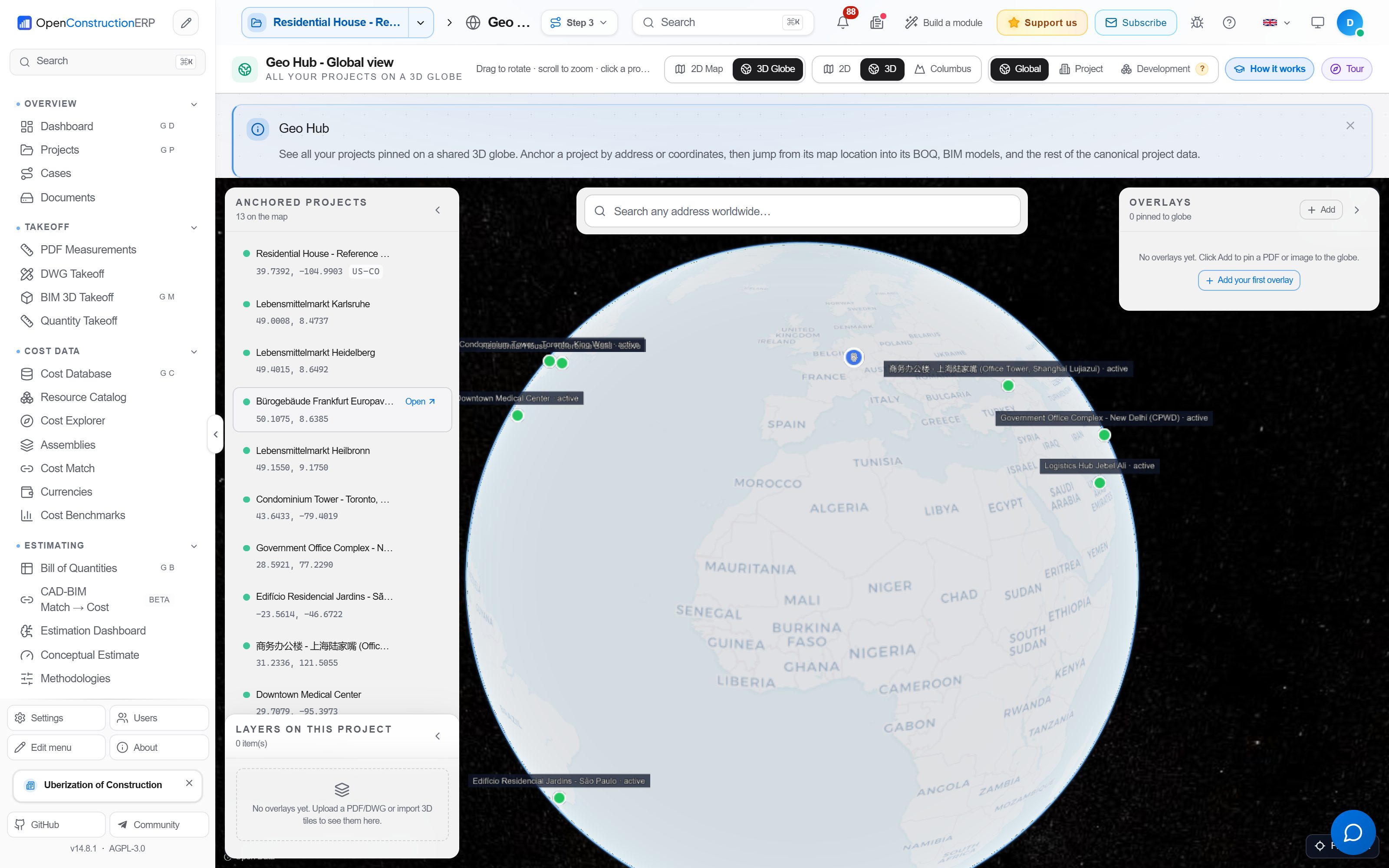
Anchor every project on a real spherical earth - Cesium 3D Tiles 1.1 with live HUD and pin layers:

- Three-mode picker - Global (planet-wide portfolio), Project (job-site scale), Development (plot-level masterplan)
- Live HUD - Cursor latitude / longitude, terrain altitude, dynamic scale bar, north arrow
- Anchored Projects rail - Floating collapsible overlay showing every geo-anchored project, click to fly-to
- Deeplinks -
?model=,?plot=,?dev_id=,?phase=,?block=survive page reloads and shareable URLs - Pin layers - HSE incidents, Punchlist items, Daily Diary entries plotted on the globe with category icons
- "View on map" CTAs - One click from BIM viewer, PropDev plot, Daily Diary entry, Project card → globe with that asset selected
- DWG / PDF raster overlay - Upload a site plan or floorplan, drag four corner pins onto the globe → the raster drapes over real terrain; polygon crop with vertex drag for cookie-cutter trimming
- Canonical pipeline -
POST /api/v1/geo-hub/from-canonical/{cad_import_id}turns any DDC cad2data conversion into glTF 3D Tiles via pure-Python pygltflib (no commercial toolkit needed)
Example: open a Berlin masterplan in Geo Hub, switch to Development mode, see all 12 plots colored by sale status, click one → reservation pipeline opens with that buyer pre-filtered.
 Property Development
End-to-end real-estate developer workflow - from first lead to handover snags to warranty close-out:

- Lead → Reservation → SPA → Handover → Warranty - Full lifecycle FSM with auto-creation of ContractParty on SPA conversion, Payment Schedule state machine, idempotent stage transitions
- Sub-entity tabs - Phases · Blocks · Brokers · Price Matrix · Escrow - one screen for every dev operation, no page hops
- House Type catalogue - ISO 3166-1 picker covering 180+ countries plus Custom region; CountryCombobox + HouseTypeEditModal share the same backend taxonomy as catalog & costs
- SnagsBlock per handover - Photo upload, status (Open / Resolved / Disputed), one-click promote-to-warranty when a snag survives the defects-liability period
- Contacts ↔ PropDev bridge - Every Lead and Buyer is idempotently tagged as a Contact via
Contact.module_tags, so CRM and PropDev stay in sync without duplicates - Price Matrix - Per-phase × house-type × view-premium grid with currency-aware totals and bulk apply
- Escrow - Per-buyer payment schedule with milestone receipts and outstanding balance roll-up
- Bootstrap to Accommodation - One click on a development block creates a worker-camp / rental inventory in the Accommodation module (1:1 plots → rooms, idempotent)
Example: import a 240-unit residential masterplan, generate price matrix from house-type × view, push to globe, accept 18 reservations across 3 brokers, convert 11 to SPA, hand over 4, track 7 open snags in the warranty period - all in one app.
 Accommodation
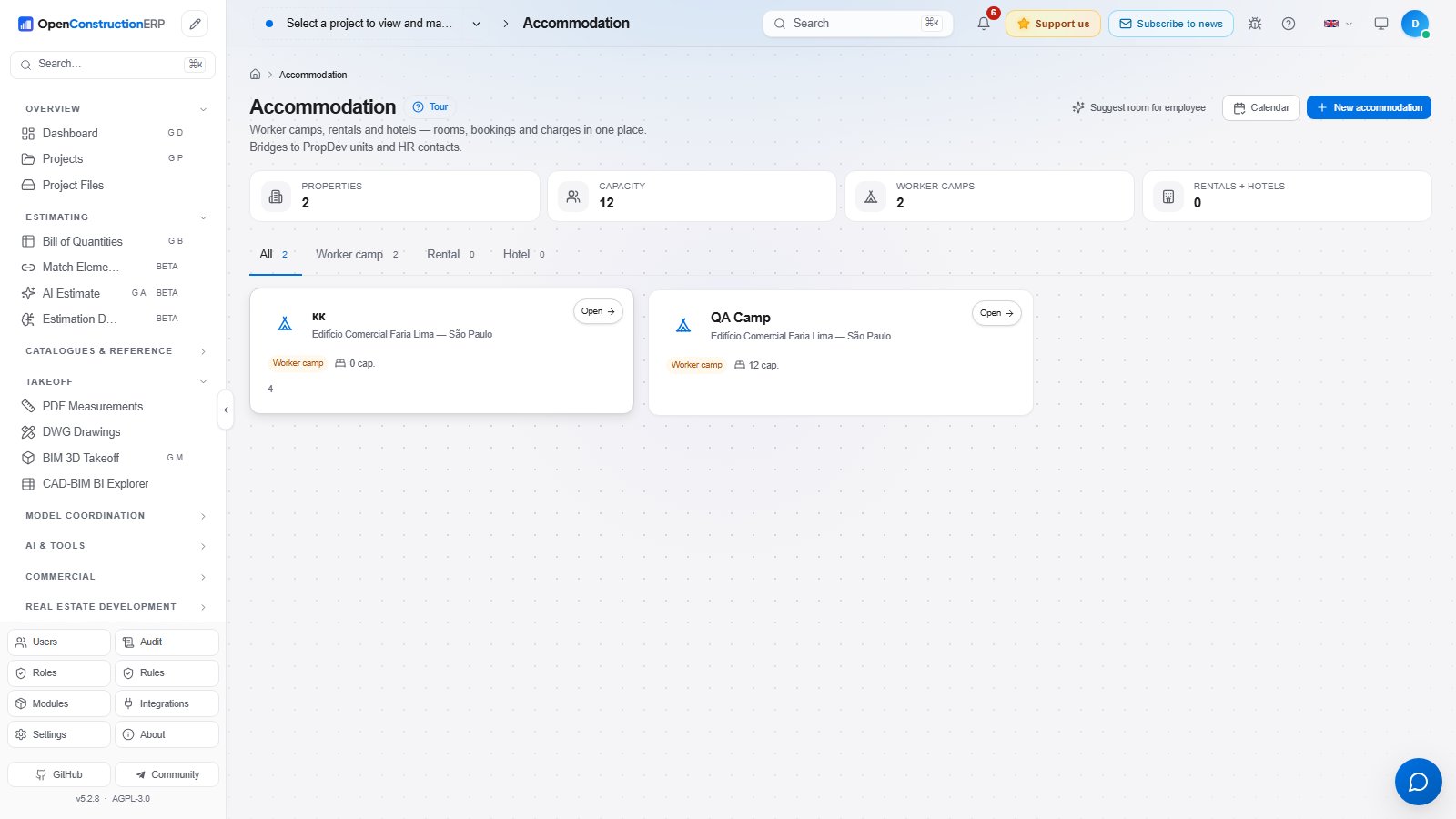
One module for three lodging kinds - worker camps for site crews, rentals for staff, hotels for visiting consultants - with rooms, bookings and charges in a unified data model:

- Three kinds, one module -
worker_camp·rental·hotel, with tab filter and per-kind capacity counters on every card - Rooms with status -
available·occupied·maintenance·blocked; 409 prevents booking into a blocked or maintenance room - Booking state machine -
reserved → checked_in → checked_outwithcancelledfrom any non-final state; idempotent same-state updates; final states locked - Charges with Decimal precision - Base rent, extras, deposits, refunds, all in the room's inherited currency (no hardcoded EUR)
- PropDev bootstrap - One click on a development block iterates its plots and creates rooms 1:1, idempotent (running twice creates nothing extra)
- HR autobook (suggest-confirm) - Pick an employee Contact → suggest the lowest-labelled available
worker_camproom → human confirms with a real booking POST - BIM + Geo aware -
bim_element_idcarries through from PropDev plots; cards withgeo_lat/geo_longet a "Geo" deeplink to the globe - IDOR-hardened - Every helper returns 404 (never 403) on cross-tenant access; tested in
backend/tests/modules/accommodation/
Example: 240-plot worker camp on a remote site - bootstrap from the PropDev block, HR autobooks 187 crew members from the Contacts directory over three weeks, base-rent charges roll up to the project P&L automatically.
 Floating Chat with the ERP Database
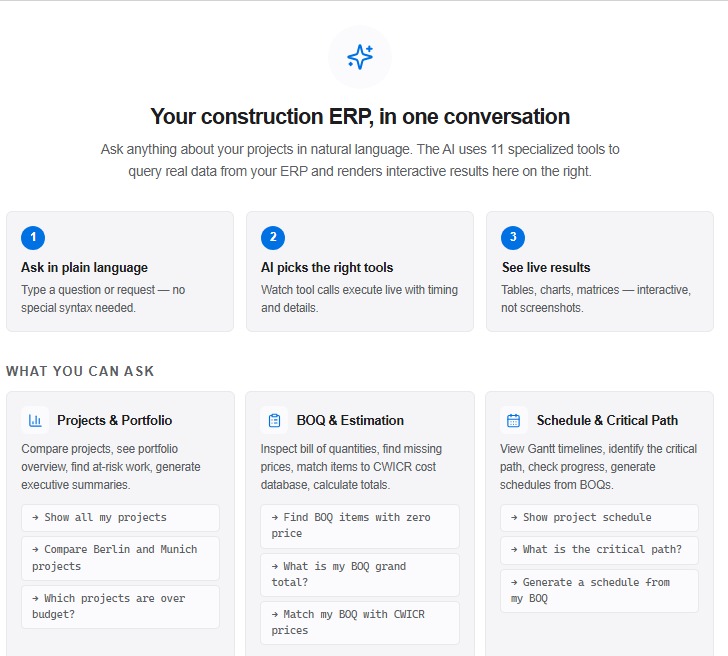
Bottom-right floating chat on every page - talks to the entire ERP database through 20 typed tools (projects, BOQ items, schedule, validation, risks, CWICR search, BIM elements, full semantic search):

- Always-on - Mounted in
AppLayout, available on every route (Dashboard, BOQ, BIM, Geo, PropDev, Accommodation, all 195 modules) - Real ERP access - Reads/writes through tools, not LLM guesswork:
get_all_projects,get_project_summary,get_boq_items,get_schedule,get_validation_results,get_risk_register,search_cwicr_database,get_cost_model,compare_projects,run_validation,create_boq_item,search_boq_positions,search_documents,search_tasks,search_risks,search_bim_elements,search_anything,search_rfis,search_submittals,search_correspondence - Streamed responses - Tool-call cards (risk register table, BOQ summary, etc.) render inline as the model produces them
- Provider-agnostic - Anthropic / OpenAI / Gemini / Mistral / Groq / DeepSeek behind the same tool interface
 Coordination Hub & Clash AI
Multi-disciplinary BIM coordination with AI-assisted issue triage:

- Coordination Hub - Single dashboard fusing clashes, RFIs, submittals, action items per model federation
- Smart Views v1 - Saved filters across the federation (e.g. "MEP-vs-STR clashes > 50mm in Level 03")
- Clash Smart Issues - Auto-group thousands of raw clash results into prioritized issue clusters by location + discipline pair
- AI Triage - LLM ranks new clashes by severity / rework cost / location criticality with confidence scores
- Cost Impact rollup - Per-issue rework estimate driven by your cost database, surfaced on the dashboard
- BCF 3.0 / OpenCDE export - Round-trip with any BCF-compatible tool via the open BIM standard
- BIM Requirements - IDS (Information Delivery Specification) and COBie import / export for owner-side data drops
 4D Scheduling & 5D Cost Model
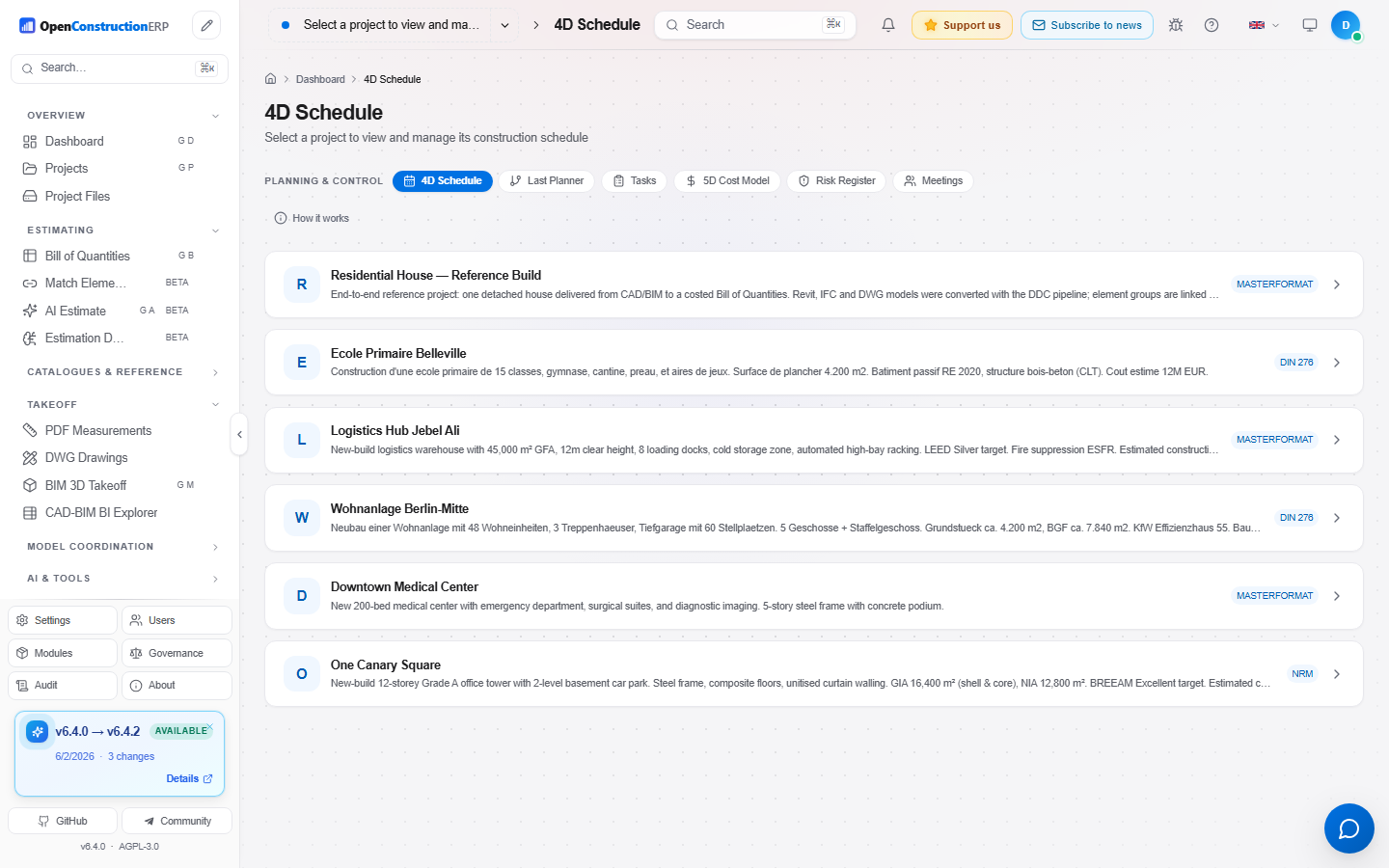
Plan your project timeline and track costs over time:
- Gantt chart - Visual project schedule with drag-and-drop activities, dependencies (FS/FF/SS/SF), and critical path highlighting
- Auto-generate from BOQ - Create schedule activities directly from your BOQ sections with cost-proportional durations
- Earned Value Management - Track SPI, CPI, EAC, and variance. S-curve visualization shows planned vs actual progress
- Budget tracking - Set baselines, compare snapshots, run what-if scenarios
- Monte Carlo simulation - Risk-adjusted schedule analysis with probability distributions
 Tendering, Risk & Reporting
Complete your estimation workflow:

- Tendering - Create bid packages, distribute to subcontractors, collect and compare bids with side-by-side price mirror
- Change orders - Track scope changes with cost and schedule impact analysis
- Risk register - Probability × impact matrix, mitigation strategies, risk-adjusted contingency
- Reports - Generate professional PDF reports, Excel exports, GAEB XML. 7 built-in templates
- Documents - Centralized file management with version tracking and drag-and-drop upload
 Requirements & Quality Gates
Track and validate construction requirements with the EAC (Entity-Attribute-Constraint) system:
- EAC Triplets - Capture requirements as structured data: Entity (wall), Attribute (fire_rating), Constraint (≥ F90)
- 4 Quality Gates - Completeness → Consistency → Coverage → Compliance. Run sequentially to validate requirements
- BOQ Traceability - Link each requirement to BOQ positions for full traceability from spec to estimate
- Bulk Import - Import requirements from structured text (pipe-delimited format)
- Categories - Structural, fire safety, thermal, acoustic, waterproofing, electrical, mechanical, architectural
PDF Markups & Annotations
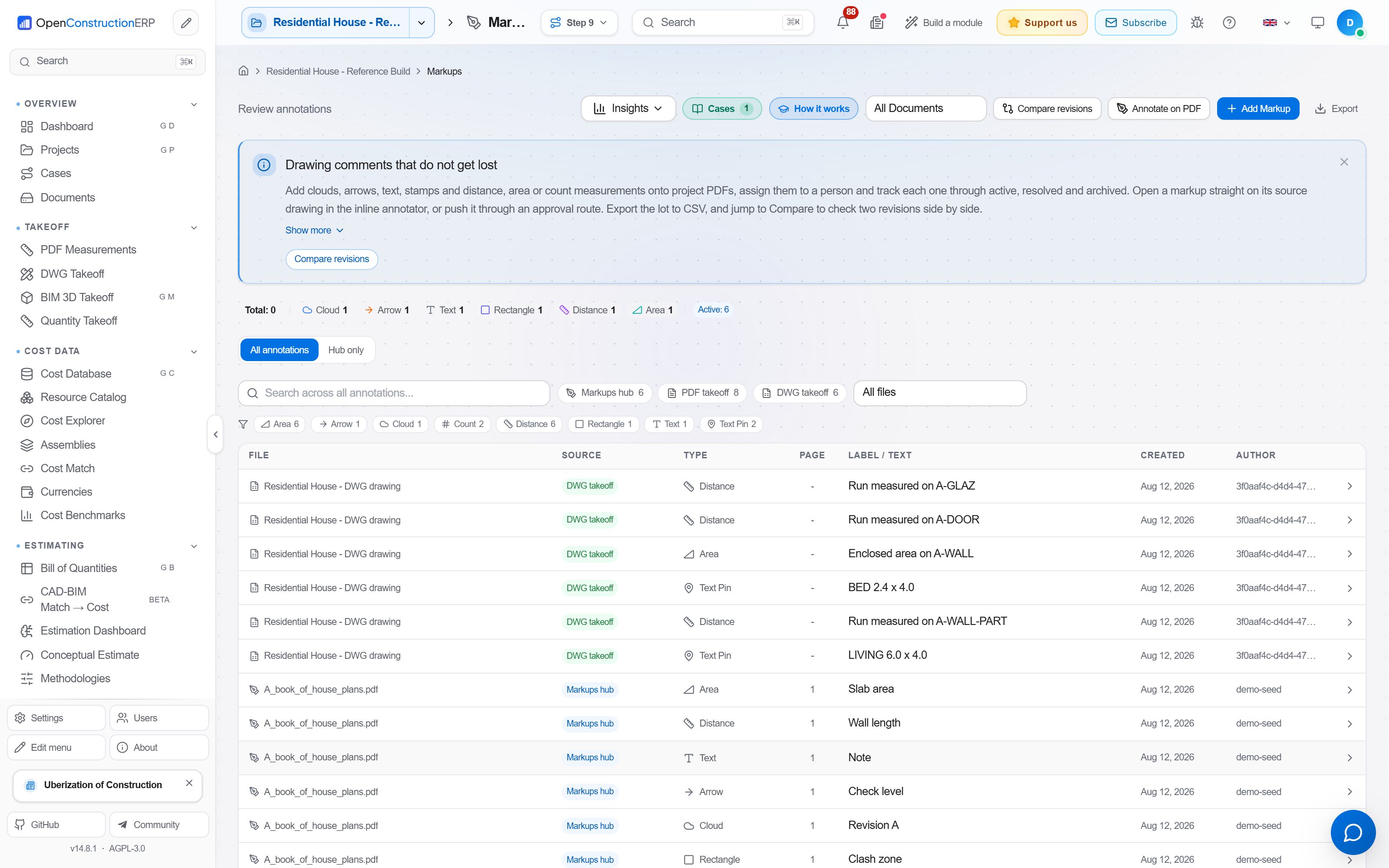
Annotate construction drawings and documents directly in the browser:
- 10 markup types - Cloud, arrow, text, rectangle, highlight, polygon, distance, area, count, stamp
- Custom stamps - Approved, Rejected, For Review, Revised, Final + create your own with logo and date
- Scale calibration - Set real-world scale per page for accurate measurements
- Markups List - Table view of all annotations with filters, search, and CSV export
- BOQ Integration - Link measurements directly to BOQ positions (quantity = measured value)
Punch List
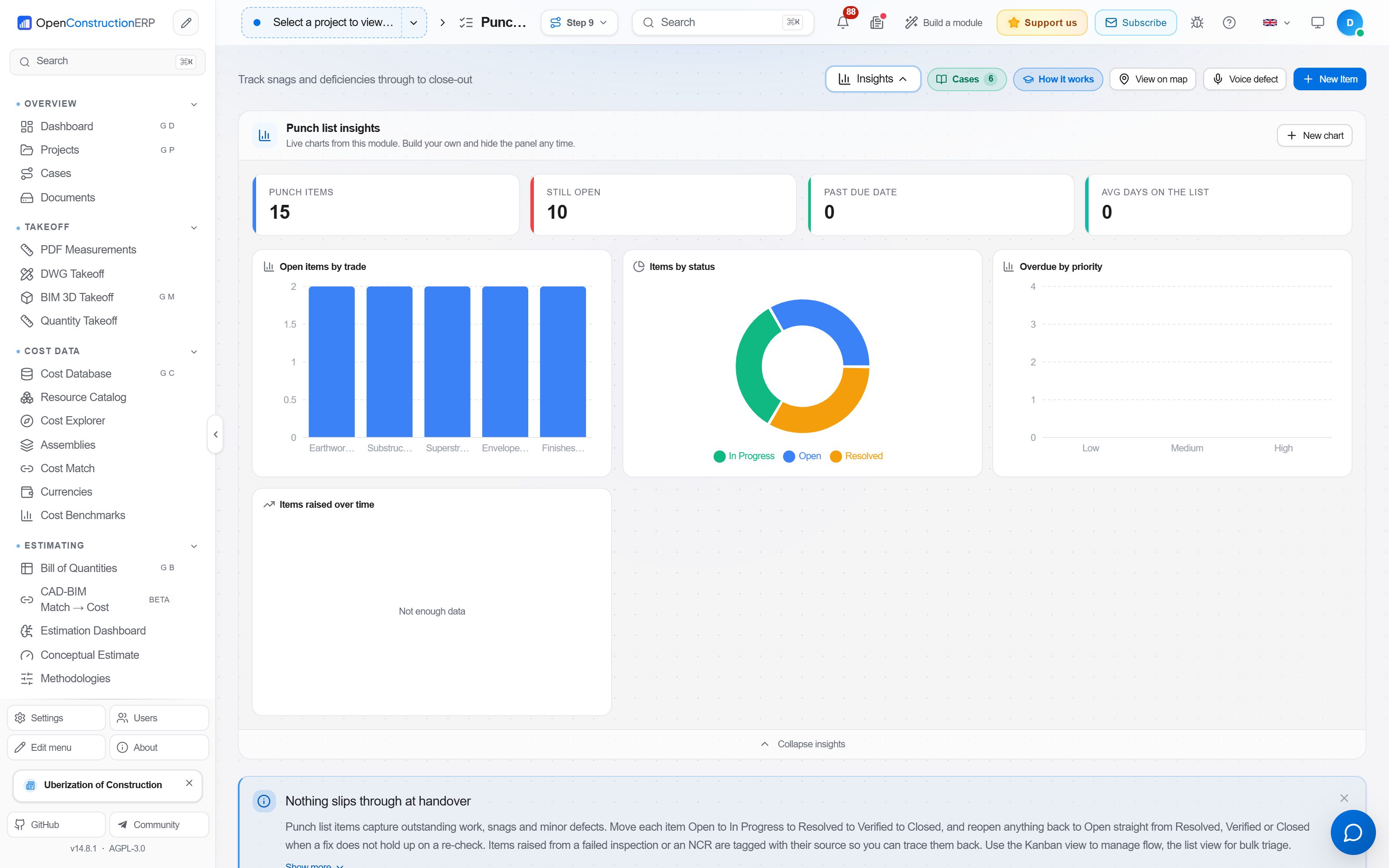
Track construction deficiencies from discovery to resolution:
- 5-stage workflow - Open → In Progress → Resolved → Verified → Closed
- Location pins - Mark exact position on PDF drawings (x/y coordinates)
- Priority levels - Low, Medium, High, Critical with color coding
- Photo attachments - Upload photos of deficiencies from the field
- Categories - Structural, mechanical, electrical, architectural, fire safety, plumbing, finishing
- PDF Export - Generate punch list reports for stakeholder review
- Verification control - Different user must verify (not the resolver)
 Daily Diary & HSE
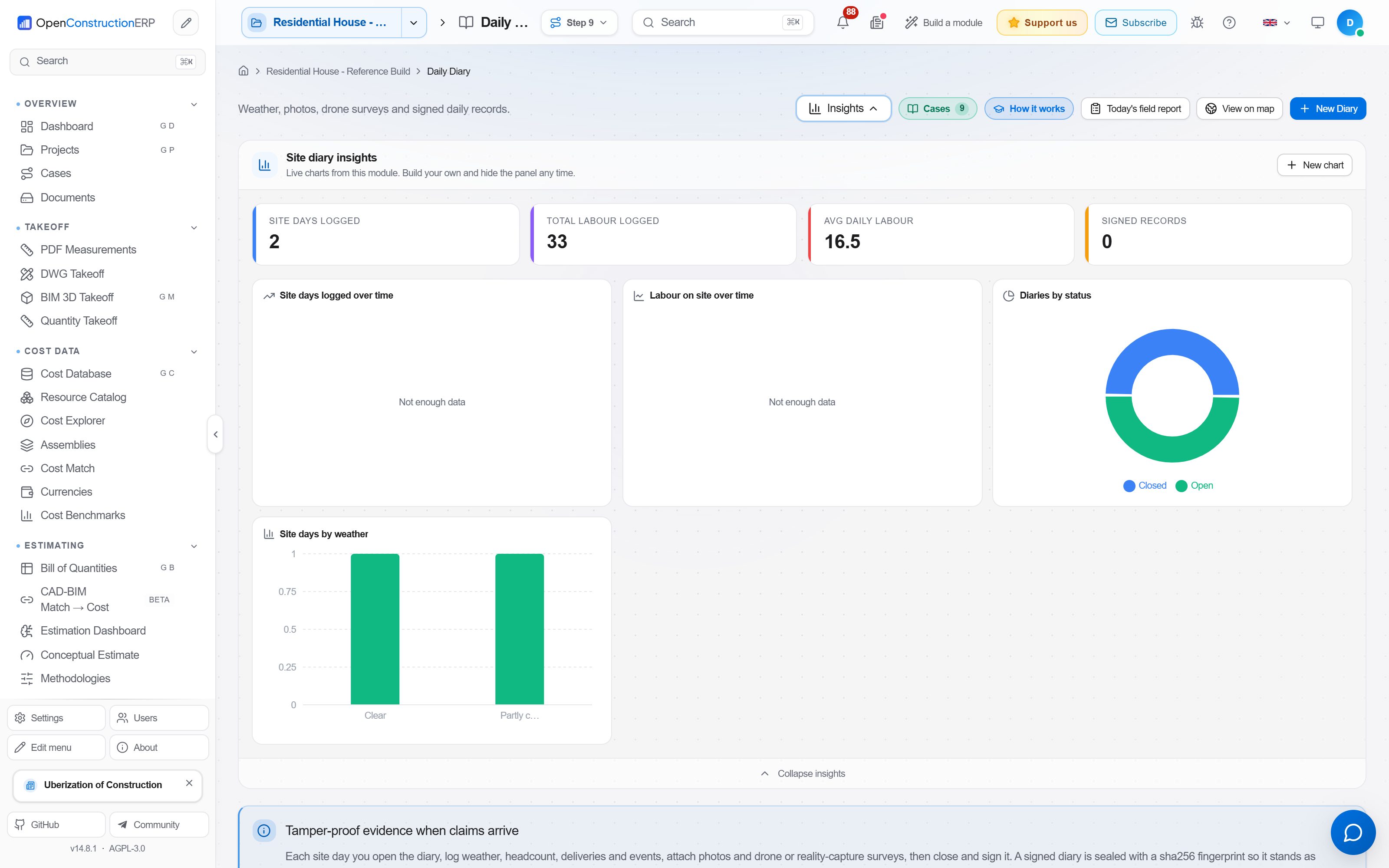
Field-level reporting and safety tracking that holds up in court:
- Daily Diary - Weather-aware entries (auto-pulled from project geo-coordinates), crew on site, equipment used, deliveries, delays, photos
- HSE Incidents - Near-miss → first-aid → recordable → lost-time taxonomy with mandatory root-cause and corrective-action fields
- OSHA-recordable flag - Server-side default backing for compliant regulatory exports (300 / 300A / 301)
- Photo capture with EXIF / GPS - Field photos preserve location and timestamp metadata; magic-byte upload validation for defence-in-depth
- Geo-anchored pins - Daily Diary and HSE pins surface on the Geo Hub globe layer for portfolio-level safety dashboards
30+ Regional Standards
| Standard | Region | Format |
|---|---|---|
| DIN 276 / ÖNORM / SIA | Germany / Austria / Switzerland | Excel, CSV |
| NRM 1/2 (RICS) | United Kingdom | Excel, CSV |
| CSI MasterFormat | United States / Canada | Excel, CSV |
| GAEB DA XML 3.3 | DACH region | XML |
| DPGF / DQE | France | Excel, CSV |
| ГЭСН / ФЕР | Russia / CIS | Excel, CSV |
| GB/T 50500 | China | Excel, CSV |
| CPWD / IS 1200 | India | Excel, CSV |
| Bayındırlık Birim Fiyat | Turkey | Excel, CSV |
| 積算基準 (Sekisan) | Japan | Excel, CSV |
| Computo Metrico / DEI | Italy | Excel, CSV |
| STABU / RAW | Netherlands | Excel, CSV |
| KNR / KNNR | Poland | Excel, CSV |
| 표준품셈 | South Korea | Excel, CSV |
| NS 3420 / AMA | Nordic countries | Excel, CSV |
| ÚRS / TSKP | Czech Republic / Slovakia | Excel, CSV |
| ACMM / ANZSMM | Australia / New Zealand | Excel, CSV |
| CSI / CIQS | Canada | Excel, CSV |
| FIDIC | UAE / GCC | Excel, CSV |
| PBC / Base de Precios | Spain | Excel, CSV |
 Validation & Compliance Engine
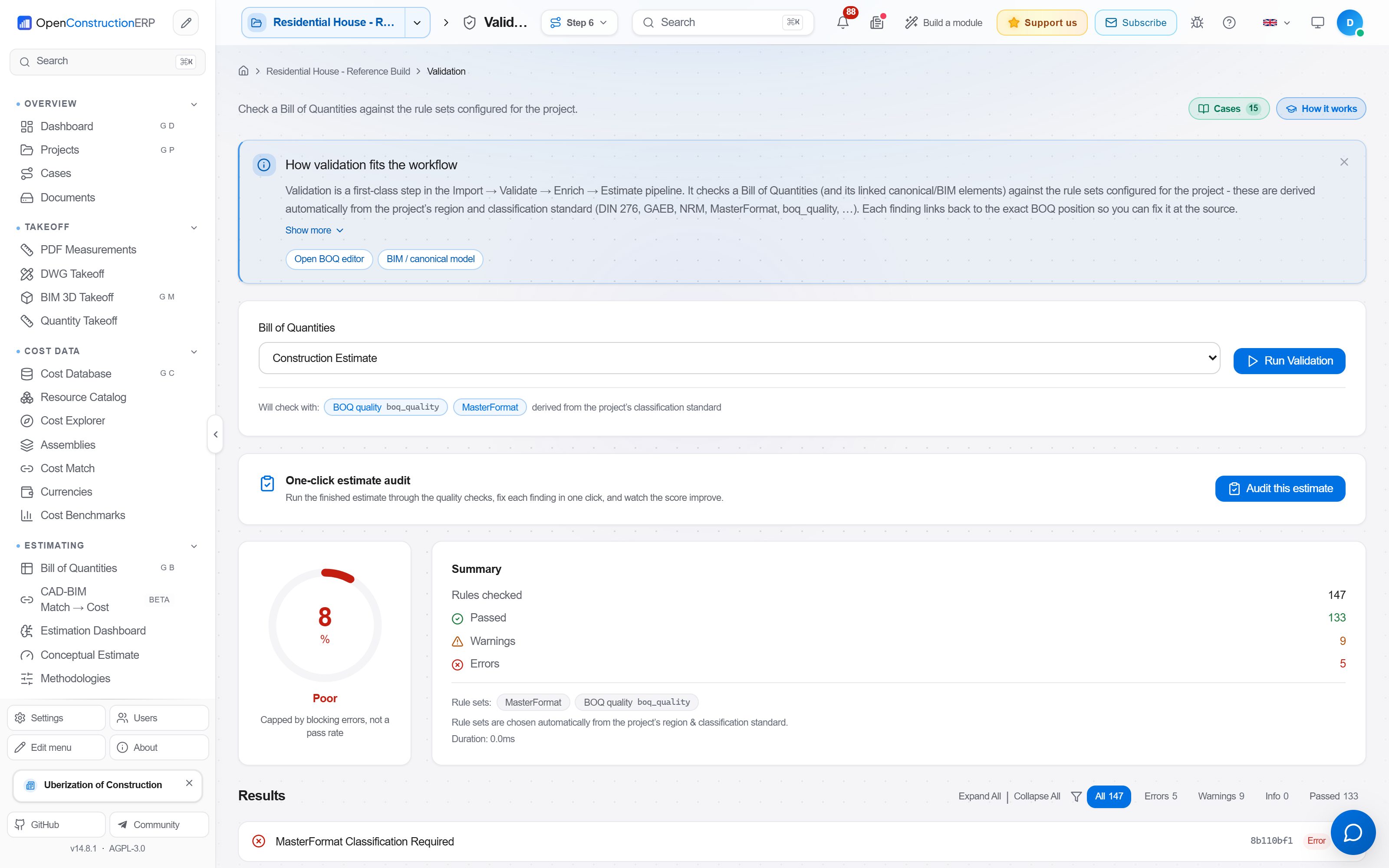
Ensure your estimates meet regulatory standards before submission:
- 158 built-in rules across 31 rule sets - DIN 276, NRM, MasterFormat, GAEB, and universal BOQ quality checks. Modules register further rules as they load, so the number the running app reports is higher and depends on which modules are enabled
- Real-time validation - Run checks with Ctrl+Shift+V. Each position gets a pass/warning/error indicator
- Quality score - Overall BOQ quality percentage (0-100%) visible in the toolbar
- Drill-down - Click any finding to jump directly to the affected BOQ position and fix it
- Custom rules - Define project-specific validation rules via the rule builder or Python scripting
 Guided Onboarding
Get productive in under 10 minutes:
- Choose language - Select from 44 languages. The entire UI switches instantly
- Select region - Determines default cost database, currency, and classification standard
- Load cost database - One-click import of CWICR pricing data for your region (55,000+ items)
- Import resource catalog - Materials, labor, equipment, and pre-built assemblies
- Configure AI (optional) - Enter an API key from any supported LLM provider
- Create your first project - Set name, region, standard, and start estimating
Quick Start
Prefer to see it first? ▶ Watch the 12-minute walkthrough on YouTube - onboarding → BoQ → BIM → DWG → PDF → AI → dashboard.
Easiest: download the desktop app (no Python, no setup)
Download the installer for your operating system, run it, and OpenConstructionERP opens as a native desktop app. No Python, no pip, no Docker, and no database to set up. Everything runs locally on your machine.
- Download for your platform picks the right file for your OS automatically.
- Or grab one straight from the latest release: Windows
.exeinstaller, macOS.dmg(Apple Silicon), or Linux.deb/.AppImage.
Your operating system will warn you before it runs the installer, and that is expected. There is no code signing certificate for this project yet, so the desktop builds are unsigned. On Windows, SmartScreen says "Windows protected your PC"; choose More info, then Run anyway. On macOS, Gatekeeper says the developer cannot be verified; open the app from the Finder context menu and choose Open, or clear it with xattr -dr com.apple.quarantine on the installed app. Linux packages are unaffected. If you would rather verify the download than trust the warning, every release carries SHA256SUMS together with a Sigstore signature and certificate, so you can check the bytes you received against what the build produced.
There is no Intel macOS build at the moment. On an Intel Mac, use the pip or Docker route below.
The first launch takes about a minute while it sets up your local database, then every launch after that is fast. Open source under AGPL-3.0.
Prefer the command line? The options below (pip, Docker, source) need Python 3.12+. Check with
python --version.
pip install (full app, one command)
pip install --upgrade openconstructionerp
openconstructionerp
That's it. The single wheel ships the backend plus the pre-built React frontend. The first run sets up a local embedded PostgreSQL database (no Docker, no setup), loads the demo data, opens your browser at http://localhost:8080, and you sign in with demo@openconstructionerp.com / DemoPass1234!. No Node.js and no extra services. Every later run, just type openconstructionerp again. PyPI package.
If the openconstructionerp command is not found after install, run it through Python instead. This works on every operating system and never depends on PATH:
python -m openconstructionerp
"Command not found"? You do not need to touch PATH
If your terminal says openconstructionerp: command not found (macOS/Linux) or 'openconstructionerp' is not recognized (Windows), the package installed fine. pip just put the launcher in a per-user scripts folder that is not on your PATH. You have three options, easiest first.
1. Run it through Python (simplest, no setup). This works from any folder, on every OS, and never depends on PATH. We recommend this:
python -m openconstructionerp
Every command works this way: python -m openconstructionerp serve, python -m openconstructionerp doctor, and so on.
2. Let pipx handle PATH for you. pipx installs the app in its own isolated environment and puts the openconstructionerp command on your PATH automatically:
python -m pip install --user pipx
python -m pipx ensurepath        # then close and reopen the terminal
pipx install openconstructionerp
openconstructionerp
3. Add the scripts folder to PATH yourself, if you want the short openconstructionerp command. Pick your platform:
Windows
First find the folder pip used (it is printed as a warning during install, usually %APPDATA%\Python\Python3xx\Scripts):
python -m site --user-base
Add \Scripts to that path. Then either:
- Permanent (recommended): open the Start menu, search for "Edit environment variables for your account", edit the
Pathvariable, and add the folder (for exampleC:\Users\you\AppData\Roaming\Python\Python312\Scripts). Open a new terminal andopenconstructionerpworks. - This session only:
(replaceset PATH=%APPDATA%\Python\Python312\Scripts;%PATH%Python312with your version).
macOS / Linux
pip installs user scripts to ~/.local/bin. Add it to your PATH by appending one line to your shell profile (~/.zshrc on modern macOS, ~/.bashrc on most Linux):
echo 'export PATH="$HOME/.local/bin:$PATH"' >> ~/.zshrc   # or ~/.bashrc
source ~/.zshrc                                            # or ~/.bashrc
openconstructionerp
Ubuntu / Debian users: on Ubuntu 23.04+ (including Ubuntu 26) and Debian 12+,
pip installinto the system Python fails witherror: externally-managed-environment(PEP 668). The simplest fix is pipx (above), which is built for exactly this. If you prefer a venv:sudo apt install -y python3.12 python3.12-venv python3.12 -m venv venv && source venv/bin/activate pip install --upgrade openconstructionerpFull Linux guide with system deps and troubleshooting: docs/INSTALL_LINUX.md.
If something looks off, run openconstructionerp doctor (or python -m openconstructionerp doctor) for a per-check OK/WARN/ERROR report.
Alternative 1: One-line installer (handles PATH for you)
# Linux / macOS
curl -fsSL https://raw.githubusercontent.com/datadrivenconstruction/OpenConstructionERP/main/scripts/install.sh | bash

# Windows (PowerShell)
irm https://raw.githubusercontent.com/datadrivenconstruction/OpenConstructionERP/main/scripts/install.ps1 | iex
If you would rather not think about PATH at all, use this. It picks Docker if installed, otherwise uv, otherwise a dedicated Python virtual environment, installs OpenConstructionERP there, puts the openconstructionerp command on your PATH automatically, and finishes with a short panel showing the URL, the demo login and how to start. It also offers to launch right away. Open a new terminal afterwards and openconstructionerp just works. Runs at http://localhost:8080.
Alternative 2: Docker
Which compose file? The repo ships four compose files for different purposes:
File Purpose docker-compose.ymlInfrastructure only (PostgreSQL + Redis). For local development. docker-compose.quickstart.ymlFull app, builds from source. Use with make quickstart.docker-compose.quickstart.image.ymlOverride that swaps the source build for the published image. docker-compose.prod.ymlProduction template with all services.
Fastest, from the published image, with no clone and no local build. The image carries the application but no database, so it needs the small compose stack around it. These lines fetch that stack, write the two secrets it will not start without, and bring it up:
curl -fsSL https://raw.githubusercontent.com/datadrivenconstruction/OpenConstructionERP/main/docker-compose.quickstart.yml       -o docker-compose.yml
curl -fsSL https://raw.githubusercontent.com/datadrivenconstruction/OpenConstructionERP/main/docker-compose.quickstart.image.yml -o docker-compose.override.yml
echo "POSTGRES_PASSWORD=$(openssl rand -base64 24)" >  .env
echo "JWT_SECRET=$(openssl rand -hex 32)"           >> .env
docker compose pull app
docker compose up -d
The second file has to come down as docker-compose.override.yml, the name
compose merges on its own. The first one builds the app from source, and there is
no source in this directory, so by itself it would stop on a Dockerfile that is
not there. The override replaces that build with the published image, and because
the name is the automatic one every later docker compose command you run here,
logs -f and down included, keeps meaning this stack. Pulling before up is
what makes the app run the image rather than try to build one, so keep it as two
commands. From a clone, make quickstart-image does the same thing.
Or build from source. That is also the better choice on an Apple Silicon Mac, where the published image runs under emulation because we build it for linux/amd64. The compose stack takes the database password and the JWT secret from the environment and refuses to start without them, rather than shipping defaults that everyone would share, so write the two into a .env beside the compose file before the first start:
git clone https://github.com/datadrivenconstruction/OpenConstructionERP.git
cd OpenConstructionERP
echo "POSTGRES_PASSWORD=$(openssl rand -base64 24)" >  .env
echo "JWT_SECRET=$(openssl rand -hex 32)"           >> .env
make quickstart
Windows has neither openssl nor make by default, so on PowerShell write the
same two secrets with .NET and call compose directly:
git clone https://github.com/datadrivenconstruction/OpenConstructionERP.git
cd OpenConstructionERP
$rng = [System.Security.Cryptography.RandomNumberGenerator]::Create()
function New-Secret { $b = [byte[]]::new(32); $rng.GetBytes($b); ($b | ForEach-Object { $_.ToString('x2') }) -join '' }
"POSTGRES_PASSWORD=$(New-Secret)" | Set-Content .env
"JWT_SECRET=$(New-Secret)"        | Add-Content .env
docker compose -f docker-compose.quickstart.yml up --build
Whichever way you generate the password, keep @ out of it. It ends up inside a
connection URL, where a literal @ splits the user info early and the host is
read as everything after it. Both generators above are safe that way.
Open http://localhost:8080. The published image starts in seconds; a from-source build takes ~2 minutes.
Alternative 3: Local development (clone + npm + uvicorn)
git clone https://github.com/datadrivenconstruction/OpenConstructionERP.git
cd OpenConstructionERP

# Install dependencies
pip install -e ./backend[server]
cd frontend && npm install && cd ..

# Start (Linux/macOS)
make dev

# Start (Windows - two terminals)
# Terminal 1: cd backend && uvicorn app.main:create_app --factory --reload --port 8000
# Terminal 2: cd frontend && npm run dev
Open http://localhost:5173 - for hacking on the codebase. Requires Python 3.12+ and Node.js 22 or newer (CI and the Docker image build on 24).
Demo Accounts
Three demo accounts are created automatically on first start. Each
password is generated per installation (via secrets.token_urlsafe)
and printed to the backend startup log so you see it immediately, e.g.:
[seed] Demo user created: demo@openconstructionerp.com / xK7p_Q2nR8sT4uV6wX9yZ
[seed] Pre-set DEMO_USER_PASSWORD env to skip random generation
The same passwords are also persisted to
~/.openestimator/.demo_credentials.json (chmod 600) so you can recover
them later. To pin known passwords (e.g. for a team demo or CI), set the
env vars before the first boot:
DEMO_USER_PASSWORD- admin (demo@openconstructionerp.com)DEMO_ESTIMATOR_PASSWORD- estimator (`es