
OpenCode is a free, open source ai assisted coding project written in TypeScript and released under MIT. It has 208,150 GitHub stars, 27,350 forks and 5,727 open issues, and was last pushed 5 hours ago. On this registry it ranks #1 of 24 tracked projects in AI Assisted Coding, with 5 head-to-head comparisons available. It gained 1,223 stars over the last 6 tracked days.

What is OpenCode?

What it is

OpenCode is an open-source AI coding agent designed to operate across terminal, IDE, and desktop environments. It integrates directly into developer workflows to assist with writing, editing, and understanding code using natural language prompts. Built in TypeScript and licensed under MIT, it runs locally or via a desktop app and supports multiple languages and platforms.

The project solves the problem of fragmented AI coding tools by providing a unified, self-hostable agent that works natively in the terminal (via CLI), inside editors (via plugins or LSP), and as a standalone desktop application. Unlike proprietary alternatives, OpenCode avoids vendor lock-in and gives users full control over model selection and data flow.

Key capabilities

  • Runs as a CLI agent in terminal with tab-switchable roles: build (full-edit access) and plan (read-only, permission-aware for commands)
  • Supports @general subagent invocation for complex, multi-step tasks
  • Provides desktop applications for macOS (Apple Silicon/Intel), Windows, and Linux with native installers (.dmg, .exe, .deb, .rpm, .AppImage)
  • Installs via multiple package managers: Homebrew, Scoop, Chocolatey, pacman/paru, mise, and nix
  • Respects XDG Base Directory Specification and allows custom install paths via OPENCODE_INSTALL_DIR or XDG_BIN_DIR environment variables
  • Includes built-in documentation and agent configuration via https://opencode.ai/docs
  • Supports multilingual interfaces: English, Chinese (Simplified/Traditional), Korean, German, Spanish, French, and more

Who uses it and how

  • Developers use the CLI agent in terminal sessions to draft, refactor, or debug code without leaving their shell
  • Teams deploy the desktop app for GUI-based interaction while maintaining local model execution and data privacy
  • Architects use the plan agent to explore unfamiliar codebases, request changes, and review diffs before applying edits
  • CI/CD pipelines or local scripts invoke opencode via CLI for automated code generation or documentation updates
  • Contributors build on top of OpenCode’s agent framework to create custom tooling (e.g., dashboards, mobile clients), with clear attribution requirements

Getting started

Install via curl -fsSL https://opencode.ai/install | bash, or use package managers like brew install opencode, scoop install opencode, or mise use -g opencode. The desktop app is available via brew install --cask opencode-desktop (macOS) or direct download from releases.

When to use it — and when not to

OpenCode replaces paid agents that require cloud connectivity or proprietary model access, but users must manage their own LLM backend (e.g., via API keys or local inference). It does not include built-in model hosting, storage, or SMTP—those must be configured separately if needed. Avoid it if you require zero-configuration model inference or strict managed-service SLAs; it is best suited for users comfortable with self-hosting or integrating with third-party LLM providers.

project readme (upstream, from github) — read inline

The open source AI coding agent.

Discord npm Build status

English | 简体中文 | 繁體中文 | 한국어 | Deutsch | Español | Français | Italiano | Dansk | 日本語 | Polski | Русский | Bosanski | العربية | Norsk | Português (Brasil) | ไทย | Türkçe | Українська | বাংলা | Ελληνικά | Tiếng Việt
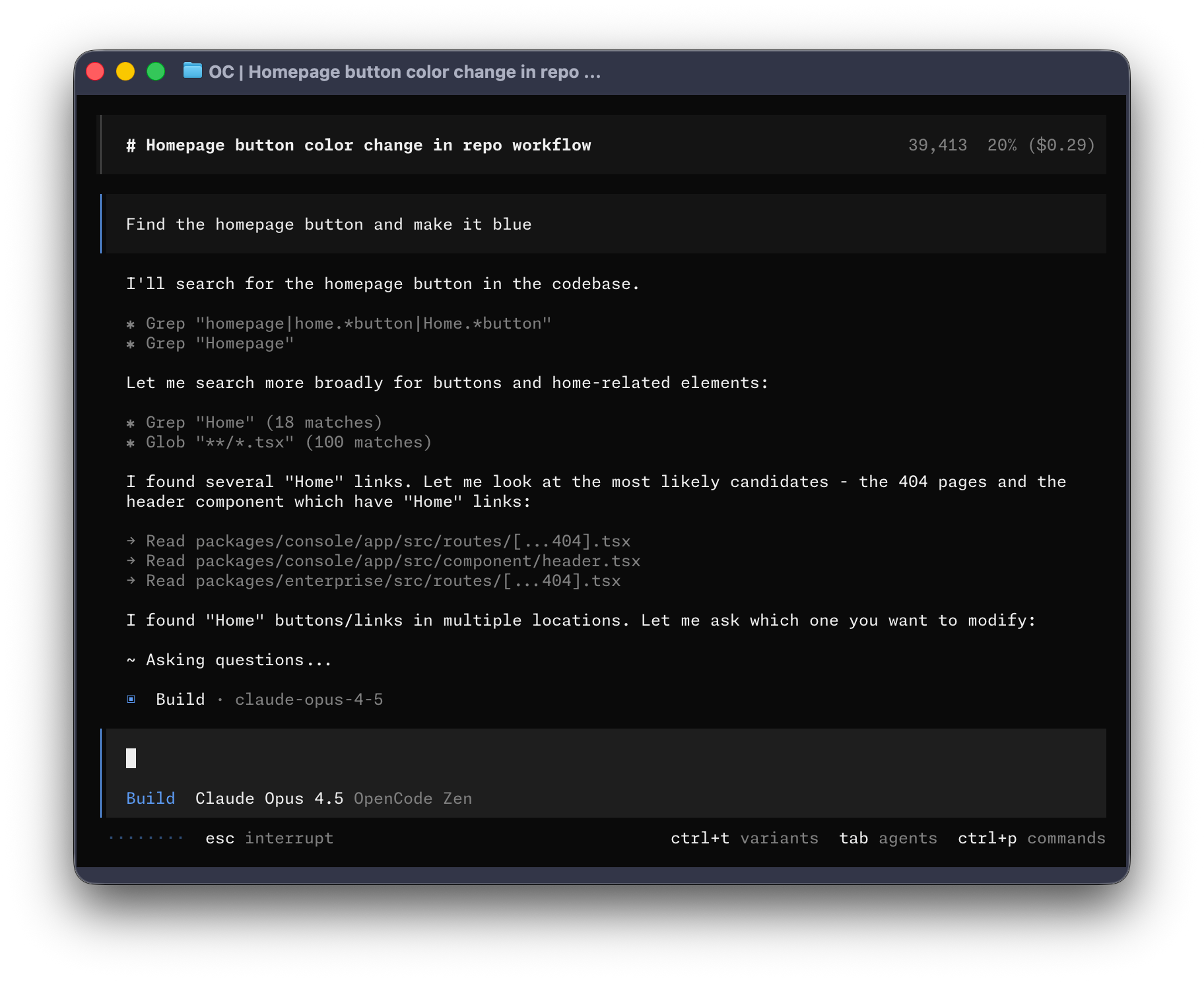
OpenCode Terminal UI


Installation

# YOLO
curl -fsSL https://opencode.ai/install | bash

# Package managers
npm i -g opencode-ai@latest        # or bun/pnpm/yarn
scoop install opencode             # Windows
choco install opencode             # Windows
brew install anomalyco/tap/opencode # macOS and Linux (recommended, always up to date)
brew install opencode              # macOS and Linux (official brew formula, updated less)
sudo pacman -S opencode            # Arch Linux (Stable)
paru -S opencode-bin               # Arch Linux (Latest from AUR)
mise use -g opencode               # Any OS
nix run nixpkgs#opencode           # or github:anomalyco/opencode for latest dev branch

[!TIP] Remove versions older than 0.1.x before installing.

Desktop App (BETA)

OpenCode is also available as a desktop application. Download directly from the releases page or opencode.ai/download.

Platform Download
macOS (Apple Silicon) opencode-desktop-mac-arm64.dmg
macOS (Intel) opencode-desktop-mac-x64.dmg
Windows opencode-desktop-windows-x64.exe
Linux .deb, .rpm, or .AppImage
# macOS (Homebrew)
brew install --cask opencode-desktop
# Windows (Scoop)
scoop bucket add extras; scoop install extras/opencode-desktop
Installation Directory

The install script respects the following priority order for the installation path:

  1. $OPENCODE_INSTALL_DIR - Custom installation directory
  2. $XDG_BIN_DIR - XDG Base Directory Specification compliant path
  3. $HOME/bin - Standard user binary directory (if it exists or can be created)
  4. $HOME/.opencode/bin - Default fallback
# Examples
OPENCODE_INSTALL_DIR=/usr/local/bin curl -fsSL https://opencode.ai/install | bash
XDG_BIN_DIR=$HOME/.local/bin curl -fsSL https://opencode.ai/install | bash

Agents

OpenCode includes two built-in agents you can switch between with the Tab key.

  • build - Default, full-access agent for development work
  • plan - Read-only agent for analysis and code exploration
    • Denies file edits by default
    • Asks permission before running bash commands
    • Ideal for exploring unfamiliar codebases or planning changes

Also included is a general subagent for complex searches and multistep tasks. This is used internally and can be invoked using @general in messages.

Learn more about agents.

Documentation

For more info on how to configure OpenCode, head over to our docs.

Contributing

If you're interested in contributing to OpenCode, please read our contributing docs before submitting a pull request.

Building on OpenCode

If you are working on a project that's related to OpenCode and is using "opencode" as part of its name, for example "opencode-dashboard" or "opencode-mobile", please add a note to your README to clarify that it is not built by the OpenCode team and is not affiliated with us in any way.


Join our community Discord | X.com

Frequently asked questions

Is OpenCode free to use?

OpenCode is open source under the MIT licence. There is no licence fee and no seat count — you can self-host it or, where the project offers one, pay a vendor for a managed version instead.

What does OpenCode do?

AI coding agent for terminal, IDE, and desktop

What is OpenCode written in?

OpenCode is primarily written in TypeScript. Its source is publicly available at https://github.com/sst/opencode, and it has 208,150 GitHub stars.