
Your flexible, cloud-free Homematic IP® CCU smart-home solution












Deutschsprachiges 🇩🇪🇦🇹🇨🇭 ReadMe
OpenCCU – formerly known as RaspberryMatic – is a free, non-commercial, open-source operating system for running a cloud-free smart-home hub compatible with eQ-3’s Homematic IP and HomeMatic devices. It targets 100% compatibility with the vendor’s CCU3 and can be installed directly on CCU3 and ELV Charly hardware. It also runs on common 64-bit capable SBCs (e.g., Raspberry Pi, Hardkernel ODROID, ASUS Tinkerboard 2/2S) and generic x86_64 or aarch64 hardware. In addition, OpenCCU is available as a pure virtual appliance for popular hypervisors and container platforms (e.g., Proxmox VE, VirtualBox, Synology VMM, Docker/OCI, Kubernetes) and as a native Home Assistant App. Beyond CCU3 parity, it provides WebUI, OS-level, and connectivity enhancements for a more advanced user experience.
:cookie: Features
- Drop-in compatibility. Works with the same Homematic / Homematic IP hardware, WebUI features, and add-on ecosystem as the vendor CCU firmware.
- Backup interchangeability. Backups are cross-compatible, enabling straightforward migration between the vendor CCU firmware and OpenCCU.
- Enhancements beyond vendor firmware. Includes WebUI improvements, Linux OS updates, stability and performance fixes, and new capabilities that do not yet exist upstream.
:computer: Requirements
OpenCCU can be installed on vendor CCU hardware, common 64-bit capable SBCs, and x86_64 / aarch64 systems—or deployed virtually:
Hardware
- CCU3, ELV Charly
- Raspberry Pi
- Hardkernel ODROID
- ASUS Tinkerboard 2/2S
- Generic x86_64 / aarch64
Virtualization & Containers
- Proxmox VE, QEMU/KVM, XCP-ng/XenServer, VMware ESXi / Workstation Player, Hyper-V, VirtualBox
- Synology Virtual Machine Manager, QNAP Virtualization Station, Unraid
- Docker/OCI, LXC, Kubernetes (K8s)
- Home Assistant (add-on)
:cloud: Quick-Start
Download
- Get the image for your target under Releases.
- Filename pattern:
OpenCCU-X.XX.XX.YYYYMMDD-.zip.
Install (choose one)
- Own hardware (e.g., Raspberry Pi): unzip and flash the
*.imgto a microSD card (e.g., with Etcher ordd). - Migrate from CCU2/CCU3: upload the OpenCCU package as a regular firmware update.
- Virtualized environment: follow the installation procedure for your hypervisor/container platform.
- Own hardware (e.g., Raspberry Pi): unzip and flash the
Boot
- Start the device/VM. On first boot, OpenCCU detects available Homematic / Homematic IP RF modules (e.g.,
RPI-RF-MOD,HmIP-RFUSB) on GPIO or USB.
- Start the device/VM. On first boot, OpenCCU detects available Homematic / Homematic IP RF modules (e.g.,
Access the WebUI
- Open
http://openccu/in your browser (or use the device’s DHCP-assigned IP if name resolution is unavailable). - You will land in the familiar CCU WebUI and can start configuring your Homematic / Homematic IP devices.
- Optional: restore an existing CCU backup to migrate your setup.
- Open
:memo: Documentation (🇩🇪/🇺🇸)
- Introduction
- Installation
- Administration
- Usage
- Support, Contributions
:yum: Support & Contributions
Where to discuss / ask
- Use GitHub Discussions for general questions and feedback.
- German-speaking users: the OpenCCU area in the HomeMatic-Forum.
When to open an issue
- After a discussion confirms a clear feature request or a reproducible bug, open an issue in Issues.
- Please search for existing issues first and include: OpenCCU version, target/hardware or hypervisor, steps to reproduce, expected vs. actual behavior, and relevant logs.
Ways to contribute
- Test releases and help reproduce/triage open issues.
- Improve the wiki-based documentation.
- Review pull requests and provide feedback.
- Submit code contributions (bug fixes, features) via pull requests.
Pull requests
- Keep PRs focused (one topic per PR), link the related issue/discussion, and follow our guidelines in CONTRIBUTING.
- By contributing, you agree that your work is licensed under the project’s Apache-2.0 license.
Community standards
- Please read and follow our CODE OF CONDUCT.
:scroll: Licenses
Project & release images. The OpenCCU project (this repository) and the downloadable images under Releases are provided under the Apache License 2.0, unless stated otherwise. OpenCCU is distributed free of charge and without commercial intent.
Third-party components. Some included components are licensed differently and remain under their respective terms. For example, Buildroot/Linux is licensed under GPLv2, which may have implications when modifying sources or redistributing derived images. OpenCCU-Base is redistributed under its respective component licenses—primarily HMSL 2.0, with documented exceptions.
Branding & artwork. The OpenCCU logo and other graphics in this repository and in the downloadable images are copyrighted by their respective authors. Any commercial or non-commercial reuse—especially in redistributed binaries or forks—is prohibited without prior written permission.
Disclaimer of Warranty
Unless required by applicable law or agreed to in writing, OpenCCU is provided by the Contributors (and each Contributor provides its Contributions) on an "AS IS" BASIS, WITHOUT WARRANTIES OR CONDITIONS OF ANY KIND, either express or implied, including, without limitation, any warranties or conditions of TITLE, NON-INFRINGEMENT, MERCHANTABILITY, or FITNESS FOR A PARTICULAR PURPOSE. You are solely responsible for determining the appropriateness of using or redistributing OpenCCU and assume any risks associated with Your exercise of permissions under this License.
:book: Literature
If, after reading this documentation, you are still unsure about the pros and cons of using OpenCCU compared to the vendor-provided CCU firmware—or if you would like to explore OpenCCU’s additional features in more depth—please refer to the following (mostly German-language) resources:

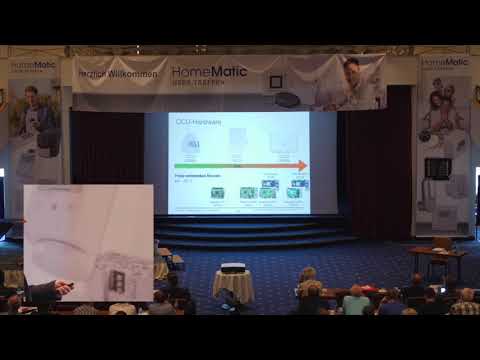
- Vortragsfolien HomeMatic-Usertreffen 2019
- Vortragsfolien HomeMatic-Usertreffen 2018
- Vortragsfolien HomeMatic-Usertreffen 2017
- Vortragsfolien HomeMatic-Usertreffen 2016
:clap: Acknowledgements
In addition to all Contributors who helped make OpenCCU possible, we would like to thank:
- Alexander Reinert (@alexreinert) — for the low-latency generic_raw_uart kernel module enabling the use of eQ-3 RF modules (RPI-RF-MOD, HM-MOD-RPI-PCB, HmIP-RFUSB), and for the open-hardware adapter boards HB-RF-USB, HB-RF-USB-2, and HB-RF-ETH providing USB/Ethernet interfaces for these modules.
:family: Authors
OpenCCU is developed by a broad community. For the complete and up-to-date list of authors and contributors, please see Contributors.
:construction: Changelog
For a detailed, version-by-version list of changes, see Releases in this repository. Each release includes notes on new features, fixes, and other changes.