OpenAnalytics
Open-source, privacy-first web analytics. One lightweight tracker script, no cookies, no cross-site profiles, aggregate-only reads — self-hostable on your own hardware under AGPL-3.0.
A hosted instance runs at getopen.so, operated by the authors: the same code, someone else's servers.
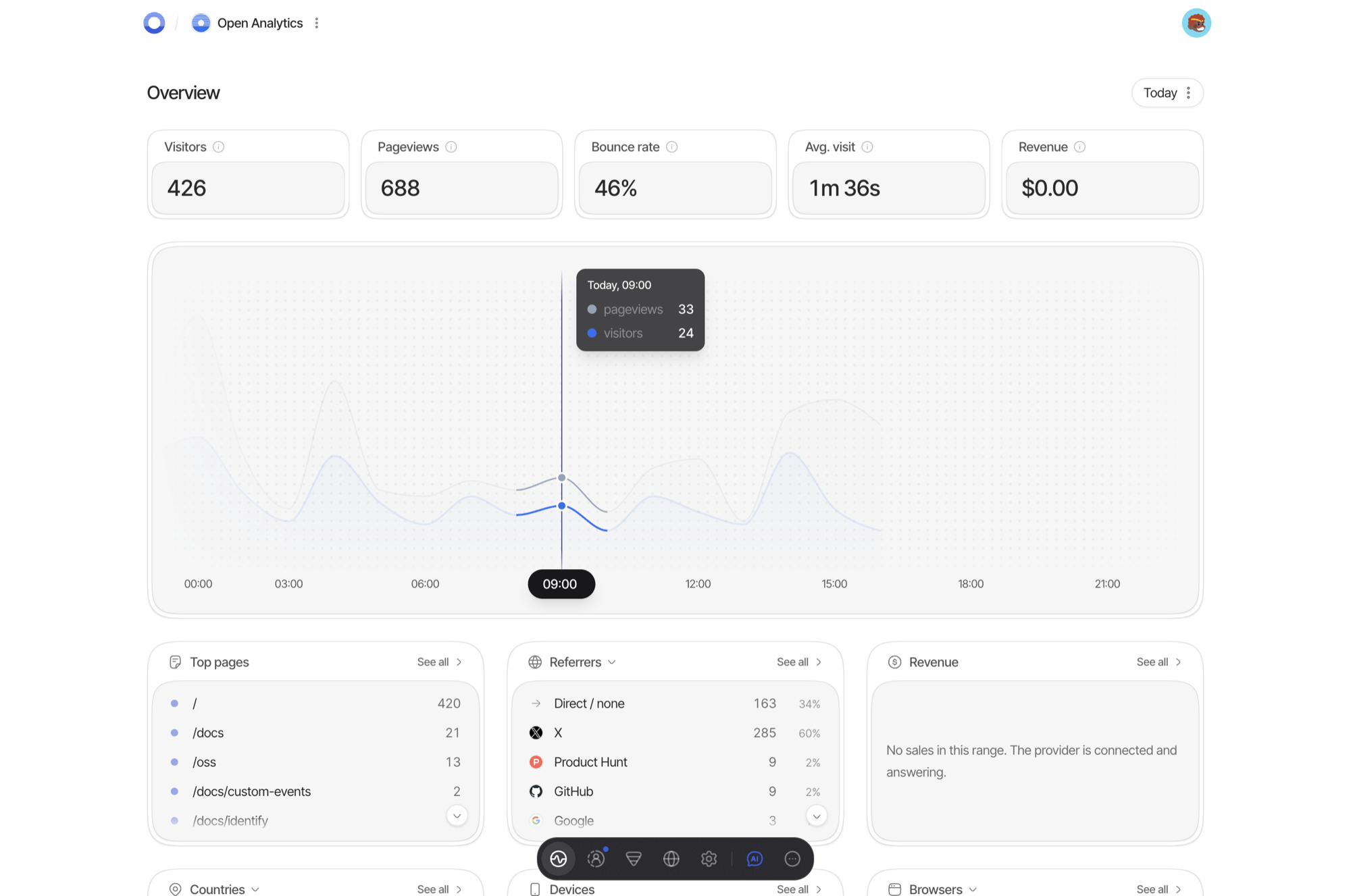
▶ Watch the dashboard in motion, a tour of these same screens on YouTube.
What is in this repository
The product, as one pnpm monorepo:
| App | Role |
|---|---|
apps/tracker |
The browser snippet — a few KiB, with a byte budget CI enforces |
apps/collector |
Ingest: validates, sanitizes, rate-limits, enqueues |
apps/worker |
Drains the queue into ClickHouse; sessions, rollups, exports, mail, deletions |
apps/api |
Control plane: auth, sites, keys, sharing, event definitions, funnels, widgets, revenue, AI assistant, MCP |
apps/query-gateway |
The only process allowed to read ClickHouse; verifies signed query envelopes |
apps/realtime |
The SSE stream behind the live dashboard |
apps/web |
The dashboard (Next.js) |
apps/cli |
oa — site setup, stats, device-flow login |
packages/* |
domain, postgres (+migrations), clickhouse (+migrations), redis, auth, contracts (OpenAPI), observability, integrations, migrations, testkit |
Stores: Postgres (control plane), ClickHouse (events and rollups), Valkey ×2 (one durable event queue, one losable realtime cache).
What it does, in one list: page views, custom and attribute-driven events, sessions, web vitals, funnels, per-site retention, embeddable widgets, public share links, revenue analytics from your Stripe account, CSV/JSON import and export, an MCP server, and a CLI.
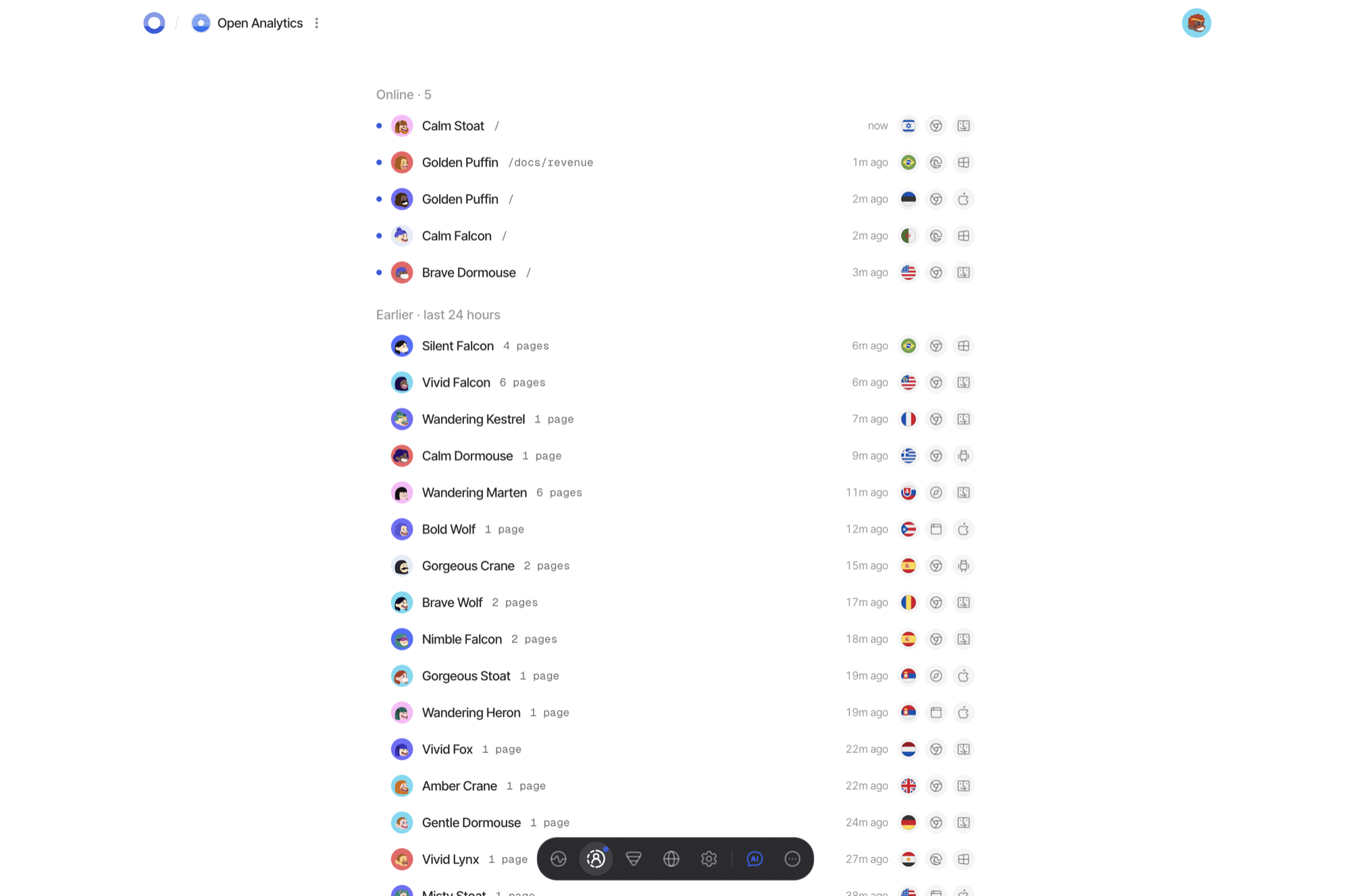
Who is on the site now, from a presence cache rather than a table scan. Names are generated per visitor and mean nothing outside the day they were minted.
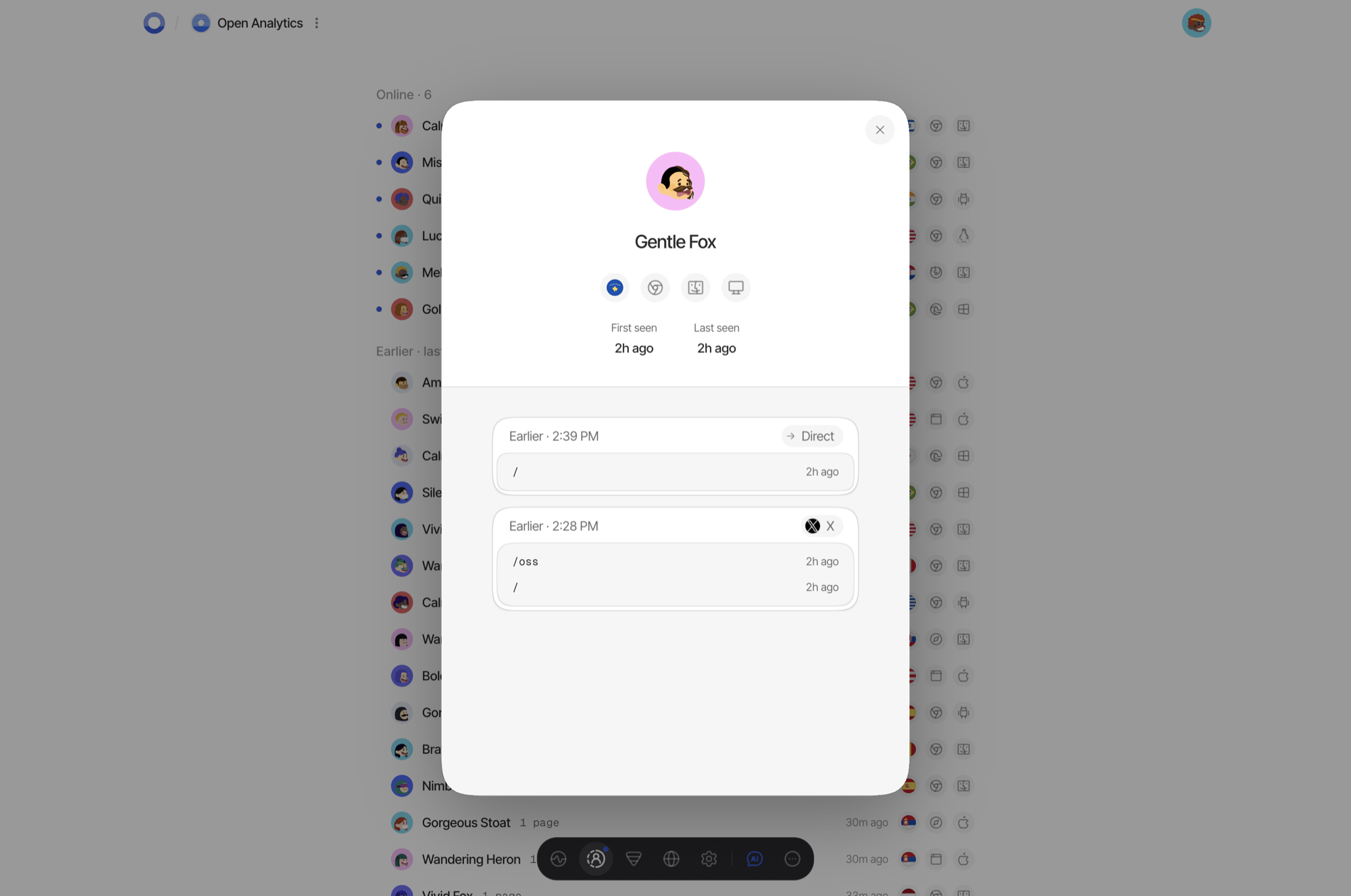
Where one visitor went, session by session. The identity behind a trail is a salted hash that rotates every night, so the trail is as long as a visit and never as long as a person.
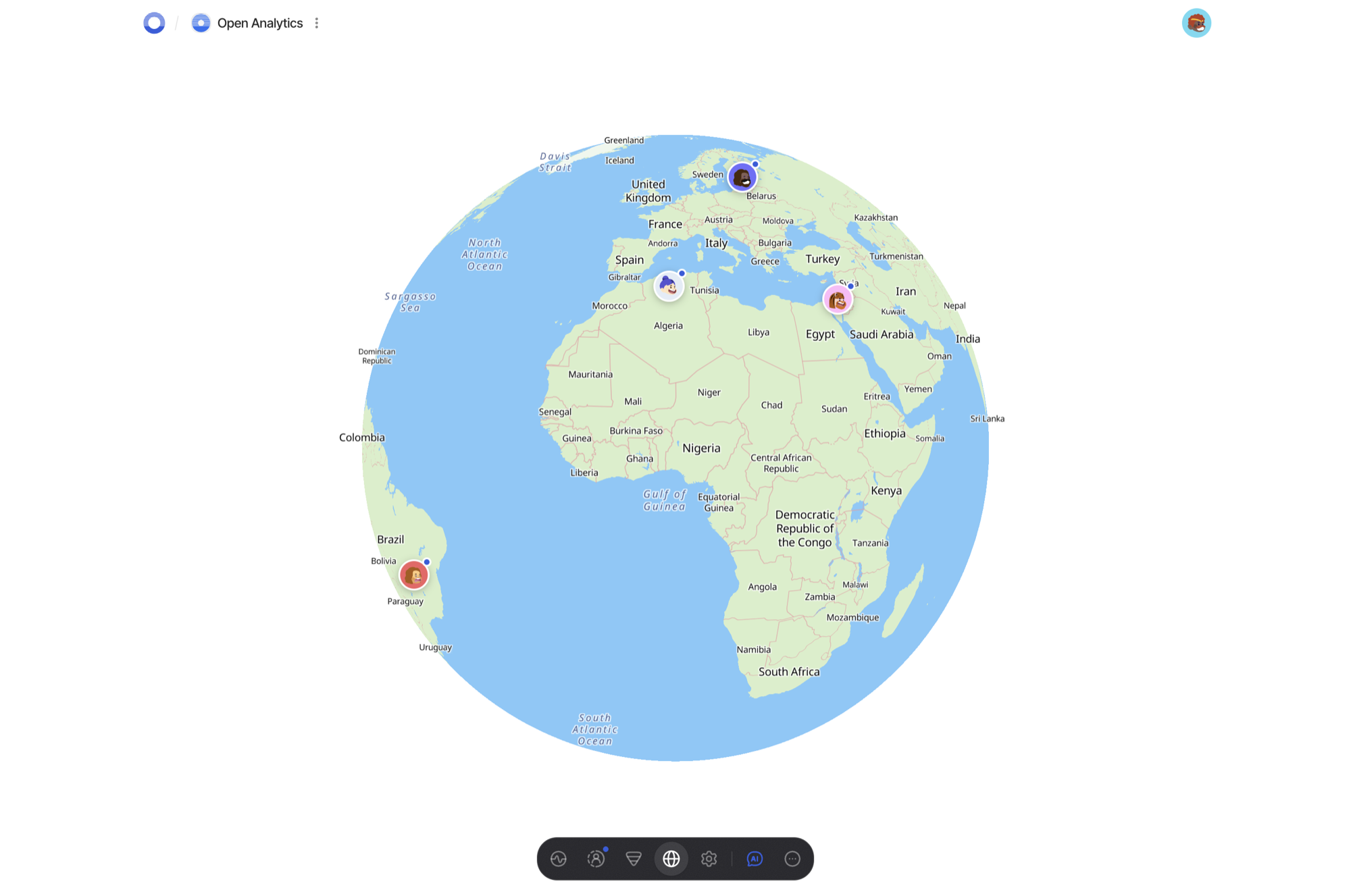
Where they are, at city level and only when a site opts in. The lookup runs against a database on your own disk and never leaves the host.
Architecture rules CI enforces, not conventions:
apps/webmay import onlypackages/contracts— the OpenAPI document is the single seam between frontend and backend.- ClickHouse is reachable only through the query gateway, which verifies Ed25519-signed query envelopes minted by the api.
- The tracker has a hard byte budget; a change that exceeds it fails CI.
- The Postgres schema this repository builds contains no billing tables, and a CI job asserts that against a real database rather than a file list.
Self-hosting
SELF-HOSTING.md is the guide: a generator script, one
docker compose up -d, automatic TLS, and an explanation of every secret and
every failure mode. Requirements are a Linux host with Docker, four DNS records,
about 4 GB of RAM and 25 GB of free disk.
Installing is a pull, not a build. A release publishes ten images to
ghcr.io/openlabs-so/openanalytics, so a fresh host is a few minutes and needs
no toolchain on it.
Point four names at the host before you start. Certificates are issued on the first boot and issuance fails without them, half an hour later and nowhere near the cause:
app.example.com api.example.com c.example.com rt.example.com
git clone https://github.com/OpenLabs-so/openanalytics
cd openanalytics
git checkout "$(git tag -l 'v*' --sort=-v:refname | sed '/-/d' | head -1)"   # newest release, not main
cd infra/selfhost
./generate-secrets.sh --domain example.com --email you@example.com --with-geoip
docker compose pull && docker compose up -d
# then open https://app.example.com and create the first account
The checkout is where the version is chosen, and it is chosen once. The
generator reads the tag back out of the tree it is standing in and points .env
at that release's images, printing which it picked and why; on a branch, on
main, or with no git at all it writes the build defaults instead. That is not
a convenience — the compose file, the env templates and the migrations ship
with the images, so a release's images against another tree is a configuration
nobody has tested.
Images are amd64. On arm64, or to run a branch, build the ten here instead:
same compose file, one flag, about ten minutes and swap on a 4 GB box. Later,
./upgrade.sh moves between releases and takes the snapshot ./rollback.sh
needs, because migrations do not go down: the way back is a restore, and a
restore discards what arrived after the upgrade. It tells you that before it
starts, not at rollback time when you no longer have a choice.
RELEASING.md is what a version number here means.
To run it from source instead — for development, or to slot the services into
infrastructure you already have — follow
Running from source. The order matters
and one obvious order does not work: the migration runners are compiled
output, so pnpm run build comes before pnpm run migrate:postgres.
infra/selfhost/env/*.env.example documents every variable each service reads,
and there is one file per service on purpose — the environment schema forbids
some keys to some services, so a single shared .env cannot be correct. The
AI assistant (OPENAI_API_KEY) and object storage are optional: unset, those
surfaces disable themselves and everything else runs.
Run the test suite the way CI does:
pnpm run test          # unit + contract + tracker, no infrastructure needed
pnpm run verify        # everything CI checks, including boundaries and the size budget
Privacy model
No cookies, no fingerprinting, no cross-site identifiers. Visitor identity is a daily-rotating salted hash; raw IP addresses are never stored. Do Not Track and Global Privacy Control are honored at the collector, before anything is written. City-level geolocation is opt-in per site.
Geolocation is resolved locally against a database on your own disk — no lookup
ever leaves the host. None is bundled (a 60 MB download, and stale within a month);
infra/selfhost/geoip/fetch-dbip.sh downloads one.
IP Geolocation by DB-IP — https://db-ip.com — used under CC BY 4.0.
Contributing
Pull requests are merged here, with your name on the commit. This repository used to receive periodic exports from a private monorepo, and a merged PR was flattened by the next one; that ended in August 2026. A bot asks you to sign the CLA once — it is not an assignment, you keep your copyright — and there is no DCO sign-off on top of it.
CONTRIBUTING.md has the setup, the ground rules CI enforces, and where to start. Discussions are for questions and for ideas worth talking through first.
Security reports: SECURITY.md — please not a public issue.
License and trademark
Code: AGPL-3.0. If you run a modified OpenAnalytics as a network service, the AGPL requires you to offer your modified source to its users.
The "OpenAnalytics" name and the hosted service's domain identify the instance its authors operate and are not part of the license grant. A self-hosted instance runs the software, not the brand.