

Welcome to the ONLYOFFICE Docs repo!
ONLYOFFICE Docs* is a free collaborative online office suite comprising viewers and editors for texts, spreadsheets, presentations, forms, PDFs, and diagrams. It is fully compatible with Office Open XML formats (.docx, .xlsx, .pptx) and enables collaborative editing in real time.
ONLYOFFICE Docs can be used as a part of ONLYOFFICE DocSpace and ONLYOFFICE Workspace, or with third-party sync&share solutions (e.g. Odoo, Moodle, ownCloud, Seafile, etc.) to enable collaborative editing within their interface.
ONLYOFFICE Docs is available in three tailored editions to suit your needs: Community, Enterprise, and Developer.
* Starting from version 6.0, Document Server is distributed under a new name - ONLYOFFICE Docs.
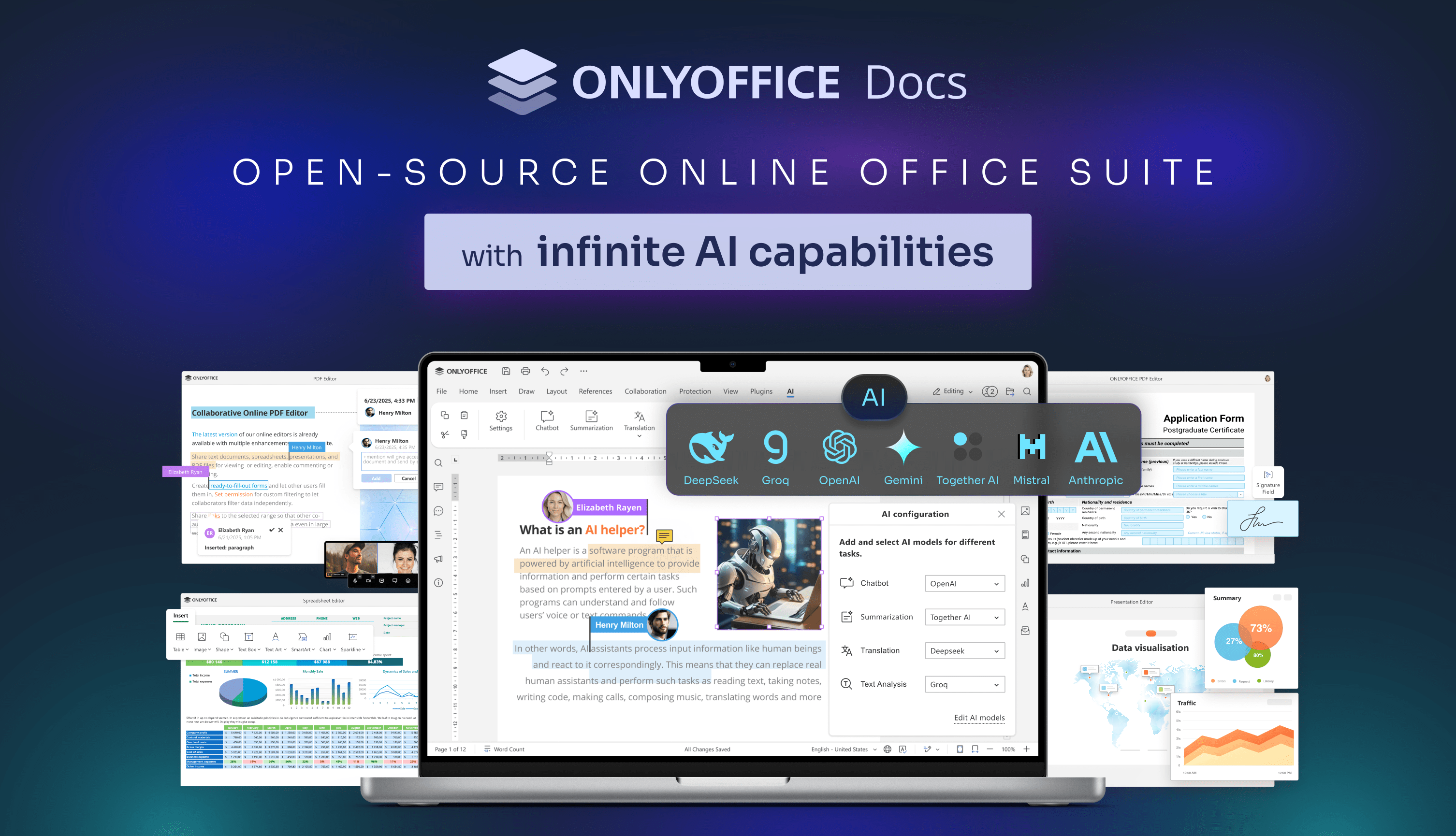
Features you'll love ✨
Take advantage of the powerful editors included in ONLYOFFICE Docs:
- ONLYOFFICE Document Editor
- ONLYOFFICE Spreadsheet Editor
- ONLYOFFICE Presentation Editor
- ONLYOFFICE Form Creator
- ONLYOFFICE PDF Editor
- ONLYOFFICE Diagram Viewer
The editors empower you to create, edit, save, and export text documents, spreadsheets, presentations, PDFs, create and fill out PDF forms, open diagrams, all while offering additional advanced features such as:
- Collaborative editing 🤝
- AI-powered assistants 🤖
- Reviewing 📝
- Spell-checking 🔍
- Accessibility 👩💻
- Scalable UI options (including dark mode 🌓)
- Security tools and services 🔒
Localization 🌐
ONLYOFFICE is constantly improving localization of the editors to make the suite accessible to all users, all over the world.
- Interface available in 46 languages
- RTL support
- Hieroglyph support 🈴
Plugins 🧩
ONLYOFFICE Docs offer support for plugins allowing developers to add specific features to the editors that are not directly related to the OOXML format. For more information, see our API or visit the GitHub plugins repo.
Would like to explore the existing plugins in details? You are welcome to visit our Marketplace.
Components 📦
ONLYOFFICE Docs contains the following components:
- server - the backend server software layer which is the base for all other components of ONLYOFFICE Docs.
- core - server core components of ONLYOFFICE Docs which enable the conversion between the most popular office document formats (DOC, DOCX, ODT, RTF, TXT, PDF, HTML, EPUB, XPS, DjVu, XLS, XLSX, ODS, CSV, PPT, PPTX, ODP).
- core-fonts - open-source fonts bundled with ONLYOFFICE Docs for document rendering and conversion.
- sdkjs - JavaScript SDK for the ONLYOFFICE Docs which contains API for all the included components client-side interaction.
- web-apps - the frontend for ONLYOFFICE Docs which builds the program interface and allows the user create, edit, save and export text, spreadsheet and presentation documents using the common interface of a document editor.
- dictionaries - the dictionaries of various languages used for spellchecking in ONLYOFFICE Docs.
- document-formats - metadata describing the file formats supported by ONLYOFFICE editors.
- document-templates - blank and sample templates used when creating new documents.
ONLYOFFICE Docs editions
ONLYOFFICE offers different versions of its online document editors that can be deployed on your own servers.
ONLYOFFICE Docs (packaged as Document Server):
- Community Edition 🆓 (
onlyoffice-documentserverpackage) – Perfect for small teams and personal use. - Enterprise Edition 🏢 (
onlyoffice-documentserver-eepackage) – Designed for businesses with advanced features & support. - Developer Edition ⚙️ (
onlyoffice-documentserver-depackage) – Designed for integrators who need to bring document editing to their app users.
The table below will help you to make the right choice.
| Pricing and licensing | Community Edition | Enterprise Edition | Developer Edition |
|---|---|---|---|
| Get it now | Start Free Trial | Start Free Trial | |
| Cost | FREE | Go to the pricing page | Go to the pricing page |
| Number of users | up to 20 recommended | As in chosen pricing plan | As in chosen pricing plan |
| Clusterization | - | + | + |
| License | GNU AGPL v.3 | Proprietary | Proprietary |
| Support | Community Edition | Enterprise Edition | Developer Edition |
| Documentation | Help Center | Help Center | Help Center |
| Standard support | GitHub or Community | One or three years support included | One year support included |
| Premium support | Contact Us | Contact Us | Contact Us |
| Services | Community Edition | Enterprise Edition | Developer Edition |
| Conversion Service | + | + | + |
| Live Viewer | + | + | + |
| Document Builder Service | - | - | + |
| Automation API | - | - | + |
| Interface | Community Edition | Enterprise Edition | Developer Edition |
| Tabbed interface | + | + | + |
| Dark theme | + | + | + |
| 125%, 150%, 175%, 200% scaling | + | + | + |
| White label | - | - | + |
| Integrated test example (node.js) | + | + | + |
| Admin Panel | - | + | + |
| Mobile web editors | - | +** | +** |
| Plugins & Macros | Community Edition | Enterprise Edition | Developer Edition |
| Plugins | + | + | + |
| Macros | + | + | + |
| Collaborative capabilities | Community Edition | Enterprise Edition | Developer Edition |
| Two co-editing modes | + | + | + |
| Comments | + | + | + |
| Built-in chat | + | + | + |
| Review and tracking changes | + | + | + |
| Display modes of tracking changes | + | + | + |
| Version history | + | + | + |
| Document Editor features | Community Edition | Enterprise Edition | Developer Edition |
| Font and paragraph formatting | + | + | + |
| Object insertion | + | + | + |
| Adding Content control | + | + | + |
| Editing Content control | + | + | + |
| Layout tools | + | + | + |
| Table of contents | + | + | + |
| Navigation panel | + | + | + |
| Mail Merge | + | + | + |
| Comparing documents | + | + | + |
| Multipage View | + | + | + |
| Spreadsheet Editor features | Community Edition | Enterprise Edition | Developer Edition |
| Font and paragraph formatting | + | + | + |
| Object insertion | + | + | + |
| Functions, formulas, equations | + | + | + |
| Table templates | + | + | + |
| Pivot tables | + | + | + |
| Data validation | + | + | + |
| Conditional formatting | + | + | + |
| Sparklines | + | + | + |
| Sheet Views | + | + | + |
| Solver | + | + | + |
| Presentation Editor features | Community Edition | Enterprise Edition | Developer Edition |
| Font and paragraph formatting | + | + | + |
| Object insertion | + | + | + |
| Transitions | + | + | + |
| Animations | + | + | + |
| Presenter mode | + | + | + |
| Notes | + | + | + |
| Slide Master | + | + | + |
| Form creator features | Community Edition | Enterprise Edition | Developer Edition |
| Adding form fields | + | + | + |
| Form preview | + | + | + |
| Saving as PDF | + | + | + |
| Role-matching colors for fields | + | + | + |
| PDF Editor features | Community Edition | Enterprise Edition | Developer Edition |
| Text editing and co-editing | + | + | + |
| Work with pages (adding, deleting, rotating) | + | + | + |
| Inserting objects (shapes, images, hyperlinks, etc.) | + | + | + |
| Text annotations (highlight, underline, cross out, stamps) | + | + | + |
| Comments | + | + | + |
| Redact | + | + | + |
| Freehand drawings | + | + | + |
| Form filling | + | + | + |
| Security features | Community Edition | Enterprise Edition | Developer Edition |
| End-to-end encryption via Private Rooms*** | + | + | - |
| JWT | + | + | + |
| Get it now | Start Free Trial | Start Free Trial |
** If supported by DMS
*** End-to-end encryption via Private Rooms requires ONLYOFFICE Workspace
🚀 Get started: How to install on a local server
The easiest way to install ONLYOFFICE Docs is to use the Docker image 👉 Check the official source code
Explore these step-by-step guides:
- Installing ONLYOFFICE Docs Docker
- Installing ONLYOFFICE Docs for Linux
- Installing ONLYOFFICE Docs for Windows
How to build 🛠
You can find the detailed instructions for building ONLYOFFICE Docs on a local server from source code in our Help Center.
License 📄
ONLYOFFICE Docs is licensed under the GNU Affero Public License, version 3.0, ensuring its transparency and commitment to the open-source community.
See LICENSE for more information.
💡 User Feedback and Support
If you face any issues, have questions about ONLYOFFICE Docs, or want to share suggestions, please visit our official forum: community.onlyoffice.com.
Need help for developers? 👨💻 Check our API documentation. You are also welcome to ask and answer ONLYOFFICE development questions on Stack Overflow.
Join our Discord community for connecting with fellow developers.
Collaborate better with ONLYOFFICE Docs! 🌟