onedev is a free, open source project & work management project written in Java and released under MIT. It has 15,252 GitHub stars, 979 forks and 0 open issues, and was last pushed 2 days ago. On this registry it ranks #6 of 62 tracked projects in Project & Work Management, with 5 head-to-head comparisons available. It gained 6 stars over the last 3 tracked days.

What is onedev?

OneDev is a self-hosted, MIT-licensed development platform written in Java that unifies Git hosting, code review, issue tracking, Kanban boards, service desk, time tracking, packages, and CI/CD in one system, aimed at teams that run the whole development lifecycle on their own infrastructure.

What it is

OneDev calls itself the "Unified and Autonomous Development Platform" and lives in the self-hosted DevOps and Git-based development ecosystem, implemented in Java under the MIT licence. Its topic list — ai, ci-cd, devops, git, kanban, packages, self-hosted, workspaces — defines that scope. Development happens at code.onedev.io for the sake of dogfooding, so the GitHub repository (15,249 stars, 979 forks) is a mirror; issues and pull requests are submitted at code.onedev.io instead.

The concrete problem it solves is tool sprawl. Rather than running a standalone Git host, a separate CI/CD server, another issue tracker, a Kanban tool, a customer support mailbox system, and a time-tracking spreadsheet, a team gets one platform where those concerns share the same commits and pull requests. Discussions attach to specific code or diffs and stay there; coverage information and problems found in the CI/CD pipeline are annotated onto code during review; Kanban tasks move automatically when related work is committed, tested, released, or deployed. That coupling is the product — the individual features exist elsewhere, the shared state does not.

Key capabilities

  • Out-of-box code search and navigation: language-aware symbol search and navigation in any commit, click a symbol to show its occurrences in the current file, and regular-expression code search.
  • Renovate integration that updates project dependencies through pull requests, merging automatically once required reviewers approve or required tests pass.
  • Code annotation with coverage information and problems discovered in the CI/CD pipeline, surfaced directly during code review.
  • Code discussion anywhere: select any code or diff to start a discussion, suggest and apply changes, and keep the discussion attached to the code.
  • Code protection rules that require review or CI/CD verification when certain users touch certain files in certain branches.
  • Automated Kanban and customizable issue workflow: manual or rule-driven state transitions, custom issue states and fields, state-syncing issue links, and confidential issues inside public projects.
  • CI/CD as code without writing code: a GUI for creating jobs, templates for typical frameworks, typed parameters, matrix jobs, logic reuse, cache management, executors from containers and bare metal to Kubernetes and agent farms, plus debugging through a command to pause job execution, a web terminal, and local runs against uncommitted changes.

Who uses it and how

  • Teams required to keep source and pipelines inside their own network; self-hosting is the default deployment shape, under an MIT licence.
  • Support organizations using the service desk to turn customer emails into issues without requiring customer accounts, assigning different support contacts per project or customer.
  • Engineering groups scaling CI/CD with Kubernetes or agent farms to run massive jobs concurrently.
  • Review-heavy teams using protection rules, required reviewers, and coverage or problem annotations as merge gates.
  • Groups reporting or billing on effort through time tracking, with subtask time aggregated automatically into time sheets.

Getting started

The README points to a "Get Started" entry point and the project homepage at https://onedev.io, with tutorials at docs.onedev.io, and OneDev runs out of the box in a container or on bare metal. Source, issues, and pull requests live at code.onedev.io rather than the GitHub mirror.

How it compares

The supplied facts name no paid products that OneDev replaces and no comparable tools, so it stands alone in this registry on that axis. Everything the data supports is internal to the project: MIT licence, Java implementation, and self-hosting as a first-class topic.

When to use it — and when not to

A self-hoster operates the platform, and getting full CI/CD value means running Kubernetes or an agent farm; the service desk depends on mail infrastructure, since it links incoming customer email to issues. Anyone who wants a managed service with no operational surface, or who expects GitHub to be the project's issue tracker, should look elsewhere — the mirror reports zero open issues precisely because development is hosted at code.onedev.io. The README excerpt is also feature-oriented rather than operational, so database, storage, and backup requirements have to be worked out from the documentation.

project readme (upstream, from github) — read inline

**NOTE: ** We develop OneDev at code.onedev.io for sake of dogfooding. Please submit issues and pull requests there

The Unified and Autonomous Development Platform

Get Started    AI Teammates

🔎 Out-of-box code search and navigation

Language aware symbol search and navigation in any commit. Click symbol to show occurrences in current file. Fast code search with regular expression. Try It
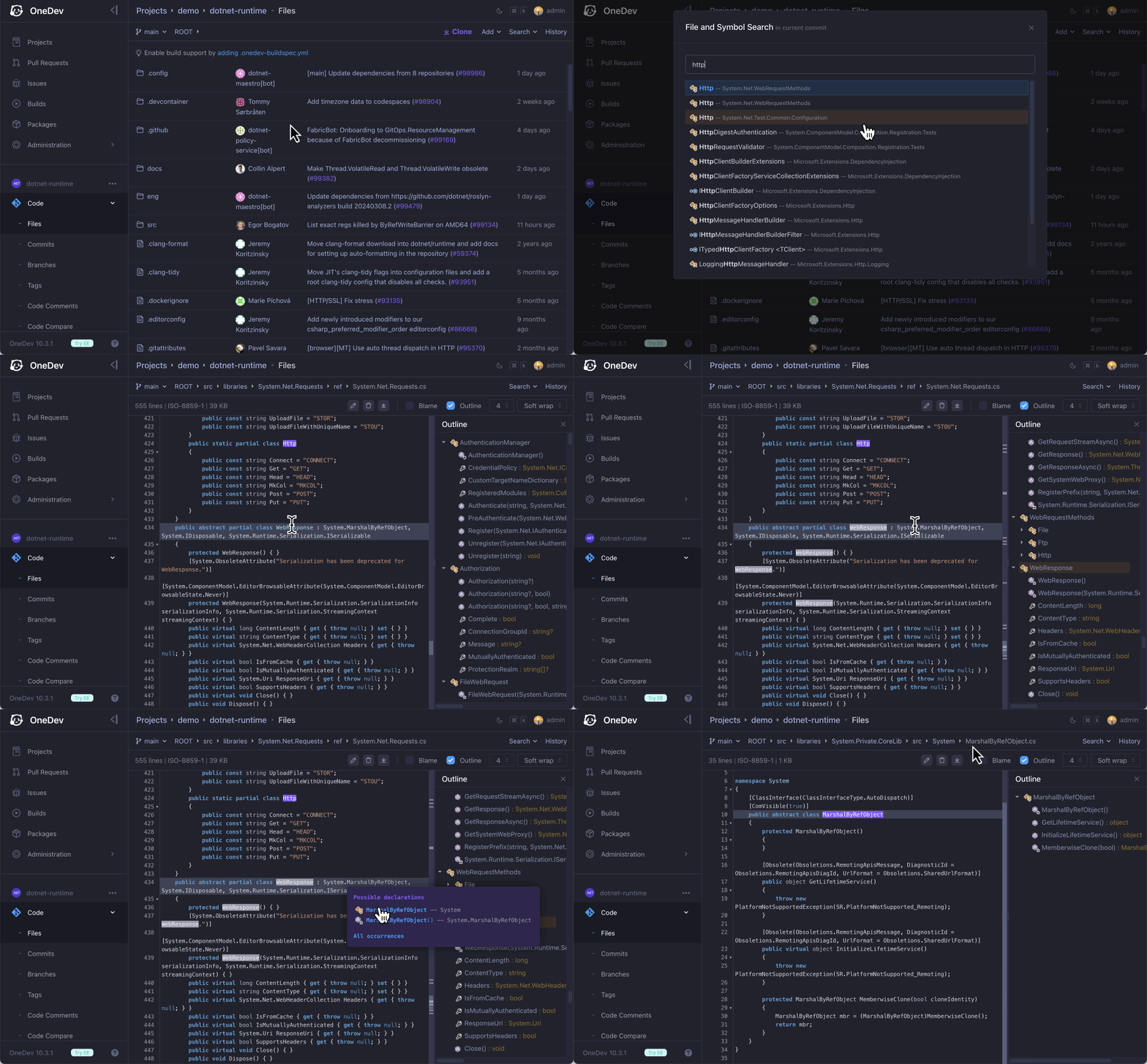
code search and navigation

📦 Renovate integration to update project dependencies

Integrate with Renovate to update project dependencies via pull requests. Merge pull requests automatically when approved by required reviewers, or pass required tests. Tutorial
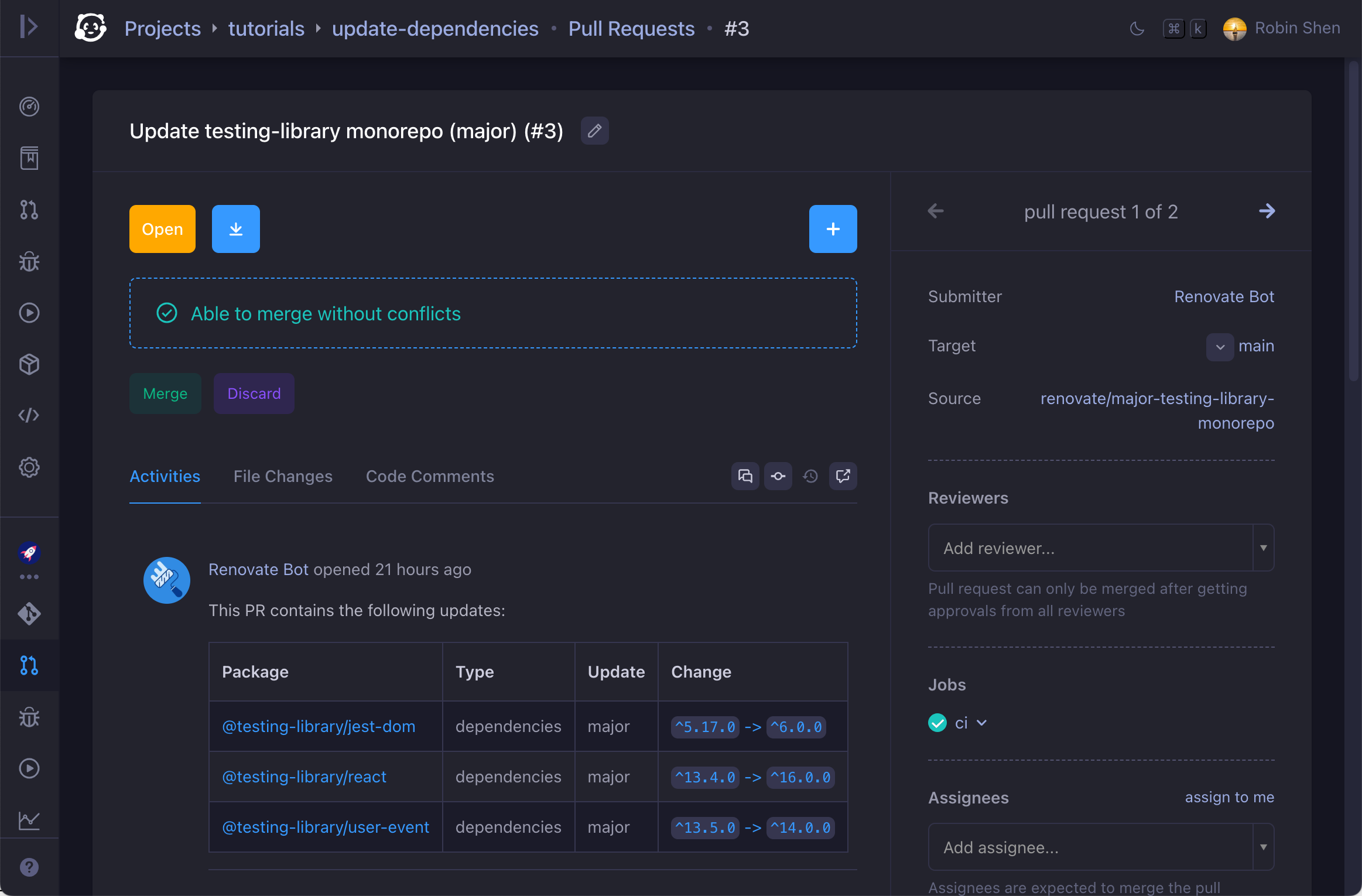
vulnerabilities

🚦 Annotate code with coverage and problems

Code will be annotated with coverage info and problems found in CI/CD pipeline, to facilitate code review. Demo
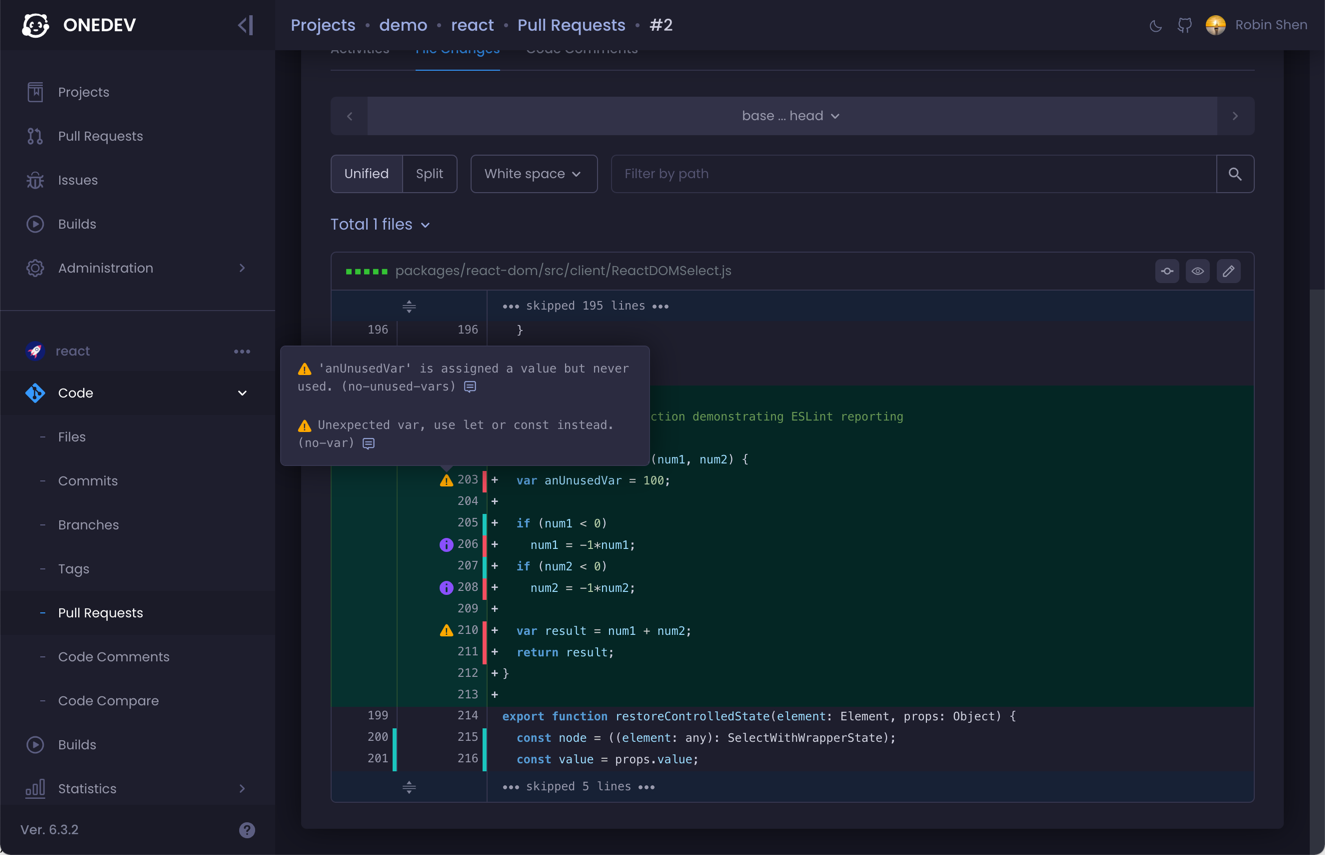
code annotation

💬 Code discussion anywhere anytime

Select any code or diff to start discussion. Suggest and apply changes. Discussions stay with code to help code understanding. See It In Action
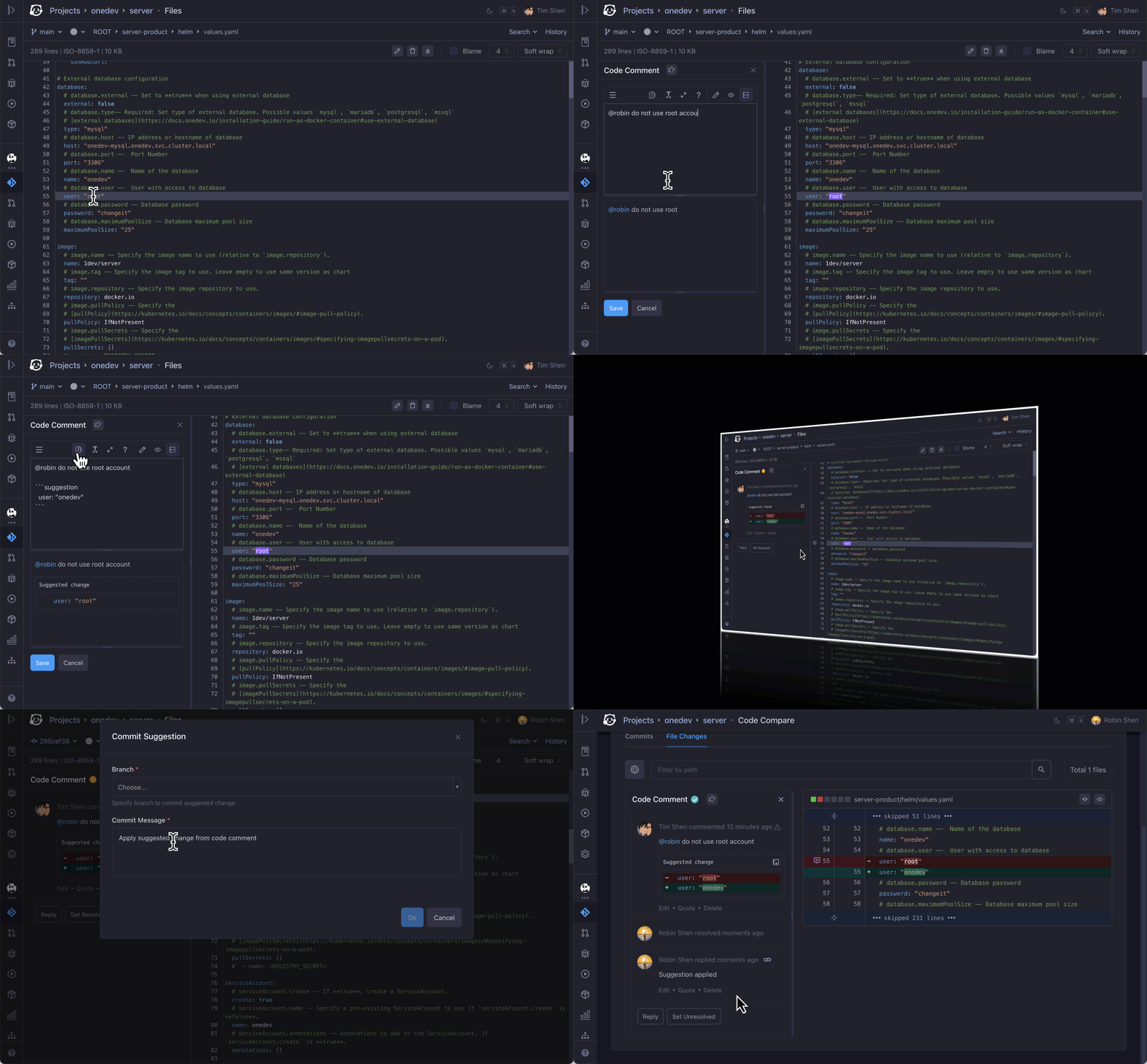
code comment

🔒 Versatile code protection rules

Set rule to require review or CI/CD verification when certain users touch certain files in certain branches. Tutorial
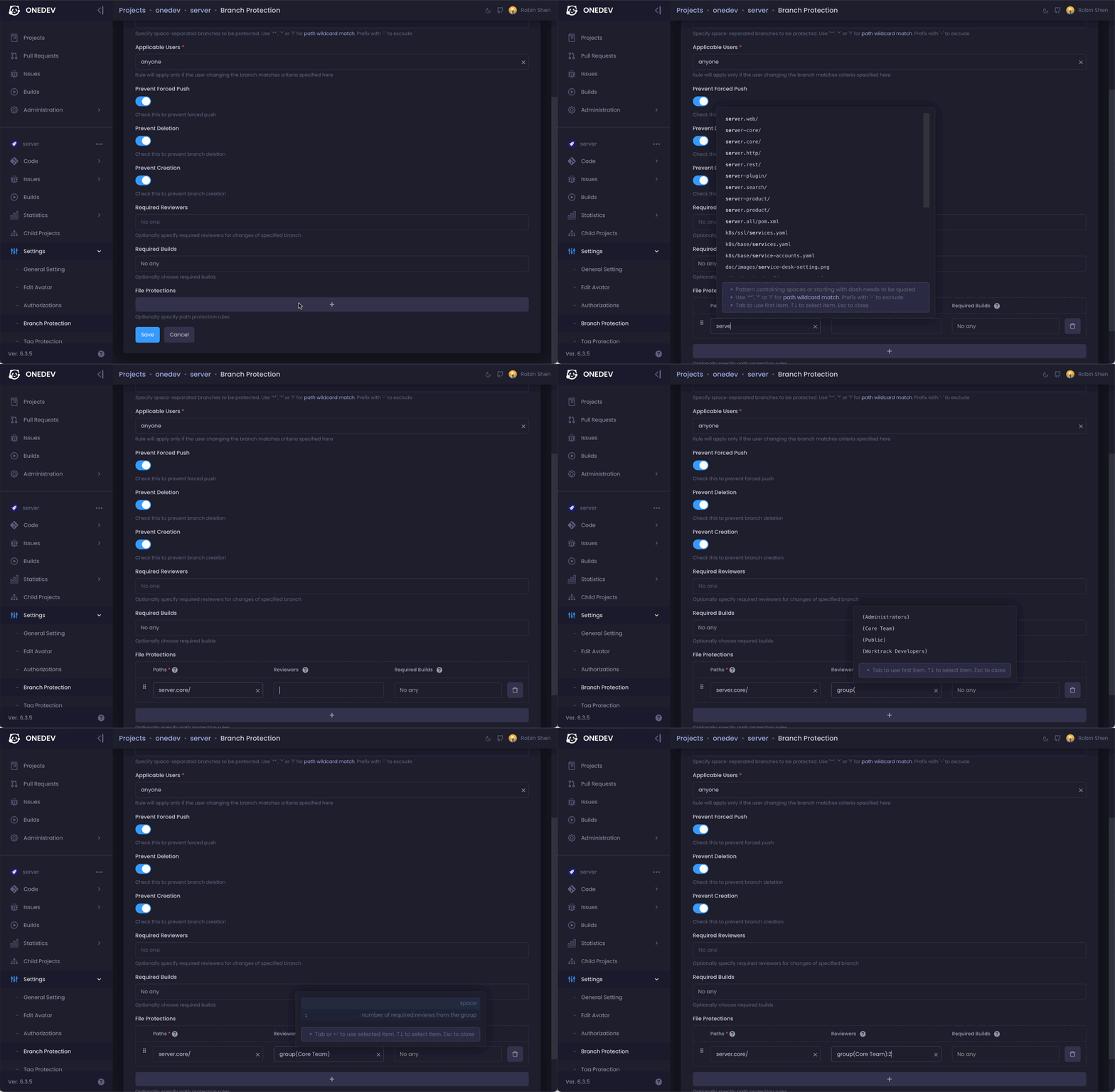
code protection

📋 Automated Kanban to keep team organized

Move tasks manually in Kanban, or define rules to move them automatically when related work is committed/tested/released/deployed. See It In Action
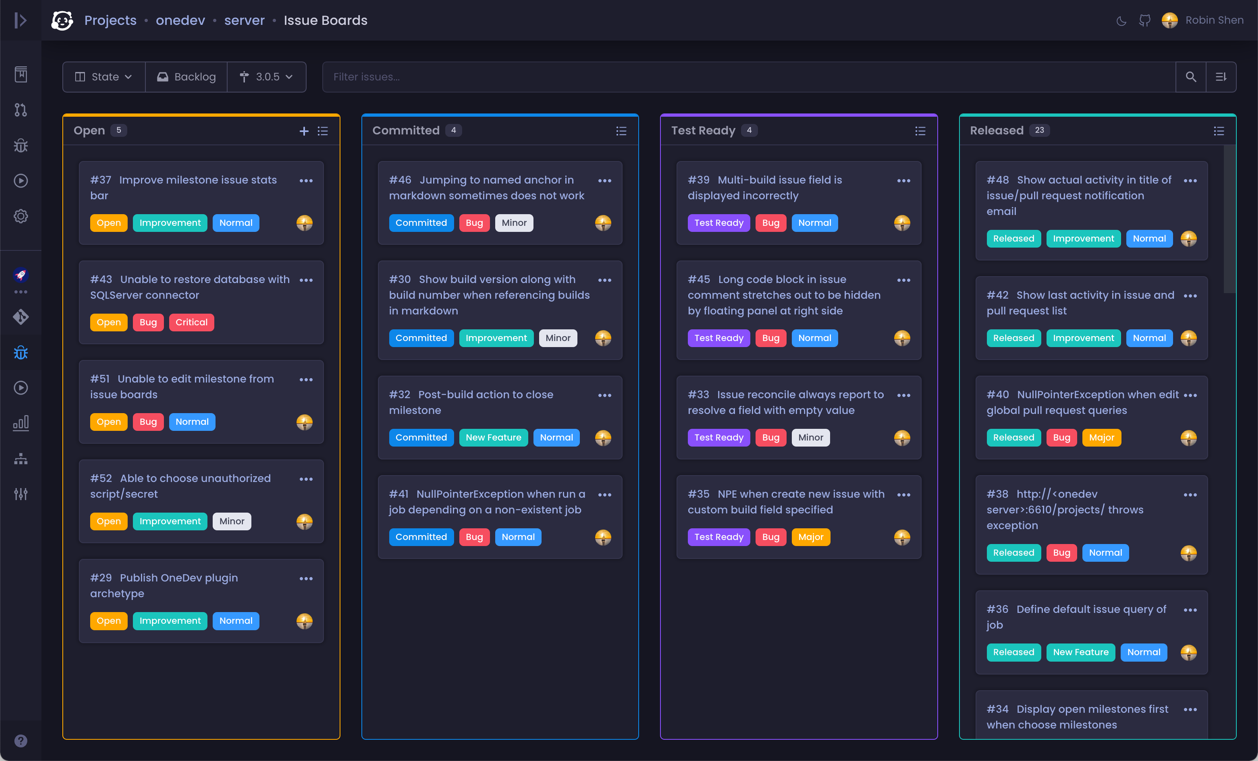
issue board

🛠 Customizable and flexible issue workflow

Custom issue states and fields. Manual or automatic state transition rules. Issue links to sync operations and states. Confidential issues in public projects. Tutorial
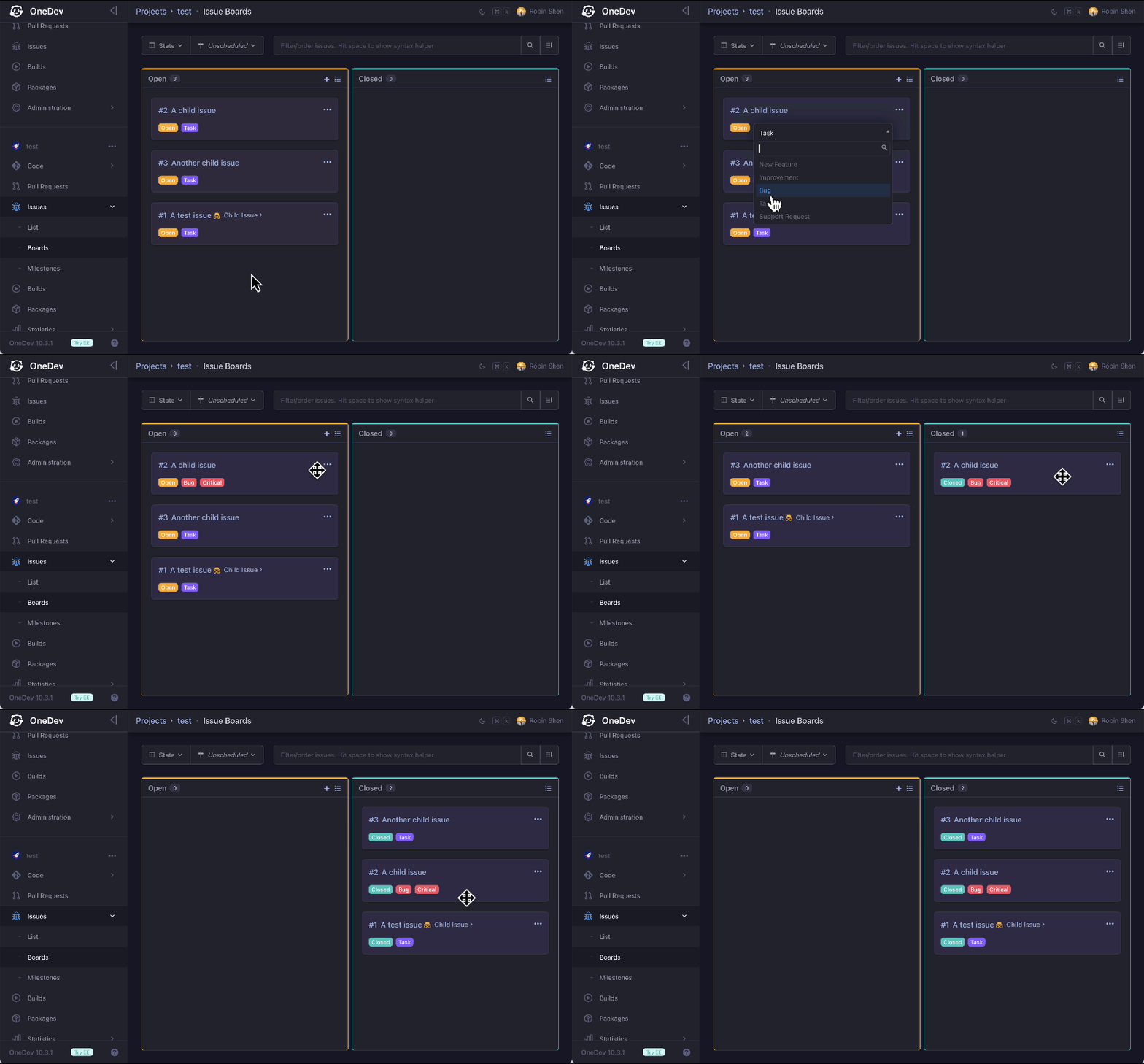
workflow customization

📨 Service desk to link emails with issues

Use issues as ticket system to support customers via email, without requiring them to register accounts. Assign different support contacts for different projects or customers. Tutorial
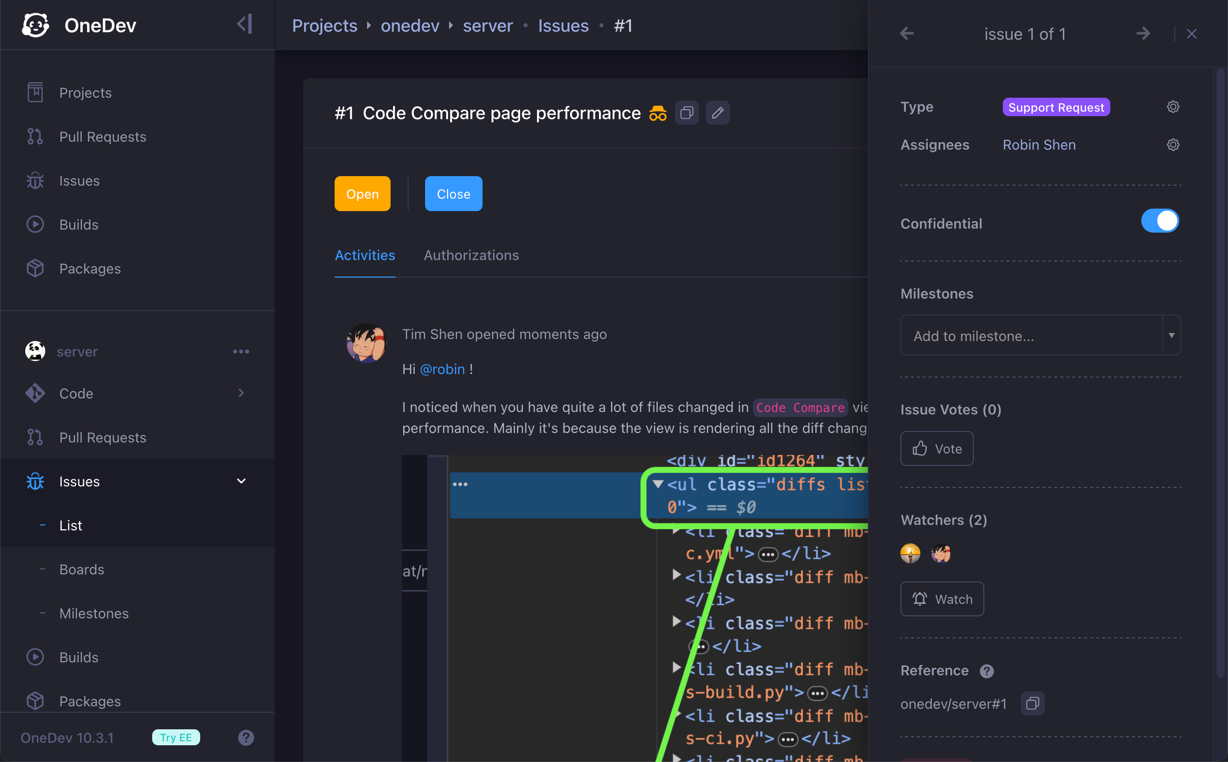
service desk

⏰ Time tracking and reporting

Track estimated/spent time on tasks. Aggregate time from subtasks automatically. Generate time sheets for work statistics and billing. Tutorial
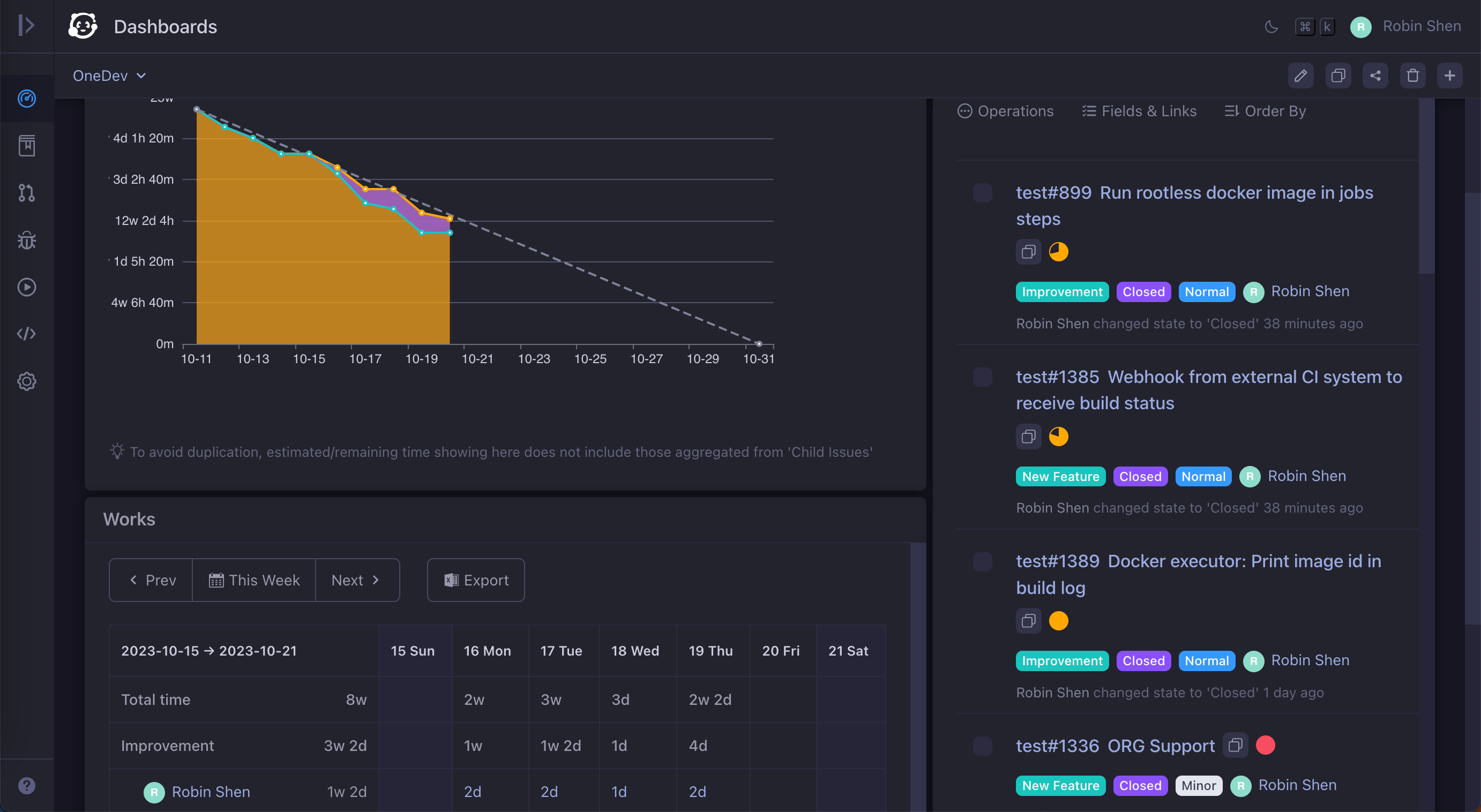
time tracking

💡 CI/CD as code without writing code

An intuitive GUI to create CI/CD jobs. Template for typical frameworks. Typed parameters. Matrix jobs. CI/CD logic reuses. Cache management. Tutorial
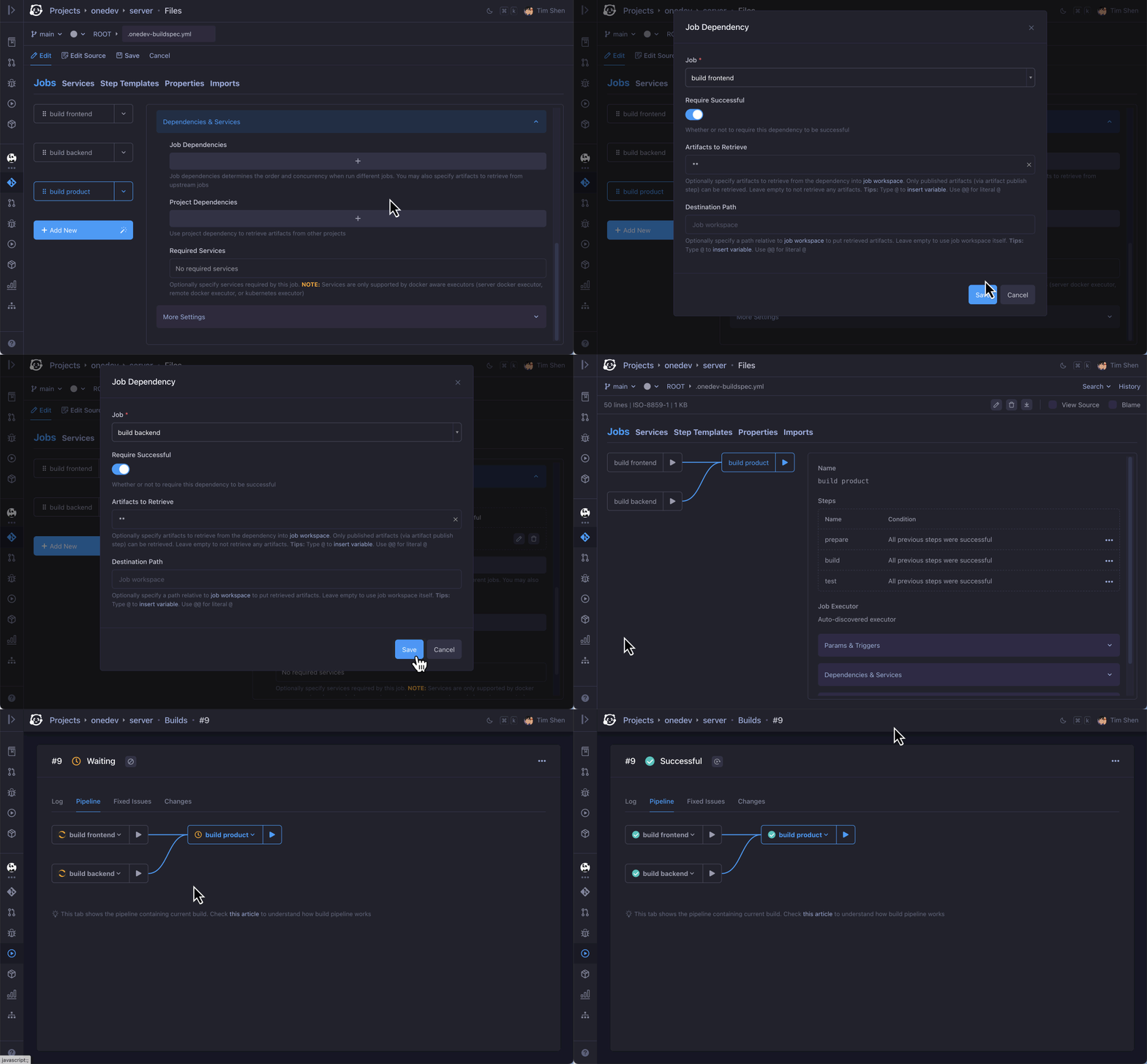
ci/cd editor

🚀 Versatile CI/CD executors from simple to scale

Run CI/CD out-of-box in container or on bare metal. Run massive jobs concurrently with Kubernetes or agents. Example1 Example2
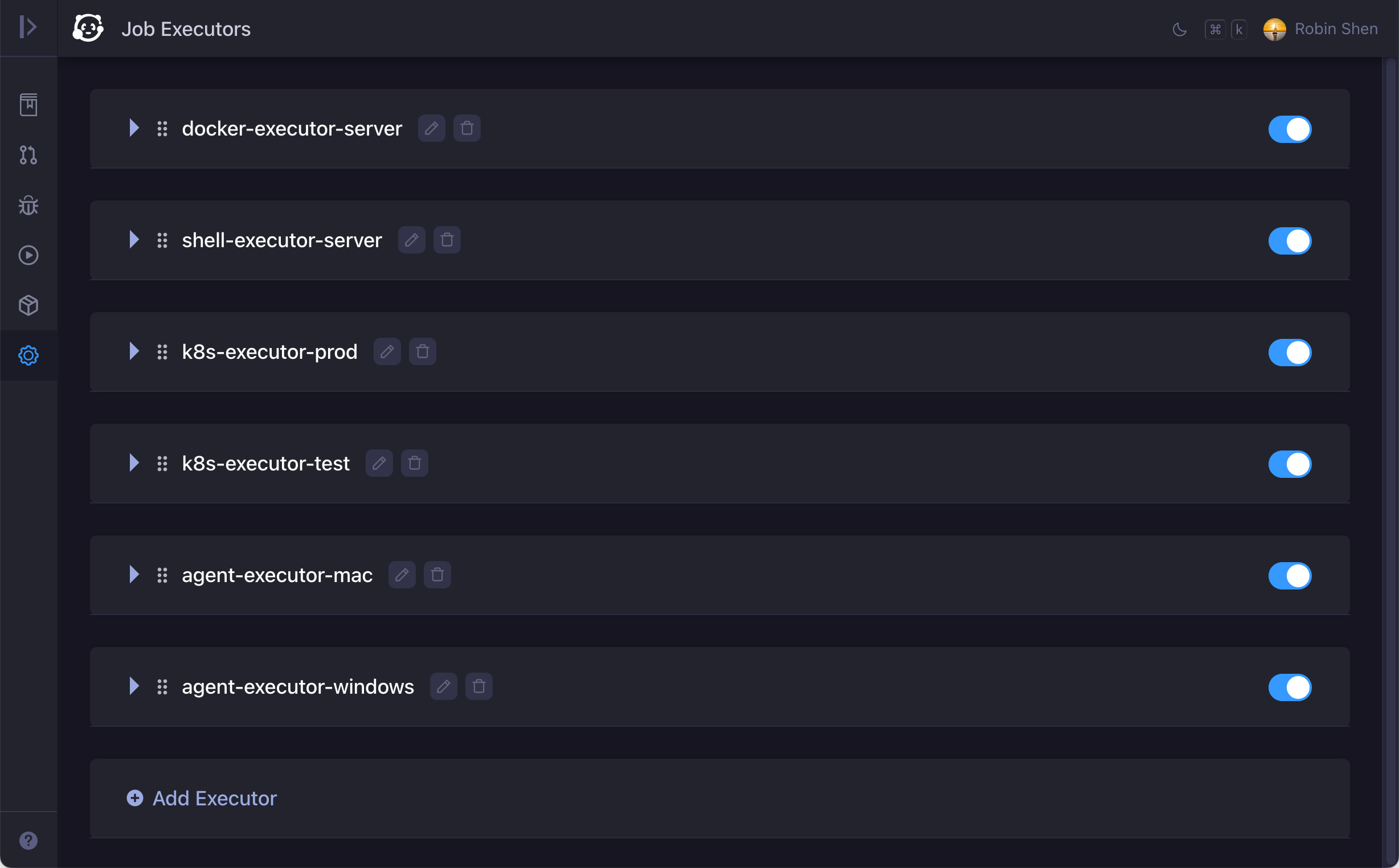
job executors

🛠 Tools to debug CI/CD jobs

Command to pause job execution. Web terminal to check job execution environment. Run job locally against uncommitted changes. Tutorial1 Tutorial2
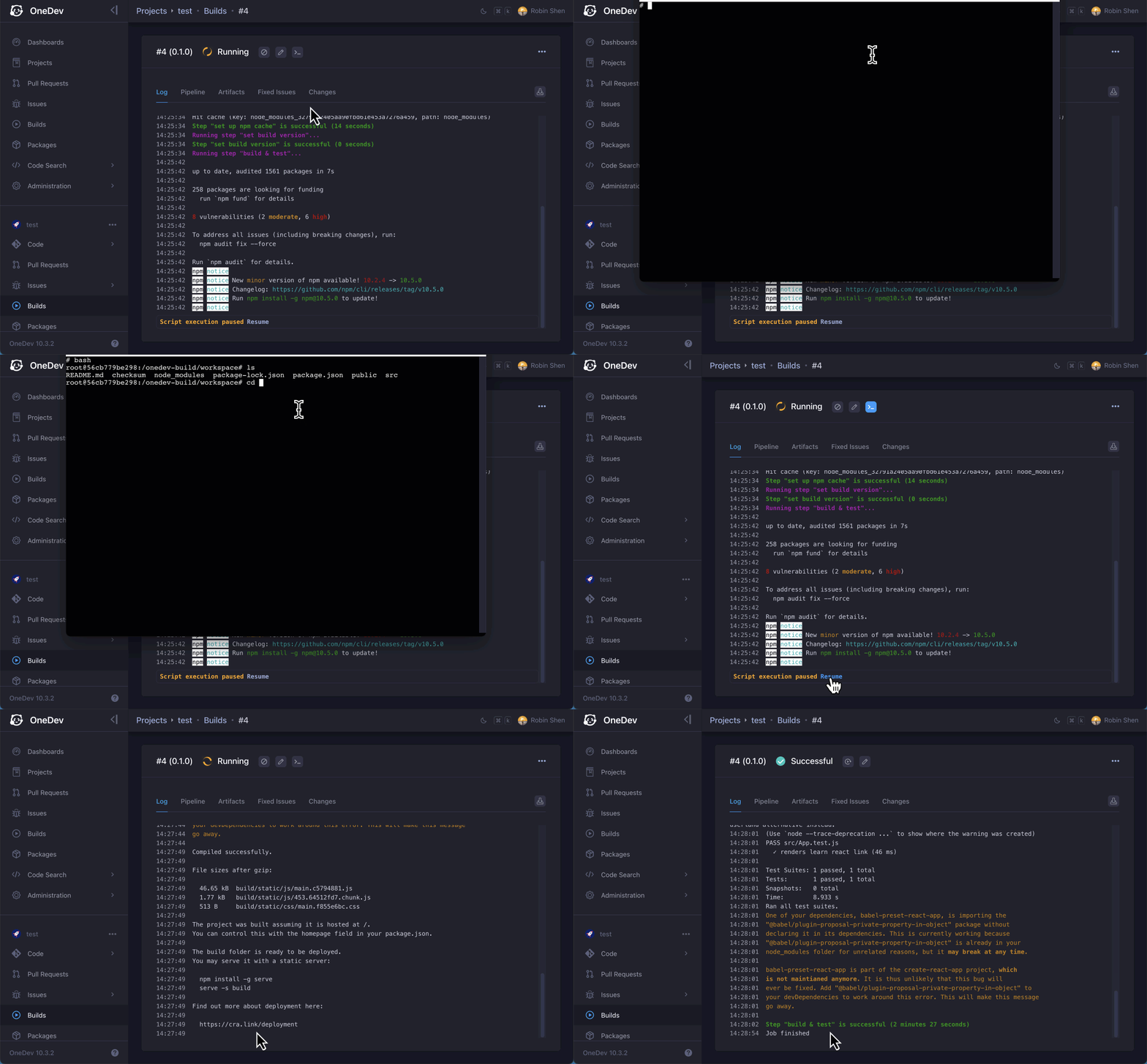
web terminal

📦 Built-in package registries

Built-in registry to manage binary packages. Link packages with CI/CD jobs. Tutorial
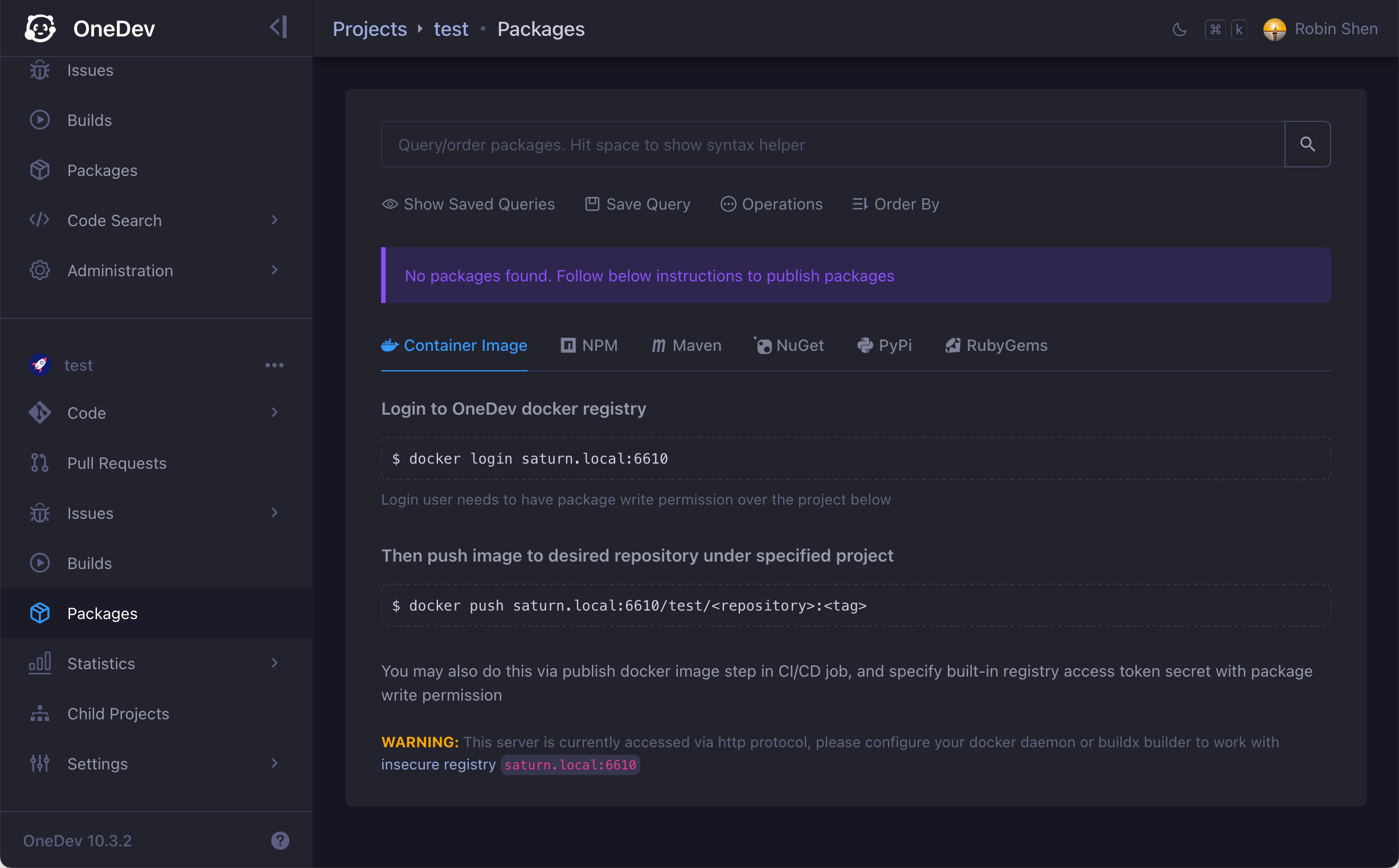
package registry

🧩 Deep integration and information cross-reference

Transit issue state via commit, CI/CD, or pull request. Show fixing builds of issue. Query fixed issues or code changes between build/package versions. Example1 Example2
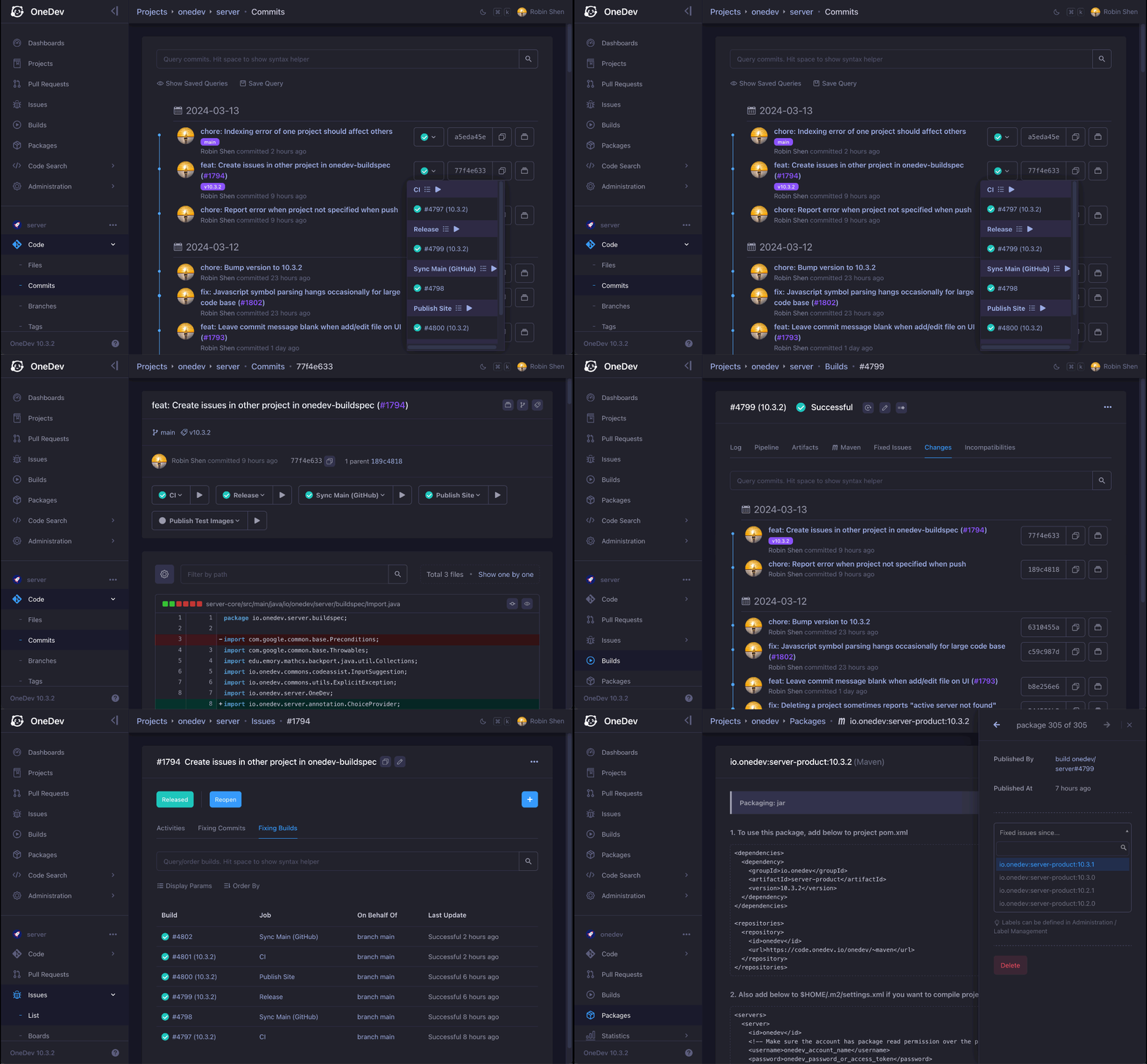
deep integration

🌲 Project tree for easy maintenance

Use tree to organize projects clearly and efficiently. Define common settings in parent project and inherit in child projects. See It In Action
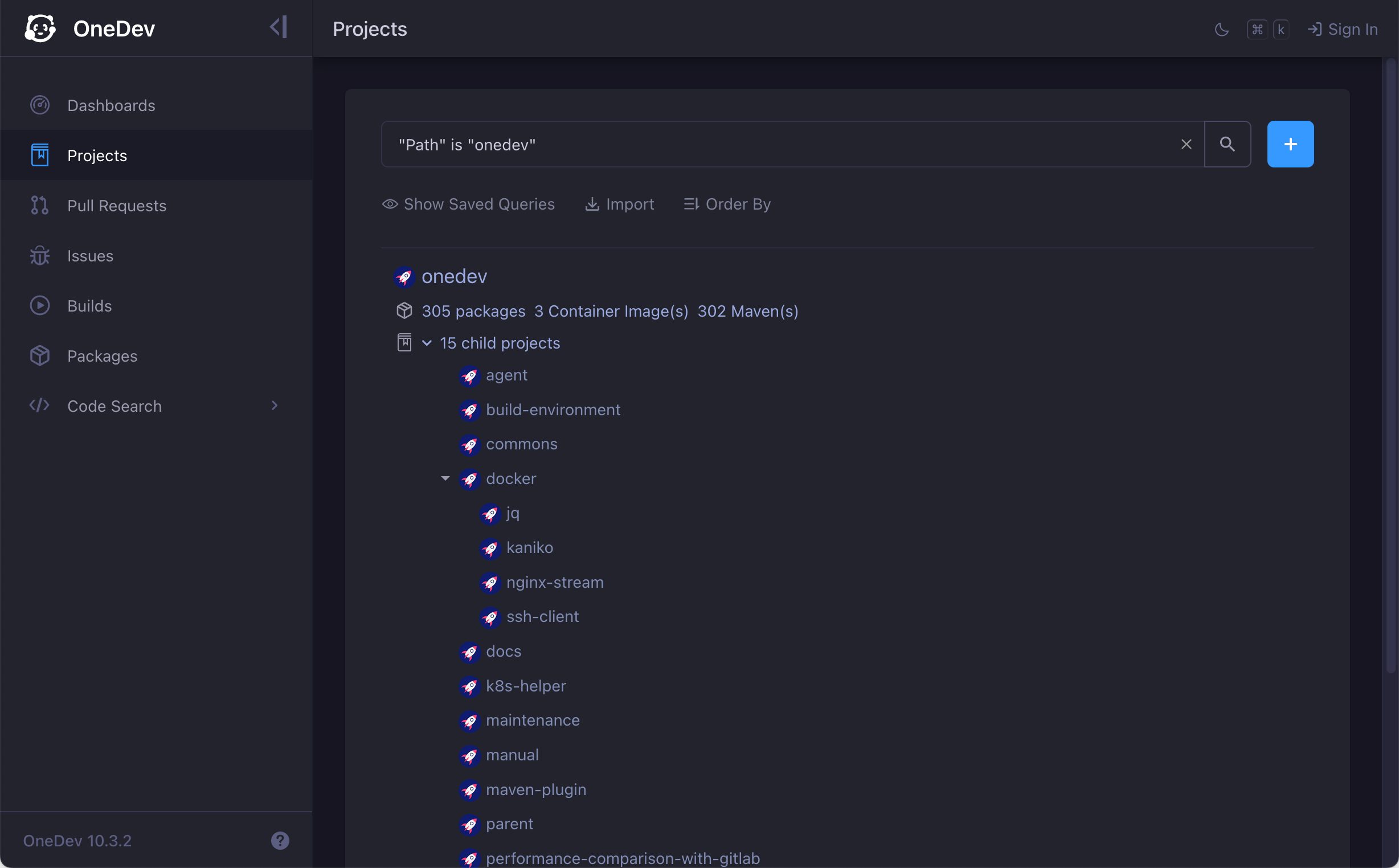
project tree

🐒 Smart query that can be saved and subscribed

Powerful and intuitive query for everything. Save query for quick access. Subscribe to query to get notified of interesting events. Try It
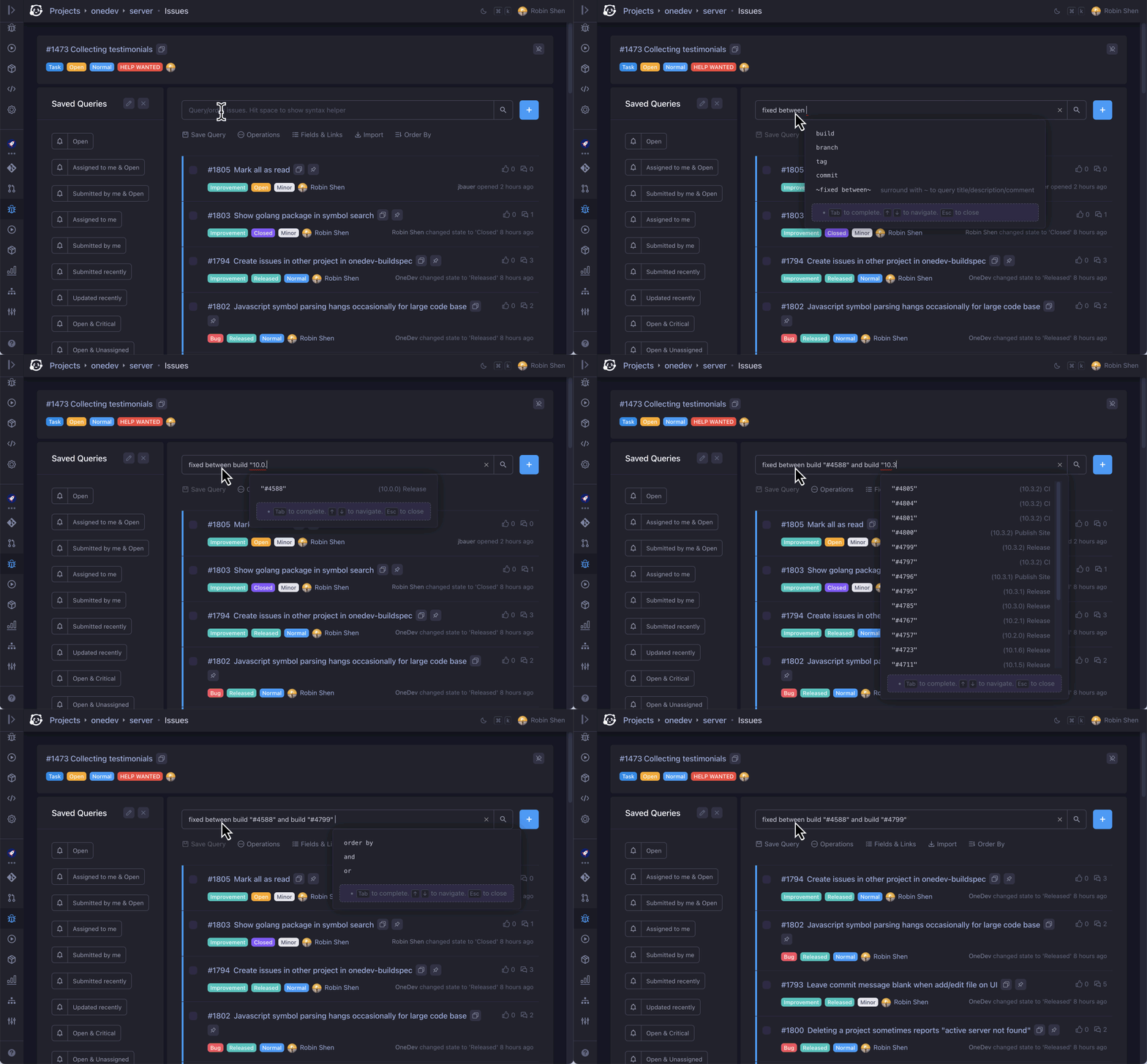
issue query

🤖 Built-in AI for DevOps Intelligence

Query with natural language. Explain code snippets, help understand codebase, review commits and pull requests, assist with CI/CD specs, investigate build errors. Tutorial
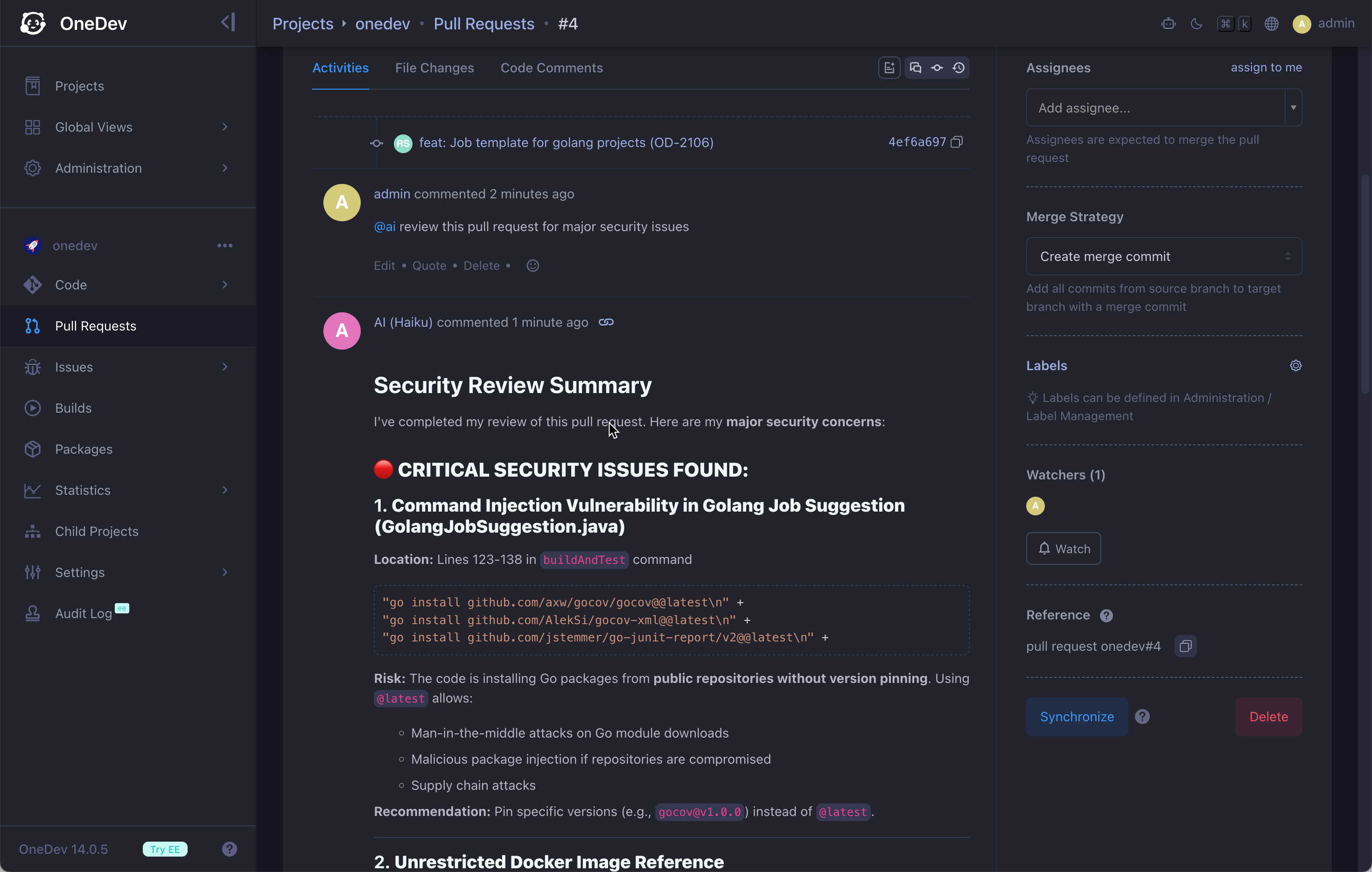
ai-pr-review

🧑‍💻 Workspaces for Vibe Coding

Work on any branch with preconfigured dev containers on server. Use OpenCode, Claude Code, Codex, or other terminal agents in browser without setting up local environment. Tutorial
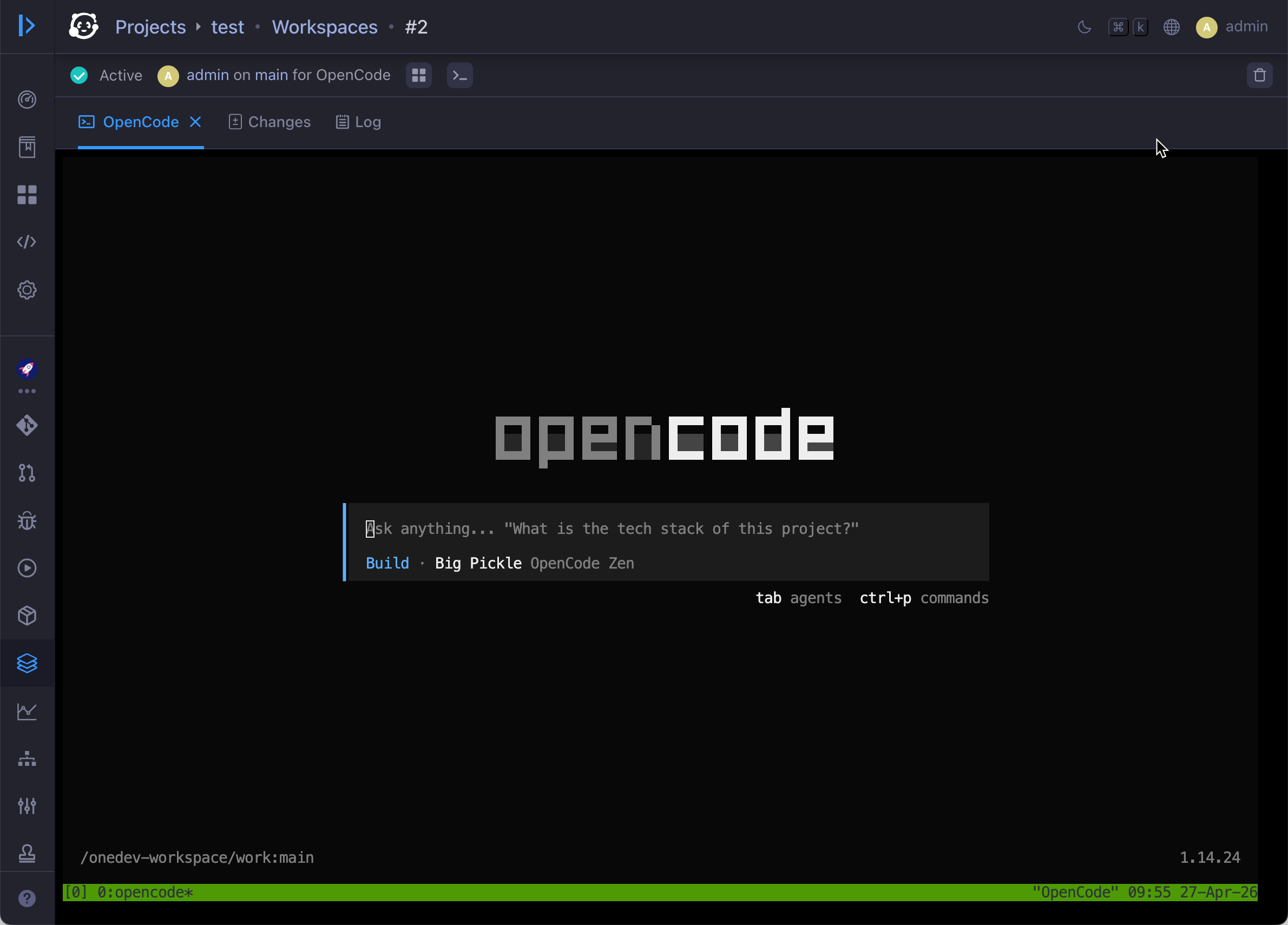
workspace

🤹 Skills and CLI to interact with OneDev in AI agents

TOD CLI to query and edit issues, pull requests, and builds, run CI/CD jobs against local changes, and check out pull requests locally. Shipped skills to drive OneDev workflows in coding agents. Skills and CLI
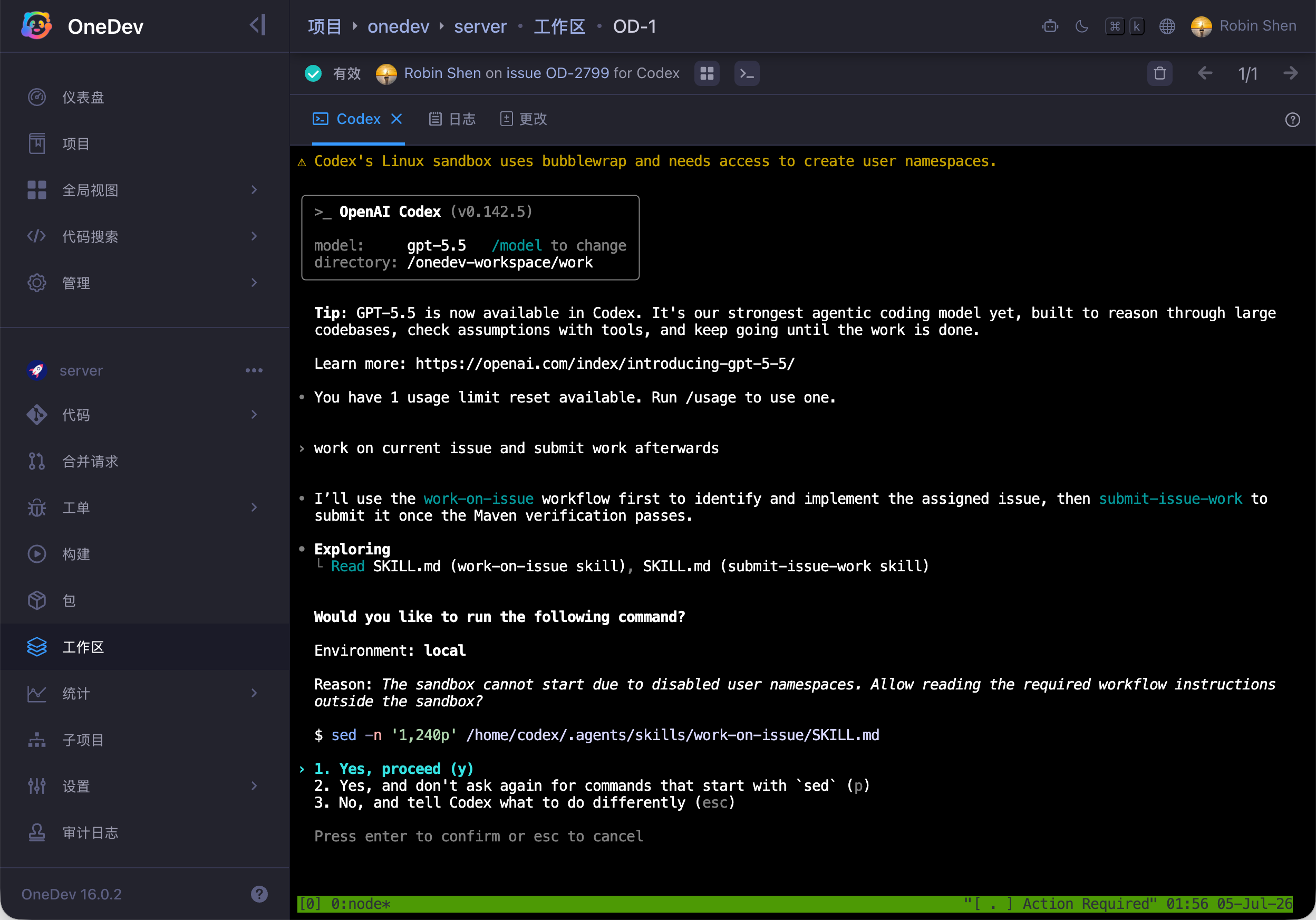
mcp

🤖 AI for DevOps intelligence

AI users work autonomously in your issue and pull request flow: implement assigned issues, review and improve pull requests, fix CI/CD failures, and resolve merge conflicts. They can also explain code, summarize long discussions, help write CI/CD specs, and answer project questions. Tutorial

ai integration

🎛️ Dashboard for teams and users

Arrange gadgets in custom dashboard to get important information at a glance. Share dashboard with users or groups, or make it public for everyone. See It In Action
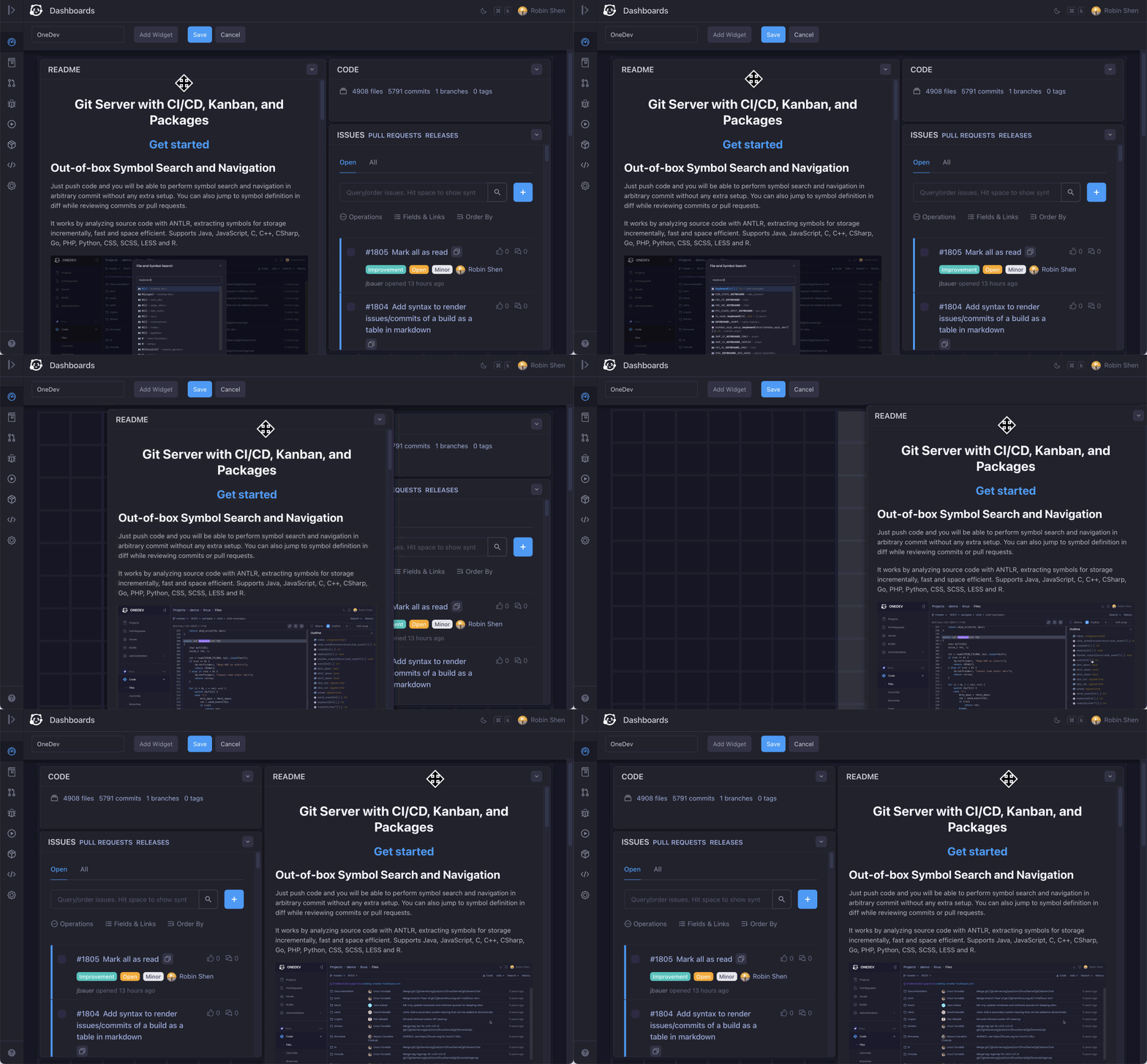
edit dashboard

👯 Effortless high availability and scalability

Easy cluster setup. Replicate projects across different servers for high availability, or distribute projects for horizontal scalability. More Info
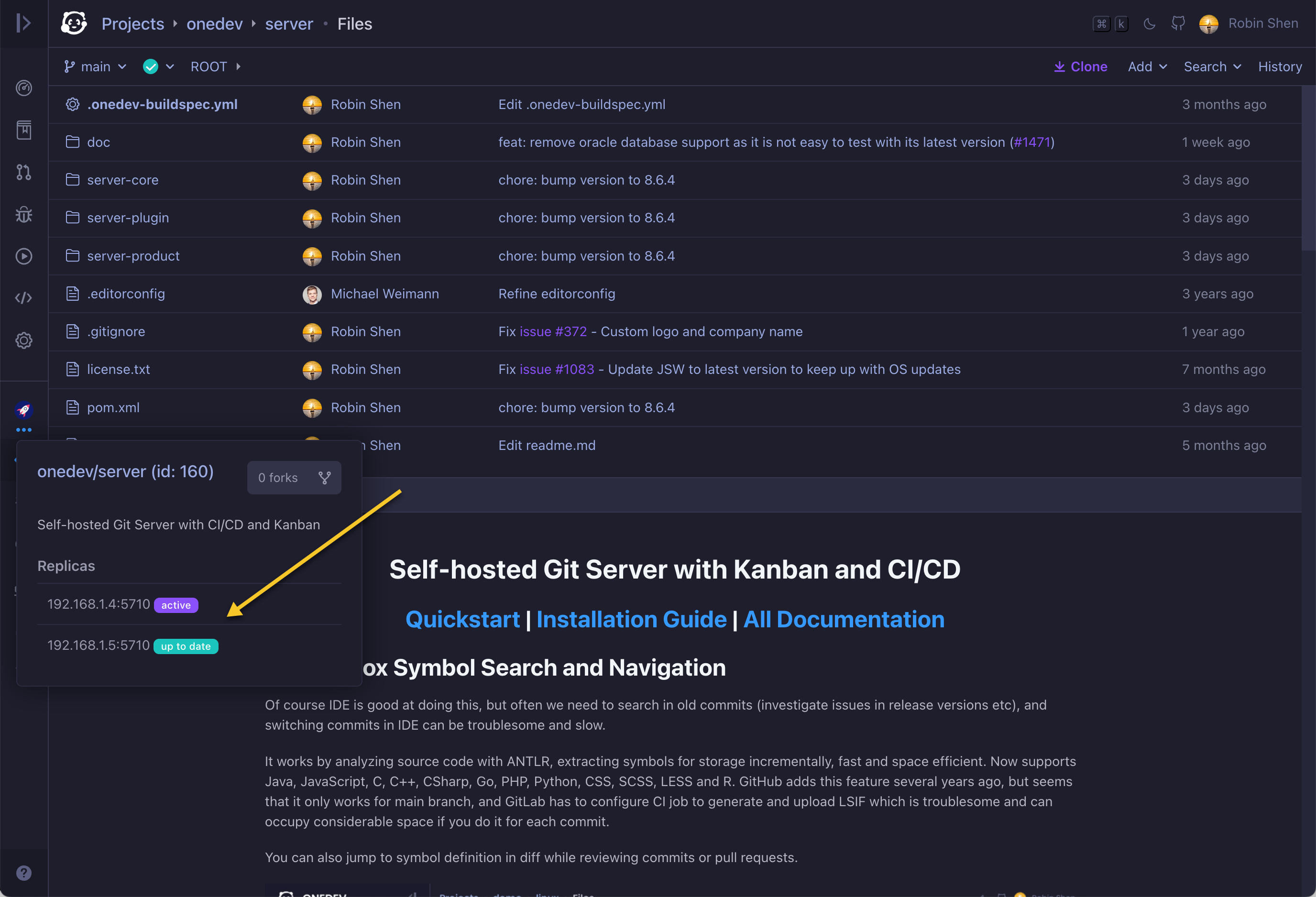
high availability

🛸 Command palette for quick access

Use cmd/ctrl-k to bring up command palette from anywhere. Search anything and jump to it without digging through menus. Try It
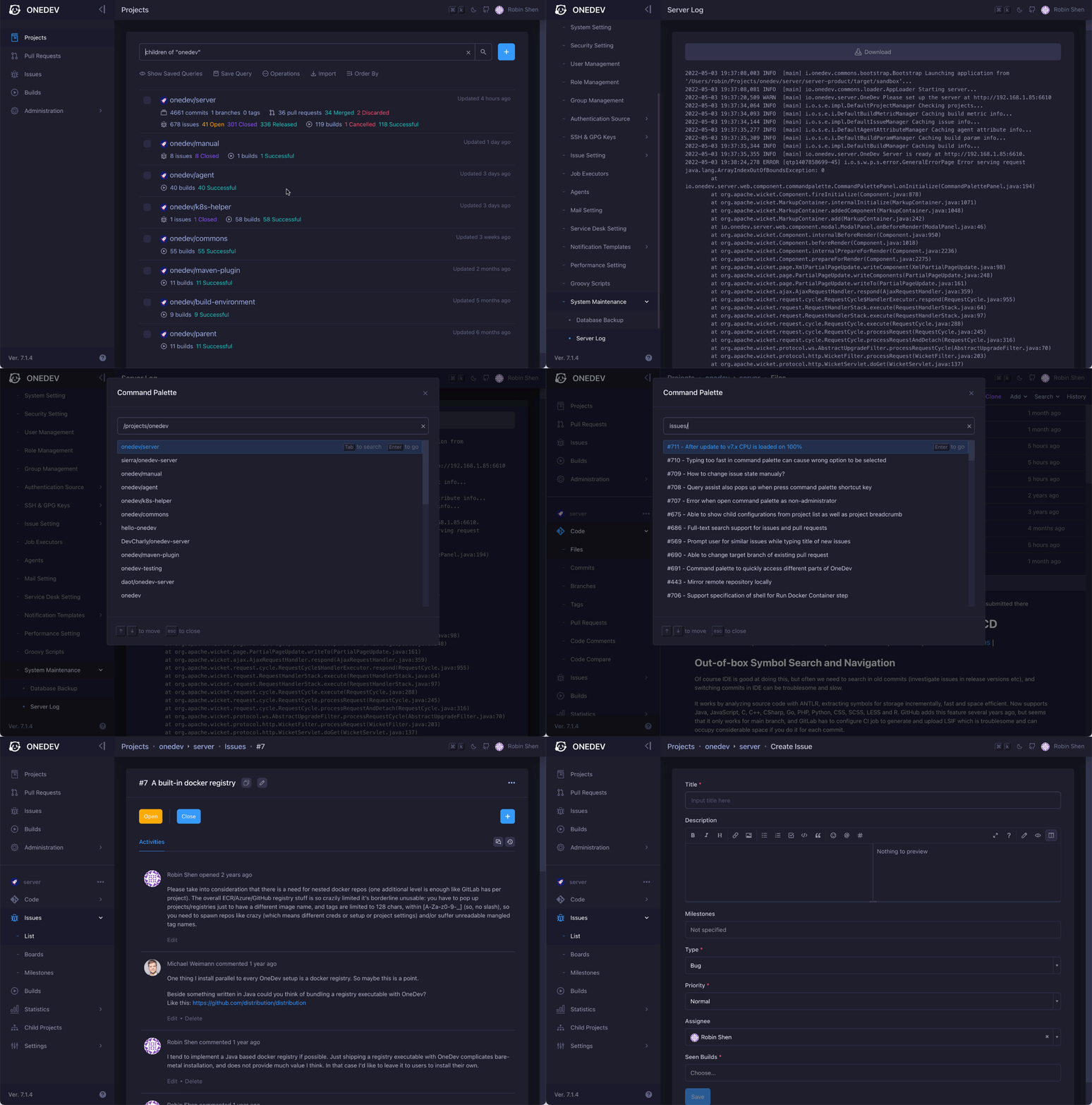
command palette

🕊️ Fast, lightweight, and reliable

Crafted with resource usage and performance in mind. Get all features above with a 1 core 2G mem box for medium-sized projects. Intensively used for more than 5 years, with battle-proven reliability. Performance Comparison
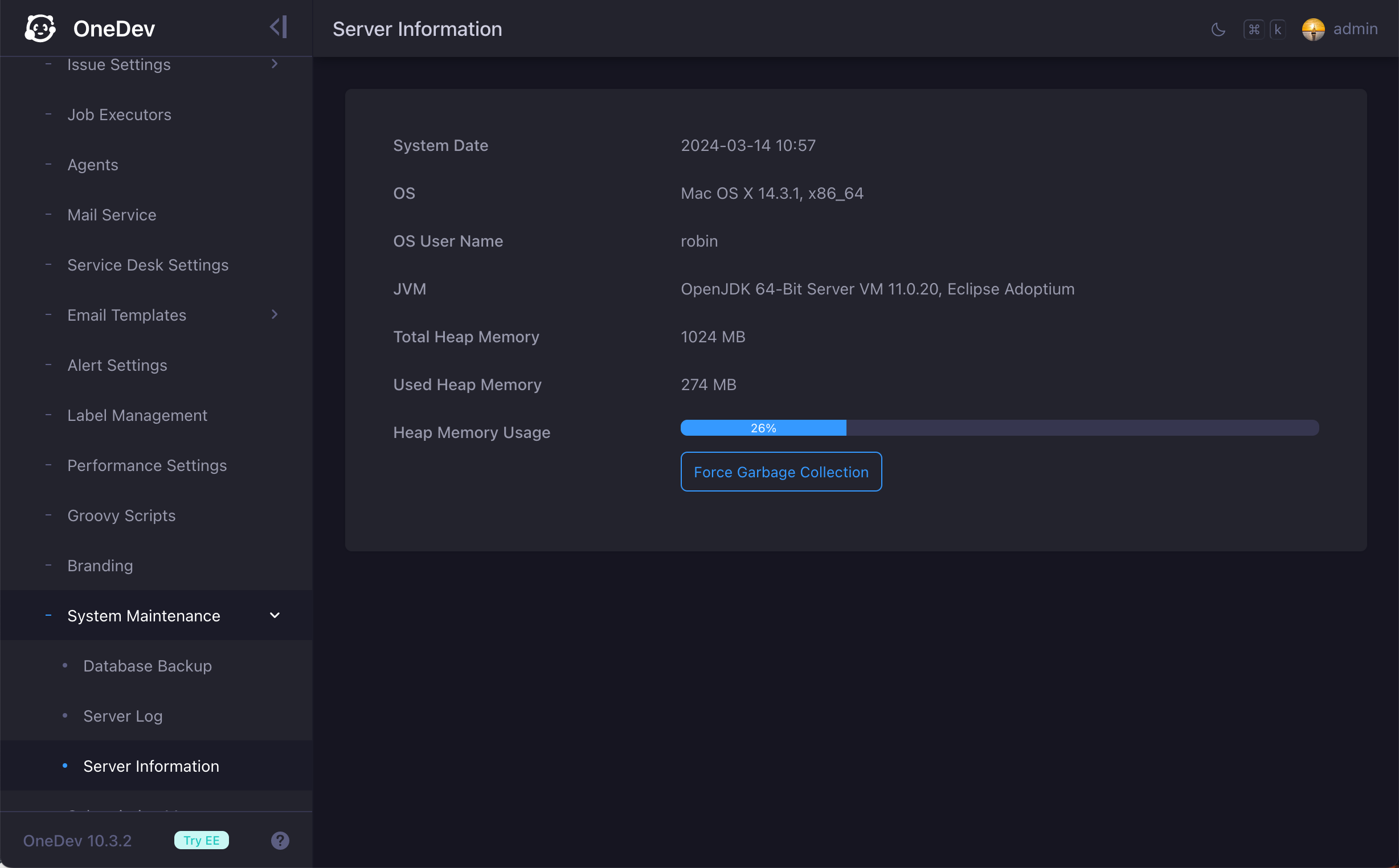
resource usage

Frequently asked questions

Is onedev free to use?

onedev is open source under the MIT licence. There is no licence fee and no seat count — you can self-host it or, where the project offers one, pay a vendor for a managed version instead.

What does onedev do?

The Unified and Autonomous Development Platform

What is onedev written in?

onedev is primarily written in Java. Its source is publicly available at https://github.com/theonedev/onedev, and it has 15,252 GitHub stars.