oh-my-mermaid is a free, open source documentation & knowledge base project written in TypeScript and released under MIT. It has 3,371 GitHub stars, 268 forks and 11 open issues, and was last pushed 7 months ago. On this registry it ranks #44 of 100 tracked projects in Documentation & Knowledge Base, with 5 head-to-head comparisons available. It gained 1,099 stars over the last 30 tracked days.

What is oh-my-mermaid?

oh-my-mermaid is an MIT-licensed TypeScript command-line tool that turns complex codebases into navigable Mermaid architecture diagrams and documentation, built for developers and teams who work inside AI coding tools such as Claude Code, Codex, Cursor, OpenClaw, and Antigravity.

What it is

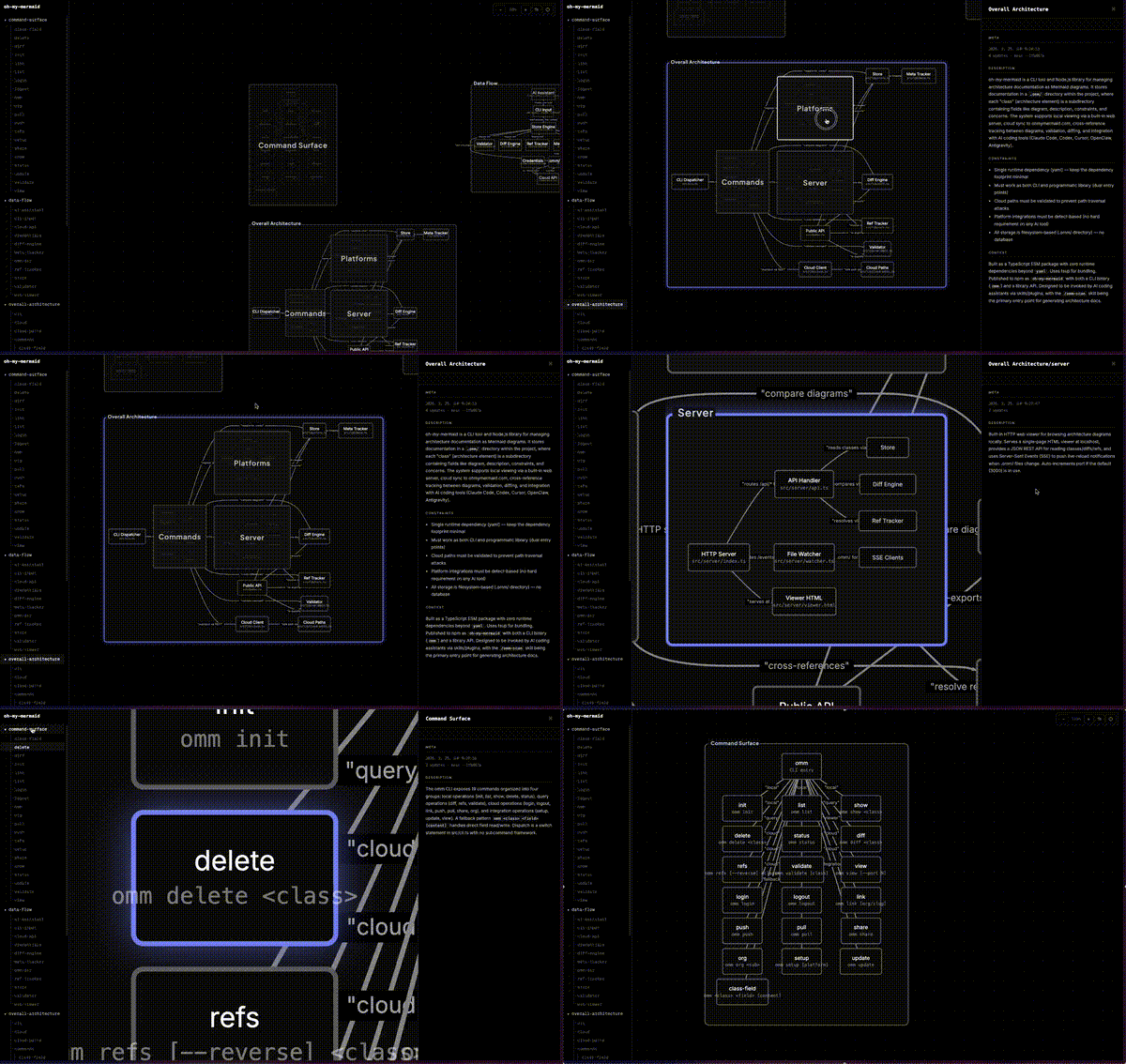
oh-my-mermaid, abbreviated to omm, is a CLI paired with a set of skills that run inside an AI coding tool rather than in the terminal. Its premise comes straight from its README: AI writes code in seconds, while humans understand it in hours, and a codebase that is never explained becomes a black box even to the person who wrote it. When a developer runs the /omm-scan skill, the AI analyzes the repository and generates perspectives, meaning different lenses on the architecture such as structure, data flow, and external integrations. Each perspective contains a Mermaid diagram plus documentation fields, and every node is analyzed recursively, so complex nodes become nested child elements with their own diagrams while simple ones stay as leaves.

The concrete problem it solves is the drift between a working codebase and the documentation that is supposed to explain it. Instead of hand-maintaining architecture diagrams and stale wiki pages, the project writes files to an .omm/ directory that mirrors the architecture tree, with description.md, diagram.mmd, context.md, and nested element folders beneath perspective folders such as overall-architecture/, data-flow/, and external-integrations/. An interactive viewer auto-detects nesting from the filesystem, rendering elements that have children as expandable groups and the rest as nodes. Each element carries up to seven fields: description, diagram, context, constraint, concern, todo, and note.

Key capabilities

  • Generates architecture documentation through the /omm-scan skill, which analyzes a codebase and produces perspectives with a Mermaid diagram and documentation fields per element.
  • Recursively analyzes nodes so that complex elements become nested child elements with their own diagram.mmd and description.md, while simple elements remain leaves.
  • Organizes output on disk under .omm/ in a tree that the viewer reads directly, with no separate database or index to maintain.
  • Opens an interactive viewer with omm view, which renders nested groups from the filesystem structure.
  • Pushes architecture to the cloud through /omm-push or omm login && omm link && omm push, private by default with optional team sharing or a public link.
  • Sets content language with omm config language ko, and the repository ships README translations in English, Turkish, Korean, Japanese, and Chinese.
  • Configures supported AI tools with omm setup claude, omm setup codex, omm setup cursor, omm setup openclaw, and omm setup antigravity, or auto-detects installed tools with plain omm setup.

Who uses it and how

  • Developers working in Claude Code, Codex, Cursor, OpenClaw, or Antigravity who want architecture documentation produced inside the same tool where they write code.
  • Teams onboarding onto an unfamiliar codebase, using scanned perspectives as a map before touching the source.
  • Teams that keep diagrams private by default and share them with colleagues through the cloud instead of committing everything to a repository.
  • Projects that want to publish an architecture view publicly, as the README does with a share link on ohmymermaid.com.
  • Multilingual teams that set the generated content language to Korean or another supported language while the source code stays in English.

Getting started

Install globally with npm install -g oh-my-mermaid && omm setup, then open the AI coding tool and run the /omm-scan skill. View the generated result with omm view.

How it compares

No comparable or paid products are named in the available facts, and no list of tools this project replaces is provided. Within this registry it stands alone in its category.

When to use it — and when not to

A user needs Node and npm for the global install, plus an AI coding tool that supports skills, so the workflow only exists where one of the listed platforms is present. Cloud storage is optional but requires an ohmymermaid.com account and the login, link, and push sequence. The generated documentation is only as good as the AI analysis behind it, so codebases with unusual structure may need manual correction of the resulting diagrams, and the README is largely quick-start material with deeper detail deferred to docs/ROADMAP.md.

project readme (upstream, from github) — read inline

English | Türkçe | 한국어 | 日本語 | 中文
Oh-my-mermaid

npm version License: MIT

AI writes code in seconds. Humans understand it in hours.
But skip understanding, the codebase becomes a black box — even to you.

omm closes the gap — architecture docs, generated by AI, for humans.


Quick Start

Paste this in your terminal:

npm install -g oh-my-mermaid && omm setup

Then open your AI coding tool and use the /omm-scan skill:

/omm-scan

That's it. View the result:

omm view

Example

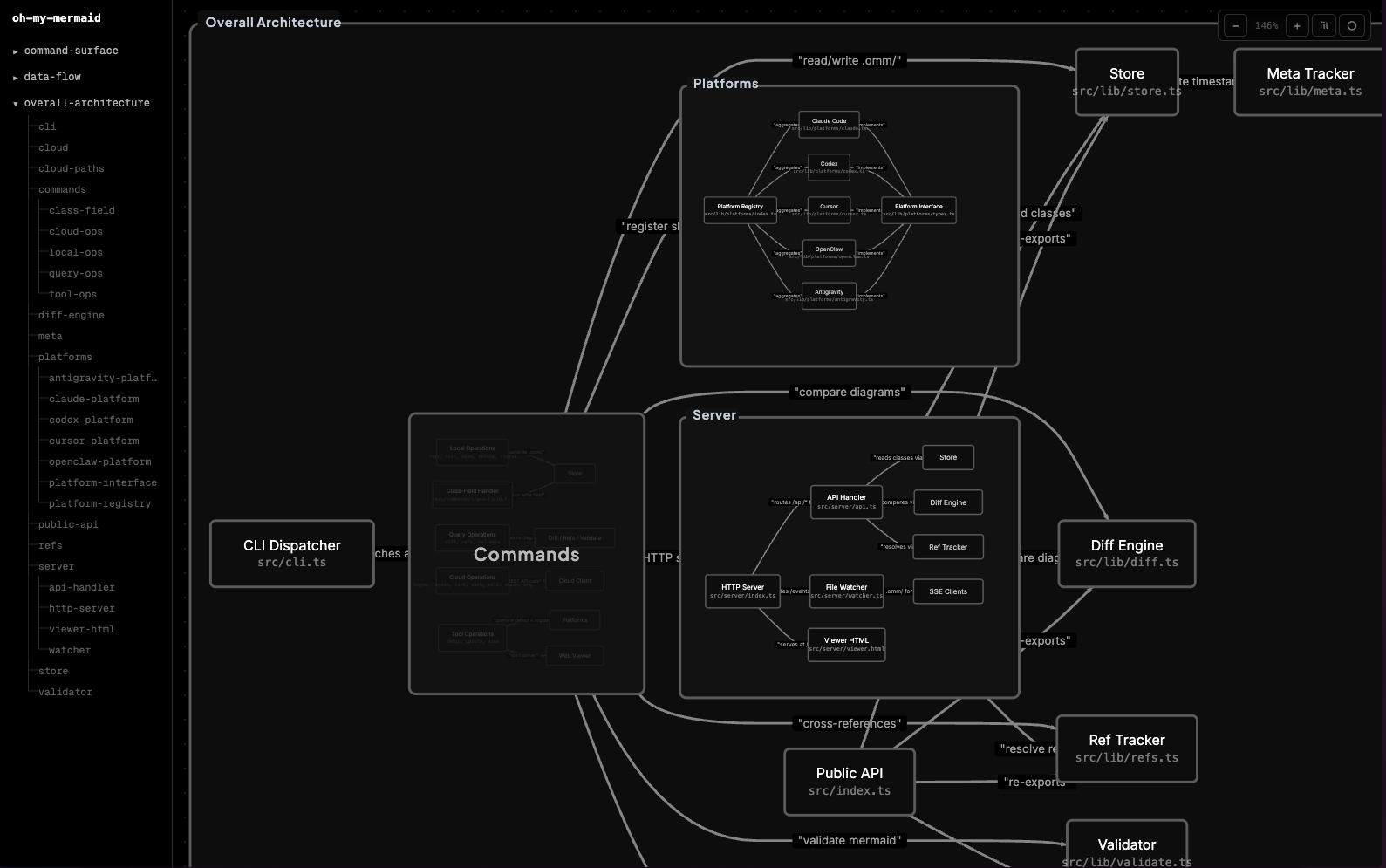
omm scanned itself. This is what it found.
How It Works

Your AI analyzes the codebase and generates perspectives — different lenses on your architecture (structure, data flow, integrations...). Each perspective contains a Mermaid diagram and documentation fields.

Every node gets recursively analyzed. Complex nodes become nested child elements with their own diagrams. Simple ones stay as leaves. The filesystem reflects the tree:

.omm/
├── overall-architecture/           ← perspective
│   ├── description.md
│   ├── diagram.mmd
│   ├── context.md
│   ├── main-process/               ← nested element
│   │   ├── description.md
│   │   ├── diagram.mmd
│   │   └── auth-service/           ← deeper nesting
│   │       └── ...
│   └── renderer/
│       └── ...
├── data-flow/
└── external-integrations/

The viewer auto-detects nesting from the filesystem — elements with children render as expandable groups, others as nodes.

Each element carries up to 7 fields: description, diagram, context, constraint, concern, todo, note.

CLI

omm setup                          # Register skills with your AI tools
omm view                           # Open interactive viewer
omm config language ko             # Set content language
omm update                         # Update to latest version

Run omm help for the full command list.

Skills

Skills are commands you run inside your AI coding tool (not the terminal). They start with /.

Skill What it does
/omm-scan Analyze codebase → generate architecture docs
/omm-push Login + link + push to cloud in one step

Cloud

You can store your architecture in the cloud via ohmymermaid.com.

omm login && omm link && omm push

It's private by default. Share with your team, or make it public like this example.

Supported AI Tools

Platform Setup
Claude Code omm setup claude
Codex omm setup codex
Cursor omm setup cursor
OpenClaw omm setup openclaw
Antigravity omm setup antigravity

Run omm setup to auto-detect and configure all installed tools.

Roadmap

See docs/ROADMAP.md.

Development & Contributing

git clone https://github.com/oh-my-mermaid/oh-my-mermaid.git
cd oh-my-mermaid
npm install && npm run build
npm test

Issues and PRs welcome. Use Conventional Commits.

License

MIT

Frequently asked questions

Is oh-my-mermaid free to use?

oh-my-mermaid is open source under the MIT licence. There is no licence fee and no seat count — you can self-host it or, where the project offers one, pay a vendor for a managed version instead.

What does oh-my-mermaid do?

Turn complex codebases into clear, navigable architecture diagrams with Claude Code.

What is oh-my-mermaid written in?

oh-my-mermaid is primarily written in TypeScript. Its source is publicly available at https://github.com/oh-my-mermaid/oh-my-mermaid, and it has 3,371 GitHub stars.