nvimdots is a complete, modular Neovim configuration written in pure Lua for developers on Linux, macOS, Windows, and NixOS who want a ready-to-use, IDE-like editor setup without assembling plugins themselves.
What it is
nvimdots is a curated Neovim configuration repository whose entry point is init.lua, with the setup managed through the lazy.nvim plugin manager. It ships as a set of Lua modules covering keybindings, plugin definitions, and dependency wiring, and it is documented through a Wiki that holds the keybindings reference, a plugins list with a dependency diagram, usage and customization notes, NixOS instructions, and an FAQ. The project is released under the BSD 3-Clause license, permitting commercial use, distribution, modification, and private use, and it runs on Neovim versions 0.10, 0.11, 0.12 (the main branch), and 0.13 nightly (the 0.13 branch).
The concrete problem it solves is that a bare Neovim install requires a developer to choose, configure, and debug dozens of plugins, their dependencies, and their keybindings before the editor becomes productive. nvimdots replaces that manual dotfile authoring with a single bootstrap script that produces a working configuration out of the box, while still keeping the setup modular so individual pieces can be customized rather than overridden wholesale.
Key capabilities
- Starts in under 50 ms, measured with
rhysd/vim-startuptime on a Zephyrus G14 2022 with an SSD, depending on hardware.
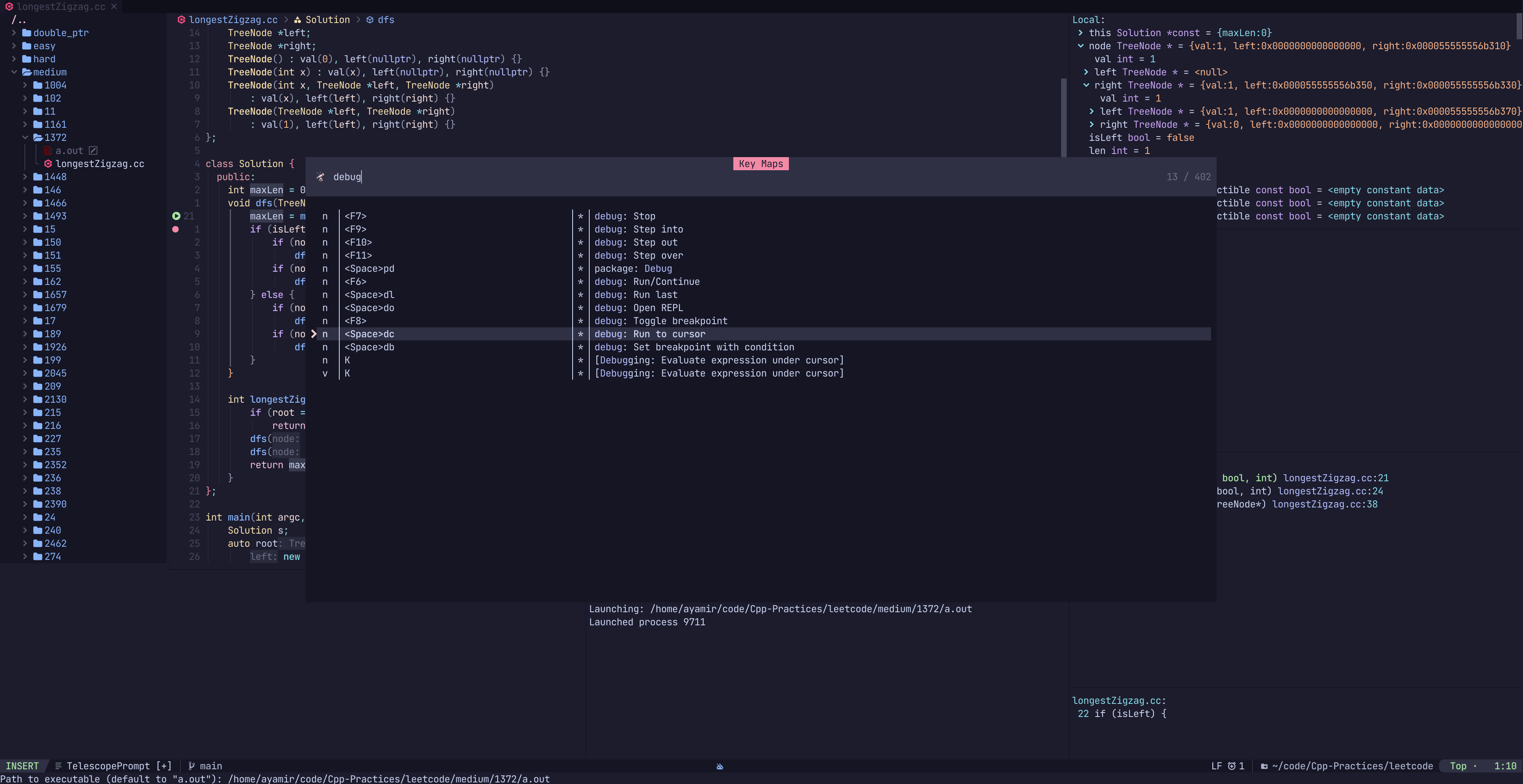
- Provides a full coding environment out of the box, including a dashboard, Telescope file searching, debugging support, an LLM code action view, and a built-in terminal hosting Lazygit.
- Keeps plugins organized with
lazy.nvim, with a documented dependency diagram available in the Wiki.
- Maintains parallel branches for specific Neovim versions:
0.10, 0.11, main (0.12 stable), and 0.13 for nightly builds.
- Runs on Linux, macOS, and Windows, with an interactive bootstrap script for each platform and dedicated NixOS support.
- Is written entirely in Lua and structured as modules, so individual configuration pieces can be edited without dismantling the whole setup.
- Supports troubleshooting through the built-in
:checkhealth command, which the README points to before users open an issue.
Who uses it and how
- Developers on Linux and macOS who want an IDE-like Neovim rather than a minimal editor, using the
*nix bootstrap script that prefers curl and falls back to wget.
- Windows users who run
install.ps1 from a PowerShell 7.1 or newer (pwsh) session to obtain the same configuration on their machine.
- NixOS users, who follow the dedicated NixOS page in the Wiki to integrate the configuration with their system setup.
- Users tracking Neovim's development, who check out the
0.13 branch for nightly builds while everyone else stays on a stable branch.
- Contributors and reporters: the repository shows 3,416 stars, 479 forks, and 4 open issues, with pull requests and issues welcomed for improvements and remaining problems.
Getting started
Run the interactive bootstrap for your platform: the *nix command executes scripts/install.sh via curl or wget, while Windows users run scripts/install.ps1 under pwsh v7.1 or later. The README strongly recommends reading the Wiki page on Prerequisites first, especially on *nix systems.
How it compares
No comparable configurations are named in the project's own materials, so in this registry nvimdots stands on its own as a self-contained Neovim setup; what it does name is lazy.nvim, which it adopts for plugin management rather than providing its own manager.
When to use it — and when not to
It suits someone who wants a batteries-included editor and is willing to read the Wiki for prerequisites, keybindings, and customization, and to keep an eye on which branch matches their Neovim version. It is a poor fit for a developer who wants a minimal, hand-written config or full control over every plugin, and the 0.13 nightly branch explicitly harbors subtle issues, with such reports closed unless a viable solution is proposed. The documentation is spread across the README and Wiki rather than concentrated in one place, so expect some reading before the setup feels fully understood.
project readme (upstream, from github) — read inline
nvimdots








🪷 Introduction
This repo hosts our Neovim configuration for Linux (with NixOS support), macOS, and Windows. init.lua is the config entry point.
Branch info:
[!IMPORTANT]
The 0.13 branch is intended for nightly Neovim builds and is not stable. It typically harbors subtle issues scattered throughout. Therefore, refrain from submitting issues if you happen to encounter them. They will be closed directly unless a viable solution is proposed or included.
We currently manage plugins using lazy.nvim.
Chinese introduction is here.
🎐 Features
- Fast. Less than 50ms to start (Depends on SSD and CPU, tested on Zephyrus G14 2022 version).
- Simple. Runs out of the box.
- Modern. Pure
lua config.
- Modular. Easy to customize.
- Powerful. Full functionality to code.
🏗 How to Install
Simply run the following interactive bootstrap command, and you should be all set 👍
- Windows (Note: This script REQUIRES
pwsh > v7.1)
Set-ExecutionPolicy Bypass -Scope Process -Force; Invoke-Expression ((New-Object System.Net.WebClient).DownloadString('https://raw.githubusercontent.com/ayamir/nvimdots/HEAD/scripts/install.ps1'))
if command -v curl >/dev/null 2>&1; then
    bash -c "$(curl -fsSL https://raw.githubusercontent.com/ayamir/nvimdots/HEAD/scripts/install.sh)"
else
    bash -c "$(wget -O- https://raw.githubusercontent.com/ayamir/nvimdots/HEAD/scripts/install.sh)"
fi
It's strongly recommended to read Wiki: Prerequisites before starting, especially for *nix users.
⚙️ Configuration & Usage
🗺️ Keybindings
See Wiki: Keybindings for details
🔌 Plugins & Deps
See Wiki: Plugins for details
(You can also find a deps diagram there!)
🔧 Usage & Customization
See Wiki: Usage for details
❄️ NixOS Support
See Wiki: NixOS Support for details
🤔 FAQ
See Wiki: FAQ for details
✨ Features
⏱️ Startup Time
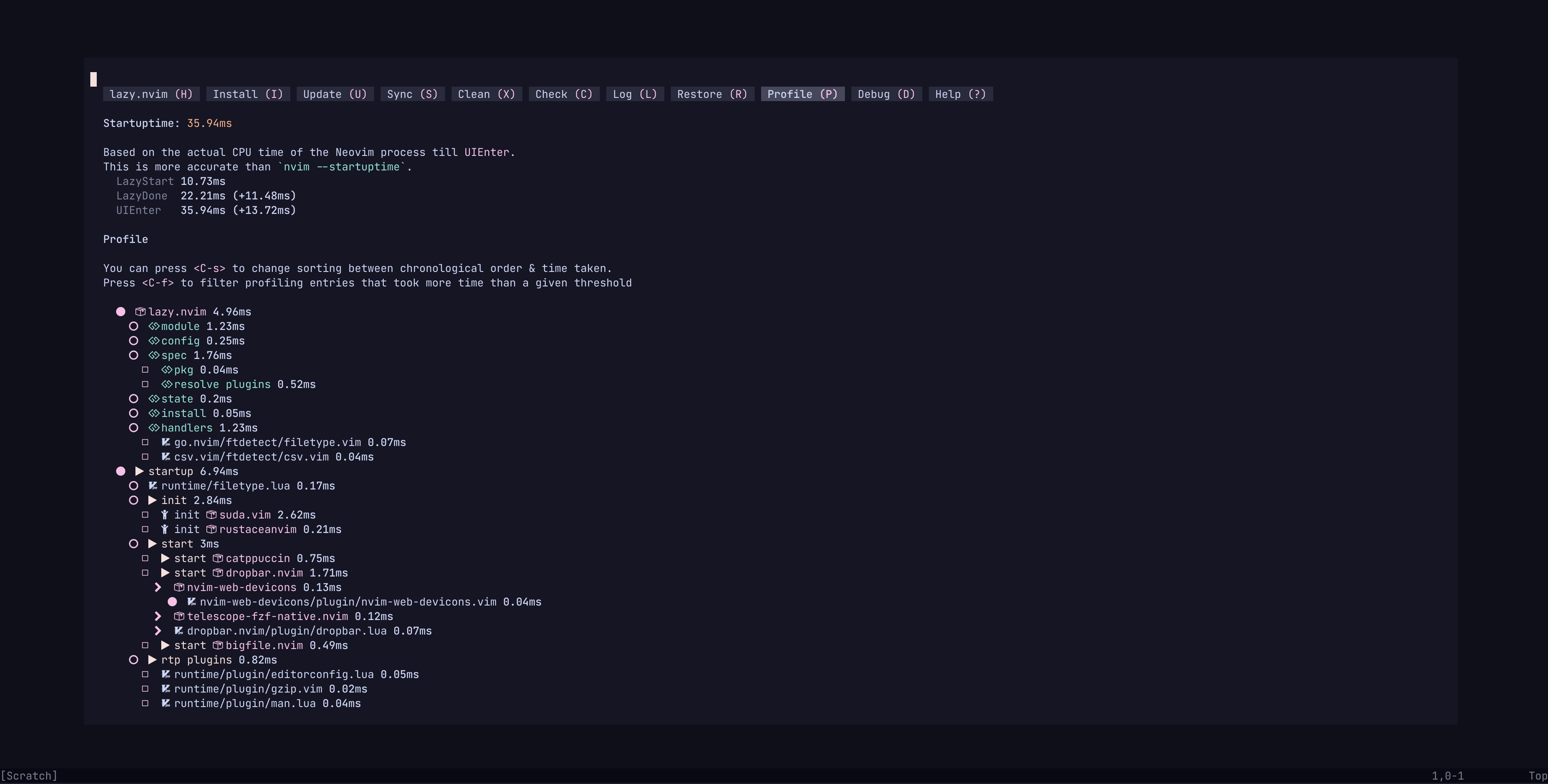 alt = "StartupTime"
/>
alt = "StartupTime"
/>
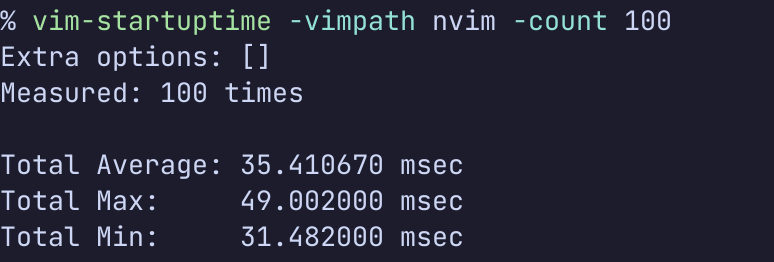 alt = "Vim-StartupTime"
/>
alt = "Vim-StartupTime"
/>
Tested with rhysd/vim-startuptime
📸 Screenshots
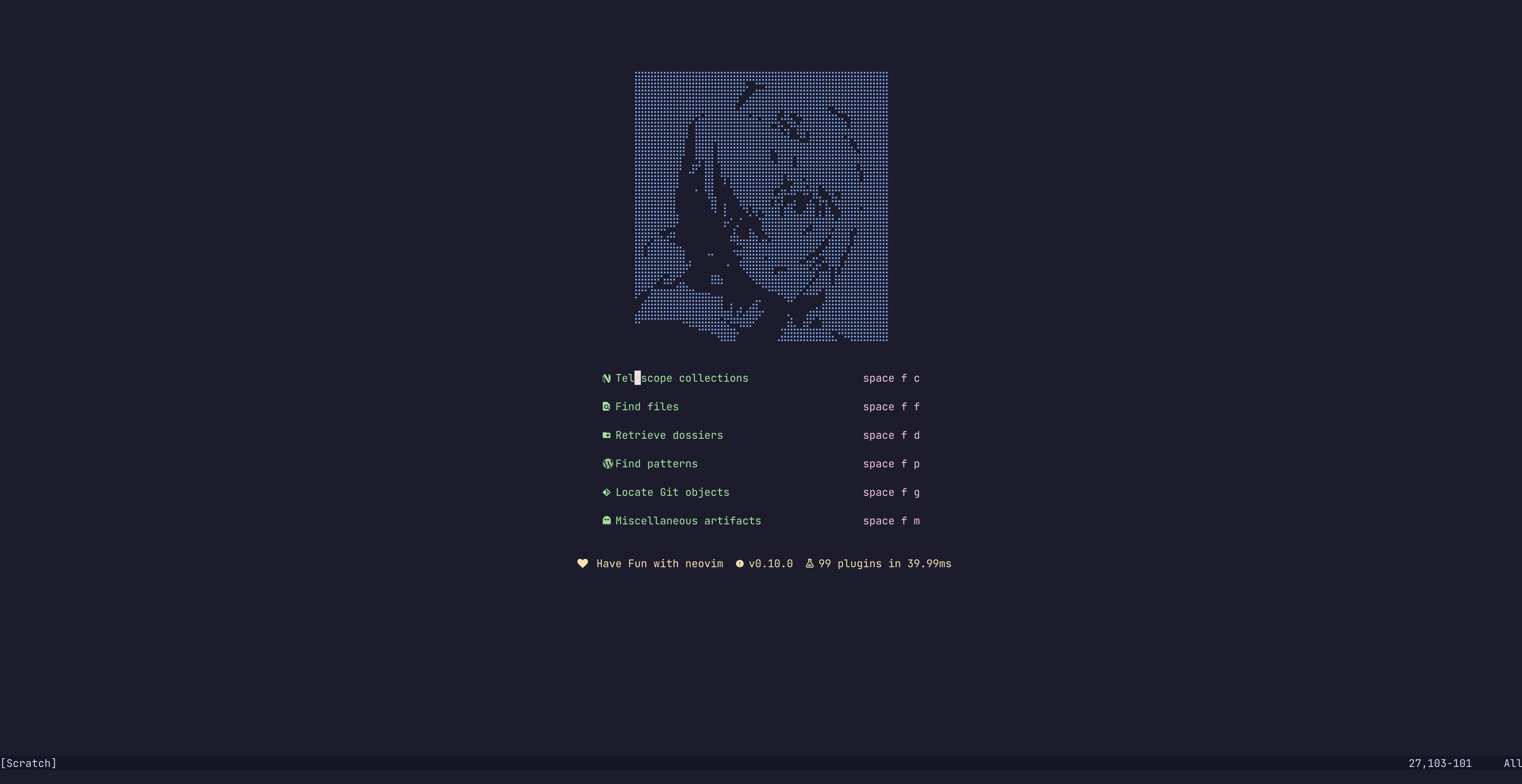 Dashboard
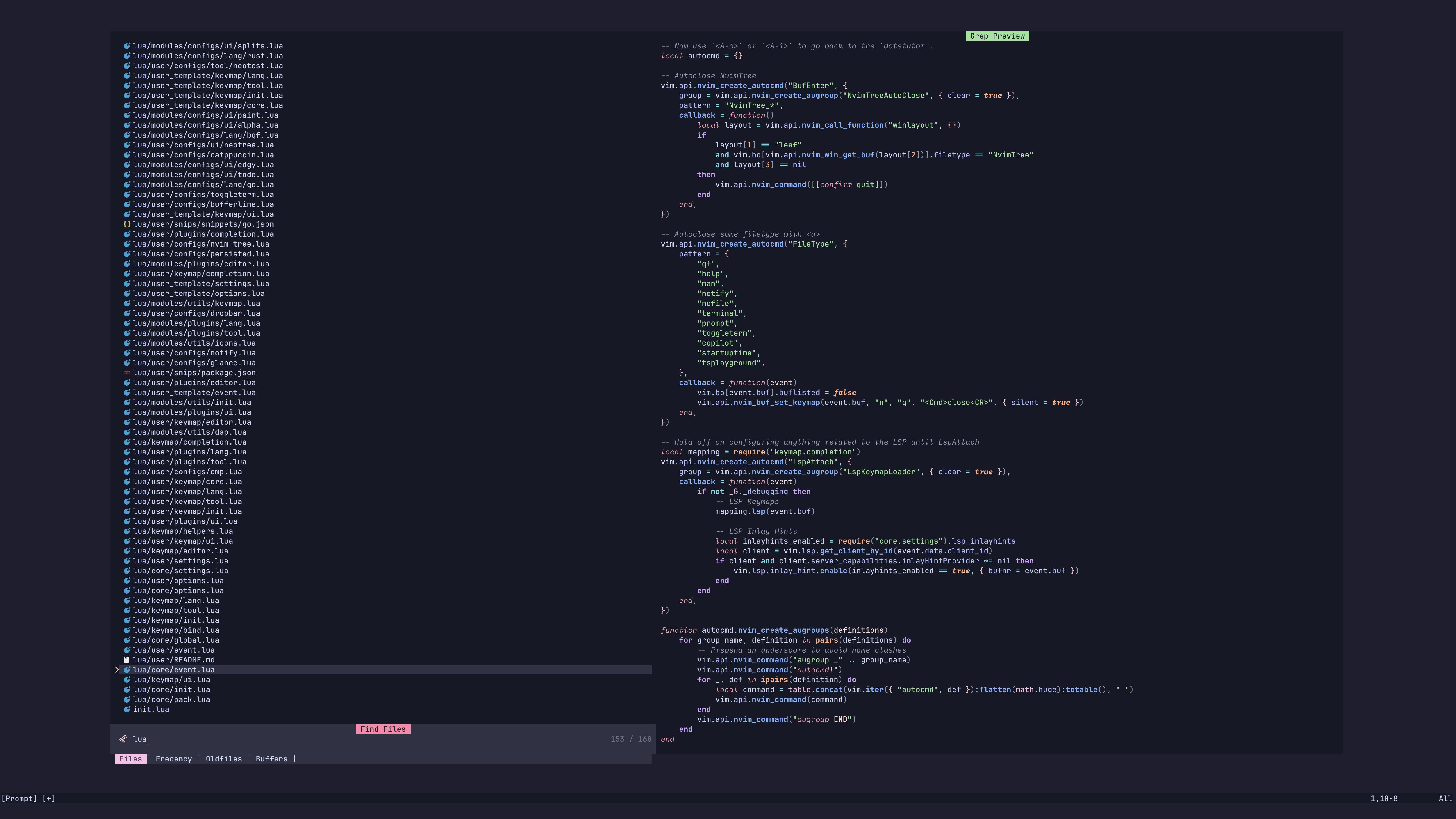 Telescope
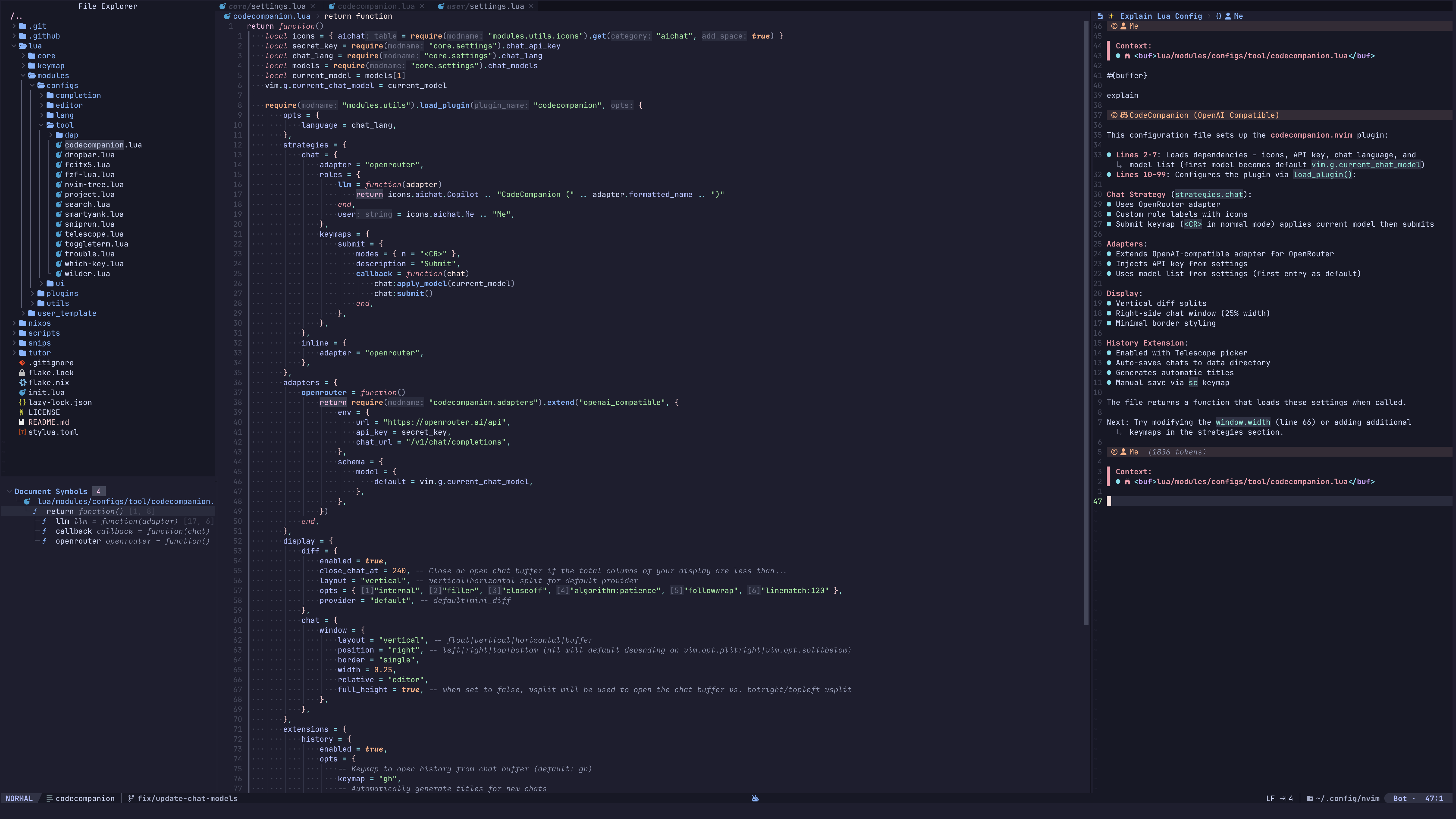 Coding with LLM
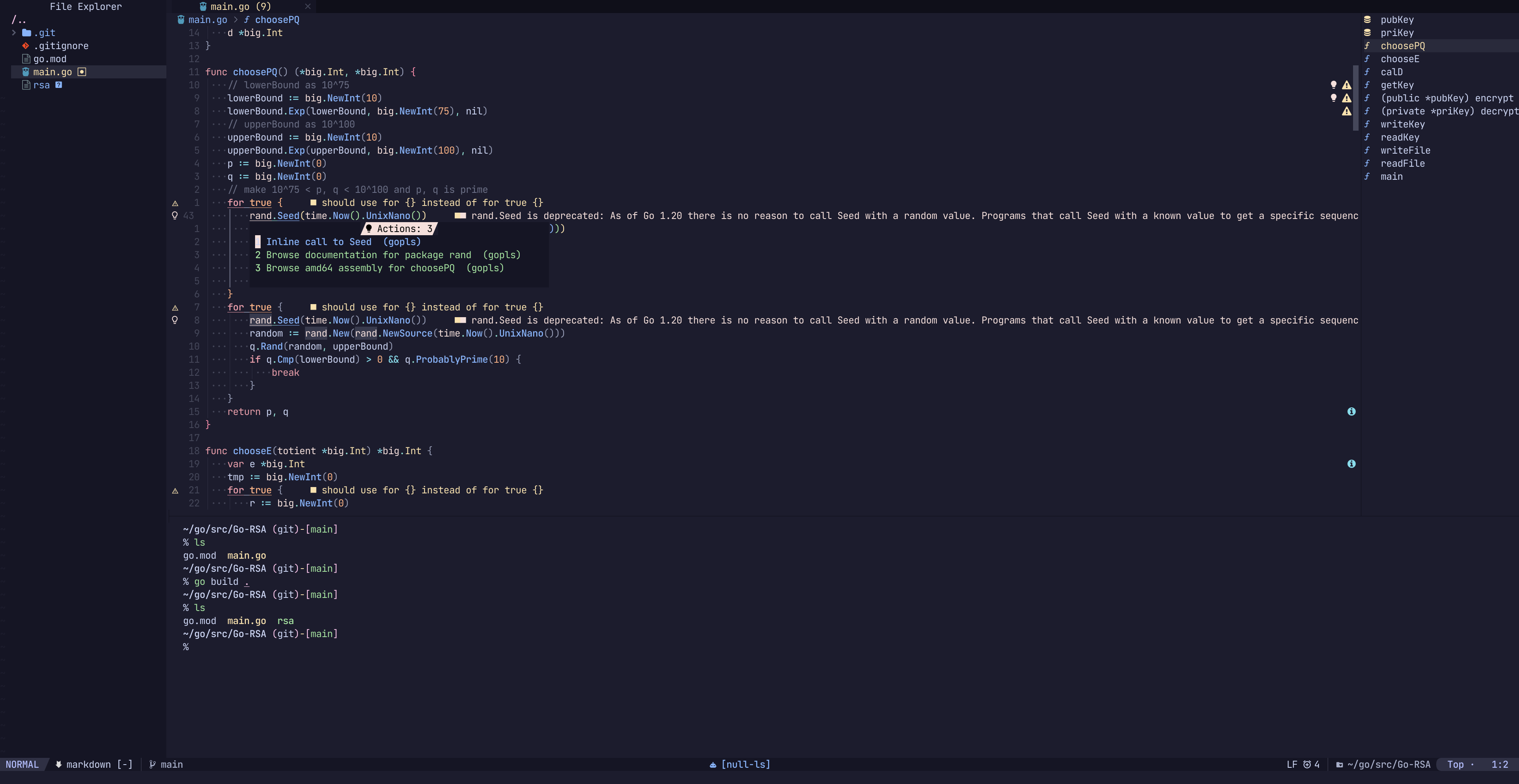 Code Action
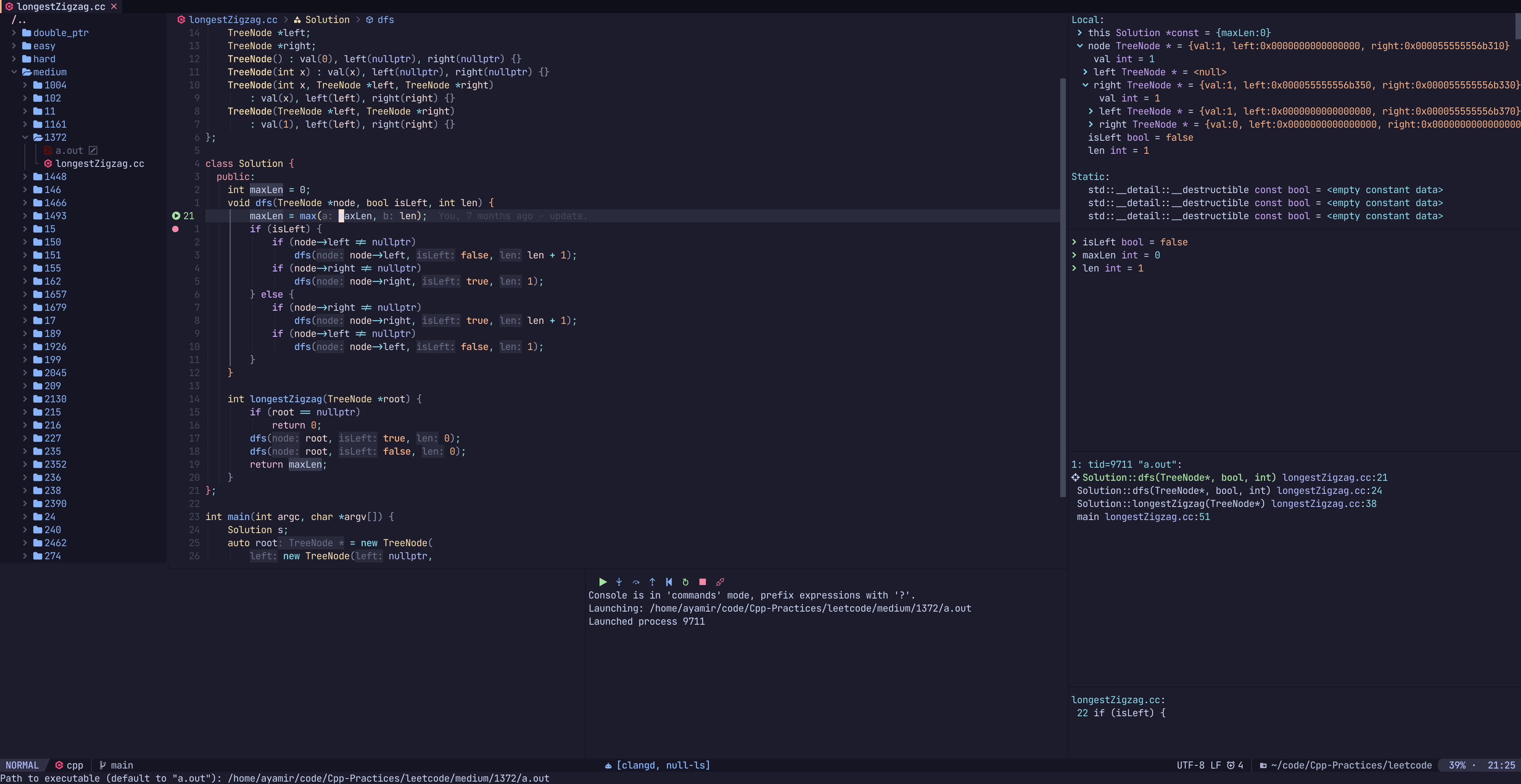 Debugging
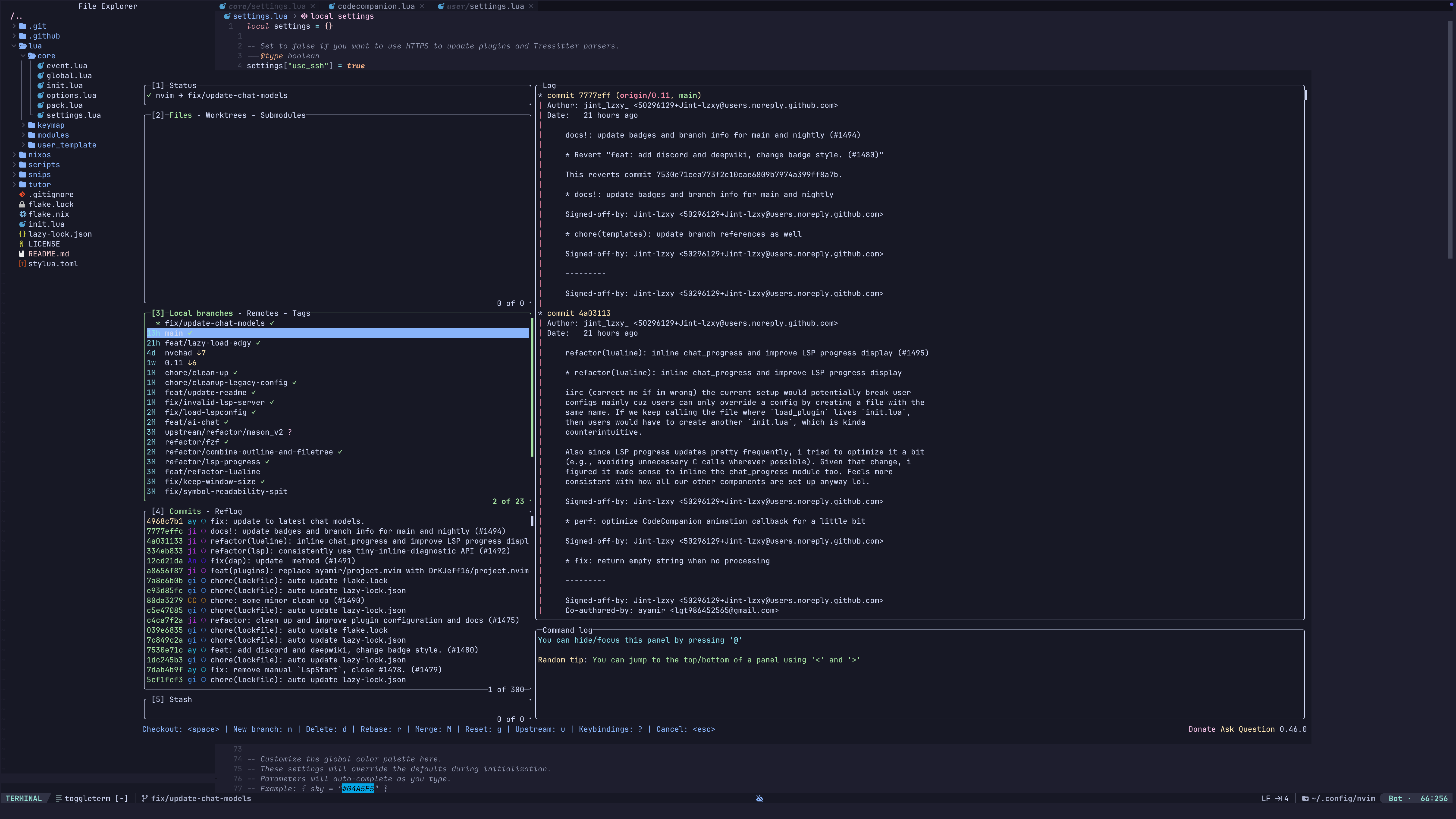 Lazygit with built-in Terminal
 Command quickref
👐 Contributing
- If you find anything that needs improving, do not hesitate to point it out or create a PR.
- If you come across an issue, you can first use
:checkhealth command provided by nvim to trouble-shoot yourself.
- If you still have such problems, feel free to open a new issue!
❤️ Thanks to
🎉 Acknowledgement
📜 License
This Neovim configuration is released under the BSD 3-Clause license, which grants the following permissions:
- Commercial use
- Distribution
- Modification
- Private use
For more convoluted language, see the LICENSE.