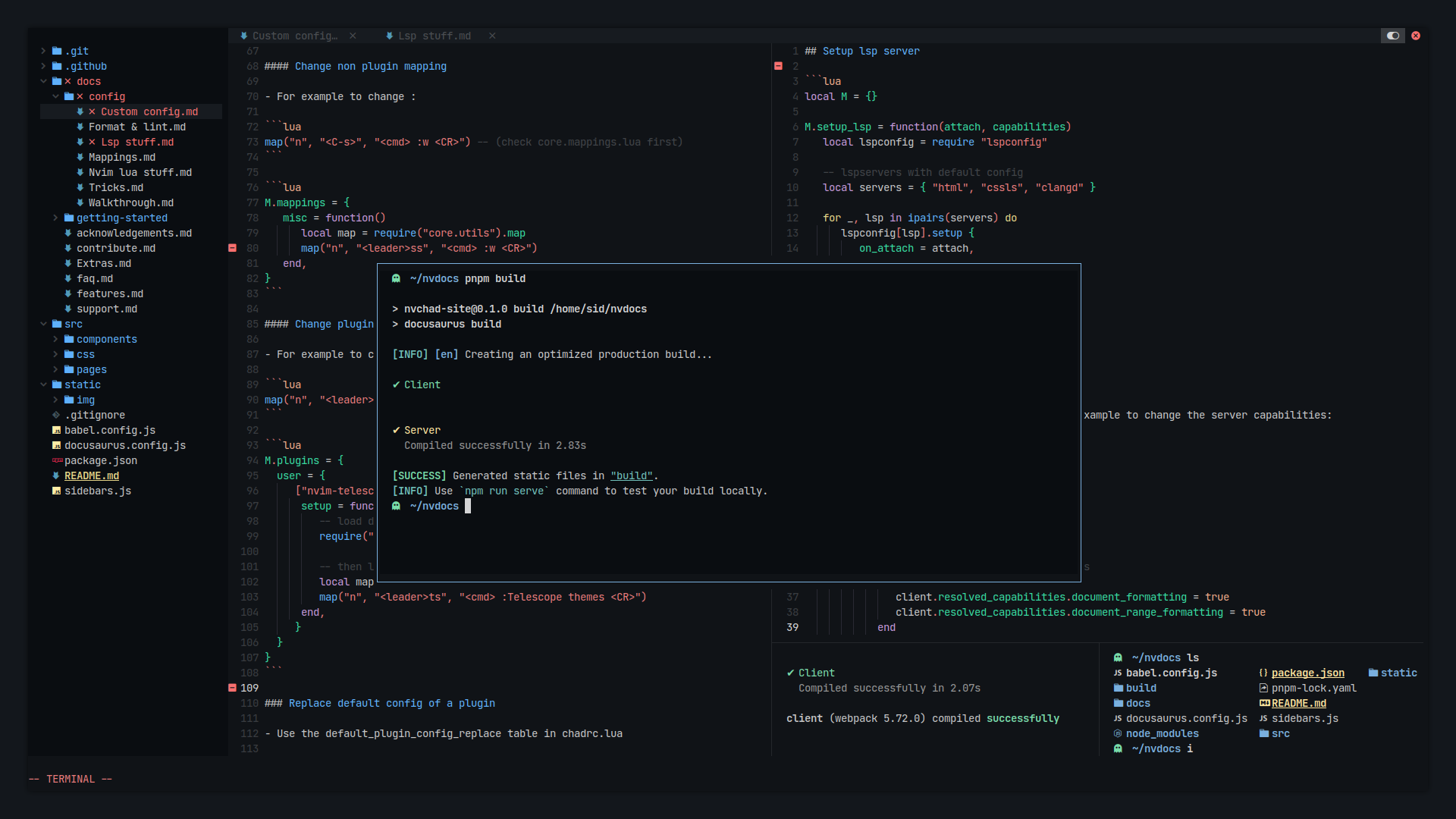
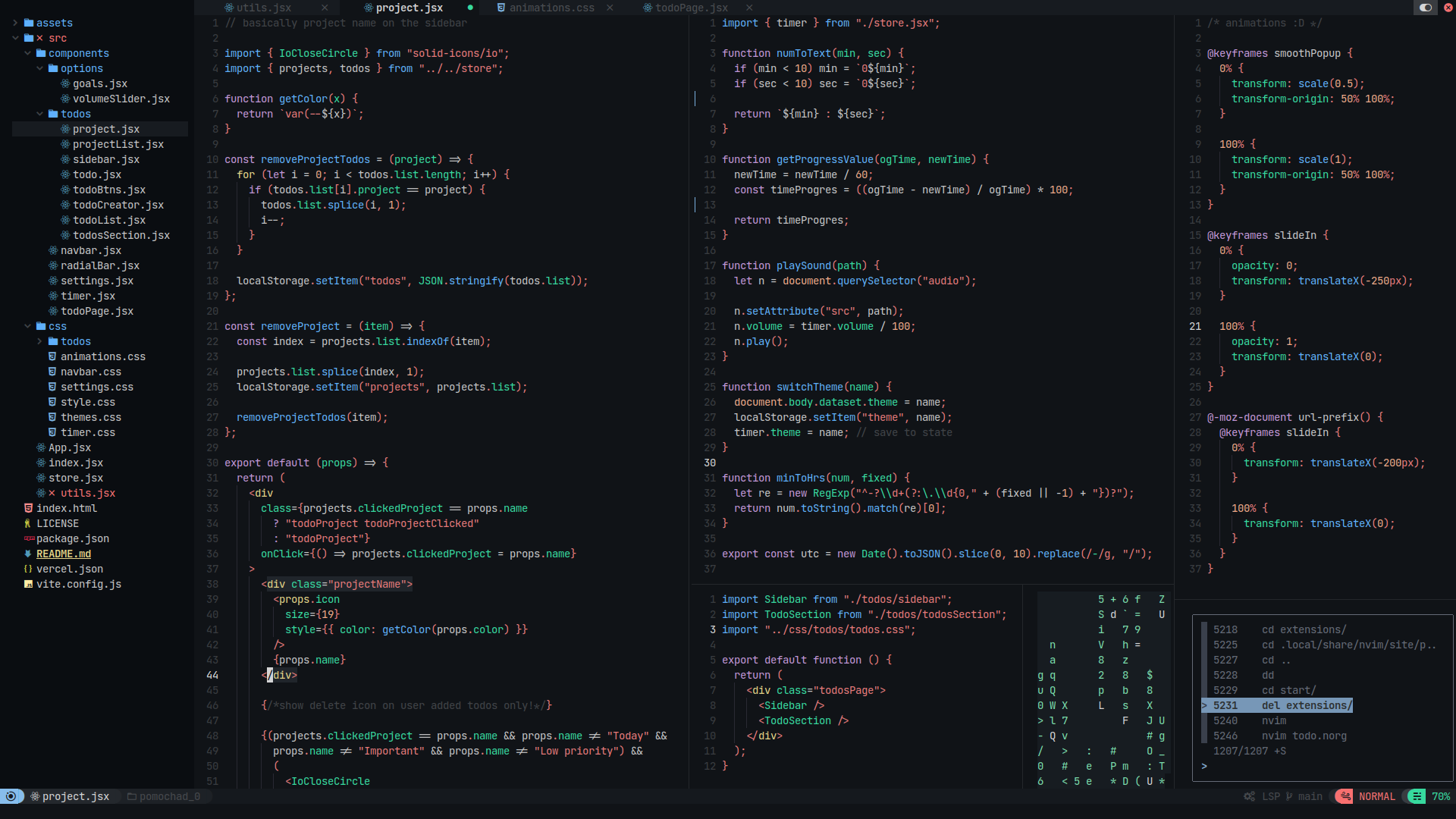
NvChad is a free, open source ides & code editors project written in Lua and released under GPL-3.0. It has 28,491 GitHub stars, 2,219 forks and 3 open issues, and was last pushed 3 months ago. On this registry it ranks #7 of 12 tracked projects in IDEs & Code Editors, with 5 head-to-head comparisons available.

What is NvChad?

NvChad is a Neovim configuration framework written in Lua that provides a base configuration with polished defaults and a beautiful UI, aimed at developers who want a fast, preconfigured editor without assembling a configuration from scratch.

What it is

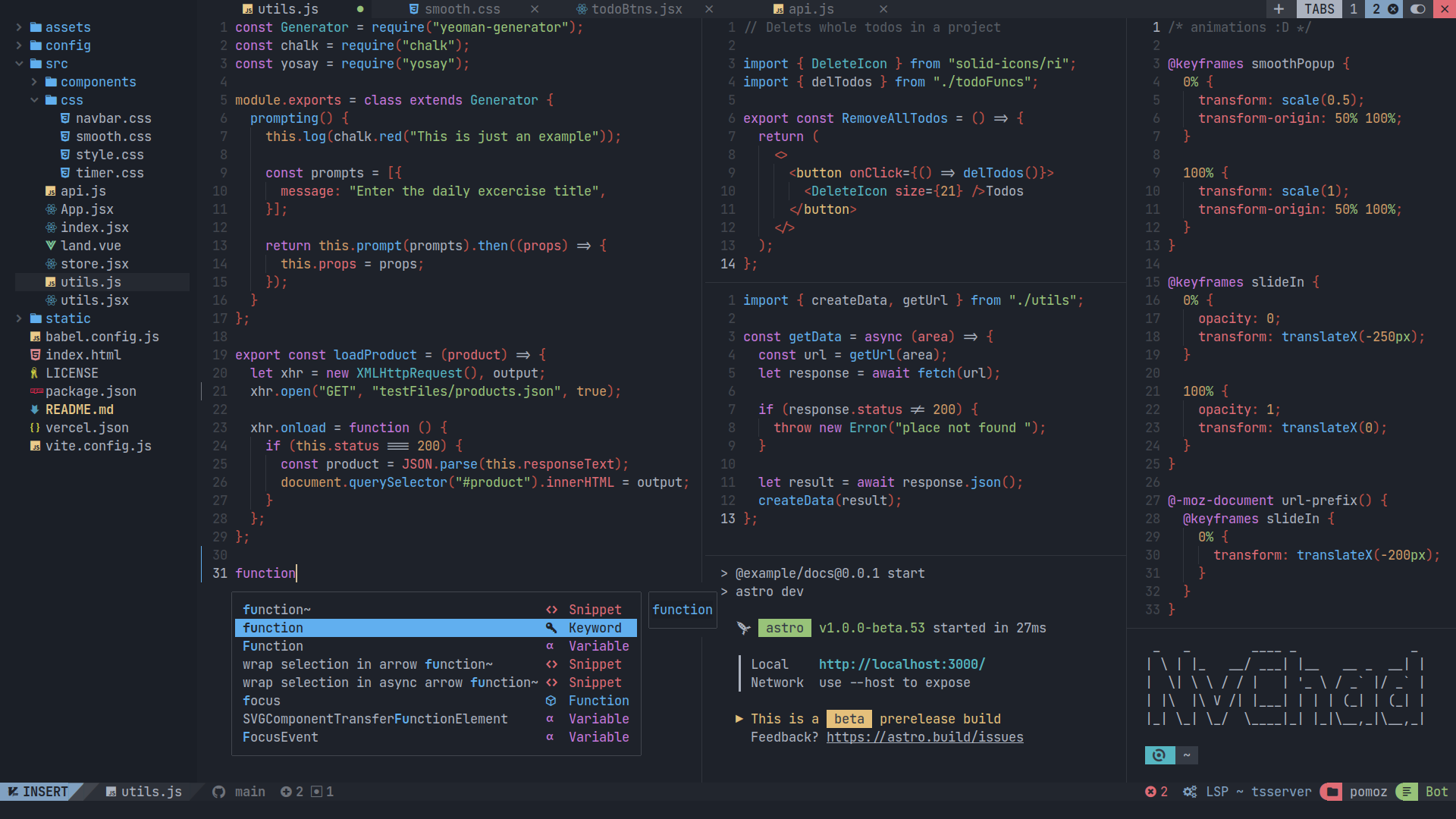
NvChad is a Neovim config written in Lua that aims to provide a base configuration with very beautiful UI and blazing fast startuptime, in the range of 0.02 to 0.07 seconds. It lives in the Neovim plugin ecosystem, and it is designed to be used with its own starter config, so that the NvChad main repository can be imported as a plugin through lazy.nvim's import feature. From that arrangement, modules such as autocmds from the NvChad repository become available to the user's configuration. The project tweaks UI plugins such as telescope and nvim-tree to provide an aesthetic experience, and it ships its own UI plugin alongside the core config.

The concrete problem it solves is the hand-rolled personal Neovim configuration: the dotfiles, vimrc and init.lua files that a user would otherwise write and maintain from scratch, as reflected in the project's topics (dotfiles, neovim-dotfiles, nvim-configs, vimrc). Instead of starting from an empty configuration and selecting, wiring and styling every plugin, a user starts from NvChad's base. Lazy loading is done 93 percent of the time, meaning plugins are not loaded by default and load only when required, at specific commands and events, which lowers startuptime; the README reports around 0.07 seconds tested on an old Pentium machine at 1.4 GHz with 4 GB of RAM and an HDD.

Key capabilities

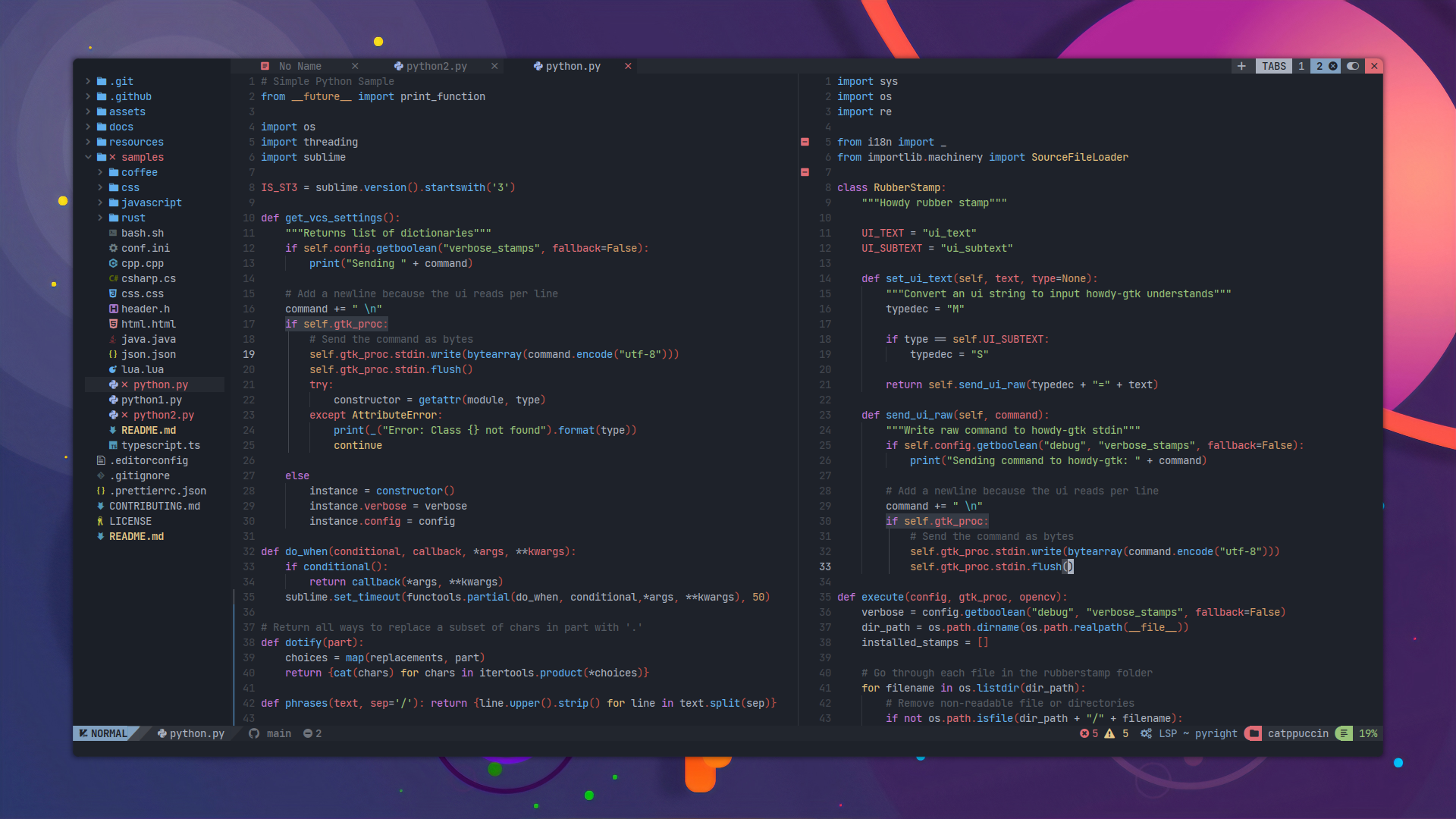
  • Around 90 themes with a theme toggler and a modern theme picker, provided by the base46 plugin.
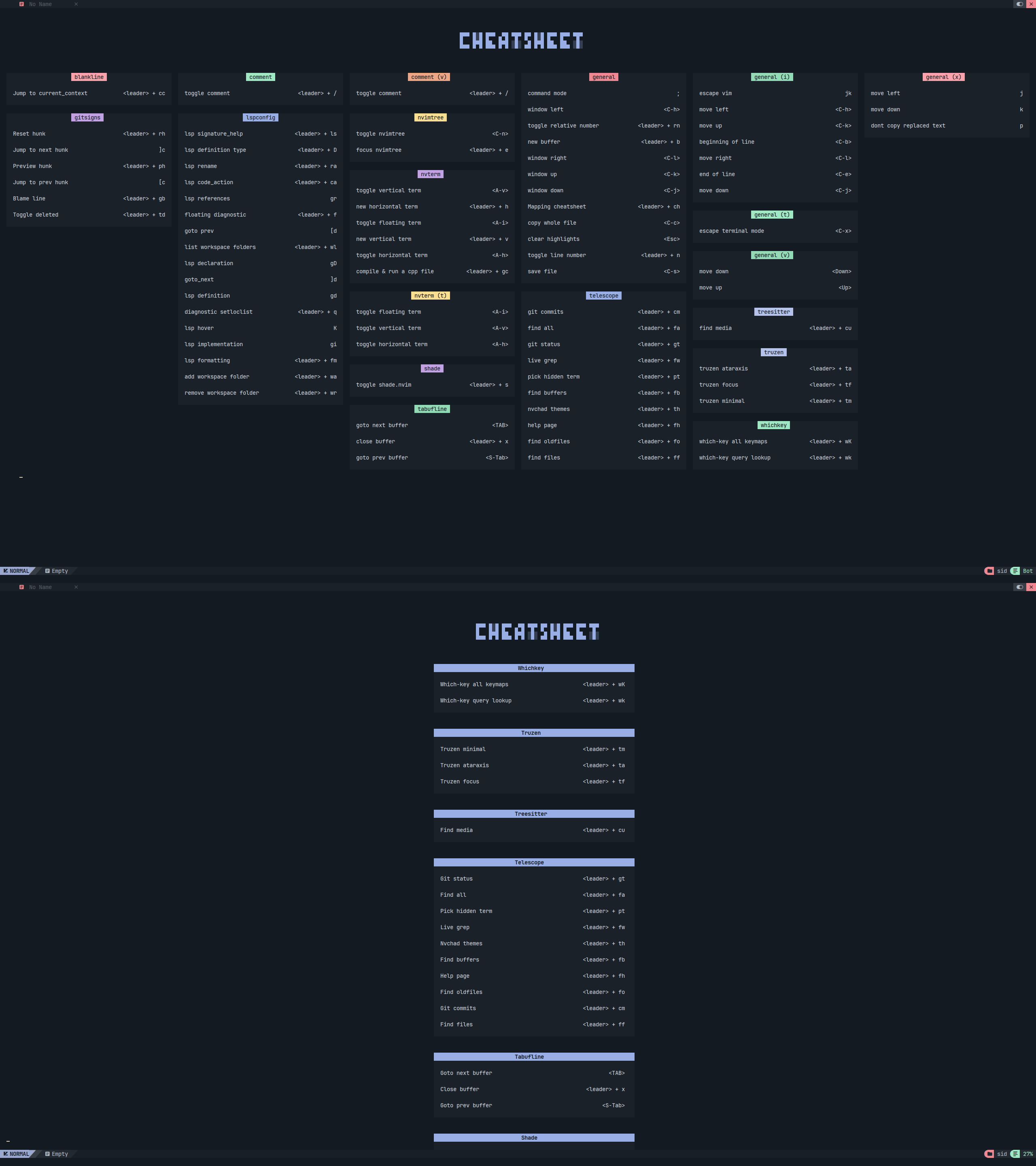
  • The NvChad UI plugin supplies statusline modules, tabufline (a per-tab bufferline and tab manager), cheatsheets, an NvChad updater, hide and unhide for terminal buffers, and a theme switcher.
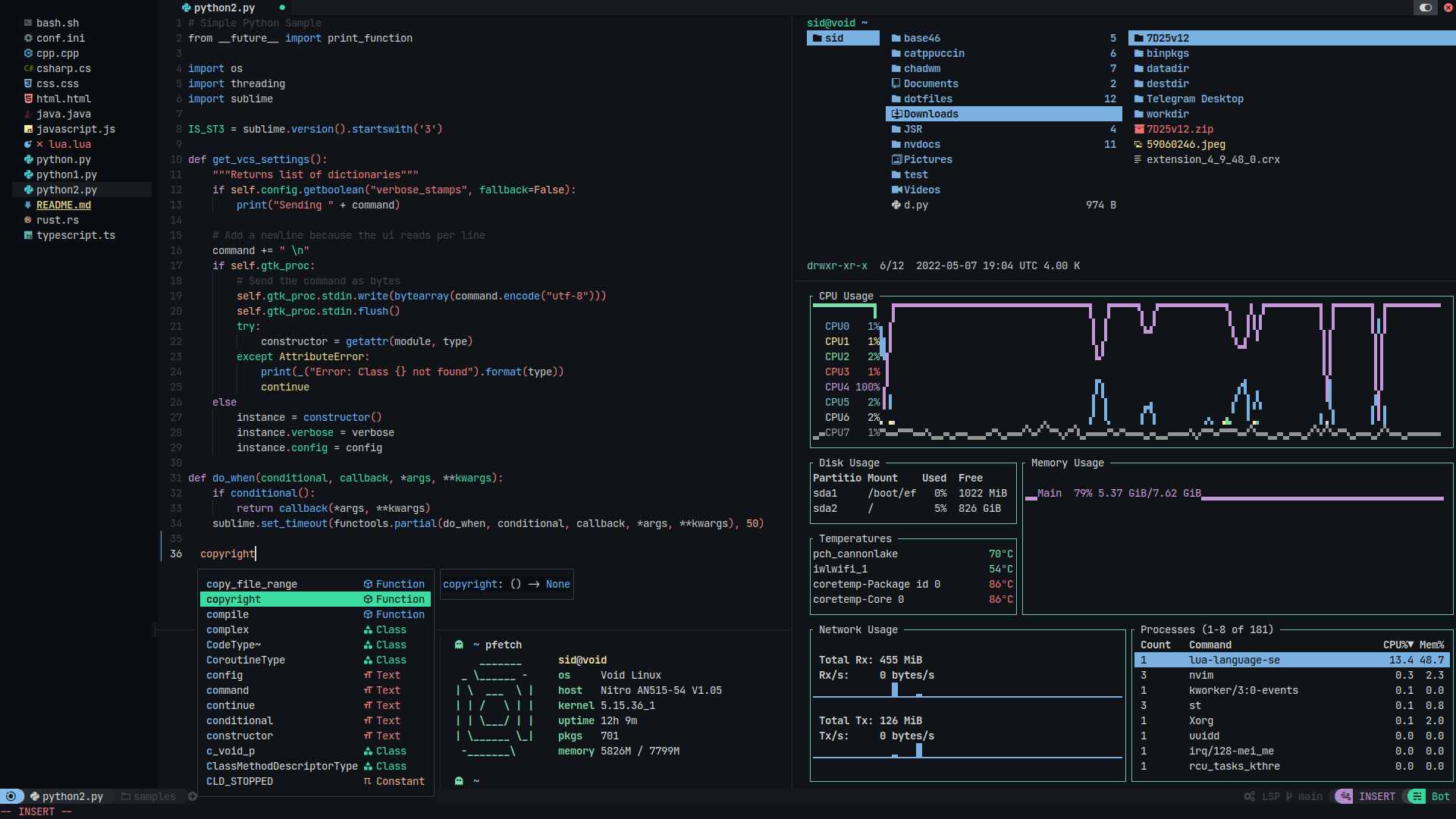
  • File navigation through nvim-tree.lua, plus fuzzy file finding, picking, sorting and previewing through telescope.nvim.
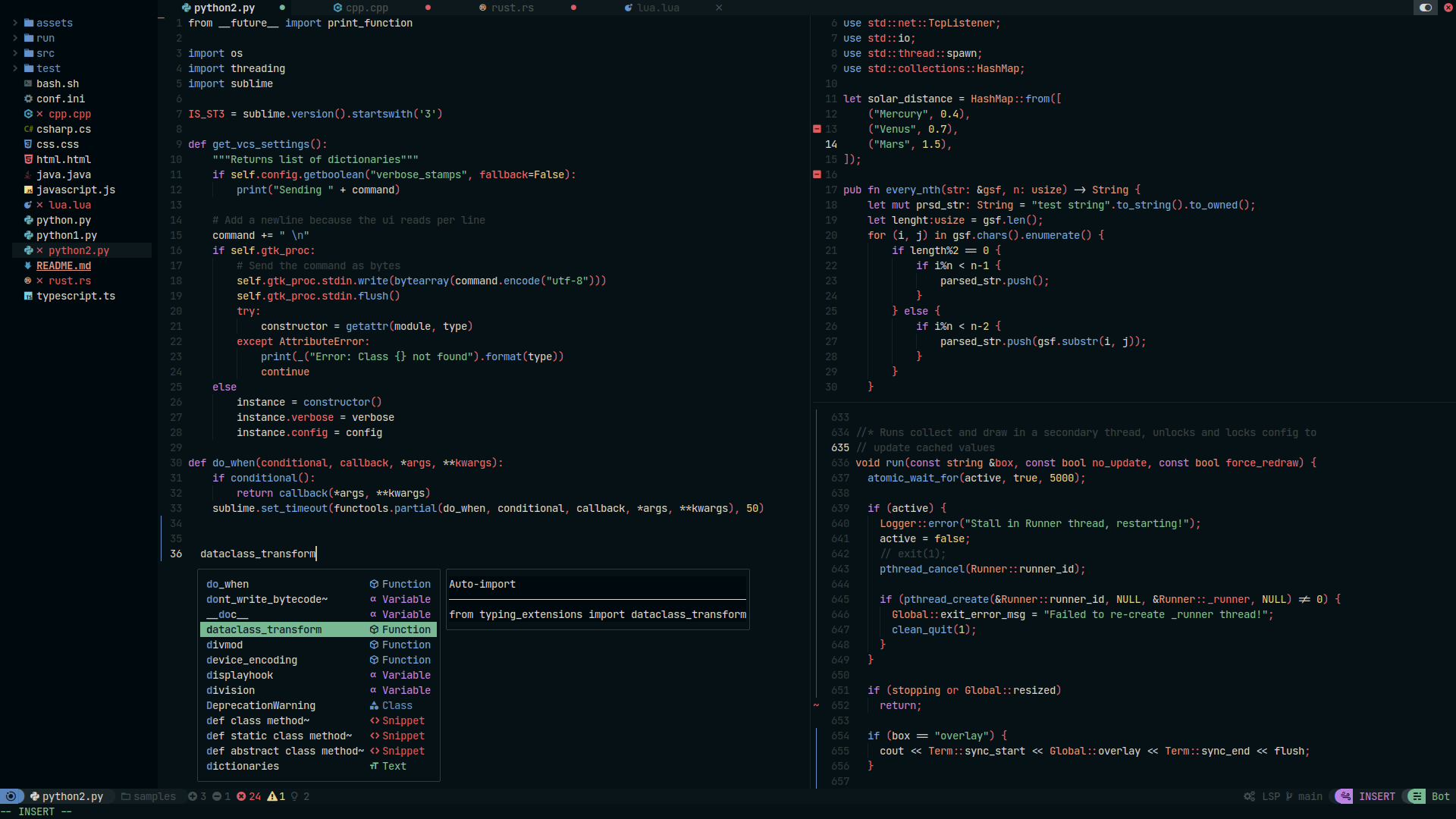
  • LSP configuration through nvim-lspconfig and mason.nvim, with autocompletion through nvim-cmp.
  • Syntax highlighting through nvim-treesitter, icons through nvim-web-devicons, and indent guides through indent-blankline.nvim.
  • Git diffs and related decorations through gitsigns.nvim.
  • Editing conveniences: autoclosing braces and HTML tags with nvim-autopairs, snippets through friendly-snippets plus LuaSnip, popup mapping key sheets through which-key.nvim, and the NvCheatsheet UI plugin.

Who uses it and how

  • Developers who want a preconfigured Neovim: they install the starter config, then import the NvChad repository as a plugin through lazy.nvim's import feature and reuse its modules, such as autocmds.
  • People who maintain personal dotfiles and Neovim or vim configurations, replacing a self-written config with a maintained base.
  • Users on constrained hardware: the lazy-loading design targets low startuptime, with the README citing a 1.4 GHz Pentium, 4 GB RAM and HDD test machine.
  • Contributors and community members: the repository carries the hacktoberfest topic, holds three open issues, and offers support through Discord, a Matrix room (#nvchad:matrix.org) and Telegram.

Getting started

Install the starter config from github.com/nvchad/starter, then import the NvChad repository as a plugin through lazy.nvim. Documentation and theme browsing live at nvchad.com, and Neovim 0.11 is the stated minimum version.

How it compares

The facts name no commercial products that NvChad replaces, and the only comparable tools named anywhere are Vim, vimrc and VS Code, which appear merely as repository topics. Among those, NvChad is distinct: it is not an editor or a fork, but a maintained Lua configuration layer on top of Neovim, positioned against hand-built vim configurations and as a polished alternative for users weighing VS Code-style UI.

When to use it — and when not to

A self-hoster must run Neovim 0.11 or newer, adopt the separate starter config, and rely on lazy.nvim for plugin import, with language servers arriving through mason.nvim. Anyone who wants to choose and wire every plugin personally, or who is pinned to an older Neovim release, should not pick it. The honest caveats are that NvChad is not a standalone distribution, that the README gives no release or version history beyond a last-push date, and that its GPL-3.0 licence is copyleft.

project readme (upstream, from github) — read inline

NvChad

HomeInstallContributeSupportFeatures

Neovim Minimum Version GitHub Issues Discord Matrix Telegram

Showcase

nvdash

What is it?

  • NvChad is a neovim config written in lua aiming to provide a base configuration with very beautiful UI and blazing fast startuptime (around 0.02 secs ~ 0.07 secs). We tweak UI plugins such as telescope, nvim-tree etc well to provide an aesthetic UI experience.

  • Lazy loading is done 93% of the time meaning that plugins will not be loaded by default, they will be loaded only when required also at specific commands, events etc. This lowers the startuptime and it was like 0.07~ secs tested on an old pentium machine 1.4ghz + 4gb ram & HDD.

  • NvChad is supposed to be used with its starter config, so nvchad main repo ( this repo ) can be imported as a plugin via lazy's import feature and then you can easily use this repo's modules like autocmds etc.

Theme Showcase
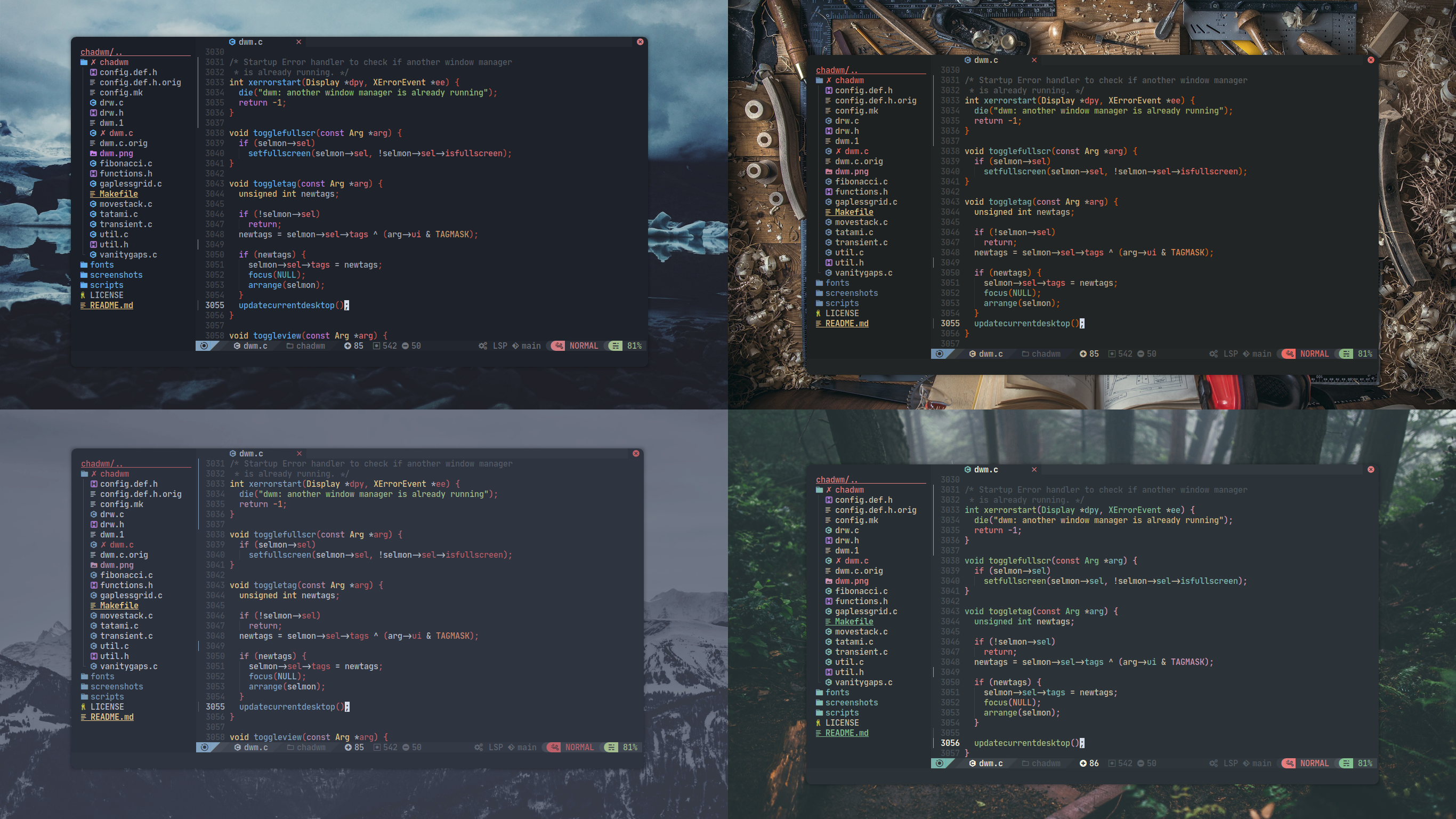
Images (Click to expand!)

4 themes radium 1 radium 2 radium 3

(Note: these are just 4-5 themes, NvChad has around 90 themes)

UI related plugins used

Images (Click to expand!)

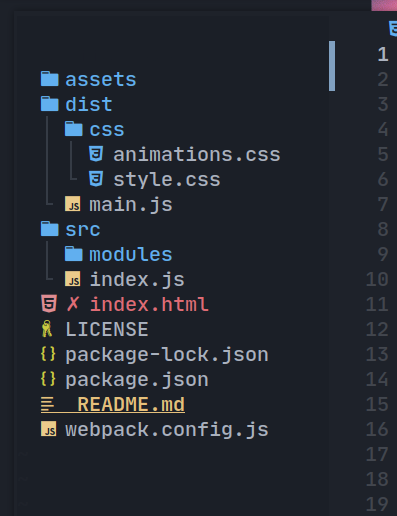
Nvim-tree.lua

Fast file tree:
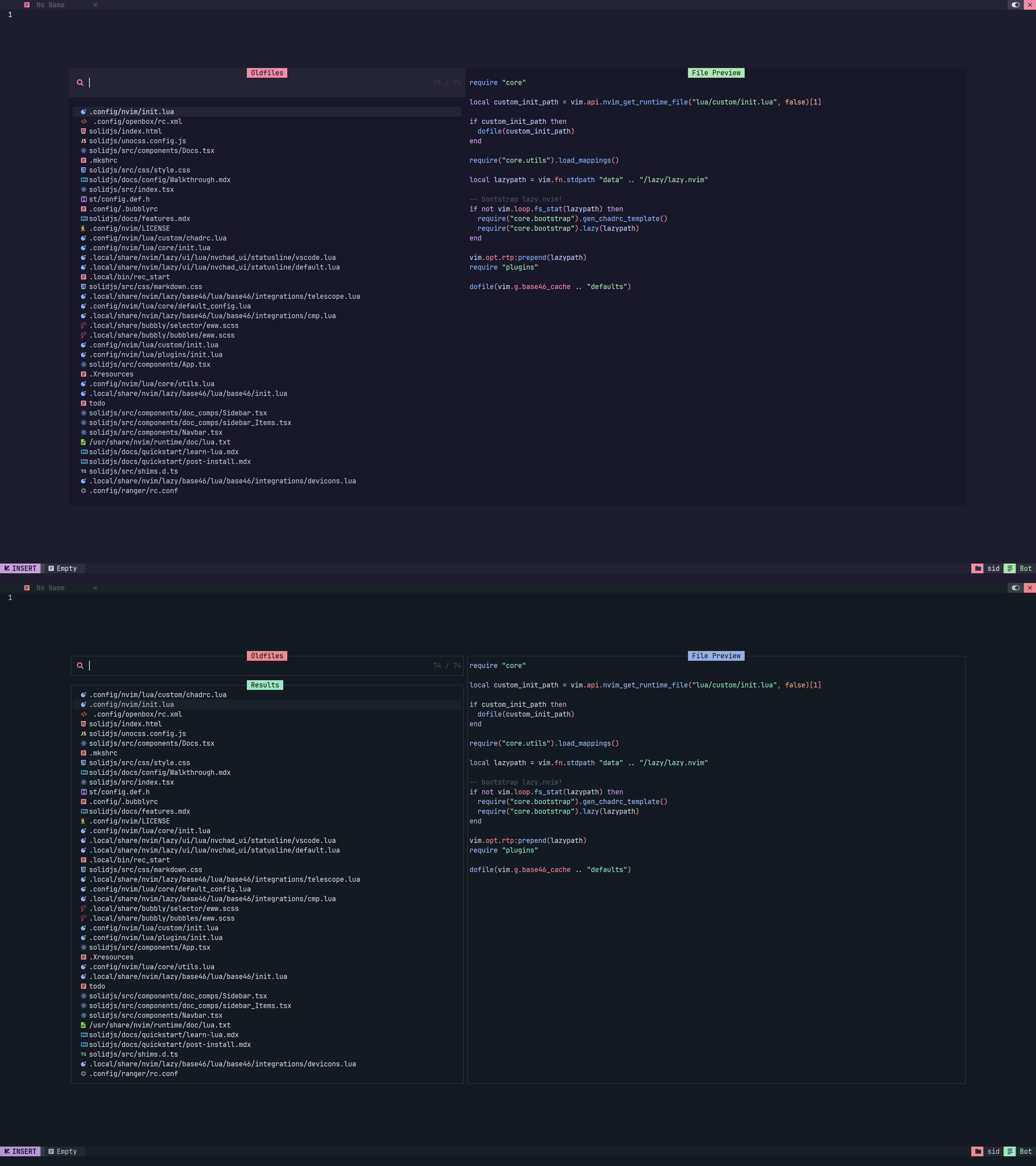
Telescope-nvim

A fuzzy file finder, picker, sorter, previewer and much more:
Our own statusline written from scratch

NvChad UI

Tabufline (our own pertab bufferline)

- Here's a [video](https://www.youtube.com/watch?v=V_9iJ96U_k8&ab_channel=siduck) that showcases it.

NvCheatsheet ( our UI Plugin )

Modern Theme Picker

For detailed info list, check features page

Plugins list

History

  • I (@siduck i.e creator of NvChad) in my initial days of learning to program wanted a lightweight IDE for writing code, I had a very low end system which was like 1.4ghz pentium + 4gb ram & HDD. I was into web dev stuff so many suggested me to use vscode but that thing was very heavy on my system, It took more ram than my browser! ( minimal ungoogled chromium ) so I never tried it again, sublime text was nice but the fear of using proprietary software XD for a linux user bugged me a lot. Then I tried doom-emacs which looked pretty but it was slow and I was lost within its docs, I tried lunarvim but too lazy to read the docs. Doom-emacs and lunarvim inspired me to make a config which is the prettiest + very fast and simple.

  • I'm decent at ricing i.e customizing system and making it look pretty so I posted my neovim rice on neovim subreddit, my neovim-dotfiles github repo blew up and then I had to come up with a name, I was amazed by the chad meme lol so I put NvChad as the name, the chad word in here doesn't literally mean the chad guy but in the sense such as chad linux vs windows i.e meaning superior, best etc. NvChad was made for my personal use but it gained some popularity which inspired me to make a public config i.e config usable by many and less hassle to update as everyone's going to use the same base config (NvChad) with their custom modifications (which are gitignored so that won't mess up), without the custom config stuff users would have to keep a track of every commit and copy paste git diffs to manually update nvchad.

:gift_heart: Support

If you like NvChad and would like to support & appreciate it via donation then I'll gladly accept it.

kofi paypal buymeacoffee patreon

Credits

  • Elianiva helped me with NeoVim Lua related issues many times, helped me in my initial neovim journey!
  • @lorvethe for making the beautiful NvChad logo.

Frequently asked questions

Is NvChad free to use?

NvChad is open source under the GPL-3.0 licence. There is no licence fee and no seat count — you can self-host it or, where the project offers one, pay a vendor for a managed version instead.

What does NvChad do?

Blazing fast Neovim framework providing solid defaults and a beautiful UI, enhancing your neovim experience.

What is NvChad written in?

NvChad is primarily written in Lua. Its source is publicly available at https://github.com/NvChad/NvChad, and it has 28,491 GitHub stars.