nps is a free, open source networking & connectivity project written in Go and released under GPL-3.0. It has 1,089 GitHub stars, 156 forks and 15 open issues, and was last pushed 23 hours ago. On this registry it ranks #59 of 73 tracked projects in Networking & Connectivity, with 5 head-to-head comparisons available.

What is nps?

NPS Enhanced is a lightweight, GPL-3.0-licensed NAT traversal and reverse proxy system written in Go, managed through a Web interface, for administrators who need to expose TCP, UDP, HTTP, HTTPS, or SOCKS5 services running behind NAT or a firewall.

What it is

NPS Enhanced pairs a server binary (nps) running on a host with a reachable address and a client binary (npc) running inside the private network and dialing outward, so internal services become reachable without inbound firewall rules. It is written in Go, ships for Linux and Windows as well as Docker images, reads its settings from nps.conf, and covers TCP, UDP, HTTP, HTTPS, and SOCKS5 traffic.

The problem it solves is the one every private network has: machines inside have no routable address, and opening a port on the router tends to expose the whole host rather than a single service. NPS Enhanced lives in the Go self-hosted networking ecosystem and is an enhanced edition of the original NPS project (ehang-io/nps), which it replaces for operators who want the same model with active maintenance, continuous refactoring, and better stability.

Key capabilities

  • Multi-protocol forwarding and proxying: TCP and UDP forwarding, HTTP/HTTPS reverse proxy, HTTP and SOCKS5 proxy, and a P2P mode.
  • A choice of client-to-server transports — TCP, KCP, TLS, QUIC, WS, and WSS — alongside Proxy Protocol and HTTP/3 support.
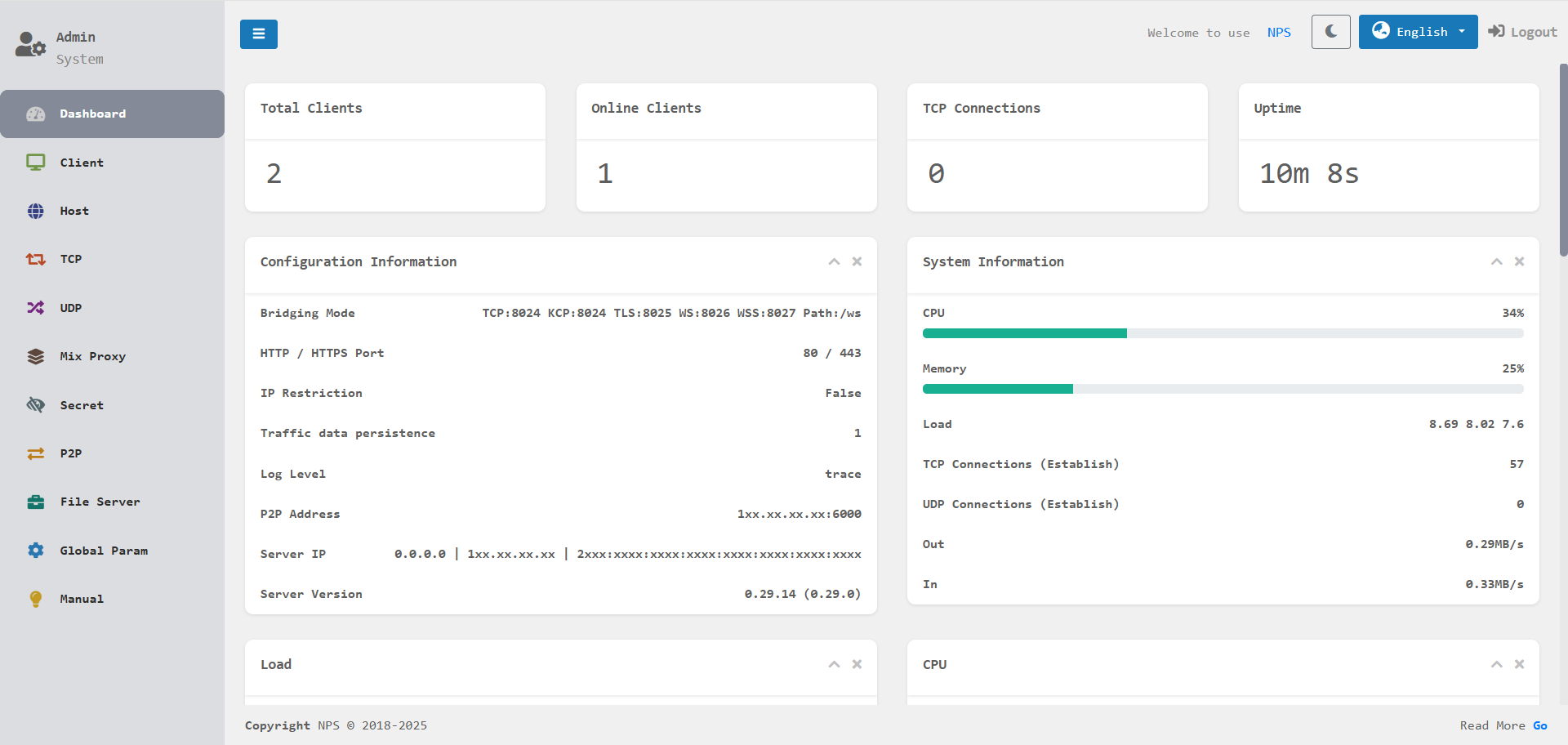
  • A Web management interface with real-time monitoring of traffic, connection status, and client states.
  • Security and governance controls including encrypted transmission, traffic limiting, access expiration, certificate management, and certificate renewal.
  • Cross-platform deployment on Linux and Windows, with installation as a system service, plus companion clients for Android (djylb/npsclient) and OpenWrt (djylb/nps-openwrt).
  • Published container images as duan2001/nps and duan2001/npc on Docker Hub and as GHCR packages under djylb/nps.
  • Real client IP preservation when combined with mmproxy (djylb/mmproxy-docker), for example for SSH.

Who uses it and how

  • Self-hosters and small operations exposing internal web applications, SSH, and similar services from a home or office network with no public address.
  • Docker users running the server with --net=host and a bind-mounted conf directory, editing nps.conf directly while the Web UI handles day-to-day management.
  • Router-level and mobile deployments through the OpenWrt package and the Android client, covering sites where a full server is impractical.
  • Teams that need per-service controls such as traffic caps and access expiration rather than an all-or-nothing VPN tunnel.
  • Deployments that must preserve the real client IP downstream, running mmproxy alongside the tunnel.

Getting started

The quickest route is Docker: pull duan2001/nps, run it with --net=host and a volume mounted at /conf, then edit nps.conf for listening ports and related settings; the matching client image is duan2001/npc. GHCR images and Linux and Windows installations are also published.

How it compares

The topic list places NPS Enhanced alongside frp as a self-hosted tunneling and reverse proxy tool in the same category, while the README defines it explicitly as an enhanced edition of the original NPS (ehang-io/nps). Against that upstream project the distinction is maintenance, refactoring, and stability work rather than a different model, and the project remains GPL-3.0 licensed and fully self-hosted, so the operator keeps the server, the configuration, and the traffic.

When to use it — and when not to

The operator has to run both ends — an nps server on a reachable host and an npc client inside the private network — and handle certificates where HTTPS, TLS, or secure transports are used. Detailed configuration is not in the README, which defers to the external documentation at d-jy.net/docs/nps/, so anyone wanting a fully managed service or documentation kept inside the repository should look elsewhere. Because it is a fork of an existing codebase, users also inherit the original NPS conventions and terminology.

project readme (upstream, from github) — read inline

NPS Enhanced

An enhanced and actively maintained NAT traversal and reverse proxy system with Web UI.

GitHub Stars GitHub Forks Release GitHub All Releases

⭐️ Give us a star on GitHub if you like it!


Introduction

NPS is a lightweight and efficient NAT traversal and reverse proxy system for exposing services behind NAT or firewalls. It supports multiple protocols such as TCP, UDP, HTTP, HTTPS, and SOCKS5, and provides a Web management interface for convenient deployment and monitoring.

Based on the original NPS project, NPS Enhanced has evolved into an actively maintained and extensively improved edition with continuous refactoring, better stability, and many practical enhancements for modern deployment scenarios.

NPS Web UI


Why NPS Enhanced

  • Easy to install
    Provides simple deployment methods for Docker, Linux, and Windows, making setup and updates straightforward.

  • Lightweight and efficient
    Designed to stay lightweight while delivering strong performance for daily NAT traversal and reverse proxy usage.

  • Easy to manage
    Comes with a Web UI for configuration, monitoring, and routine management, reducing deployment and maintenance complexity.

  • Powerful and flexible
    Supports multiple proxy types, transport protocols, and practical features for a wide range of private-network access scenarios.


Key Features

  • Multi-Protocol Support
    Supports TCP/UDP forwarding, HTTP/HTTPS reverse proxy, HTTP/SOCKS5 proxy, P2P mode, Proxy Protocol support, HTTP/3 support, and more for different private-network access scenarios.

  • Cross-Platform Deployment
    Compatible with major platforms such as Linux and Windows, and can be easily installed as a system service.

  • Web Management Interface
    Provides real-time monitoring of traffic, connection status, and client states with an intuitive and user-friendly interface.

  • Security and Extensibility
    Built-in features such as encrypted transmission, traffic limiting, access expiration controls, certificate management, and certificate renewal help improve security and manageability.

  • Multiple Connection Protocols
    Supports connecting to the server using TCP, KCP, TLS, QUIC, WS, and WSS protocols.


Installation and Usage

For more detailed configuration options, please refer to the Documentation.

Android | OpenWrt

Docker Deployment

DockerHub: NPS | NPC

GHCR: NPS | NPC

If you need to obtain the real client IP, you can use it together with mmproxy. For example: SSH.

NPS Server
docker pull duan2001/nps
docker run -d --restart=always --name nps --net=host -v $(pwd)/conf:/conf -v /etc/localtime:/etc/localtime:ro duan2001/nps

Tip: After installing NPS, edit nps.conf (for example: listening ports and Web admin credentials) before starting the service.

NPC Client
docker pull duan2001/npc
docker run -d --restart=always --name npc --net=host duan2001/npc -server=xxx:123,yyy:456 -vkey=key1,key2 -type=tls,tcp -log=off

Tip: Get -server, -vkey, and -type from the client page in the NPS Web UI to avoid manual input mistakes.

Server Installation

Linux
# Install (default configuration path: /etc/nps/; binary file path: /usr/bin/)
wget -qO- https://raw.githubusercontent.com/djylb/nps/refs/heads/master/install.sh | sudo sh -s nps
nps install
nps start|stop|restart|uninstall

# Update
nps update
nps update-force

Tip: For first-time setup, edit /etc/nps/nps.conf and verify it before running nps start.

Windows

Windows 7 users should use the version ending with old: 64 / 32 Install SP1, applicable system updates and current root certificates first; see Windows 7 setup and troubleshooting.

.\nps.exe install
.\nps.exe start|stop|restart|uninstall

# Update
.\nps.exe update
.\nps.exe update-force

Client Installation

Linux
wget -qO- https://raw.githubusercontent.com/djylb/nps/refs/heads/master/install.sh | sudo sh -s npc
/usr/bin/npc install -server=xxx:123,yyy:456 -vkey=xxx,yyy -type=tls -log=off
npc start|stop|restart|uninstall

# Update
npc update
npc update-force

Tip: For npc install, use the command generated on the client page in the NPS Web UI.

Windows

Windows 7 users should use the version ending with old: 64 / 32 Install SP1, applicable system updates and current root certificates first; see Windows 7 setup and troubleshooting.

.\npc.exe install -server="xxx:123,yyy:456" -vkey="xxx,yyy" -type="tls,tcp" -log="off"
.\npc.exe start|stop|restart|uninstall

# Update
.\npc.exe update
.\npc.exe update-force

Tip: The client supports connecting to multiple servers simultaneously. Example: npc -server=xxx:123,yyy:456,zzz:789 -vkey=key1,key2,key3 -type=tcp,tls Here, xxx:123 uses TCP, and yyy:456 and zzz:789 use TLS.

If you need to connect to older server versions, add -proto_version=0 to the startup command.

Frequently asked questions

Is nps free to use?

nps is open source under the GPL-3.0 licence. There is no licence fee and no seat count — you can self-host it or, where the project offers one, pay a vendor for a managed version instead.

What does nps do?

NPS Enhanced — Lightweight intranet tunneling and reverse proxy with Web UI | NPS 内网穿透 反向代理 增强版 全修 新版 二开

What is nps written in?

nps is primarily written in Go. Its source is publicly available at https://github.com/djylb/nps, and it has 1,089 GitHub stars.