
NocoDB is the fastest and easiest way to build databases online.
Website • Discord • Community • Twitter • Reddit • Documentation


Join Our Community

Installation
Docker with SQLite
docker run -d \
  --name noco \
  -v "$(pwd)"/nocodb:/usr/app/data/ \
  -p 8080:8080 \
  nocodb/nocodb:latest
Docker with PG
docker run -d \
  --name noco \
  -v "$(pwd)"/nocodb:/usr/app/data/ \
  -p 8080:8080 \
  -e NC_DB="pg://host.docker.internal:5432?u=root&p=password&d=d1" \
  -e NC_AUTH_JWT_SECRET="569a1821-0a93-45e8-87ab-eb857f20a010" \
  nocodb/nocodb:latest
Auto-upstall
Auto-upstall is a single command that sets up NocoDB on a server for production usage. Behind the scenes it auto-generates docker-compose for you.
bash <(curl -sSL http://install.nocodb.com/noco.sh) <(mktemp)
Auto-upstall does the following: 🕊
- 🐳 Automatically installs all pre-requisites like docker, docker-compose
- 🚀 Automatically installs NocoDB with PostgreSQL, Redis, Traefik gateway using Docker Compose. 🐘 🗄️ 🌐
- 🔄 Automatically upgrades NocoDB to the latest version when you run the command again.
- 🔒 Automatically setups SSL and also renews it. Needs a domain or subdomain as input while installation.
install.nocodb.com/noco.sh script can be found here in our github
Other Methods
Binaries are only for quick testing locally.
| Install Method | Command to install |
|---|---|
| 🍏 MacOS arm64 (Binary) |
curl http://get.nocodb.com/macos-arm64 -o nocodb -L && chmod +x nocodb && ./nocodb |
| 🍏 MacOS x64 (Binary) |
curl http://get.nocodb.com/macos-x64 -o nocodb -L && chmod +x nocodb && ./nocodb |
| 🐧 Linux arm64 (Binary) |
curl http://get.nocodb.com/linux-arm64 -o nocodb -L && chmod +x nocodb && ./nocodb |
| 🐧 Linux x64 (Binary) |
curl http://get.nocodb.com/linux-x64 -o nocodb -L && chmod +x nocodb && ./nocodb |
| 🪟 Windows arm64 (Binary) |
iwr http://get.nocodb.com/win-arm64.exe -OutFile Noco-win-arm64.exe && .\Noco-win-arm64.exe |
| 🪟 Windows x64 (Binary) |
iwr http://get.nocodb.com/win-x64.exe -OutFile Noco-win-x64.exe && .\Noco-win-x64.exe |
When running locally access nocodb by visiting: http://localhost:8080/dashboard
For more installation methods, please refer to our docs
Screenshots



Features
Rich Spreadsheet Interface
- ⚡ Basic Operations: Create, Read, Update and Delete Tables, Columns, and Rows
- ⚡ Fields Operations: Sort, Filter, Group, Hide / Unhide Columns
- ⚡ Multiple Views Types: Grid (By default), Gallery, Form, Kanban and Calendar View
- ⚡ View Permissions Types: Collaborative Views, & Locked Views
- ⚡ Share Bases / Views: either Public or Private (with Password Protected)
- ⚡ Variant Cell Types: ID, Links, Lookup, Rollup, SingleLineText, Attachment, Currency, Formula, User, etc
- ⚡ Access Control with Roles: Fine-grained Access Control at different levels
- ⚡ and more ...
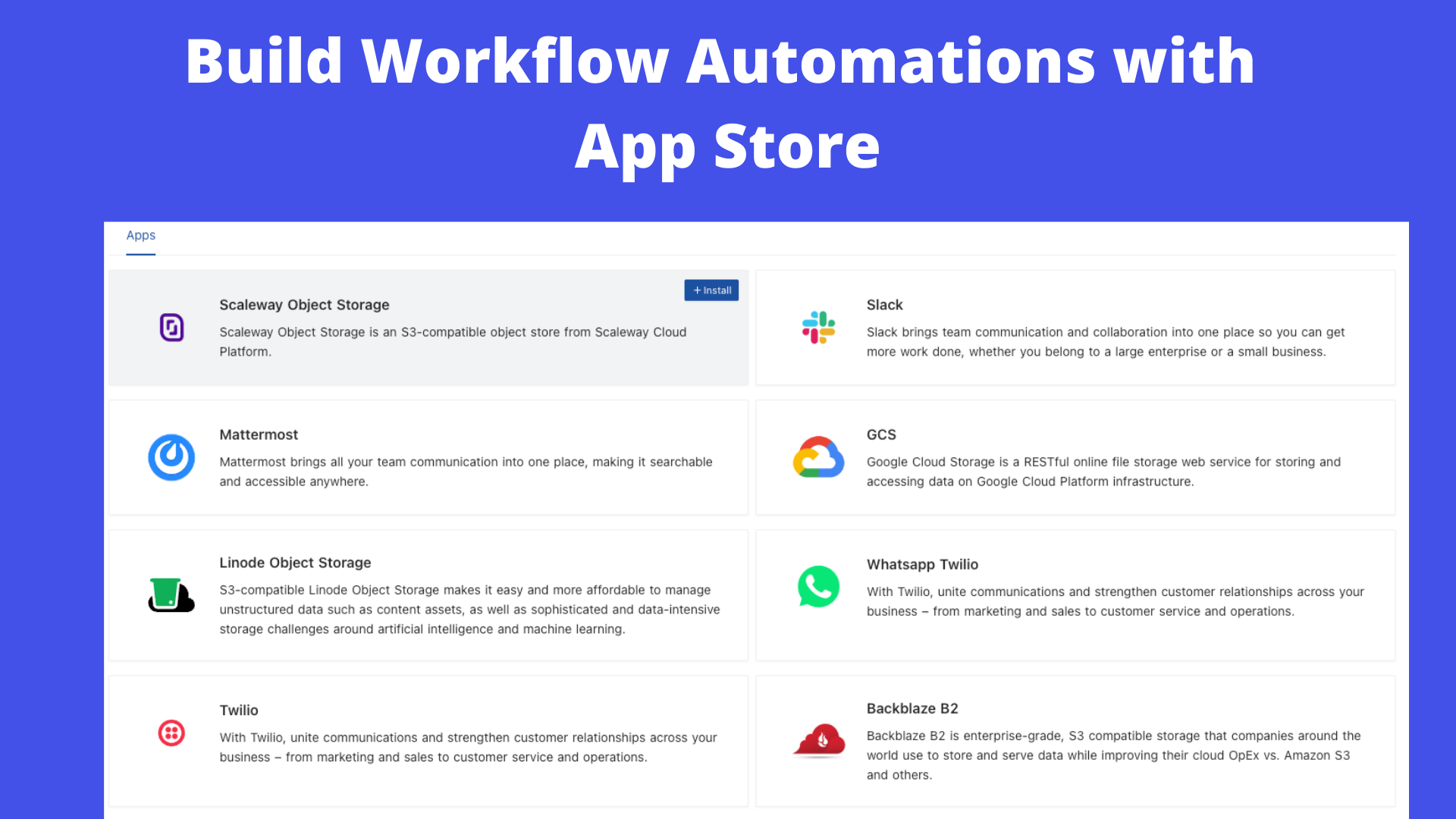
App Store for Workflow Automations
We provide different integrations in three main categories. See App Store for details.
- ⚡ Chat: Slack, Discord, Mattermost, and etc
- ⚡ Email: AWS SES, SMTP, MailerSend, and etc
- ⚡ Storage: AWS S3, Google Cloud Storage, Minio, and etc
Programmatic Access
We provide the following ways to let users programmatically invoke actions. You can use a token (either JWT or Social Auth) to sign your requests for authorization to NocoDB.
- ⚡ REST APIs
- ⚡ NocoDB SDK
Contributing
Please refer to Contribution Guide.
Why are we building this?
Most internet businesses equip themselves with either spreadsheet or a database to solve their business needs. Spreadsheets are used by Billion+ humans collaboratively every single day. However, we are way off working at similar speeds on databases which are way more powerful tools when it comes to computing. Attempts to solve this with SaaS offerings have meant horrible access controls, vendor lock-in, data lock-in, abrupt price changes & most importantly a glass ceiling on what's possible in the future.
Our Mission
Our mission is to provide the most powerful no-code interface for databases, accessible to every internet business across the world. By making this capability broadly available under a fair and sustainable model, we aim to democratise access to powerful computing tools and enable a billion-plus people to develop radical tinkering and building abilities on the internet.
License
This project is licensed under Sustainable Use License.
Contributors
Thank you for your contributions! We appreciate all the contributions from the community.