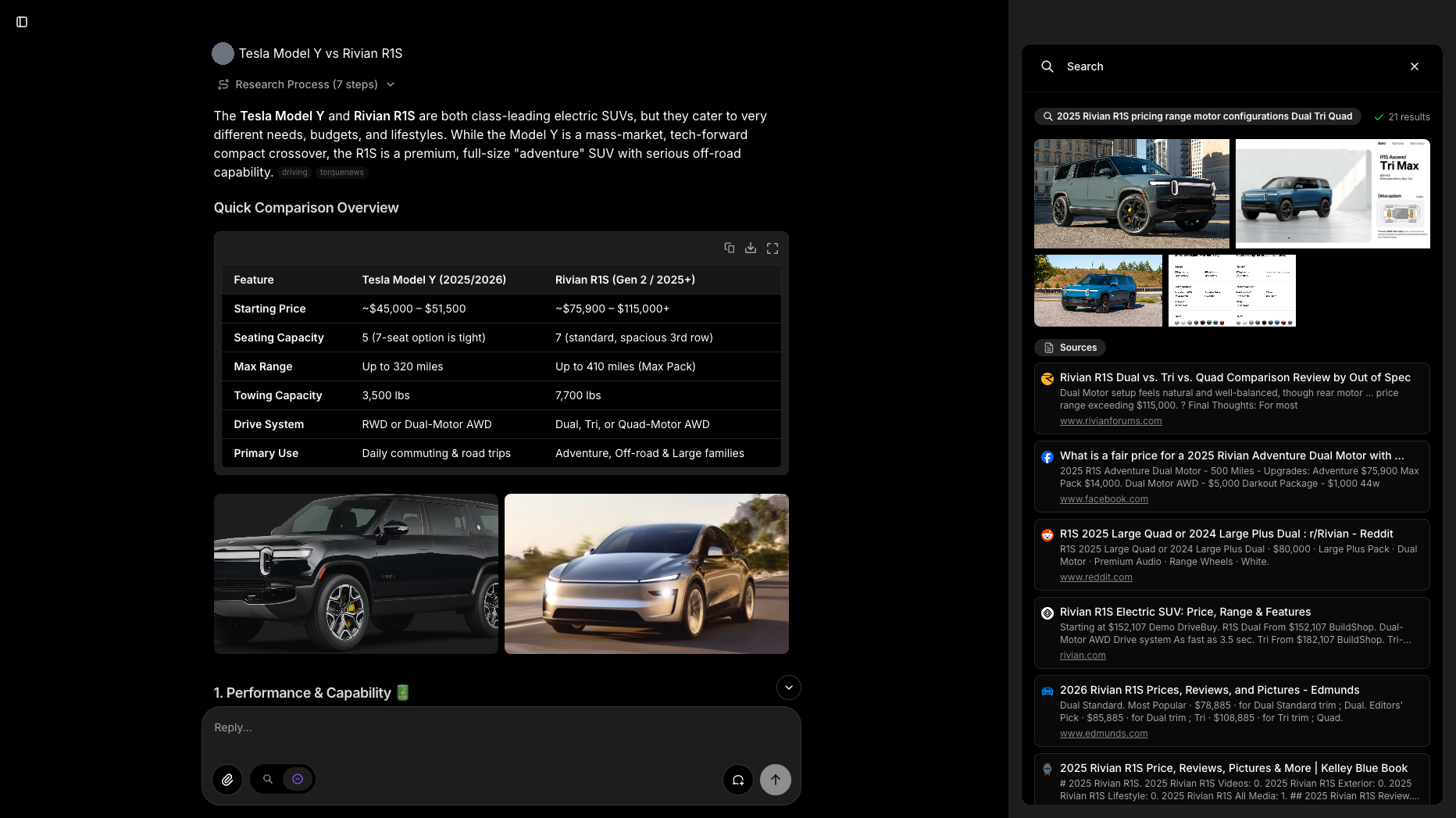
Morphic is a free, open source ai interaction & interfaces project written in TypeScript and released under Apache-2.0. It has 9,124 GitHub stars, 2,348 forks and 56 open issues, and was last pushed 38 hours ago. On this registry it ranks #40 of 76 tracked projects in AI Interaction & Interfaces, with 5 head-to-head comparisons available. It gained 12 stars over the last 6 tracked days.

What is Morphic?

What it is

Morphic is an open-source, AI-powered search engine and answer engine with a generative user interface. It lives in the TypeScript, Next.js, React, and Vercel AI SDK ecosystem, and it is distributed under the Apache-2.0 license. The project combines model selection, search providers, chat history, file upload, and shareable result URLs in one web application.

It addresses the problem of AI search results that appear only as plain text or markdown, which can make sources, media, and structured answers hard to scan. Morphic renders answers as rich inline components from a streamed JSON specification, while grounding responses with cited search results. It also supports local and hosted model providers, including Ollama and OpenAI-compatible services, so users can choose the model stack that fits their environment.

Key capabilities

  • Morphic performs AI-powered search and returns grounded, cited answers instead of unverified text alone.
  • Its generative UI can render source-credited images, grids, and headings inline from a streamed JSON specification.
  • The interface includes Quick and Adaptive search modes for different answer-generation workflows.
  • A model selector detects and supports OpenAI, Anthropic, Google, Ollama, Vercel AI Gateway, and OpenAI-compatible providers.
  • Search can use Tavily, SearXNG, Brave, or Exa, and Docker Compose can provide SearXNG without a separate search API key.
  • Chat history is stored in PostgreSQL, results can be shared through unique URLs, and file upload is available.
  • Authentication is available through Supabase Auth, while guest mode allows anonymous usage.

Who uses it and how

  • Self-hosters run Morphic with Docker Compose, which starts PostgreSQL, Redis, SearXNG, and the application together.
  • Developers deploy the app to Vercel with environment variables for an AI provider and a search provider such as Tavily.
  • Users search with a selected model and provider, then review answers that include citations and rendered components.
  • People can use shared URLs to distribute search results, and authenticated users can retain chat history.
  • Individuals can use guest mode for anonymous searches or Supabase Auth for account-based access.

Getting started

Typical installation uses Docker: pull ghcr.io/miurla/morphic:latest, copy .env.local.example to .env.local, set at least one AI provider API key, then run docker compose up -d and open http://localhost:3000. For local development, clone the repository, run bun install, configure .env.local, and start the app with bun dev; the README also lists a Vercel deployment button.

When to use it — and when not to

Use Morphic when you want a self-hostable, open-source AI search front end that supports multiple model providers, multiple search providers, and rich cited answers. Avoid it when you need a fully managed service, because a self-hosted deployment requires operating PostgreSQL, Redis, SearXNG, and provider credentials, and the provided facts show 56 open issues and 0 listed contributors, which means maintenance status should be checked before production use.

project readme (upstream, from github) — read inline

Morphic

An AI-powered search engine with a generative UI.

DeepWiki GitHub stars GitHub forks

Vercel OSS Program

miurla%2Fmorphic | Trendshift

Features

  • AI-powered search with grounded, cited answers
  • Generative UI — answers render rich inline components (source-credited images, grids, headings) live from a streamed JSON spec, beyond plain markdown
  • Search modes: Quick and Adaptive
  • Model selector with dynamic provider detection (OpenAI, Anthropic, Google, Ollama, Vercel AI Gateway, OpenAI-compatible providers)
  • Multiple search providers (Tavily, SearXNG, Brave, Exa)
  • Chat history stored in PostgreSQL
  • Share search results with unique URLs
  • File upload support
  • User authentication with Supabase Auth
  • Guest mode for anonymous usage
  • Docker deployment ready

Installation

Docker (Recommended)

The quickest way to run Morphic locally:

docker pull ghcr.io/miurla/morphic:latest

Then set up with Docker Compose:

  1. Clone the repository and configure environment:
git clone https://github.com/miurla/morphic.git
cd morphic
cp .env.local.example .env.local
  1. Edit .env.local and set at least one AI provider API key:
OPENAI_API_KEY=your_openai_key

See supported providers for other options (Anthropic, Google, Ollama, Vercel AI Gateway, OpenAI-compatible providers).

  1. Start all services:
docker compose up -d
  1. Visit http://localhost:3000 and select your model from the model selector.

Docker Compose starts PostgreSQL, Redis, SearXNG, and Morphic automatically. No additional search API key is needed — SearXNG is included.

See the Docker Guide for more options including building from source and file upload configuration.

Local Development

  1. Clone and install:
git clone https://github.com/miurla/morphic.git
cd morphic
bun install
  1. Configure environment:
cp .env.local.example .env.local

Edit .env.local and set your API keys:

OPENAI_API_KEY=your_openai_key
TAVILY_API_KEY=your_tavily_key

To enable chat history, authentication, file upload, and other features, see CONFIGURATION.md.

  1. Start the dev server:
bun dev

Visit http://localhost:3000.

Deploy

Vercel

Deploy with Vercel

Contributing

We welcome contributions! Please see our Contributing Guide for details on how to get started, including local development setup.

License

This project is licensed under the Apache License 2.0 - see the LICENSE file for details.

Frequently asked questions

Is Morphic free to use?

Morphic is open source under the Apache-2.0 licence. There is no licence fee and no seat count — you can self-host it or, where the project offers one, pay a vendor for a managed version instead.

What does Morphic do?

AI-powered answer engine with dynamic interface generation

What is Morphic written in?

Morphic is primarily written in TypeScript. Its source is publicly available at https://github.com/miurla/morphic, and it has 9,124 GitHub stars.