MonkeyCode is an open-source, AGPL-3.0 licensed enterprise AI development platform that lets a team run AI coding tasks through cloud development environments, either self-hosted inside a corporate network or through a hosted online service.
What it is
MonkeyCode is an enterprise-grade AI development platform written in TypeScript, with built-in development environment management, AI model management, AI task management, and project requirement management. It lives in the AI coding assistant and vibe coding ecosystem, alongside the tools its topic list cites such as Cursor, Claude Code, Codex, and opencode. The project targets professional engineering teams rather than individual hobbyist vibe coders: the core code is public on GitHub, and it carries a category of "AI & Machine Learning / AI Development Platforms". It ships both as a hosted environment at monkeycode-ai.net and as a self-hosted deployment that can sit behind an enterprise network.
The concrete problem it solves is toolchain assembly. The README states plainly that you do not need to assemble tools, set up environments, or jump between workflows: give MonkeyCode a requirement and it carries the work from development to validation. What it replaces is the assembled stack of a local IDE, a local CLI agent, separate environment provisioning, and separate requirement tracking. Every task runs behind a real server-side environment, with build, test, and preview workflows completed in the cloud, so developers are not dependent on their own machines and leaders are not stitching together five products to manage an AI development workflow.
Key capabilities
- Cloud development environments: each task runs behind a server-side environment, with build, test, and preview completed in the cloud rather than on a local development machine.
- Broad model support: GLM, Kimi, MiniMax, Qwen, DeepSeek, and other mainstream models are integrated, selectable by task type or manually.
- Requirement and SPEC management, which the comparison table marks as present in MonkeyCode and absent in Cursor, Claude Code, and Codex.
- Automated PR / MR code review as a first-class capability.
- Native mobile support with deep iOS and Android integration, keeping PC and mobile data in sync so agents keep running tasks while the operator is away from a desk.
- Private offline deployment inside an enterprise network, keeping data local for teams with strict privacy requirements.
- Fully open source core that anyone can audit, fork, and extend while retaining control over technical choices and security policies.
Who uses it and how
- Enterprise R&D teams with strict data privacy requirements deploy MonkeyCode inside their own network and keep data local, rather than routing work through a third-party hosted service.
- Engineering leaders use it to manage AI development workflows centrally, covering requirement and SPEC management plus automated PR / MR review across a team.
- Developers join through a browser, create an account, and start a first AI development task in seconds without a client download or local environment setup.
- Distributed or mobile-first contributors keep PC and mobile data in sync, so agents continue working while they are away from their workstation.
- Teams that need China model support can route tasks across GLM, Kimi, MiniMax, Qwen, and DeepSeek, an axis where the comparison table marks Cursor, Claude Code, and Codex as unsupported.
Getting started
Open the hosted service at https://monkeycode-ai.net/ to begin, or self-host by running the documented online installer, bash -c "$(curl -fsSL 'https://monkeycode-ai.com/online/install')", with at least 2C / 4 GB / 40 GB for the MonkeyCode console and 8C / 16 GB / 100 GB for the development environment host.
How it compares
Against Cursor, Claude Code, and Codex, the comparison table positions MonkeyCode as the one that is open source, supports private deployment, provides team collaboration, manages requirements and SPECs, and supports China models, where those three are marked as lacking all five. The trade-off runs the other way on developer ergonomics: the same table marks MonkeyCode as having no local IDE, no local CLI, and no code completion, all three of which Cursor, Claude Code, and Codex provide, and where cloud development environments and automated PR / MR review are shown as stronger or more complete in MonkeyCode than in the others.
When to use it — and when not to
A self-hoster must operate two tiers of infrastructure, the MonkeyCode console and a separate development environment host, at the recommended specifications above, and should expect to lean on the external deployment documentation for configuration and operations guidance rather than the README. Developers who depend on a local IDE, a local CLI agent, or inline code completion should not pick it, because the project's own comparison table records all three as unsupported. The repository also carries 341 open issues, which is worth weighing before adopting it as the central workflow system for a large team.
project readme (upstream, from github) — read inline
MonkeyCode



Try Online ·
Self-Hosted Deployment ·
Discord ·
Community Gallery ·
中文
What Is MonkeyCode?
MonkeyCode is an open-source enterprise-grade AI development platform with built-in development environment management, AI model management, AI task management, and project requirement management. Unlike typical vibe coding tools, MonkeyCode is designed as an AI assistant for professional engineering teams.
- You can deploy MonkeyCode inside your enterprise network and share it with your R&D team, so developers can start development tasks quickly while engineering leaders manage AI development workflows centrally.
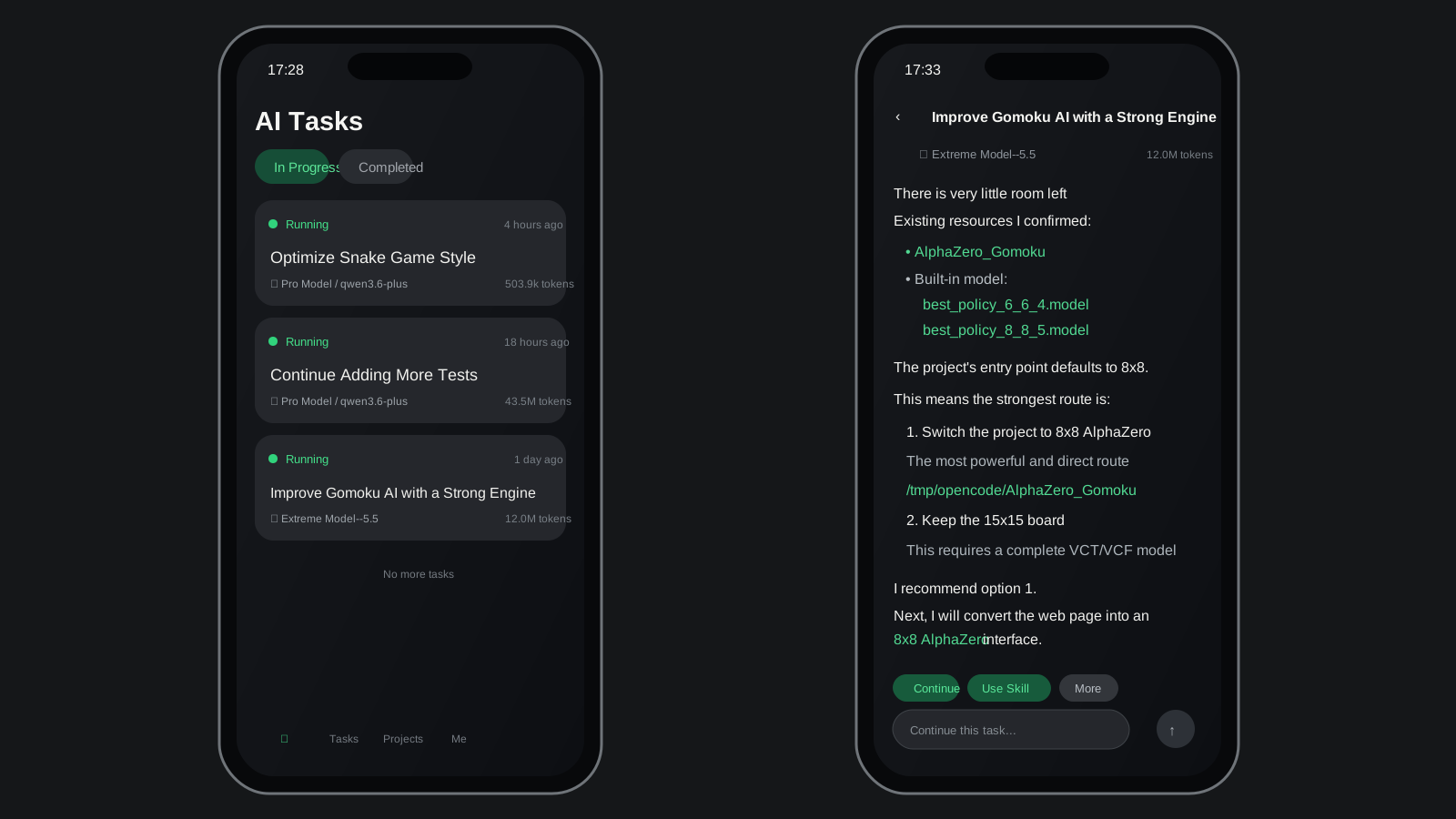
- You can also use our online environment directly. It includes managed development environments, built-in large language models, and native mobile support, so you can use leading AI agents anywhere.
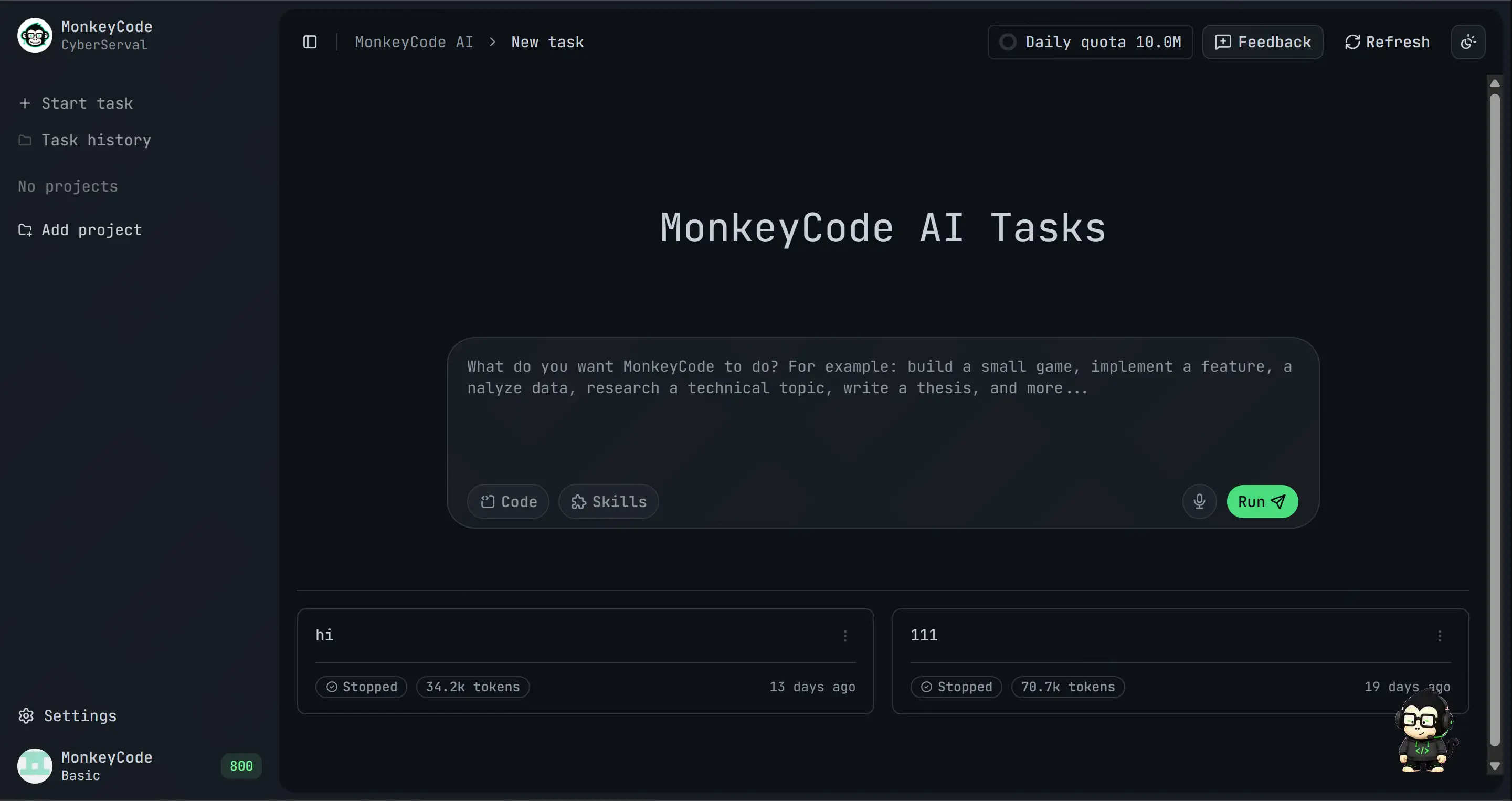
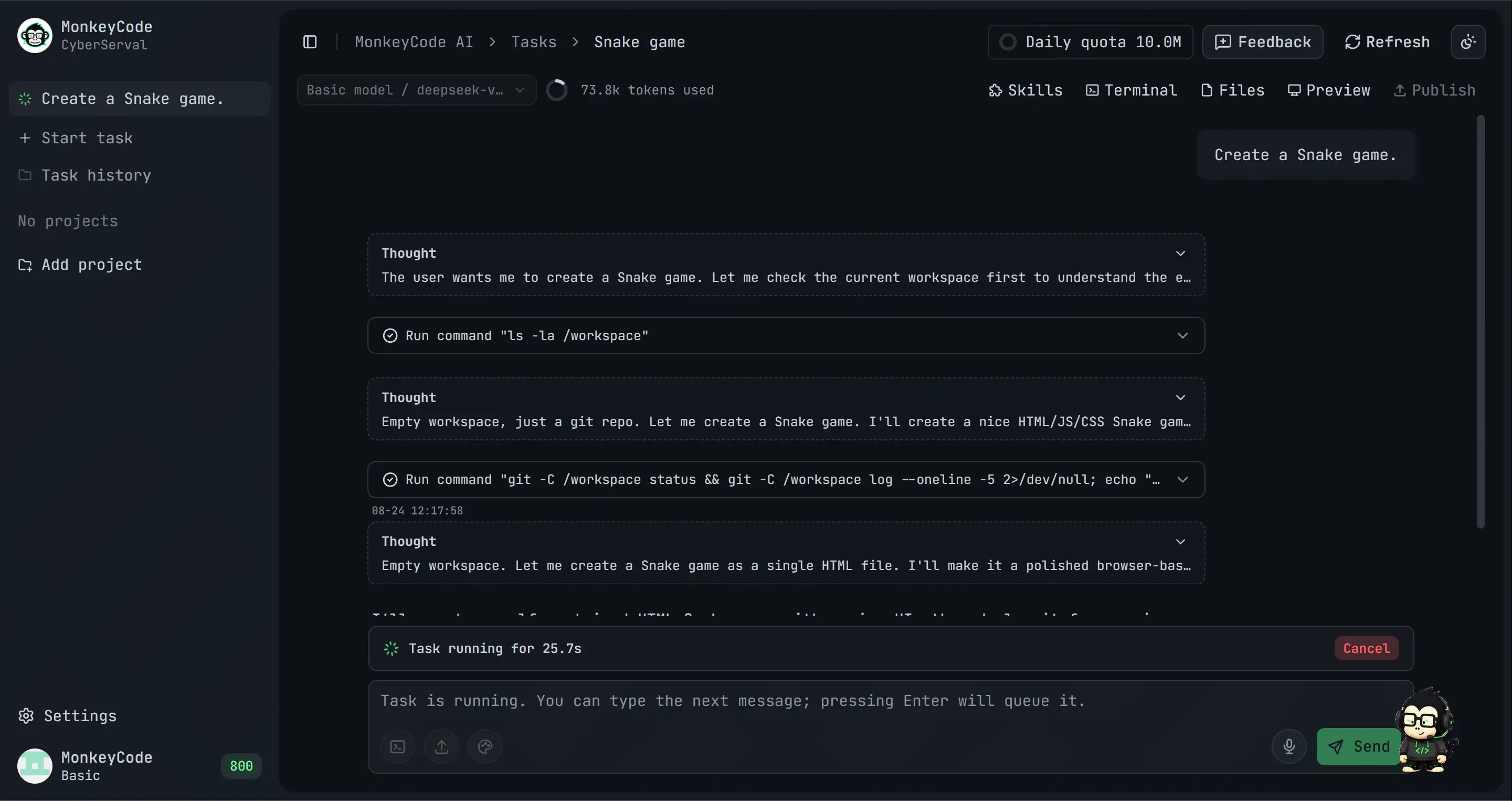
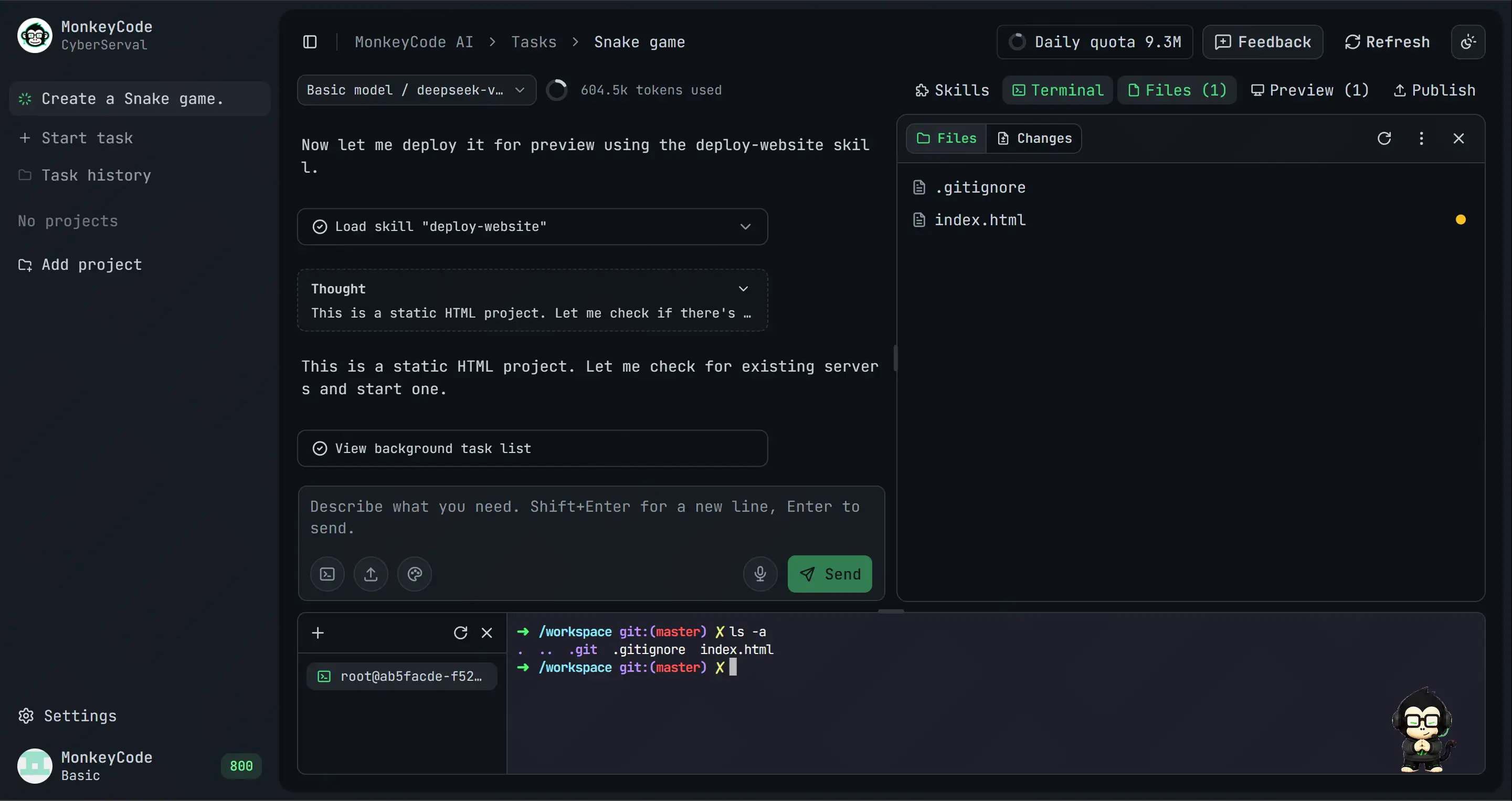
Screenshots
Features
You do not need to assemble tools, set up environments, or jump between workflows. Give MonkeyCode a requirement and it carries the work from development to validation, turning AI coding into a sustainable workflow.
- Free to start: No client download and no local environment setup. Open the browser, create an account, and start your first AI development task in seconds.
- Cloud development environments: No dependency on a local development machine. Every task runs behind a real server-side environment, with build, test, and preview workflows completed in the cloud.
- Broad model support: GLM, Kimi, MiniMax, Qwen, DeepSeek, and other mainstream models are integrated. You can switch by task type or select a model manually.
- Native mobile support: Deep iOS and Android support keeps PC and mobile data in sync, so agents can continue running tasks while you are away from your desk.
- Fully open source: The core code is public on GitHub. Anyone can audit, fork, and extend it while keeping control over technical choices and security policies.
- Private offline deployment: Enterprises and teams with strict data privacy requirements can deploy MonkeyCode inside their own networks and keep data local.
Usage
Online
Open MonkeyCode Online to get started:
https://monkeycode-ai.net/
Self-Hosted Deployment
Recommended configuration:
- MonkeyCode console: at least
2C / 4 GB / 40 GB
- Development environment host: at least
8C / 16 GB / 100 GB
Online installation:
bash -c "$(curl -fsSL 'https://monkeycode-ai.com/online/install')"
For more deployment methods, configuration details, and operations guidance, see the deployment documentation.
Comparison
Community and Support
Join the community to discuss MonkeyCode usage, deployment, and development with other developers.
You can also get support through:
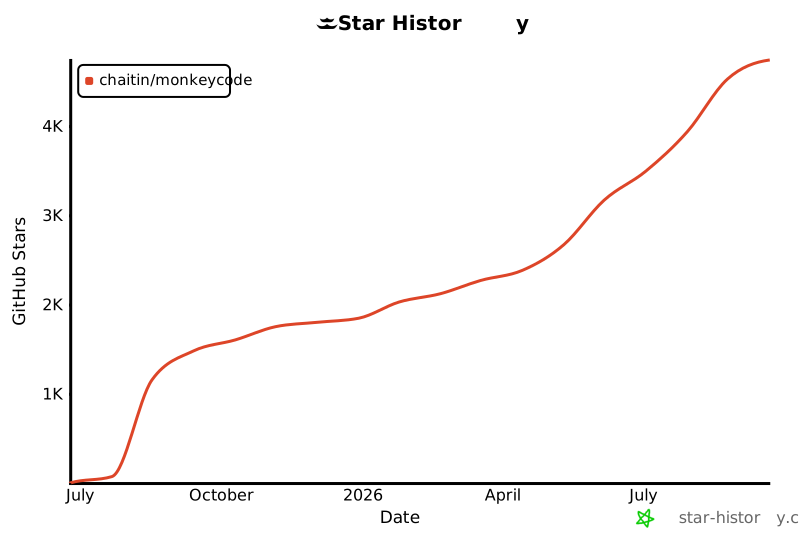
Star History
License
MonkeyCode is open source under the GNU Affero General Public License v3.0.