monkey is a free, open source threat detection & response project written in Python and released under GPL-3.0. It has 7,124 GitHub stars, 822 forks and 240 open issues, and was last pushed 34 hours ago. On this registry it ranks #15 of 77 tracked projects in Threat Detection & Response, with 5 head-to-head comparisons available.

What is monkey?

Infection Monkey is an open-source, GPL-3.0 adversary emulation platform written in Python that lets security teams simulate malware propagation across their own networks and find out empirically whether their defences detect, prevent or mitigate the infection.

What it is

Infection Monkey is built from two components that work together. The Agent is a configurable network worm that self-propagates across a network, can infect machines, steal data and deliver payloads, and reports its activity back to Monkey Island, a command and control server used to control and visualise the progress of the simulation throughout the run. The project lives in the security automation and penetration-testing corner of the Python ecosystem, and its topics list names it plainly: adversary-emulation, penetration-testing and security-tools.

The concrete problem it addresses is the gap between knowing what an attacker does and knowing whether your own controls actually stop it. The README frames the tool as a "malware vaccine": a sample of malware is collected and its behaviours analysed, Infection Monkey's configuration is then modified to closely mimic those behaviours without causing damage to the target systems, and the Agent is injected into the network so the team can validate empirically that its security controls respond. What it replaces, in that workflow, is the live malware sample itself — a real, damaging infection test is substituted with a safe, configurable agent whose behaviour is tuned to match the threat being studied.

Key capabilities

  • Runs as two cooperating pieces: a self-propagating Agent and the Monkey Island command and control server used for control and visualisation.
  • Propagates using predefined passwords, common logical exploits, and password stealing using Mimikatz.
  • Supports multiple exploit methods, including Log4Shell, RDP, SSH, SMB and WMI, with further exploiters documented in the project's documentation hub.
  • Configures the Agent to infect machines, steal data and deliver payloads, so behaviour can be shaped to resemble an analysed malware sample.
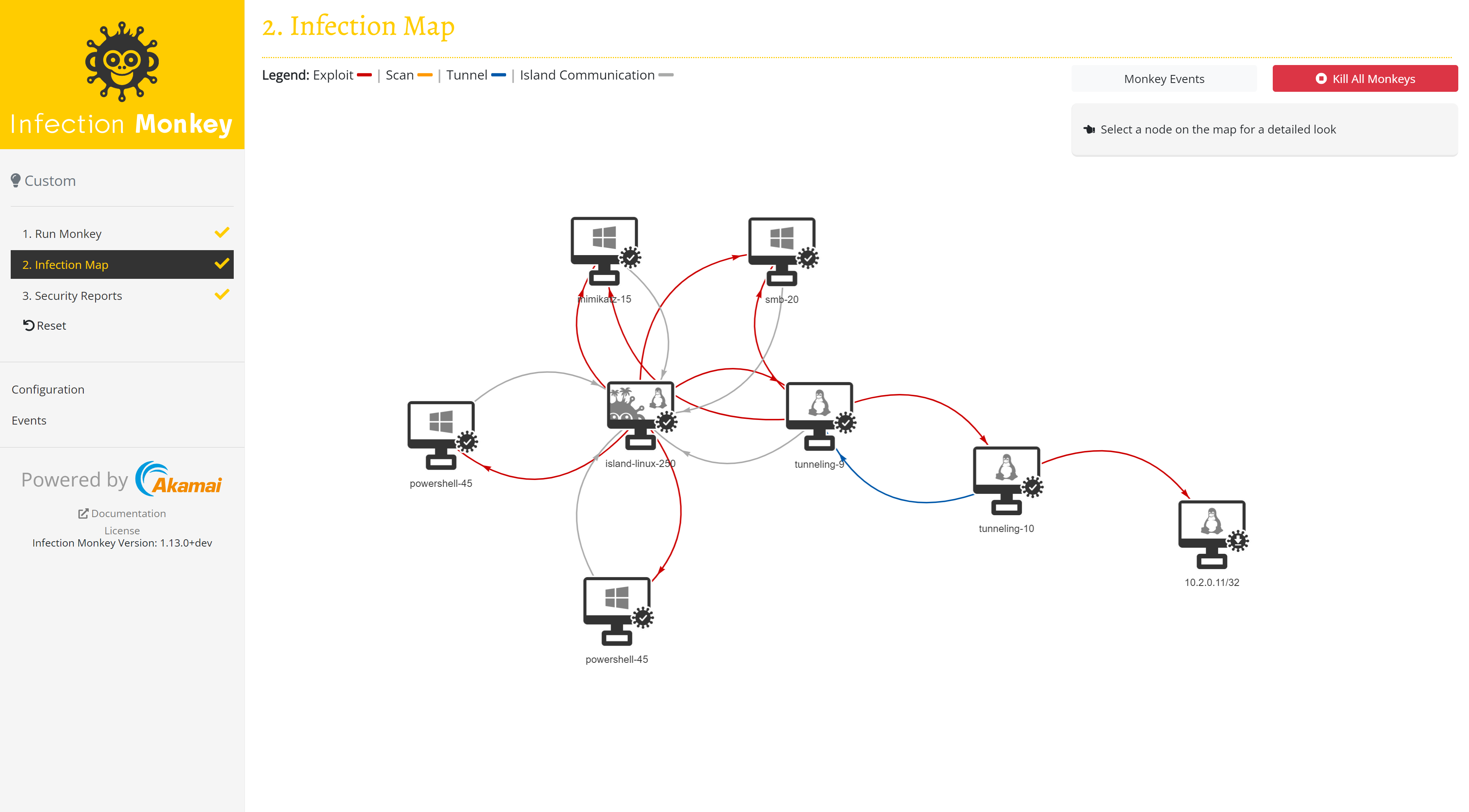
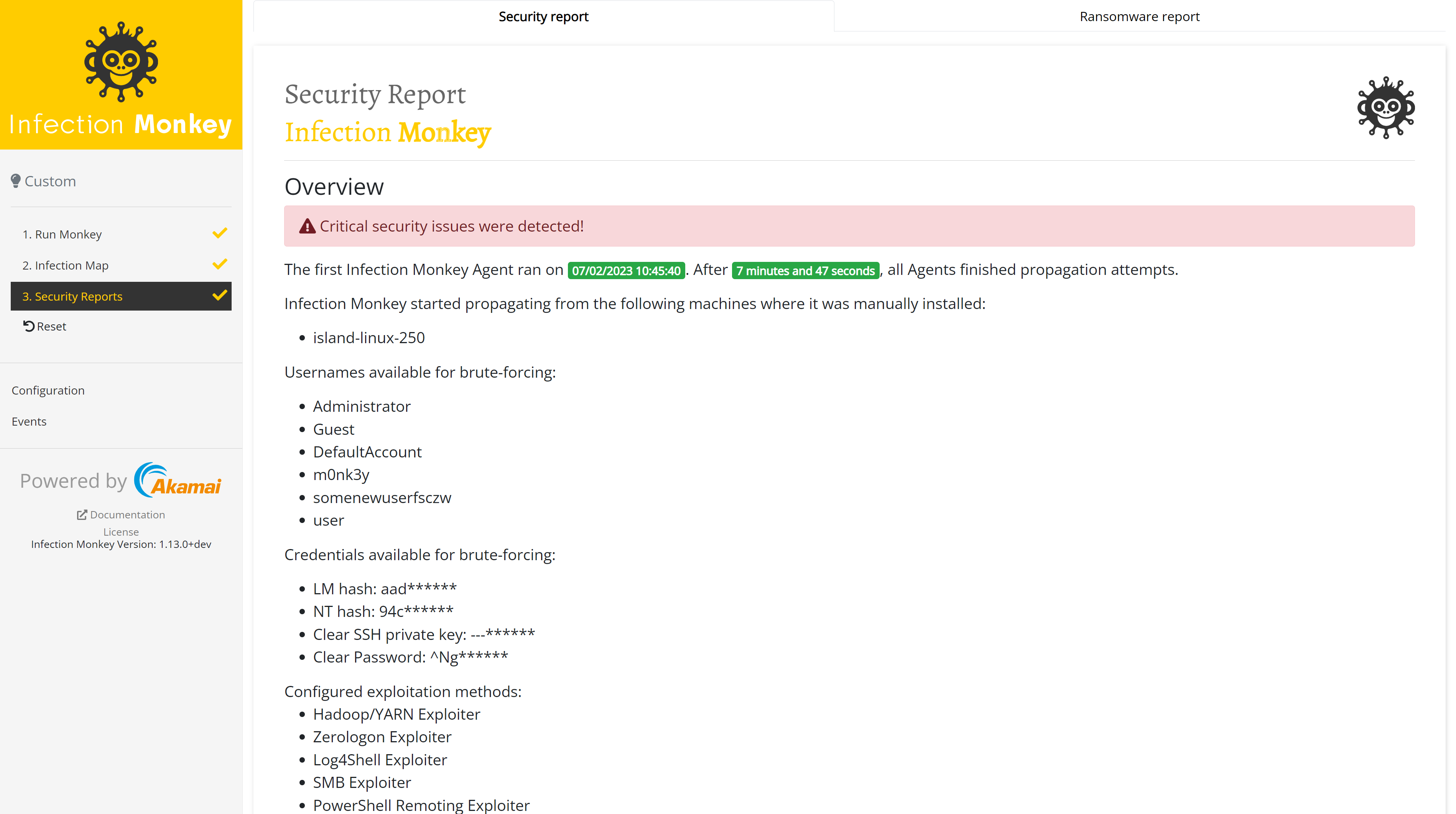
  • Produces an Infection Map and a security report to show how far the simulation spread and what it found.
  • Ships deployment scripts in the deployment_scripts folder for standing up the development version of Monkey.
  • Supports a range of operating systems, catalogued on the operating systems page of the documentation hub.

Who uses it and how

  • Security teams that have analysed a malware sample and want to confirm their controls can detect, prevent or otherwise mitigate an infection with matching behaviours.
  • Penetration testers and red teams who need an automated way to move through a network rather than testing hosts one at a time.
  • Defenders running repeatable validation exercises, using the Infection Map and security report as the evidence of where a simulation succeeded.
  • Teams working across mixed environments, provided the platforms in use appear in the documented list of supported operating systems.
  • Automation-minded security groups, given the project's security-automation topic and its scripted deployment path.

Getting started

Setup and first-run instructions live in the Setup page and the Getting Started guide in the project's documentation hub. To deploy the development version from source, follow the readme in the deployment_scripts folder.

How it compares

No comparable or paid products are named in the facts provided, so Infection Monkey stands alone in this registry as its only adversary emulation platform. The contrast that can be drawn is internal to the project: it is GPL-3.0 licensed, self-hosted through your own Monkey Island instance, and leaves the resulting data on infrastructure you operate.

When to use it — and when not to

A self-hoster must operate the Monkey Island command and control server in addition to deploying Agents, so there is real infrastructure to run and keep available for the duration of a simulation. Teams unwilling to run a command and control server, or to open the propagation paths the Agent needs, should not pick it. The README also defers nearly all operational detail to an external documentation hub and offers no single install command, and the repository carries 240 open issues, so expect to read the docs closely before the first run.

project readme (upstream, from github) — read inline

Infection Monkey

GitHub release (latest by date)

Build Status codecov

GitHub stars GitHub commit activity

Welcome to Infection Monkey! We're glad you could swing by.🐒 Here's all the info you'll need to start monkeying around.

What is Infection Monkey?

Infection Monkey is an open-source adversary emulation platform that helps you improve your security posture using empirical data. The Monkey uses various methods to self-propagate across a network and reports its activities to a centralized command and control server known as the Monkey Island. 🐵🏝️ You know, like malware, but ✨safe.✨

How does it work?

Infection Monkey is comprised of two components:

  • Agent - A configurable network worm that can infect machines, steal data, and deliver payloads.
  • Monkey Island - A command and control server used to control and visualize Infection Monkey's progress throughout the simulation.

Build up your malware antibodies 💉
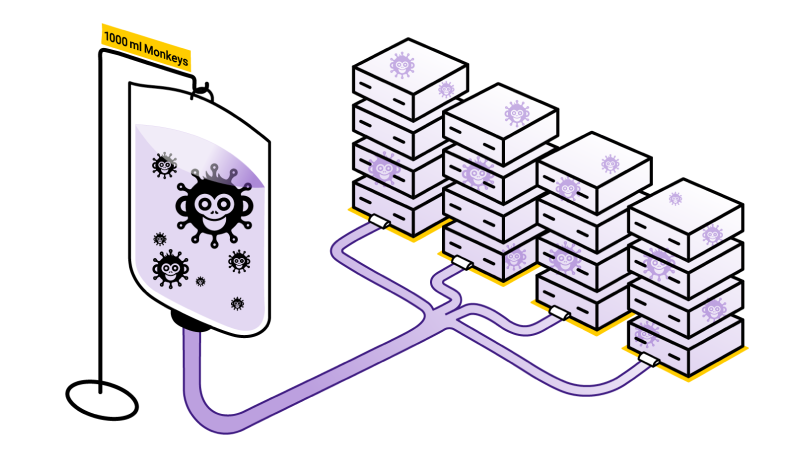
Malware Vaccine

You can think of Infection Monkey as a kind of "malware vaccine." Prior to the invention of mRNA vaccines, biological vaccines worked as follows:

  1. Collect a sample of the virus.
  2. Through the magic of chemistry, create a weakened or inert form of the virus.
  3. Inject the weakened virus into the human body, allowing the immune system to build up a defense.

Once the immune system has built up a defense, it can recognize and fight off the real pathogen if it should ever infect the body.

Infection Monkey aims to use this same approach to combat computer viruses (or other types of malware.)

  1. Collect a sample of the malware.
  2. Analyze the malware and understand its behaviors.
  3. Modify Infection Monkey's configuration to enable behaviors that closely mimic those of the malware, but without causing damage to the target systems.
  4. Inject the Monkey Agent into the network and validate (empirically) that your security controls can detect, prevent, or otherwise mitigate the infection.
  5. If the infection is not successfully thwarted, take the necessary steps to "build up your immune response" by improving your security tools, policies, and processes.

Sun Tzu said, "if you know others and know yourself, you will not be imperiled in a hundred battles." Knowledge of both your adversary's tactics and your own defensive capabilities is necessary in order to successfully secure a network. Infection Monkey aims helps you to know both.

Be the chimpion of your network. Learn more about the Monkey at akamai.com/infectionmonkey.

Screenshots

Infection Map
Security report
Main Features

Infection Monkey uses the following techniques and exploits to propagate to other machines.

  • Multiple propagation techniques:
    • Predefined passwords
    • Common logical exploits
    • Password stealing using Mimikatz
  • Multiple exploit methods:
    • Log4Shell
    • RDP
    • SSH
    • SMB
    • WMI
    • and more, see our documentation hub for more information.

Setup

Check out the Setup page and the Getting Started guide in our documentation.

Infection Monkey supports a variety of platforms, documented in our documentation hub.

Building the Monkey from the source

To deploy the development version of Monkey you should refer to readme in the deployment scripts folder or follow the documentation in the documentation hub.

Build status

Branch Status
Develop Build Status
Master Build Status

Tests

Unit Tests

In order to run all of the Unit Tests, run the command pytest in the monkey directory.

To get a coverage report, first make sure the pytest-cov package is installed using pip install pytest-cov. Run the command pytest --cov-report=html --cov . in the monkey/ directory. The coverage report can be found in htmlcov/index.html.

Blackbox tests

In order to run the Blackbox tests, refer to envs/monkey_zoo/blackbox/README.md.

License

Copyright (c) Guardicore Ltd

See the LICENSE file for license rights and limitations (GPLv3).

Frequently asked questions

Is monkey free to use?

monkey is open source under the GPL-3.0 licence. There is no licence fee and no seat count — you can self-host it or, where the project offers one, pay a vendor for a managed version instead.

What does monkey do?

Infection Monkey - An open-source adversary emulation platform

What is monkey written in?

monkey is primarily written in Python. Its source is publicly available at https://github.com/guardicore/monkey, and it has 7,124 GitHub stars.