Monaco Editor




The Monaco Editor is the fully featured code editor from VS Code. Check out the VS Code docs to see some of the supported features.
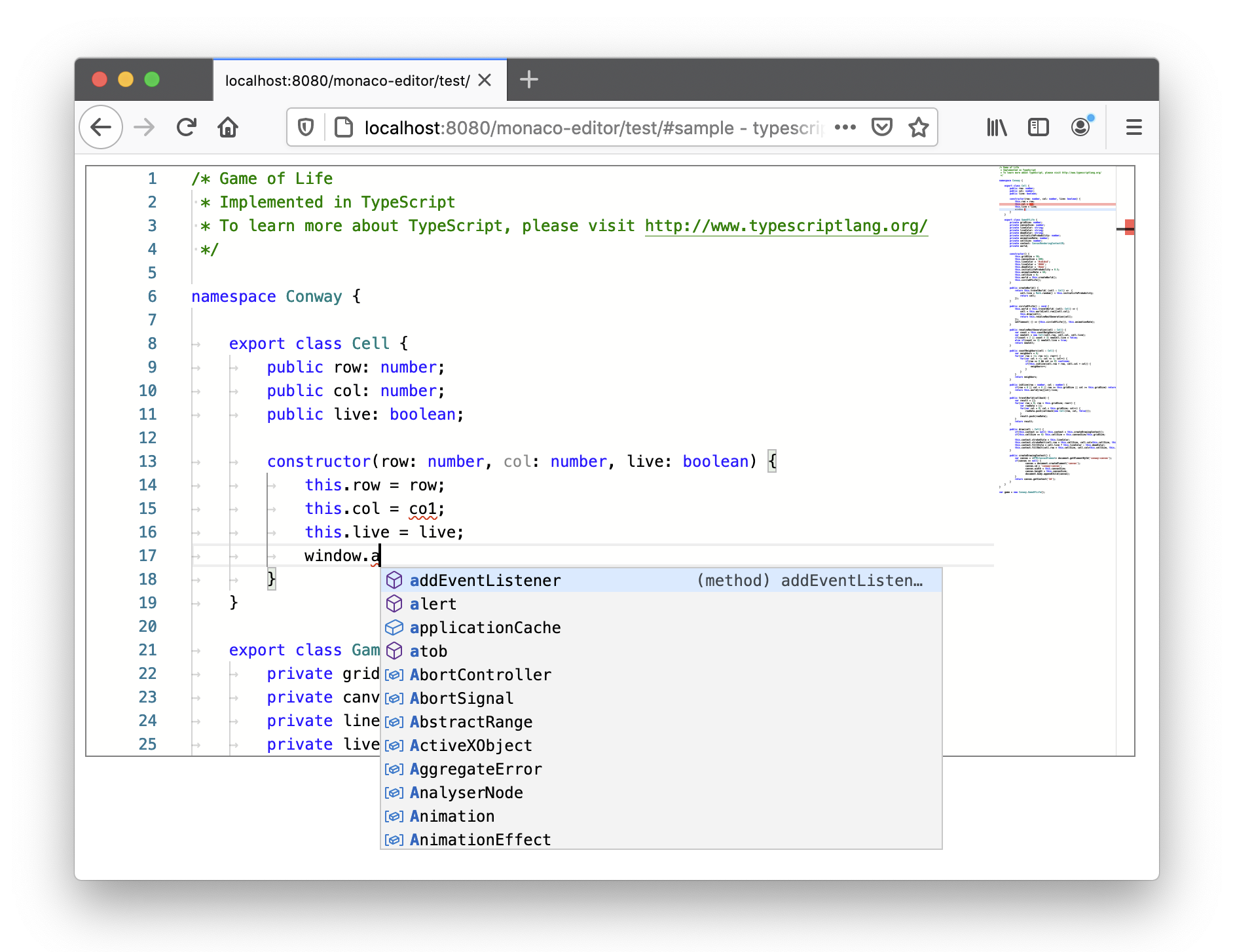
Try it out
Try out the editor and see various examples in our interactive playground.
The playground is the best way to learn about how to use the editor, which features is supports, to try out different versions and to create minimal reproducible examples for bug reports.
Installing
> npm install monaco-editor
You will get:
- inside
/esm: ESM version of the editor (compatible with e.g. webpack) monaco.d.ts: this specifies the API of the editor (this is what is actually versioned, everything else is considered private and might break with any release).
:warning: The monaco editor also ships an AMD build for backwards-compatibility reasons, but the AMD support is deprecated and will be removed in future versions.
Localization
To load the editor in a specific language, make sure that the corresponding nls script file is loaded before the main monaco editor script. For example, to load the editor in German, include the following script tag:
<script src="path/to/monaco-editor/esm/nls.messages.de.js"></script>
Check the sources for available languages.
Concepts
Monaco editor is best known for being the text editor that powers VS Code. However, it's a bit more nuanced. Some basic understanding about the underlying concepts is needed to use Monaco editor effectively.
Models
Models are at the heart of Monaco editor. It's what you interact with when managing content. A model represents a file that has been opened. This could represent a file that exists on a file system, but it doesn't have to. For example, the model holds the text content, determines the language of the content, and tracks the edit history of the content.
URIs
Each model is identified by a URI. This is why it's not possible for two models to have the same URI. Ideally when you represent content in Monaco editor, you should think of a virtual file system that matches the files your users are editing. For example, you could use file:/// as a base path. If a model is created without a URI, its URI will be inmemory://model/1. The number increases as more models are created.
Editors
An editor is a user facing view of the model. This is what gets attached to the DOM and what your users see visually. Typical editor operations are displaying a model, managing the view state, or executing actions or commands.
Providers
Providers provide smart editor features. For example, this includes completion and hover information. It is not the same as, but often maps to language server protocol features.
Providers work on models. Some smart features depends on the file URI. For example, for TypeScript to resolve imports, or for JSON IntelliSense to determine which JSON schema to apply to which model. So it's important to choose proper model URIs.
Disposables
Many Monaco related objects often implement the .dispose() method. This method is intended to perform cleanups when a resource is no longer needed. For example, calling model.dispose() will unregister it, freeing up the URI for a new model. Editors should be disposed to free up resources and remove their model listeners.
Documentation
- Learn how to integrate the editor with these complete samples.
- Learn how to use the editor API and try out your own customizations in the playground.
- Explore the API docs or read them straight from
monaco.d.ts. - Read this guide to ensure the editor is accessible to all your users!
- Create a Monarch tokenizer for a new programming language in the Monarch playground.
- Ask questions on StackOverflow! Search open and closed issues, there are a lot of tips in there!
Issues
Create issues in this repository for anything related to the Monaco Editor. Please search for existing issues to avoid duplicates.
FAQ
❓ What is the relationship between VS Code and the Monaco Editor?
The Monaco Editor is generated straight from VS Code's sources with some shims around services the code needs to make it run in a web browser outside of its home.
❓ What is the relationship between VS Code's version and the Monaco Editor's version?
None. The Monaco Editor is a library and it reflects directly the source code.
❓ I've written an extension for VS Code, will it work on the Monaco Editor in a browser?
No.
Note: If the extension is fully based on the LSP and if the language server is authored in JavaScript, then it would be possible.
❓ Why all these web workers and why should I care?
Language services create web workers to compute heavy stuff outside of the UI thread. They cost hardly anything in terms of resource overhead and you shouldn't worry too much about them, as long as you get them to work (see above the cross-domain case).
❓ I see the warning "Could not create web worker". What should I do?
HTML5 does not allow pages loaded on file:// to create web workers. Please load the editor with a web server on http:// or https:// schemes.
❓ Is the editor supported in mobile browsers or mobile web app frameworks?
No.
❓ Why doesn't the editor support TextMate grammars?
- Please see https://github.com/bolinfest/monaco-tm which puts together
monaco-editor,vscode-onigurumaandvscode-textmateto get TM grammar support in the editor.
Contributing / Local Development
We are welcoming contributions from the community! Please see CONTRIBUTING for details how you can contribute effectively, how you can run the editor from sources and how you can debug and fix issues.
Code of Conduct
This project has adopted the Microsoft Open Source Code of Conduct. For more information see the Code of Conduct FAQ or contact opencode@microsoft.com with any additional questions or comments.
License
Licensed under the MIT License.