Moe Memos is a free, open-source iOS and iPad app, written in Swift and licensed under MPL-2.0, that helps people capture thoughts and ideas either against a self-hosted memos server or with local on-device storage and no server at all.
What it is
Moe Memos is a native Apple-platform application for quick, low-friction note taking, described by its own README as an app to help you capture thoughts and ideas, and built around writing memos "like tweeting to yourself." It is developed in Swift with SwiftUI, distributed on the App Store for free, requires iOS 18 or higher, and runs on both iPhone and iPad. It lives in the memos ecosystem as a third-party client for the self-hosted memos server (usememos/memos); the README states plainly that the two projects are not affiliated with one another. The source is licensed under MPLv2, with the accompanying note that renaming and repackaging the app for distribution violates App Store Review Guidelines 4.1, while building meaningfully different apps from the code is welcome.
The concrete problem it solves is where your notes live and whether you can reach them. Someone running a self-hosted memos server gets a native client for capturing memos from a phone or tablet rather than being tied to the server's own environment, and someone who does not want to operate a server at all can choose local on-device storage instead. That second path removes the server dependency entirely while keeping the app fully functional offline, with data pushed automatically once connectivity returns. On top of that capture layer, the app adds extended Markdown support and file attachments, so a memo is not limited to plain text.
Key capabilities
- Write memos like tweeting to yourself, the interaction model the README names for capture.
- Choose between local on-device storage and syncing with your own memos server.
- Operate fully offline, with data pushed automatically when the device is back online.
- Extended Markdown support, plus uploads of images, videos and other file types.
- Organize and find memos using tags, pinning and search.
- View memo activity through a progress graph.
- Interface support for Liquid Glass, Dark Mode and Dynamic Type, on iPhone and iPad with multitasking.
Who uses it and how
- Self-hosters who already run a memos server and want to read and write memos from an iPhone or iPad using a dedicated client.
- Individuals who want memo capture without operating any server, relying on local on-device storage instead.
- People working offline, such as on a commute or anywhere without connectivity, who need the app to keep working and sync later on its own.
- iPad users who need multitasking alongside their notes.
- App Store users and TestFlight beta participants, as well as developers who build the project in Xcode and run it on their own iOS 18 or higher devices.
Getting started
Moe Memos is available for free on the App Store under ID 1643902185, with a public TestFlight beta offered for pre-release builds. It can also be built with Xcode and run on your own devices, which requires iOS 18 or higher; the project homepage is memos.moe.
How it compares
The closest tool named in the project's own documentation is the self-hosted memos server it is a third-party client for, and the README is explicit that the two projects are not affiliated. For anyone running a Memos version above 0.31.0, the related Mortis project exists to convert the newer Memos API back to the Memos 0.21.0 API so Moe Memos can be re-logged in, which makes Mortis a companion piece rather than an alternative.
When to use it — and when not to
Compatibility is the main caveat: the current version supports Memos 0.21.0 and Memos 0.27.0 to 0.31.0, and the README warns that Memos updates may introduce breaking API changes, so newer server versions need the Mortis conversion layer. The app also requires iOS 18 or higher, which rules out older Apple devices, and it is confined to the Apple ecosystem, so Android, Windows and Linux users should look elsewhere. The registry shows 83 open issues alongside 885 stars, which is worth weighing if you depend on the client daily.
project readme (upstream, from github) — read inline
Moe Memos


Moe Memos is an app to help you capture thoughts and ideas.
Use Moe Memos with either a self-hosted ✍️memos server or local on-device storage (no server required).
Note: Current Moe Memos version supports Memos 0.21.0 and Memos 0.27.0 to 0.31.0. Memos updates may introduce breaking API changes. If you are using a version higher than 0.31.0, it is recommended to use Mortis to convert the newer Memos API to the Memos 0.21.0 API and re-login in Moe Memos.
Installation


Moe Memos is available on App Store for free. You can also build this app with Xcode and run on your devices. iOS 18 or higher is required.
Features
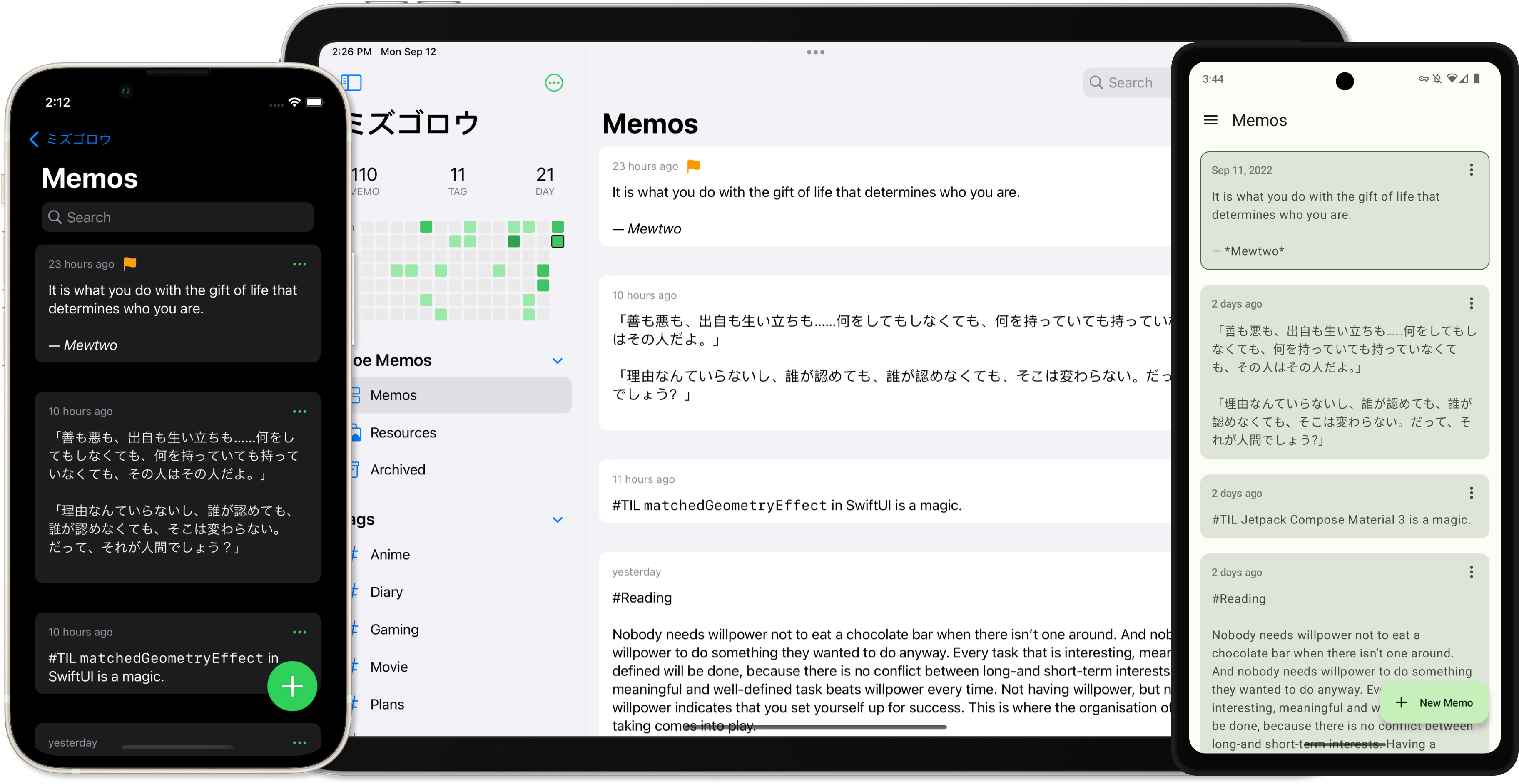
- Write memos like tweeting to yourself
- Use local on-device storage or sync with your own ✍️memos server
- Fully functional offline and automatically pushes data when back online
- Extended Markdown support
- Upload images, videos, and other file types
- Organize and find memos with tags, pinning, and search
- View your memo activity with a progress graph
- Liquid Glass, Dark Mode, and Dynamic Type support
- Available on iPhone and iPad with multitasking support
- Full privacy protection, no data collection
Moe Memos is a third-party client for ✍️memos and both projects aren't affiliated with each other.
Development
Moe Memos tends to keep minimal and optimized for best native experience. It uses modern Swift and Apple platform features such as SwiftUI, async await and it keeps dependencies as few as possible.
Any contributions are greatly appreciated.
License
The iOS version of Moe Memos is under MPLv2.
While the open source license doesn't prevent anyone rename and repackage this app to distribute, it violates App Store Review Guidelines 4.1 to do so. It's welcome to build apps based off of the code in this repository and make it meaningfully different.