MindForger is a free, open-source thinking notebook and Markdown editor for people who keep private remarks — ideas, personal plans, gift tips, how-tos, dreams, business vision, finance strategy, auto coaching notes — on their own machine and want to find and connect them again instead of scattering them across the file system, cloud, web, and Post-it notes.
What it is
MindForger is a C++ desktop application released under GPL-2.0, filed in this registry under Productivity & Utilities / Note Taking & Knowledge Management. It describes itself in two ways: as a human-mind-inspired personal knowledge management tool, and as an open, free, well performing Markdown editor and IDE that respects privacy. It runs on Linux, macOS, and Windows, and its packaging reaches Ubuntu, Debian, Fedora, Arch Linux, NixOS, openSUSE, FreeBSD, WSL, and the Snap Store. Development is driven by a single maintainer, whose README explains the project follows a YAGNI and IAGNI ("You Aren't Gonna Need It", "I Am Gonna Need It") philosophy rather than a feature-request backlog.
The concrete problem is the one the README opens with: drowning in information but starving for knowledge. Notes, sketches, and remarks end up spread across documents, the cloud, web pages, and paper, and the user cannot reliably find them afterwards, cannot tell how they relate when reading or writing them, and worries about their privacy. MindForger replaces that informal pile of scattered files and disconnected snippets with one local notebook, and replaces a plain Markdown editor used in isolation with an editor that treats notes as linked knowledge rather than loose text. The repository topic list reflects this pairing directly, carrying markdown-editor, markdown-ide, outliner, notebook, knowledge-management, ide, openai, debian, linux, and macos.
Key capabilities
- Thinking notebook mode for personal knowledge management, built around the human mind rather than a document tree.
- Markdown editor and IDE, tagged
markdown-editor and markdown-ide, so notes stay in plain Markdown instead of a proprietary store.
- Outliner, listed as a repository topic, for structuring ideas hierarchically.
- Relation-aware reading and writing: the README asks whether you know how your notes are mutually related, and presents that as a core concern of the tool.
- Privacy-first operation: the README states the application respects your privacy and frames fear of knowledge privacy as a motivation.
- Cross-platform builds with continuous integration through AppVeyor for Windows and GitHub Actions workflows
build-macos.yml, build-ubuntu.yml, and build-win.yml.
- Distribution as native packages across Debian, Fedora, Arch Linux, NixOS, openSUSE, FreeBSD, Ubuntu, Windows, macOS, WSL, and the Snap Store.
Who uses it and how
- Individuals storing private remarks the README names explicitly: ideas, personal plans, gift tips, how-tos, dreams, business vision, finance strategy, and auto coaching notes.
- Privacy-conscious users who keep knowledge on their own device rather than handing it to a cloud service.
- People whose material is already spread across the file system, cloud, web, and physical notes, and who need to find it and see its relations later.
- Cross-platform users moving between Linux, macOS, Windows, and WSL, installing from a distribution package or from Snap.
- The maintainer's own daily workflow is documented in the README as the project's first use case: the first application started at boot and the last one closed.
Getting started
Install from the Snap Store or from the native package for the platform, with instructions listed in the project wiki under Installation for macOS, Windows, Ubuntu, Debian, Fedora, FreeBSD, Arch Linux, NixOS, openSUSE, and WSL. Homepage is https://www.mindforger.com/.
How it compares
The provided facts name no similar or paid products, so this entry stands alone in the registry rather than being positioned against alternatives. The only comparative stance the facts record is internal to the project: the README argues that perfect software is not the best software, but the one that does exactly what the user wants, and applies that reasoning to keep MindForger deliberately narrow.
When to use it — and when not to
There is no server component to operate: no database, no storage service, and no SMTP to run, because MindForger is a desktop application, so the self-hosting burden is limited to installing the package. The honest caveats come straight from the README — the maintainer states the main development branch may not receive updates and that bug reports may not be implemented under the IAGNI principle, and the repository currently carries 625 open issues. Anyone who needs a roadmap-driven product with guaranteed issue turnaround, or an actively maintained feature backlog, should look elsewhere; users who want a stable, privacy-respecting notebook they run locally and do not need to change quickly are the intended audience.
project readme (upstream, from github) — read inline
Thinking Notebook & Markdown Editor








Are you drowning in information, but starving for knowledge? Where do you keep your private remarks
like ideas, personal plans, gift tips, how-tos, dreams, business vision, finance strategy, auto
coaching notes? Loads of documents, sketches and remarks spread around the file system, cloud,
web and Post-it notes? Are you afraid of your knowledge privacy? Are you able to find them once you create them?
Do you know how are they mutually related when you read or write them? No?
https://www.mindforger.com
Thinking Notebook
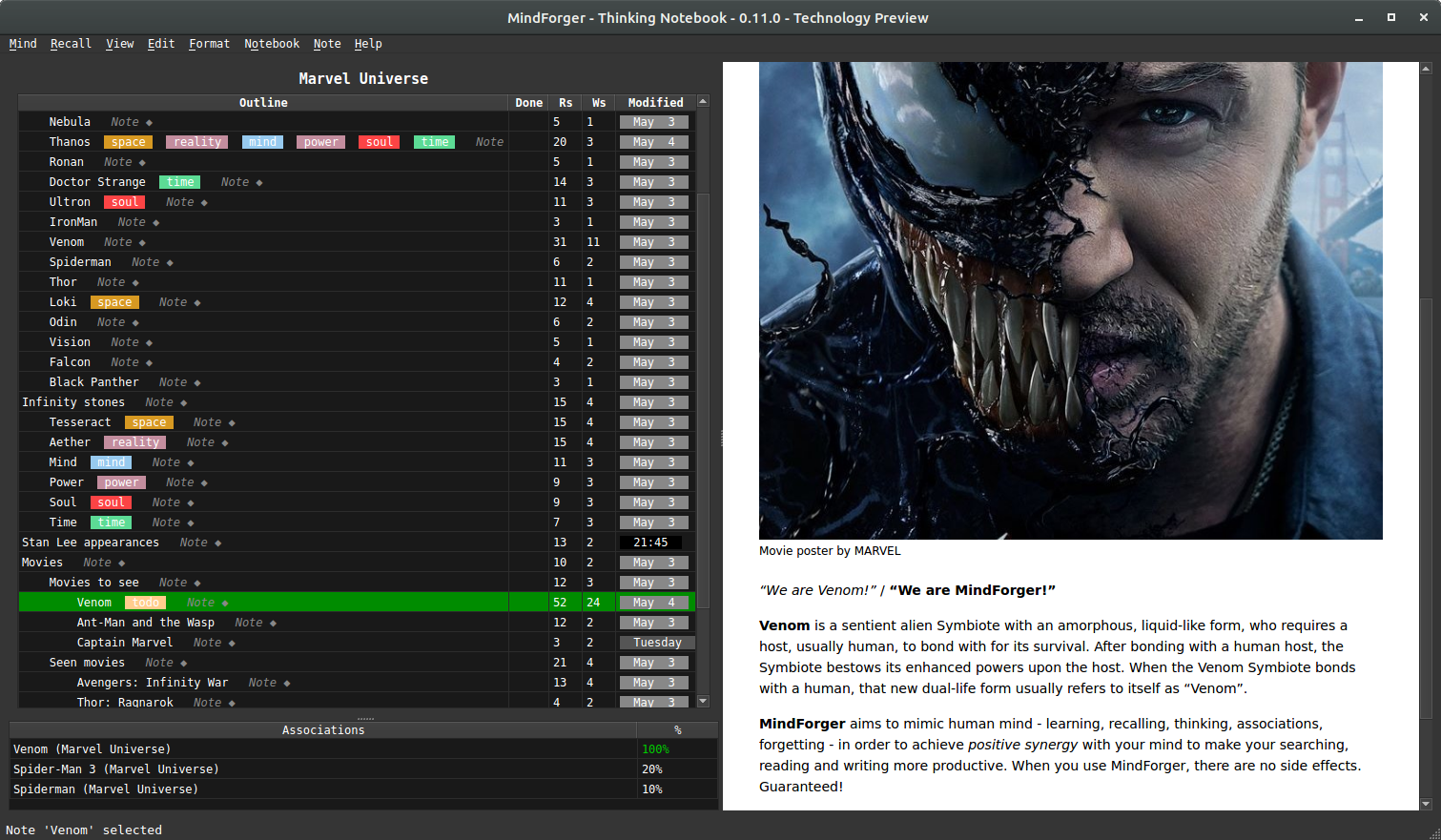
MindForger is human mind inspired personal knowledge management tool.
Markdown Editor
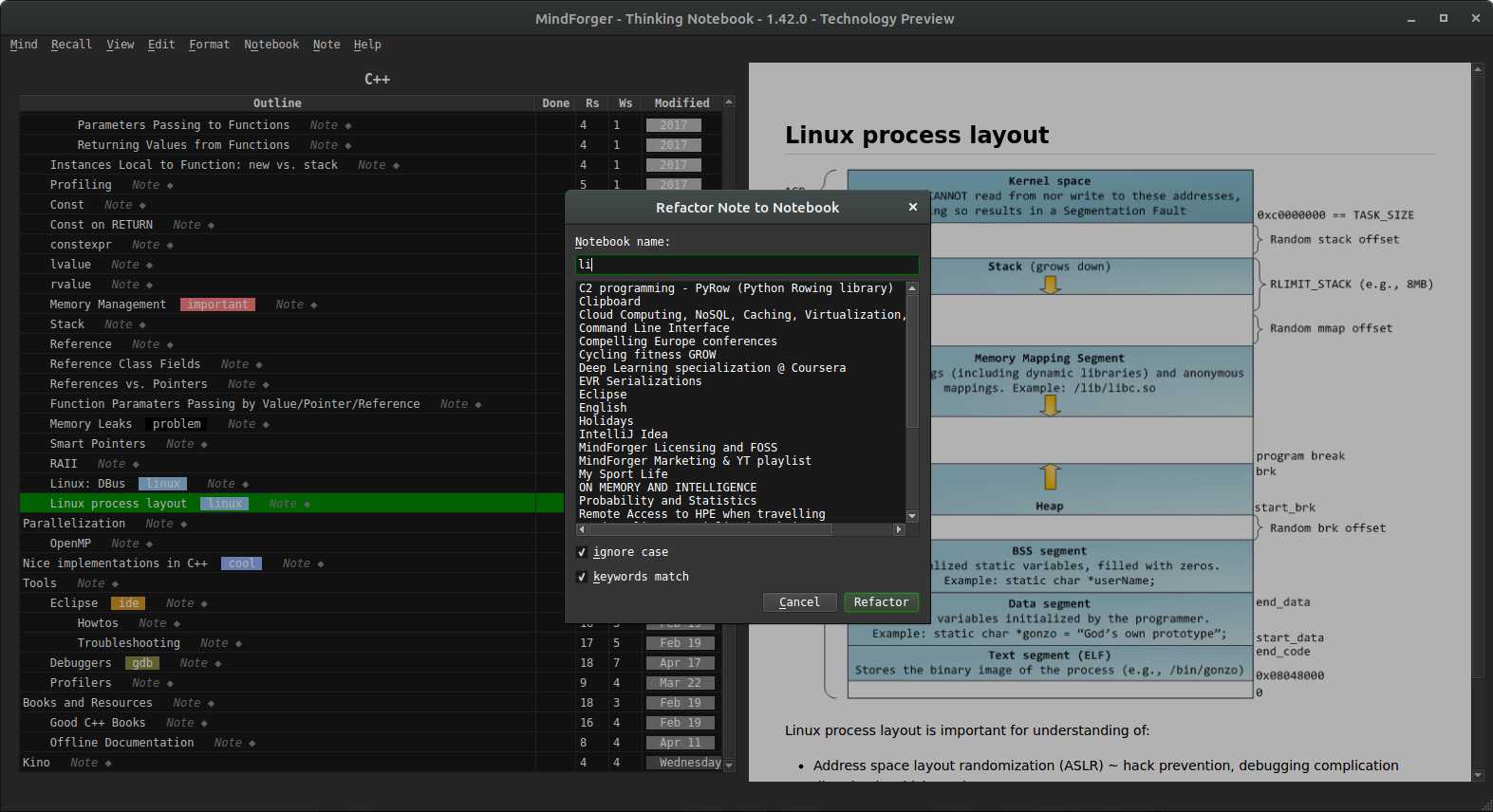
MindForger is open, free, well performing Markdown editor / IDE which respects your privacy.
Perfect Software
Perfect software is not necessarily the best software - it is perfect simply because it does exactly what you want, how do you want it and when you want it. The YAGNI - You Aren't Gonna Need It - mantra protects software from wasting time and resources on implementing anything and everything.
The MindForger project is perfect to me. Even if project's main development branch does not receive updates, be sure that I use it every day - it is the first application I start when I boot up my computer and the last one I close. I add a small feature here or there, fix a bug or update a dependency as needed. In other words, the project is not and will not be dead.
If you have any ideas, suggestions, news to share, or constructive criticism to share, do not hesitate to contact me! Please do not be offended if your GitHub issue or bug report is not implemeted - IAGNI.
Installation
Install:
Build:
Docker:
Tarball:
Nightly builds:
Check also packages for Linux and Unix.
Documentation
Read:
Watch:
Check:
Bugs and Feature Requests
https://github.com/dvorka/mindforger/issues