What it is
Memos is an open-source, self-hosted note-taking tool designed for rapid capture of short-form content like daily logs, links, code snippets, and microblog-style entries. It lives in the Go ecosystem and uses a Markdown-native, timeline-based interface. Unlike traditional note apps that enforce folders or rigid templates, Memos prioritizes speed and simplicity: users write in Markdown, attach media, and save without selecting titles or locations.
It solves the problem of fragmented or vendor-locked note-taking by offering a lightweight, privacy-first alternative to platforms like Notion. Users retain full control over their data, avoid telemetry, and deploy Memos on infrastructure they manage—ideal for those who want a personal knowledge base without the bloat of feature-rich but complex workspaces.
Key capabilities
- Markdown-native note creation with inline media attachment
- Chronological timeline view for chronological note browsing
- Tag-based organization and search across memos
- Selective sharing: mark individual memos as public or private
- Web Clipper browser extension for saving pages and selections as Markdown
- Persistent storage via mounted volume (
/var/opt/memos)
- Zero telemetry and MIT-licensed source code
Who uses it and how
- Developers and technical writers use it as a personal log for daily work snippets, code snippets, and quick research notes
- Researchers and students capture and organize links, paper highlights, and reading notes in a timeline format
- Privacy-conscious users deploy it self-hosted to avoid third-party data handling while maintaining a social microblog-like feed
Getting started
Deploy using the official Docker image neosmemo/memos:stable with a single docker run command, mounting ~/.memos for data persistence. Alternatively, follow the deployment guide for binary or manual installation. A live demo is available at https://demo.usememos.com/.
When to use it — and when not to
Use Memos when you need a fast, minimal, self-hosted tool for short-form notes without complex hierarchies or collaboration features. Avoid it if you require advanced features like relational databases, team workspaces, or built-in AI assistance. Self-hosting requires managing a database (SQLite by default), storage for attachments, and optionally SMTP for notifications—though SMTP is not required for core operation. It trades richness for simplicity, making it unsuitable for large-scale knowledge management or structured documentation.
project readme (upstream, from github) — read inline
✨ Featured sponsor: CodeRabbit — Industry-leading AI code reviews.
Memos

Fast enough for every thought. Private enough for all of them.
Memos is an open-source, self-hosted home for short-form thinking. Daily notes, links, work logs, and snippets flow into a chronological Markdown timeline—on infrastructure you control, without the overhead of an all-in-one workspace.
Run with Docker · Try the live demo · Read the docs




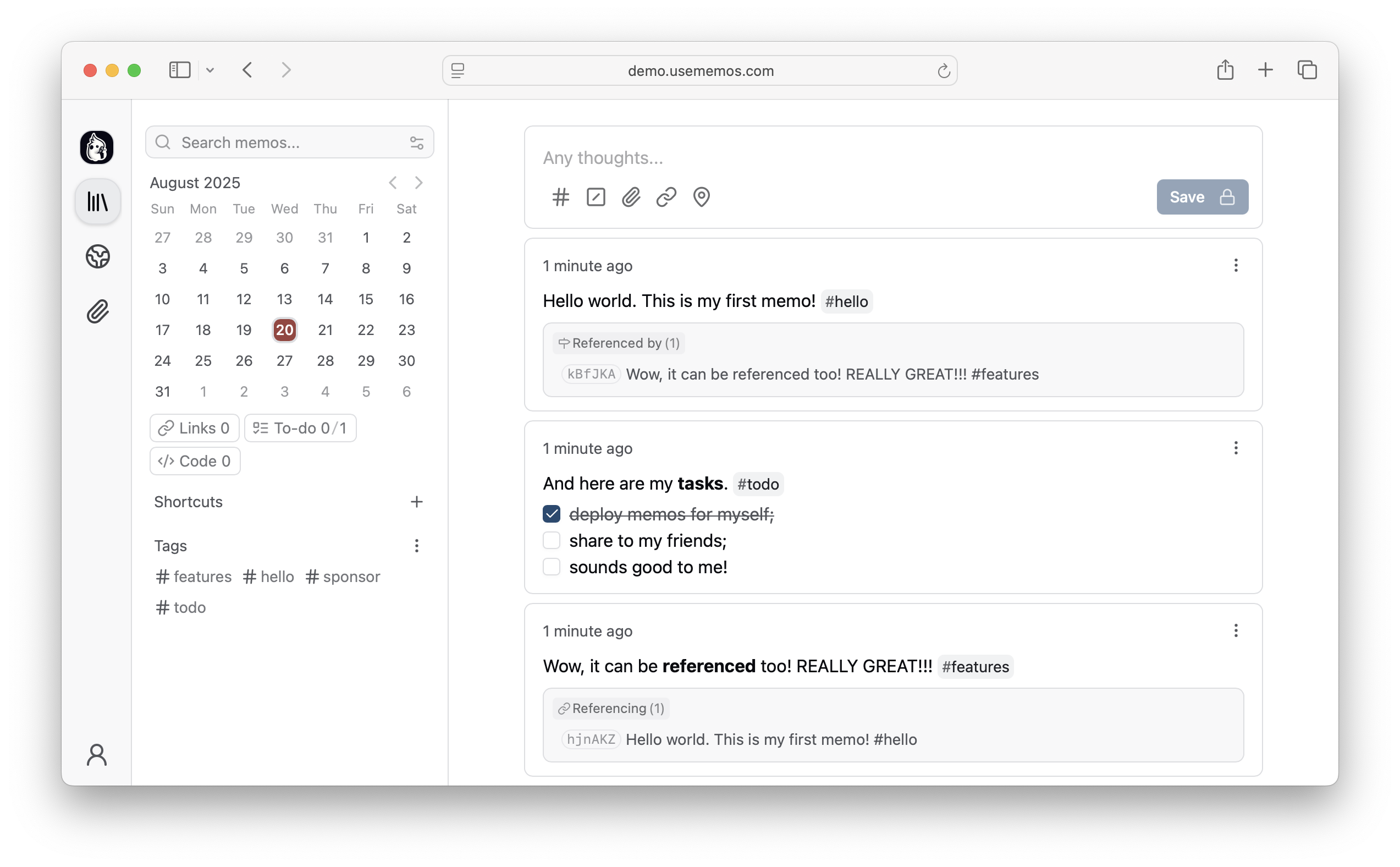
Why Memos?
- Capture quickly — Write in Markdown, attach media, and save without choosing a title, folder, or template.
- Organize lightly — Revisit notes through the timeline, search, tags, and pins.
- Share selectively — Keep memos private or publish only what you choose.
- Keep control — Self-host Memos with zero telemetry and MIT-licensed source.
Explore all features →
Quick Start
Run Memos with Docker:
docker run -d \
  --name memos \
  -p 5230:5230 \
  -v ~/.memos:/var/opt/memos \
  neosmemo/memos:stable
Other install options are in the deployment guide.
Web Clipper
Save pages, selections, and images from your browser straight into Memos as source-linked Markdown. Get the Memos Web Clipper for Chrome or Firefox.
Sponsors


Love Memos? Sponsor the project on GitHub.
Get Help
Read the docs, join Discord, or ask in GitHub Discussions. Found a bug or have an idea? Open an issue. To contribute, see the contributing guide.
Star History

