Memories is a fast, modern photo management suite that runs as a Nextcloud app, built for people who host their own Nextcloud instance and want a timeline-first photo and video library without handing their media to a commercial cloud service.
What it is
Memories is a PHP application distributed through the Nextcloud app store, licensed under AGPL-3.0 and developed in the open on GitHub under the pulsejet/memories repository. It installs into an existing Nextcloud server and turns that server's file storage into a full photo management suite: it reads Exif data to build a date-sorted timeline, generates indices for that media, and serves the result through a web app that works on any device shape or size. The stated goal is a batteries-included photo solution, meaning the timeline, albums, sharing, mapping, video handling, and migration paths are all part of the same app rather than separate add-ons.
The concrete problem it solves is the gap left by Nextcloud's own gallery. Nextcloud stores files well but presents photos as a file browser, not as a photo library, and Memories is positioned as the replacement for that experience. It provides a migration path from Nextcloud Photos and from Google Takeout, so an administrator can move an existing library into the timeline instead of recreating it. For self-hosters who already keep their files in Nextcloud, Memories is the layer that makes those files behave like a modern photo service.
Key capabilities
- Timeline view sorts photos and videos by date taken, parsed from Exif data, rather than by upload time or folder.
- Rewind jumps to any point in the past to browse media from that moment.
- AI tagging groups photos by people and objects, powered by the
recognize and facerecognition Nextcloud apps.
- Albums group photos and videos, and those albums can be shared with other users or with people outside the Nextcloud instance through external sharing.
- Bulk metadata editing changes dates and other metadata across many photos at once.
- Video transcoding uses HLS for playback performance, with a separate
go-vod component and its own build workflow in the repository.
- Map view places photos geographically with reverse geocoding applied to coordinates.
- Archive moves photos out of the timeline into a separate folder for media that should not keep appearing.
- Performance is documented as tested on instances holding over a million photos.
Who uses it and how
- Self-hosters running a Nextcloud instance who want their existing server to serve as the photo library, with the app pointed at a chosen directory of originals.
- Large libraries: the README cites testing on instances with more than a million photos, so administrators of big media collections are an explicit target.
- Families and small groups sharing albums internally, or sharing individual albums outward to people who have no account on the instance.
- Android users installing the early-access Memories client from Google Play, F-Droid, or GitHub Releases, with automatic uploads handled by the official Nextcloud mobile apps on Android and iOS.
- Administrators migrating from Nextcloud Photos or importing a Google Takeout archive, then running the indexing step to regenerate metadata for the imported media.
Getting started
Install the app from the Nextcloud app store, carry out the recommended configuration steps documented at memories.gallery, then run php occ memories:index to generate metadata indices for photos already on the server. After that, open the Memories app in Nextcloud and set the directory that contains the photos.
How it compares
The facts do not provide a list of paid products that Memories replaces, so placement has to come from the tools it names. It sits directly against Nextcloud's built-in Photos app as the richer gallery for the same server, and it offers migration from both Nextcloud Photos and Google Takeout, which makes it the destination rather than the source for libraries arriving from elsewhere. The optional AI features depend on two other Nextcloud apps, recognize and facerecognition, so its capabilities are partly shared with the Nextcloud ecosystem rather than wholly self-contained.
When to use it — and when not to
Memories is only an option for someone already running Nextcloud, since it is an app inside that server and not a standalone service; a self-hoster must therefore operate Nextcloud itself along with its database and file storage, and AI tagging additionally requires the recognize and facerecognition apps to be installed and run. Video transcoding pulls in the go-vod component, which is another service to build and maintain. Anyone looking for a hosted product, or unwilling to run an indexing command over an existing library, should look elsewhere. The repository carries 473 open issues and 169 forks at last push, and the Android client is still described as early access, so the project is active but not finished.
project readme (upstream, from github) — read inline
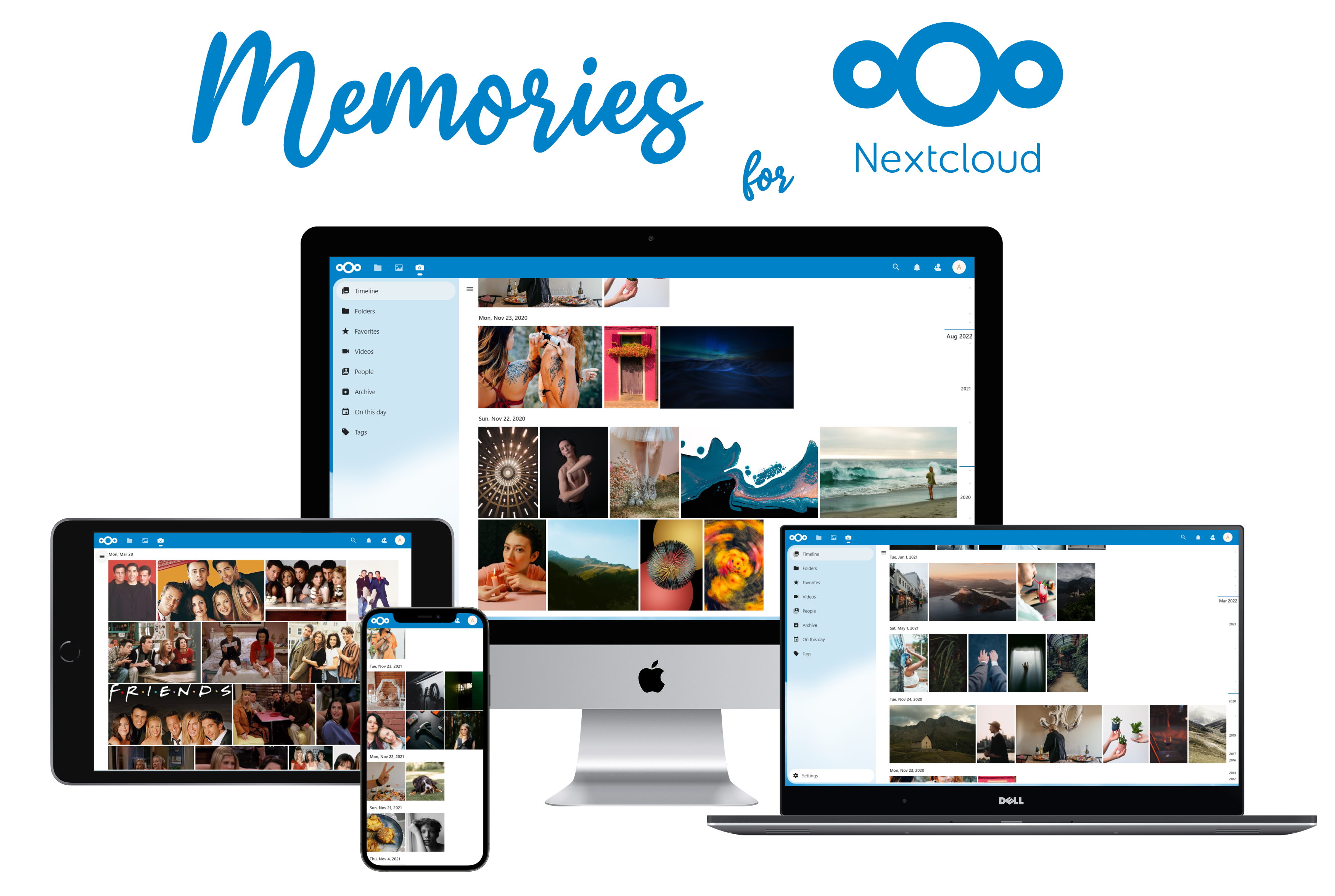
Memories: Photo Management for Nextcloud











Memories is a batteries-included photo management solution for Nextcloud with advanced features
🎁 Features
- 📸 Timeline: Sort photos and videos by date taken, parsed from Exif data.
- ⏪ Rewind: Jump to any time in the past instantly and relive your memories.
- 🤖 AI Tagging: Group photos by people and objects, powered by recognize and facerecognition.
- 🖼️ Albums: Create albums to group photos and videos together. Then share these albums with others.
- 🫱🏻🫲🏻 External Sharing: Share photos and videos with people outside of your Nextcloud instance.
- 📱 Mobile Support: Work from any device, of any shape and size through the web app.
- ✏️ Edit Metadata: Edit dates and other metadata on photos quickly and in bulk.
- 📦 Archive: Store photos you don't want to see in your timeline in a separate folder.
- 📹 Video Transcoding: Transcode videos and use HLS for maximal performance.
- 🗺️ Map: View your photos on a map, tagged with accurate reverse geocoding.
- 📦 Migration: Migrate easily from Nextcloud Photos and Google Takeout.
- ⚡️ Performance: Do all this very fast. Tested on instances with over a million photos.
🚀 Installation
- Install the app from the Nextcloud app store.
- Perform the recommended configuration steps.
- Run
php occ memories:index to generate metadata indices for existing photos.
- Open the 📷 Memories app in Nextcloud and set the directory containing your photos.
📱 Mobile Apps
- An Android client for Memories is available in early access on Google Play, F-Droid or GitHub Releases.
- For automatic uploads, you can use the official Nextcloud mobile apps.
🏗 Development Setup
You can use the dev container to quickly fire up an instance of Nextcloud with Memories pre-installed.
See .devcontainer/README.md for more information.

To set up a development instance manually, follow these steps:
- ☁ Clone this monorepo into the
custom_apps folder of your Nextcloud.
- 📥 Install Composer and Node.js 18
- 👩💻 In a terminal, run the command
make dev-setup to install the dependencies.
- 🏗 To build/watch the UI, run
make watch-js.
- ✅ Enable the app through the app management of your Nextcloud.
- ⚒️ (Strongly recommended) use VS Code for development and install these extensions (
Ctrl+Shift+P > Show Recommended Extensions).
- PHP Intelephense: For PHP intellisense and static analysis
- PHP-CS-Fixer: For PHP formatting (alternatively,
make php-cs-fixer)
- Psalm: For PHP static analysis (alternatively,
make psalm)
- Prettier: For autoformatting Vue and Typescript
- Volar: For Vue intellisense and static analysis
- If using PHP Intelephense, search for
@builtin php-language-features in the extensions tab and disable it.
This monorepo is organized into the following packages:
- lib: Backend and database migrations (PHP).
- src: Frontend for all platforms (Vue)
- go-vod: On-demand video transcoder (Go)
- android: Android implemention of NativeX (Kotlin)
- l10n: Translations (Transifex)
Releases are organized with these tags:
v*: overall releases (e.g. v1.0.0 or v1.0.0-beta.1)go-vod/*: transcoder releases (e.g. go-vod/1.0.0)android/*: Android releases (e.g. android/1.0.0)
🤝 Support the project
- 🌟 Star this repository: This is the easiest way to support Memories and costs nothing.
- 🪲 Report bugs: Report any bugs you find on the issue tracker.
- 📖 Translate: Help translate Memories into your language on Transifex.
- 📝 Contribute: Read and file or comment on an issue and ask for guidance.
- 🪙 Sponsorship: You can support the project financially at GitHub Sponsors.
A shout out to the current and past financial backers of Memories! See the sponsors page for a full list.
📝 Changelog
For the full changelog, see CHANGELOG.md.
🙏 Special Thanks
To the great folks building Nextcloud, PHP, Vue and all the other dependencies that make this project possible.
Thanks to GitHub, CircleCI and BrowserStack for sponsorship for Open Source projects for CI / testing on different devices.
📄 License
Memories is licensed under the AGPLv3. Subpackages such as go-vod are licensed under their respective licenses. See the directory of the subpackage for more information.