manifold is a free, open source ai interaction & interfaces project written in Go and released under MIT. It has 501 GitHub stars, 30 forks and 3 open issues, and was last pushed 11 days ago. On this registry it ranks #132 of 135 tracked projects in AI Interaction & Interfaces, with 5 head-to-head comparisons available.

What is manifold?

Manifold is an experimental, MIT-licensed Go platform for long-horizon workflow automation that coordinates teams of AI assistants, built for developers and teams who need agent workflows that run over hours instead of single prompts.

What it is

Manifold is an experimental platform for enabling long-horizon workflow automation using teams of AI assistants. It lives in the AI & Machine Learning / AI Interaction & Interfaces space, is written in Go with a Vue frontend, and ships under the MIT licence. It supports OpenAI, Google and Anthropic models, and it also speaks OpenAI-compatible APIs so self-hosted open-weight models served through llama.cpp or vLLM can back the same workflows. The project describes itself as an experimental frontier AI platform and warns against deployment in production environments that require strong stability guarantees.

The concrete problem it solves is the ceiling of one-shot prompting. Manifold is built for workflows that go beyond a single prompt, giving specialists, tools, projects and workflows a shared workspace where they can work together on multi-step objectives over extended periods. Rather than replacing a named commercial product, it replaces ad-hoc chat sessions: objectives get assigned to configured specialists, workflows get saved as reusable tools, and scheduled tasks keep running on their own after the operator closes the tab.

Key capabilities

  • Agent chat where specialists collaborate across multiple turns, and can be configured to render visualizations in addition to text responses.
  • Specialist registry for defining and configuring AI agents, so operators build their own team of experts rather than reusing one general model.
  • Visual workflow editor where MCP tools are exposed as nodes automatically; saved workflows become tools that specialists can invoke, or that can be inserted as nodes into other workflows.
  • Pulse scheduled tasks that run at intervals, daily, or once at a defined date and time, then send results to external services, with Matrix natively supported and further channels added through Skills or MCP servers.
  • Projects configured as agent workspaces, each isolated to its own root path, loading skills from that project's skills/ folder and read-only universal skills from $HOME/.manifold/skills and $HOME/.agents/skills.
  • Image generation through OpenAI and Google models, plus local generation via a custom ComfyUI MCP client.
  • Prompts, datasets and an experiments playground for versioning prompts and measuring how prompt changes affect agent behavior, alongside MCP support for configuring multiple servers and enabling tools individually to control context size.

Who uses it and how

  • Teams running long-horizon objectives that span hours, using specialists in place of a single chat thread.
  • Self-hosters who point Manifold at open-weight models through llama.cpp or vLLM instead of a hosted API, keeping inference on their own hardware.
  • Operators who need recurring automation, using Pulse to schedule specialist runs and push results into Matrix.
  • Developers building reusable agent tooling in the workflow editor, where each saved workflow becomes a callable tool for other specialists.
  • Users iterating on prompts, who use the playground's datasets and experiments to compare agent behavior before assigning a prompt to a specialist.

Getting started

The recommended first-run path is Docker-based and needs no local Go, Node or pnpm toolchain: copy example.env to .env, copy config.yaml.example to config.yaml, set at minimum OPENAI_API_KEY and WORKDIR, then run docker compose up -d manifold. Prerequisites are Docker with Compose support, an LLM API key or a reachable OpenAI-compatible endpoint, and a writable host directory for the working directory.

How it compares

The facts provided name no paid products that Manifold replaces and no directly comparable tools, so it stands alone in this registry. What it does interoperate with is stated plainly: OpenAI, Google and Anthropic models, OpenAI-compatible endpoints served by llama.cpp or vLLM, ComfyUI for local image generation, Matrix as a native output channel, and MCP as the extension protocol for tools. Its distinguishing axis here is licence and deployment: MIT-licensed source that runs on the operator's own Docker host, with model choice left to the operator.

When to use it — and when not to

Pick Manifold if you can run Docker Compose, can supply an LLM API key or a reachable OpenAI-compatible endpoint, and want agents that keep working on multi-step objectives rather than answering one prompt. Note that SQLite is the default durable backend, and the README's deployment section continues into Postgres, so a self-hoster should expect to operate and understand the storage backend before relying on it. Do not deploy it in production environments that require strong stability guarantees — the project labels itself experimental, observability is explicitly marked work in progress, and the maintainers direct operators to the README for any statement to the contrary.

project readme (upstream, from github) — read inline

Manifold

Manifold is an experimental platform for long-horizon workflow automation with teams of AI assistants.

It supports OpenAI, Google, and Anthropic models, along with OpenAI-compatible APIs for self-hosted open-weight models served through llama.cpp or vLLM.

[!WARNING] Manifold is an experimental frontier AI platform. Do not deploy it in production environments that require strong stability guarantees unless this README explicitly states otherwise.

What Manifold does

Manifold is built for workflows that go beyond one-shot prompts. It gives you a workspace where specialists, tools, projects, and workflows can work together on multi-step objectives over extended periods.

Features

Agent chat

Use a traditional chat interface to assign objectives to specialists. Agent specialists can be configured to render visualizations in addition to text responses.
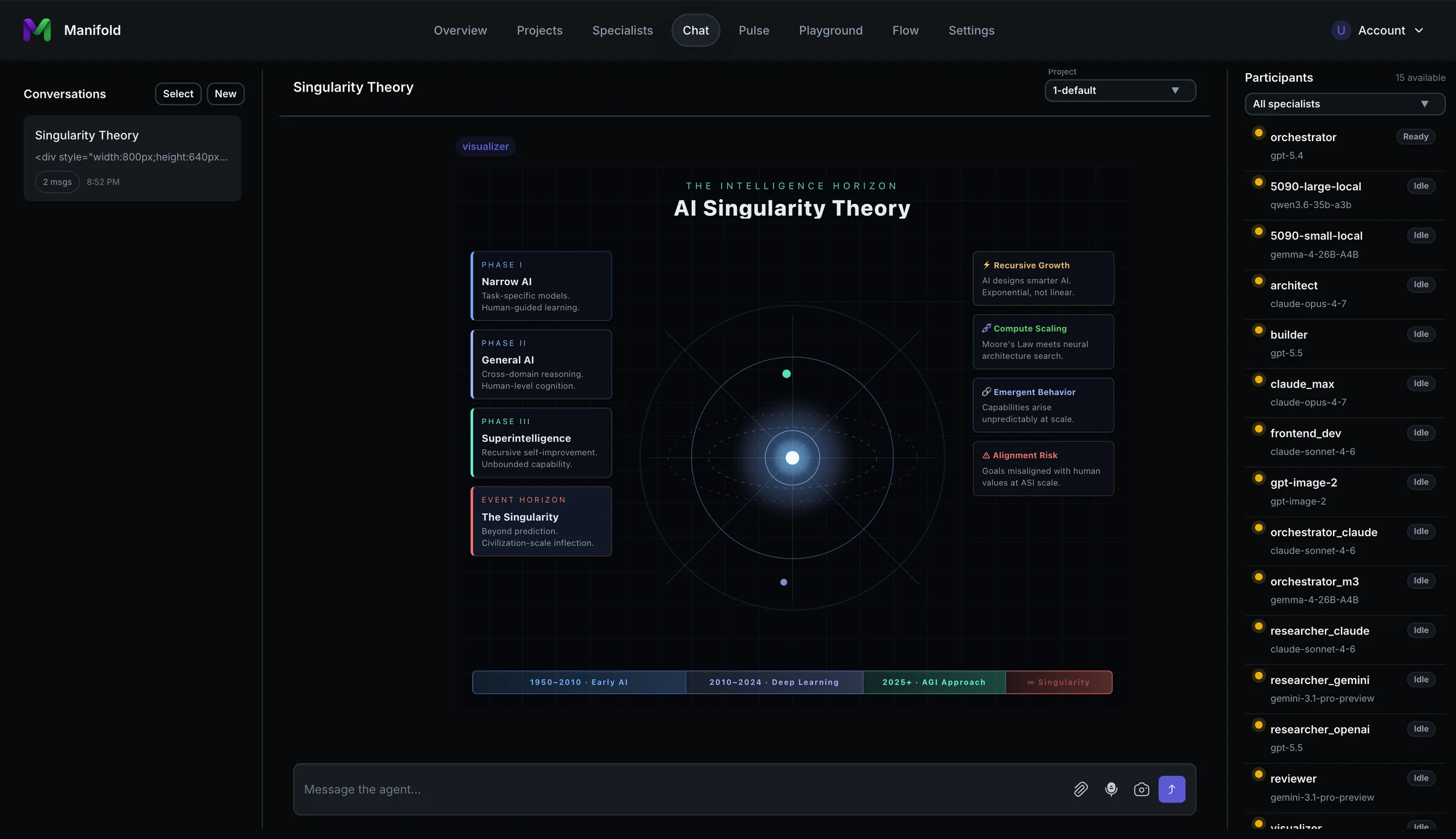
chat

Specialists can collaborate across multiple turns. Manifold is designed to take advantage of the long-horizon capabilities of frontier models and can work on complex objectives for hours.

Image generation

Manifold supports image generation with OpenAI and Google models, as well as local image generation through a custom ComfyUI MCP client.
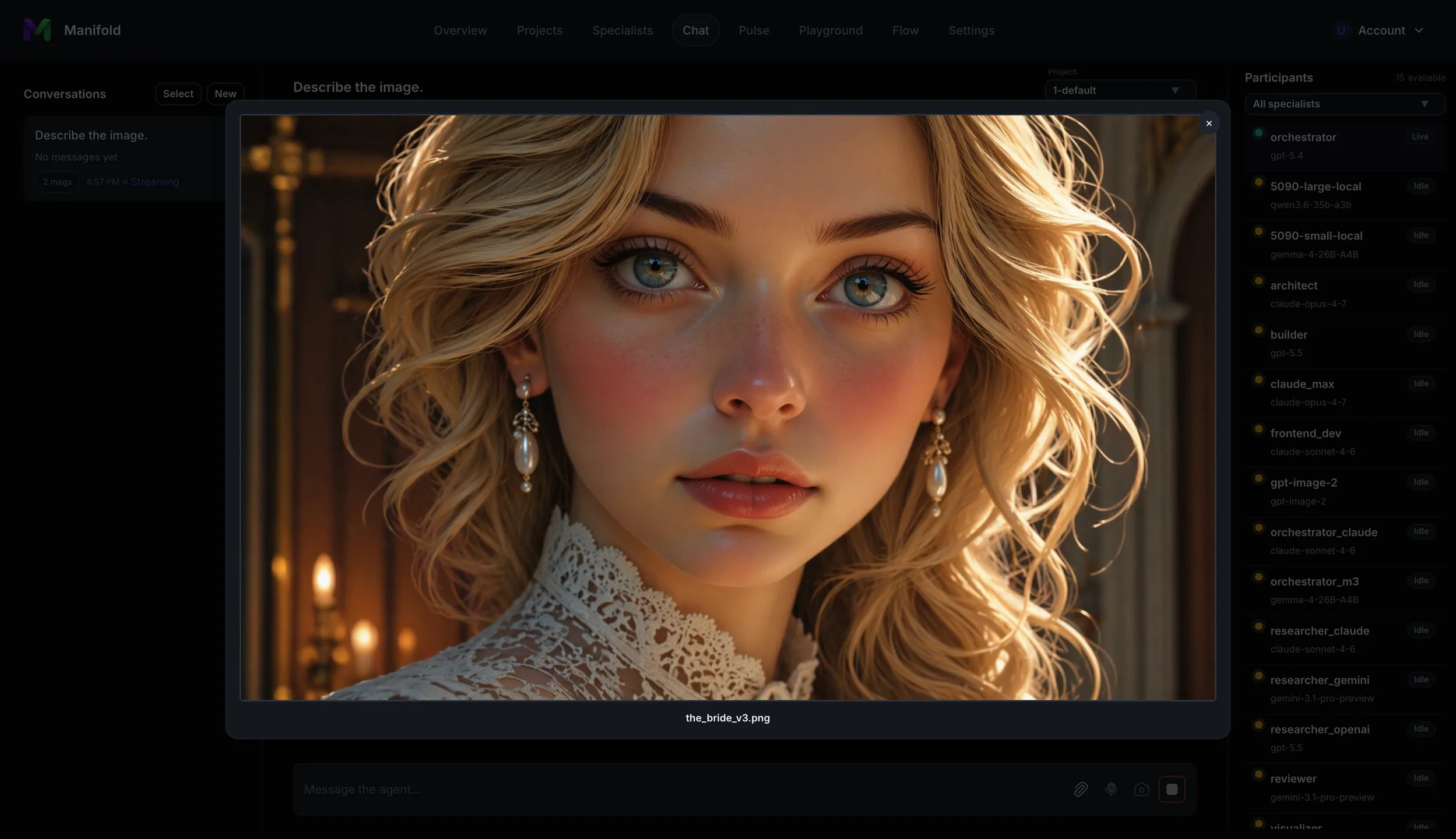
image generation

Example ComfyUI-generated image using a custom workflow.

Observability (work in progress)
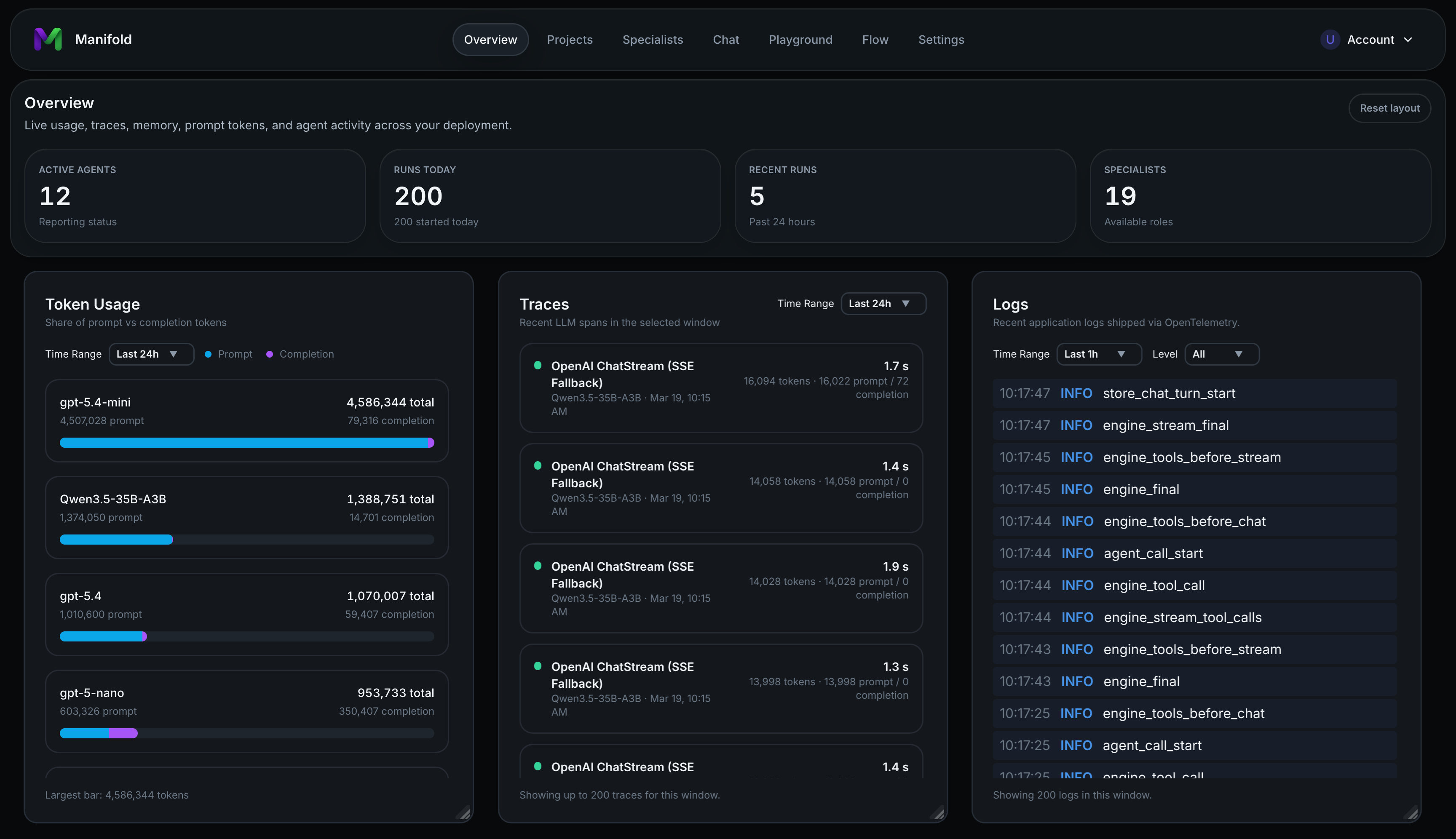
chat

Pulse - Scheduled Tasks

Schedule tasks for agent specialists to execute in time intervals, daily, or only once at a defined date and time. Send results to various external services. Matrix is natively supported, but Skills or MCP's can extend the channels Manifold has access to.
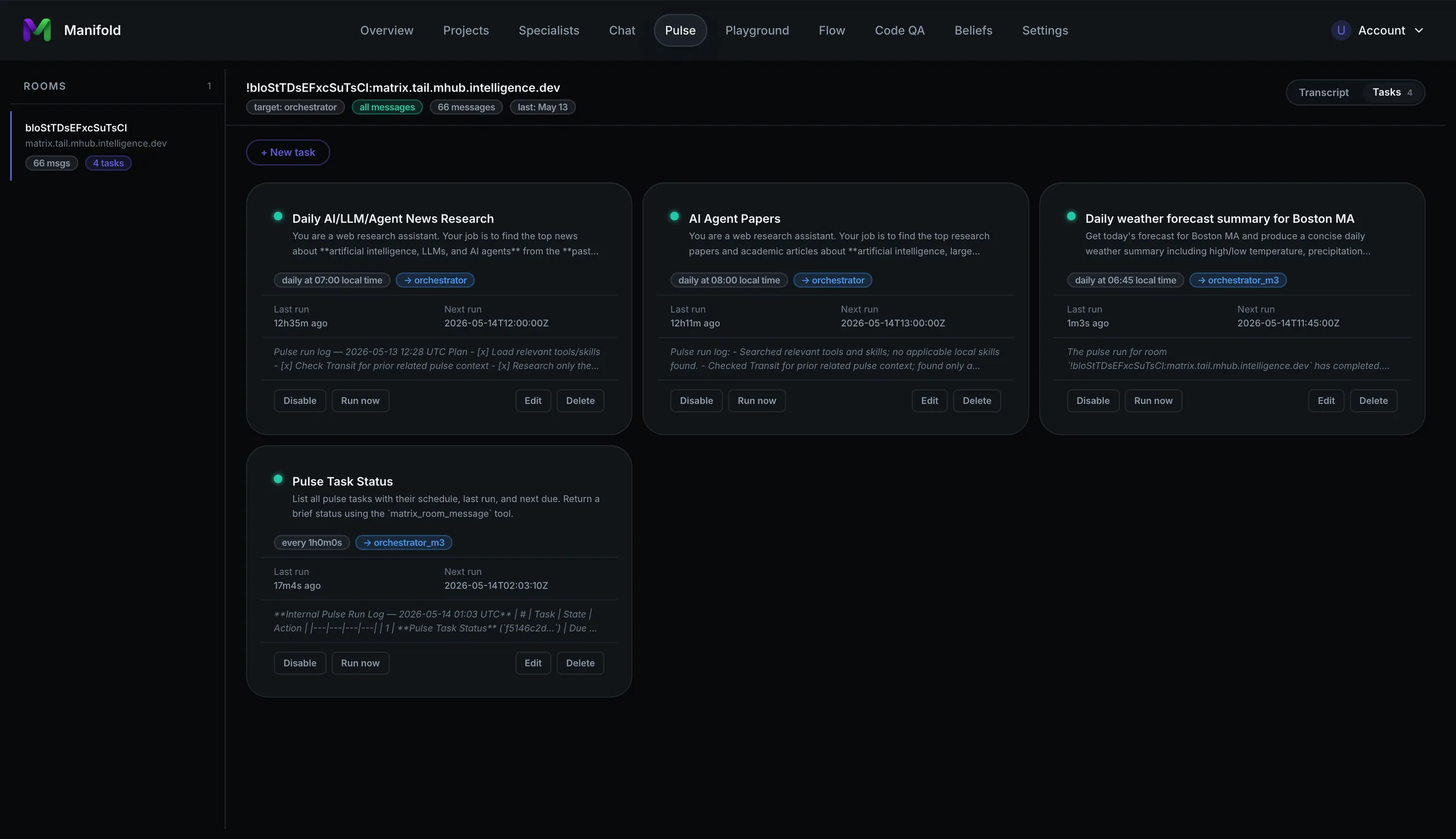
pulse

Workflow editor

Design agent workflows with a visual flow editor. MCP tools are exposed as nodes automagically. Saved workflows become tools that can be invoked by specialists or inserted as nodes into other workflows. It's workflows all the way down.
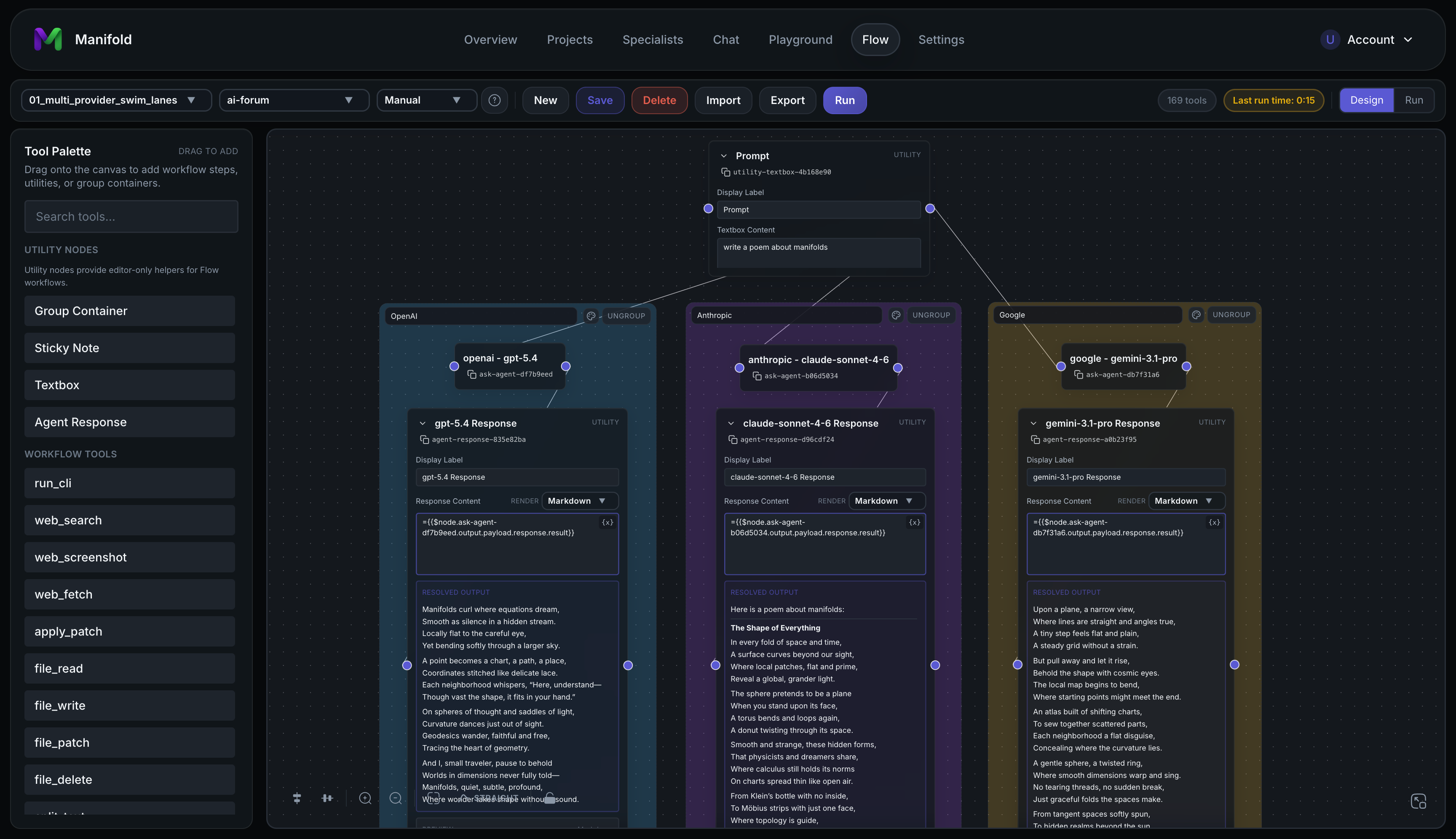
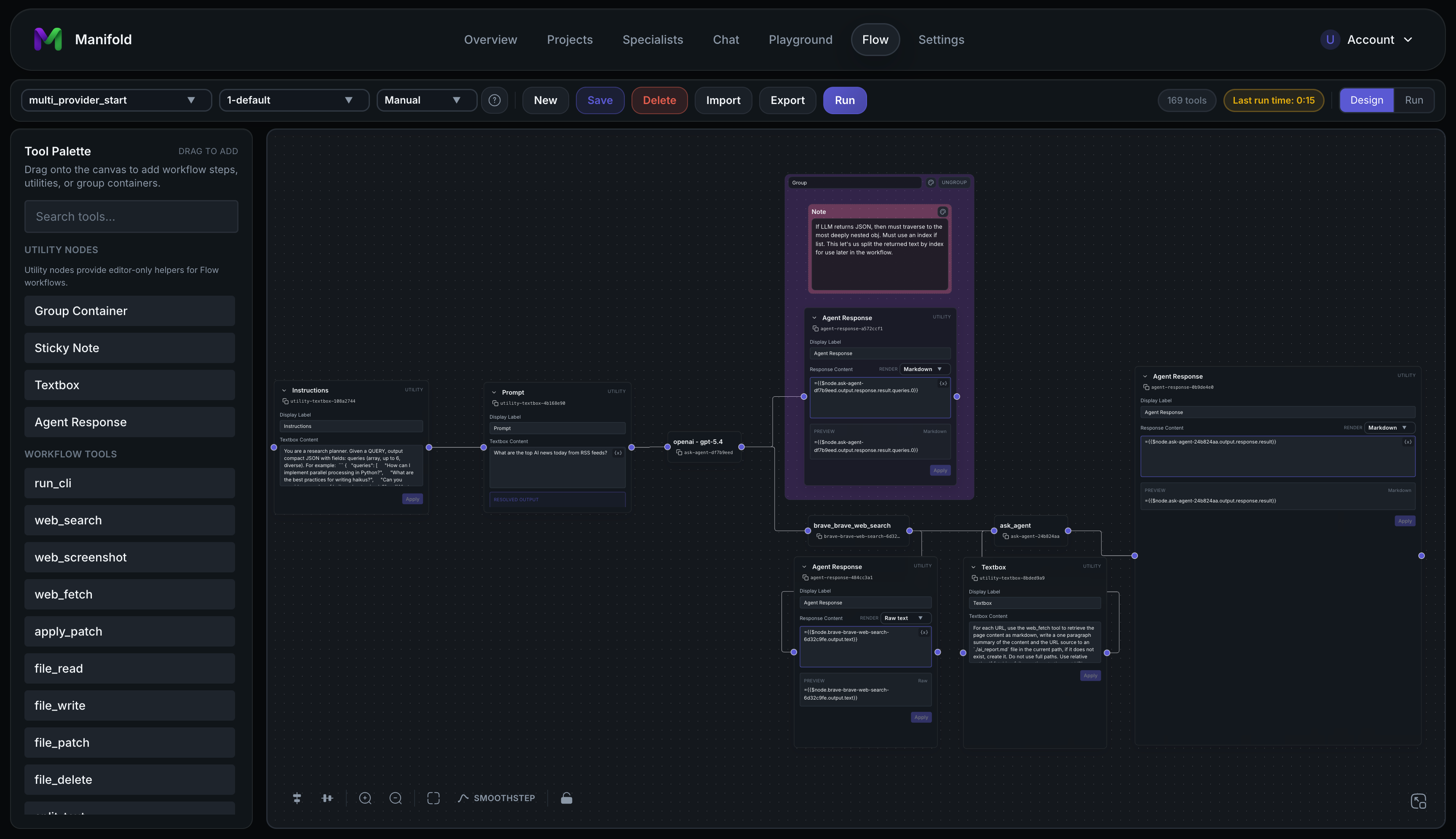
workflow editor

workflow editor 2

Specialist registry

Define and configure AI agents, then build your own team of experts.
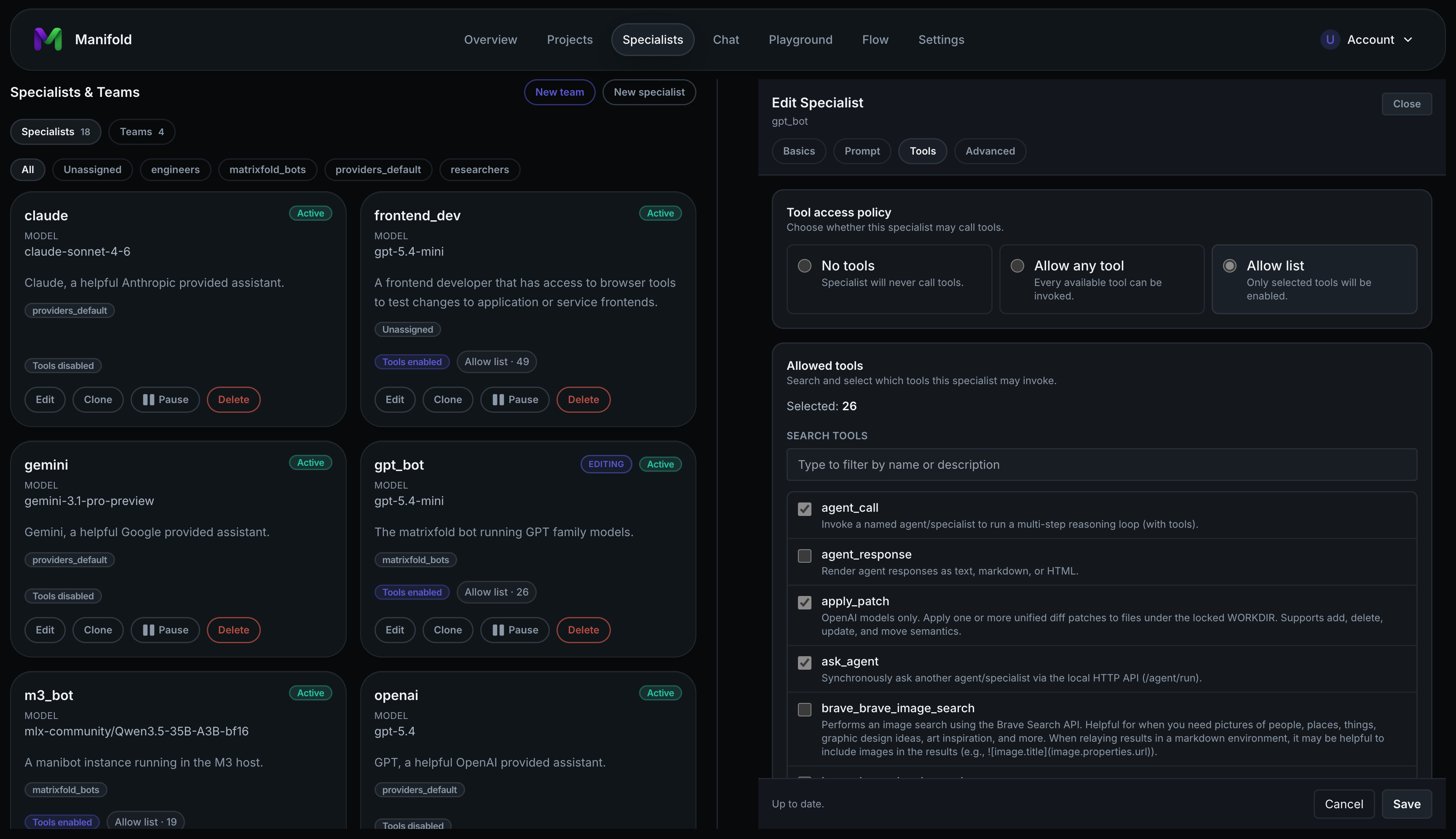
specialists

Projects

Configure projects as agent workspaces.

Each project is isolated to its own root path. Agents load project skills from that project's skills/ folder, and can also discover universal read-only skills from $HOME/.manifold/skills and $HOME/.agents/skills through dedicated skill tools.
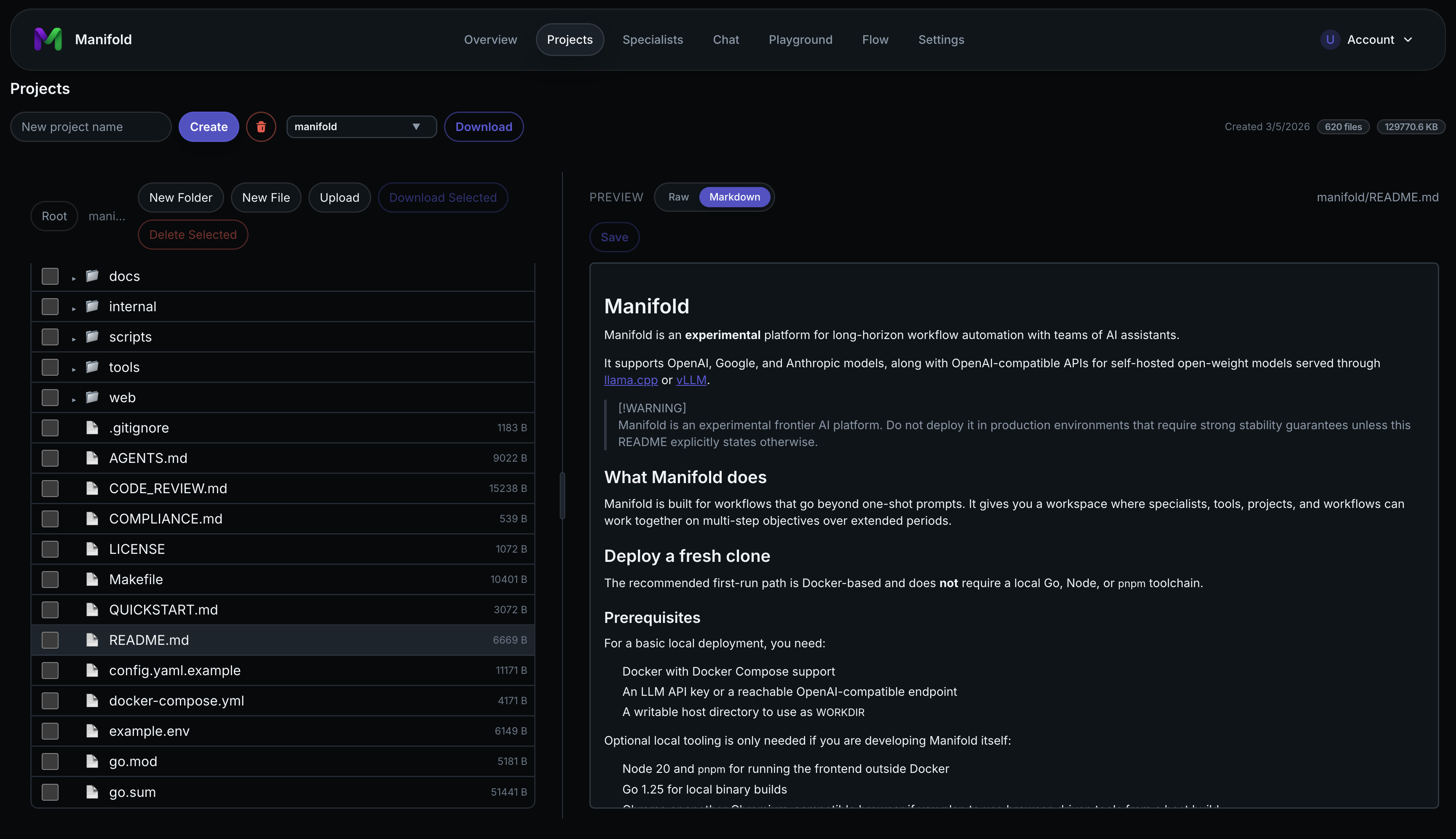
projects

Integrated tools and MCP support

Manifold includes built-in tools for agent workflows and supports MCP to extend agent capabilities. You can configure multiple MCP servers and enable tools individually to manage context size more precisely.
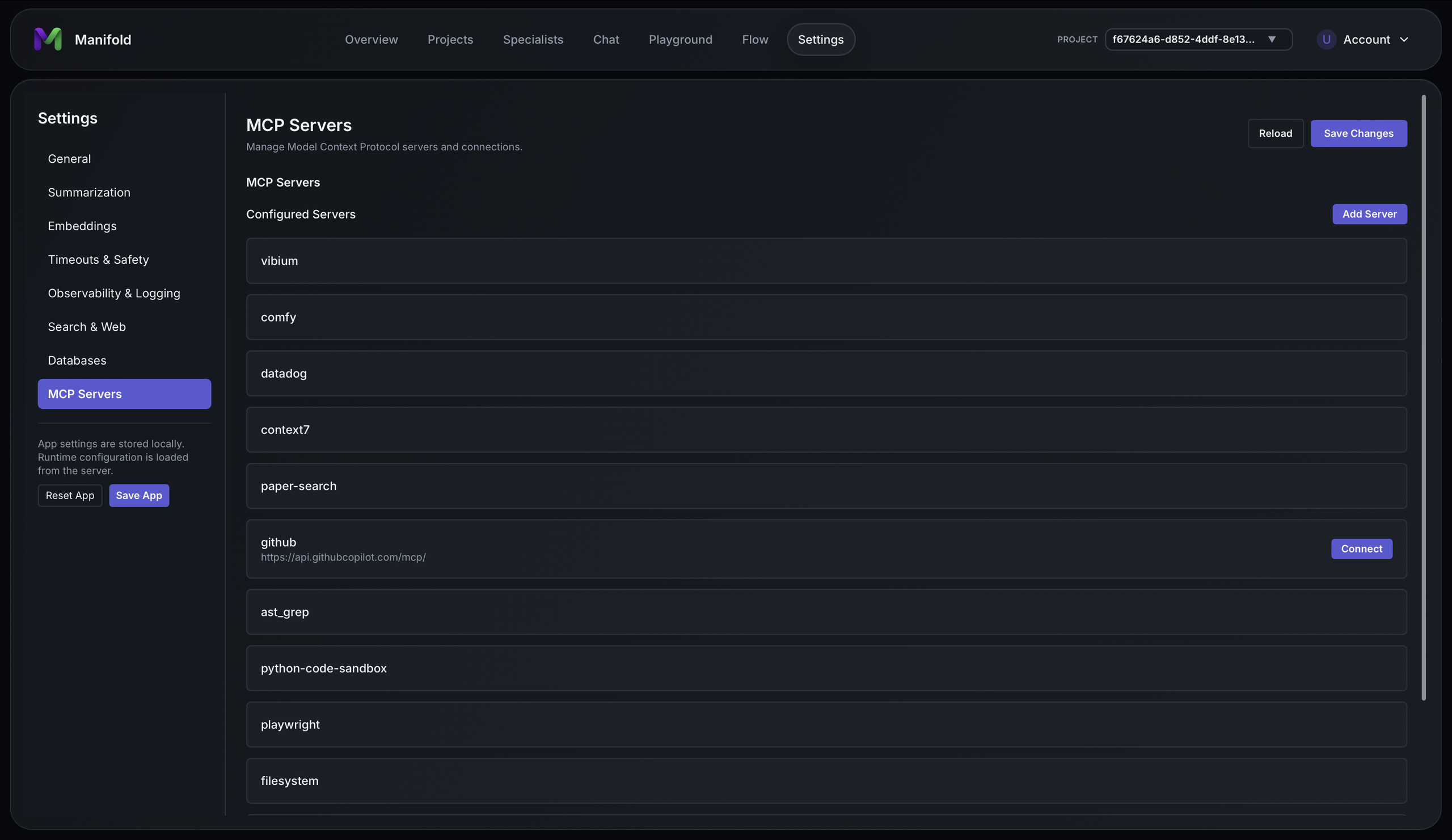
mcp

Prompts, datasets, and experiments playground

Create, iterate on, and version prompts that can be assigned to agents. Configure datasets and run experiments to understand how prompt changes affect agent behavior.
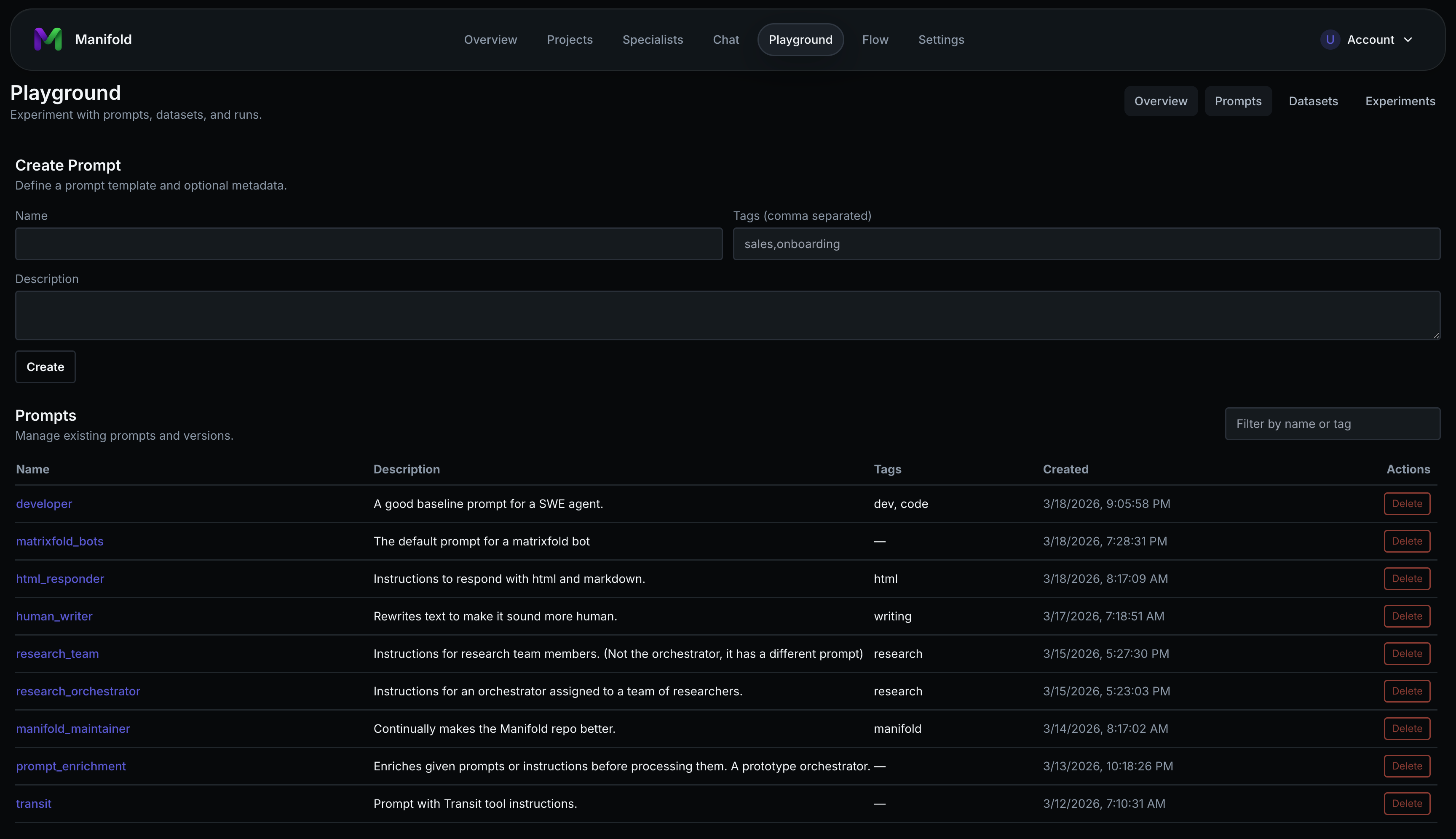
playground

Deploy a fresh clone

The recommended first-run path is Docker-based and does not require a local Go, Node, or pnpm toolchain.

Prerequisites

For a basic local deployment, you need:

  • Docker with Docker Compose support
  • An LLM API key or a reachable OpenAI-compatible endpoint
  • A writable host directory to use as WORKDIR

Optional local tooling is only needed if you are developing Manifold itself:

  • Node 22 and pnpm for running the frontend outside Docker
  • Go 1.26.3 for local binary builds
  • Chrome or another Chromium-compatible browser if you plan to use browser-driven tools from a host build

Fast path

cp example.env .env
cp config.yaml.example config.yaml

# Edit .env and set at minimum:
#   OPENAI_API_KEY=...
#   WORKDIR=/absolute/path/to/your/manifold-workdir

docker compose up -d manifold

Then open .

Self-contained host run

Manifold can run without external database or telemetry services when you build the manifold binary locally. SQLite is the default durable backend, and Postgres is optional:

databases:
  backend: sqlite
  defaultDSN: ""
  sqlite:
    path: "~/.manifold/manifold.db"

obs:
  otlp: ""
  local:
    enabled: true
  clickhouse:
    dsn: ""

Check local storage before startup with:

./dist/manifold storage doctor --json

With that configuration, manifold stores durable state in SQLite with FTS5 and Vec1 enabled, and serves metrics, logs, and traces from bounded process-local telemetry. You still need an LLM provider, which can be a remote API key or a local OpenAI-compatible endpoint.

For the full deployment walkthrough, see:

Developers

Frontend feature gates

make build-manifold is the standard host build for Manifold. It builds dist/manifold with the Forge backend, embedded frontend, and stable UI feature gate. Stable builds do render frontend undocumented features still in active development.

To build the same backend and embedded frontend with beta UI links enabled, use either command:

make build-manifold-beta
make build-manifold FEATURE_GATE=beta

The build passes FEATURE_GATE through to Vite as VITE_MANIFOLD_FEATURE_GATE.

Release packages

Release artifacts are zip files that contain the runtime manifold binary and the example configuration files needed to bootstrap a deployment:

  • manifold or manifold.exe
  • config.yaml.example
  • specialists.yaml.example
  • mcp.yaml.example
  • example.env
  • THIRD_PARTY_NOTICES.txt

The agent one-shot CLI and openapi generator are developer tools and are not required for the Manifold server, UI, or API runtime.

Forge harness

Standard Manifold builds use the Forge backend. The stricter guarded harness modes for workflow enforcement, tool-error recovery, and control-flow-safe compaction are still controlled by runtime configuration. See docs/forge_harness.md for modes, configuration, rollout guidance, and deterministic scenario tests.

Frequently asked questions

Is manifold free to use?

manifold is open source under the MIT licence. There is no licence fee and no seat count — you can self-host it or, where the project offers one, pay a vendor for a managed version instead.

What does manifold do?

Manifold is an experimental platform for enabling long horizon workflow automation using teams of AI assistants.

What is manifold written in?

manifold is primarily written in Go. Its source is publicly available at https://github.com/intelligencedev/manifold, and it has 501 GitHub stars.