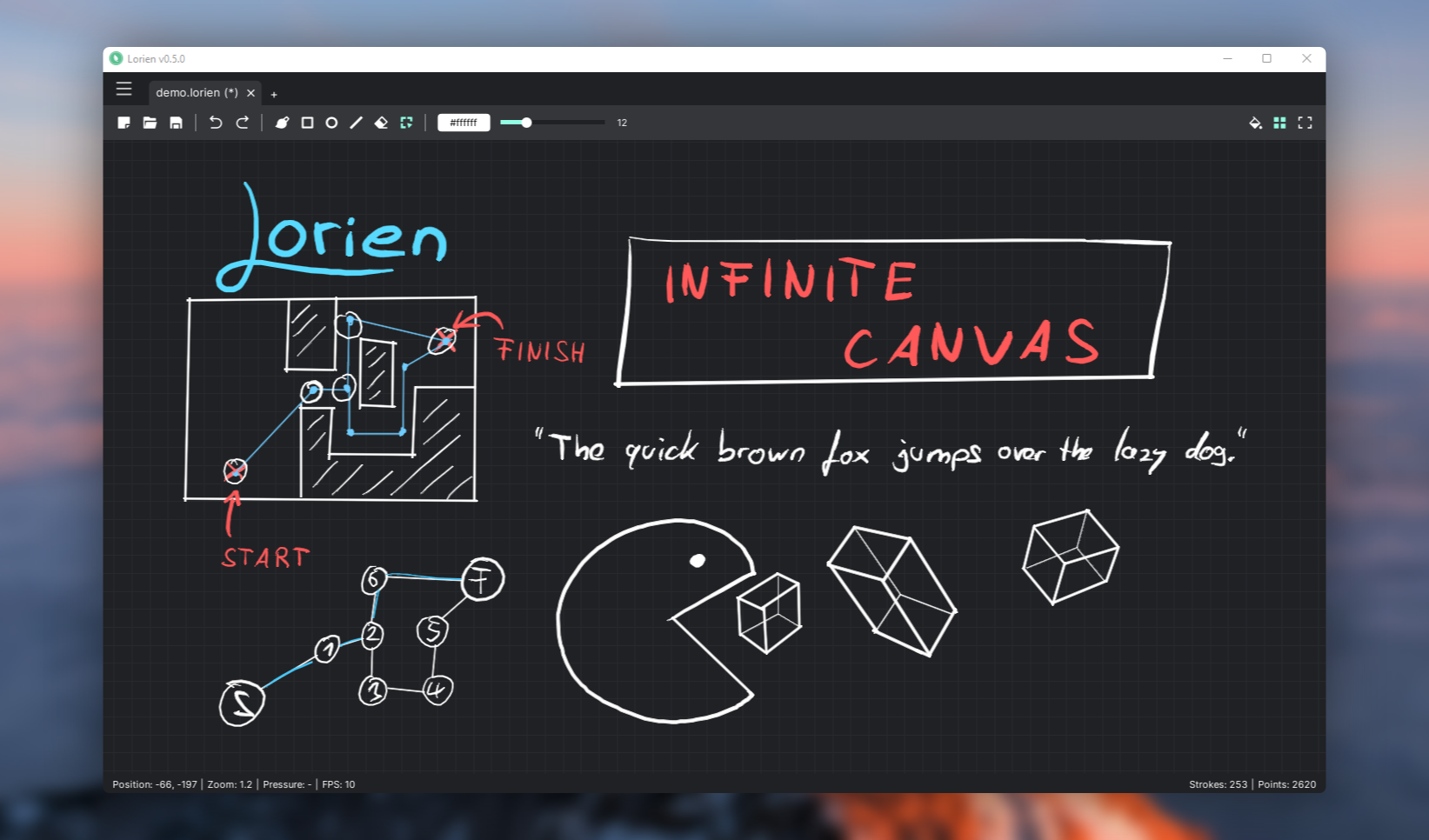
Lorien is an infinite canvas drawing and whiteboarding application for Windows, Linux and macOS, built with the Godot game engine and aimed at people who want a fast, simple digital notebook for note-taking, brainstorming and light diagramming.
What it is
Lorien is an open-source infinite canvas drawing and note-taking app written entirely in GDScript on top of the Godot Game Engine. It lives in the Productivity & Utilities / Note Taking & Knowledge Management space, carries an MIT licence, and is distributed as a desktop application for Windows, Linux and macOS. Its stated focus is performance, small savefiles and simplicity, and it is primarily designed as a digital notebook and brainstorming tool rather than a general-purpose art package.
The concrete problem it solves is the weight of bitmap-based drawing. Unlike Krita, Gimp or Photoshop, Lorien does not store a raster image of the canvas. It saves brush strokes as a collection of points and renders them at runtime, in a manner comparable to SVG, which is what keeps savefiles extremely small and the canvas responsive. The project documents its own file format specification, so the on-disk representation of a notebook is a defined, inspectable structure rather than an opaque blob. In that sense it replaces the pixel canvas as the unit of a notebook page, while the README is explicit that it is not meant to replace traditional art programs.
Key capabilities
- Infinite canvas, infinite undo and redo, and almost infinite zoom, backed by an infinite grid.
- Stroke-based storage with extremely small savefiles, with a documented file format in
docs/file_format.md.
- Tools including a freehand brush, eraser, line tool, rectangle tool, circle/ellipse tool and selection tool.
- Move and delete of selected brush strokes, plus SVG export for getting drawings out of the application.
- Zen mode, which toggles the entire user interface on and off for an unobstructed canvas.
- Working on multiple documents simultaneously, with rebindable keyboard shortcuts and built-in and custom colour palettes.
- Designed for drawing tablets such as Wacom, with pressure sensitivity support.
Who uses it and how
- Individuals keeping a digital notebook or running brainstorming sessions on a tablet, where pressure sensitivity and a distraction-free Zen mode matter more than layer stacks.
- People who need many notebooks open at once, since Lorien supports working across multiple documents simultaneously.
- Users who care about storage footprint, because strokes stored as point collections produce savefiles far smaller than equivalent bitmap pages.
- Users who need to hand drawings to another tool, exporting finished work as SVG.
- Contributors and translators: the project ships localizations for German, English, Spanish, French, Italian, Korean, Brazilian Portuguese, Russian, Turkish, Ukrainian and Chinese, and accepts bug reports, code, art and translation work.
Getting started
Download the latest stable release from the GitHub releases page, or grab a CI build from GitHub Actions if you want the bleeding-edge main branch without building it yourself. The README warns to back up files and expect bugs when running CI builds.
How it compares
The README positions Lorien against bitmap editors such as Krita, Gimp and Photoshop, which it does not seek to replace: those tools operate on pixel images, while Lorien stores strokes as point collections and renders them at runtime, like SVG. On the axes the facts support, the difference is licence and cost model (MIT, no paid tier), the data format (small stroke-based savefiles with a published spec, plus SVG export), and the intended use (digital notebook and brainstorming, not traditional artwork). No list of paid products it replaces is provided in the facts.
When to use it — and when not to
There is no server, database, queue or SMTP service to operate here: Lorien is a local desktop application, so the operational burden is limited to downloading and running a binary. A self-hoster should note that the project describes itself as very much a work in progress and still a bit rough around the edges, and that the savefile format might change in the future, so it is a poor fit for archival or production-critical notebook storage. Anyone looking for a full raster painting program, layer-based compositing or bitmap retouching should not pick it; that is explicitly outside its scope.