Loonflow 3.0 - Intelligent and Visual Process Automation System
Dedicated to providing enterprise-grade unified workflow solutions





Loonflow 3.0 - A Fresh Start
Loonflow is an open-source process automation platform developed based on Django. After multiple versions of iteration and refactoring, we proudly present Loonflow 3.0 - a version that achieves a qualitative leap in visualization, flexibility, and scalability.
The core of version 3.0 is "making complex business processes simple and visual, making personalized customization needs within reach." Not only have we rebuilt the process and form designers, but we have also constructed a powerful extension framework, aiming to become the most core process engine in enterprise digital transformation.
SaaS
We offer a managed SaaS edition of Loonflow at https://www.loonflow.com/. You can start with a two-week free trial—no self-hosting required. Visit the site for signup and plan details.
Feature Demo
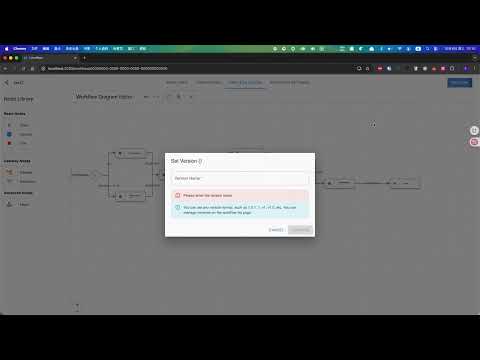
MCP Demo

Core Features
Revolutionary Visual Design
- Drag-and-Drop Process Designer: No complex configuration needed. Complete complex business process modeling through intuitive drag-and-drop connections. Supports advanced nodes like conditional branches, parallel tasks, and hooks.
- Smart Form Designer: Powerful visual form building tool with rich field types (text, numbers, dropdowns, personnel selection, attachments, etc.) and flexible layouts.
- Real-time Preview & Validation: Real-time preview during process design with built-in process logic validation to prevent design errors early.
- Multi-Version Process Configuration: You can configure multiple versions of processes and easily test and switch between versions.
Ultimate Flexibility & Extensibility
- Plugin Architecture: We provide plugin extension capabilities for almost all key nodes (such as custom actions, permission validation, notification methods, etc.). Your unique business logic can be easily integrated like building blocks.
- Powerful API System: Provides comprehensive and clear RESTful APIs for seamless integration with your customer service systems, CMDB, monitoring systems, CI/CD, OA, and other third-party systems.
- Highly Customizable Permission Model: Supports fine-grained permission control based on roles, departments, or even specific business conditions to meet complex enterprise permission management needs.
Enterprise-Ready Features Out of the Box
- Multi-Type Ticket Support: Easily manage various processes including IT operations, HR approvals, financial reimbursements, customer service, etc.
- Automation & Smart Routing: Supports conditional routing based on form data, automatic assignee assignment, and intelligent ticket flow.
- Comprehensive Audit Logs: Complete records of every operation from ticket creation to closure, meeting compliance and audit requirements.
- Authentication: Supports Microsoft OIDC, Wecom QR scan login.
- Multi-Tenant Support (Optional): Provides data isolation capabilities for SaaS providers or large enterprise groups (requires additional authorization).
Model Context Protocol (MCP)
Loonflow exposes a Model Context Protocol ticket server so compatible clients (for example AI-assisted editors) can list, inspect, prepare, and handle tickets through authenticated tools. The advertised server name is loonflow-ticket; tools use the same permission-aware ticket services as the web UI.
- Authentication: Use a personal access token (recommended; values start with
lfpat.) or a JWT issued by Loonflow. Create a personal access token under Personal Information → Personal Access Token in the product UI. - SaaS endpoint:
https://mcp.loonflow.com/mcp - Self-hosted: The MCP process serves Streamable HTTP on path
/mcpby default (adjust host, port, and transport using the environment variables described in the documentation).
Registered tools include ticket_list, ticket_detail, ticket_prepare_handle, ticket_handle (supports dry_run validation), and user_list (paginated user search within the authenticated tenant). For JSON client examples, supported parameters, and operational notes, see the full guide: MCP — Ticket Server.
Installation & Deployment
- Download docker-compose related files
wget https://raw.githubusercontent.com/blackholll/loonflow/refs/heads/master/docker_compose_deploy/docker-compose.yml
wget https://raw.githubusercontent.com/blackholll/loonflow/refs/heads/master/docker_compose_deploy/.env
- Modify the .env file Please modify at least the password section
- Start docker-compose Navigate to the directory containing docker-compose.yml and execute:
docker-compose up -d
- Access loonflow Login to loonflow using the email and password you set in the .env file.
Project Roadmap
Deep Dive
- Complete Documentation - Learn all the details about installation, configuration, usage, and development: https://loonflow.readthedocs.io
- MCP (Model Context Protocol) - Ticket server for AI-assisted and other MCP clients: https://loonflow.readthedocs.io/en/latest/mcp/index.html
- Hook Development Guide - Learn how to develop custom plugins for Loonflow.
- API Reference - View complete API interface documentation. https://documenter.getpostman.com/view/15031929/2sB3WyJbap
🤝 Contributing
Community contributions are warmly welcome! Whether you're fixing typos, improving documentation, reporting bugs, or developing new features.
Please fork this repository first, then submit a Pull Request.
Getting Help
- GitHub Issues - Submit bug reports and feature requests.
- Discussion Forum Discord.
- Commercial Support & Customization: For enterprise-level deep customization, technical training, or deployment support needs, please contact me at [blackholll@163.com;blackholll.cn@gmail.com].
Acknowledgments
Thanks to all contributors who have contributed code, submitted issues, and helped improve documentation for Loonflow.
If Loonflow has been helpful to you, please give us a ⭐️ Star for support!
Welcome Donations
Your support is my greatest motivation. Click the "sponsor" button on the GitHub project homepage to sponsor. If your are from China or you have alipay account. go to 简体中文, check alipay method to donate.
License & Legal Notice
This project is open source under the AGPLv3 license. You are free to view, modify, and distribute the code, but please note:
If you provide this project as a SaaS service to the public, according to AGPLv3, you must open source all your modifications.
If you want to use this project for SaaS services without open-sourcing modifications, or if you need to use its multi-tenant functionality within your enterprise, you need to obtain a commercial license from us. Please contact [blackholll@163.com;blackholll.cn@gmail.com].