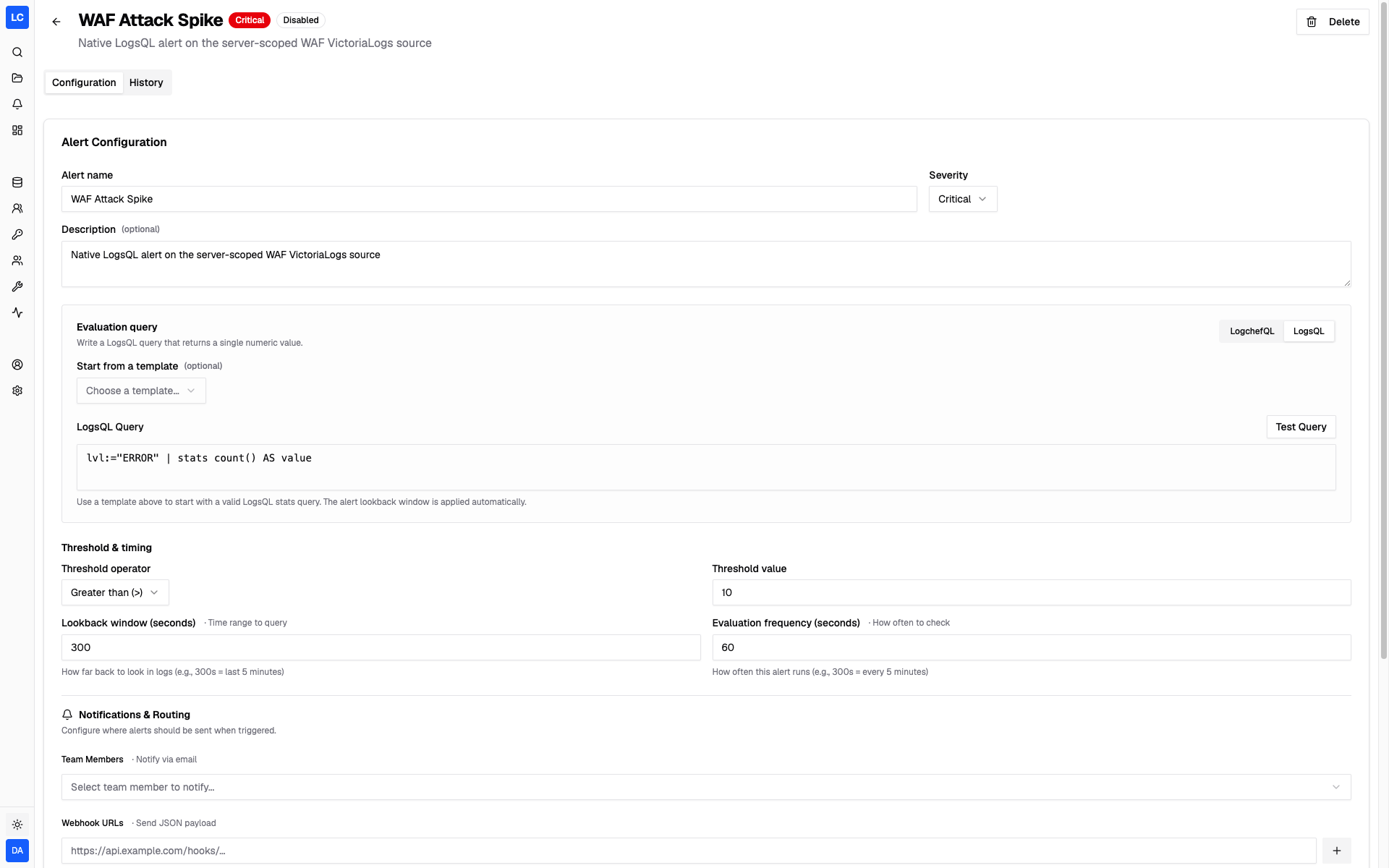
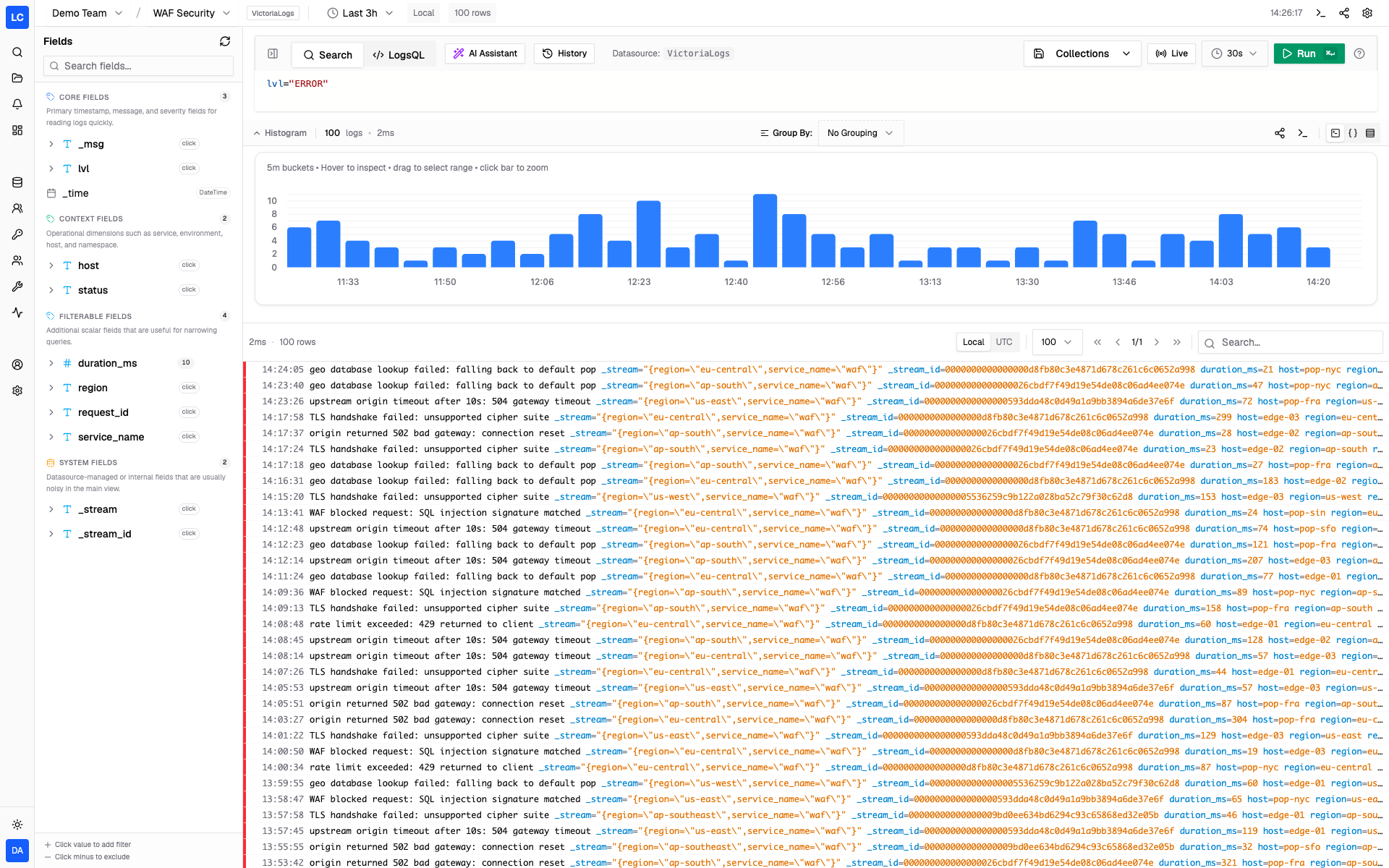
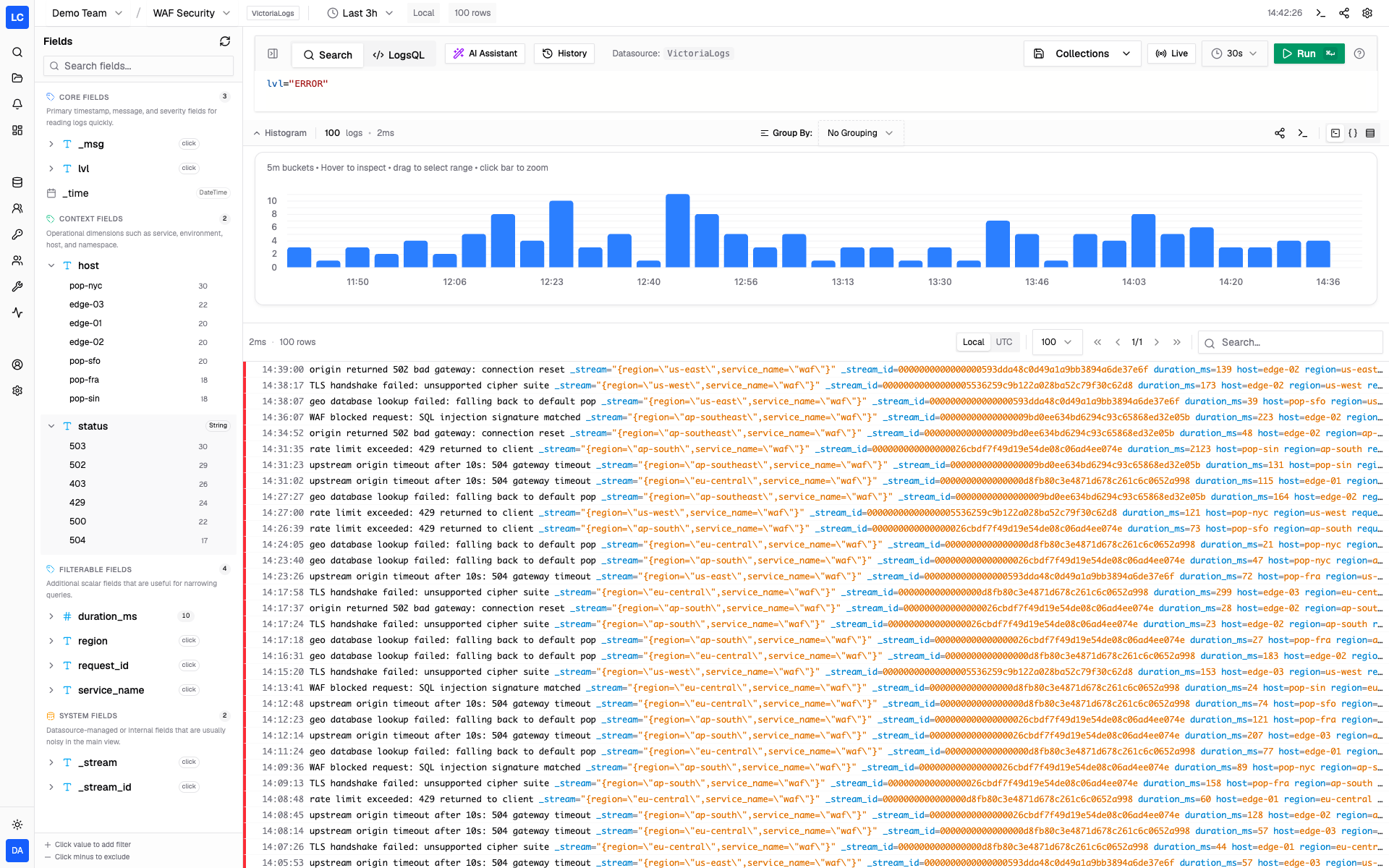
logchef is a free, open source monitoring & observability project written in Go and released under AGPL-3.0. It has 924 GitHub stars, 61 forks and 9 open issues, and was last pushed 5 days ago. On this registry it ranks #231 of 270 tracked projects in Monitoring & Observability, with 5 head-to-head comparisons available. It gained 16 stars over the last 30 tracked days.

What is logchef?

Logchef is a lightweight, self-hosted log analytics and observability interface for ClickHouse and VictoriaLogs, shipped as a single Go binary under the AGPL-3.0 licence, intended for teams that want a strong query and control plane on top of the log backends they already run.

What it is

Logchef is an open-source log workspace that connects to ClickHouse, VictoriaLogs, or both and gives one workflow for exploration, dashboards, saved queries, alerting, and access control. It is datasource-first: it queries ClickHouse tables and VictoriaLogs instances in place, without moving or reshaping the storage layer underneath them. The whole platform runs as one executable with no runtime dependencies, so the interface, the query engine layer, the auth, and the alerting all come from the same binary.

The concrete problem it solves is fragmentation. Teams that already run ClickHouse or VictoriaLogs typically assemble their own combination of query clients, dashboard tools, alert runners, and access-control glue around that backend. Logchef replaces that assembly with a single interface: a LogchefQL search workflow shared across both backends, dashboards that mix panels from both sources on one grid, source-aware scheduled alerting, and RBAC on top of either OIDC or built-in credentials. It also covers the terminal side of the same job through a cross-platform CLI, so investigation does not stop at the browser.

Key capabilities

  • Unified query workflow using LogchefQL across ClickHouse and VictoriaLogs, with a drop into native SQL or LogsQL when the query needs it.
  • Live tail that streams matching rows into the explorer and the CLI on both backends, including native VictoriaLogs tailing.
  • Dashboards that place ClickHouse and VictoriaLogs panels on one grid with drag-and-resize editing, offering time series, stat, breakdown, and table views on a shared time range.
  • Scheduled alerting that evaluates source-aware rules and sends email or webhook notifications.
  • Authentication and access control through OIDC or built-in email and password sign-in, with RBAC, and automatic safe provisioning of new users in OIDC deployments.
  • A pluggable metadata store: zero-config SQLite by default, with an opt-in Postgres backend for multi-replica high availability.
  • A CLI covering query, native SQL and LogsQL, explain, histogram, fields, history, tail, doctor, and browser hand-off, plus a Model Context Protocol server published as logchef-mcp.

Who uses it and how

  • Teams already running ClickHouse tables or VictoriaLogs who want query, dashboard, and access-control layers without changing how their logs are stored.
  • On-call and operations groups following incidents through live tail in the explorer or the CLI, then moving to dashboards and alert rules for the same data.
  • Organisations without an external identity provider, which use the built-in email and password authentication, and organisations with one, which use OIDC with auto-provisioning and RBAC.
  • Kubernetes environments deploying the chart in deployment/helm, which provisions Logchef, Dex, and ClickHouse through the Altinity operator, and multi-replica deployments backed by Postgres instead of SQLite.
  • Engineers and analysts who investigate from the terminal with the cross-platform CLI, or from an AI assistant through the MCP server.

Getting started

Docker Compose is the quickest path: download deployment/docker/docker-compose.yml, run docker compose up -d, and reach the interface at http://localhost:8125. Kubernetes users can instead install the Helm chart with helm install logchef ./deployment/helm --namespace logchef --create-namespace.

How it compares

No list of paid products that Logchef replaces is provided here, and the supplied facts name no directly comparable tool. It stands alone in this registry, sitting in front of ClickHouse and VictoriaLogs rather than competing with them.

When to use it — and when not to

Adopting Logchef means operating a log backend alongside it, so a self-hoster needs a running ClickHouse instance, a VictoriaLogs instance, or both, plus the metadata store — SQLite by default or Postgres for multi-replica setups — and working email or webhook delivery if alerting is required. Teams with no such backend in place, or those wanting a fully managed service rather than something they run themselves, should look elsewhere, and the AGPL-3.0 licence is a real consideration for anyone planning closed-source redistribution. The README excerpt is also dense on features but thin on operational depth, so deployment sizing and day-two runbooks are better sourced from the linked documentation than from the repository front page.

project readme (upstream, from github) — read inline

The open-source log workspace for ClickHouse and VictoriaLogs.
Search, live tail, dashboards, alerts, and access control in one self-hosted binary.

Try Demo · Read Documentation · What's new in v2.0
Logchef is a lightweight, self-hosted log analytics and observability platform for teams that want a strong query and control plane on top of the log backends they already run. Connect ClickHouse, VictoriaLogs, or both. Logchef gives them one workflow for exploration, dashboards, saved queries, alerting, and access control — without moving or reshaping your data.

If you are evaluating VictoriaLogs specifically, start with the VictoriaLogs guide.

Logchef 2.0

Version 2.0 is a major expansion of what Logchef can sit in front of and what teams can do once it is there:

  • VictoriaLogs is a first-class datasource. Use the same LogchefQL search workflow across backends, drop into native LogsQL when you need it, and carry source-level auth, tenant headers, and immutable scope through every query.
  • Build real operational dashboards. Mix ClickHouse and VictoriaLogs panels on one grid, drag and resize them in place, and choose time series, stat, breakdown, or table views.
  • Follow incidents as they unfold. Live tail streams matching rows into the explorer and CLI on both backends, including native VictoriaLogs tailing.
  • Run without an identity provider. Built-in email and password authentication works on its own or alongside OIDC; OIDC deployments can also auto-provision new users safely.
  • Investigate from the terminal. The CLI understands both backends and includes query, native SQL/LogsQL, explain, histogram, fields, history, tail, doctor, and browser hand-off workflows.
  • Ship it with more confidence. v2 adds dashboard caching, ClickHouse query guardrails, opt-in rate limiting, streaming for large ClickHouse results, and a broad security and reliability pass.

Read the v2.0 release notes or try the live demo.

Features

  • Query-first log exploration: Fast filtering with LogchefQL plus native SQL or LogsQL depending on the source.
  • Live tail: Stream matching logs in real time from the explorer.
  • Dashboards: Multi-panel views (time series, stat, breakdown, table) on a shared time range, with a direct-manipulation grid editor.
  • AI Query Assistant: Turn natural language into LogchefQL, ClickHouse SQL, or LogsQL.
  • Scheduled alerting: Evaluate source-aware rules and send email or webhook notifications.
  • OIDC or local auth + RBAC: SSO out of the box, or run without an external identity provider using built-in email+password authentication.
  • Datasource-first: Connect ClickHouse tables, VictoriaLogs instances, or both without reshaping your storage layer.
  • Single binary: One executable, no runtime dependencies.
  • Pluggable metadata store: Zero-config SQLite by default; opt into Postgres for multi-replica high availability.
  • Comprehensive metrics: Prometheus metrics for usage and performance.
  • MCP integration: Model Context Protocol server for AI assistants (logchef-mcp).
  • CLI: Query logs from your terminal with syntax highlighting and multi-context support (query, explain, histogram, tail, doctor, and more).

Quick Start

Docker

# Download the Docker Compose file
curl -LO https://raw.githubusercontent.com/mr-karan/logchef/refs/heads/main/deployment/docker/docker-compose.yml

# Start the services
docker compose up -d

Access the Logchef interface at http://localhost:8125.

Helm

A chart for Kubernetes (Logchef, Dex, and ClickHouse via the Altinity operator) lives in deployment/helm:

helm install logchef ./deployment/helm --namespace logchef --create-namespace

See deployment/helm/values.yaml for options and requirements.

CLI

Logchef includes a cross-platform CLI for querying and investigating logs directly from your terminal.

Install

Find the latest CLI version on the releases page, then set CLI_VERSION and download the build for your platform:

# Set to the latest cli-v* version from the releases page
CLI_VERSION="0.2.1"
BASE=https://github.com/mr-karan/logchef/releases/download/cli-v${CLI_VERSION}

# macOS (Apple Silicon)
curl -LO $BASE/logchef-cli_${CLI_VERSION}_macos-aarch64.tar.gz

# macOS (Intel)
curl -LO $BASE/logchef-cli_${CLI_VERSION}_macos-x86_64.tar.gz

# Linux (x86_64)
curl -LO $BASE/logchef-cli_${CLI_VERSION}_linux-x86_64-musl.tar.gz

# Linux (ARM64)
curl -LO $BASE/logchef-cli_${CLI_VERSION}_linux-aarch64-musl.tar.gz

# Extract and install
tar -xzf logchef-cli_*.tar.gz
sudo mv logchef /usr/local/bin/

Usage

# Authenticate with your Logchef server
logchef auth --server https://logs.example.com

# Query logs with LogchefQL
logchef query 'level="error"' --since 1h

# See the generated SQL/LogsQL without running it
logchef explain 'level="error"'

# Counts over time (terminal bar chart)
logchef histogram 'level="error"' --since 1h

# Diagnose your setup (config, auth, server, defaults)
logchef doctor

# Execute a raw native query (SQL for ClickHouse, LogsQL for VictoriaLogs)
logchef sql "SELECT * FROM logs.app WHERE level='error' LIMIT 10"
logchef sql 'level:="error" | fields _time, _msg, service'

For full documentation, see the CLI Guide.

Documentation

For comprehensive documentation, including setup guides, configuration options, and API references, please visit logchef.app.

Contributing

We welcome contributions! To get started:

  1. Development Setup: See our Development Setup Guide:

    just sqlc-generate
    just dev-docker
    just build
    
  2. Read the Guidelines: Check CONTRIBUTING.md for detailed contribution guidelines

  3. Find an Issue: Look for issues labeled good first issue or help wanted

  4. Make Your Changes: Follow our coding standards and run just check before submitting

For questions or help, open an issue or start a discussion on GitHub.

Screenshots
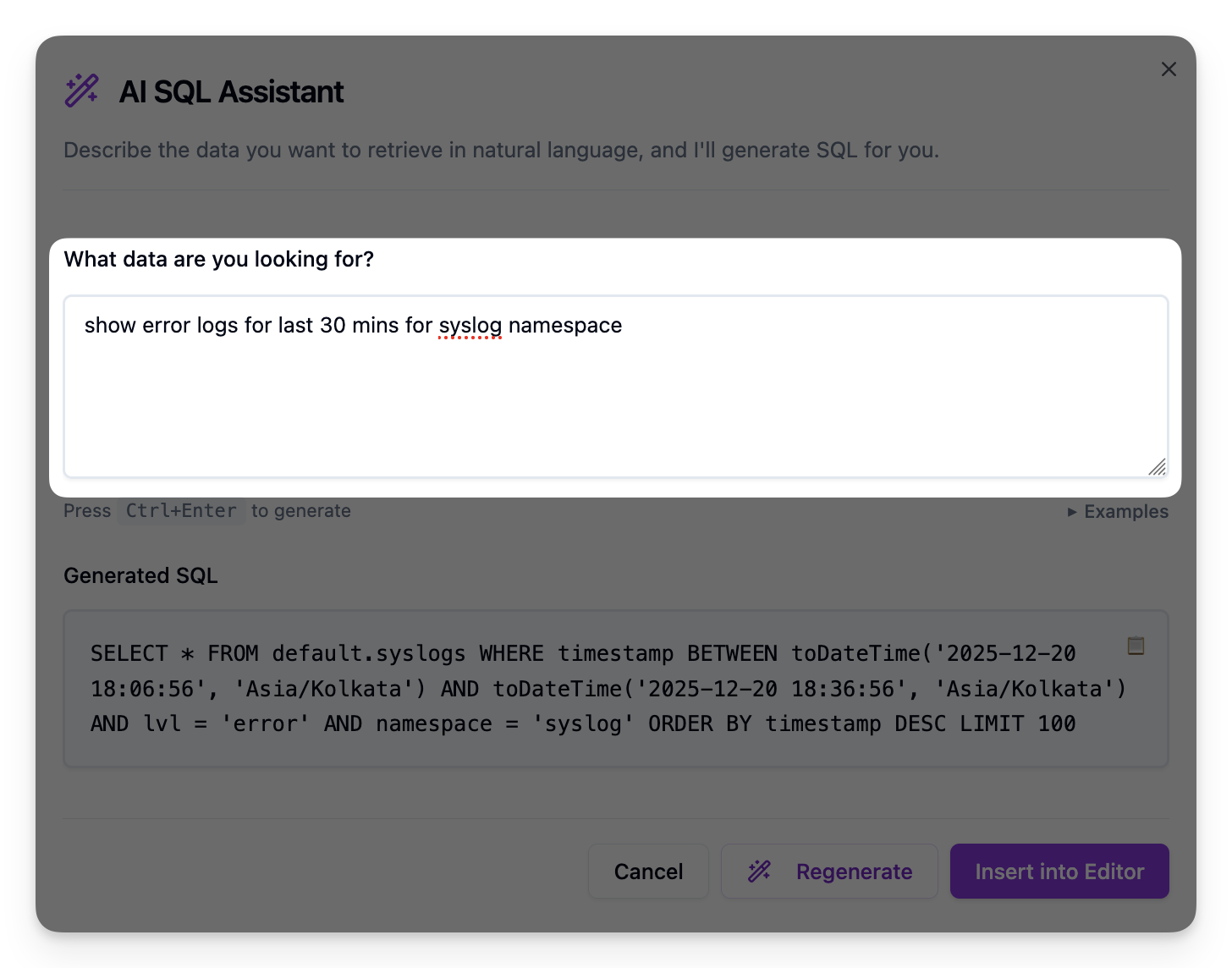
AI Query Assistant

Alerting

Compact view

Field exploration

License

Logchef is distributed under the terms of the AGPLv3 License.

Credits

The Logchef logo was designed by Namisha Katira.

Frequently asked questions

Is logchef free to use?

logchef is open source under the AGPL-3.0 licence. There is no licence fee and no seat count — you can self-host it or, where the project offers one, pay a vendor for a managed version instead.

What does logchef do?

Lightweight, single-binary log analytics interface for ClickHouse, focused on high-performance querying and visualization

What is logchef written in?

logchef is primarily written in Go. Its source is publicly available at https://github.com/mr-karan/logchef, and it has 924 GitHub stars.