LocalSend



Homepage • Discord • GitHub • Codeberg
LocalSend is a free, open-source app that allows you to securely share files and messages with nearby devices over your local network without needing an internet connection.
- About
- Sponsors
- Screenshots
- Download
- How It Works
- Dependency Hierarchy
- Getting Started
- Command Line Interface
- Contributing
- Troubleshooting
- Building
About
LocalSend is a cross-platform app that enables secure communication between devices using a REST API and HTTPS encryption. Unlike other messaging apps that rely on external servers, LocalSend doesn't require an internet connection or third-party servers, making it a fast and reliable solution for local communication.
Sponsors
Browser testing via

Screenshots
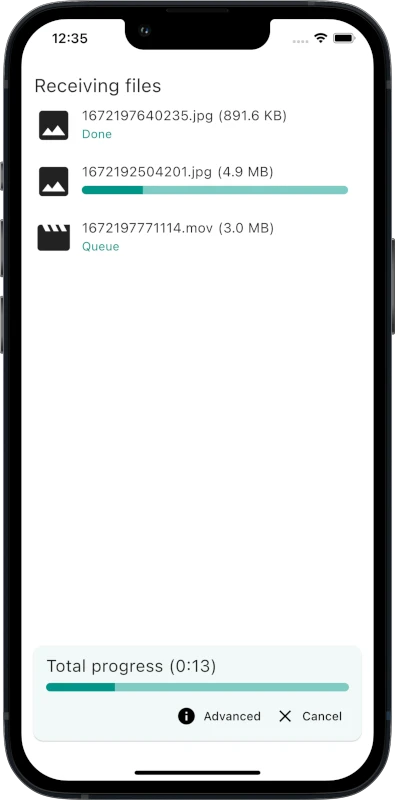
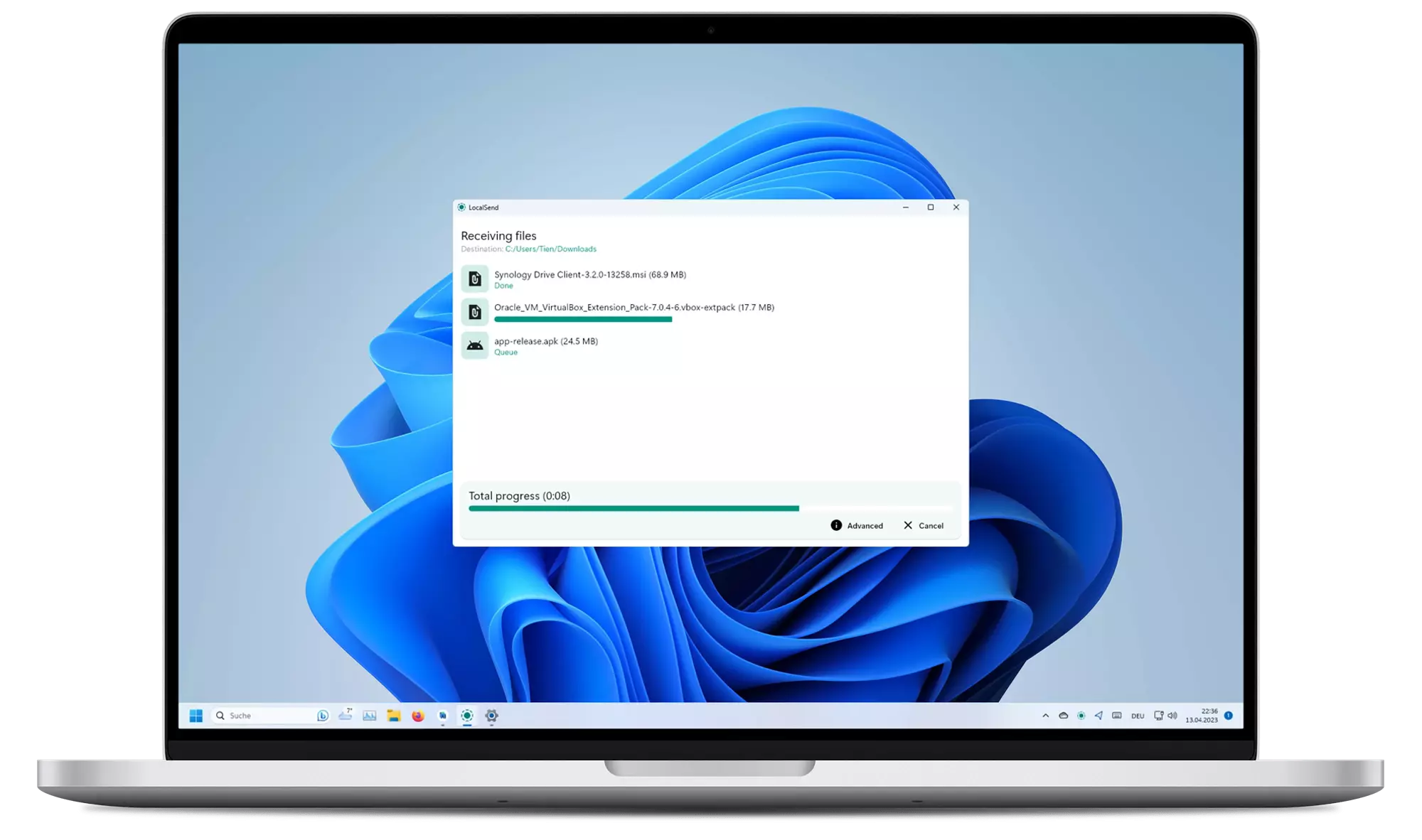
Download
It is recommended to download the app either from an app store or from a package manager because the app does not have an auto-update.
| Windows | macOS | Linux | Android | iOS | Fire OS |
|---|---|---|---|---|---|
| Winget | App Store | Flathub | Play Store | App Store | Amazon |
| Scoop | Homebrew | Nixpkgs | F-Droid | ||
| Chocolatey | DMG Installer | Snap | APK | ||
| EXE Installer | AUR | ||||
| Portable ZIP | TAR | ||||
| DEB | |||||
| AppImage |
Read more about distribution channels.
Windows binaries are signed. Read more about the Code signing policy.
[!CAUTION] Unofficial MSIX preview: you can try builds from the latest commits at localsend.ob-buff.dev. Stability is not guaranteed and all custom code tweaks are listed on that site.
Compatibility
| Platform | Minimum Version | Note |
|---|---|---|
| Android | 5.0 | - |
| iOS | 12.0 | - |
| macOS | 11 Big Sur | Use OpenCore Legacy Patcher 2.0.2 (See #1005) |
| Windows | 10 | The last version to support Windows 7 is v1.15.4. There might be backports of newer versions for Windows 7 in the future. |
| Linux | N.A. | Deps: Gnome: xdg-desktop-portal and xdg-desktop-portal-gtk, KDE: xdg-desktop-portal and xdg-desktop-portal-kde |
Setup
In most cases, LocalSend should work out of the box. However, if you are having trouble sending or receiving files, you may need to configure your firewall to allow LocalSend to communicate over your local network.
| Traffic Type | Protocol | Port | Action |
|---|---|---|---|
| Incoming | TCP, UDP | 53317 | Allow |
| Outgoing | TCP, UDP | Any | Allow |
On Linux, for example with ufw: sudo ufw allow 53317. With firewalld: sudo firewall-cmd --permanent --add-port=53317/tcp, sudo firewall-cmd --permanent --add-port=53317/udp, then sudo firewall-cmd --reload.
Also make sure to disable AP isolation on your router. It should be usually disabled by default but some routers may have it enabled (especially guest networks). See troubleshooting for more information.
Portable Mode
(Introduced in v1.13.0)
Create a file named settings.json located in the same directory as the executable.
This file can be empty.
The app will use this file to store settings instead of the default location.
Start hidden
(Updated in v1.15.0)
To start the app hidden (only in tray), use the --hidden flag (example: localsend_app.exe --hidden).
On v1.14.0 and earlier, the app starts hidden if autostart flag is set, and the hidden setting is enabled.
How It Works
LocalSend uses a secure communication protocol that allows devices to communicate with each other using a REST API. All data is sent securely over HTTPS, and the TLS/SSL certificate is generated on the fly on each device, ensuring maximum security.
For more information on the LocalSend Protocol, see the documentation.
Dependency Hierarchy

Getting Started
To compile LocalSend from the source code, follow these steps:
- Install Flutter directly or using fvm (see version required)
- Install Rust
- Clone the
LocalSendrepository - Run
cd appto enter the app directory - Run
flutter pub getto download dependencies - Run
flutter runto start the app
[!NOTE] LocalSend currently requires an older Flutter version (specified in .fvmrc) and thus build issues may be caused by a mismatch between the required and the (system-wide) installed Flutter version.
To make development more consistent, LocalSend uses fvm to manage the project Flutter version. After installingfvm, runfvm flutterinstead offlutter.
Command Line Interface
The LocalSend CLI is a terminal client built on LocalSend Protocol v2.
Run localsend-cli --help to see every available option and hotkey.
Use the send command with one or more files, directories, or a mixture of both:
localsend-cli send report.pdf photo.jpg ./project-backup
The command opens the discovered-device list; select the destination interactively and press Enter to start the transfer.
To select the destination without an interactive device list, pass its exact alias or IP address:
localsend-cli send --to "Cute Tomato" report.pdf
localsend-cli send --to 192.168.27.26 report.pdf
An alias must uniquely identify a discovered device. An IP address is probed directly
over HTTPS on LocalSend's default port (53317).
Directories are collected recursively. Their selected root names and nested paths are preserved on the receiver. Empty directories are not sent because LocalSend transfers file entries rather than directory entries.
Contributing
We welcome contributions from anyone interested in helping improve LocalSend. If you'd like to contribute, there are a few ways to get involved:
Translation
You can help translate LocalSend into other languages. We use the Weblate platform to manage translations.
Alternatively, you can also contribute by forking this repository and adding translations manually.
The translations are located in the app/assets/i18n directory. Edit the _missing_translations_.json or strings_.i18n.json file to add or update translations.
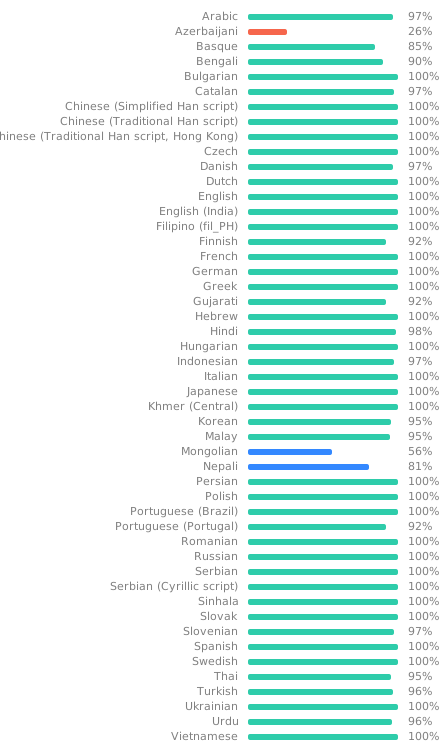
Take note: Fields decorated with @ are not meant to be translated; they are not used in the app in any way, being merely informative text about the file or to give context to the translator.
Bug Fixes and Improvements
- Bug Fixes: If you find a bug, please create a pull request with a clear description of the issue and how to fix it.
- Improvements: Have an idea for how to improve LocalSend? Please create an issue first to discuss why the improvement is needed.
For more information, see the contributing guide.
Troubleshooting
| Issue | Platform (Sending) | Platform (Receiving) | Solution |
|---|---|---|---|
| Device not visible | Any | Any | Make sure to disable AP-Isolation on your router. If it is enabled, connections between devices are forbidden. |
| Device not visible | Any | Windows | Make sure to configure your network as a "private" network. Windows might be more restrictive when the network is configured as public. |
| Device not visible | macOS, iOS | Any | You can try to toggle the "Local Network" permission under "Privacy" in the OS settings. |
| Device not visible | Any | Any | If a VPN is active, allow local/LAN traffic or temporarily disable the VPN. Some VPNs block local network connections by default. |
| Device not visible | Any | Any | Use manual sending to enter the receiver's IP address directly. If that works, add the device to favorites so it is probed directly. |
| Speed too slow | Any | Any | Use 5 Ghz; Disable encryption on both devices |
| Speed too slow | Any | Android | Known issue. https://github.com/flutter-cavalry/saf_stream/issues/4 |
Building
These commands are intended for maintainers only. Make sure to run them from the app directory.
Android
Traditional APK
flutter build apk
AppBundle for Google Play
flutter build appbundle
iOS
flutter build ipa
macOS
flutter build macos
Windows
Traditional
flutter build windows
Local MSIX App
flutter pub run msix:create
Store ready
flutter pub run msix:create --store
Linux
Traditional
flutter build linux
AppImage
appimage-builder --recipe AppImageBuilder.yml
Snap
Instructions in localsend/snap/README.md